
2027 Fastest Online AutoCAD Certificate Programs

Co-Founder and Chief Data Scientist
Choosing an online AutoCAD certificate is usually a time-and-budget decision: you want practical drafting skills quickly, but you also need a program that is credible, affordable, and realistic for your schedule. AutoCAD is still widely used in architecture, engineering, construction, manufacturing, interior design, and technical drafting, so a short certificate can be useful for career changers, entry-level drafters, design assistants, and working professionals who need to document their CAD skills.
This guide focuses on fast online AutoCAD certificate programs and how to compare them. You will learn what these programs teach, how long they take, what they cost, which schools offer shorter options, how online training compares with campus-based learning, and what career paths may be available after completion.
Quick answer: Is an online AutoCAD certificate worth it?
An online AutoCAD certificate can be worth it if you need focused, job-ready CAD training without committing to a full degree. The best programs teach 2D drafting, drawing setup, layers, dimensions, plotting, file management, and, in some cases, 3D modeling, Revit, or construction documentation. For many learners, the strongest value comes from programs that include hands-on projects, instructor feedback, Autodesk certification preparation, and software access.
However, a certificate alone does not guarantee a drafting job or a specific salary. Employers typically look for a combination of AutoCAD proficiency, a portfolio of technical drawings, industry knowledge, and the ability to follow drafting standards. If your goal is architecture, engineering, construction, or manufacturing support, choose a program that matches that industry rather than selecting the shortest option only.
What are the benefits of getting an online AutoCAD certificate?
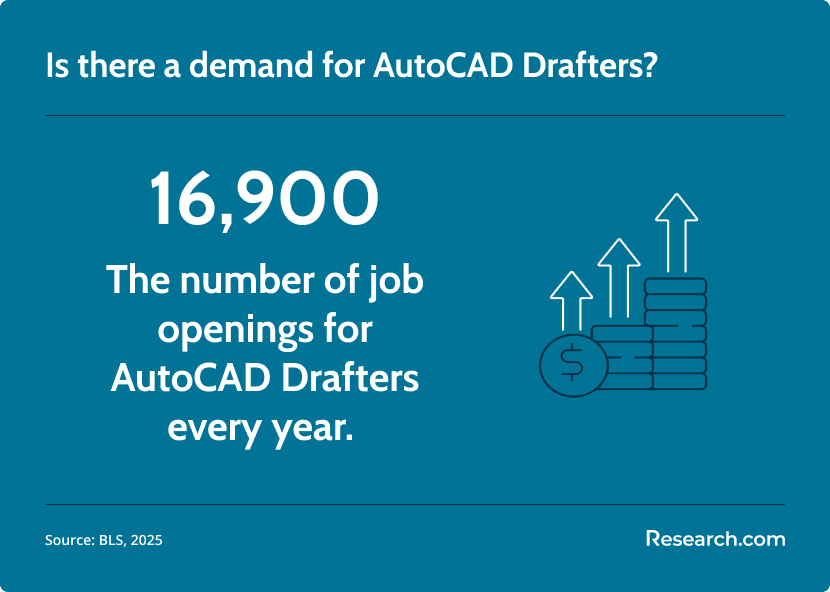
- It can help you enter a field with ongoing replacement demand. About 16,900 drafter openings are projected each year, which can create opportunities for candidates with current CAD skills (BLS, 2025).
- It may support stronger earning potential than basic computer skills alone. AutoCAD certified drafters earn an average annual salary of $52,154, according to ZipRecruiter (n.d.).
- It gives employers a clearer signal of technical readiness. A certificate shows that you have completed structured training in a commonly used design and drafting platform.
- It can be completed faster than many degree programs. Some online options take weeks or months rather than years.
- It can strengthen a portfolio. Programs with project-based assignments can help you produce sample floor plans, technical drawings, construction documents, or mechanical layouts for job applications.
What can I expect from an online AutoCAD certificate program?
An online AutoCAD certificate program is a short, skills-focused training path for learning computer-aided drafting. Instead of broad general education courses, these programs usually concentrate on the software commands, drafting conventions, and project workflows used in professional design settings.
Most programs are designed for beginners or early-career professionals, although some include intermediate tools or discipline-specific modules. A strong program should help you move from basic drawing commands to complete, organized, printable drawings that follow industry expectations.
| Program feature | What it usually includes | Why it matters |
| AutoCAD fundamentals | Interface navigation, drawing setup, basic commands, object snaps, lines, shapes, and editing tools | These are the core skills needed before you can produce accurate drawings. |
| 2D drafting and annotation | Layers, dimensions, text, layouts, title blocks, scales, plotting, and sheet setup | Most entry-level drafting work still depends heavily on clean 2D documentation. |
| Project-based assignments | Floor plans, technical details, mechanical parts, construction drawings, or discipline-specific exercises | Projects help you demonstrate practical ability, not just software familiarity. |
| 3D or BIM exposure | Basic 3D modeling, visualization, rendering, Revit, or BIM workflow introductions | These skills can help if you want to work in architecture, construction, product design, or collaborative design environments. |
| Instructor support | Feedback on drawings, virtual office hours, screen recordings, discussion boards, or live support | AutoCAD mistakes can be difficult to diagnose without expert review. |
| Certification preparation | Practice tasks aligned with Autodesk credential expectations | Certification prep can make your training easier to present to employers. |
| Software access | Student license, cloud-based access, or instructions for installing AutoCAD | You need regular practice time to build speed, accuracy, and confidence. |
Where can I work with an online AutoCAD certificate?
AutoCAD skills are useful wherever technical drawings guide design, construction, production, installation, or maintenance. A certificate can prepare you for entry-level drafting support roles, especially when paired with a portfolio and knowledge of the industry you want to enter.
- Architecture firms: Assist with floor plans, elevations, sections, details, and permit-ready drawing sets.
- Engineering departments: Support civil, mechanical, electrical, or structural teams by converting design concepts into precise technical drawings.
- Construction companies: Help prepare drawings, revisions, as-builts, layouts, and documentation used by field teams.
- Manufacturing and product design: Draft parts, assemblies, tooling, schematics, and production documentation.
- Interior design and retail planning: Produce space plans, fixture layouts, furniture plans, reflected ceiling plans, and finish documentation.
- Urban planning and infrastructure: Work on maps, site plans, road layouts, utility plans, and public works documentation.
- Freelance CAD services: Provide drawing cleanup, file conversion, plan drafting, or documentation support for small firms and independent clients.
How much can I make with an online AutoCAD certificate?
An AutoCAD certificate can support a drafting career, but pay depends on experience, location, industry, portfolio quality, and whether you also know related tools such as Revit, Civil 3D, SolidWorks, or BIM collaboration platforms. A short certificate is usually strongest as a starting credential or an upskilling tool rather than a standalone guarantee of higher wages.
Current salary figures for AutoCAD-certified professionals in the US include:
| Salary level | Annual pay | What it may represent |
| Top earners | $69,000 or more | Often experienced drafters, specialists, or professionals in higher-demand sectors. |
| 75th percentile | $56,500 | May include workers with stronger portfolios, specialized tools, additional credentials, or metro-area experience. |
| Average salary | $52,154 | A national average for many AutoCAD-certified professionals. |
| 25th percentile | $44,000 | Common for newer drafters, smaller markets, or roles with narrower responsibilities. |
To improve your earning potential, focus on building proof of skill: clean drawings, consistent layer standards, accurate dimensions, readable title blocks, and examples tied to your target field. Employers often value a portfolio that shows you can produce usable drawings under real project constraints.
- Best online AutoCAD certificate programs for 2027
- How long does an online AutoCAD certificate take?
- How much does an online AutoCAD certificate cost?
- How can students finish faster without a formal fast-track option?
- Online vs. on-campus AutoCAD certificate programs
- Online AutoCAD certificate prerequisites
- Common AutoCAD certificate courses
- AutoCAD certificate specializations
- How to choose the best online AutoCAD certificate
- Can AutoCAD support other creative design fields?
- Career paths after an online AutoCAD certificate
- Job outlook for online AutoCAD certificate graduates
List of the Best Universities for Online AutoCAD Certificate Program for 2027
How do we rank schools?
Research.com evaluates online AutoCAD certificate options with a student-focused lens: completion speed, cost, flexibility, institutional credibility, and usefulness for career preparation. Fast completion matters, but it should not come at the expense of practical drafting experience or reliable academic oversight.
Our higher education team reviews publicly available and licensed data sources, including the IPEDS database, Peterson’s Distance Learning Licensed Data Set, the College Scorecard database, and the National Center for Education Statistics.
The purpose of this ranking is to help readers compare programs using clear, decision-relevant information. You can review the full Research.com ranking process and data standards in our methodology.
| School or provider | Program length | Cost or tuition | Best fit |
| Penn Foster College | 7-11 months | $889 | Budget-conscious learners who want a self-paced foundation. |
| Virtual Design and Construction Institute | 150 hours, self-paced | $2,800 | Students who want software access and instructor support. |
| Georgia Highlands College | Up to 6 months | $2,995 | Learners seeking AutoCAD training tied to construction documents. |
| University of California–San Diego Extended Studies | 10 weeks | $1,725 | Students who want one of the shortest listed timelines and Revit exposure. |
| University of Wisconsin - River Falls | 6 months | $1,595 | Learners looking for structured basics and practical application. |
| Florida International University | 6 months | $2,995 | Students who want introductory and intermediate AutoCAD training. |
| Texas State Technical College | 6 months | $1,595-$2,995 | Learners interested in drafting and design with optional projects. |
| Louisiana State University–Shreveport | 6 months | $2,995 | Students who want floor plans, plotting, layers, title blocks, and intermediate tools. |
| Houston Community College | 96 hours | $1,575 | Learners who want a shorter computer-based CAD training format. |
| Lone Star College | 96 hours | $1,581 | Students interested in architectural, structural, and civil drafting applications. |
1. Penn Foster College
Penn Foster College provides an online AutoCAD Certificate for learners who want a flexible introduction to drafting and computer-aided design. The program is self-paced and designed for students who need to study from home while building core CAD skills.
- Program Length: 7-11 months
- Tracks/concentrations: AutoCAD Basic Commands and Advanced Functions
- Estimated Cost: $889
- Accreditation: Distance Education Accrediting Commission (DEAC)
2. Virtual Design and Construction Institute
The Virtual Design and Construction Institute offers an online AutoCAD course with self-paced study, software access, and instructor help. Its structure is useful for students who want guided practice while learning core drafting workflows.
- Program Length: 150 hours, self-paced
- Tracks/concentrations: Introduction and Intermediate AutoCAD Courses
- Estimated Cost: $2,800
- Accreditation: Accrediting Council for Continuing Education and Training (ACCET)
3. Georgia Highlands College
Georgia Highlands College offers a 100% online AutoCAD Certification Training Course that begins with core Autodesk AutoCAD skills and builds toward professional construction documentation. The program may appeal to students who want applied drafting tasks rather than software-only instruction.
- Program Length: Up to 6 months
- Tracks/concentrations: AutoCAD Design and Drafting
- Estimated Cost: $2,995
- Accreditation: Accrediting Council for Continuing Education and Training (ACCET)
4. University of California–San Diego Extended Studies
The University of California–San Diego Extended Studies program moves students through a sequence that includes introductory AutoCAD, intermediate AutoCAD, working drawings, and Revit. It is one of the shorter options listed, with a 10-week timeline.
- Program Length: 10 weeks
- Tracks/concentrations: Intro to AutoCAD, Intermediate AutoCAD, Working Drawings, and Revit
- Tuition: $1,725
- Accreditation: WASC Senior College and University Commission (WSCUC)
5. University of Wisconsin - River Falls
The University of Wisconsin - River Falls offers a fully online AutoCAD Certification Training Course that introduces essential commands and progresses toward professional construction document creation. The format is suited to students who want a practical AutoCAD foundation over a 6-month period.
- Program Length: 6 months
- Tracks/concentrations: AutoCAD Basics
- Tuition: $1,595
- Accreditation: Higher Learning Commission (HLC)
6. Florida International University
Florida International University offers AutoCAD certification training that emphasizes real design workflows and optional projects. Students work through introductory and intermediate AutoCAD content applicable to architecture, engineering, and construction settings.
- Program Length: 6 months
- Tracks/concentrations: Intro to AutoCAD and Intermediate AutoCAD
- Tuition: $2,995
- Accreditation: Southern Association of Colleges and Schools Commission on Colleges (SACSCOC)
7. Texas State Technical College
Texas State Technical College provides a 100% online AutoCAD certification course that covers foundational drafting and advanced construction documentation. Optional hands-on work helps students apply AutoCAD concepts to realistic drafting tasks.
- Program Length: 6 months
- Tracks/concentrations: AutoCAD Drafting and Design
- Tuition: $1,595-$2,995
- Accreditation: Southern Association of Colleges and Schools Commission on Colleges (SACSCOC)
8. Louisiana State University–Shreveport
Louisiana State University–Shreveport offers an AutoCAD certification training course that teaches students to create drafting symbols, fixture layouts, floor plans, and a complete final deliverable. Intermediate skills include layer control, plotting, user coordinate systems, and title block creation.
- Program Length: 6 months.
- Tracks/concentrations: Intro to AutoCAD and Intermediate AutoCAD.
- Tuition: $2,995.
- Accreditation: Southern Association of Colleges and Schools Commission on Colleges (SACSCOC).
9. Houston Community College
Houston Community College introduces CAD concepts, software and hardware considerations, and drafting workflows through computer-based instruction. Students move from 2D skills toward 3D modeling while learning practical shortcuts and software techniques.
- Program Length: 96 hours.
- Tracks/concentrations: Intro to Computer Assisted Drafting and Drafting and Design
- Tuition: $1,575.
- Accreditation: Southern Association of Colleges and Schools Commission on Colleges (SACSCOC).
10. Lone Star College
Lone Star College trains AutoCAD Draftsman Program students to prepare architectural, structural, and civil engineering drawings for projects such as bridges, highways, and public works. The curriculum combines CAD instruction with building materials, engineering standards, and relevant mathematics.
- Program Length: 96 hours.
- Tracks/concentrations: AutoCAD, Introduction and Advanced
- Estimated Cost: $1,581.
- Accreditation: Southern Association of Colleges and Schools Commission on Colleges (SACSCOC).
How long does it take to complete an online AutoCAD certificate program?
Online AutoCAD certificates vary from short, intensive formats to slower self-paced programs. Autodesk, AutoCAD’s parent company, has a $64.69 billion market cap and 9.20% share of the CAD software market, and the continued use of CAD software helps explain why many students seek a faster route to practical training.
The fastest listed option takes 10 weeks, while many standard-paced online certificates take 6 to 12 months. The right timeline depends on your experience level and the number of hours you can devote each week.
| Timeline | Best for | Trade-off |
| 10 weeks | Learners with strong computer skills, prior drafting exposure, or a clear short-term goal | The pace can be demanding, especially if you are new to technical drawing. |
| 96 hours | Students who want a concise, skills-focused format | You may need extra practice outside class to build portfolio-quality work. |
| 150 hours, self-paced | Learners who want flexibility but still need substantial practice time | Progress depends heavily on your discipline and weekly schedule. |
| 6 months | Beginners balancing work, family, or other responsibilities | Completion is slower, but there is more time to absorb technical material. |
| 7-11 months | Students who prefer a low-pressure self-paced path | You may need to stay self-motivated over a longer period. |
| 6 to 12 months | Learners who want a more traditional certificate pace | The timeline is less accelerated but may support deeper skill development. |
If you are comparing fast technical training options beyond drafting, Research.com also reviews the cheapest online software engineering bootcamps, which may be useful if your interests include programming, software tools, or broader technology careers.

What is the average cost of an online AutoCAD certificate program?
The cost of an accelerated online AutoCAD certificate program can vary widely, typically ranging from $889 to $2,995 (Penn Foster College, n.d.). The price often reflects the institution, program length, included support, software access, certification preparation, and whether the course is self-paced or instructor-supported.
Cost should not be judged by tuition alone. A lower-priced program may be a strong choice if it teaches the commands and drawing standards you need. A higher-priced program may be worthwhile if it includes instructor review, software, career support, or more advanced projects.
| Cost factor | How it affects value | Question to ask before enrolling |
| Program length and depth | Shorter courses may cost less but cover fewer advanced applications. | Does the program teach only basic commands, or does it include complete drawings? |
| Instructor access | Live support, mentoring, or detailed drawing feedback can raise the price. | Will someone review my files and explain mistakes? |
| AutoCAD software access | Included access can reduce setup barriers but may be built into tuition. | Do I receive temporary software access, or must I arrange it myself? |
| Certification exam preparation | Programs aligned with Autodesk exam topics can be more useful for credential-seeking students. | Does the tuition include exam prep, practice tasks, or a voucher? |
| Institutional reputation and accreditation | Recognized schools may charge more, but credibility can matter to employers and transfer pathways. | Who awards the certificate, and what accreditation does the institution hold? |
| Project portfolio support | Hands-on assignments can improve job readiness. | Will I finish with drawings I can show an employer? |
If you are also weighing accelerated programs in other fields, compare AutoCAD training with options such as an accelerated online master's degree public relations or the cheapest cloud engineering online training. These programs serve different career goals, but they illustrate why cost, pace, and career alignment should be evaluated together.
How can students accelerate earning an online AutoCAD certification program without fast-track options
You can finish an online AutoCAD certificate faster even if the school does not advertise a fast-track format. The key is to reduce wasted time, practice deliberately, and avoid getting stuck on small technical issues for days.
- Create a weekly production schedule. Set fixed study blocks and treat them as required work sessions, not optional study time.
- Master setup tasks early. Learn file organization, units, templates, layers, object snaps, and plotting before moving deeply into complex projects.
- Preview the entire syllabus. Knowing which commands and projects are coming helps you connect concepts faster.
- Ask for help quickly. If a command, drawing error, or plotting issue blocks progress, use instructor support immediately.
- Use targeted tutorials. Short tutorials can reinforce commands such as blocks, xrefs, dimensions, layouts, and 3D tools.
- Practice outside required assignments. Re-create a room layout, mechanical part, or simple site plan to build speed.
- Build your portfolio as you go. Save polished versions of assignments rather than waiting until the end.
- Schedule certification while the material is fresh. If you plan to sit for an Autodesk exam, avoid a long delay after completing the course.
Students targeting construction or remodeling roles may benefit from pairing CAD training with hands-on knowledge, such as the cheapest home remodeling and repair trade school programs online. The combination can make it easier to understand how drawings translate to real building conditions.
Focusing on one industry also helps you move faster. If you want architectural drafting, prioritize floor plans, elevations, sections, title blocks, and construction documents. If you want manufacturing, spend more time on mechanical parts, dimensions, tolerances, and assembly drawings. The same principle applies in other accelerated fields, such as an accelerated professional writing online degree, where students progress faster when they align coursework with a target industry.
How does an online AutoCAD Certificate compare to an on-campus program?
Online and on-campus AutoCAD certificate programs can teach similar software skills, but the learning experience is different. Online programs are often better for working adults, rural learners, and students who need flexible scheduling. Campus programs may be better for students who want immediate in-person help, access to computer labs, or a fixed classroom routine.
| Factor | Online AutoCAD certificate | On-campus AutoCAD certificate |
| Schedule | Often self-paced or asynchronous, with some virtual support | Usually follows set class meeting times |
| Software setup | Students may use a student license, cloud access, or their own compatible computer | Software is commonly available in campus labs |
| Instructor interaction | Feedback may come through uploaded files, email, video, or virtual office hours | Questions can often be answered during class or lab time |
| Hands-on practice | Completed through digital files, downloadable assignments, and remote submissions | Completed in classrooms or labs with in-person supervision |
| Best for | Self-directed learners who need flexibility | Students who prefer structure and face-to-face support |
| Main risk | Falling behind without a disciplined schedule | Missing classes because of work, travel, or personal obligations |
Online learning is not limited to AutoCAD. Students comparing flexible career programs may also review an accelerated online hospitality management degree or explore affordable AutoCAD certificate courses online if keeping costs low is a priority.
What are the prerequisites for enrolling in an online AutoCAD certificate program?
Most beginner-friendly AutoCAD certificate programs do not require previous drafting experience. Still, students who prepare before the first lesson usually progress faster and struggle less with technical setup.
- Basic computer skills: You should know how to manage files, install software, use folders, and work comfortably on a Windows-based system.
- A compatible computer: AutoCAD can require more processing power than basic office software, so check Autodesk system requirements before enrolling.
- Reliable internet access: Online lessons, software downloads, cloud files, and assignment submissions depend on stable connectivity.
- High school diploma or equivalent: Some programs recommend or require this level of preparation, especially for technical coursework.
- Comfort with measurement and geometry: You do not need to be a math expert, but drafting requires accuracy, scale, angles, and spatial reasoning.
- Optional drafting knowledge: Prior exposure to blueprints, technical drawing, architecture, engineering, or construction can make the learning curve easier.
If you want a broader technical foundation, the shortest IT training bootcamps online may help you build complementary computer and troubleshooting skills. Students considering longer-term technology pathways can also compare AutoCAD training with an affordable online associate degree in computer science.
What courses are typically in an online AutoCAD certificate program?
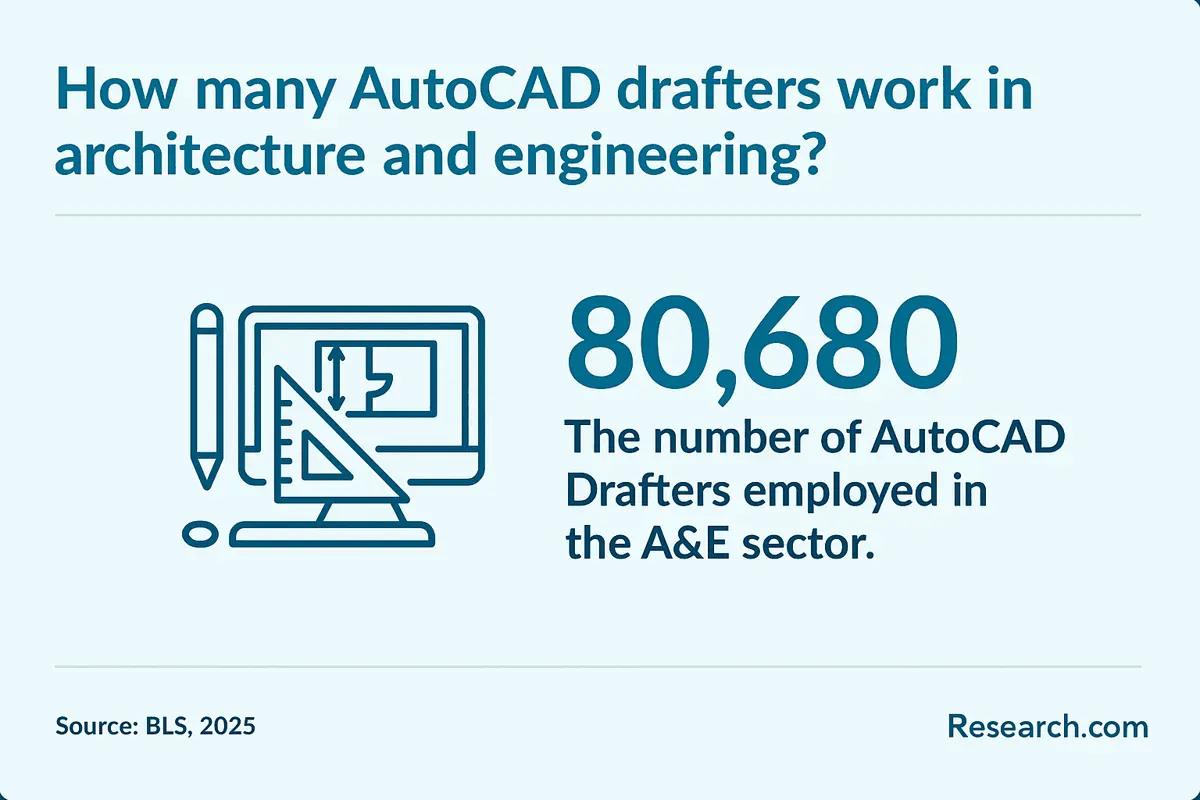
AutoCAD certificate coursework usually starts with drafting fundamentals and then moves into applied drawing tasks. The goal is not only to know what commands do, but to use them in organized, accurate, and readable documents. More than 80,680 AutoCAD drafters work in architectural and engineering sectors today (BLS, 2025), which makes applied coursework especially important for students targeting those fields.
| Course area | What students learn | Common project outcome |
| AutoCAD Fundamentals | Interface, commands, drawing tools, object snaps, coordinate systems, and editing | Basic 2D drawings with accurate geometry |
| Technical Drawing and Blueprint Reading | Drawing conventions, symbols, views, scale, and documentation standards | Readable technical drawings based on industry examples |
| 2D Drafting and Annotation | Layers, dimensions, text, hatches, layouts, title blocks, and plotting | Sheet-ready plans or details |
| 3D Modeling and Visualization | 3D objects, viewing tools, modeling basics, and presentation methods | Simple 3D models or visualized components |
| Architecture or Engineering Applications | Floor plans, elevations, mechanical parts, civil layouts, or discipline-specific standards | Industry-focused drafting assignment |
| CAD Standards and File Management | Layer naming, file organization, blocks, xrefs, templates, and drawing consistency | Organized CAD files that can be shared with a team |
| Autodesk Certification Preparation | Exam-aligned practice, command review, accuracy checks, and timed tasks | Readiness for certification assessment |
Students interested in facilities, industrial work, or building operations may find value in combining drafting training with the cheapest maintenance technician training online. CAD skills can help technicians interpret drawings, document equipment layouts, and communicate repair plans more clearly.
What types of specializations are available in an online AutoCAD certificate program?
Many AutoCAD certificates begin with general drafting skills, but specialization matters if you want your training to match a specific job market. Architecture, civil engineering, manufacturing, interior design, and electrical drafting all use technical drawings differently.
- Architectural drafting: Floor plans, elevations, sections, schedules, details, and construction documents for residential or commercial buildings.
- Mechanical drafting: Parts, assemblies, mechanical schematics, machine components, and manufacturing drawings.
- Civil drafting: Road layouts, grading plans, utility drawings, site plans, land development documents, and public works drawings.
- Electrical drafting: Circuit diagrams, panel layouts, lighting plans, power distribution, and building systems drawings.
- Structural drafting: Steel, concrete, framing plans, load-bearing elements, and construction details.
- Interior design drafting: Furniture layouts, space plans, finish plans, reflected ceiling plans, and millwork drawings.
- Revit and BIM workflows: Model-based documentation and collaboration for architecture, engineering, and construction teams.
Students who want to connect digital design with fabrication may also compare AutoCAD training with the cheapest welding training programs online. This pairing can be relevant in manufacturing, construction, and industrial environments where drawings guide physical production.
Cloud-based collaboration is also becoming more important as design teams share files, manage revisions, and coordinate models remotely. If you are wondering what does a cloud architect do?, the comparison is useful because modern drafting teams increasingly rely on cloud infrastructure for version control, file access, and project coordination.
How to choose the best online AutoCAD certificate program?
The best online AutoCAD certificate is not automatically the shortest or cheapest. It is the program that teaches the right skills for your target role, gives you enough practice, and provides a credible certificate you can explain to employers.
| Selection factor | What to check | Warning sign |
| Curriculum fit | Look for 2D drafting, layers, dimensions, layouts, plotting, file standards, and projects tied to your field. | The course only lists vague “AutoCAD basics” with no project details. |
| Instructor qualifications | Check whether instructors have CAD, drafting, engineering, architecture, construction, or Autodesk experience. | No information is provided about who teaches or reviews work. |
| Hands-on projects | Confirm that you will create drawings, not just watch demonstrations. | The program relies mainly on passive videos or quizzes. |
| Software access | Ask whether AutoCAD access is included and whether your computer meets requirements. | You discover after enrollment that you must pay for software or upgrade hardware. |
| Certification preparation | Find out whether coursework aligns with Autodesk certification topics. | The program promises certification but does not explain exam preparation. |
| Student support | Look for drawing feedback, technical help, office hours, or tutoring options. | There is no clear path for help when files or commands fail. |
| Total cost | Include tuition, fees, software, exam vouchers, books, and computer upgrades. | The advertised price excludes major required expenses. |
| Accreditation and provider credibility | Verify the institution or training provider and understand what the certificate represents. | The provider makes career guarantees or gives little institutional information. |
For students who want broader technical versatility, pairing AutoCAD with a fast-track CompTIA A+ certification online can strengthen computer hardware, troubleshooting, and IT fundamentals used in technology-heavy design environments.
Common mistakes to avoid when choosing an AutoCAD certificate
- Choosing only by speed. A 10-week program can be useful, but only if you have enough time to practice.
- Ignoring accreditation or provider credibility. Verify who awards the certificate and whether the institution is recognized.
- Assuming software is included. Always confirm whether AutoCAD access is part of tuition.
- Overlooking hardware requirements. AutoCAD may not run well on an older or underpowered computer.
- Skipping portfolio development. Employers need evidence that you can produce clean, usable drawings.
- Relying only on rankings. Rankings help narrow choices, but your target industry, schedule, and learning style matter more.
- Assuming certification equals employment. A certificate can support your job search, but it does not replace experience, networking, or a strong portfolio.
Can an online AutoCAD certificate complement other creative design fields?
Yes. AutoCAD can support creative fields that require precision, scale, spatial planning, or technical communication. Product designers, exhibit designers, set designers, interior designers, game environment artists, and virtual production teams may all benefit from the ability to create accurate 2D plans or technical models.
AutoCAD is not a replacement for creative software used in animation, game design, or visual development, but it can add technical discipline to creative work. Students interested in combining drafting with interactive media may also explore the best game development degree programs online to compare creative technology pathways.
What career paths are available for graduates of online AutoCAD certificate programs?
An online AutoCAD certificate can prepare students for entry-level drafting support roles or help current workers add CAD responsibilities to an existing job. Career outcomes depend heavily on prior education, industry knowledge, portfolio quality, and local hiring conditions.
| Career path | Typical work | Helpful additional skills |
| Architectural Drafter | Creates building plans, elevations, sections, and details for architects and contractors | Building codes, Revit, construction documents, blueprint reading |
| Mechanical Drafter | Prepares drawings for parts, machines, assemblies, and manufacturing processes | Mechanical systems, tolerances, SolidWorks, manufacturing standards |
| Civil Drafter | Supports road, site, infrastructure, utility, and public works drawings | Civil 3D, surveying basics, grading, site planning |
| CAD Technician | Creates, revises, organizes, and maintains CAD files for design or engineering teams | Layer standards, xrefs, file management, quality control |
| Design Assistant | Helps architects, designers, or engineers produce and revise drawings | Design software, communication, project coordination |
| Freelance CAD Specialist | Provides drafting, file cleanup, plan conversion, or drawing support on a project basis | Client communication, estimating, portfolio development, remote collaboration |
| BIM Technician | Works with AutoCAD, Revit, and model-based workflows for building and infrastructure projects | Revit, BIM standards, cloud collaboration, clash coordination basics |
As more design teams use cloud systems to share drawings and manage revisions, drafters who understand digital collaboration may stand out. Related technology careers are also expanding in visibility, and students interested in cloud-based project environments may compare drafting work with career information such as cloud consultant salary.
What is the job outlook for graduates with an online AutoCAD certificate?
The drafting field is competitive and technology-driven. The Bureau of Labor Statistics reports about 16,900 drafter openings are projected each year, on average, over the next decade. Many openings are expected to result from workers retiring or changing occupations rather than broad employment expansion.
At the same time, CAD and BIM tools can increase productivity, which may reduce the need for some traditional drafting tasks. This makes advanced digital skills, specialization, and portfolio quality especially important.
- 204,500 Employed AutoCAD Drafters: The field remains substantial, but competition can be significant.
- 16,900 Job Openings Annually: Openings are largely tied to replacement needs such as retirements and career changes.
- Overall Employment Expected To Decline Slightly: CAD and BIM tools allow architects and engineers to complete more drafting-related work directly.
- Specialization affects opportunity: Architectural, civil, and mechanical drafting skills remain relevant in construction, infrastructure, and manufacturing.
- Technology skills matter: AutoCAD, BIM software, file collaboration, and accurate digital documentation can improve competitiveness.
- Quality matters more than a credential alone: Employers want candidates who can create accurate, organized, standards-based drawings.
There are about 192,100 AutoCAD drafters as of 2024, reflecting a stable but competitive field with consistent demand for skilled professionals. The strongest candidates are likely to be those who combine AutoCAD training with industry knowledge, related software, and a clear portfolio.
Here’s What Graduates Have to Say About Their Online AutoCAD Certificates
- “I did not think I could move into a technical role while keeping my full-time job, but the online AutoCAD format made the transition manageable. The flexible schedule helped, and the project work made the lessons feel practical. I now create floor plans for a local architecture firm.” – Kenneth
- “The online course felt more interactive than I expected. The lessons were clear, support was available when I needed it, and the assignments resembled real drafting problems. I now prepare construction documents and coordinate with engineers remotely.” – Madison
- “I began with no drafting background and finished with drawings I could actually show employers. Being able to replay lessons, practice commands, and improve my files helped me build confidence. That certificate helped me move from retail into design work.” – Diego
Key Insights
- The fastest listed online AutoCAD certificate takes 10 weeks, but many programs take 6 to 12 months. Choose speed only if you can commit enough weekly practice time.
- Program costs range from $889 to $2,995. Compare total value, including software access, instructor feedback, certification prep, and portfolio projects.
- AutoCAD training is most valuable when aligned with a target industry. Architectural, civil, mechanical, electrical, structural, interior design, and BIM workflows all use CAD differently.
- A certificate can improve your credibility, but it does not guarantee a job or salary. Employers also evaluate portfolio quality, drafting accuracy, communication, and related software skills.
- Online programs work best for disciplined learners. If you need in-person troubleshooting or a fixed routine, an on-campus option may be a better fit.
- Job opportunities exist, but the field is changing. About 16,900 drafter openings are projected each year, while automation and BIM continue to reshape drafting roles.
- The best next step is practical comparison. Before enrolling, ask each program about accreditation, software access, hardware requirements, instructor support, project examples, exam preparation, refund policies, and career services.
References:
- 6sense. (n.d.). AutoCAD market share. 6sense.com. Retrieved 27 June 2025.
- Bureau of Labor Statistics. (2024). Drafters. Bls.gov. Retrieved 27 June 2025.
- CompaniesMarketCap. (n.d.). Autodesk market capitalization. Companiesmarketcap.com. Retrieved 27 June 2025.
- FIU. (n.d.). AutoCAD certification training course. Careertraining.fiu.edu. Retrieved 27 June 2025.
- Georgia Highlands College. (n.d.). AutoCAD certification training course. Sites.highlands.edu. Retrieved 27 June 2025.
- HCC. (n.d.). AutoCAD draftsman certification. Hccs.edu. Retrieved 27 June 2025.
- Lone Star College. (n.d.). AutoCAD draftsman certification. Lonestar.edu. Retrieved 27 June 2025.
- LSUS. (n.d.). AutoCAD certification training course. Careertraining.lsus.edu. Retrieved 27 June 2025.
- Penn Foster. (n.d.). AutoCAD certificate program. Pennfoster.edu. Retrieved 27 June 2025.
- TSTC. (n.d.). AutoCAD certification training course. Tstc.edu. Retrieved 27 June 2025.
- UC San Diego Extended Studies. (n.d.). AutoCAD I: Introduction (ARCH-40001). Extendedstudies.ucsd.edu. Retrieved 27 June 2025.
- UW-River Falls. (n.d.). AutoCAD certification training course. Uwrf.edu. Retrieved 27 June 2025.
- VDCI. (n.d.). AutoCAD fundamentals course. Vdci.edu. Retrieved 27 June 2025.
- ZipRecruiter. (n.d.). AutoCAD drafter salary. Ziprecruiter.com. Retrieved 27 June 2025.
- Zippia. (n.d.). Skills for AutoCAD draftsmen. Zippia skills source Zippia.com. Retrieved 27 June 2025.
Other Things You Need to Know About Online AutoCAD Certificate Programs
The fastest online AutoCAD certificate programs in 2027 offer self-paced learning, interactive modules, and virtual labs. These programs emphasize industry standards and provide hands-on projects for practical experience. Students can generally expect completion times of 6 to 12 weeks, depending on prior experience.
In 2027, the fastest online AutoCAD certificate programs are typically completed in 4 to 6 weeks. These accelerated courses focus on delivering intensive training on essential AutoCAD skills, allowing students to enter the workforce quickly with a solid foundation in computer-aided design.


