
2027 Easiest IT Certifications & Programs

Co-Founder and Chief Data Scientist
Feeling overwhelmed by the number of available IT certifications is completely normal. Many people get stuck trying to find the perfect starting point, and that indecision can be paralyzing.
Here’s the key: the best beginner certifications are not “easy” because they lack value. They are “easy” because they are intentionally designed to be accessible on-ramps to the tech industry. With 10 years of experience, the career planning experts who created this guide have sorted through the noise for you. This resource provides a clear, trusted pathway to help you move from confusion to confident action.
What are the benefits of getting the easiest IT certifications and programs?
- They offer a direct path to stable, in-demand roles like IT support specialist in critical sectors like education, healthcare, and finance.
- You can enter a field where the median annual salary is a professional-level wage of around $60,340, confirming a strong return on your investment.
- These programs provide a solid foundation of fundamental knowledge, setting you up for a long-term career with clear pathways to more advanced, higher-paying roles.
What can I expect from the easiest IT certifications and programs?
You can expect a learning experience designed for absolute beginners. These programs start with the assumption that you have no prior tech experience, so there are no prerequisites you have to worry about.
The curriculum will be focused on core, foundational concepts. You’ll learn the essential building blocks of IT—things like how computer hardware and software work, the basics of networking, and fundamental security principles. The goal isn't to make you a tech guru overnight; it's to give you the practical, job-ready skills needed for an entry-level role.
You won't be on your own. There are tons of study materials available, from video lessons to practice exams. Major companies like Google and Microsoft have invested heavily in creating these accessible programs, which shows just how much the industry values this starting point.
Where can I work with the easiest IT certifications and programs?
You can work in almost any industry you can think of. A common misconception is that IT support jobs are only at big tech companies, but that’s not the case at all. The reality is that nearly every modern organization relies on technology to function.
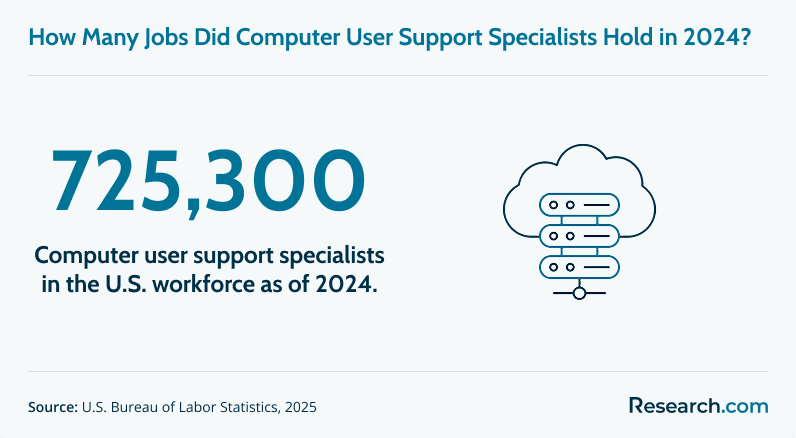
This creates a massive and stable job market. In fact, computer user support specialists held about 725,300 jobs in 2023. These roles are essential everywhere.
You will find opportunities in computer systems design, which is a huge employer, but also in K-12 schools, universities, hospitals, banks, and government agencies. This allows you to find a role that not only uses your tech skills but also aligns with your personal or professional interests.
How much can I make with the easiest IT certifications and programs?
You can expect to earn a professional-level salary. The median annual wage for a computer user support specialist is right around $60,340.
Of course, that’s a midpoint. The full pay scale for these jobs typically ranges from about $38,780 on the lower end to over $98,010 for more experienced specialists.
This shows that foundational IT certifications are your most direct path to a solid, competitive income. They are the key that unlocks the door to these kinds of professional salaries. Now that you have a clear picture of the potential, let's explore the specific certifications that can launch your career.
- 15 Easiest IT Certifications & Programs for 2027 List of Programs
- How long does it take to earn a beginner-level IT certification? Completion Time
- What entry-level IT jobs can you get with an easy certification? Entry-Level Jobs
- Do employers hire candidates with just basic IT certifications? Employee Preferences
- How much can you earn with beginner IT certifications? Salary
- Are vendor-neutral certifications better than vendor-specific ones? Vendor-Neutral Certifications
- Can you get into IT with certifications and no college degree? Admission Requirements
- Is an IT certification enough to start a tech career? Is an IT certification enough to start a tech career?
- How do IT certifications compare to college IT programs? How do IT certifications compare to college IT programs?
- How do online IT bootcamps compare with traditional IT certifications? How do online IT bootcamps compare with traditional IT certifications?
- Can advanced degrees further enhance your IT certification-based career? Can advanced degrees further enhance your IT certification-based career?
- Can beginner certifications lead to advanced IT credentials? Can beginner certifications lead to advanced IT credentials?
- Can complementary academic programs boost IT certification outcomes? Can complementary academic programs boost IT certification outcomes?
15 Easiest IT Certifications and Programs for 2027: Beginner-Friendly Options Compared
Choosing your first IT certification can be confusing because “easy” does not always mean “useful.” Some beginner credentials are simple introductions to technology, while others require more study but carry stronger recognition for help desk, cloud, networking, cybersecurity, or web development roles.
This guide is for students, career changers, working adults, and nontechnical professionals who want a practical way into technology without immediately committing to a full degree. You will learn which entry-level IT certifications are the most beginner-friendly, what they cost, what jobs they can support, how long they may take, and when a certificate, bootcamp, college program, or advanced degree makes the most sense.
Quick Answer: What Are the Easiest IT Certifications to Start With?
The easiest IT certifications for beginners are usually short, online, and focused on foundational skills rather than advanced specialization. Good starting points include the Google IT Support Professional Certificate, CompTIA IT Fundamentals (ITF+), Microsoft Certified: Azure Fundamentals, AWS Certified Cloud Practitioner, Cisco Certified Support Technician (CCST), Linux Essentials, and Microsoft 365 Certified: Fundamentals.
If your goal is a first IT support job, start with a general support or fundamentals credential. If you already know you want cloud, cybersecurity, networking, Linux, or web development, choose a beginner certification aligned with that path.
How do we rank programs?
IT certifications and training programs can involve exam fees, subscription costs, study materials, and time away from other responsibilities. Because that investment matters, this guide prioritizes programs that are accessible to beginners, widely available online, practical for entry-level roles, and clear about cost and credential requirements.
This ranking is informed by a transparent Research.com methodology and by data sources commonly used to evaluate education and career pathways, including the Integrated Postsecondary Education Data System (IPEDS), Peterson's databases, the College Scorecard, and the National Center for Education Statistics. For certification-specific details, readers should also verify current exam requirements and pricing with the certification provider before enrolling.
Best Beginner-Friendly IT Certifications and Programs
| Rank | Certification or Program | Best For | Program Cost |
| 1 | Google IT Support Professional Certificate | Beginners aiming for IT support or help desk work | $150–$300 |
| 2 | CompTIA IT Fundamentals (ITF+) | Learners testing whether IT is the right career path | $125 to $299 |
| 3 | Microsoft Certified: Azure Fundamentals | Cloud beginners interested in Microsoft Azure | $99 |
| 4 | AWS Certified Cloud Practitioner | Technical and nontechnical workers exploring cloud roles | $100 |
| 5 | Cisco Certified Support Technician (CCST) | New learners interested in networking and support | $125 |
| 6 | Meta Front-End Developer Certificate | Beginners who want to build websites and web interfaces | $300 to $350 |
| 7 | ITIL Foundation | IT staff and business professionals working with service delivery | $150 to $500 |
| 8 | Linux Essentials | Students preparing for Linux, systems, or open-source work | $120 |
| 9 | Google Cybersecurity Certificate | Entry-level learners exploring cybersecurity careers | $200–$300 |
| 10 | CompTIA A+ | Help desk, device support, and troubleshooting roles | $200–$500. |
| 11 | LinkedIn Learning IT Help Desk Certificate | Beginners who want a low-commitment help desk introduction | Free for one month; $19.99 to $39.99 per month thereafter |
| 12 | Microsoft 365 Certified: Fundamentals | Business users, administrators, and IT staff using Microsoft 365 | $99 |
| 13 | Google Workspace Administrator Certificate | Aspiring administrators supporting Google Workspace environments | $200–$300. |
| 14 | CompTIA Security+ | IT workers ready to move toward entry-level cybersecurity | $400–$800. |
| 15 | Adobe Certified Professional: Web Authoring | Students, designers, and aspiring web developers using Adobe tools | $150 |
1. Google IT Support Professional Certificate
The Google IT Support Professional Certificate is one of the most approachable starting points for people with little or no technical background. Offered through Coursera, it introduces troubleshooting, networking, operating systems, security, customer support, labs, quizzes, and practical projects that mirror common help desk tasks.
Program Cost: $150–$300
2. CompTIA IT Fundamentals (ITF+)
The CompTIA IT Fundamentals (ITF+) credential is built for people who want a broad, low-pressure introduction to information technology before choosing a specialty. It covers core ideas in hardware, software, networking, databases, security, and basic IT terminology.
Program Cost: $125 to $299
3. Microsoft Certified: Azure Fundamentals
Microsoft Certified: Azure Fundamentals is a beginner cloud credential for learners who want to understand Azure services, cloud concepts, pricing, governance, and security basics. It is useful for aspiring cloud professionals, business users, administrators, and students who want proof of cloud literacy.
Program Cost: $99
4. AWS Certified Cloud Practitioner
The AWS Certified Cloud Practitioner credential introduces Amazon Web Services, cloud value propositions, support models, pricing concepts, and high-level cloud architecture. It is designed for both technical and nontechnical professionals who need to speak the language of cloud computing.
Program Cost: $100
5. Cisco Certified Support Technician (CCST)
The Cisco Certified Support Technician certification focuses on networking foundations, troubleshooting, and basic security knowledge. It is a strong fit for beginners who want to move toward network support, technical support, or Cisco-related training later.
Program Cost: $125
6. Meta Front-End Developer Certificate
The Meta Front-End Developer Certificate is aimed at learners who want to create websites and user-facing applications. The program covers HTML, CSS, JavaScript, React, user interface concepts, and project-based practice that can help beginners build a starter portfolio.
Program Cost: $300 to $350
7. ITIL Foundation
ITIL Foundation, managed by Axelos, introduces IT service management practices used by organizations to deliver and improve technology services. It is especially relevant for IT support workers, service desk staff, managers, and business professionals who work with IT processes.
Program Cost: $150 to $500
8. Linux Essentials
The Linux Essentials certification from the Linux Professional Institute validates basic Linux command-line skills, open-source concepts, file management, security awareness, and system navigation. It is a practical starting point for learners interested in systems administration, DevOps, cybersecurity, or cloud infrastructure.
Program Cost: $120
9. Google Cybersecurity Certificate
The Google Cybersecurity Certificate introduces entry-level learners to security principles, network defense, threat detection, risk management, hands-on labs, case studies, and practical projects. It is best for beginners who want cybersecurity exposure before pursuing more advanced security credentials.
Program Cost: $200–$300
10. CompTIA A+
CompTIA A+ is a widely recognized entry-level IT certification for people pursuing help desk, desktop support, or technical support roles. It covers hardware, operating systems, troubleshooting, devices, networking basics, security, and operational procedures, and requires two exams.
Program Cost: $200–$500.
11. LinkedIn Learning IT Help Desk Certificate
The LinkedIn Learning IT Help Desk Certificate can be a flexible introduction for learners who want to explore troubleshooting, support communication, customer service, and everyday help desk workflows through online video lessons, quizzes, and practice exercises.
Program Cost: Free for one month; $19.99 to $39.99 per month thereafter
12. Microsoft 365 Certified: Fundamentals
Microsoft 365 Certified: Fundamentals covers Microsoft 365 services, collaboration tools, productivity applications, cloud concepts, compliance, and security basics. It is useful for administrators, office technology users, and IT support workers in Microsoft-heavy workplaces.
Program Cost: $99
13. Google Workspace Administrator Certificate
The Google Workspace Administrator Certificate is designed for learners who want to manage user accounts, organizational settings, security, groups, and productivity tools within Google Workspace. It can support help desk or administrator roles in organizations that rely on Google’s business tools.
Program Cost: $200–$300.
14. CompTIA Security+
CompTIA Security+ is more demanding than many basic IT introductions, but it is still considered a foundational cybersecurity certification. It covers threats, risk management, security architecture, network defense, identity, and operational security, making it better for learners who already understand basic IT concepts.
Program Cost: $400–$800.
15. Adobe Certified Professional: Web Authoring
The Adobe Certified Professional: Web Authoring credential validates web authoring skills using Dreamweaver and related design concepts. It is most useful for students, visual designers, and aspiring web professionals who want to show tool-specific competency.
Program Cost: $150
How long does it take to earn a beginner-level IT certification?
Many beginner IT certifications can be completed in about one to three months with steady study. The exact timeline depends on your prior experience, weekly study schedule, the difficulty of the exam, and whether the program includes labs, projects, or multiple assessments.
That shorter timeline is one of the main reasons certifications appeal to career changers. A degree can take years, while a focused certification can help you build job-relevant skills much faster. However, fast does not mean effortless. You still need consistent practice, especially for troubleshooting, networking, Linux commands, or cloud concepts.
What can speed up or slow down your timeline?
| Factor | How It Affects Completion Time | What to Do |
| Previous tech exposure | Learners who already fix devices, use productivity software, or understand basic networking may move faster. | Take a practice assessment before buying exam materials. |
| Weekly study hours | Studying a little each day usually works better than irregular cramming. | Block recurring study time and protect it like a class or work shift. |
| Hands-on practice | Labs and projects take extra time but improve job readiness. | Choose programs with simulations, command-line practice, tickets, or projects. |
| Exam format | Some credentials require one exam, while others require two exams or a project sequence. | Check requirements before you enroll so the workload is clear. |
If you later want a more intensive route, fast-track online CyberOps training programs show how structured bootcamp-style learning can accelerate upskilling for a more specialized technology path.
What entry-level IT jobs can you get with an easy certification?
Beginner IT certifications most commonly support frontline technology roles. These jobs are often the first step into the field because they require troubleshooting ability, user support skills, basic systems knowledge, and clear communication rather than years of specialized experience.
Common entry-level titles include:
- IT Support Specialist
- Help Desk Technician
- Technical Support Specialist
- User Support Specialist
These roles may use different titles, but the work is similar: helping employees or customers solve technology problems so the organization can keep operating. Tasks may include setting up devices, resetting accounts, documenting support tickets, diagnosing software issues, escalating network problems, and explaining technical fixes in plain language.
Students choosing a broader academic path may also compare technical interests with other science-heavy options. For example, understanding easiest and hardest science majors can help students decide whether to pair IT credentials with computer science, analytics, math, or another STEM field.
What do entry-level IT support workers actually do?
| Responsibility | Example Task | Skill Used |
| User support | Help an employee who cannot access email or shared files. | Communication, patience, troubleshooting |
| Device setup | Prepare laptops, monitors, accounts, or mobile devices for new staff. | Hardware, operating systems, documentation |
| Software troubleshooting | Resolve app crashes, update problems, or login errors. | Problem-solving, software knowledge |
| Network basics | Identify whether a connection issue is device-specific or network-wide. | Networking fundamentals, escalation judgment |
| Ticket documentation | Record the issue, steps taken, and final resolution. | Organization, accuracy, service management |
Do employers hire candidates with just basic IT certifications?
Yes. Employers do hire candidates with basic IT certifications for entry-level, hands-on roles, especially when the credential is reputable and the applicant can demonstrate practical troubleshooting, communication, and customer support skills.
A college degree can still help, particularly for long-term advancement or more theoretical roles, but it is not always required for a first support position. The idea that every good tech role requires a four-year degree is becoming less universal, especially in skills-first hiring environments.
Why employers value certifications
A certification can give hiring managers a quick signal that you have studied job-relevant material and passed a structured assessment. For entry-level IT support, employers often care about whether you can diagnose common problems, communicate with users, follow procedures, document work, and keep learning.
However, a certification alone is not a guarantee of employment. Strong candidates usually combine a credential with a clear resume, practice labs, basic projects, customer service experience, and interview examples that show how they solve problems under pressure.
How much can you earn with beginner IT certifications?
The median annual wage for user support specialists is $60,340. The broader salary range for these roles typically spans from about $38,000 to over $98,000, depending on experience, location, employer, industry, and technical scope.
New entrants should usually expect to start closer to the lower end of that range. Higher earnings often come after you gain hands-on experience, improve communication skills, learn more complex systems, and add certifications in areas such as networking, cybersecurity, cloud, Linux, or service management.
Salary planning matters in every credential path. Just as healthcare students may weigh the benefits of a BSN degree before investing in nursing education, IT learners should compare certification costs, likely entry roles, and long-term advancement routes before paying for training.
How to improve your earning potential after your first certification
- Choose a role with growth: Help desk work can lead to systems, network, cloud, cybersecurity, or administrator positions.
- Build real troubleshooting examples: Document labs, home projects, ticket simulations, or volunteer tech support work.
- Stack credentials carefully: Add the next certification only when it supports a specific target role.
- Develop soft skills: Employers value people who can explain technology clearly, stay calm, and document work accurately.
- Compare higher-value credentials: Reviewing certification programs for careers that pay well can help you plan beyond your first entry-level credential.
Are vendor-neutral certifications better than vendor-specific ones?
Neither type is automatically better. Vendor-neutral certifications teach concepts that apply across many environments, while vendor-specific certifications focus on one company’s platform, tools, or ecosystem.
| Certification Type | What It Teaches | Best For | Examples From This Guide |
| Vendor-neutral | General principles that apply across different technologies | Beginners who want a flexible foundation before specializing | CompTIA ITF+, CompTIA A+, CompTIA Security+, ITIL Foundation, Linux Essentials |
| Vendor-specific | Skills tied to one provider’s platform or software | Learners targeting workplaces that use a specific ecosystem | Microsoft Azure Fundamentals, AWS Certified Cloud Practitioner, Microsoft 365 Fundamentals, Google Workspace Administrator Certificate, Adobe Certified Professional |
Which should beginners choose first?
If you are unsure where you want to specialize, start with a vendor-neutral credential because it gives you transferable vocabulary and troubleshooting logic. If you already work in a Microsoft, AWS, Google, Cisco, or Adobe environment, a vendor-specific certification may be more immediately useful.
For cloud-focused learners who want a fundamentals-first path, affordable online CompTIA cloud training can help you compare a broader vendor-neutral approach before narrowing into a single provider.
Can you get into IT with certifications and no college degree?
Yes. Many people enter IT with certifications and no college degree, especially in support, help desk, user support, and junior technical roles. For these jobs, employers often want evidence that you can perform practical tasks, learn quickly, communicate professionally, and solve common technology problems.
Certifications can provide evidence of job-related skills, but they work best when combined with hands-on practice and a focused job search. A credential tells employers what you studied; your projects, resume, interview answers, and work habits show whether you can apply it.
Why skills-first hiring matters
Technology changes quickly, and employers need workers who can handle current tools and workflows. That is why many hiring teams evaluate credentials, experience, labs, and demonstrated skills alongside or sometimes ahead of formal degrees.
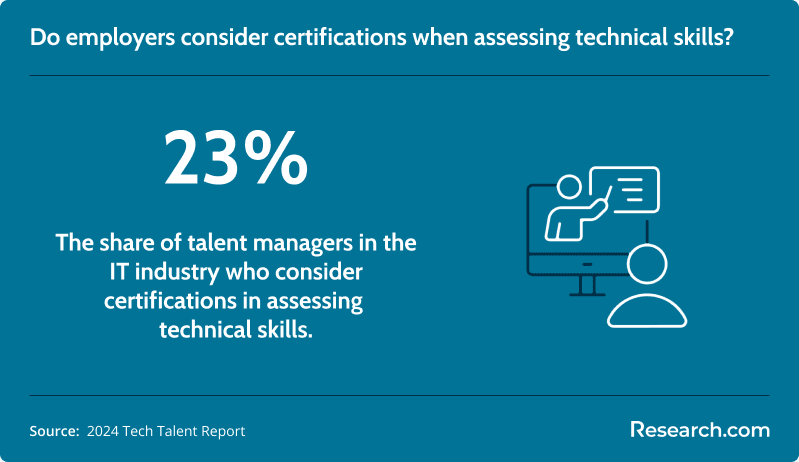
When assessing technical skills, 23% of IT talent managers rank certification as an important factor in assessing technical skills, versus only 16% who looks at college degrees.
The same ROI logic applies across career fields. Someone comparing a credential-based IT path with graduate education may look at career outcomes the way another learner might evaluate a master’s in biotechnology salary before committing to an advanced science program.
Is an IT certification enough to start a tech career?
A reputable entry-level IT certification can be enough to start applying for beginner roles, but it should not be your only preparation. The strongest entry-level candidates use the certification as proof of learning and then support it with practice, projects, customer-service examples, and a targeted resume.
Think of the first certification as an access point, not the finish line. It helps you qualify for interviews, but your first job is where you develop deeper experience, learn workplace tools, build judgment, and discover which IT specialty fits you best.
What to do after earning your first certification
- Update your resume with the certification name, relevant skills, labs, and tools.
- Create a short list of entry-level job titles, including help desk, IT support, technical support, and user support.
- Practice explaining troubleshooting steps out loud before interviews.
- Apply broadly, but tailor your resume to each job description.
- Track which skills appear repeatedly in postings so you know what to learn next.
How do IT certifications compare to college IT programs?
IT certifications and college programs serve different goals. Certifications are typically faster, narrower, and more directly tied to a role or tool. College programs usually provide broader education, general education coursework, theory, writing, math, and a longer academic foundation.
If your immediate goal is a help desk or junior support job, an entry-level certification may be the quicker option. If your long-term goal involves computer science research, engineering-heavy roles, management, or positions that strongly prefer degrees, a college program may be more appropriate.
| Option | Main Strength | Main Limitation | Best For |
| Beginner IT certification | Fast, focused, and often lower cost | May not provide broad academic depth | Career changers and first-time IT job seekers |
| College IT or computer science program | Broader theory, structured education, and degree credential | Longer time commitment and potentially higher cost | Students seeking deeper academic preparation or degree-preferring roles |
| Certification plus experience | Combines verified learning with workplace proof | Requires getting the first opportunity and continuing to upskill | People who want to grow from support into specialized IT roles |
For learners focused on speed and cost, reviewing easy online certifications that pay well can help compare short credential options before committing to a longer program.
How do online IT bootcamps compare with traditional IT certifications?
Online IT bootcamps and certifications are both alternatives to a full degree, but they are not the same. Certifications usually validate knowledge in a defined area and may be self-paced. Bootcamps are usually more structured, intensive, and designed around a specific job outcome or portfolio.
| Feature | IT Certification | Online IT Bootcamp |
| Learning format | Often self-paced or exam-focused | Usually structured and intensive |
| Primary goal | Prove knowledge of a skill area, platform, or framework | Prepare for a defined role through guided instruction and projects |
| Cost pattern | Often lower, depending on exam and study materials | Usually higher because of instruction, coaching, and structure |
| Best fit | Self-directed learners who need flexibility | Learners who want deadlines, feedback, and an immersive schedule |
Choose a certification if you can study independently, want to keep costs lower, and need flexibility. Consider a bootcamp if you need accountability, want a guided portfolio, and can handle a concentrated schedule. If coding is your target, comparing the best coding bootcamps can help you understand what structured alternatives look like.
As with any career credential, evaluate outcomes before enrolling. Professionals in other fields take a similar approach when researching options such as WHNP graduate certificate jobs to understand what a credential can realistically lead to.
Can advanced degrees further enhance your IT certification-based career?
Advanced degrees are not necessary for every IT career, but they can help in specialized, interdisciplinary, leadership, or analytics-heavy roles. A certification can get you started, while a graduate program may add research skills, management preparation, industry-specific knowledge, or strategic training later.
This path is most relevant after you know where you want to specialize. For example, IT professionals interested in healthcare systems, data governance, clinical technology, or digital health leadership may compare options such as an accelerated online master’s in health informatics after building a technical foundation.
When an advanced degree may be worth considering
- You want to move from technical support into management, consulting, informatics, analytics, or strategy.
- Your target employers prefer or require graduate education for senior roles.
- You work in a regulated or specialized industry where domain knowledge matters.
- You already have work experience and can connect the degree to a clear career goal.
Can beginner certifications lead to advanced IT credentials?
Yes. Beginner certifications often act as the first step toward more advanced IT credentials. Foundational knowledge in troubleshooting, networks, operating systems, security, cloud, and user support makes it easier to specialize later.
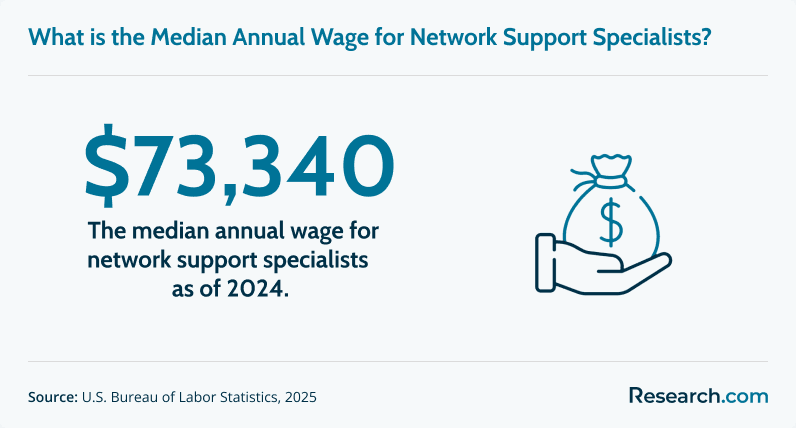
A common path is to start in user support, gain hands-on experience, and then move toward network support, systems administration, cybersecurity, cloud operations, or service management. One example of an advancement step is moving from user support to a network support specialist role, which has a median salary of around $73,340.
From there, many learners explore specialized options such as the best cybersecurity courses online with certificates to build stronger security skills after they understand basic IT environments.
Possible certification progression paths
| Starting Interest | Beginner Credential | Possible Next Direction |
| IT support | Google IT Support Professional Certificate or CompTIA A+ | Desktop support, systems support, networking, or service desk leadership |
| Cloud | Azure Fundamentals or AWS Certified Cloud Practitioner | Cloud administration, cloud support, or cloud security |
| Cybersecurity | Google Cybersecurity Certificate or CompTIA Security+ | Security operations, risk management, or network defense |
| Networking | Cisco Certified Support Technician | Network support, infrastructure support, or network administration |
| Linux and systems | Linux Essentials | Systems administration, DevOps foundations, or cloud infrastructure |
Can complementary academic programs boost IT certification outcomes?
Complementary academic programs can strengthen an IT career when they add industry knowledge that a technical certification does not cover. This is especially useful in fields where technology overlaps with healthcare, business, public administration, finance, logistics, or data governance.
For example, someone with IT support or systems skills who wants to work in healthcare technology may benefit from understanding healthcare operations. In that context, an accelerated online healthcare administration degree could complement technical credentials and create more career flexibility.
How to Choose the Right Beginner IT Certification
The best beginner certification is the one that matches your target role, budget, study style, and long-term direction. Do not choose only because a credential is labeled “easy.” Choose the certification that gives you the clearest next step.
Questions to ask before enrolling
- What job am I trying to qualify for? Help desk, cloud, cybersecurity, networking, and web development require different starting points.
- Is the credential recognized by employers? Search job postings in your area and note which certifications appear repeatedly.
- What is the full cost? Include subscription fees, exam vouchers, retakes, study guides, labs, and proctoring.
- Does the program include hands-on practice? Labs, simulations, and projects help you move from theory to job tasks.
- How will I prove skills beyond the certificate? Prepare examples, projects, troubleshooting notes, or a small portfolio.
- What comes next? Make sure the certification can connect to a career path rather than ending with a single badge.
Common Mistakes to Avoid
| Mistake | Why It Hurts | Better Approach |
| Choosing the cheapest option without checking relevance | A low-cost credential may not support the job you want. | Compare the certification with real job postings before enrolling. |
| Assuming easy means automatic employment | Employers still evaluate skills, communication, and work readiness. | Pair the credential with labs, practice, and a targeted resume. |
| Starting with an advanced certification too soon | You may struggle without core networking, operating system, or troubleshooting knowledge. | Build fundamentals first, then specialize. |
| Ignoring total cost | Exam fees, subscriptions, materials, and retakes can add up. | Create a full budget before starting. |
| Collecting unrelated certifications | Random credentials can confuse employers and waste money. | Stack certifications around one clear career path. |
| Relying only on rankings | A high-ranked option may not match your goals, schedule, or local job market. | Use rankings as a shortlist, then verify fit. |
Here’s What Graduates Have to Say About the Easiest IT Certifications and Programs
- Ben: "I did not know which industry I wanted to enter, so I chose a beginner IT certification that gave me flexible skills. It helped me understand support, troubleshooting, and everyday systems work. I later accepted an IT specialist role at a local hospital, and the online format made it possible to study without relocating or commuting."
- Kevin: "My first certification was about getting started, not staying entry-level forever. It helped me qualify for my first IT job, and now my employer is supporting my move toward more advanced cybersecurity credentials. For me, that first program was the doorway into the career I actually wanted."
- Maria: "I learn best by practicing, not by sitting in a traditional classroom. The online program I completed used labs and simulations, so I could work through real technical problems before I had a job. That hands-on structure made my transition into technical support much smoother."
Key Insights
- The easiest IT certification is not always the best one. Choose based on your target role, not just the shortest course or lowest exam fee.
- Beginner certifications can support real entry-level roles. IT support specialist, help desk technician, technical support specialist, and user support specialist are common starting points.
- Many certifications can be completed quickly. A one to three month timeline is realistic for many beginners who study consistently.
- Certifications can help without a college degree. They are especially useful for hands-on support roles, but they work best when combined with labs, projects, and strong communication skills.
- Vendor-neutral credentials are often the safest first step. They teach transferable concepts before you specialize in Microsoft, AWS, Google, Cisco, Adobe, or another ecosystem.
- Salary growth depends on experience and specialization. The median annual wage for user support specialists is $60,340, but higher earnings typically require stronger skills, experience, and progression into more advanced roles.
- Plan the second step before paying for the first credential. Your first certification should connect to a logical path in support, cloud, cybersecurity, networking, Linux, web development, or IT service management.
References:
- Bureau of Labor Statistics. (n.d.). Computer support specialists. U.S. Department of Labor.
- Bureau of Labor Statistics. (2024). Computer user support specialists occupational requirements fact sheet. U.S. Department of Labor.
- CodersLink. (2024). The impact of certifications on salaries in tech: Insights from 2024.
- Fortinet. (2024). 2024 cybersecurity skills gap global research report.
- Linux Foundation. (2024). 2024 state of tech talent report: Survey-based insights into the current state of technical talent acquisition, retention, and management globally.
- ONET OnLine. (2025). Computer network support specialists (ONET Code 15-1231.00). National Center for O*NET Development.
- ONET OnLine. (2025). Computer user support specialists (ONET Code 15-1232.00). National Center for O*NET Development.
Other Things You Should Know About the Easiest IT Certifications and Programs
Most entry-level IT certification programs do not require a background check. Programs tied to regulated employers, government contracts, or school districts may require fingerprinting, identity verification, or clearance before enrollment or testing. CompTIA, Google, and Cisco certification exams themselves do not list a background check as a standard requirement.
Eligibility requirements for 2026's easiest IT certifications typically include a basic understanding of computer systems and no prior experience. Most programs welcome beginners with essential computer skills, while some may recommend a high school diploma or equivalent.


