
2027 Different Types of Coding Languages – Computer Science Coding Guide

Co-Founder and Chief Data Scientist
The best coding language to learn depends less on popularity lists and more on what you want to build. A student who wants to design websites needs a different starting point than someone aiming for data science, mobile apps, game development, automation, cybersecurity, or health technology. Choosing by project type helps you learn faster because every concept connects to something practical.
This guide explains the main types of coding by real-world use case, the languages commonly used in each area, what they help you build, and how to decide which path fits your goals. It is designed for beginners comparing options, students considering programmer career paths, and professionals who want to reskill or move into higher-value technical roles. Coding can also be financially attractive: the median pay for programmers is $107,000 (Coursera, 2026), which is about twice the median pay for all occupations.
Rather than treating every language as equally useful for every goal, the sections below show where each language fits in actual work environments, what you should learn first, and what questions to ask before investing time in a language, course, certificate, or degree.
Quick Answer: What Type of Coding Should You Learn First?
If you are new to coding, start with the language that matches the kind of project you want to complete. HTML, CSS, and JavaScript are the usual starting point for websites. Python is the most flexible option for beginners interested in data analysis, automation, artificial intelligence, or scripting. Swift is used for Apple apps, while Java and Kotlin are commonly used for Android development. C++ and C# are strong choices for game development, especially when working with performance-heavy systems or Unity.
| Goal | Best starting languages | Good fit if you want to build... | Important trade-off |
| Web development | HTML, CSS, JavaScript | Websites, web apps, landing pages, online stores, interactive interfaces | Front-end basics are beginner-friendly, but full-stack work requires more tools and frameworks. |
| Data science and analysis | Python, R | Dashboards, forecasts, statistical models, machine learning workflows | Programming skill alone is not enough; you also need statistics, data cleaning, and domain knowledge. |
| Mobile app development | Java, Kotlin, Swift | Android apps, iOS apps, phone-based tools, consumer apps | You may need to choose between Android, iOS, or cross-platform development early. |
| Game development | C++, C# | Game engines, 2D and 3D games, gameplay systems, physics-based interactions | Game development can require math, design sense, optimization, and engine-specific knowledge. |
| Automation and scripting | Python | Workflow scripts, data pipelines, web automation, cloud tasks, repetitive process automation | Projects may be small at first, but production automation requires testing, security, and maintenance. |
Types of Coding Languages Table of Contents
- Web Development
- Data Science and Analysis
- Mobile App Development
- Game Development
- Automation and Scripting
- How to Choose the Right Coding Language for Your Goals
- How professional certifications can support a coding career
- Why cybersecurity training matters for coders
- Soft skills that help programmers succeed
- How coding connects to health information management
- How to prepare for higher-paying technology roles
- How coding supports bioinformatics careers
- How health informatics can complement coding skills
- Career opportunities for coding professionals for 2027
- Current trends in coding and programming
- How interdisciplinary graduate study can expand coding careers
- Next steps for coding and artificial intelligence careers
Web Development
Web development is the best entry point for many beginners because the results are visible quickly: you write code, refresh the browser, and see what changed. The core web languages are HTML, CSS, and JavaScript. They are commonly introduced in campus-based and online computer degree programs because they form the foundation of modern websites and browser-based applications.
These three languages also remain central in professional work. In a survey of professional developers, they were the most commonly used coding languages (Stack Overflow, 2024). JavaScript remains highly desired and admired, while Python has emerged as the most popular language on GitHub, overtaking JavaScript after a 10-year run.
| Web language | Main job | Beginner project example | When to learn it |
| HTML | Structures page content | Personal portfolio page | First, if you want to build websites |
| CSS | Controls layout and visual design | Responsive landing page | After basic HTML |
| JavaScript | Adds interactivity and browser logic | Form validator or interactive quiz | After you understand HTML and CSS basics |
HTML
HTML, or Hypertext Markup Language, gives web pages their structure. It tells the browser what content appears on the page and how that content is organized. Students in a computer programmer degree often encounter HTML early because it introduces core concepts such as elements, nesting, links, headings, images, and page hierarchy without requiring complex programming logic.
Core HTML concepts beginners should know
Common HTML tags include <html>, which represents the root of the document; <head>, which holds metadata; <body>, which contains visible content; and elements such as <h1>, <p>, <a>, and <img>. These tags define headings, paragraphs, hyperlinks, images, and other page components. By combining tags correctly, developers create pages that are readable, accessible, and easier to style later.
Where HTML is used
HTML is used in personal websites, business pages, blogs, e-commerce product pages, email templates, documentation sites, and landing pages. A beginner might use HTML to organize a portfolio, structure a product listing, format an article, or create a simple page for a club, class, or small business.
Why HTML is worth learning
HTML is not enough by itself to become a full web developer, but it is the base layer of nearly every website. It is also approachable for beginners, including learners in an associate degree in computer programming. If you cannot read and write basic HTML, CSS and JavaScript will be harder to use effectively.
CSS
CSS, or Cascading Style Sheets, controls how HTML content looks. It handles colors, spacing, typography, positioning, responsiveness, and visual consistency across pages. Because employers often expect front-end developers to understand CSS, it appears frequently among practical coding job requirements.
How CSS works with HTML
CSS uses rules that target HTML elements and apply styling instructions. A rule typically includes a selector and declarations that define properties such as font size, color, margin, padding, display behavior, and layout. Separating CSS from HTML allows teams to update a site’s design without rewriting every page’s content.
Common CSS use cases
- Brand styling: CSS lets developers apply consistent colors, fonts, link styles, buttons, and backgrounds across a site.
- Responsive layouts: CSS helps pages adapt to different screen sizes, including phones, tablets, laptops, and large monitors.
- Spacing and alignment: CSS controls margins, padding, grids, flexible layouts, and page hierarchy.
- Visual effects: CSS can add transitions, hover effects, animations, and subtle interface movement without requiring heavy scripting.
Why CSS is worth learning
CSS turns plain web content into a polished user experience. It is especially important if you care about front-end development, user interface design, accessibility, or responsive websites. It can also support broader software goals, including those connected to how to become Java developer, because modern developers often need to understand both application logic and user-facing design.
JavaScript
JavaScript is the programming language that makes web pages interactive. HTML defines the content, CSS styles it, and JavaScript changes what happens when users click, type, scroll, submit forms, open menus, or interact with data. Loading indicators, real-time updates, dynamic forms, and interactive dashboards often rely on JavaScript.
DOM manipulation and event handling
JavaScript works with the Document Object Model, commonly called the DOM. The DOM represents the page’s structure in a way JavaScript can read and modify. Developers use JavaScript to change text, update styles, add or remove page elements, respond to user actions, and refresh parts of a page without reloading the whole site.
Event handling is another key concept. An event may be a button click, form submission, mouse movement, keyboard input, or page load. JavaScript listens for these events and runs code in response, making features such as dropdown menus, sliders, alerts, validation messages, filters, and interactive maps possible.
Common JavaScript use cases
- Form validation: JavaScript can check whether users entered required information, typed an email address in the correct format, or missed an important field.
- Interactive web applications: Chat tools, real-time dashboards, collaborative software, map interfaces, and social feeds often depend on JavaScript.
- Image galleries and sliders: JavaScript can create image browsing experiences with controls, transitions, and dynamic content.
- Dynamic page updates: JavaScript can request data from a server and update part of a page without forcing a full reload.
Why JavaScript is worth learning
JavaScript is essential if you want to build modern websites or full-stack web applications. Its ecosystem includes many libraries, frameworks, and developer tools, making it useful for front-end interfaces, back-end services, testing, and app development. Learners who later pursue an online masters in computer science may also benefit from JavaScript experience because it strengthens applied software development skills.
Key Tech Areas That Are Understaffed

Data Science and Analysis
Data science uses code to collect, clean, analyze, model, and visualize information. It is a strong path for people who enjoy patterns, evidence-based decisions, statistics, and business or scientific problems. If your undergraduate background is not in technology, a computer science masters for non majors can provide a structured way to move toward data-focused roles.
Data science can also be financially compelling. The median salary is $97,586, according to PayScale, with a wage cap reported to be $141,000 (PayScale, 2026). Python and R are the two major languages discussed in this area because they support data cleaning, analysis, visualization, statistical modeling, and machine learning workflows.
Python
Python is popular in data science because it is readable, flexible, and supported by a large ecosystem of libraries. Beginners often find its syntax easier to understand than more verbose or lower-level languages, while professionals use it for production data pipelines, machine learning models, automation, analytics dashboards, and artificial intelligence projects.
Another industry signal comes from the TIOBE Index, where Python is placed at no. 1 with a rating of 22.61% (TIOBE, 2026). Unlike a survey of preferences, the index considers factors such as skilled engineers, third-party vendors, and courses, which can help reflect broader market visibility.
Important Python libraries for data work
Python libraries are collections of reusable code that let developers perform specialized tasks without building everything from scratch. In data science, libraries reduce the time required for mathematical operations, data cleaning, visualization, and modeling.
- NumPy: Supports scientific computing, including large multi-dimensional arrays and mathematical functions.
- Pandas: Helps with data cleaning, filtering, grouping, joining, and analysis through structures such as dataframes.
- Matplotlib: Creates plots, charts, and graphs for visualizing data.
- Seaborn: Builds on Matplotlib and provides statistical visualizations with polished default styles.
- scikit-learn: Provides machine learning tools for classification, regression, clustering, dimensionality reduction, and related tasks.
Common Python use cases
- Building web applications with frameworks such as Django and Flask.
- Cleaning and analyzing spreadsheets, databases, logs, survey files, and business data.
- Creating visual reports with libraries such as NumPy and Matplotlib.
- Developing machine learning and AI workflows with tools such as scikit-learn, TensorFlow, and PyTorch.
Why Python is worth learning
Python is one of the strongest first languages because it supports many career directions. It is useful in analytics, automation, artificial intelligence, software development, and academic research. It also appears in earlier academic pathways, including advanced placement computer science preparation. Students who pass the AP Computer Science Principles exam may enter college with stronger confidence in computational thinking and programming fundamentals.
R
R is a programming language built around statistics, research, and data visualization. It is especially common in academic research, survey analysis, biostatistics, economics, social science, and fields where statistical modeling is central. Large organizations, including Google, Facebook, Accenture, Bing and Wipro, use it to address complex analytical problems.
R packages used for exploration and visualization
R has a deep package ecosystem for statistical analysis, data transformation, and visualization. These packages help users explore patterns, test hypotheses, and communicate results clearly.
- ggplot2: Creates customizable charts and graphics using a grammar of graphics approach.
- dplyr: Simplifies filtering, grouping, summarizing, and transforming data.
- tidyr: Reshapes data into tidy formats that are easier to analyze and model.
- lattice: Produces lattice graphics such as scatter plots, bar plots, and trellis plots.
Common R use cases
- Statistical modeling: R supports regression analysis, hypothesis testing, ANOVA, and other methods used to study relationships between variables.
- Time series analysis: R packages can analyze trends, seasonality, and forecasts for time-based data.
- Data mining and clustering: R includes tools for identifying patterns, segments, and groups in datasets.
- Survey analysis: R is useful for analyzing survey responses and producing statistically meaningful findings.
Why R is worth learning
R is a smart choice if you expect to work heavily with statistics, research design, academic datasets, or specialized analytical reporting. Python is often broader, but R can be more direct for statistical modeling and visualization-heavy research workflows.
| Question | Choose Python if... | Choose R if... |
| Your main goal | You want a flexible language for data, automation, AI, and software projects. | You want a statistics-centered language for research and analysis. |
| Your learning preference | You prefer general-purpose syntax and broad career flexibility. | You prefer tools designed around statistical workflows. |
| Your likely workplace | Tech companies, analytics teams, AI teams, automation teams, product organizations. | Research groups, universities, healthcare analytics, survey teams, statistical departments. |
Mobile App Development
Mobile app development focuses on software built for smartphones, tablets, and connected devices. It remains a major area of coding because mobile apps shape how people communicate, shop, work, learn, navigate, manage money, track health, and access entertainment. In recent years, a total of 225 billion mobile apps were downloaded. Smartphone usage patterns also show how important apps have become: social networking accounts for 34%, entertainment for 31.4%, and utility apps for 14.4% (We Are Social, 2024). People still make calls, but they mostly use internal calls (49%).
The key decision in mobile development is platform. Android developers often use Java or Kotlin. iOS developers use Swift. Your choice should depend on the devices your target users prefer, the app stores you want to publish through, and whether you want to specialize or eventually move into cross-platform development.
Java and Kotlin for Android
Java has long been used in Android development, while Kotlin has become a modern, expressive alternative that works well with existing Java code. Both languages can be used to build Android applications with user interfaces, app logic, device integrations, storage, networking, and platform APIs.
Core Android development concepts
Android developers need to understand more than syntax. They design screens, handle user input, manage navigation, work with lists and forms, connect to databases or APIs, and test apps across device sizes. User interfaces may be created with XML or programmatically, while app logic handles data, state changes, notifications, network calls, and local storage.
Common Android app examples
Java and Kotlin have been used across many app categories, including social media, e-commerce, productivity, finance, health, education, and gaming. Examples of widely recognized Android applications include Facebook, Instagram, Amazon, eBay, Evernote, Trello, Pokémon GO, and Candy Crush Saga.
Why Java and Kotlin are worth learning
Java and Kotlin are practical choices if you want to build Android applications, maintain existing Android codebases, or work on mobile products for a broad device market. Kotlin is often attractive for new Android work, while Java remains valuable because many established apps and enterprise systems still use it.
Swift for iOS
Swift is Apple’s modern programming language for iOS, macOS, watchOS, and tvOS. It is designed to work closely with Apple frameworks and development tools, making it the primary language for building apps in the Apple ecosystem.
Core iOS development concepts
Swift developers build user interfaces, manage user interactions, handle app states, connect to APIs, store data, and use device features such as the camera and location services. They may create interfaces visually or programmatically, depending on the project and toolchain.
Common Swift project examples
Swift has been used for apps across social networking, travel, communication, productivity, and on-demand services. Examples include Instagram, Airbnb, Slack, and Lyft, which demonstrate how Swift can support visually polished and interactive iOS experiences.
Why Swift is worth learning
Swift is the right choice if you want to focus on Apple platforms. It can lead to work on consumer apps, business tools, wearable apps, media products, and software that depends on Apple-specific hardware and services.
| Mobile path | Primary languages | Best for | What to consider before choosing |
| Android development | Java, Kotlin | Apps for Android phones, tablets, and related devices | Device variety is broad, so testing and compatibility matter. |
| iOS development | Swift | Apps for iPhone, iPad, Apple Watch, Apple TV, and macOS | You are working inside Apple’s ecosystem, tools, and app distribution rules. |
Game Development
Game development combines programming, design, graphics, audio, performance optimization, storytelling, physics, and player interaction. It can be rewarding, but it is not just “coding with visuals.” Developers often need to understand engines, real-time rendering, memory use, user input, game loops, and debugging complex interactive systems.
For learners interested in one of the best computer coding jobs, game development may be appealing; the median salary is $108,775 (ZipRecruiter, 2026). The two major languages to understand in this area are C++ and C#, especially for work involving high-performance engines or Unity.
C++
C++ is known for performance, memory control, and low-level system access. These strengths make it important in game engines, simulations, graphics systems, and performance-critical applications. It is more complex than many beginner languages, but it gives developers fine control over how software uses hardware resources.
How C++ is used in game development
C++ can power game loops, rendering systems, input handling, collision detection, game states, physics, and performance optimization. It is often used with engines such as Unreal Engine and CryEngine, where developers need both engine knowledge and strong programming fundamentals.
Common C++ game examples
C++ has been used in major titles, including Grand Theft Auto V and The Witcher 3. It is also suitable for smaller projects such as arcade-style games, platformers, puzzle games, simulations, and custom game engines.
Why C++ is worth learning
C++ is valuable if you want to work close to the hardware, optimize demanding systems, understand engines deeply, or build software where speed and resource control matter. It can also support embedded systems and operating-system-level work beyond games.
C# and Unity
C# is widely used with Unity, a popular game development platform. Compared with C++, C# is generally easier to read and use, while still being powerful enough for many commercial and independent game projects.
How C# works in Unity projects
In Unity, C# scripts control gameplay mechanics, character movement, rules, physics interactions, user interface behavior, audio triggers, visual effects, and game state. Unity’s tools allow rapid prototyping, which makes C# appealing for beginners and teams building games across multiple platforms.
Common C# and Unity examples
C# and Unity have been used in visually distinctive and story-driven games, including Cuphead, Hollow Knight, and Ori and the Blind Forest. The combination is also common in indie games, educational simulations, virtual reality projects, and interactive prototypes.
Why C# is worth learning
C# is a strong choice if you want to create games in Unity, build prototypes quickly, or learn object-oriented programming in a practical environment. Its syntax is more approachable than C++ for many learners, and its ecosystem extends beyond games into business applications, tools, and cross-platform development.
Automation and Scripting
Automation uses code to reduce repetitive work, connect systems, process files, test workflows, deploy resources, or move data from one place to another. Scripting is often the fastest way to make coding useful in a job because small scripts can save time immediately. Python is the most common language in this area because it is readable, flexible, and supported by libraries for many practical tasks.
Why Python works well for automation
Python can run across operating systems, interact with files, call web services, process data, control browsers, connect to servers, and integrate with cloud tools. Its syntax is concise enough for quick scripts but powerful enough for larger automation systems.
Common Python automation projects
- Create data pipelines that collect, clean, and analyze information from multiple sources.
- Write scripts for batch image processing or video file handling.
- Automate cloud resource deployment and configuration.
- Build internal tools that reduce repetitive software development tasks.
- Use Selenium for browser automation, Pandas for data work, or Paramiko for SSH-based automation.
Why Python scripting is worth learning
Automation can improve efficiency, reduce manual errors, and make routine workflows more reliable. Python also connects naturally to data analysis, web development, artificial intelligence, and systems work, making it a useful language even if automation is only your first coding goal.
How to Choose the Right Coding Language for Your Goals
The best language is the one that moves you toward a specific project, job role, or learning outcome. A language may be popular, but that does not mean it is the right first investment for you. Use the framework below before committing to a bootcamp, certificate, degree, or self-study plan.
Step 1: Start with the project, not the language
Write down what you want to build. A portfolio website points to HTML, CSS, and JavaScript. A reporting dashboard may point to Python or R. An Android app suggests Kotlin or Java. An iPhone app points to Swift. A Unity game points to C#. A performance-heavy engine or simulation may require C++.
Step 2: Match the language to the job market you want
Look at job descriptions for the roles you are considering. Do employers ask for JavaScript frameworks, Python data libraries, SQL, cloud tools, mobile frameworks, Unity, or C++? Language choice should reflect the work you want to be hired to do, not just what is easiest to start.
Step 3: Be honest about the learning curve
Python and HTML/CSS are generally easier entry points for beginners. C++ can be more demanding because of memory management and lower-level concepts. Java, Kotlin, Swift, JavaScript, R, and C# fall in the middle depending on your background and project type. Choose a path that challenges you without making the first month unnecessarily frustrating.
Step 4: Check whether the language gives you room to grow
Languages such as Python, JavaScript, and Java can support multiple career paths. More specialized languages may be better if your goal is clear. For example, Swift makes sense for Apple development, while R is efficient for statistics-heavy research.
Step 5: Build one small project before deciding
Before paying for an expensive program, complete a small project in the language. Build a basic page, automate a file task, analyze a dataset, or create a simple app screen. A short project tells you more than a list of features because it reveals whether you enjoy the workflow.
| Decision factor | Question to ask | Why it matters |
| Project fit | What do I want to build in the next few months? | Short-term projects create motivation and portfolio evidence. |
| Career alignment | Which languages appear in job postings for my target role? | Employer demand should influence your learning priorities. |
| Learning support | Are there strong tutorials, documentation, mentors, and communities? | Better support reduces the chance of quitting early. |
| Long-term flexibility | Can this language lead to related skills or roles? | A flexible first language can help you pivot later. |
| Credential plans | Will I study independently, complete a certificate, or pursue a degree? | The right format depends on your budget, timeline, and career goal. |
If you are considering graduate study, such as a masters in software engineering, language choice becomes part of a broader plan. You should also evaluate software architecture, algorithms, databases, testing, cloud deployment, security, and team-based development.
How professional certifications can support a coding career
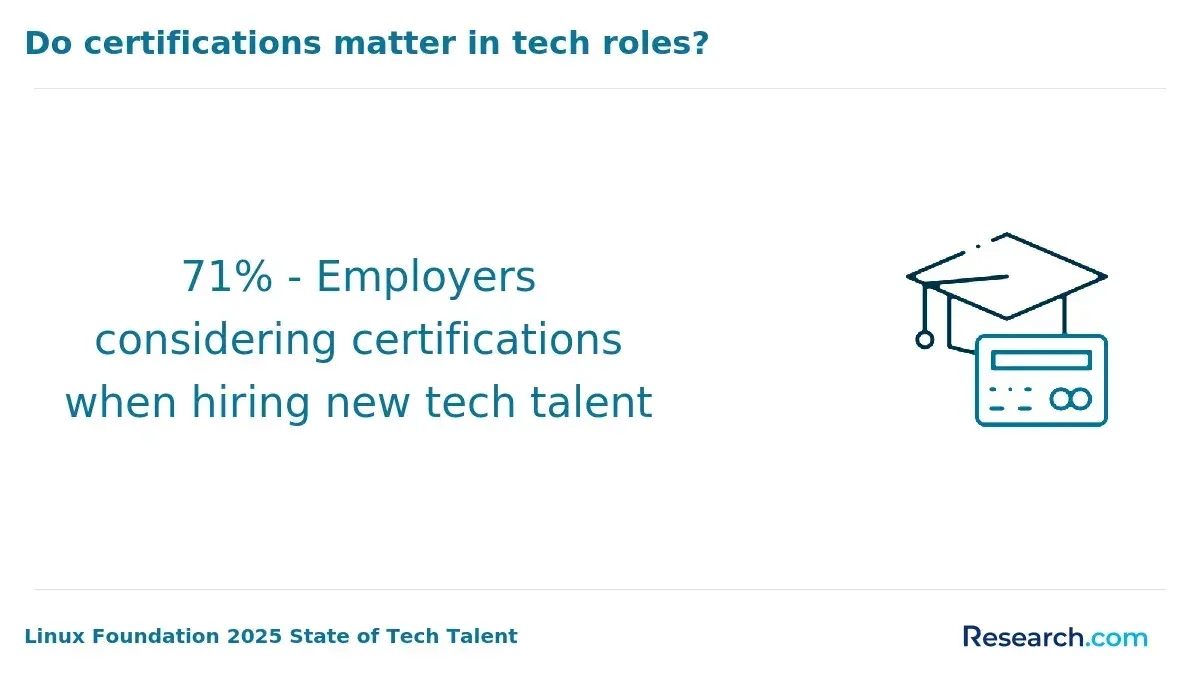
Professional certifications can help document skills in a focused area, especially when your degree, work history, or portfolio does not fully show your technical ability. A certification is not a substitute for building projects, but it can provide structure, practice, and a recognizable credential for employers or clients.
The best certifications are tied to a clear role or technology: cloud platforms, cybersecurity, data analytics, software testing, project management, or vendor-specific tools. Some professionals also use adjacent credentials to move into specialized fields. For example, medical billing and coding online programs can complement technical skills for people interested in healthcare data, claims systems, documentation workflows, or health technology operations.
Why cybersecurity training matters for coders
Developers increasingly need security awareness because insecure code can expose user data, disrupt services, and create costly vulnerabilities. Cybersecurity training helps programmers understand authentication, authorization, input validation, secure APIs, encryption basics, dependency risks, and common attack patterns.
Security knowledge is especially useful for web developers, mobile developers, cloud engineers, automation specialists, and anyone handling sensitive data. If you want a more structured path, an affordable online cyber security degree may help you build a stronger foundation in secure systems, risk management, and defensive practices.
What soft skills help programmers succeed?
Technical skill gets you started, but soft skills often determine whether you can work effectively on real projects. Most coding jobs involve ambiguity, deadlines, feedback, collaboration, and communication with people who may not understand technical details.
- Problem solving: Programmers must break broad problems into smaller, testable steps and choose efficient solutions.
- Adaptability: Languages, frameworks, libraries, and employer expectations change often, so coders need to keep learning.
- Communication: Developers must explain technical trade-offs, ask clear questions, document decisions, and work with nontechnical stakeholders.
- Attention to detail: Small syntax errors, flawed logic, or missed requirements can create bugs and security issues.
- Time management: Coding work often includes competing tasks, debugging delays, reviews, and deadlines.
- Persistence: Debugging can be frustrating, and successful learners need patience when code does not work immediately.
How coding connects to health information management
Healthcare organizations rely on accurate, secure, and interoperable information systems. Coding skills can support electronic health record workflows, data reporting, patient information analysis, automation, and software tools that improve operations. Developers with healthcare context can be especially valuable because they understand both technical systems and the sensitivity of health data.
If you want to combine coding with healthcare operations, compliance, and data management, the most affordable online health information management degree programs may be worth comparing.
How to prepare for higher-paying technology roles
To compete for the highest paying tech jobs, you need more than a list of languages. Employers often look for evidence that you can solve business problems, ship reliable software, secure systems, work with data, and collaborate across teams.
- Build a focused portfolio: Include complete projects that show what problem you solved, what tools you used, and what result you produced.
- Learn adjacent tools: Pair coding with databases, cloud platforms, version control, testing, APIs, and security basics.
- Choose a specialization: Higher-paying paths often reward depth in areas such as AI, cloud engineering, data science, cybersecurity, distributed systems, or software architecture.
- Document measurable outcomes: Employers value improvements in speed, accuracy, reliability, automation, cost control, or user experience.
- Network with purpose: Join technical communities, contribute to projects, attend events, and seek feedback from people already in your target role.
How coding supports bioinformatics careers
Bioinformatics combines biology, statistics, and computing. Coding helps professionals process large biological datasets, automate analysis, build algorithms, support genomics workflows, and turn raw data into research insights. Python and R are especially useful because they support data manipulation, visualization, statistics, and reproducible analysis.
If you want to work at the intersection of computing and life sciences, a bioinformatics online master can help formalize advanced computational and domain-specific training.
How health informatics can complement coding skills
Health informatics connects technology, patient data, clinical workflows, privacy, and healthcare decision-making. For coders, this field can open opportunities in electronic health records, interoperability, analytics, patient engagement tools, reporting systems, and healthcare software implementation.
A program such as a health informatics bachelor's degree online can help coders understand healthcare data systems, patient information workflows, and digital transformation in medical settings.
Career opportunities for coding professionals for 2027
Coding skills can lead to many roles, but each role requires a different mix of languages, tools, domain knowledge, and experience. Use this section to compare possible directions before choosing what to study next.
| Career path | Common languages or tools | Typical work | Good fit for learners who enjoy... |
| Web Developer | HTML, CSS, JavaScript | Building and maintaining websites, web apps, and user interfaces | Design, interaction, layout, and browser-based projects |
| Data Scientist | Python, R | Analyzing datasets, modeling outcomes, building data products, supporting decisions | Statistics, patterns, business questions, and machine learning |
| Mobile App Developer | Java, Kotlin, Swift | Creating applications for smartphones and tablets | User experience, app stores, device features, and consumer products |
| Game Developer | C++, C# | Developing gameplay systems, mechanics, simulations, and interactive worlds | Games, real-time systems, graphics, and player experience |
| Software Engineer | Java, C++, Python, JavaScript, and others | Designing, building, testing, and maintaining software systems | Architecture, problem solving, teamwork, and scalable applications |
| Automation Engineer | Python and related tools | Writing scripts and systems that reduce manual work and improve workflows | Efficiency, operations, process improvement, and systems integration |
| Medical Coding Specialist | Healthcare classification systems and related software tools | Translating healthcare documentation into standardized codes for billing and records | Healthcare documentation, accuracy, compliance, and administrative systems |
Medical coding is different from software coding, but technology skills can still help professionals work with healthcare systems, data quality, and documentation tools. If that path interests you, compare medical billing and coding salary expectations with education and certification requirements before choosing a program.
Current trends in coding and programming
Programming changes quickly, but not every trend deserves equal attention. Focus on trends that connect to your target role and help you build durable skills.
- Artificial intelligence and machine learning: Developers are using frameworks such as TensorFlow and PyTorch to build models, automate decisions, and create intelligent applications.
- Low-code and no-code development: These tools allow non-developers to create simple applications, while professional developers may use them to speed up internal tools and prototypes.
- Cybersecurity: Secure coding is increasingly important as applications handle more sensitive data and face more sophisticated threats.
- Cloud computing: Developers working with AWS, Azure, and Google Cloud build scalable applications, automate infrastructure, and deploy services remotely.
- Blockchain: Beyond cryptocurrency, decentralized systems are being explored for secure records, transactions, supply chains, and healthcare applications.
- Edge computing: More connected devices are pushing some processing closer to the data source to improve response times and reduce bandwidth use.
If you are considering formal education, compare program cost, delivery format, accreditation, curriculum, and career outcomes. Researching how much is a computer science degree can help you evaluate whether a degree, certificate, bootcamp, or self-study path makes the most sense.
How interdisciplinary graduate study can expand coding careers
Some coding careers become more valuable when programming is paired with another discipline. Biotechnology, healthcare technology, bioinformatics, finance, education technology, and cybersecurity all reward professionals who understand both software and the domain where the software is used.
For example, a biotech master online can help technical professionals apply computational thinking in data-intensive biological and laboratory settings. The benefit of interdisciplinary study is not only a new credential; it is the ability to solve problems that pure programmers or pure domain specialists may not be equipped to handle alone.
Next steps for coding and artificial intelligence careers
If artificial intelligence is your long-term goal, start with Python, data structures, statistics, linear algebra basics, data cleaning, and machine learning libraries. Then build small projects that demonstrate practical ability, such as a classifier, recommendation system, chatbot prototype, or automated analysis workflow.
For learners who want advanced formal training, comparing the cheapest online masters in artificial intelligence can help identify programs that fit your budget and goals. Before enrolling, review prerequisites, faculty expertise, project requirements, curriculum depth, and whether the program expects prior programming experience.
Common Mistakes When Choosing a Coding Path
- Learning a language only because it is popular: Popularity matters, but fit matters more. Choose based on project goals and target jobs.
- Skipping fundamentals: Frameworks change, but problem solving, debugging, data structures, version control, and testing remain important.
- Building tutorials without original projects: Tutorials help you start, but employers and clients want evidence that you can solve problems independently.
- Ignoring security: Even beginner web and app projects should consider input validation, permissions, authentication, and data handling.
- Choosing a program without checking outcomes: If you pursue a degree, bootcamp, or certificate, review curriculum, cost, support services, completion expectations, and career relevance.
- Assuming a language guarantees a salary: Pay depends on role, location, experience, industry, portfolio strength, education, and employer needs.
Questions to Ask Before You Commit to a Language or Program
- What type of software do I want to build first?
- Which language appears most often in job postings for my target role?
- Can I complete a small project in this language within a reasonable timeframe?
- Do I need a degree, certificate, bootcamp, or self-study plan for my goal?
- What portfolio projects would prove I can do the work?
- Does the path require math, statistics, design, cybersecurity, cloud computing, or domain knowledge?
- How will I keep learning after the first language?
What field of coding should you choose?
Should I get a computer science degree? The answer depends on your goals, budget, timeline, and preferred learning format. There is no universal “best” type of coding. A web developer, data scientist, mobile developer, game developer, automation engineer, and healthcare technology specialist all need different tools.
If you are asking, Is Computer Science a good major?, the answer can be yes for many students, especially if the program helps you build practical projects and understand computing fundamentals. Still, the strongest path is the one that connects your coursework, portfolio, and language choices to the problems you actually want to solve.
Key Insights
- Choose by project first: Web pages point to HTML, CSS, and JavaScript; data work points to Python or R; mobile apps point to Java, Kotlin, or Swift; games point to C++ or C#; automation often points to Python.
- Python is the broadest beginner option: It supports data science, automation, AI, scripting, and some web development, making it useful if you are still exploring.
- JavaScript is essential for interactive websites: If your goal is modern web development, JavaScript is not optional.
- Specialization changes the best language: Swift is strongest for Apple apps, Kotlin and Java for Android, R for statistics-heavy research, C++ for high-performance systems, and C# for Unity development.
- Career value comes from skills plus proof: A language alone is not enough. Build projects, document results, learn tools around the language, and practice debugging and testing.
- Credentials can help, but they should be targeted: Degrees and certifications are most valuable when they match a specific career plan, such as software engineering, cybersecurity, AI, health informatics, or bioinformatics.
- Avoid chasing trends without a foundation: AI, cloud, cybersecurity, and automation are important, but lasting progress depends on fundamentals, practical projects, and continuous learning.
References:
- BLS (2025). Data Scientists: Occupational Outlook Handbook: U.S. Bureau of Labor Statistics. https://www.bls.gov/ooh/math/data-scientists.htm
- CompTIA. (2026, January). IT Industry Outlook 2026. https://www.comptia.org/en-us/resources/research/it-industry-outlook-2026
- George, K. (2025, October). CERP Pulse Survey: A Snapshot of 2025 Undergraduate Computing Enrollment Patterns. Center for Evaluating the Research Pipeline, Computing Research Association. https://cra.org/crn/2025/10/cerp-pulse-survey-a-snapshot-of-2025-undergraduate-computing-enrollment-patterns
- Gerosa, M. & Lawson, A. (2025, June). 2025 State of Tech Talent. Linux Foundation. https://www.linuxfoundation.org/hubfs/Research%20Reports/LFTraining_Tech_Talent_Report_Global_2025_060525.pdf
- Salary: Data Scientist Analyst in United States. (n.d.). Glassdoor. https://www.glassdoor.com/Salaries/data-scientist-analyst-salary-SRCH_KO0,22.htm
Other Things You Should Know About The Different Types of Coding Languages
The fundamental coding languages for web development are HTML, CSS, and JavaScript. HTML structures the content of web pages, CSS styles and presents the content, and JavaScript adds interactivity and functionality.
When choosing a coding language in 2027, consider your project's domain, the language's performance requirements, community support, and available learning resources. Evaluate which languages are most relevant to your career goals, whether in web development, data analysis, or software engineering.
C# is the primary scripting language for Unity, a popular game development platform. It enables developers to create game mechanics, handle user interactions, implement physics simulations, and incorporate audio and visual effects, facilitating the development of interactive and immersive games.
Learning automation and scripting is important because it allows you to streamline repetitive tasks, improve efficiency, and automate complex workflows. Python is particularly useful for automation due to its versatility, simplicity, and extensive libraries.
In 2027, C++ remains a crucial coding language for game development. Its performance efficiency and control over system resources are essential for developing complex game engines and rendering high-quality graphics. Many major gaming consoles and engines, like Unreal Engine, continue to rely on C++.
Learning multiple coding languages allows you to be versatile and adaptable, enabling you to tackle a wide range of projects. It also enhances your problem-solving skills, makes you more competitive in the job market, and provides a deeper understanding of programming concepts and paradigms.


