2027 Best Software & Tools for ABA and BCBA Graduate Students

Co-Founder and Chief Data Scientist
For graduate students in applied behavior analysis (ABA), the software question is no longer optional: you need reliable ways to collect behavioral data, document supervised fieldwork, prepare for supervisor review, and turn session records into defensible clinical decisions. The right tools can reduce administrative drag; the wrong tools can create messy records, missed supervision details, and avoidable stress during BCBA preparation.
This guide explains the main categories of ABA and BCBA software, what features matter most, how digital tools support fieldwork documentation, and how students can compare cost, usability, mobile access, analytics, and collaboration features. It is written for ABA master’s students, BCBA candidates, career changers, and small programs that need practical technology choices without losing sight of compliance, data quality, and learning outcomes.
Key Things You Should Know About ABA and BCBA Software Tools
- Over 70% of graduate students and early-career BCBAs now use digital tools for data collection and session management, according to ABASmart and Behavioral Collective.
- Students report a 25–30% reduction in time spent on manual data entry when using modern ABA software.
- While premium software can exceed $1,000 per year, many tools suitable for graduate students cost under $300 annually, making them accessible even for those in smaller programs or tight budgets.
What kinds of software and digital tools are becoming essential for graduate students in ABA and BCBA pathways?
Graduate students in ABA and BCBA pathways increasingly need software that supports three core responsibilities: collecting accurate behavior data, organizing supervised fieldwork, and communicating clearly with supervisors or clinical teams. These tools do not replace clinical judgment, but they make it easier to apply behavior-analytic principles consistently and document decisions in a usable format.
The most useful tools usually fall into several categories:
- Data collection apps: Platforms such as Catalyst and CentralReach help students record frequency, duration, interval, ABC, skill acquisition, and session data in real time. This is especially useful when paper forms would delay graphing or increase transcription errors.
- Practice-management and case-management systems: Tools such as BehaviorSoft can support scheduling, client profiles, treatment plan organization, task assignment, and progress monitoring. These systems are most helpful when students work with multiple clients or coordinate with a supervisor and service team.
- Fieldwork and supervision tracking tools: These help candidates organize hours, supervision meetings, activities, approvals, and documentation connected to BACB reporting standards. A strong system reduces the risk of incomplete or hard-to-verify records.
- Analytics and visualization tools: Dashboards, graphs, trend lines, and summary reports convert session-level data into information that can guide intervention changes and supervisor discussion.
- Study and exam-preparation apps: Flashcard tools, quiz platforms, and task-list review apps can help students reinforce terminology, measurement concepts, ethics, and intervention procedures while balancing coursework and fieldwork.
The best setup depends on the student’s role. A student observing sessions may need simple note-taking and hour tracking. A student collecting live clinical data may need mobile data capture, graphing, and supervisor access. A student working in a clinic may need a full practice-management platform with scheduling, documentation, and team communication.
| Tool type | Primary purpose | Best fit for students who need to |
| Data collection apps | Record behavioral and skill-acquisition data during sessions | Improve accuracy, reduce paper records, and graph progress faster |
| Practice-management platforms | Organize cases, schedules, notes, and workflow | Coordinate multiple clients, supervisors, or team members |
| Supervision tracking tools | Document fieldwork hours, activities, and supervisor review | Maintain organized records for BCBA pathway requirements |
| Analytics dashboards | Turn raw data into visual summaries and decision supports | Interpret trends and prepare for supervision discussions |
| Study apps | Support task-list review and exam preparation | Practice concepts outside class and fieldwork hours |
Across the board, students using these platforms report a 20–30% improvement in workflow efficiency, which can free more time for supervision, analysis, and skill development. The key is to choose tools that match your actual training setting rather than adopting software simply because it is popular.
Why should a BCBA candidate invest time in learning data‑collection and practice‑management software now?
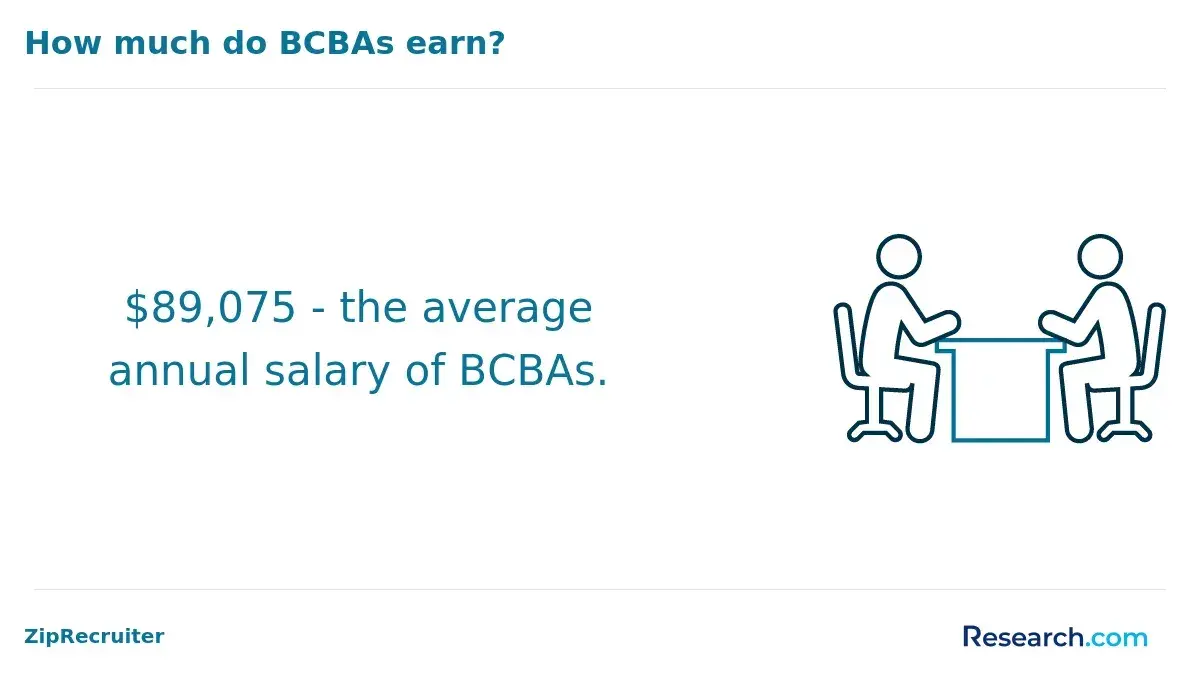
A BCBA candidate should learn data-collection and practice-management software early because digital documentation is now part of everyday ABA practice. The demand for BCBAs has grown consistently, with a 58% increase in nationwide job postings from 2023 to 2024, and many employers expect new clinicians to work confidently with electronic data systems, client records, and supervision documentation.
Software literacy matters for several reasons:
- Fieldwork quality: Candidates who can collect clean data, graph trends, and prepare organized notes are better positioned to use supervision time for clinical reasoning instead of record cleanup.
- Compliance and documentation: Digital systems can help organize supervision hours, session notes, signatures, approvals, and reporting details connected to BACB standards.
- Reduced administrative burden: Students report that mastering software early in their training allows them to spend up to 30% more time on direct client intervention instead of administrative tasks.
- Remote and hybrid supervision: When supervisors are not physically present for every session, shared platforms can make it easier to review data, leave comments, and verify progress.
- Employability: Clinics, schools, and private practices often prefer candidates who can quickly adapt to existing digital systems rather than needing extensive onboarding.
Waiting until late in a program can create avoidable problems. Students may have to reconstruct fieldwork records, learn graphing tools under pressure, or adjust to a clinic’s platform while also preparing for the BCBA exam. Early practice lets candidates build habits around accurate measurement, timely documentation, and data-based decision-making.
Software training is also worth considering when comparing graduate programs. Some best online ABA masters programs include structured exposure to digital tools alongside coursework, which can help students connect classroom concepts with practical documentation and supervision workflows.
Which features differentiate top ABA software tools?
Top ABA software tools stand out because they make accurate data collection easier, support supervision and compliance, and produce reports that help clinicians make decisions. A polished interface is useful, but the real test is whether the platform improves the quality and usability of behavioral data.
Students should compare tools across the following features:
- Real-time data capture: Strong platforms support event recording, duration, latency, interval tracking, ABC data, task analysis, and prompt-level data. Apps like Catalyst provide event recording, interval tracking, and prompt customization, which can reduce reliance on memory after a session.
- Flexible program design: The tool should allow customization for different behaviors, goals, measurement systems, mastery criteria, and client needs. Rigid templates may be faster at first but limiting in advanced practice.
- Automated analytics and dashboards: Graphs, summaries, and visual dashboards help students and supervisors identify progress, variability, and intervention effects more quickly.
- Compliance tracking: Integrated templates, supervision logs, report exports, and approval workflows can help students maintain organized documentation aligned with fieldwork expectations.
- Workflow management: Scheduling, task assignment, reminders, progress monitoring, and team notes reduce administrative friction and improve communication.
- Security and permission controls: Students should look for role-based access, secure login, audit trails, and clear data policies, especially when client information is involved.
- Export options: The ability to download reports, graphs, logs, and raw data matters if a program, supervisor, clinic, or future employer needs records in a different format.
Students report that software with these features can reduce errors in data logging by over 40%, improving accuracy in analysis and supervision. However, more features are not always better. A small practicum setting may need a simple, reliable tool; a clinic with multiple clients may need a more complete case-management system.
| Feature | Why it matters | Question to ask before choosing |
| Real-time data capture | Improves measurement accuracy during sessions | Can I record the behavior measures my placement actually uses? |
| Dashboards and graphing | Supports faster interpretation and supervisor review | Are graphs easy to read, customize, and export? |
| Compliance tools | Helps organize fieldwork and documentation | Does it support the records my program or supervisor expects? |
| Mobile access | Allows data entry in natural teaching and clinical settings | Does it work reliably on the devices I will use in the field? |
| Permissions and security | Protects sensitive client information | Can supervisors, students, and team members have appropriate access levels? |
Software platforms support BCBA supervised fieldwork by creating a central place to document hours, activities, cases, supervisor feedback, and progress over time. This matters because fieldwork is not just a count of hours; it is evidence of developing competence under supervision.
For students, the strongest platforms help with three recurring tasks:
- Logging fieldwork activities: Students can record dates, time spent, setting, activity type, and notes while details are still fresh.
- Maintaining case records: Platforms like BehaviorSoft allow students to maintain individual client profiles, document interventions, and track behavioral outcomes over time.
- Preparing for supervision: Organized data, graphs, and session notes make it easier to discuss clinical decisions, treatment integrity, ethical concerns, and next steps.
Supervisor access is especially important. When supervisors can review session data remotely, comment on interventions, and approve hours, students receive faster feedback and reduce the risk of unresolved documentation issues. This is particularly useful for post-bachelor’s or master’s students in remote placements.
Good systems also improve accountability. Automated summaries and templates can simplify BACB reporting requirements, while audit trails and approval workflows make records easier to verify. Students should still review all entries carefully; software can organize documentation, but it does not guarantee that every activity is categorized correctly or that every requirement has been met.
Many students report saving 10–15 hours per month in administrative tasks when they use organized fieldwork and case-tracking tools. That time can be redirected toward intervention planning, data interpretation, supervision preparation, and BCBA exam study.
Cost-effective ABA software gives students and small programs enough functionality to collect data, track progress, and manage documentation without paying for enterprise features they do not need. While premium ABA platforms can cost over $1,000 annually, lower-cost tools may be sufficient for students, small clinics, or programs that already provide separate systems for supervision and records.
Affordable options often include:
- ABASmart: Offers cloud-based data collection and progress tracking at a lower cost, which may fit small clinics or student use.
- RoboABA and CentralReach Student Packages: These may provide limited-user access for graduate students, reducing subscription fees while maintaining task tracking and reporting features.
- Free or low-cost mobile apps: Tools like ABA Wizard or StudyNotesABA can support on-the-go practice with quizzes and flashcards for task list review.
- General productivity tools: Calendar apps, secure note systems, spreadsheets, and task managers can help with personal organization, although they may not be appropriate for sensitive client data unless privacy and security requirements are met.
The lowest-cost option is not always the best value. A free tool that creates duplicate work, weak graphs, or scattered documentation can cost students time later. Before choosing, compare the total cost against the functions you actually need for your placement and coursework.
| Option type | Cost advantage | Potential limitation |
| Student packages | Lower subscription fees for limited users | May restrict features, clients, exports, or administrative controls |
| Small-clinic tools | Core data and progress tracking without full enterprise pricing | May offer fewer integrations or advanced reports |
| Study apps | Useful for exam review at low cost | Do not replace fieldwork documentation or clinical data systems |
| General productivity tools | Flexible and inexpensive for personal organization | May not be designed for ABA data, supervision, or protected information |
Students pursuing budget-conscious graduate options, including cheapest ABA master's programs online, should ask whether the program provides access to required platforms, discounted licenses, or training modules. A program that includes software access may reduce out-of-pocket costs, while a cheaper program that requires separate subscriptions may shift expenses to the student.
Graduate students should evaluate ABA software usability by testing how quickly and accurately they can complete common tasks: entering session data, viewing graphs, editing programs, exporting reports, logging supervision notes, and finding client information. A tool is usable when it supports accurate practice under real fieldwork conditions, not just when it looks modern in a demo.
Important usability factors include:
- Ease of navigation: Clear menus, logical workflows, and minimal steps for data entry can save time during sessions.
- Low error risk: The platform should make it difficult to enter data in the wrong place, lose session notes, or overwrite important records without warning.
- Customizability: Students should be able to tailor behavior tracking forms, interval recording, mastery criteria, and dashboards to specific clinical needs.
- Cross-platform accessibility: Mobile apps and cloud-based tools allow students to log sessions in real time from multiple devices.
- Integration capabilities: Software that syncs with calendars, supervision tools, reporting workflows, or other ABA apps can reduce duplicate entry.
- Training support: Tutorials, help centers, onboarding videos, and supervisor guidance can shorten the learning curve.
Students should avoid choosing a platform based only on a feature list. A system with many functions may be frustrating if key tasks require too many clicks or if mobile data entry is slow. Before committing, use a trial or demo to complete a realistic workflow from start to finish.
A practical test is to ask: “Could I use this during a busy session without disrupting instruction or missing behavior events?” If the answer is no, the interface may interfere with learning and data quality.
Studies and student reports suggest that intuitive platforms can increase task efficiency by 20–25%, reducing stress and supporting more accurate data management. Students in programs like top BCBA programs often receive guided training on these platforms, helping them compare tools against academic requirements and future professional practice.
Mobile apps and cloud-based solutions make ABA education more practical by allowing students to collect, review, and share data closer to the point of service. Instead of recording information on paper and entering it later, students can capture behavior data during sessions and make it available for supervisor review more quickly.
These tools are especially valuable for students who complete fieldwork in schools, homes, clinics, or hybrid settings. Benefits include:
- Real-time data entry: Students can log behaviors as sessions occur, improving accuracy and reducing recall bias.
- Remote supervision: Supervisors can review progress and provide guidance even when offsite, which is essential for students completing remote practicums.
- Faster graphing and review: Cloud-based dashboards can update records without waiting for manual transfer from paper forms.
- Collaboration: Students, supervisors, and authorized team members can work from shared records rather than separate files.
- Scalability: Students can start with single-client tracking and expand as they manage multiple cases or clinics.
Data security deserves careful attention. Cloud storage can support encryption, access controls, and HIPAA-related workflows, but students should not assume every app is appropriate for sensitive client information. Before using a tool for client data, confirm the program’s privacy expectations, the fieldwork site’s policies, and the platform’s security documentation.
By using mobile and cloud platforms, students save an average of 5–10 hours per week on administrative tasks, allowing more time for analysis and exam preparation. Those pursuing an accelerated ABA program may benefit from these tools because condensed timelines leave less room for inefficient documentation habits.
Software analytics and visualization tools improve ABA decision-making by turning raw session data into patterns students and supervisors can interpret. In behavior analysis, data only become useful when they help answer practical questions: Is the intervention working? Is the behavior changing? Is the measurement system consistent? Should the plan continue, be modified, or be reviewed more closely?
Common analytics and visualization features include:
- Automated graphing: Generates visual summaries of behavior trends, making client progress easier to interpret.
- Trend and variability views: Helps students see whether behavior is improving, worsening, or fluctuating across sessions.
- Comparative analysis: Students can compare interventions across clients or sessions to determine efficacy.
- Predictive analytics: Some platforms can forecast behavior outcomes based on historical data.
- Report summaries: Concise summaries can support supervision meetings, parent or caregiver updates, and clinical review.
These tools are most valuable when students understand what the visuals mean. A graph can show a trend, but it cannot independently determine whether treatment integrity was adequate, whether environmental variables changed, or whether the measurement system was appropriate. Students should use analytics as decision supports, not as replacements for behavior-analytic reasoning.
Research shows that students using analytics-driven software improve intervention planning and reporting efficiency by 30%, ensuring better preparation for exams and professional practice. To get the most value, students should practice explaining graphs in plain language, connecting visual trends to intervention decisions, and discussing uncertainty with supervisors.
Integration with supervision and collaborative tools strengthens BCBA graduate training by connecting data collection, fieldwork documentation, feedback, and task follow-up in one workflow. When these elements are separated across emails, paper forms, spreadsheets, and disconnected apps, students are more likely to miss comments, duplicate work, or lose context.
Integrated systems can support graduate training in several ways:
- Centralized documentation: Session data, supervision notes, approvals, task lists, and progress records are easier to find when stored in one platform.
- Real-time feedback: Supervisors can comment on interventions quickly, helping students adjust before ineffective habits become routine.
- Task delegation: Students and supervisors can assign goals, track completion, and log fieldwork efficiently.
- Shared accountability: Both student and supervisor can see what has been completed, what needs revision, and what requires review before approval.
- Better supervision meetings: Organized records allow meetings to focus on clinical decision-making, ethics, assessment, and intervention design rather than searching for documents.
Graduate students report that integrated systems can reduce miscommunication errors by up to 40% and improve adherence to BACB requirements. The benefit is not simply convenience; better communication can improve the quality of feedback and the student’s ability to connect coursework with practice.
Students should ask supervisors which tools are required, which records must be exported or retained, and how feedback will be documented. A platform is most effective when both student and supervisor agree on expectations for entries, review timelines, corrections, and approvals.
Should graduate students invest in specialized ABA software early in their BCBA programs?
Graduate students should consider investing time in specialized ABA software early in their BCBA programs, especially if their fieldwork setting does not already provide structured access and training. Early familiarity can improve data habits, reduce documentation stress, and make supervision more productive. However, students should be strategic: not every candidate needs to personally pay for a full-featured platform.
Before investing, consider these factors:
- Program and placement requirements: If your university or fieldwork site already uses a specific system, prioritize learning that platform first.
- Long-term ROI: Early proficiency reduces the learning curve in professional practice and increases employability.
- Documentation needs: Students with multiple clients, remote supervision, or complex data requirements may benefit more from specialized tools than students in highly structured placements.
- Budget: Compare student discounts, limited-user plans, free trials, and program-provided licenses before paying out of pocket.
- Exam readiness: Many software platforms include tools for task list review and analytics, aiding BCBA exam preparation.
A good decision rule is this: invest early in the skills, and invest carefully in the software. Learn how to collect clean data, interpret graphs, maintain organized records, and communicate with supervisors through digital systems. Then choose paid tools only when they solve a real problem your program or placement does not already address.
Students in ABA masters programs who integrate software into their daily workflow often report completing fieldwork hours faster, maintaining more accurate records, and performing better on exams. The strongest benefit of early adoption is not the software itself; it is the professional habit of using accurate data, organized documentation, and supervisor feedback to guide behavior-analytic decisions.
Other Things You Should Know About ABA Software and Tools
Look for secure data storage, timestamped session notes, graphing tools, and exportable reports that support supervision and fieldwork records. For BACB-related documentation, the software should allow clear tracking of observation dates, client hours, supervisor signatures, and intervention data in a format that can be audited.
Yes. Several platforms integrate features that support BCBA exam readiness. Tools such as task list review dashboards, interactive flashcards, and data analytics exercises reinforce core concepts tested on the exam. Students can simulate case scenarios, track interventions, and generate graphs that align with BACB task list requirements. For those exploring structured programs, BCBA programs often provide access to these integrated study tools, giving students real-world practice while reinforcing theoretical knowledge, ultimately improving performance on the BCBA certification exam.
Choosing the right ABA software requires evaluating your fieldwork and research goals. Consider factors such as number of clients, data complexity, supervision requirements, mobile access, and analytics capabilities. Platforms like best online ABA masters programs provide guidance and recommendations based on program requirements and BACB compliance. Students should request trial access, test workflow efficiency, and ensure the software supports collaborative supervision and customizable reporting. Aligning the software with both coursework and practical fieldwork ensures students can efficiently track progress, generate reports, and reinforce knowledge while preparing for BCBA certification.
- Behavior Analyst Certification Board. (2025). US employment demand for behavior analysts: 2010–2024 [Lightcast report]. https://www.bacb.com/wp-content/uploads/2025/02/Lightcast2025_250204-a.pdf Behavior Analyst Certification Board+1
- The Chicago School. (n.d.). Career development: BCBA certification exam guide. https://www.thechicagoschool.edu/insight/career-development/bcba-guide-bcba-certification-exam/ Behavior Analyst Certification Board+1
- Psychology.org. (n.d.). What is a BCBA? Meaning, career overview. https://www.psychology.org/resources/bcba-meaning-career-overview/ BH Business
- PayScale. (2025). Board Certified Behavior Analyst salary. https://www.payscale.com/research/US/Job%3DBoard_Certified_Behavior_Analyst/Salary
- McDonald, S. (2025, January 13). What is a Board‑Certified Behavioral Analyst (BCBA)? Indeed. https://www.indeed.com/career-advice/finding-a-job/what-is-a-bcba
- Dream Big Children. (2023, September 26). ABA vs BCBA: Unpacking the key differences. http://dreambigchildren.com/blog/aba-vs-bcba-unpacking-the-key-differences/
- Autism Speaks. (n.d.). Applied Behavior Analysis (ABA). https://www.autismspeaks.org/applied-behavior-analysis