
Paperguide Review 2027: Pricing, Features, Pros & Cons, Ratings & More

Co-Founder and Chief Data Scientist

Paperguide: Top Education Software
4 / 5
Featured Education Software Alternatives for Paperguide

Custom
14 days
Course creation, customizable learning paths, automated assessments
Editor's Take
SkyPrep is an intuitive Learning Management System (LMS) designed to streamline online training and onboarding for businesses, educational institutions, and non-profits. Known for its user-friendly interface, SkyPrep makes it easy for administrators to create, manage, and deliver training content while providing learners with a seamless, engaging experience. Key features include course creation tools, customizable learning paths, automated assessments, and reporting capabilities, enabling organizations to tailor training programs to individual or group needs.
One of SkyPrep’s strengths is its ability to support a range of media, including videos, presentations, and quizzes, making it versatile for various training formats. Its analytics and reporting tools offer valuable insights into learner progress, course completion rates, and knowledge gaps, empowering administrators to refine training content and improve learning outcomes.
The platform also integrates with popular software like Google Workspace, Salesforce, and Zoom, enhancing collaboration and accessibility for remote teams. With features like automated notifications, compliance tracking, and gamification, SkyPrep helps organizations keep learners engaged while ensuring that critical training requirements are met.
SkyPrep offers scalable pricing plans to fit small teams, growing businesses, and large enterprises, making it a cost-effective solution for organizations looking to simplify training and boost team performance. Overall, SkyPrep is an effective LMS choice for organizations that prioritize ease of use, customizability, and a comprehensive suite of learning management tools.
Expert Score
In evaluating SaaS software, a comprehensive and structured methodology ensures a fair and accurate comparison across key metrics. This approach focuses on the most critical aspects that affect user experience, functionality, and business value. The following metrics—general features, cost, customer service, integrations, and mobile support—are evaluated to provide a holistic view of each software solution’s strengths and weaknesses. These metrics are selected based on their direct impact on software usability, scalability, and long-term effectiveness for businesses.
1. General Features - scoring weight 40%
This metric evaluates the core functionalities and tools the software offers. It involves assessing the comprehensiveness of the features, their relevance to the target users, and the ease of use. This is important because robust and well-designed features determine the software’s overall utility and efficiency in solving user problems.
2. Cost - scoring weight 15%
Cost analysis focuses on pricing models, value for money, and scalability. It’s crucial to evaluate whether the software’s features justify its price, considering different plans for small and large organizations. This is vital for businesses to ensure they invest in cost-effective solutions that fit their budget.
3. Customer Service - scoring weight 15%
This evaluates the responsiveness, quality, and availability of customer support, including channels like chat, email, or phone. Good customer service is essential for troubleshooting and ensuring smooth software usage, which reduces downtime and frustration for users.
4. Integrations - scoring weight 15%
This examines how well the software integrates with third-party tools (e.g., CRM, payment systems, collaboration apps). Seamless integrations are key for creating a unified workflow and enhancing productivity by connecting multiple systems, which is crucial for operational efficiency.
5. Mobile Support - scoring weight 15%
Mobile support assesses the software’s functionality and performance on mobile devices, including apps and mobile web versions. With increasing remote work and on-the-go usage, strong mobile support is critical to ensure users can access and utilize the software effectively, regardless of location.
Paperguide Review
What is Paperguide?
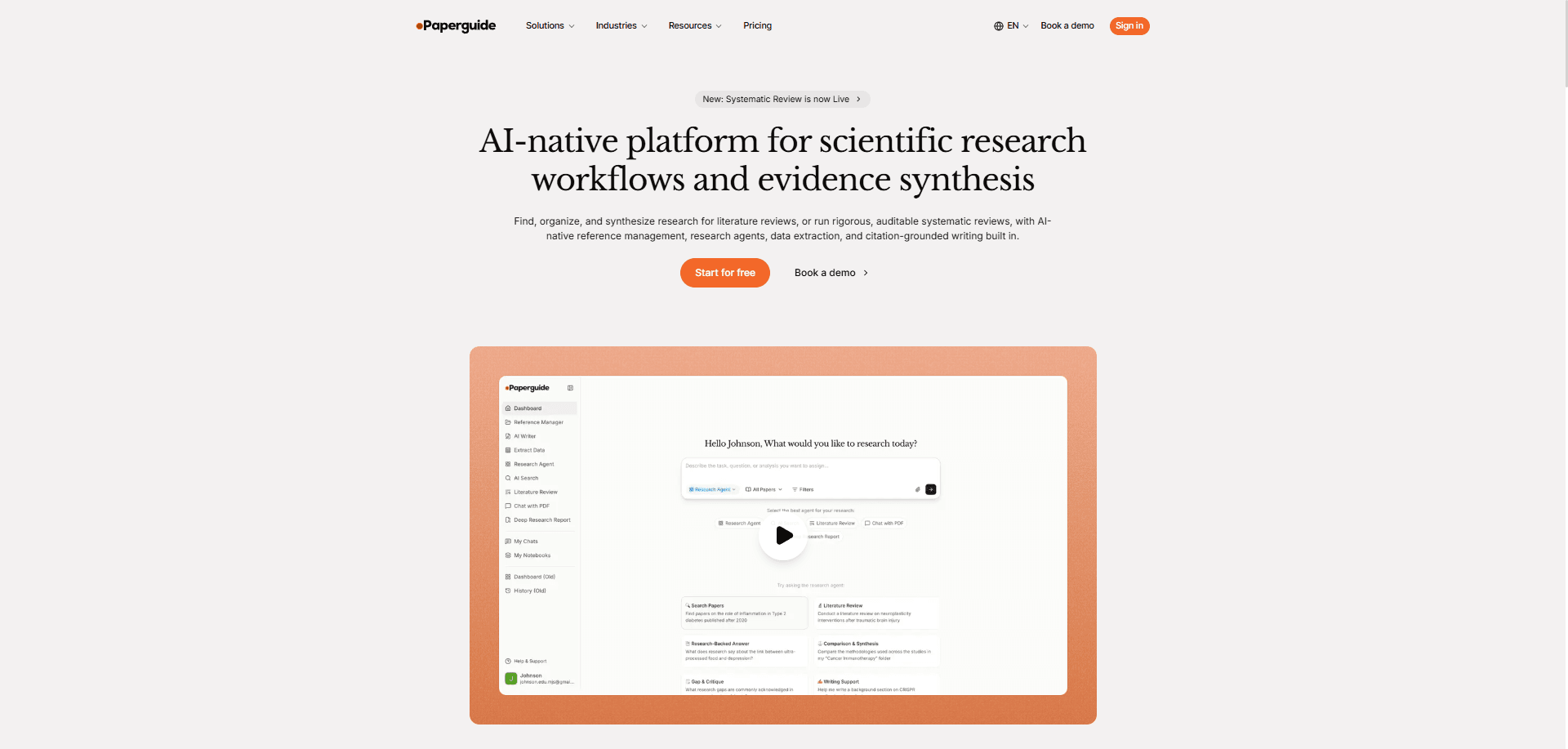
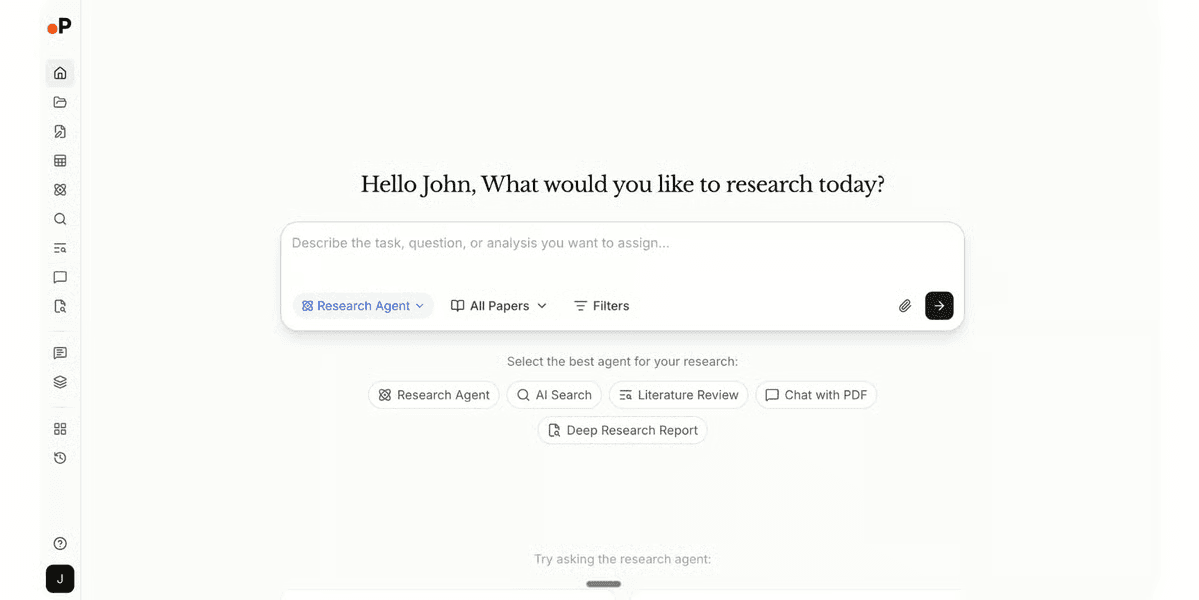
Paperguide is an AI-native platform for scientific research workflows and systematic reviews. It combines scholarly search, reference management, literature reviews, systematic reviews, structured data extraction, PDF analysis, and citation-supported writing in one workspace.
Its primary use cases include academic research, evidence synthesis, literature reviews, and systematic reviews. Researchers can search for papers, organize references, compare findings, extract study data, and prepare drafts using connected research sources.
Two notable capabilities are its Systematic Review workflow and Literature Review AI. Systematic Review supports protocol development, paper collection, screening, data extraction, human verification, and PRISMA flow-diagram generation. Researchers can choose AI-assisted screening with a human verifier or independent dual-reviewer screening with conflict resolution, depending on their plan and methodological requirements.
Literature Review AI follows a structured process for planning, searching, screening, extracting, and synthesizing research. In extended mode, it can screen up to 200 relevant papers and synthesize findings from a selected set of up to 50. Researchers should review the selected literature, extracted evidence, and AI-generated interpretations before using the output in academic or professional work.
What’s New in Paperguide?
Paperguide ships out fast, currently used by around 1 million researchers worldwide. These are the verifiable updates from its product pages and public changelog during the last nine months or so.
- Expanded Research Agent (November 2026): The Research Agent can now work across PubMed, arXiv, public research papers, and a user's reference library in one conversation. The November 5 update also introduced revised relevance ranking, citation and reference checks, and support for generating longer research documents section by section.
- Citation Graph (October 2026): Paperguide introduced an interactive Citation Graph that helps researchers explore relationships between papers through citations, shared references, and related research. Users can filter results by publication year, citation activity, journal metrics, publication type, and open-access availability.
- Expanded MCP Integration (September–October 2026): Paperguide's Model Context Protocol (MCP) server connects its research services with compatible AI assistants, including Claude, ChatGPT, and Cursor. The integration supports searching scholarly records, accessing saved papers, organizing references, and working with AI Writer documents. The October update added document creation, editing, citation formatting, exports, and plagiarism-checking workflows.
- Dual-Reviewer Systematic Reviews (September 2026): Paperguide added independent human screening with two reviewers and a conflict resolver. Blind screening is enabled by default, and the system records reviewer decisions, disagreements, and resolution history. This workflow requires Evidence or Enterprise.
- Literature Review and Writing Improvements (2026): Earlier releases introduced the Literature Review Agent, expanded access to PubMed and arXiv, AI chat within the writing editor, document-generation improvements, and extended literature-review screening.
Featured Education Software Products
Custom
14 days
Course creation, customizable learning paths, automated assessments
Editor's Take
SkyPrep is an intuitive Learning Management System (LMS) designed to streamline online training and onboarding for businesses, educational institutions, and non-profits. Known for its user-friendly interface, SkyPrep makes it easy for administrators to create, manage, and deliver training content while providing learners with a seamless, engaging experience. Key features include course creation tools, customizable learning paths, automated assessments, and reporting capabilities, enabling organizations to tailor training programs to individual or group needs.
One of SkyPrep’s strengths is its ability to support a range of media, including videos, presentations, and quizzes, making it versatile for various training formats. Its analytics and reporting tools offer valuable insights into learner progress, course completion rates, and knowledge gaps, empowering administrators to refine training content and improve learning outcomes.
The platform also integrates with popular software like Google Workspace, Salesforce, and Zoom, enhancing collaboration and accessibility for remote teams. With features like automated notifications, compliance tracking, and gamification, SkyPrep helps organizations keep learners engaged while ensuring that critical training requirements are met.
SkyPrep offers scalable pricing plans to fit small teams, growing businesses, and large enterprises, making it a cost-effective solution for organizations looking to simplify training and boost team performance. Overall, SkyPrep is an effective LMS choice for organizations that prioritize ease of use, customizability, and a comprehensive suite of learning management tools.
Expert Score
In evaluating SaaS software, a comprehensive and structured methodology ensures a fair and accurate comparison across key metrics. This approach focuses on the most critical aspects that affect user experience, functionality, and business value. The following metrics—general features, cost, customer service, integrations, and mobile support—are evaluated to provide a holistic view of each software solution’s strengths and weaknesses. These metrics are selected based on their direct impact on software usability, scalability, and long-term effectiveness for businesses.
1. General Features - scoring weight 40%
This metric evaluates the core functionalities and tools the software offers. It involves assessing the comprehensiveness of the features, their relevance to the target users, and the ease of use. This is important because robust and well-designed features determine the software’s overall utility and efficiency in solving user problems.
2. Cost - scoring weight 15%
Cost analysis focuses on pricing models, value for money, and scalability. It’s crucial to evaluate whether the software’s features justify its price, considering different plans for small and large organizations. This is vital for businesses to ensure they invest in cost-effective solutions that fit their budget.
3. Customer Service - scoring weight 15%
This evaluates the responsiveness, quality, and availability of customer support, including channels like chat, email, or phone. Good customer service is essential for troubleshooting and ensuring smooth software usage, which reduces downtime and frustration for users.
4. Integrations - scoring weight 15%
This examines how well the software integrates with third-party tools (e.g., CRM, payment systems, collaboration apps). Seamless integrations are key for creating a unified workflow and enhancing productivity by connecting multiple systems, which is crucial for operational efficiency.
5. Mobile Support - scoring weight 15%
Mobile support assesses the software’s functionality and performance on mobile devices, including apps and mobile web versions. With increasing remote work and on-the-go usage, strong mobile support is critical to ensure users can access and utilize the software effectively, regardless of location.
How Much Does Paperguide Cost?
Paperguide: Top Education Software
4 / 5
Paperguide offers a Free plan and four paid subscription tiers. The prices below are per seat per month with annual billing. Monthly billing costs more, and promotional discounts may change the checkout price.
Free - $0/month
- 1,500 AI credits per month (Usage across Research Agents, Research Reports, and AI Writer)
- Research Agent
- Limited Reference Manager
- Limited AI Searches
- AI Writer
- Up to 5 columns per table and 10 papers per extraction table
- Literature Review Report
- Chat with PDF
- Deep Research Report
- Zotero and Mendeley import
- Institutional library access (browser extension)
- Paperguide MCP
- Plagiarism Checker: 4,000 words/month (2,000 words per check)
- 10 Search API requests per month
Plus - $12/month (billed annually)
- Everything in Free
- 12,500 AI credits per month (Usage across Systematic Reviews, Research Agents, and AI Writer)
- Systematic reviews up to 1,000 papers
- Unlimited Reference Manager Storage
- Up to 50 columns per table and 100 papers per table
- Unlimited AI Searches
- Collaborate on systematic reviews, references, and writing
- Admin panel, usage tracking and seat management
- Export to RIS, CSV, BIB, PDF, and DOCX
- Plagiarism Checker: 20,000 words/month (5,000 words per check)
- 100 Search API requests per month
Pro - $29/month (billed annually)
- Everything in Plus
- 50,000 AI credits per month (Usage across Systematic Reviews, Research Agents, and AI Writer)
- Systematic reviews up to 5,000 papers
- Figure Extraction
- Unlimited Reference Manager Storage
- Up to 50 columns per table and 100 papers per table
- Unlimited AI Searches
- Collaborate on systematic reviews, references, and writing
- Admin panel, usage tracking and seat management
- Export to RIS, CSV, BIB, PDF, and DOCX
- Plagiarism Checker: 100,000 words/month (5,000 words per check)
- 500 Search API requests per month
Evidence - $89/month (billed annually)
- Everything in Pro
- 150,000 AI credits per month (Usage across Systematic Reviews, Research Agents, and AI Writer)
- Dual-reviewer screening
- Systematic reviews up to 5,000 papers
- Figure Extraction
- Dedicated support channel
- Unlimited Reference Manager Storage
- 50 columns per table
- 100 papers per table
- Unlimited AI Searches
- Collaborate on systematic reviews, references, and writing
- Admin panel, usage tracking and seat management
- Export to RIS, CSV, BIB, PDF, and DOCX
- Plagiarism Checker: 100,000 words/month (5,000 words per check)
- 1,500 Search API requests per month
Enterprise - By quote
- Custom AI credits per month (Usage across Systematic Reviews, Research Agents, and AI Writer)
- Dual-reviewer screening
- Systematic reviews up to 20,000 papers
- Figure Extraction
- Dedicated support channel
- Unlimited Reference Manager Storage
- Custom columns per table
- Custom papers per table
- Unlimited AI Searches
- Collaborate on systematic reviews, references, and writing
- Admin panel, usage tracking and seat management
- Export to RIS, CSV, BIB, PDF, and DOCX
- Plagiarism Checker: 100,000 words/month (5,000 words per check)
- Custom Search API requests per month
What Sets Paperguide Apart?
Paperguide combines research discovery, reference management, evidence extraction, systematic reviews, and academic writing within one connected platform. This reduces the need to transfer citations and research data manually between separate tools.
Its systematic-review workflows are particularly relevant for researchers who need documented eligibility criteria, screening decisions, extraction records, and PRISMA reporting. The platform distinguishes between AI-assisted screening with human verification and independent human dual-reviewer screening.
Paperguide also provides access to a scholarly search index that the vendor describes as containing more than 200 million records, drawing from sources including PubMed, arXiv, OpenAlex, and Semantic Scholar. Not every indexed record should be assumed to represent a peer-reviewed publication, particularly because arXiv includes preprints.
Another differentiator is Paperguide MCP, which allows compatible AI assistants to work with its search capabilities, reference library, and writing documents. The practical value is continuity between Paperguide and other research workflows, rather than requiring all tasks to take place in the Paperguide interface.
Paperguide Pros
- Integrated Research Workflow: Combines AI search, reference management, PDF analysis, literature reviews, systematic reviews, data extraction, and citation-supported writing in one environment.
- Protocol-Based Systematic Reviews: Supports documented research protocols, eligibility criteria, screening, extraction, and PRISMA diagrams derived from the recorded review process.
- Independent Screening on Higher Plans: Evidence and Enterprise provide independent dual-reviewer screening, blind review options, conflict resolution, and reviewer activity records.
- Literature Review Automation: The Literature Review Agent can screen up to 200 papers in extended mode and generate a cited synthesis from a selected set of up to 50 papers.
- Citation-Supported Writing: AI Writer can generate and revise text using references from the user's library or Paperguide's scholarly index. Citations are linked to source records for review.
- Accessible Entry-Level Plans: The Free plan provides limited research and writing capabilities, while Plus offers systematic reviews, higher credit limits, and expanded reference management at $12 per seat/month with annual billing.
- Research Tool Connectivity: Supports Zotero and Mendeley import, document and reference exports, Search API access, institutional library access through a browser extension, and MCP connections with compatible AI assistants.
Paperguide Cons
- Independent Dual Screening Requires a Higher Plan: Plus and Pro support systematic-review workflows, but independent human dual-reviewer screening requires the $89/month Evidence plan or Enterprise.
- AI Credit Limits Can Affect Larger Projects: Research agents, literature reviews, systematic reviews, extraction tasks, AI writing, and certain MCP operations draw from a monthly AI credit allowance. Extensive projects may require more credits or a higher subscription tier.
- Extraction Table Limits: Standard paid plans list up to 50 columns and 100 papers per extraction table. Researchers with larger datasets may need to organize data across multiple tables or use Enterprise arrangements.
- Native Search Sources May Not Cover Every Review Protocol: Paperguide lists PubMed, arXiv, OpenAlex, and Semantic Scholar among its search sources. Researchers whose protocols require Embase, Scopus, Web of Science, or other specialized databases may need to conduct additional searches externally and bring relevant records into their review.
- Human Verification Remains Necessary: AI-generated screening decisions, extracted study data, summaries, citations, and drafted conclusions can contain errors or omit relevant context. Researchers remain responsible for validating the evidence and meeting their field's methodological standards.
- Some Features Have Availability Differences: Paperguide's public pricing descriptions have not always been consistent about figure and table extraction availability. Organizations requiring these functions should confirm their status before purchasing.
- Review Quality Depends on Research Setup: The usefulness of a systematic review depends on clearly defined eligibility criteria, adequate database coverage, complete full texts, appropriate screening methods, and careful verification of extracted data.
Paperguide Core Features
Paperguide: Top Education Software
4 / 5
Systematic Review
Paperguide provides a structured workflow covering research questions, protocols, paper collection, title-and-abstract screening, full-text screening, data extraction, synthesis, and PRISMA reporting. AI Review allows AI-assisted decisions with human verification, while Dual Review uses two independent human screeners and a conflict resolver. The platform records decisions and changes to support a reviewable methodology.
AI Literature Review
The Literature Review Agent organizes literature-review tasks into planning, searching, screening, extraction, and synthesis stages. Extended mode screens up to 200 papers and generates a review from up to 50 selected sources. Outputs include references and structured findings that researchers can check against the original publications.
AI Writer
Paperguide's AI Writer supports research drafting, editing, citation insertion, source discovery, and document generation. Its in-editor chat can assist with arguments, research questions, and supporting literature. Users can choose among more than 1,000 citation styles and export supported documents to PDF or DOCX.
AI Search
AI Search allows users to ask research questions in natural language and retrieve relevant scholarly publications with source-linked responses. Paperguide reports coverage of more than 200 million scholarly records, with available quality and citation indicators to help researchers evaluate results.
Extract Data
Paperguide extracts information from research papers into structured tables with configurable fields. For systematic reviews, extracted values are linked to supporting passages and must be checked by a human verifier before being used in the final synthesized report.
Deep Research Report
Deep Research Report supports multi-stage research on a topic, including source discovery, selection, extraction, and synthesis. Researchers can review the evidence and generated report, making it suitable for preparing an initial research briefing or literature-based analysis.
Research Agent
The Research Agent helps users investigate research questions, compare studies, identify research gaps, and prepare cited documents. It can work with public scholarly sources and papers already saved in the user's reference library, with additional citation and reference checks introduced in November 2026.
Reference Manager
Paperguide includes a reference library for organizing papers, managing citations, importing records, accessing PDFs, and reusing sources across research and writing tasks. It supports imports from Zotero and Mendeley and offers reference-management features that connect directly to its AI tools.
Paperguide MCP
Paperguide's MCP server connects its research services with compatible assistants such as Claude, ChatGPT, and Cursor. Depending on the operation, users can search for papers, access saved references, review PDF content, organize library folders, create or revise writing documents, format citations, and export files. Some MCP operations consume the account's AI credits or plagiarism allowance.
Citation Graph
The Citation Graph visualizes relationships between publications through citations, shared references, and related research. Researchers can explore earlier and later studies, apply filters, and save relevant papers to their reference library.
Benefits of Paperguide
More Connected Research Workflows
Researchers can move between discovery, reference management, screening, extraction, and writing without repeatedly transferring sources between unrelated applications.
Documented Review Procedures
Systematic Review records protocols, inclusion and exclusion decisions, reviewer actions, and extracted evidence. This can make review methods easier to examine and reproduce when workflows are configured appropriately.
Reduced Manual Research Administration
AI-assisted search, screening, extraction, and drafting may reduce repetitive work, although actual time savings depend on project complexity and the amount of verification required.
Fewer Separate Research Tools
Paperguide combines functions commonly found in separate reference managers, AI search tools, PDF assistants, writing tools, and plagiarism checkers. Whether this reduces costs depends on existing subscriptions and required capabilities.
More Direct Source Verification
Linked citations and extracted passages can make it easier to locate the evidence behind an AI-generated statement. Researchers must still check whether the passage supports the conclusion being presented.
Compatibility With Existing Research Practices
Zotero and Mendeley imports, supported exports, institutional library access, Search API requests, and MCP connectivity allow researchers to use Paperguide alongside other tools rather than relying exclusively on one platform.

What Business Types Use Paperguide?
Academic Researchers and Graduate Students
Use Case: Conducting literature reviews, organizing references, comparing research papers, preparing theses or dissertations, and drafting academic work with source-linked citations.
HEOR and Evidence-Synthesis Consultancies
Use Case: Supporting structured literature reviews, evidence extraction, systematic-review screening, and preparation of evidence reports for healthcare and life sciences clients.
Medical Device and Diagnostics Companies
Use Case: Reviewing clinical literature, organizing supporting publications, and preparing evidence summaries for clinical evaluation and regulatory documentation. Outputs still require appropriate expert and regulatory review.
Pharmaceutical and Life Sciences Teams
Use Case: Investigating research questions, comparing study findings, identifying evidence gaps, and organizing research relevant to therapeutic areas or product development.
Government and Policy Organizations
Use Case: Preparing literature-based evidence summaries and comparing research findings that may inform policy development. Findings should be checked for methodological quality and applicability before being used in decisions.
Research Institutions and Libraries
Use Case: Supporting reference organization, collaborative literature analysis, source discovery, and research-writing workflows across departments or projects.
Top 5 Alternatives to Paperguide
Elicit
Elicit provides AI-assisted literature discovery, systematic-review workflows, and structured data extraction. It is a relevant alternative for researchers who prioritize comparing studies and extracting evidence. Paperguide also offers integrated reference management and citation-supported writing, so buyers should compare how each platform handles the full research workflow..
Consensus
Consensus focuses on answering research questions using scholarly literature and source-supported responses. It may appeal to users primarily interested in finding evidence quickly, while Paperguide is designed for a broader workflow that includes reference organization, systematic reviews, extraction, and writing.
SciSpace
SciSpace provides tools for reading, explaining, and analyzing scientific papers, including PDF-based research assistance. Researchers comparing it with Paperguide should evaluate paper-analysis depth, citation workflows, data extraction, and systematic-review requirements.
Covidence
Covidence specializes in systematic-review management, including screening, extraction, and team collaboration. It may be more relevant to teams prioritizing dedicated review methodology, while Paperguide offers a broader combination of AI research, reference management, and writing tools.
Zotero
Zotero is a free, open-source reference manager for collecting, organizing, annotating, citing, and sharing research. It is an alternative for users whose main need is reference management rather than an integrated AI research platform. Paperguide supports importing Zotero references, so the two tools can also be used together.
Best 2 alternatives to Paperguide
SkyPrep
4.45 / 5
SkyPrep remains an enigmatic entry in the realm of corporate learning management systems, with available details offering little more than an invitation to explore further. Its intended role in streamlining and enhancing corporate training efforts is hinted at, though specific features, ease of implementation, and scalability details are not explicitly outlined. For organizations seeking a solution tailored to their unique training requirements, the current snapshot of SkyPrep leaves room for inquiry, ensuring that further investigation could prove both necessary and potentially rewarding. Ultimately, while the overview lacks comprehensive specifics, it underscores the importance of obtaining a deeper dive into the platform’s capabilities before fully committing to its adoption.

iSpring LMS
5 / 5
iSpring LMS emerges as a promising learning management solution designed with corporate training needs in mind, although the initially provided overview contained crucial details that are regrettably unavailable. Its framework appears to accommodate the diverse and evolving requirements of modern enterprises, suggesting that the platform is engineered to facilitate efficient learning delivery and streamlined training management. The solution seems tailored to empower organizations by offering a versatile approach that potentially simplifies the distribution, tracking, and evaluation of educational content. Overall, iSpring Learn is positioned as a strategic asset for companies aiming to modernize their employee development and elevate corporate learning outcomes.
Frequently Asked Questions (FAQs)
Yes. Paperguide offers a Free plan with a monthly AI credit allowance, Research Agent, limited AI Search, Reference Manager access, AI Writer, Chat with PDF, literature-review reports, Zotero and Mendeley import, Paperguide MCP, and limited plagiarism checking and Search API usage. The reviewed annual pricing page lists 1,500 AI credits per month.
When billed annually, Plus costs $12, Pro $29, and Evidence $89 per seat per month. Enterprise pricing is available by quote. Monthly billing rates are higher, and promotional discounts may be available.
Yes. Paperguide supports protocol-based systematic reviews, recorded screening decisions, data extraction, and PRISMA flow-diagram generation. Plus and Pro support AI-assisted review workflows, while independent human dual-reviewer screening with conflict resolution requires Evidence or Enterprise.
Paperguide supports searching scholarly sources including PubMed, arXiv, OpenAlex, and Semantic Scholar. The vendor reports access to more than 200 million scholarly records, although not every indexed paper is necessarily peer-reviewed.
Yes. Paperguide MCP supports connections with compatible AI assistants, including Claude, ChatGPT, and Cursor. Users can access research search tools, saved references, PDF content, and supported AI Writer workflows directly from those assistants.
No. AI-assisted workflows require human verification, while Dual Review uses independent human screening decisions. Researchers remain responsible for source evaluation, screening criteria, extraction accuracy, interpretation, and adherence to publication or regulatory requirements.
Yes. Paid plans include collaboration and administrative features for shared research workflows. Evidence and Enterprise additionally support the independent dual-reviewer screening method used in more formal systematic reviews.


