
Salesforce Sales Cloud vs Sugar Sell – 2027 Comparison

Co-Founder and Chief Data Scientist
Salesforce Sales Cloud vs Sugar Sell Table of Contents
- What is Salesforce Sales Cloud?
- Who is Salesforce Sales Cloud for?
- Key benefits of Salesforce Sales Cloud
- What is Sugar Sell?
- Who is Sugar Sell for?
- Key Benefits of Sugar Sell
- Who are Salesforce Sales Cloud and Sugar Sell best for?
- Salesforce Sales Cloud vs Sugar Sell Feature Comparison
- How does implementation support affect Salesforce Sales Cloud and Sugar Sell adoption?
- Salesforce Sales Cloud vs Sugar Sell Pricing
- Scalability and Integration Considerations
- Are these CRM platforms secure and compliant?
- Salesforce Sales Cloud Pros and Cons
- Sugar Sell Pros and Cons
- Verdict – Salesforce Sales Cloud vs Sugar Sell: Which software is better?
What is Salesforce Sales Cloud?
Salesforce Sales Cloud is a customer relationship management (CRM) solution designed to assist businesses in managing their relationships with customers. This platform is delivered as a Software as a Service (SaaS) solution accessible through web browsers. It also offers a mobile application.
This comprehensive business software helps organizations of varying sizes and industries. These benefits include personalized sales processes, shortened sales cycles, convenient access to data, and increased productivity.
Salesforce Sales Cloud also offers various integration options to streamline complex business processes. For instance, it can integrate with applicant tracking systems (ATS) software to simplify recruitment.
Featured CRM Software Products

$9 to $150/user/month
Yes, up to 2 users
E-signature software, call transcription, conversation routing
Editor's Take
HubSpot CRM is a powerful customer relationship management platform designed to help businesses manage their sales, marketing, and customer service efforts in one centralized place. Its user-friendly interface allows teams to track leads, monitor customer interactions, and automate sales pipelines. With built-in tools for email marketing, contact management, and analytics, HubSpot CRM provides deep insights into customer behavior and sales performance. The platform also supports seamless collaboration between marketing and sales teams through real-time updates and integrations with tools like Gmail, Outlook, and Slack. Additionally, its automation features help reduce manual tasks, enabling teams to focus on building relationships and closing deals. HubSpot CRM is scalable, making it ideal for businesses of all sizes, from startups to large enterprises.
Expert Score
In evaluating SaaS software, a comprehensive and structured methodology ensures a fair and accurate comparison across key metrics. This approach focuses on the most critical aspects that affect user experience, functionality, and business value. The following metrics—general features, cost, customer service, integrations, and mobile support—are evaluated to provide a holistic view of each software solution’s strengths and weaknesses. These metrics are selected based on their direct impact on software usability, scalability, and long-term effectiveness for businesses.
1. General Features - scoring weight 40%
This metric evaluates the core functionalities and tools the software offers. It involves assessing the comprehensiveness of the features, their relevance to the target users, and the ease of use. This is important because robust and well-designed features determine the software's overall utility and efficiency in solving user problems.
2. Cost - scoring weight 15%
Cost analysis focuses on pricing models, value for money, and scalability. It's crucial to evaluate whether the software’s features justify its price, considering different plans for small and large organizations. This is vital for businesses to ensure they invest in cost-effective solutions that fit their budget.
3. Customer Service - scoring weight 15%
This evaluates the responsiveness, quality, and availability of customer support, including channels like chat, email, or phone. Good customer service is essential for troubleshooting and ensuring smooth software usage, which reduces downtime and frustration for users.
4. Integrations - scoring weight 15%
This examines how well the software integrates with third-party tools (e.g., CRM, payment systems, collaboration apps). Seamless integrations are key for creating a unified workflow and enhancing productivity by connecting multiple systems, which is crucial for operational efficiency.
5. Mobile Support - scoring weight 15%
Mobile support assesses the software’s functionality and performance on mobile devices, including apps and mobile web versions. With increasing remote work and on-the-go usage, strong mobile support is critical to ensure users can access and utilize the software effectively, regardless of location.

$25 per user per month
14 days
marketing automation, sales automation, no code customization
Editor's Take
CRM Creatio is a comprehensive customer relationship management (CRM) solution designed to streamline and enhance business processes across sales, marketing, and customer service functions. Known for its low-code platform, Creatio allows businesses to customize and automate workflows without requiring extensive technical expertise. This adaptability makes it particularly appealing to organizations seeking to align the software with their specific needs.
The platform's marketing module provides tools for multi-channel campaign management, lead generation, and personalized customer engagement. Its sales module offers functionality for pipeline management, opportunity tracking, and analytics to help teams close deals more efficiently. Additionally, the customer service module supports case management, service level agreement (SLA) monitoring, and omnichannel communication, enabling businesses to provide exceptional customer support.
Creatio stands out with its intuitive interface, robust analytics, and AI-powered tools that provide actionable insights. The low-code development tools allow non-technical users to create applications and automate processes, reducing the dependency on IT teams. Integration capabilities with other software platforms and APIs enhance its utility, making it a versatile choice for businesses of all sizes.
Overall, CRM Creatio is a powerful solution that combines user-friendly design with advanced customization and automation features. Its adaptability and low-code foundation position it as a strong contender for organizations looking to optimize customer relationship management processes while maintaining flexibility for growth and innovation.
Expert Score
In evaluating SaaS software, a comprehensive and structured methodology ensures a fair and accurate comparison across key metrics. This approach focuses on the most critical aspects that affect user experience, functionality, and business value. The following metrics—general features, cost, customer service, integrations, and mobile support—are evaluated to provide a holistic view of each software solution’s strengths and weaknesses. These metrics are selected based on their direct impact on software usability, scalability, and long-term effectiveness for businesses.
1. General Features - scoring weight 40%
This metric evaluates the core functionalities and tools the software offers. It involves assessing the comprehensiveness of the features, their relevance to the target users, and the ease of use. This is important because robust and well-designed features determine the software's overall utility and efficiency in solving user problems.
2. Cost - scoring weight 15%
Cost analysis focuses on pricing models, value for money, and scalability. It's crucial to evaluate whether the software’s features justify its price, considering different plans for small and large organizations. This is vital for businesses to ensure they invest in cost-effective solutions that fit their budget.
3. Customer Service - scoring weight 15%
This evaluates the responsiveness, quality, and availability of customer support, including channels like chat, email, or phone. Good customer service is essential for troubleshooting and ensuring smooth software usage, which reduces downtime and frustration for users.
4. Integrations - scoring weight 15%
This examines how well the software integrates with third-party tools (e.g., CRM, payment systems, collaboration apps). Seamless integrations are key for creating a unified workflow and enhancing productivity by connecting multiple systems, which is crucial for operational efficiency.
5. Mobile Support - scoring weight 15%
Mobile support assesses the software’s functionality and performance on mobile devices, including apps and mobile web versions. With increasing remote work and on-the-go usage, strong mobile support is critical to ensure users can access and utilize the software effectively, regardless of location.

$8/per user/per month
Yes
customizable dashboards, automated follow-ups, advanced analytics
Editor's Take
monday.com Sales CRM is a customizable platform designed to streamline sales processes, enhance team collaboration, and improve pipeline visibility. Its intuitive interface enables users to manage leads, track deals, and automate repetitive tasks with ease. The CRM integrates seamlessly with popular tools like Gmail, Slack, and HubSpot, ensuring a centralized workflow. Features like customizable dashboards, automated follow-ups, and advanced analytics help sales teams stay organized and focused on closing deals. With scalability in mind, monday.com caters to businesses of all sizes, offering flexible pricing plans and robust customer support. It’s an excellent choice for teams seeking efficiency and adaptability.
Expert Score
In evaluating SaaS software, a comprehensive and structured methodology ensures a fair and accurate comparison across key metrics. This approach focuses on the most critical aspects that affect user experience, functionality, and business value. The following metrics—general features, cost, customer service, integrations, and mobile support—are evaluated to provide a holistic view of each software solution’s strengths and weaknesses. These metrics are selected based on their direct impact on software usability, scalability, and long-term effectiveness for businesses.
1. General Features - scoring weight 40%
This metric evaluates the core functionalities and tools the software offers. It involves assessing the comprehensiveness of the features, their relevance to the target users, and the ease of use. This is important because robust and well-designed features determine the software’s overall utility and efficiency in solving user problems.
2. Cost - scoring weight 15%
Cost analysis focuses on pricing models, value for money, and scalability. It’s crucial to evaluate whether the software’s features justify its price, considering different plans for small and large organizations. This is vital for businesses to ensure they invest in cost-effective solutions that fit their budget.
3. Customer Service - scoring weight 15%
This evaluates the responsiveness, quality, and availability of customer support, including channels like chat, email, or phone. Good customer service is essential for troubleshooting and ensuring smooth software usage, which reduces downtime and frustration for users.
4. Integrations - scoring weight 15%
This examines how well the software integrates with third-party tools (e.g., CRM, payment systems, collaboration apps). Seamless integrations are key for creating a unified workflow and enhancing productivity by connecting multiple systems, which is crucial for operational efficiency.
5. Mobile Support - scoring weight 15%
Mobile support assesses the software’s functionality and performance on mobile devices, including apps and mobile web versions. With increasing remote work and on-the-go usage, strong mobile support is critical to ensure users can access and utilize the software effectively, regardless of location.

$7 per user per month billed annually
15 days
lead generation, sales pipeline management, workflow automation
Editor's Take
Zoho CRM is a flexible and comprehensive customer relationship management platform designed to help businesses manage and grow their customer relationships effectively. With tools for lead generation, sales pipeline management, workflow automation, and analytics, Zoho CRM is suitable for businesses of all sizes across a variety of industries.
Zoho CRM enables teams to streamline sales processes by capturing leads from multiple channels, tracking interactions, and managing every stage of the sales cycle. The platform offers customizable dashboards and reports, providing insights into sales performance and customer behaviors to help make data-driven decisions. With powerful automation features, Zoho CRM allows businesses to set up workflows for routine tasks like follow-ups, lead scoring, and email notifications, reducing manual work and enhancing productivity. The platform integrates with popular tools, including the Zoho suite, Microsoft 365, and G Suite, enabling a seamless connection across teams.
For businesses aiming to improve customer engagement, close deals faster, and enhance team collaboration, Zoho CRM delivers a scalable, user-friendly solution to drive sales and customer satisfaction.
Expert Score
In evaluating SaaS software, a comprehensive and structured methodology ensures a fair and accurate comparison across key metrics. This approach focuses on the most critical aspects that affect user experience, functionality, and business value. The following metrics—general features, cost, customer service, integrations, and mobile support—are evaluated to provide a holistic view of each software solution’s strengths and weaknesses. These metrics are selected based on their direct impact on software usability, scalability, and long-term effectiveness for businesses.
1. General Features - scoring weight 40%
This metric evaluates the core functionalities and tools the software offers. It involves assessing the comprehensiveness of the features, their relevance to the target users, and the ease of use. This is important because robust and well-designed features determine the software's overall utility and efficiency in solving user problems.
2. Cost - scoring weight 15%
Cost analysis focuses on pricing models, value for money, and scalability. It's crucial to evaluate whether the software’s features justify its price, considering different plans for small and large organizations. This is vital for businesses to ensure they invest in cost-effective solutions that fit their budget.
3. Customer Service - scoring weight 15%
This evaluates the responsiveness, quality, and availability of customer support, including channels like chat, email, or phone. Good customer service is essential for troubleshooting and ensuring smooth software usage, which reduces downtime and frustration for users.
4. Integrations - scoring weight 15%
This examines how well the software integrates with third-party tools (e.g., CRM, payment systems, collaboration apps). Seamless integrations are key for creating a unified workflow and enhancing productivity by connecting multiple systems, which is crucial for operational efficiency.
5. Mobile Support - scoring weight 15%
Mobile support assesses the software’s functionality and performance on mobile devices, including apps and mobile web versions. With increasing remote work and on-the-go usage, strong mobile support is critical to ensure users can access and utilize the software effectively, regardless of location.

By quote
Yes
Lead Management, Contact Management, Workflow Automation
Editor's Take
Salesforce CRM is a leading customer relationship management platform known for its robust functionality, scalability, and extensive customization options, making it suitable for businesses of all sizes, from startups to large enterprises. Built to streamline sales, marketing, customer service, and analytics, Salesforce CRM empowers teams to manage customer interactions, optimize workflows, and drive growth from a single, cloud-based platform.
Salesforce CRM provides a complete view of customer data, enabling teams to track interactions, manage leads, and automate tasks throughout the sales pipeline. With powerful tools for reporting and analytics, Salesforce offers insights into sales performance, customer trends, and campaign effectiveness, allowing teams to make data-driven decisions. The platform’s automation capabilities reduce manual workloads with customizable workflows, automated follow-ups, and lead scoring, ensuring a smooth customer journey. Integrations with thousands of third-party applications, along with its own suite of services, make Salesforce a highly adaptable solution for businesses looking to connect their CRM with other tools.
For organizations focused on enhancing customer engagement, improving team efficiency, and scaling their operations, Salesforce CRM delivers a powerful and versatile solution tailored to support long-term business growth.
Expert Score
In evaluating SaaS software, a comprehensive and structured methodology ensures a fair and accurate comparison across key metrics. This approach focuses on the most critical aspects that affect user experience, functionality, and business value. The following metrics—general features, cost, customer service, integrations, and mobile support—are evaluated to provide a holistic view of each software solution’s strengths and weaknesses. These metrics are selected based on their direct impact on software usability, scalability, and long-term effectiveness for businesses.
1. General Features - scoring weight 40%
This metric evaluates the core functionalities and tools the software offers. It involves assessing the comprehensiveness of the features, their relevance to the target users, and the ease of use. This is important because robust and well-designed features determine the software's overall utility and efficiency in solving user problems.
2. Cost - scoring weight 15%
Cost analysis focuses on pricing models, value for money, and scalability. It's crucial to evaluate whether the software’s features justify its price, considering different plans for small and large organizations. This is vital for businesses to ensure they invest in cost-effective solutions that fit their budget.
3. Customer Service - scoring weight 15%
This evaluates the responsiveness, quality, and availability of customer support, including channels like chat, email, or phone. Good customer service is essential for troubleshooting and ensuring smooth software usage, which reduces downtime and frustration for users.
4. Integrations - scoring weight 15%
This examines how well the software integrates with third-party tools (e.g., CRM, payment systems, collaboration apps). Seamless integrations are key for creating a unified workflow and enhancing productivity by connecting multiple systems, which is crucial for operational efficiency.
5. Mobile Support - scoring weight 15%
Mobile support assesses the software’s functionality and performance on mobile devices, including apps and mobile web versions. With increasing remote work and on-the-go usage, strong mobile support is critical to ensure users can access and utilize the software effectively, regardless of location.

$7/user/month
15 days
Pipeline Management, Email Integration, Task Tracking
Editor's Take
Bigin is a lightweight CRM by Zoho, tailored for small businesses and startups to manage sales pipelines efficiently. It provides tools for deal tracking, email integration, and task management, ensuring a simple yet effective approach to sales. The platform offers customizable pipelines, real-time notifications, and seamless integrations with other Zoho apps. Its user-friendly design makes it accessible for teams with minimal CRM experience, helping them streamline sales processes without complexity.
Expert Score
In evaluating SaaS software, a comprehensive and structured methodology ensures a fair and accurate comparison across key metrics. This approach focuses on the most critical aspects that affect user experience, functionality, and business value. The following metrics—general features, cost, customer service, integrations, and mobile support—are evaluated to provide a holistic view of each software solution’s strengths and weaknesses. These metrics are selected based on their direct impact on software usability, scalability, and long-term effectiveness for businesses.
1. General Features - scoring weight 40%
This metric evaluates the core functionalities and tools the software offers. It involves assessing the comprehensiveness of the features, their relevance to the target users, and the ease of use. This is important because robust and well-designed features determine the software's overall utility and efficiency in solving user problems.
2. Cost - scoring weight 15%
Cost analysis focuses on pricing models, value for money, and scalability. It's crucial to evaluate whether the software’s features justify its price, considering different plans for small and large organizations. This is vital for businesses to ensure they invest in cost-effective solutions that fit their budget.
3. Customer Service - scoring weight 15%
This evaluates the responsiveness, quality, and availability of customer support, including channels like chat, email, or phone. Good customer service is essential for troubleshooting and ensuring smooth software usage, which reduces downtime and frustration for users.
4. Integrations - scoring weight 15%
This examines how well the software integrates with third-party tools (e.g., CRM, payment systems, collaboration apps). Seamless integrations are key for creating a unified workflow and enhancing productivity by connecting multiple systems, which is crucial for operational efficiency.
5. Mobile Support - scoring weight 15%
Mobile support assesses the software’s functionality and performance on mobile devices, including apps and mobile web versions. With increasing remote work and on-the-go usage, strong mobile support is critical to ensure users can access and utilize the software effectively, regardless of location.
Who is Salesforce Sales Cloud for?
Salesforce Sales Cloud is designed to support sales, marketing, and customer support in both business-to-customer (B2C) and business-to-business (B2B) contexts. This CRM management software is intended for different types of users, which include:
- sales managers
- sales representatives
- customer support teams
- business executives and
- marketing professionals
Salesforce Sales Cloud also offers features that can support HR processes and employee management. These features include onboarding flows and absence management. However, Salesforce Sales Cloud is not identified as a human resource information system (HRIS) software program.
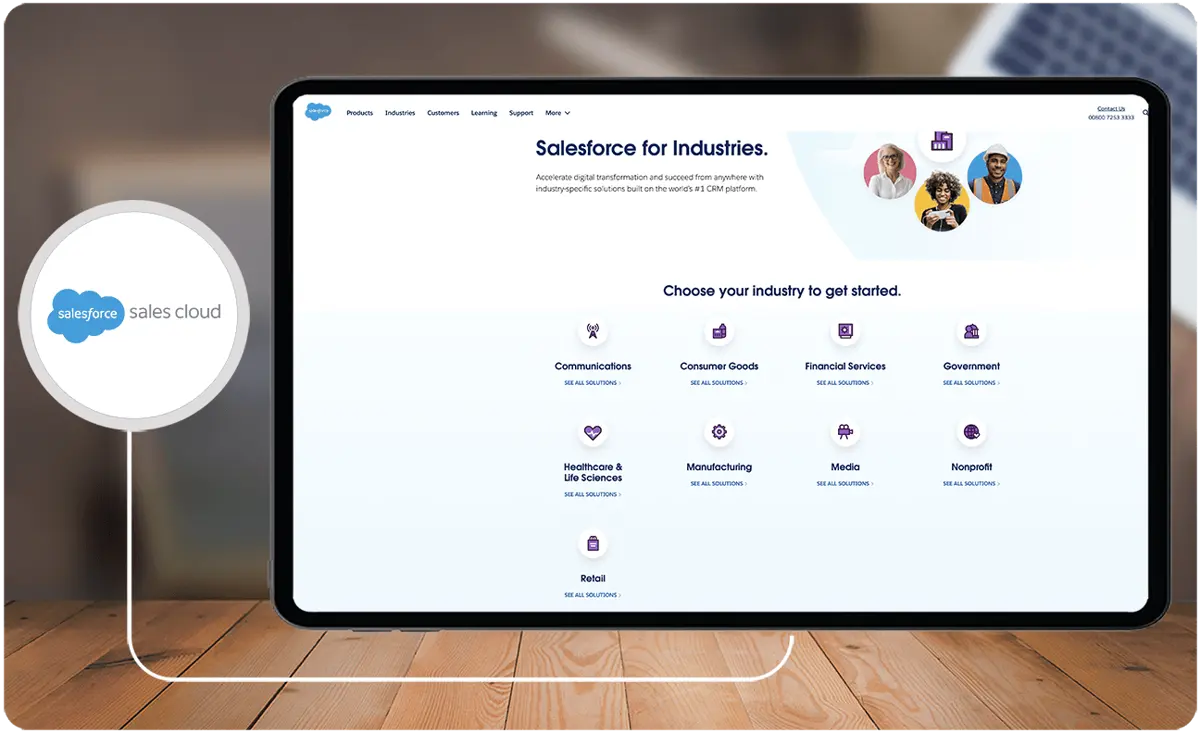
Key benefits of Salesforce Sales Cloud
- Customization option. Users seeking a solution beyond the standard offerings can explore the versatility of Salesforce Sales Cloud. This robust platform offers full customization. It is also configurable.
- Accommodates every client. Users can tailor their sales approach to fit their clients, from B2C to B2B, from small businesses to large enterprises.
- Analytics and in-depth reporting options. Businesses can continuously enhance their strategies by promptly identifying any flaws. Salesforce Sales Cloud offers real-time analytics and comprehensive reporting capabilities. These features allow businesses to make immediate revisions to their strategies. They eliminate the need to wait for end-of-quarter reports to pinpoint areas that require improvement.
- Accessibility. Users can conveniently access Sales Cloud from any location around the globe and on any internet-enabled device. Salesforce CRM is designed with a ‘mobile-first' approach. This ensures a seamless experience without a diminished mobile user experience.
- See data in one location. Users can have a comprehensive view of all their data in a single location. They can visualize their entire day at a glance, leveraging scheduling and productivity tools to maximize their efficiency. Additionally, they can manage tasks from a centralized hub that allows real-time updates to their to-do lists as they progress.
What is Sugar Sell?
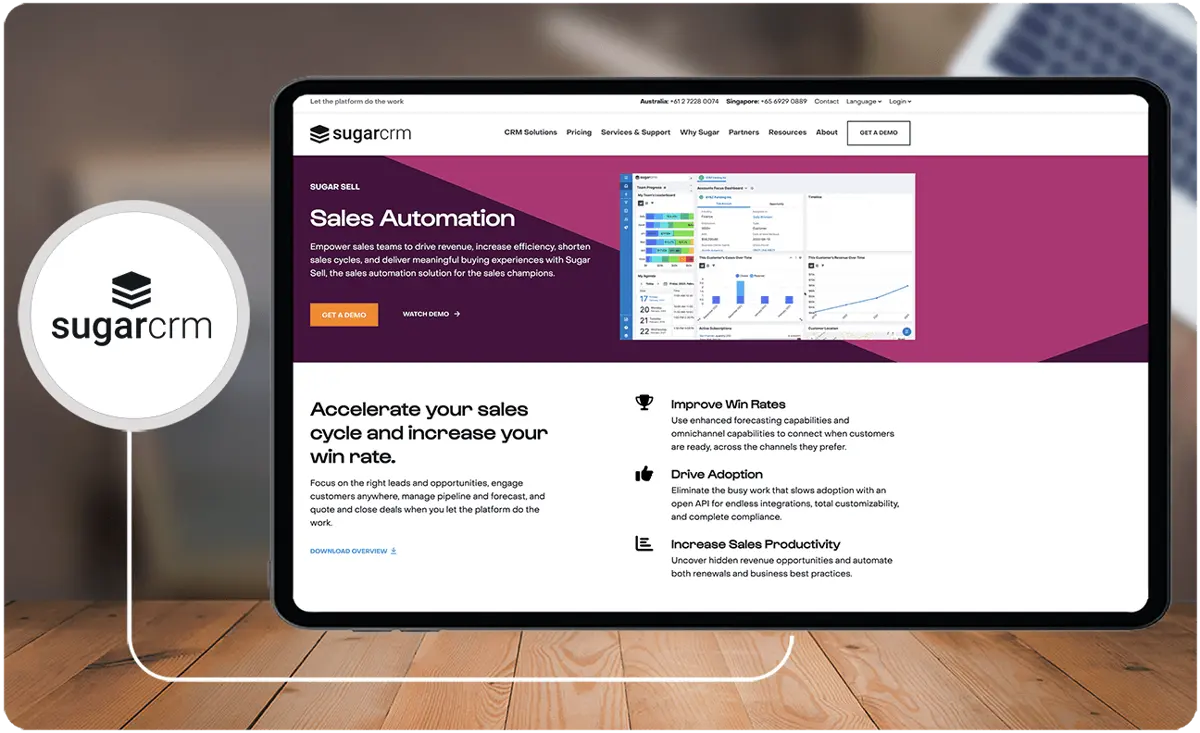
Sugar Sell is part of the SugarCRM suite. It is a collaborative CRM solution designed to enhance sales efforts and create exceptional customer relationships. Sugar Sell has gained recognition for its heavy customization capabilities. The platform offers sandbox and test environments for development and experimentation. Moreover, it excels in user, role, and access management.
Sugar Sell provides a wide array of features and benefits, encompassing lead, opportunity, account, and contact management. Additionally, it offers robust capabilities in reporting and dashboards. It also provides efficient product catalog and quote management, accurate sales forecasting, and streamlined business process management.
Who is Sugar Sell for?
Sugar Sell is designed for businesses looking to drive revenue, increase efficiency, reduce sales costs, and deliver exceptional customer-buying experiences. This versatile platform is well-suited for small to mid-market organizations operating in diverse industries, including:
- Manufacturing
- IT
- SaaS
- Finance
- professional services
- Direct-to-consumer
- High-tech
- Insurance
Key Benefits of Sugar Sell
- Management. Users can manage leads, opportunities, accounts, and contacts effectively.
- Transparency. Sugar Sell allows all members of the organization to have access to the context for each customer interaction. It also ensures that they all receive valuable insights on the recommended next steps to take.
- Reporting and dashboard. Sugar Sell offers out-of-the-box customized reporting that allows users to make strategic business decisions. This feature also keeps leadership informed about critical aspects of the business. Additionally, users can closely monitor key business metrics. They can also leverage reports that transform customer data into valuable business insights.
- Product catalog and quote management. Sugar Sell simplifies product management by integrating the product catalog directly into the platform. Users can also generate custom quotes seamlessly while viewing customer account records. Furthermore, users can run reports on the opportunities and revenues linked to each product. This helps them anticipate demand and understand each product’s performance.
- Sales forecasting. Sugar Sell's quote management streamlines the sales cycle and accelerates deal closure. Meanwhile, its sales forecasting enhances overall business visibility and predictability.
- Business process management (BPM). Users can enhance sales efficiency and productivity using Sugar BPM. It reduces manual tasks and allows more time for customer engagement.
Who are Salesforce Sales Cloud and Sugar Sell best for?
In this Salesforce Sales Cloud comparison with Sugar Sell, our review experts suggest who benefits the most from each platform.
Salesforce Sales Cloud is best for:
- Businesses that require robust integrations with third-party systems and advanced reporting capabilities
- Industries, where a longer implementation time is manageable and complex deployment, is acceptable
- Businesses that prioritize prompt and knowledgeable customer support and service
Sugar Sell is best for:
- Industries that value customer service and a support-focused approach, with a dedicated community offering enthusiastic help to CRM beginners. You can also find the same vibrant communities in Sugar Sell alternatives.
- Companies that prefer a more flexible pricing model with fixed setup costs and monthly user charges
- Businesses that aim for a straightforward and quick deployment process, which is typically completed in under two weeks
Salesforce Sales Cloud vs Sugar Sell Feature Comparison
Take a look at this Salesforce Sales Cloud comparison with Sugar Sell based on user reviews and their preferences.
Lead Management
Salesforce Sales Cloud allows businesses to capture, track, and nurture leads effectively. It provides lead, account, contact, and opportunity management, as well as sales engagement, sales analytics, and sales performance management.
Meanwhile, Sugar Sell provides reporting tools that allow marketing and sales teams to gain full transparency into how leads move along the funnel. Such tools also aid in identifying top-performing campaigns and improving lead-to-opportunity conversion rates.
In this Salesforce Sales Cloud comparison with Sugar Sell, our review experts agree that both platforms provide impressive lead management features. However, Salesforce’s Pardot marketing automation tool is limited to its higher-priced plans. In contrast, Sugar Sell’s marketing automation tool, Sugar Market, comes with varying restrictions depending on the user’s plan.
Mobile CRM
The Salesforce Sales Cloud mobile application enables sales teams to effortlessly manage their sales, access dashboards, and search for files. It claims to offer a 34% boost in productivity when used on smartphones.
Meanwhile, the Sugar Sell mobile CRM app provides users with access to customer information while they are on the move. It offers a fully optimized experience for both Android and iOS devices.
In this Salesforce Sales Cloud comparison with Sugar Sell, our reviewers find that Sugar Sell’s mobile app is easier to use.
Reporting and Analytics
Salesforce Sales Cloud provides robust reporting and analytics capabilities. It also integrates with external reporting tools like Tableau and Power BI. Such an integration creates complex and visually appealing reports without requiring in-depth experience in data and analytics. It is nearly unmatched in this regard but it is worth looking into Salesforce Sales Cloud alternatives, too.
On the other hand, Sugar Sell allows users to access and customize reports and interactive dashboards. It provides real-time, actionable customer insights and visibility into business activities, KPIs, and trends.
In this Salesforce Sales Cloud comparison with Sugar Sell, Salesforce excels in comprehensive reporting and analytics. Meanwhile, Sugar Sell stands out for its customizable and user-friendly reports.
Opportunity Management
In this Salesforce Sales Cloud comparison with Sugar Sell, our experts concur that Salesforce offers superior opportunity management features, catering to a variety of sales team needs. However, their quoting feature is exclusive to their pricier plans.
For instance, Salesforce's quoting is available through their Quotes feature, which is related to opportunities. Users may need to upgrade to access it. In contrast, Sugar Sell includes quoting as a standard feature across all their programs.
Contact Management
Salesforce Sales Cloud’s contact management feature provides a complete view of all customer history, communications, and account details. It also offers collaboration features that enable various team members across an organization to share insights. Additionally, it lets them have internal account discussions and obtain relevant documents for every contact.
On the other hand, Sugar Sell treats contact management as a sort of database of account details and demographics for every customer. It provides a hub for tracking, viewing, and continuing interaction with contacts.
In this Salesforce Sales Cloud comparison with Sugar Sell, our team of review experts thinks that Sales Cloud may be more suitable for organizations that need extensive collaboration.
How does implementation support affect Salesforce Sales Cloud and Sugar Sell adoption?
Implementing a CRM system can be complex, especially for teams unfamiliar with robust software solutions. Both Salesforce Sales Cloud and Sugar Sell provide support, but with different approaches that may affect adoption speed and efficiency.
Key considerations for implementation support include:
- Onboarding and Training: Look for vendors that provide hands-on onboarding, including user training sessions or self-paced tutorials to ensure users can navigate the platform confidently.
- Customer Support Access: Evaluate availability, such as 24/7 support or dedicated account managers, which can reduce downtime and enhance problem-solving during setup.
- Community and Resources: Check if the CRM offers access to user communities, documentation, and knowledge bases to streamline troubleshooting and adoption.
Salesforce Sales Cloud vs Sugar Sell Pricing
In this Salesforce Sales Cloud comparison with Sugar Sell, our team of review experts highlights their unique pricing structure.
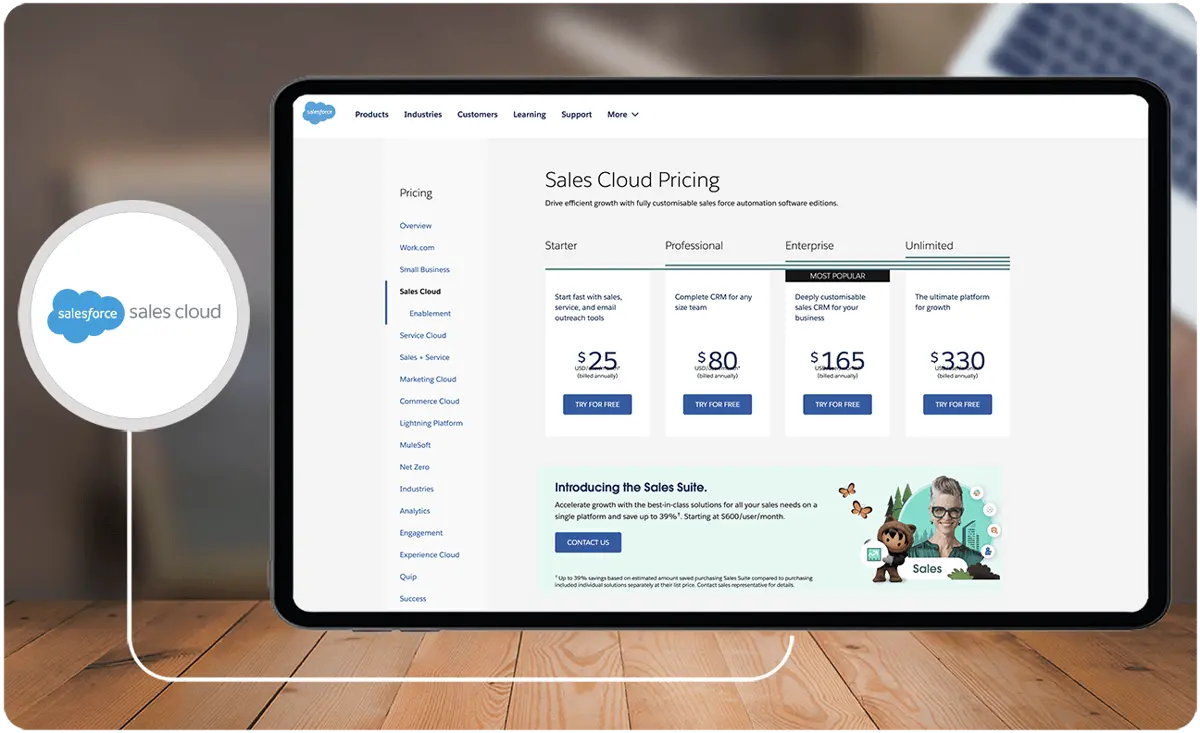
The Salesforce Sales Cloud pricing varies based on the billing frequency and the editions, categorized as:
- Starter: $25 per user/month
- Professional: $80 per user/month
- Enterprise: $165 per user/month
- Unlimited: $330 per user/month
The Salesforce Sales Cloud comparison chart is an essential resource when evaluating the price. This chart helps in distinguishing Salesforce Sales Cloud professional vs enterprise editions.
The Salesforce Sales Cloud professional features provide a solid foundation of tools. However, if you are looking for deeper insights and advanced capabilities, the Salesforce Sales Cloud premium may be more suitable.
Salesforce Sales Cloud enterprise pricing starts at $165. Still, it is advisable to contact its sales team for a customized quote. The team can also give you a more detailed understanding of Salesforce Sales Cloud insights.
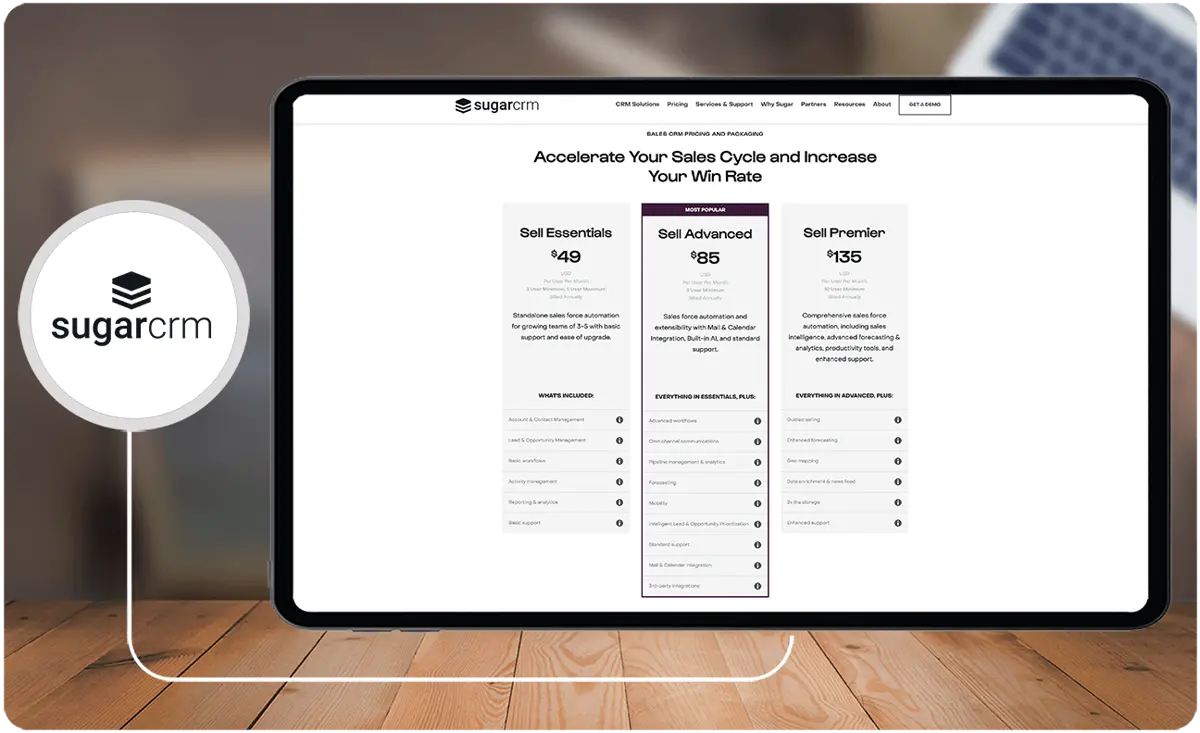
Meanwhile, Sugar Sell pricing also varies based on specific editions and features included. Below are the details for the different editions:
- Sell Essentials: $49 per user/month for five user maximum
- Sell Advanced: $85 per user/month for three user minimum
- Sell Premier: $135 per user/month for ten user minimum
Scalability and Integration Considerations
When selecting between Salesforce Sales Cloud and Sugar Sell, scalability and integration capabilities play a crucial role in decision-making for businesses planning sustained growth. Salesforce Sales Cloud, for instance, supports seamless integration with numerous third-party applications, allowing enterprises to expand functionality as they scale. Its robust ecosystem is ideal for organizations that require a diverse range of integrations, including advanced analytics tools like Tableau and external data connectors.
On the other hand, Sugar Sell’s versatility in sandbox environments makes it an excellent choice for businesses with heavy customization demands. Its development ecosystem facilitates tailored workflows, ensuring that bespoke processes easily integrate within the platform. However, companies looking to match Salesforce's breadth of integrations may face restrictions, particularly if they aim to link with less conventional software types.
Industries relying on billing and invoicing systems may benefit from understanding how these CRMs integrate with top-tier platforms designed for financial efficiency. Tools such as billing software can amplify the performance of both CRM solutions. For businesses anticipating rapid scaling, prioritizing platforms with a seamless interplay between CRM and billing systems is pivotal.
Ultimately, aligning your integration goals and scalability requirements with the capabilities of your chosen platform ensures a smoother workflow and long-term return on investment.
Are these CRM platforms secure and compliant?
Both Salesforce Sales Cloud and Sugar Sell deploy advanced security measures designed to protect sensitive customer data. They feature robust encryption methods, role-based access controls, and detailed audit trails that support compliance with major data protection regulations. In practice, these platforms enable customized security settings aligned with industry-specific compliance requirements. Administrators are equipped with tools to monitor system activity and manage permissions, ensuring that operational workflows meet strict security standards. For further evaluation on integrated solutions that prioritize data protection, consider exploring eCommerce software.
Salesforce Sales Cloud Pros and Cons
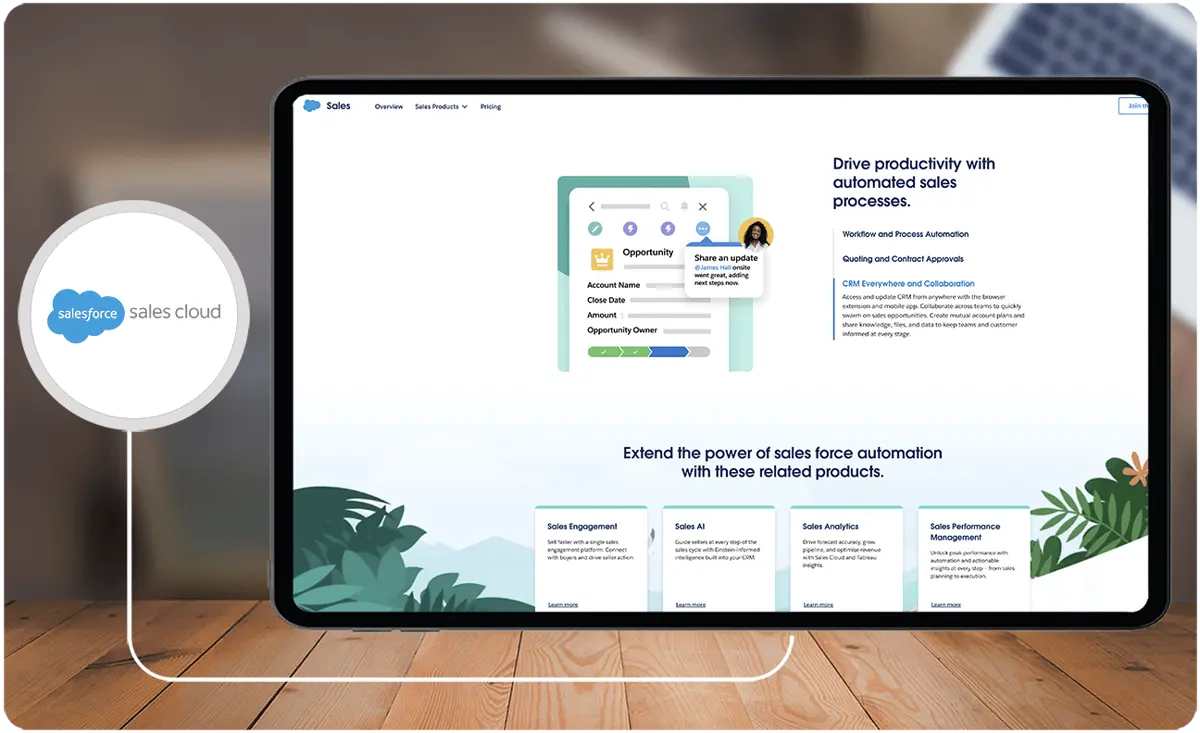
Pros
- Cloud-based
- Personalization of the sales process
- Built-in collaboration solutions
- Accurate forecasting
Cons
- May take time and effort to learn how to use the platform effectively
- Highly dependent on internet connectivity
Sugar Sell Pros and Cons
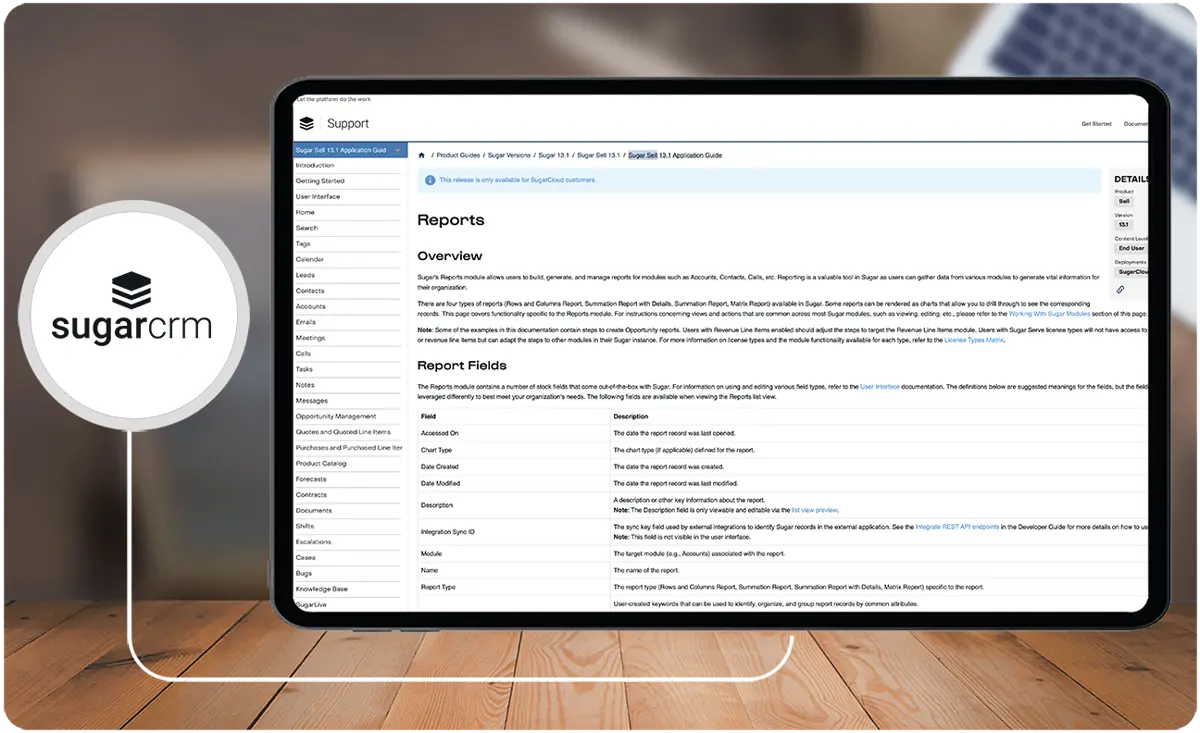
Pros
- Robust reporting features
- Highly customizable
- Easy to use
- Covers the whole customer life cycle
Cons
- Pricing plans are quite complex
- The search function can be improved
Verdict – Salesforce Sales Cloud vs Sugar Sell: Which software is better?
In this Salesforce Sales Cloud comparison with Sugar Sell, research.com’s review experts think that both platforms are excellent examples of CRMs that truly deliver. Still, each platform has its own strengths, with one being stronger in certain features than the other.
When considering a Salesforce Sales Cloud comparison, it is essential to evaluate various aspects. In terms of quality of support, Salesforce Sales Cloud is the preferred choice with 8.6 ratings, while Sugar Sell got 8.2. Meanwhile, for customization, Sugar Sell got 8.8 ratings, as compared to Salesforce with 7.3. If you want more options before finalizing your decision, you can evaluate Sugar Sell alternatives as well.
Ultimately, the choice of which software is better hinges on the specific needs of each individual user.
Key Insights
- Salesforce Sales Cloud Overview:
- Salesforce Sales Cloud is a comprehensive customer relationship management (CRM) solution designed to assist businesses in managing their customer relationships. Delivered as a Software as a Service (SaaS) solution, it is accessible via web browsers and a mobile app.
- Key benefits include personalized sales processes, shortened sales cycles, convenient access to data, and increased productivity. It offers robust integration options, including applicant tracking systems (ATS), enhancing business process streamlining.
- Who Salesforce Sales Cloud is For:
- Salesforce Sales Cloud is suitable for sales, marketing, and customer support teams in both B2C and B2B contexts. It caters to sales managers, sales representatives, customer support teams, business executives, and marketing professionals. It also supports HR processes but is not classified as an HRIS software program.
- Sugar Sell Overview:
- Sugar Sell, part of the SugarCRM suite, is a collaborative CRM solution designed to enhance sales efforts and foster exceptional customer relationships. It is known for its heavy customization capabilities, including sandbox and test environments for development and experimentation.
- Key features include lead, opportunity, account, and contact management, robust reporting and dashboards, product catalog and quote management, sales forecasting, and business process management.
- Who Sugar Sell is For:
- Sugar Sell is designed for small to mid-market organizations in various industries such as manufacturing, IT, SaaS, finance, professional services, direct-to-consumer, high-tech, and insurance. It aims to drive revenue, increase efficiency, reduce sales costs, and deliver exceptional customer-buying experiences.
- Comparison Highlights:
- Lead Management: Both platforms provide impressive lead management features. Salesforce’s Pardot marketing automation tool is limited to higher-priced plans, whereas Sugar Sell’s Sugar Market comes with varying restrictions depending on the plan.
- Mobile CRM: Salesforce Sales Cloud’s mobile app enhances productivity by 34%, while Sugar Sell’s mobile app offers a fully optimized experience for Android and iOS devices.
- Reporting and Analytics: Salesforce offers robust reporting and analytics capabilities with external tool integration. Sugar Sell provides customizable, user-friendly reports.
- Opportunity Management: Salesforce offers superior opportunity management features with quoting available in pricier plans. Sugar Sell includes quoting as a standard feature across all plans.
- Contact Management: Salesforce provides a comprehensive view of customer history and communications, supporting extensive collaboration. Sugar Sell focuses on tracking and continuing interaction with contacts.
Other Things You Should Know About Salesforce Sales Cloud – Sugar Sell Comparison
Salesforce Sales Cloud is a cloud-based CRM solution provided by Salesforce. It aims to help organizations manage their sales processes and improve their sales performance.
Sugar Sell is a customer relationship management solution designed to enhance sales automation and improve customer relationships. It is part of the SugarCRM suite.
Salesforce Sales Cloud manages several objects, including Accounts, Contacts, Leads, Opportunities, Reports, and Dashboards, to help organizations streamline their sales processes.
SugarCRM is not a free, open-source solution. It offers a scalable CRM suite with various pricing plans and provides on-demand, free three-minute demos for interested parties.
Salesforce Sales Cloud is best for businesses that require robust integrations with third-party systems, advanced reporting capabilities, and those that can manage a longer implementation time with complex deployment.
Sugar Sell is ideal for industries that value customer service and support, offering a vibrant community for CRM beginners, a flexible pricing model, and a straightforward, quick deployment process.
Key benefits include full customization, accommodating various clients (B2C and B2B), real-time analytics and reporting, accessibility from any location, and a comprehensive view of data in one location.
Sugar Sell offers effective management of leads, opportunities, accounts, and contacts, full transparency into customer interactions, robust reporting and dashboard capabilities, integrated product catalog and quote management, and enhanced business visibility through sales forecasting.
Salesforce Sales Cloud uses Pardot for marketing automation in higher-priced plans, while Sugar Sell uses Sugar Market with varying restrictions based on the user’s plan.
Salesforce offers superior opportunity management features with advanced quoting available in higher-priced plans, whereas Sugar Sell includes quoting as a standard feature across all plans.


