How to Manage Multiple Social Media Accounts Without Duplicating Work

Co-Founder and Chief Data Scientist
The best way to manage multiple social media accounts without duplicating work is to publish each post once on a primary platform, then let a scheduler or crossposting tool copy it to your other accounts. People stay responsible for replies, platform-specific captions, and sensitive posts, and a weekly review catches failures.
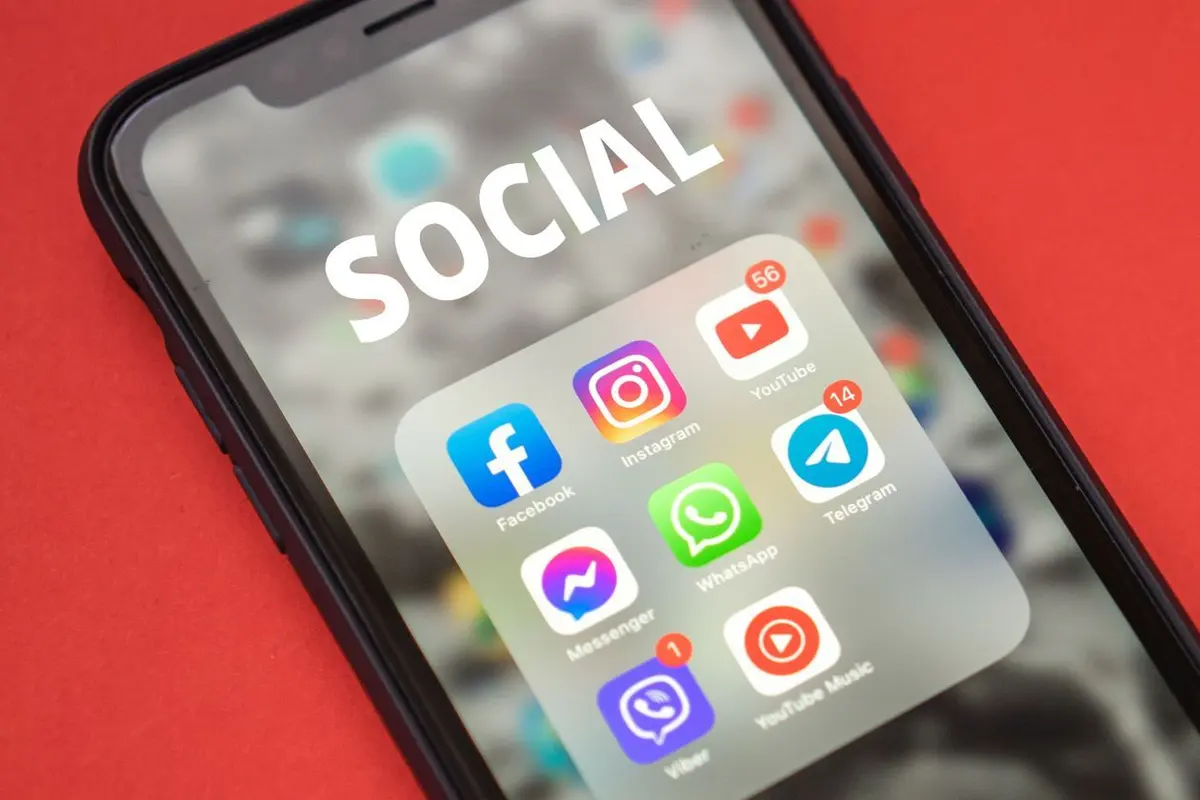
Most people who run social media for a small business, a university department, a nonprofit, or their own creator brand did not set out to manage seven accounts. It happened one platform at a time. Instagram came first, then a Facebook Page because customers expected one, then LinkedIn for hiring, TikTok because a competitor went viral there, YouTube Shorts because the TikTok videos were already made, and Threads or Bluesky because part of the audience moved.
Each new account looked like a small addition. Together they turn one piece of content into a long list of chores: export the video again, rewrite the caption to fit a different character limit, log in to another app, upload, check that it posted, and repeat. The content is the same. The work is multiplied.
This guide covers the most effective ways to manage multiple social media accounts without doing each task several times, whether you run social media accounts for different brands, clients, or your own personal and business use. It explains where duplicated effort comes from, how to set up a single source of truth for your content, which tasks a social media management tool or an automatic crossposting tool such as PostOnce can handle safely, and which ones still need a person.
Key Findings
- The average online adult uses 6.75 different social platforms each month, according to DataReportal's Digital 2026 report, so audiences are spread across more networks than most teams can staff individually.
- Duplicated work comes mostly from repeated handling of the same asset (exporting, uploading, captioning, and checking), not from creating new ideas.
- A "create once, distribute many" workflow, with one primary platform as the source and the others as destinations, removes most of the repeated steps.
- Automation should handle copying and posting, while people keep control of platform-specific judgment such as replies, captions for professional networks, and anything time-sensitive.
- A weekly 30-minute review of what posted, what failed, and what performed is enough to keep a multi-account system healthy.
- Why Managing Multiple Accounts Gets Harder Every Year Multiple Accounts
- Where Duplicated Work Comes From Duplicated Work
- Step 1: Choose a Primary Platform and Treat It as the Source Step 1
- Step 2: Build Content That Travels Well Step 2
- Step 3: Use a Social Media Management Tool to Schedule Posts and Automate the Copying Step 3
- Step 4: Set Up Accounts So Automation Works Step 4
- Step 5: Create a Content Calendar for Every Social Media Account Step 5
- Step 6: Review Analytics Once a Week Step 6
- Measure Whether the New Workflow Saves Time Measurement
- Common Mistakes to Avoid Common Mistakes
- A Sample Workflow for a Small Team Sample Workflow
Why Managing Multiple Accounts Gets Harder Every Year
People are not choosing one network. DataReportal's Digital 2026 Global Overview Report counts 5.66 billion social media user identities worldwide and finds that online adults use an average of 6.75 different social platforms each month. Your audience is likely to be spread across different platforms, and each social media platform rewards regular posting. Keeping a social media presence on multiple channels is now the norm rather than the exception, even for small businesses and solo creators.
Marketers feel this pressure. Sprout Social's 2026 Social Media Content Strategy Report, based on surveys of about 1,200 marketers and 2,300 consumers in the United States, the United Kingdom, and Australia, reports that 87% of marketers want their brand to show up on more networks in 2026. The same report points to new networks dividing attention and unpredictable algorithm changes as reasons it has become harder to reach an audience.
Most small teams cannot hire a person per platform. A single social media manager, a marketing generalist, or a founder ends up running every account. Research.com's overview of global social media research is a useful reminder of how much time people spend on these networks, which is why giving up a platform is rarely an easy decision. Many people manage their social media accounts by constantly switching between tabs and apps, which costs a ton of time. The practical answer is to stop treating each account as its own job.
Where Duplicated Work Comes From
Before changing tools or processes, it helps to name the specific tasks that repeat. In most multi-account setups, the same handful of steps happens once per platform:
- Re-exporting media. The same video is exported again in a different aspect ratio or length, or downloaded from one app so it can be uploaded to another.
- Re-uploading. Each platform needs its own upload, often from a phone, which means moving files between devices.
- Rewriting captions. Character limits, hashtag conventions, and tone differ, so the caption gets edited each time.
- Switching accounts and apps. Logging in and out to handle multiple brands or clients takes time and leads to posting from the wrong account.
- Checking whether it worked. Someone has to open each app to confirm the post went live and was not rejected or cropped badly.
- Tracking results in different places. Each platform's analytics live in its own dashboard, so comparing social media performance means copying numbers into a spreadsheet.
None of these steps creates value for the audience, and the more accounts you manage, the more they add up. They are handling costs. A post that takes 30 minutes to make and 10 minutes per platform to distribute costs 100 minutes across seven accounts, and 70 of those minutes are repetition.
Step 1: Choose a Primary Platform and Treat It as the Source
Choosing one primary platform as your source is the most effective structural change. Pick one platform where you will publish first and treat it as the source of truth. Every other account becomes a destination that receives a copy or an adapted version of what you post there.
Good candidates for a primary platform:
- Instagram if most of your content is short vertical video and images, because Reels, carousels, and photos can be adapted for TikTok, YouTube Shorts, Facebook, and Pinterest.
- TikTok if your team already films there first and the other short-video apps are secondary.
- X, Threads, or LinkedIn if your content is mostly text, because written posts move easily between text-first networks.
- YouTube if long-form video is the core of your work and short clips are cut from it.
Choosing a source does not mean the other platforms matter less. It means there is one place where the original lives, one place to fix mistakes, and one calendar to plan against. The other accounts follow automatically or with a light edit, so you post content once and it reaches every platform you use.
Step 2: Build Content That Travels Well
Content that travels well is filmed, written, and captioned so it fits every destination without re-editing. A few habits make posts portable:
- Film vertically at 9:16. Vertical video works natively on Reels, Shorts, Facebook Reels, Snapchat, and short-video apps. YouTube's help article on
- Keep text off the edges. Each app overlays buttons and captions in slightly different places. Keeping on-screen text in the center third avoids it being covered.
- Avoid platform-specific watermarks and stickers. A TikTok watermark on an Instagram Reel signals reposting, and features like platform polls do not carry over.
- Write captions in layers. Start with a short first line that works on every social media platform, add detail after it, and put hashtags at the end. Trimming a layered caption for a shorter limit is fast.
- Batch your content creation. Filming or writing several posts in one session and naming files consistently (date, campaign, format) makes it easy to find the right version when something needs reposting.
These habits do not limit creativity. They make sure that the work you put into a post is not undone by the formatting requirements of the next platform.
Step 3: Use a Social Media Management Tool to Schedule Posts and Automate the Copying
Software can take over the repeated steps once you have a source platform and portable content. Dedicated tools allow you to post content across multiple platforms from one account instead of logging in to each. There are three common approaches, and each fits a different kind of team:
| Approach | Best for | Platforms reached | What stays manual |
| Built-in sharing (e.g., Meta Business Suite) | Facebook and Instagram only | Meta apps | Everything outside Meta |
| Scheduling tool | Planned campaigns, teams needing approvals and reports | Most major networks | Creating each post inside the tool |
| Automatic crossposting | Creators and teams who post natively in one app | Destinations you connect | Replies and platform-specific captions |
Built-in platform sharing and Meta Business Suite
Some platforms share content with sister apps. For business accounts on Facebook and Instagram, Meta Business Suite lets you schedule posts and Instagram Stories for both apps, reply to DMs and comments in one inbox, and review basic analytics. Agencies use Meta Business Manager (now called business portfolios) to control which people can access which business profiles. Instagram, for example, lets you share posts to Facebook through Accounts Center. The Instagram Help Center explains how to turn this on and notes limits, such as automatic sharing working with one linked Facebook account at a time. Built-in sharing is free and reliable within one company's apps, but it does not reach TikTok, YouTube, X, or other networks outside Meta.
Scheduling tools
A social media management platform lets you write a post once, choose several accounts, and schedule it. Tools like Hootsuite and Sprout Social add a shared calendar feature, approvals, social listening, and reporting, so they suit teams that plan campaigns in advance and need an all-in-one tool to track social media marketing results. Research.com's comparison of social media management software for small teams is a good starting point for comparing options by team size, features, and price. The trade-off is that every post still has to be created inside the scheduler, so content that starts life in a native app, such as a short video filmed with in-app effects, needs to be downloaded and uploaded again.
Automatic crossposting
Crossposting tools watch your primary account and repost new content to your other accounts when it goes live. Instead of creating posts in a dashboard, you keep posting natively where you already work, and the tool handles the copies. PostOnce works this way: you connect a source account and destination accounts, set up a workflow, and new posts are reposted automatically, for example sending each new Instagram Reel to TikTok, YouTube Shorts, and Facebook. Workflows can be set per route, such as an Instagram to TikTok crossposting setup, so that only the content types each destination supports are sent.
This way to manage multiple accounts works well for creators and teams who would rather post content on Instagram or another app as usual than use a scheduler for every post. Many teams combine approaches. Campaign posts with fixed dates go through a scheduler, while day-to-day content is posted natively and crossposted automatically.
What should stay manual
Automation is good at moving files and text. It is not good at judgment. Keep these tasks with a person:
- Replies and community management. Comments and DMs need context and a human voice, and engaging in conversations is how you build trust and help you keep followers.
- Captions for professional networks. A playful short-video caption may need rewriting before it goes to LinkedIn.
- Time-sensitive and sensitive posts. Announcements, crisis communication, and anything involving news events should be reviewed per platform.
- Paid promotion and partnerships. Disclosure rules and ad settings differ by platform and should be checked manually.
- Reputation issues. If you manage reputation for a brand, negative reviews on Google Business Profile or public complaints should always get a personal response.
Step 4: Set Up Accounts So Automation Works
Most failed crossposts and scheduled posts come from account setup rather than the tools. A short checklist prevents most problems:
- Use the right account type. Many platforms only allow third-party publishing for business, creator, or professional accounts. Instagram, for example, needs a professional account for most publishing integrations, so convert any personal Instagram accounts you use for business first.
- Keep login ownership clear. Note who owns each account and which email it uses. If you have social accounts for different purposes, such as accounts for personal and business use, keep them in separate browser profiles. When an owner leaves, access tokens can expire and posts stop silently.
- Reconnect before tokens expire. Many platforms require you to reauthorize connected apps periodically. Put a reminder in your calendar.
- Check each platform's content rules. Length limits, file size caps, and supported formats vary. A 10-minute video may post to YouTube but not to every short-video app.
- Turn on notifications for failures. Whatever tool you use, make sure someone receives an alert when a post fails, rather than finding out a week later.
Step 5: Create a Content Calendar for Every Social Media Account
A single shared content calendar shows what is going out, when, and where. Even with automation, you need a single view of what is going out and when, rather than many different tools each holding part of the plan. Use one calendar, shared with anyone who posts, that lists each piece of content once with the platforms it will reach.
Timing still matters. Research.com's guide to the best times to post on social media summarizes studies on posting times by platform, and the general finding is that peak engagement windows differ between networks. If you crosspost automatically, consider whether a few minutes' delay between platforms matters for your audience. For most evergreen content it does not. For launches or live events, schedule each platform directly.
A simple calendar structure that works for small teams:
- One row per piece of content, not per platform.
- Columns for the source platform, the destinations, the publish date, the owner, and the status.
- A notes column for platform-specific edits, such as a different caption for LinkedIn.
Step 6: Review Analytics Once a Week
A multi-account system needs light maintenance. A weekly review of about 30 minutes is usually enough. Use the same short agenda each time:
- What failed? Check for posts that did not go out and fix the cause, whether an expired connection, a file that was too long, or a format a platform rejected.
- What performed? Compare the same post across platforms in each app's analytics. If a type of content consistently underperforms on one network, adapt it there or stop sending it.
- What needs a human? Look for comments, messages, or mentions that automation cannot answer.
- What is next? Confirm the coming week's calendar and any platform-specific edits.
Over a few months, these reviews show which platforms earn their place. Some accounts may turn out to be worth investing in with native, original content, while others can run entirely on crossposted material.
Measure Whether the New Workflow Saves Time
It is easy to adopt a new process and assume it helps. A simple before-and-after measurement shows whether it does. For two weeks before you change anything, log how long each post takes from finished content to live on every platform. Count exporting, uploading, caption editing, and checking, but not the time spent making the content itself.
After the new workflow has run for two weeks, log the same steps again. Most teams find that distribution time per post drops sharply once crossposting or scheduling handles the uploads, while time spent on replies stays about the same or rises, because there is now time to answer people. That shift is the goal: less handling, more conversation.
Track one more number: failed or incorrect posts per week. A workflow that saves time but sends the wrong caption to LinkedIn or misses a platform for days is not an improvement. If failures rise, revisit account setup and notification settings before adding more platforms.
Common Mistakes to Avoid
- Posting identical captions everywhere. Hashtag-heavy captions look out of place on LinkedIn, and link-heavy captions perform poorly on platforms that do not make links clickable. Keep a short version and a long version.
- Ignoring aspect ratios. A horizontal video sent to a vertical feed is cropped or letterboxed. Film for the strictest format first.
- Leaving accounts unattended. Automated posting without anyone reading comments makes a brand look absent. Assign someone to check each platform, even briefly.
- Connecting personal accounts by mistake. Double-check which account is connected as the source, especially when one person manages several brands from the same phone.
- Adding platforms faster than you can support them. Start with the two or three networks where your audience is most active, get the workflow stable, and then add more.
A Sample Workflow for a Small Team
Here is how a two-person marketing team at a small business might put the steps together:
- Monday: Plan the week's content in the shared calendar. Mark which posts are standard and which need platform-specific versions.
- Tuesday to Thursday: Film and post natively to Instagram, the primary platform. Each new Reel is crossposted automatically to TikTok, YouTube Shorts, and Facebook, so the team can reach more people without extra uploads. Text updates written for LinkedIn are crossposted to X and Threads.
- Daily: Spend 15 minutes answering comments and DMs across platforms. This time staying present is what keeps the accounts from feeling automated.
- Friday: Run the 30-minute weekly review, fix any failed posts, and note what to change next week.
In this setup, the team creates each post once and spends the rest of its time on planning, replying, and improving content, rather than uploading the same file several times.
Conclusion
Managing multiple social media accounts does not have to mean doing the same work multiple times. Treat one platform as your source, make content that travels well, let software handle the copying and posting, and keep people in charge of decisions that need context. With a shared calendar and a short weekly review, a small team can maintain a consistent presence across many networks without adding hours to every post.
References:
- DataReportal. (2025) https://datareportal.com/reports/digital-2026-global-overview-report
- Sprout Social. (2026) https://sproutsocial.com/insights/data/2026-social-media-content-strategy-report/
- Instagram Help Center https://help.instagram.com/797182937605779
- YouTube Help https://support.google.com/youtube/answer/15424877
Frequently Asked Questions
Pick one primary platform as your source, make content that fits every platform's format, and use a scheduler or crossposting tool to manage multiple accounts from one place. Keep replies, sensitive posts, and platform-specific captions with a person.
It depends more on the workflow than on the number. Without automation, most people find four or five active accounts demanding. With a source-and-destination setup and automatic crossposting, one person can maintain many more, because the extra accounts add little handling time. Replies and community management are usually the limit.
Not inherently. Platforms tend to penalize low-quality reposts, such as videos with another platform's watermark or the wrong aspect ratio, rather than content that appears elsewhere. Clean, native-looking uploads in the right format generally perform like any other post.
No. Use the same core content, but adapt captions, hashtags, and calls to action for each audience. Professional networks such as LinkedIn often need a different tone from short-video apps.
Partly. A social media management tool can publish to most networks and show analytics in one dashboard, but some features, such as certain Instagram Stories stickers or native editing effects, are only available in each platform's own app. Most teams use one dashboard for publishing and reporting and the native apps for engagement.
A scheduler is where you create and time posts in advance, then publish them to several accounts. A crossposting tool watches an account you already post to and copies new posts to other accounts automatically. Schedulers suit planned campaigns, while crossposting suits teams that create content natively in an app.
Use a password manager, turn on two-factor authentication for every account, limit who has admin access, and review connected third-party apps regularly. Remove access for tools and people who no longer need it.