2027 Best Study Tools & Apps for Online MBA Success

Co-Founder and Chief Data Scientist
An online MBA is not just a set of courses; it is a sustained workflow challenge. Students often have to read cases, analyze data, prepare presentations, contribute to discussion boards, meet with teams, and keep up with work and personal obligations at the same time. According to a recent survey, nearly 50% of online MBA students work full-time while studying, which makes the right digital setup more than a convenience.
The best study tools for online MBA students help with five core needs: organizing coursework, managing deadlines, collaborating with classmates, improving writing and research, and protecting focused study time. This guide explains which apps are most useful, how to choose them, and how to build a practical system that supports academic performance without adding unnecessary complexity.
Key Benefits of Getting Study Tools & Apps for Online MBA Success
- Broader career opportunities: An MBA can open doors to leadership roles such as marketing manager, financial analyst, operations director, or management consultant.
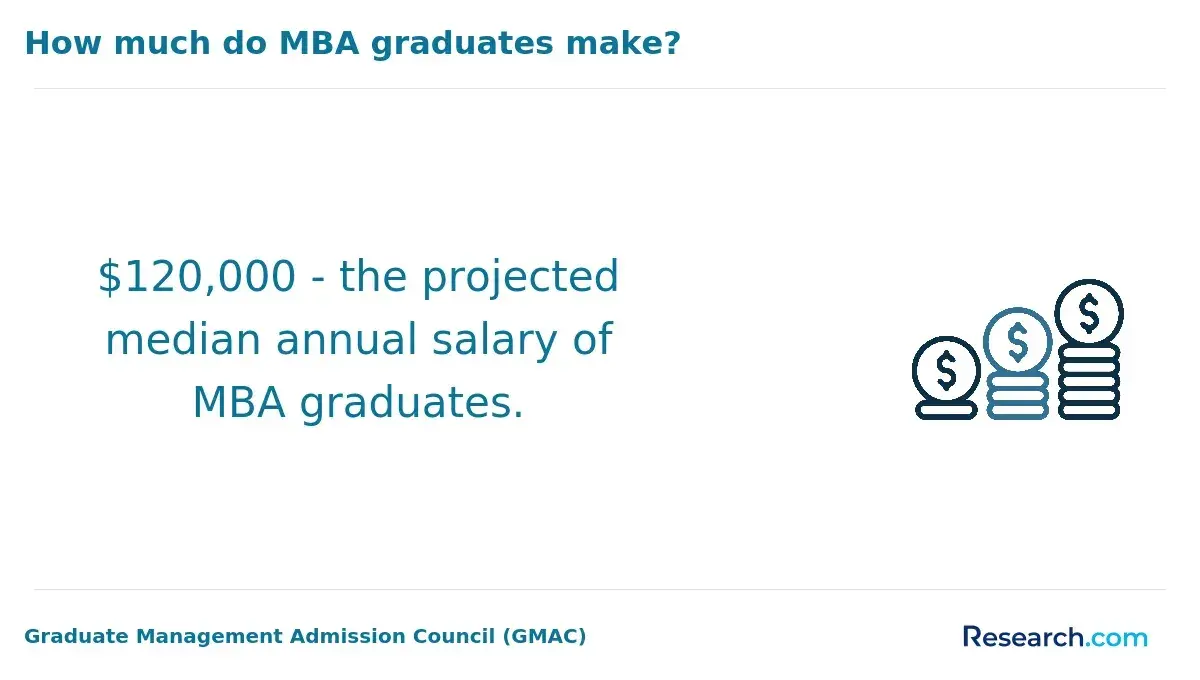
- Strong salary potential: The U.S. Bureau of Labor Statistics reports the median annual wage for management occupations exceeds $122,000, among the highest of all major occupational groups.
- Flexible and accessible education: Studying online enables professionals to balance work and education while gaining access to global networks and learning tools that fit their schedules.
What are the best study tools & apps for online MBA success?
The best tools for online MBA success are the ones that reduce friction in your weekly routine. A strong setup should help you capture information quickly, find materials later, coordinate with classmates, submit polished work, and stay on schedule. Most students do not need dozens of apps; they need a small, reliable stack that works across devices.
- Notion — Best for building an all-in-one MBA dashboard with class pages, assignment trackers, reading notes, meeting summaries, and project plans.
- Evernote — Useful for organizing lecture notes, scanned materials, web clips, and quick ideas when you want a straightforward digital notebook.
- Grammarly — Helpful for improving grammar, tone, clarity, and professionalism in discussion posts, case analyses, emails, and reports.
- Trello — Strong for visual project management, especially when group assignments need clear task ownership and deadlines.
- Zoom — A practical standard for live classes, faculty meetings, team discussions, presentations, and virtual study groups.
- Quizlet — Effective for flashcards and fast review of terms, formulas, frameworks, and course-specific concepts.
- Mendeley — Useful for storing research sources, managing citations, and organizing academic references for papers and capstone work.
- Google Workspace — A dependable set of tools for shared documents, spreadsheets, presentations, forms, file storage, and real-time collaboration.
- Forest — A focus app that encourages distraction-free study sessions through a gamified timer approach.
- Pomofocus — A simple Pomodoro timer for students who work best in structured focus blocks with short breaks.
Before paying for premium versions, test whether the free version solves a real problem in your program. A good rule is to choose one tool for each major function: notes, calendar, file storage, writing, collaboration, and focus. Too many overlapping apps can create more work than they save.
If you are still comparing degree options before investing in a full study system, review affordable online MBA programs that balance cost and academic quality.
How can productivity and note-taking apps improve your online MBA experience?
Productivity and note-taking apps improve the online MBA experience by turning scattered course materials into a searchable system. In many MBA programs, information arrives through learning management systems, recorded lectures, PDFs, spreadsheets, group chats, emails, and live sessions. Without a consistent structure, students waste time trying to locate past notes instead of applying concepts.
Apps such as Notion, OneNote, and Evernote can help you organize materials by course, week, assignment, or business function. For example, a finance course might have separate pages for formulas, case notes, professor feedback, spreadsheet templates, and exam review. A strategy course might require frameworks, company examples, SWOT analyses, and presentation outlines.
How to use note-taking apps effectively
- Create a page or notebook for each course. Keep lectures, readings, assignments, and exam notes separated so retrieval is easier.
- Use consistent tags or labels. Tags such as “exam,” “case study,” “capstone,” “finance,” or “group project” make review faster.
- Summarize instead of transcribing. MBA coursework rewards analysis, so focus notes on decisions, trade-offs, frameworks, and applications.
- Store professor feedback. Feedback from one assignment can improve later reports, presentations, and discussion responses.
- Link related materials. Connect readings, spreadsheets, lecture notes, and project drafts when they support the same assignment.
Cloud-based suites such as Google Workspace and Microsoft 365 are especially useful because they connect documents, spreadsheets, slides, and file storage. They also support real-time collaboration, which matters when classmates are working across different locations or time zones.
Students who want programs with recognized academic standards may also compare AACSB accredited online MBA programs, especially if accreditation is an important factor in their school search.
What are the best time management apps for online MBA students?
The best time management apps for online MBA students help convert a demanding syllabus into a weekly action plan. MBA assignments often involve multi-step work: reading a case, analyzing data, meeting with a team, drafting a response, revising, and submitting. A basic to-do list may not be enough if it does not show priorities, dependencies, and deadlines.
Todoist, TickTick, and Google Calendar are practical starting points. Todoist and TickTick work well for task lists, recurring study habits, reminders, and priority labels. Google Calendar is better for blocking time around fixed commitments such as work meetings, live class sessions, family responsibilities, and project deadlines.
Useful time management methods
- Time blocking: Reserve specific calendar blocks for reading, writing, group meetings, and exam review.
- Eisenhower Matrix: Sort tasks by urgency and importance to avoid spending too much time on low-value work.
- Weekly planning: Review all course deadlines once a week and identify the assignments that require early starts.
- Backward planning: Work backward from major due dates to set draft, review, and final submission milestones.
- Time tracking: Use tools such as Clockify or RescueTime to see how much time is actually spent on coursework.
Time-tracking data can be especially useful if you consistently underestimate case readings, quantitative assignments, or group work. After two or three weeks, patterns become clearer: which courses require the most preparation, which tasks are being delayed, and which study blocks are too short to be productive.
MBA candidates in intensive formats, including those comparing cheapest online executive MBA programs, may benefit from time-tracking and goal-setting tools because the workload is often compressed into a schedule already shaped by professional responsibilities.
Writing and research tools help online MBA students produce clearer, better-supported work. MBA assignments may include case analyses, executive memos, market research reports, financial summaries, literature reviews, and capstone projects. Strong writing matters because many courses grade not only your answer, but also your reasoning, structure, evidence, and professional tone.
Grammarly can help catch grammar issues, unclear phrasing, and tone problems before submission. Hemingway Editor is useful for simplifying dense sentences and making business writing more direct. These tools should support revision, not replace judgment. MBA writing should still reflect your own analysis, course concepts, and evidence.
For research organization, Mendeley and Zotero help store sources, manage citations, and keep references consistent. They are particularly valuable for longer papers where students need to track multiple articles, reports, and academic sources. Google Scholar and ResearchGate can help locate business and management research, but students should still evaluate whether sources are credible, current, and appropriate for the assignment.
How to strengthen MBA writing with apps
- Start with an outline. Define the business problem, evidence, recommendation, risks, and conclusion before drafting.
- Use citation managers early. Add sources as you research instead of reconstructing references right before the deadline.
- Check clarity after analysis. Run grammar and readability tools after your argument is complete, not before you know your main point.
- Maintain academic integrity. Follow your program’s rules on citation, collaboration, AI tools, and originality.
- Build a personal knowledge base. Use Notion or Obsidian to connect frameworks, articles, company examples, and course insights.
Students interested in admissions pathways that do not rely on traditional testing requirements can explore online MBA programs without GMAT requirements while comparing academic expectations, writing demands, and program fit.
Collaboration tools support teamwork by making group expectations visible. Online MBA programs frequently use team-based assignments because management work depends on communication, delegation, negotiation, and shared accountability. The challenge is that students may have different work schedules, time zones, communication preferences, and levels of availability.
Microsoft Teams, Slack, and Zoom help groups communicate in real time or asynchronously. Zoom works well for live discussions and presentations, while Slack and Teams can organize messages by topic, project, or course. Trello and Asana help groups assign tasks, track progress, and see which parts of the project are stalled. Google Docs and Dropbox Paper support simultaneous editing so teams can work on one current version instead of passing files back and forth.
Best practices for MBA group projects
- Agree on one communication channel. Avoid splitting project decisions across text messages, email, Slack, and the learning platform.
- Assign clear roles. Common roles include project lead, researcher, data analyst, writer, slide designer, and presenter.
- Set internal deadlines before the official deadline. This leaves time for integration, editing, and resolving disagreements.
- Document decisions. Keep meeting notes, task assignments, and professor requirements in a shared space.
- Use version control. Name files clearly or use cloud documents with revision history to prevent lost work.
Strong collaboration tools do more than improve grades. They help students practice the same skills expected in management roles: setting priorities, leading meetings, resolving ambiguity, holding peers accountable, and communicating recommendations clearly.
The best exam preparation tools for MBA students support active recall, spaced repetition, practice problems, and performance review. MBA exams may test definitions, formulas, frameworks, quantitative methods, case interpretation, or applied decision-making. Passive rereading is usually less effective than testing yourself repeatedly and correcting gaps.
Quizlet, Brainscape, and Anki are useful for flashcards and spaced repetition. They work well for accounting terms, finance formulas, marketing frameworks, operations concepts, leadership theories, and strategy vocabulary. Anki offers a more customizable spaced repetition system, while Quizlet is often easier for quick setup and sharing with classmates.
For more structured test practice, Kaplan and Magoosh provide interactive tests and analytics dashboards. These can help identify weak areas, but students should match any outside practice tool to the actual format and expectations of their MBA course. A simulation tool is most valuable when it reflects the type of questions, timing, and reasoning your instructor expects.
How to build an MBA exam routine
- Review weekly instead of cramming. Add key terms and formulas to flashcards after each class module.
- Practice with application questions. For MBA subjects, knowing a definition is not enough; you need to use it in a business context.
- Track recurring mistakes. Keep a short error log for formulas, assumptions, misread questions, and weak concepts.
- Study with classmates strategically. Use group sessions to explain concepts, compare approaches, and test each other.
- Use analytics carefully. Dashboards are helpful, but they should guide study decisions rather than replace course materials.
Consistent review builds confidence because it reduces the number of topics that feel unfamiliar right before an exam or quiz. The goal is not to use every exam app available; it is to create a repeatable review process that fits your course schedule.
Cloud storage and file management tools streamline MBA coursework by keeping documents accessible, backed up, and organized. Online MBA students often manage syllabi, readings, spreadsheets, slides, drafts, recorded notes, team documents, and submitted assignments across multiple courses. Without a file system, important materials can become difficult to find when deadlines approach.
Google Drive, Dropbox, and OneDrive are practical options because they support file sharing, folder organization, automatic syncing, version histories, and collaboration. Version history is especially valuable for group projects because it can help recover deleted content, review changes, and identify the most current draft.
A simple MBA folder structure
- Program folder: Store high-level materials such as orientation documents, degree plans, and administrative files.
- Course folders: Create one folder for each class.
- Weekly folders: Organize readings, lecture notes, assignments, and discussion materials by week or module.
- Major assignment folders: Separate case analyses, presentations, exams, and capstone work.
- Archive folder: Move completed materials out of your active workspace at the end of each term.
File naming also matters. A consistent format such as course name, assignment type, draft status, and date can prevent confusion. For example, a team presentation should not be stored as “final,” “final2,” and “real final.” A cloud document with version history is usually safer than multiple disconnected files.
When cloud storage is connected to tools such as Notion, Trello, or Google Workspace, students can create a study system where tasks, files, notes, and deadlines support each other instead of living in separate places.
Focus tools help online MBA students protect study time from notifications, social media, email, and multitasking. Online learning offers flexibility, but that flexibility can make it easy to divide attention. For demanding MBA work, especially quantitative assignments and case analysis, deep focus often matters more than the total number of hours spent online.
Forest, Freedom, and StayFocusd can block distracting websites or apps for set periods. Forest uses a gamified approach, while Freedom and StayFocusd are more direct blocking tools. Pomofocus and Focus Booster apply the Pomodoro Technique by dividing work into focused intervals followed by short breaks.
Mindfulness apps such as Headspace and Calm can also support focus by helping students manage stress, reset after work, or create a transition routine before studying. They are not substitutes for time management, but they can be useful when stress and fatigue interfere with concentration.
How to reduce distractions during online MBA study
- Use one-screen study sessions. Keep only the materials needed for the current task open.
- Turn off nonessential notifications. Email, messaging apps, and phone alerts can break concentration quickly.
- Separate work time from school time. Use a clear start ritual, such as opening your course dashboard and starting a timer.
- Match the tool to the task. Use Pomodoro blocks for reading and drafting, and longer blocks for data analysis or case work.
- Plan breaks before you need them. Scheduled breaks reduce burnout and make it easier to return to focused work.
The most effective focus strategy is usually a combination of environment, schedule, and app-based limits. A focus app can help, but it works best when paired with realistic weekly planning and a study space that supports concentration.
The most useful mobile apps for MBA students are those that make short pockets of time productive without requiring a full laptop setup. Many online MBA students study during travel, lunch breaks, commutes, or gaps between work meetings. Mobile apps are best for reviewing, reading, listening, annotating, and planning rather than completing every major assignment.
Google Drive allows students to access readings, drafts, spreadsheets, and slides from a phone or tablet. Coursera and LinkedIn Learning can support supplemental learning in areas such as leadership, analytics, finance, and digital strategy. Todoist and Evernote sync across devices, making it easier to capture ideas, update tasks, or review notes when away from a desk.
Finance-focused apps such as Bloomberg, Morningstar, and Yahoo Finance can help students follow market news, company performance, and investment data. These tools are especially relevant for courses in finance, economics, strategy, and investment analysis.
Best uses for mobile study time
- Review flashcards. Use short breaks for Quizlet, Brainscape, or Anki review.
- Read or annotate assigned materials. Save deeper analysis for a longer study block.
- Check deadlines. Use calendar and task apps to keep upcoming work visible.
- Listen to business lectures or supplemental content. Use travel time for reinforcement, not last-minute learning.
- Capture project ideas. Add notes immediately so they are not lost before your next study session.
Mobile apps work best when they sync cleanly with your main study system. If notes, files, and tasks do not update across devices, mobile study can create duplicate work or missed information.
How can data analytics and visualization tools enhance MBA learning outcomes?
Data analytics and visualization tools enhance MBA learning by helping students move from raw information to business insight. MBA coursework often requires interpreting financial performance, marketing results, operational efficiency, customer behavior, or strategic trends. Tools such as Tableau, Power BI, and Google Data Studio help students visualize large datasets and communicate patterns clearly.
These platforms are valuable because they train students to ask better questions: What changed? Why did it change? Which segment is driving the result? What decision should management make based on the data? A clear chart or dashboard can make a recommendation easier to understand, especially in presentations and capstone projects.
How analytics tools support MBA coursework
- Finance: Visualize revenue trends, margins, ratios, forecasts, and performance comparisons.
- Marketing: Analyze customer segments, campaign results, conversion patterns, and market behavior.
- Operations: Track productivity, bottlenecks, inventory movement, process timing, and service quality.
- Strategy: Compare business units, competitors, geographic markets, and growth opportunities.
- Capstone projects: Turn research findings into dashboards, visuals, and executive-ready recommendations.
Data literacy is an essential MBA competency because managers are expected to interpret evidence, question assumptions, and communicate decisions clearly. Visualization tools do not replace business judgment, but they make it easier to connect analysis with action.
Other Things You Should Know About Study Tools & Apps for Online MBA Success
In 2027, top study apps for online MBA students include Notion for organizing coursework, Coursera for supplementary courses, Zoom for collaborative projects, and Mendeley for managing research papers. These tools enhance learning by offering versatile platforms that support collaboration, organization, and research.
For online MBA success in 2027, tools like Coursera and Harvard Business Review provide essential business insights, while Notion offers effective organization features. Grammarly ensures polished assignments, and Zoom facilitates seamless communication. These apps enhance learning efficiency and collaboration, tailored for the digital age.
- AACSB. (n.d.). Master of Business Administration. aacsb.edu.
- Baker, M. (2025, October 14). Nearly half of business school alumni seek lifelong learning opportunities. BusinessBecause. businessbecause.com.
- BLS. (2025, August 28). Management Occupations. bls.gov.
- GMAC. (2023). Online and Hybrid Learning: Candidate and Employer Perspectives. files.eric.ed.gov.
- GMAC. (2024). Corporate Recruiters Survey 2024. gmac.com.