2027 How to Stay Engaged When Online Classes Feel Isolating

Co-Founder and Chief Data Scientist
Online classes can feel lonely when learning happens through screens, deadlines, and silent discussion boards. The issue matters because online learning is now mainstream: NCES reported in 2024 that 53% of U. S. postsecondary students took at least one distance education course in fall 2022. This guide is for students who want to stay motivated, participate more, and decide whether remote learning still fits their goals. You will learn practical routines, connection strategies, warning signs, and program-fit checks that can make online study feel more manageable and less isolating.
Key Things You Should Know
- Engagement improves when online students create visible structure. Scheduled study blocks, active participation goals, instructor contact, and peer interaction outside required assignments.
- Isolation is common because distance courses remove many informal cues of campus life, even though NCES reported in 2024 that 53% of U.S. postsecondary students took at least one distance education course in fall 2022.
- If isolation is paired with missed deadlines, low grades, confusion about requirements, or loss of motivation, contact the instructor, advisor, tutoring center, or counseling office before withdrawing.
How do you stay engaged in online classes?
The fastest way to stay engaged in online classes is to stop treating them as "anytime" courses and start treating them as scheduled commitments. Engagement means more than logging in; it means paying attention, asking questions, using feedback, completing work on time, and feeling connected enough to keep going when the course gets difficult.
Start by building a participation system that makes your presence visible to yourself, your instructor, and your classmates. These steps work best when you repeat them weekly instead of waiting until motivation returns.
- Block class time on your calendar as if it were an in-person meeting, including time to watch lectures, take notes, post in discussions, and complete assignments.
- Set one participation goal for each course each week, such as asking one question, replying to two classmates with substance, or visiting office hours.
- Use the course schedule to identify the hardest assignment due in the next 14 days, then break it into smaller tasks with separate deadlines.
- Create a "start ritual" before studying, such as opening the learning platform, closing unrelated tabs, turning on a timer, and reviewing the day's goal.
- End each session by writing one sentence about what you learned and one sentence about what you still need to clarify.
This approach helps because online courses often provide flexibility but not automatic structure. If you are working, caregiving, or studying part time, structure is not a luxury; it is the tool that protects your progress when life gets busy.
| Engagement signal | What it usually means | Why it matters |
| You log in several times per week | You are keeping the course visible | Frequent contact reduces the chance of missing announcements or changes |
| You ask questions before deadlines | You are using support early | Early clarification prevents avoidable grade losses |
| You reply thoughtfully to peers | You are building academic presence | Stronger interaction can make the course feel less anonymous |
| You track grades and feedback | You are monitoring progress | Feedback only helps if you apply it before the next assignment |
Why do online classes feel isolating?
Online classes feel isolating because they often separate learning from the informal interactions that make school feel human. In a campus course, students may talk before class, walk with classmates, ask quick questions after a lecture, or notice when others are also confused. In an online course, those moments have to be designed intentionally.
Isolation can also come from course format. Asynchronous classes let students learn on their own schedule, but they may create a sense that everyone is working alone. Synchronous classes offer live interaction, but students may still feel invisible if cameras are off, chat is quiet, or the instructor does most of the talking.
Several factors can make the feeling stronger. The following list shows common causes so you can identify whether the issue is personal, course-related, or program-related.
- Low social presence: Students see names on a screen but do not hear voices, exchange quick reactions, or form study relationships.
- Unclear expectations: When instructions are scattered across announcements, modules, and emails, students may avoid participating because they are unsure what counts.
- Delayed feedback: Waiting too long for grades or comments can make students feel disconnected from their progress.
- Competing responsibilities: Work shifts, caregiving, commuting, and family obligations can leave little time for optional interaction.
- Technology fatigue: Long screen time, video meetings, and platform notifications can drain attention even when the student is committed.
The key is not to assume that loneliness means you are "bad at online learning." More often, it means the course needs stronger routines, clearer communication, or more deliberate connection points.
How can you build connection in online courses?
You can build connection in online courses by creating repeated, low-pressure contact with real people. Connection does not have to mean becoming close friends with classmates; it can mean knowing who to ask, where to participate, and how to feel seen in the course.
Use a mix of instructor, peer, and school-level connections. The most effective strategy is to build several small channels rather than relying on one big interaction.
- Message one classmate early: Send a short note about an assignment, shared major, or discussion topic to make future contact easier.
- Use names in discussion replies: Referring to a classmate by name makes the exchange feel more conversational and less like a checkbox task.
- Join or start a study group: A 30-minute weekly session can be enough to review confusing points and reduce the feeling of working alone.
- Attend one live event: Orientation sessions, webinars, tutoring workshops, and program meetings can help you connect with people outside your course shell.
- Ask instructors how they prefer to communicate: Knowing whether to use email, office hours, chat, or the learning platform can reduce hesitation.
If you are comparing programs, connection should be part of your school search, not an afterthought. Look for accredited online colleges that clearly describe advising, tutoring, library access, career services, disability support, and opportunities for student interaction.
Strong online programs do not leave students to figure everything out alone. They make it easy to find people, ask for help, and participate in ways that match the format of the course.
What study routines reduce loneliness in remote learning?
Study routines reduce loneliness by turning online learning into a predictable weekly rhythm. When your routine is consistent, you spend less energy deciding when to study and more energy actually learning. This matters especially for students who do not have the physical reminder of walking into a classroom.
The best routine depends on your schedule, but it should include focused work, contact with others, and recovery time. The comparison below can help you identify which pattern fits your life.
| Routine type | Best fit | Main trade-off |
| Same-time daily study | Students with predictable work or family schedules | Requires consistency even on low-energy days |
| Three longer weekly blocks | Students balancing jobs, commuting, or caregiving | Missing one block can create a large backlog |
| Weekend-heavy routine | Students with intense weekday obligations | Can increase stress if all deadlines cluster together |
| Live-session anchored routine | Students in synchronous or hybrid online courses | Less flexible but often more socially supportive |
Once you choose a routine, protect it with simple rules. These steps help you keep the routine realistic rather than overly ambitious.
- Choose a weekly planning time when you review all course deadlines, announcements, and grades.
- Schedule your first study block at least 48 hours before a major deadline so you have time to ask questions.
- Pair independent work with one human contact point, such as a peer check-in, tutoring appointment, or office hour.
- Use a visible progress tracker for readings, lectures, quizzes, and assignments.
- Build in short breaks and a planned stopping point so online learning does not expand into every hour of the day.
A routine should reduce pressure, not create guilt. If a plan only works during a perfect week, it is not a reliable plan.
How do discussion boards and office hours help online students?
Discussion boards and office hours help online students by creating two kinds of interaction: peer learning and instructor access. Discussion boards can show how classmates interpret the same material, while office hours give you a direct path to clarify expectations, feedback, and course concepts.
To get more value from discussion boards, treat them as a conversation rather than a required post count. Before replying, look for a point you can extend, question, compare, or apply to a real example.
- Use evidence from the course: Refer to a reading, lecture idea, case study, or assignment requirement instead of writing a generic agreement.
- Ask one genuine question: A specific question invites classmates to respond and makes the thread more useful.
- Connect ideas: Mention how another student's point relates to your own experience, a course concept, or a previous module.
- Post before the last minute: Early posts give peers time to respond and make the board feel more active.
Office hours are useful even if you are not failing. They are especially helpful when you are unsure how to approach a project, confused by feedback, or trying to improve before the next exam. If live office hours do not fit your schedule, ask whether the instructor allows appointments, email questions, or video messages.
A simple office-hour message can be direct: state the course, name the assignment, explain what you have already tried, and ask one or two specific questions. This respects the instructor's time and increases the chance of getting useful guidance.
What distractions make online classes harder to finish?
The hardest distractions in online classes are not always obvious. Social media and streaming are common, but many students also struggle with work messages, family interruptions, multitasking, unclear priorities, and the feeling that online coursework can always be done later.
Distraction becomes a completion risk when it repeatedly pushes coursework into late-night, last-minute, or low-quality study time. Watch for these patterns because they can signal that your learning setup needs to change.
- Multitasking during lectures: You may finish the video without retaining enough to complete the assignment.
- Studying only near deadlines: You lose time to ask questions, revise, or recover from technical issues.
- Keeping notifications on: Small interruptions can make reading, writing, and problem-solving take much longer.
- Using the same device for everything: Entertainment, work, family messages, and school can compete in the same space.
- Assuming flexibility means unlimited time: Asynchronous courses still require weekly progress even when there is no live meeting.
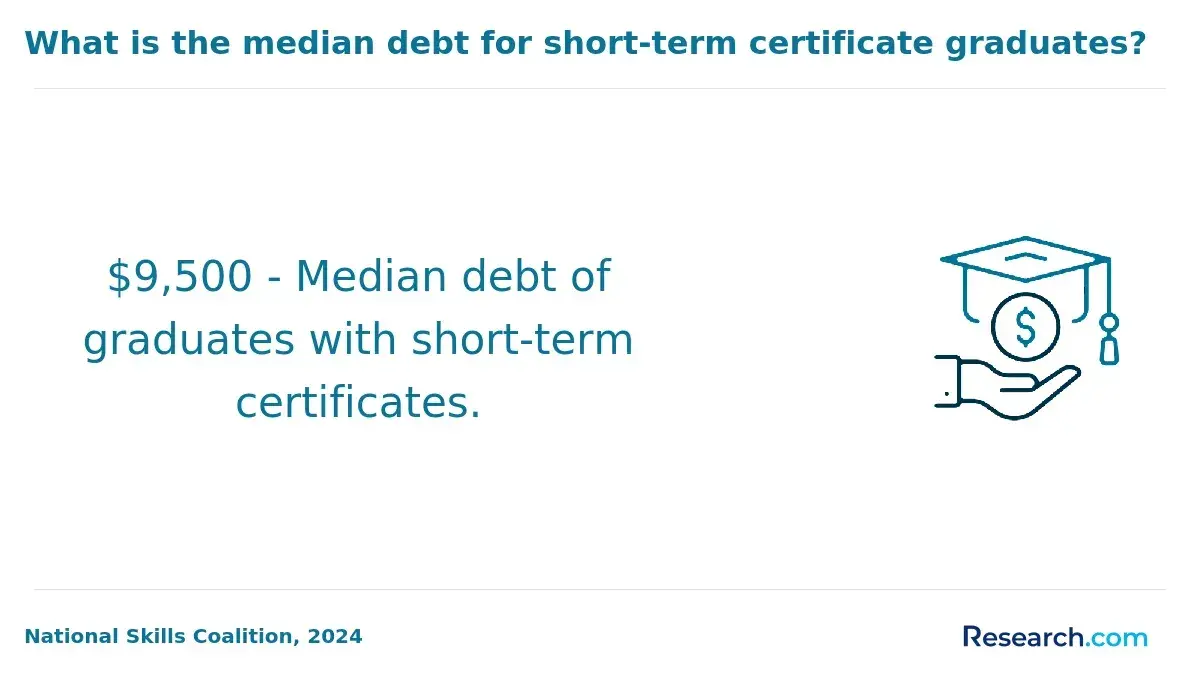
One common mistake is enrolling in a long online program when your immediate goal may be better served by a shorter credential. If your main priority is fast skill-building rather than a full degree, compare degree options with short certificate programs that pay well before committing to a longer path.
The goal is not to remove every distraction. The goal is to reduce the distractions that repeatedly damage attendance, comprehension, assignment quality, or confidence.
How can you manage time in asynchronous classes?
Managing time in asynchronous classes requires converting flexibility into a weekly operating plan. Asynchronous courses usually do not require live attendance, but they still have readings, lectures, assignments, quizzes, discussions, group work, and exams. Without a plan, the work can become invisible until it is urgent.
Use the course syllabus as a planning tool, not just a policy document. The steps below help you turn a self-paced-feeling course into a manageable schedule.
- Enter every deadline into one calendar during the first week, including discussion posts, replies, quizzes, papers, projects, and exams.
- Color-code assignments by effort level so major projects stand out from routine tasks.
- Create a weekly "course reset" block to review announcements, grades, instructor feedback, and upcoming work.
- Divide large assignments into research, outline, draft, revision, and submission stages.
- Set personal deadlines earlier than official deadlines when an assignment depends on technology, group coordination, or instructor feedback.
Students considering graduate study should be especially honest about time demands. Even programs marketed as flexible require sustained reading, writing, research, and communication; when comparing options such as the easiest master's degree to get online, look beyond course titles and ask how many hours students typically spend each week.
A good asynchronous schedule should include both task deadlines and energy planning. If your hardest thinking happens in the morning, do not save exams, papers, or technical assignments for the end of a long day.
What tech setup improves participation in virtual classes?
A reliable tech setup improves participation because it lowers the friction between wanting to engage and actually engaging. Students do not need the most expensive equipment, but they do need a setup that supports video, audio, file submission, note-taking, and stable access to the learning platform.
Before classes intensify, check the core parts of your setup. The table below summarizes common technology needs and why each one affects online engagement.
| Tech area | Why it matters | Common issue |
| Internet connection | Supports live sessions, uploads, quizzes, and video lectures | Unstable access can cause missed participation or late submissions |
| Audio and microphone | Allows students to ask questions and join discussions | Poor sound can make students avoid speaking |
| Camera and lighting | Helps create social presence when video is expected | Students may feel less comfortable participating if they cannot be seen clearly |
| File backup | Protects assignments and notes | Lost files can turn manageable deadlines into emergencies |
| Learning platform access | Centralizes lectures, grades, announcements, and submissions | Missed notifications can lead to confusion or late work |
AI tools are also becoming part of the online learning environment, but students should use them carefully. Many schools now publish rules on generative AI for writing, coding, tutoring, brainstorming, and citation support. Before using AI on an assignment, check the syllabus and ask the instructor what is allowed.
A practical setup includes a quiet-enough space, headphones, charger access, cloud backup, updated software, and a backup plan for outages. If you depend on public Wi-Fi or shared devices, identify campus labs, libraries, employer resources, or hotspot options before a deadline crisis happens.
How do you know when to contact an instructor or advisor?
You should contact an instructor or advisor as soon as a problem affects your ability to understand the course, meet deadlines, remain enrolled, or choose the right academic path. Waiting until the end of the term usually leaves fewer options.
Different problems call for different contacts. Use the guide below to decide who is most likely to help.
| Situation | Best first contact | Reason |
| You do not understand an assignment or grade | Instructor | The instructor controls expectations, feedback, and course policies |
| You are falling behind in multiple classes | Academic advisor | An advisor can discuss withdrawal dates, course load, and degree progress |
| You need help with writing, math, research, or study skills | Tutoring or academic support center | Support staff can help you improve skills before the next deadline |
| Stress, isolation, or anxiety is interfering with school | Counseling or student wellness office | Wellness support can help you address barriers outside course content |
| You are unsure whether the program fits your career goal | Advisor or career services | They can help compare requirements, outcomes, and alternatives |
Students with special circumstances should ask targeted questions early. For example, applicants researching what can a felon go to college for may need advising on admissions, internships, background checks, licensure restrictions, and employer requirements that vary by field and state.
When you contact someone, be specific. Include your course name, the issue, what you have tried, the deadline, and the outcome you are hoping for. A clear message makes it easier for staff to respond with useful next steps.
What signs show an online program is the right fit?
An online program is the right fit when its format, support systems, cost, accreditation, workload, and outcomes match your goals. A program can be reputable and still be a poor fit if it does not work with your schedule, learning style, career target, or support needs.
Cost should be part of the decision, but it should not be the only factor. College Board's 2024 pricing report lists average published 2024-25 tuition, fees, housing, and food at $24,920 for in-state students at public four-year institutions and $58,600 at private nonprofit four-year institutions; online students may avoid some housing costs, but they still need to compare tuition, fees, technology costs, books, transfer credit, and time to completion.
Use these fit signals to evaluate whether an online program is likely to support your success.
- Accreditation is clear: The school identifies its institutional accreditation, and any field-specific accreditation is listed when relevant to licensure or employment.
- The format matches your life: Live sessions, assignment pacing, group work, and exam requirements fit your work and family schedule.
- Support is easy to access: Advising, tutoring, library services, disability accommodations, career help, and technical support are available to online students.
- Costs are transparent: Tuition, fees, textbooks, software, travel, clinical requirements, and graduation fees are easy to estimate before enrolling.
- Outcomes match your goal: The curriculum, internships, projects, licensure preparation, or career services align with the job or advancement path you want.
If you are still deciding what to study, it can help to compare workload and career alignment across easy degrees to get, but "easy" should not mean random. The best choice is a program you can finish, afford, and connect to a realistic next step.
Red flags include vague accreditation claims, pressure to enroll immediately, unclear total cost, weak student support, poor transfer-credit transparency, and promises of guaranteed jobs or salaries. A trustworthy program gives you enough information to make a careful decision without rushing.
Other Things You Should Know About
Start with small, repeated contact. Message a classmate, attend office hours, join a study group, and participate before discussion deadlines. Loneliness usually improves when interaction becomes part of your weekly routine instead of an occasional extra.
They can be harder for students who need external structure. Asynchronous classes offer flexibility, but you must create your own schedule, reminders, and participation habits. Live online classes may feel more connected but offer less scheduling freedom.
Yes, especially if it affects participation, deadlines, or understanding. You do not need to overshare. A simple message asking how to engage more effectively, use office hours, or connect with course resources is appropriate.
Consider switching if you consistently miss deadlines, feel disengaged despite using support, need hands-on learning, or perform better with scheduled in-person accountability. Before changing formats, talk with an advisor about credits, costs, timing, and program requirements.
References
- How to Keep Your Learners Engaged in an Online Training Course - Online Training Concepts https://onlinetrainingconcepts.com/learner-engagement-and-retention/how-to-keep-your-learners-engaged-in-an-online-training-course/
- Managing Time and Study for Asynchronous Online Courses https://www.cogmotionlearning.com/post/managing-time-and-study-for-asynchronous-online-courses
- The Psychological Effects of Remote Learning on Students https://ramss.spcrd.org/index.php/ramss/article/download/383/394
- 5 Ways to Build Connections with Students Online https://www.edutopia.org/article/5-ways-build-connections-students-online/
- How To Make The Most of Your Academic Advising Session https://thehappyarkansan.com/blog/academic-advising/
- How to know if Online Classes are right for you - Take Stock in Children https://www.takestockinchildren.org/how-to-know-if-online-classes-are-right-for-you/
- Tips & Tricks Students Can Use To Overcome Distractions During Online Classes - George Blog https://www.georgecollege.org/blog/tips-tricks-students-can-use-to-overcome-distractions-during-online-classes-2/
- How to Stay Engaged with Your College as an Online Student https://www.degreesforgood.org/college-resources/online-college-student-engagement/
- 4 signs online learning is right for you | Online Business School https://www.onlinebusinessschool.com/4-signs-online-learning-is-right-for-you/
- Virtual Learning that Works: 4 Ways to Build Real Engagement -- Campus Technology https://campustechnology.com/articles/2025/08/20/virtual-learning-that-works-4-ways-to-build-real-engagement.aspx