
HubSpot Sales Hub vs. Zendesk Sell – 2026 Comparison

Co-Founder and Chief Data Scientist
One of the most common topics among businesses is the HubSpot Sales Hub vs. Zendesk comparison when it comes to the many options to CRM software. Both platforms offer powerful features to help businesses streamline their sales processes and close more deals. However, there are also noticeable differences between the two, so you might want to consider which one is best for your business.
In this guide, we will provide a comprehensive HubSpot Sales Hub vs. Zendesk comparison that discusses the key features and benefits of both. We will also include the pros and cons of each platform to help you determine which one is the best fit for your business needs.
HubSpot Sales Hub vs. Zendesk Sell Table of Contents
- What is HubSpot Sales Hub?
- Whom is HubSpot Sales Hub for?
- Key Benefits of HubSpot Sales Hub
- What is Zendesk Sell?
- Whom is Zendesk Sell for?
- Key Benefits of Zendesk Sell?
- Whom are HubSpot Sales Hub and Zendesk Sell for?
- HubSpot Sales Hub vs. Zendesk Sell Feature Comparison
- HubSpot Sales Hub vs. Zendesk Sell Pricing
- HubSpot Sales Hub Pros and Cons
- Zendesk Sell Pros and Cons
- Do HubSpot Sales Hub and Zendesk Sell Integrate with Invoice Management Software?
- What integration options are available for HubSpot Sales Hub and Zendesk Sell?
- Industry-Specific Use Cases for HubSpot Sales Hub and Zendesk Sell
- Verdict: HubSpot Sales Hub vs. Zendesk Sell: Which software is better?
What is HubSpot Sales Hub?
HubSpot Sales Hub is a sales software for small to enterprise companies that is designed to streamline workflows and empower data-driven decisions. It also provides customer relationship management tools and includes features such as lead management, prospecting, email templates, email tracking, and sales automation. Its other features also include call tracking and AI tools to help sales teams improve their productivity and performance.
Featured CRM Software Products

$9 to $150/user/month
Yes, up to 2 users
E-signature software, call transcription, conversation routing
Editor's Take
HubSpot CRM is a powerful customer relationship management platform designed to help businesses manage their sales, marketing, and customer service efforts in one centralized place. Its user-friendly interface allows teams to track leads, monitor customer interactions, and automate sales pipelines. With built-in tools for email marketing, contact management, and analytics, HubSpot CRM provides deep insights into customer behavior and sales performance. The platform also supports seamless collaboration between marketing and sales teams through real-time updates and integrations with tools like Gmail, Outlook, and Slack. Additionally, its automation features help reduce manual tasks, enabling teams to focus on building relationships and closing deals. HubSpot CRM is scalable, making it ideal for businesses of all sizes, from startups to large enterprises.
Expert Score
In evaluating SaaS software, a comprehensive and structured methodology ensures a fair and accurate comparison across key metrics. This approach focuses on the most critical aspects that affect user experience, functionality, and business value. The following metrics—general features, cost, customer service, integrations, and mobile support—are evaluated to provide a holistic view of each software solution’s strengths and weaknesses. These metrics are selected based on their direct impact on software usability, scalability, and long-term effectiveness for businesses.
1. General Features - scoring weight 40%
This metric evaluates the core functionalities and tools the software offers. It involves assessing the comprehensiveness of the features, their relevance to the target users, and the ease of use. This is important because robust and well-designed features determine the software's overall utility and efficiency in solving user problems.
2. Cost - scoring weight 15%
Cost analysis focuses on pricing models, value for money, and scalability. It's crucial to evaluate whether the software’s features justify its price, considering different plans for small and large organizations. This is vital for businesses to ensure they invest in cost-effective solutions that fit their budget.
3. Customer Service - scoring weight 15%
This evaluates the responsiveness, quality, and availability of customer support, including channels like chat, email, or phone. Good customer service is essential for troubleshooting and ensuring smooth software usage, which reduces downtime and frustration for users.
4. Integrations - scoring weight 15%
This examines how well the software integrates with third-party tools (e.g., CRM, payment systems, collaboration apps). Seamless integrations are key for creating a unified workflow and enhancing productivity by connecting multiple systems, which is crucial for operational efficiency.
5. Mobile Support - scoring weight 15%
Mobile support assesses the software’s functionality and performance on mobile devices, including apps and mobile web versions. With increasing remote work and on-the-go usage, strong mobile support is critical to ensure users can access and utilize the software effectively, regardless of location.

Custom
No
Sales automation, customer service, marketing
Editor's Take
NetSuite CRM is a comprehensive customer relationship management solution designed to support businesses in managing their entire customer lifecycle. It offers a full suite of tools for sales automation, customer service, marketing, and partner management, helping teams improve efficiency and build stronger customer relationships. With real-time visibility into customer interactions, NetSuite CRM enables businesses to track leads, manage opportunities, and forecast sales accurately. Its built-in analytics and reporting features provide deep insights into sales performance and customer behavior. NetSuite CRM integrates seamlessly with NetSuite’s enterprise resource planning (ERP) system, offering a unified platform for managing business operations. This scalability and flexibility make it ideal for growing businesses and enterprises seeking an all-in-one solution for customer relationship management.
Expert Score
In evaluating SaaS software, a comprehensive and structured methodology ensures a fair and accurate comparison across key metrics. This approach focuses on the most critical aspects that affect user experience, functionality, and business value. The following metrics—general features, cost, customer service, integrations, and mobile support—are evaluated to provide a holistic view of each software solution’s strengths and weaknesses. These metrics are selected based on their direct impact on software usability, scalability, and long-term effectiveness for businesses.
1. General Features - scoring weight 40%
This metric evaluates the core functionalities and tools the software offers. It involves assessing the comprehensiveness of the features, their relevance to the target users, and the ease of use. This is important because robust and well-designed features determine the software's overall utility and efficiency in solving user problems.
2. Cost - scoring weight 15%
Cost analysis focuses on pricing models, value for money, and scalability. It's crucial to evaluate whether the software’s features justify its price, considering different plans for small and large organizations. This is vital for businesses to ensure they invest in cost-effective solutions that fit their budget.
3. Customer Service - scoring weight 15%
This evaluates the responsiveness, quality, and availability of customer support, including channels like chat, email, or phone. Good customer service is essential for troubleshooting and ensuring smooth software usage, which reduces downtime and frustration for users.
4. Integrations - scoring weight 15%
This examines how well the software integrates with third-party tools (e.g., CRM, payment systems, collaboration apps). Seamless integrations are key for creating a unified workflow and enhancing productivity by connecting multiple systems, which is crucial for operational efficiency.
5. Mobile Support - scoring weight 15%
Mobile support assesses the software’s functionality and performance on mobile devices, including apps and mobile web versions. With increasing remote work and on-the-go usage, strong mobile support is critical to ensure users can access and utilize the software effectively, regardless of location.

$25 per user per month
14 days
marketing automation, sales automation, no code customization
Editor's Take
CRM Creatio is a comprehensive customer relationship management (CRM) solution designed to streamline and enhance business processes across sales, marketing, and customer service functions. Known for its low-code platform, Creatio allows businesses to customize and automate workflows without requiring extensive technical expertise. This adaptability makes it particularly appealing to organizations seeking to align the software with their specific needs.
The platform's marketing module provides tools for multi-channel campaign management, lead generation, and personalized customer engagement. Its sales module offers functionality for pipeline management, opportunity tracking, and analytics to help teams close deals more efficiently. Additionally, the customer service module supports case management, service level agreement (SLA) monitoring, and omnichannel communication, enabling businesses to provide exceptional customer support.
Creatio stands out with its intuitive interface, robust analytics, and AI-powered tools that provide actionable insights. The low-code development tools allow non-technical users to create applications and automate processes, reducing the dependency on IT teams. Integration capabilities with other software platforms and APIs enhance its utility, making it a versatile choice for businesses of all sizes.
Overall, CRM Creatio is a powerful solution that combines user-friendly design with advanced customization and automation features. Its adaptability and low-code foundation position it as a strong contender for organizations looking to optimize customer relationship management processes while maintaining flexibility for growth and innovation.
Expert Score
In evaluating SaaS software, a comprehensive and structured methodology ensures a fair and accurate comparison across key metrics. This approach focuses on the most critical aspects that affect user experience, functionality, and business value. The following metrics—general features, cost, customer service, integrations, and mobile support—are evaluated to provide a holistic view of each software solution’s strengths and weaknesses. These metrics are selected based on their direct impact on software usability, scalability, and long-term effectiveness for businesses.
1. General Features - scoring weight 40%
This metric evaluates the core functionalities and tools the software offers. It involves assessing the comprehensiveness of the features, their relevance to the target users, and the ease of use. This is important because robust and well-designed features determine the software's overall utility and efficiency in solving user problems.
2. Cost - scoring weight 15%
Cost analysis focuses on pricing models, value for money, and scalability. It's crucial to evaluate whether the software’s features justify its price, considering different plans for small and large organizations. This is vital for businesses to ensure they invest in cost-effective solutions that fit their budget.
3. Customer Service - scoring weight 15%
This evaluates the responsiveness, quality, and availability of customer support, including channels like chat, email, or phone. Good customer service is essential for troubleshooting and ensuring smooth software usage, which reduces downtime and frustration for users.
4. Integrations - scoring weight 15%
This examines how well the software integrates with third-party tools (e.g., CRM, payment systems, collaboration apps). Seamless integrations are key for creating a unified workflow and enhancing productivity by connecting multiple systems, which is crucial for operational efficiency.
5. Mobile Support - scoring weight 15%
Mobile support assesses the software’s functionality and performance on mobile devices, including apps and mobile web versions. With increasing remote work and on-the-go usage, strong mobile support is critical to ensure users can access and utilize the software effectively, regardless of location.

$8/per user/per month
Yes
customizable dashboards, automated follow-ups, advanced analytics
Editor's Take
monday.com Sales CRM is a customizable platform designed to streamline sales processes, enhance team collaboration, and improve pipeline visibility. Its intuitive interface enables users to manage leads, track deals, and automate repetitive tasks with ease. The CRM integrates seamlessly with popular tools like Gmail, Slack, and HubSpot, ensuring a centralized workflow. Features like customizable dashboards, automated follow-ups, and advanced analytics help sales teams stay organized and focused on closing deals. With scalability in mind, monday.com caters to businesses of all sizes, offering flexible pricing plans and robust customer support. It’s an excellent choice for teams seeking efficiency and adaptability.
Expert Score
In evaluating SaaS software, a comprehensive and structured methodology ensures a fair and accurate comparison across key metrics. This approach focuses on the most critical aspects that affect user experience, functionality, and business value. The following metrics—general features, cost, customer service, integrations, and mobile support—are evaluated to provide a holistic view of each software solution’s strengths and weaknesses. These metrics are selected based on their direct impact on software usability, scalability, and long-term effectiveness for businesses.
1. General Features - scoring weight 40%
This metric evaluates the core functionalities and tools the software offers. It involves assessing the comprehensiveness of the features, their relevance to the target users, and the ease of use. This is important because robust and well-designed features determine the software’s overall utility and efficiency in solving user problems.
2. Cost - scoring weight 15%
Cost analysis focuses on pricing models, value for money, and scalability. It’s crucial to evaluate whether the software’s features justify its price, considering different plans for small and large organizations. This is vital for businesses to ensure they invest in cost-effective solutions that fit their budget.
3. Customer Service - scoring weight 15%
This evaluates the responsiveness, quality, and availability of customer support, including channels like chat, email, or phone. Good customer service is essential for troubleshooting and ensuring smooth software usage, which reduces downtime and frustration for users.
4. Integrations - scoring weight 15%
This examines how well the software integrates with third-party tools (e.g., CRM, payment systems, collaboration apps). Seamless integrations are key for creating a unified workflow and enhancing productivity by connecting multiple systems, which is crucial for operational efficiency.
5. Mobile Support - scoring weight 15%
Mobile support assesses the software’s functionality and performance on mobile devices, including apps and mobile web versions. With increasing remote work and on-the-go usage, strong mobile support is critical to ensure users can access and utilize the software effectively, regardless of location.

$7 per user per month billed annually
15 days
lead generation, sales pipeline management, workflow automation
Editor's Take
Zoho CRM is a flexible and comprehensive customer relationship management platform designed to help businesses manage and grow their customer relationships effectively. With tools for lead generation, sales pipeline management, workflow automation, and analytics, Zoho CRM is suitable for businesses of all sizes across a variety of industries.
Zoho CRM enables teams to streamline sales processes by capturing leads from multiple channels, tracking interactions, and managing every stage of the sales cycle. The platform offers customizable dashboards and reports, providing insights into sales performance and customer behaviors to help make data-driven decisions. With powerful automation features, Zoho CRM allows businesses to set up workflows for routine tasks like follow-ups, lead scoring, and email notifications, reducing manual work and enhancing productivity. The platform integrates with popular tools, including the Zoho suite, Microsoft 365, and G Suite, enabling a seamless connection across teams.
For businesses aiming to improve customer engagement, close deals faster, and enhance team collaboration, Zoho CRM delivers a scalable, user-friendly solution to drive sales and customer satisfaction.
Expert Score
In evaluating SaaS software, a comprehensive and structured methodology ensures a fair and accurate comparison across key metrics. This approach focuses on the most critical aspects that affect user experience, functionality, and business value. The following metrics—general features, cost, customer service, integrations, and mobile support—are evaluated to provide a holistic view of each software solution’s strengths and weaknesses. These metrics are selected based on their direct impact on software usability, scalability, and long-term effectiveness for businesses.
1. General Features - scoring weight 40%
This metric evaluates the core functionalities and tools the software offers. It involves assessing the comprehensiveness of the features, their relevance to the target users, and the ease of use. This is important because robust and well-designed features determine the software's overall utility and efficiency in solving user problems.
2. Cost - scoring weight 15%
Cost analysis focuses on pricing models, value for money, and scalability. It's crucial to evaluate whether the software’s features justify its price, considering different plans for small and large organizations. This is vital for businesses to ensure they invest in cost-effective solutions that fit their budget.
3. Customer Service - scoring weight 15%
This evaluates the responsiveness, quality, and availability of customer support, including channels like chat, email, or phone. Good customer service is essential for troubleshooting and ensuring smooth software usage, which reduces downtime and frustration for users.
4. Integrations - scoring weight 15%
This examines how well the software integrates with third-party tools (e.g., CRM, payment systems, collaboration apps). Seamless integrations are key for creating a unified workflow and enhancing productivity by connecting multiple systems, which is crucial for operational efficiency.
5. Mobile Support - scoring weight 15%
Mobile support assesses the software’s functionality and performance on mobile devices, including apps and mobile web versions. With increasing remote work and on-the-go usage, strong mobile support is critical to ensure users can access and utilize the software effectively, regardless of location.

By quote
Yes
Lead Management, Contact Management, Workflow Automation
Editor's Take
Salesforce CRM is a leading customer relationship management platform known for its robust functionality, scalability, and extensive customization options, making it suitable for businesses of all sizes, from startups to large enterprises. Built to streamline sales, marketing, customer service, and analytics, Salesforce CRM empowers teams to manage customer interactions, optimize workflows, and drive growth from a single, cloud-based platform.
Salesforce CRM provides a complete view of customer data, enabling teams to track interactions, manage leads, and automate tasks throughout the sales pipeline. With powerful tools for reporting and analytics, Salesforce offers insights into sales performance, customer trends, and campaign effectiveness, allowing teams to make data-driven decisions. The platform’s automation capabilities reduce manual workloads with customizable workflows, automated follow-ups, and lead scoring, ensuring a smooth customer journey. Integrations with thousands of third-party applications, along with its own suite of services, make Salesforce a highly adaptable solution for businesses looking to connect their CRM with other tools.
For organizations focused on enhancing customer engagement, improving team efficiency, and scaling their operations, Salesforce CRM delivers a powerful and versatile solution tailored to support long-term business growth.
Expert Score
In evaluating SaaS software, a comprehensive and structured methodology ensures a fair and accurate comparison across key metrics. This approach focuses on the most critical aspects that affect user experience, functionality, and business value. The following metrics—general features, cost, customer service, integrations, and mobile support—are evaluated to provide a holistic view of each software solution’s strengths and weaknesses. These metrics are selected based on their direct impact on software usability, scalability, and long-term effectiveness for businesses.
1. General Features - scoring weight 40%
This metric evaluates the core functionalities and tools the software offers. It involves assessing the comprehensiveness of the features, their relevance to the target users, and the ease of use. This is important because robust and well-designed features determine the software's overall utility and efficiency in solving user problems.
2. Cost - scoring weight 15%
Cost analysis focuses on pricing models, value for money, and scalability. It's crucial to evaluate whether the software’s features justify its price, considering different plans for small and large organizations. This is vital for businesses to ensure they invest in cost-effective solutions that fit their budget.
3. Customer Service - scoring weight 15%
This evaluates the responsiveness, quality, and availability of customer support, including channels like chat, email, or phone. Good customer service is essential for troubleshooting and ensuring smooth software usage, which reduces downtime and frustration for users.
4. Integrations - scoring weight 15%
This examines how well the software integrates with third-party tools (e.g., CRM, payment systems, collaboration apps). Seamless integrations are key for creating a unified workflow and enhancing productivity by connecting multiple systems, which is crucial for operational efficiency.
5. Mobile Support - scoring weight 15%
Mobile support assesses the software’s functionality and performance on mobile devices, including apps and mobile web versions. With increasing remote work and on-the-go usage, strong mobile support is critical to ensure users can access and utilize the software effectively, regardless of location.
Who is HubSpot Sales Hub for?
The HubSpot service hub is part of HubSpot's complete CRM platform and aims to help businesses improve their customer service management, retain, and grow their customer base. The software is available for small and large companies that may also be in search of examples of HRIS systems. Additionally, HubSpot pricing offers different editions offering a range of features and pricing options to suit various business needs.
Key Benefits of HubSpot Sales Hub
In this HubSpot Sales Hub vs. Zendesk comparison guide, we also highlighted the key benefits of each software. For the HubSpot Sales Hub, here are some of its benefits:
- Enhanced productivity and sales automation: The platform automates sales processes, saving time and increasing efficiency. It also provides tools to prioritize tasks, automate emails, and streamline sales activities, leading to increased productivity.
- Promotes data-driven decisions: HubSpot Sales Hub offers powerful reporting features and dashboards that provide real-time insights, enabling data-driven decisions. This also enables better management of customer relationships, with features such as lead management and email tracking.
- Allows customization for companies: HubSpot’s custom object feature allows users to customize objects with relevant properties that align with their business, providing flexibility and the option to create their own brand.
What is Zendesk Sell?
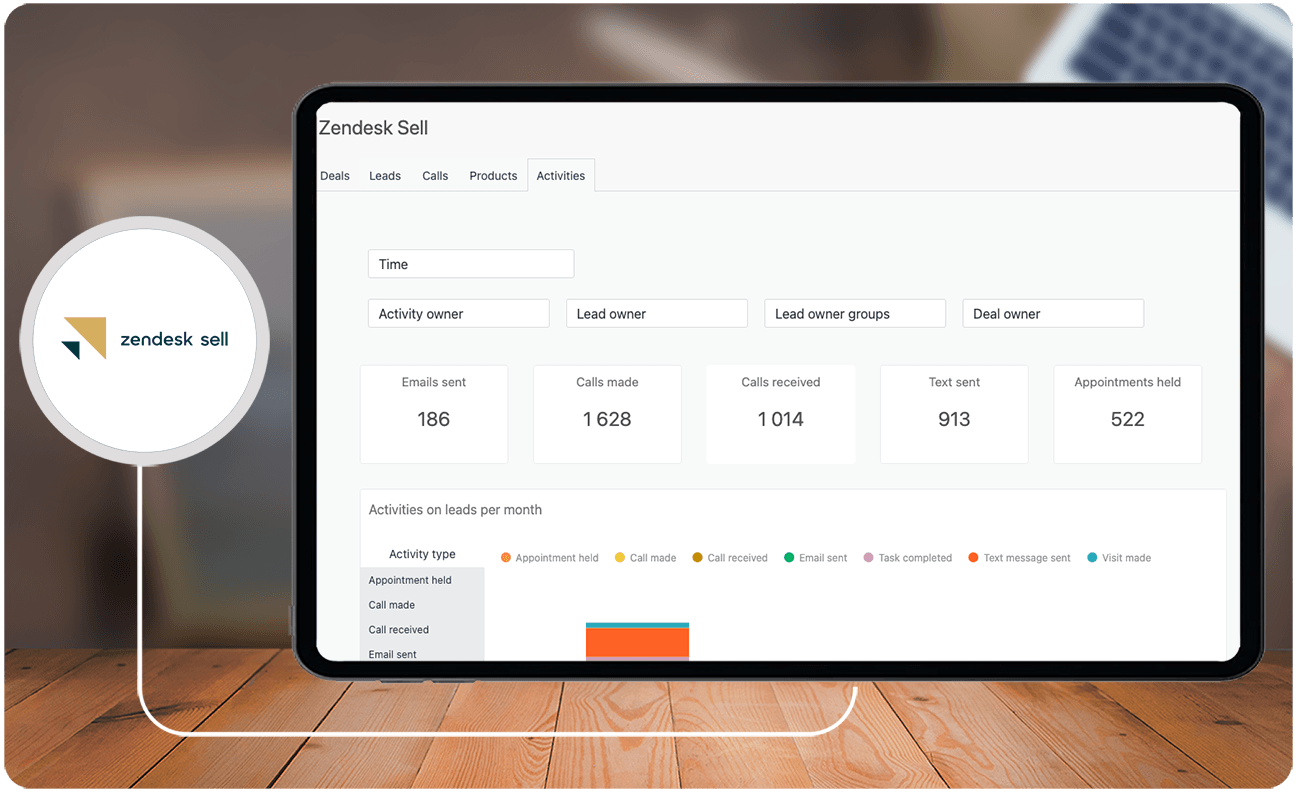
Zendesk Sell is a sales CRM software tool that aims to improve processes, enhance productivity, and provide pipeline visibility for sales teams. It offers features such as automated sequences to engage leads, customer conversation tracking, advanced user permissions, and more.
Whom is Zendesk Sell for?
Zendesk Sell is particularly suitable for sales teams that want to focus on streamlining their workflows and increasing customer engagement. Zendesk pricing is available at different pricing tiers, making it easy to cater to both small businesses and enterprises alike. Additionally, the platform can be customized to fit the needs of any business, with the option to add custom pipelines and unlimited sequences to their Enterprise plan.
Key Benefits of Zendesk Sell?
If you want to create an in-depth HubSpot Sales Hub vs. Zendesk comparison chart, it will also help to understand the key benefits of Zendesk Sell, which include the following:
- Improved customer relationships: Zendesk Sell is designed to improve customer relationships by providing a centralized platform to manage and track leads, deals, and customer interactions.
- Increased sales productivity: The platform offers productivity tools such as email integration, sales engagement tools, task management, call and text features, and smart lists and templates to help sales teams work more efficiently.
- Scalability: Zendesk Sell is designed to scale and meet the needs of any business, providing customization options, including custom dashboards, VoIP functionality, and seamless integration with Zendesk's helpdesk software.
- Provides pipeline visibility: The platform also provides real-time insights into key sales metrics, allowing sales reps to prioritize their efforts and focus on the best leads.
Whom are HubSpot Sales Hub and Zendesk Sell for?
HubSpot Sales Hub and Zendesk Sell are both customer relationship management (CRM) software platforms and are both considered to be among the best online marketing platforms. If you want a comprehensive HubSpot Sales Hub vs. Zendesk comparison chart, you can think of HubSpot as an all-in-one solution for CRM. On the other hand, Zendesk Sell is more focused on CRM, specifically for sales teams that are looking to boost the customer experience.
If you are looking for a more budget-friendly CRM option, then Zendesk Sell may be a good place to start. The choice between the two depends on the specific needs and budget of the business. However, when it comes to the HubSpot Sales Hub vs. Zendesk comparison, you should consider not only the cost but also the features that the software can offer. We also recommend investigating HubSpot Sales Hub alternatives to identify the software platform that meets your educational or research goals.
HubSpot Sales Hub vs. Zendesk Sell Feature Comparison
To further go into detail about the two best business platforms in the market, we have also highlighted the features of both software and compared them with each other. Here is a comprehensive feature comparison for Zendesk vs. HubSpot:
Comprehensive CRM Capabilities
HubSpot Sales Hub is known for its comprehensive CRM capabilities, offering a wide range of tools for marketing, sales, and customer service. It offers advanced features such as Salesforce custom object sync, adaptive testing, and predictive lead scoring. In contrast, Zendesk Sell is a customer experience (CX)-focused CRM software designed specifically for sales teams. It emphasizes deal tracking and pipeline management, offering customizable object data for marketing automation.
Marketing Automation and Lead Management
Both HubSpot Sales Hub and Zendesk Sell offer marketing automation and lead management features, integrating with different software and business applications to enhance customer relationship management. They both provide free trials, making them suitable for startups and businesses looking to explore their capabilities.
Scalability
Both Zendesk and HubSpot are scalable platforms. However, based on our research, many users consider Zendesk Sell to be a more scalable solution. This is because Zendesk offers a platform that meets the needs of teams large and small, regardless of customer support volume or complexity.
Ease of Use and Customer Support
Both HubSpot Sales Hub and Zendesk have been praised for their ease of use, especially for beginners. Both programs feature user-friendly interfaces as well as available resources and community support to assist users in maximizing the platforms' functionalities.
HubSpot Sales Hub vs. Zendesk Sell Pricing
Another factor to consider about the HubSpot Sales Hub vs. Zendesk comparison is their pricing differences. HubSpot Sales Hub offers a range of pricing plans, including a free plan with limited features and a Starter plan starting at $45 per month. It also has a Professional plan starting at $450 per month and an Enterprise plan starting at $1,200 per month.
On the other hand, Zendesk Sell also offers a free trial, with pricing starting at $19 per user per month for the Sell Team plan. Additionally, they offer $49 per user per month for the Sell Professional plan and $99 per user per month for the Sell Enterprise plan. Based on the prices we mentioned above, HubSpot offers a wider range of plan options for users, while Zendesk offers more budget-friendly pricing.
HubSpot Sales Hub: Pros and Cons
In this section of our HubSpot Sales Hub vs. Zendesk comparison guide, we have listed the pros and cons of HubSpot Sales Hub. This will help you make a more informed decision on which CRM software is better suited for your business.
Pros
- Automates Sales Processes: HubSpot Sales Pro automates sales processes, saving significant time and effort for sales reps.
- Increases Productivity: The platform streamlines and automates tasks, providing teams with valuable, shared data and resources to enhance productivity.
- Supports Teams with Resources and Community: HubSpot provides a supportive community and valuable resources to aid sales teams in achieving their goals.
Cons
- Cost: Some users find that HubSpot can become expensive, particularly as businesses scale.
- Limited A/B Testing: Lower-tier plans do not offer A/B testing, which may be a drawback for some businesses.
Zendesk Sell Pros and Cons
For Zendesk Sell, here are its strengths and weaknesses:
Pros
- Scalability: Zendesk Sell is praised for its scalability, offering a platform that can grow with businesses, seamlessly expanding its customer base and revenue.
- Cost-Effectiveness: Zendesk Sell is noted for its low cost of ownership and ability to handle business challenges efficiently.
- Customer Experience Focus: The platform is designed to enhance the customer experience, with a focus on deal tracking and pipeline management.
Cons
- Limited Marketing Automation: Some users find that Zendesk Sell's marketing automation capabilities are limited.
Do HubSpot Sales Hub and Zendesk Sell Integrate with Invoice Management Software?
Both platforms focus on CRM and sales activities but can be paired with specialized financial tools to streamline billing processes. Integrating with dedicated invoice management software connects sales data with invoicing systems, reducing manual entry and minimizing errors. This capability supports real-time financial reporting while enabling automated workflows between sales and finance teams, ultimately enhancing operational efficiency and data accuracy.
What integration options are available for HubSpot Sales Hub and Zendesk Sell?
When comparing HubSpot Sales Hub and Zendesk Sell, it’s essential to examine their integration capabilities. Both platforms offer integrations that allow businesses to connect with various third-party tools, streamline workflows, and enhance CRM functionality. Here’s a look at the integrations each platform supports:
HubSpot Sales Hub Integration Options
- Marketing and Analytics: Integrates seamlessly with Google Analytics, Facebook Ads, and LinkedIn Ads, allowing businesses to track marketing campaigns and analyze performance within the HubSpot ecosystem.
- Productivity Tools: HubSpot connects with popular productivity tools like Google Workspace, Microsoft Office 365, and Slack, facilitating communication and scheduling.
- E-commerce and Payments: Offers integrations with Shopify, WooCommerce, and Stripe, which allow sales teams to manage customer purchases and payments directly from the CRM.
- Customer Support: Integrates with customer service platforms like Zendesk and Freshdesk, providing a 360-degree view of customer interactions and support tickets.
- Custom API: HubSpot’s open API allows businesses to develop custom integrations, ensuring compatibility with specialized tools or in-house systems.
Zendesk Sell Integration Options
- Customer Support: Integrates with Zendesk’s suite of customer service tools, providing a seamless experience for tracking support tickets and customer inquiries alongside sales activities.
- Project Management: Supports tools like Asana and Trello, enabling sales and support teams to collaborate on customer-related projects or follow up on deals with task management.
- Email and Communication: Connects with Gmail, Outlook, and other email clients, as well as VoIP tools like RingCentral, allowing users to track email and phone interactions.
- Sales and Marketing: Integrates with Mailchimp and Marketo for marketing automation, helping sales teams engage leads through targeted email campaigns and track lead progression.
- Custom API and Marketplace: Zendesk Sell offers an open API and a marketplace with numerous third-party integrations, providing flexibility to connect with a range of tools suited to business needs.
HubSpot Sales Hub offers extensive integrations for marketing, e-commerce, and productivity tools, catering to businesses looking for a unified CRM and marketing platform. Zendesk Sell excels in customer support and project management integrations, ideal for sales teams that require streamlined access to support tools and project workflows.
Industry-Specific Use Cases for HubSpot Sales Hub and Zendesk Sell
Understanding how software caters to specific industries can often help businesses decide which tool is the better fit. HubSpot Sales Hub, with its integrated CRM, marketing, and customer service features, is widely adopted by consumer-focused industries such as retail, e-commerce, and tech startups. These industries benefit from its lead nurturing tools, detailed customer journey tracking, and marketing automation features.
On the other hand, Zendesk Sell often appeals to industries with a laser focus on direct sales and customer relationship management, such as real estate, logistics, and manufacturing. Its pipeline visibility and customer conversation tracking provide a clear edge for B2B organizations or businesses with longer sales cycles. Zendesk’s scalability makes it especially appealing for companies that plan to grow their sales operations while maintaining robust customer engagement measures.
For businesses in industries requiring broader integrations, exploring comprehensive tools beyond CRM, such as "ERP software," may streamline operations further. You can find more information about these systems by reviewing the best options for ERP software.
By aligning software capabilities with industry demands, businesses can leverage the strengths of either HubSpot Sales Hub or Zendesk Sell to achieve their specific operational and strategic goals.
Verdict: HubSpot Sales Hub vs. Zendesk Sell: Which software is better?
When it comes to choosing between HubSpot Sales Hub and Zendesk Sell, it ultimately depends on the specific needs and priorities of the business. For processes such as automated marketing and lead management, both software should suffice for beginners in the industry.
If your business is small to midsize and equipped with its own recruiting applicant tracking systems, Zendesk Sell’s native dialer is a good feature to have and will save your sales team time and money. If your business is a startup, using HubSpot Sales Hub is a good choice because of its landing page feature. Overall, when it comes to the HubSpot Sales Hub vs. Zendesk comparison, it just depends on whether you want to focus on sales (Zendesk) or marketing and customer service tools (HubSpot). Optimize your software selection process by thoroughly exploring Zendesk Sell alternatives tailored to your institution's needs.
Key Insights
- Comprehensive CRM Solutions: Both HubSpot Sales Hub and Zendesk Sell offer powerful features to streamline sales processes and improve customer relationship management. However, HubSpot is an all-in-one CRM platform, while Zendesk Sell focuses specifically on sales teams.
- Automation and Productivity: HubSpot Sales Hub enhances productivity with sales automation tools, real-time insights, and customizable features. Zendesk Sell improves customer relationships and sales productivity with automated sequences, advanced user permissions, and pipeline visibility.
- Scalability and Customization: Zendesk Sell is highly scalable and customizable, suitable for both small businesses and large enterprises. HubSpot also offers customization options through its custom object feature, catering to various business needs.
- Ease of Use and Support: Both platforms are user-friendly and provide excellent customer support. HubSpot offers a supportive community and resources, while Zendesk Sell includes features like a native dialer and task management tools to enhance user experience.
- Pricing Differences: HubSpot Sales Hub offers a range of pricing plans, from a free plan to more expensive options, while Zendesk Sell offers more budget-friendly pricing tiers, making it accessible for smaller businesses.
Other Things You Should Know About HubSpot Sales Hub vs. Zendesk Sell
Zendesk is a customer service platform designed to improve customer relationships, while Zendesk Sell is a cloud-based CRM specifically for sales teams to manage and track leads.
The HubSpot Marketing Hub is designed for marketing teams to manage, organize, and track their marketing efforts. The Sales Hub focuses on increasing transaction closure rates, monitoring activity, communication history, and contact information for sales teams.
Zendesk Sell is not free but offers a 14-day free trial. After the trial, pricing starts at $19 per user per month for the Sell Team plan, with additional plans available at higher price points.
The HubSpot Marketing Hub is worth it for enterprises looking for an all-in-one CRM solution that offers a wide range of tools for marketing and customer service. It provides powerful features and a balanced user interface tailored towards larger businesses and corporations.
For small businesses, Zendesk Sell may be a better option due to its budget-friendly pricing and scalability. However, if a business needs comprehensive marketing and customer service tools in addition to sales features, HubSpot Sales Hub could be more beneficial.
Yes, both HubSpot Sales Hub and Zendesk Sell offer integration options with various third-party applications and business tools to enhance their functionality and streamline workflows.
HubSpot Sales Hub allows users to customize objects with relevant properties through its custom object feature, providing flexibility for various business needs. Zendesk Sell also offers customization options, including custom dashboards and pipelines, to fit the specific needs of any business.
HubSpot Sales Hub offers enhanced productivity through sales automation, data-driven decision-making with real-time insights, and customization options for businesses of all sizes.
Zendesk Sell improves customer relationships, increases sales productivity with automated tools and smart lists, and provides real-time pipeline visibility, making it suitable for sales teams focused on streamlining workflows and enhancing customer engagement.
Both platforms are scalable, but many users consider Zendesk Sell to be more scalable due to its ability to meet the needs of teams of all sizes and handle varying volumes of customer support.


