How to create an educational app in 2027?

Co-Founder and Chief Data Scientist
Ever thought about how to develop an educational app that stands out in a competitive market? With education mobile app development evolving fast, learners now expect more than just video lectures—they want personalized learning paths, AI-driven tutoring, and social collaboration. The development of a successful app goes beyond simply incorporating appealing features. It necessitates a strategic methodology that blends user-friendly design, content distribution, and a sustainable business model. In this guide, we’ll break down the key steps of educational app development and cover everything from concept to launch—so you can build an app that engages, educates, and grows.
Why are educational apps a strong market in 2027?
The educational app development market continues to expand, driven by increasing demand for flexible, tech-driven learning solutions. The global e-learning industry is projected to reach over $470 billion by 2034, with a steady CAGR of 5.8%, according to Fact.MR. The shift toward remote learning, corporate training, and AI-powered education has fueled this expansion, making education mobile app development a highly lucrative opportunity. Schools, businesses, and independent learners rely on EdTech app development to access personalized, interactive, and cost-effective education without location constraints.

Adoption rates continue to rise across language learning, skill development, and professional training apps, with businesses wondering how to create an app like Duolingo, Coursera, and Udemy, that lead the industry. The increased use of AI, gamification, and adaptive learning technologies has transformed educational app development into more than just a digital alternative to classrooms. Institutions and companies are investing heavily in scalable learning platforms, while mobile-first learning experiences appeal to a growing global audience. With more users looking for engaging, self-paced, and immersive education, EdTech in 2025 remains one of the fastest-growing sectors in the tech industry.
How to develop an educational app
An educational app needs more than just well-structured lessons to succeed. A strong foundation starts with a clear vision, intuitive design, and scalable technology that work together to improve learning. Each step in development—conceptualization, design, coding, testing, and deployment—plays an important role in shaping an app that is engaging, accessible, and adaptable. If you work with an MVP development services company, it can help streamline the process and provide a functional and market-ready product. Building a well-rounded app requires careful planning, market awareness, and a focus on both user needs and long-term growth. Here’s how to build an educational app that delivers real value, stands out in 2025, and follows the best online education trends.

Step 1. Define your vision and audience
Before starting with development, it’s important to define the intent of your app. Who will use it—students, professionals, or corporate learners? What specific problem does it solve? A language-learning app will look very different from a corporate training platform, therefore, you need to recognize your target audience and their preferred learning styles. Research what works in the market and identify gaps in existing educational apps. The more you refine your vision, the easier it will be to make design and feature decisions later.
Step 2. Plan your core features
A great education mobile app development project starts with a seamless user experience. The app should be intuitive, engaging, and adaptive to different learning styles, but also have key features of top education tools. Core features include personalized learning paths, real-time progress tracking, AI-powered recommendations, and interactive content like quizzes, challenges, and video-based lessons. User engagement features, such as gamification and social learning, keep learners motivated and help improve retention. The more immersive and adaptive the experience, the more likely users are to stick around.
Step 3. Design an engaging UX/UI
Users expect a smooth, intuitive experience when learning through an app. A complicated interface or confusing navigation will only drive them away. The best educational apps prioritize simplicity while keeping the experience engaging. Interactive elements, gamification, and personalized learning paths can make a huge difference. At this stage, the role of designers in product development becomes extremely important, as they create wireframes and prototypes to test how users interact with the app. An intuitive interface and easy navigation can improve user retention and help learners maintain their concentration on their advancement.
Step 4. Choose the right tech stack
Many educational apps are built using frameworks like React Native or Flutter for cross-platform compatibility, while backend solutions like Node.js or Python help to achieve fast and reliable data processing. If your app includes AI-driven tutoring or adaptive learning, integrating machine learning tools can personalize the experience. Development can be done from scratch, or you can use no-code/low-code platforms to accelerate the process if you’re looking for an MVP (Minimum Viable Product).
Step 5. Develop, test, and iterate
Once the design and tech stack are set, the real development begins. This phase includes frontend and backend development, database integration, and incorporating features like live video sessions, assessment tools, and cloud-based content management. If your app supports multiple devices, seamless synchronization across platforms should be a priority. During this stage, it’s also important to add strong data security measures to protect user information and comply with privacy regulations. A smooth learning experience depends on thorough testing before launch. Performance testing is important for the app to run fast and without bugs on different devices, while usability testing gathers real user feedback to refine the interface and experience.
Step 6. Deploy and market your app
Once the app is tested and ready, it’s time for deployment. Publishing on platforms like Google Play and the App Store requires an optimized listing with compelling descriptions, screenshots, and keywords to improve discoverability. A strong marketing strategy—including social media promotions, influencer collaborations, and paid advertising—helps attract users from day one. Clear pricing and value communication are key to driving conversions if your app follows a freemium or subscription model.
Step 7. Scale and optimize for growth
Once your educational app gains traction, the focus shifts to scalability and ongoing optimization. Teams expand server capacity for smooth performance as the user base grows, and cloud-based solutions handle bigger data loads. Developers release regular updates based on user feedback and analytics, which refine the experience, improve engagement, and fix problems before they escalate. The team adds new features like AI-driven personalization, multilingual support, or enterprise-level integrations to attract wider audiences and boost retention. A well-optimized app adapts to market trends, keeps users engaged, and supports long-term growth.
The educational app takes time, resources, and a well-planned budget. A basic version with core features can take around 3 to 6 months to develop, while a fully-featured platform may require 9 months or more. The cost of developing education app varies widely depending on complexity, design, and technology stack. A simple educational app might start at $20,000 to $50,000, whereas a more advanced solution with AI-driven personalization, gamification, and cloud-based infrastructure can exceed $100,000. Investing in quality development leads to a smooth user experience, strong engagement, and long-term scalability.
Key challenges in EdTech app development and how to overcome them
An educational app presents unique challenges that go beyond typical app development. Success depends on uniting user engagement, accessibility, technology, and a viable business model. Many apps struggle with retention, content relevance, and technical constraints, which lead to poor user experience and low adoption rates. Addressing these obstacles from the start creates a scalable and sustainable EdTech solution.
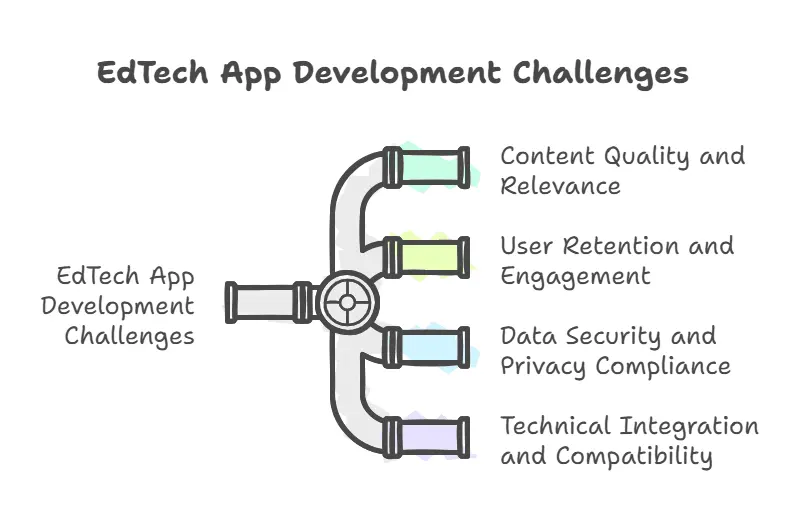
Content quality and relevance
An educational app is only as strong as its content. Poorly structured lessons, outdated information, or a lack of interactivity can reduce the app’s effectiveness. If you work with subject matter experts, educators, and instructional designers, it can help content be accurate, structured, and engaging. Interactive elements such as quizzes, simulations, and discussion forums better learning outcomes. Adapting content to different learning styles and regularly updating materials keeps the app relevant and valuable to users.
User retention and engagement
Many educational apps fail because users lose interest after a few sessions. A static learning experience, lack of motivation, or overwhelming content can drive learners away. Retention depends on interactive features, personalized learning paths, and incentives that encourage consistent use. Gamification, progress tracking, and AI-driven recommendations make learning more engaging, while a seamless onboarding process helps new users navigate the platform without frustration. Regular updates with fresh content and challenges keep users coming back.
Data security and privacy compliance
Educational apps store personal information, assessment data, and payment details. Security stands as a top priority. Weak encryption, data leaks, or non-compliance with regulations such as GDPR or COPPA cause serious legal and reputational consequences. Strong encryption protocols, frequent security audits, and clear data policies protect user information. Users manage their privacy settings, and role-based access keeps sensitive data secure.
Technical integration and compatibility
EdTech apps often need connections with LMS platforms, video conferencing tools, and third-party APIs that enable a seamless learning experience. Poor compatibility can cause glitches, data loss, or limited functionality on various devices. Teams choose widely supported frameworks, maintain cross-platform compatibility, and test integrations across multiple environments to avoid technical problems. APIs remain scalable and well-documented to prevent conflicts with future updates or third-party service
Conclusion
Educational apps have become a powerful tool in modern learning, offering flexibility, personalization, and accessibility that traditional methods cannot match. A well-designed app can engage users, improve learning outcomes, and create new revenue opportunities in the rapidly expanding EdTech industry. Developing a successful educational app requires careful planning, strong content, intuitive design, and scalable technology to meet evolving user needs. Now, you know how to create an educational app. If you’re ready to bring your idea to life, the next step is to start building—because the future of education is digital.
Other Things You Should Know About How to Create an Educational App
An educational app can generate revenue through several monetization strategies, each catering to different user segments. Freemium models allow users to access basic features for free while charging for premium content, advanced courses, or personalized learning tools. Subscription plans offer continuous access to exclusive lessons, certifications, and additional features for a recurring fee. In-app purchases provide users with the option to buy supplementary learning materials, digital textbooks, or verified certifications. Corporate partnerships present another opportunity, where businesses pay for employee training programs, white-labeled learning solutions, or bulk course access for workforce development.
The future of educational app development is driven by advancements in AI, immersive technologies, and decentralized learning solutions. AI-powered adaptive learning tailors content to individual users, improving engagement and retention by adjusting lessons based on progress and learning patterns. AR/VR integration improves interactivity, allowing users to experience hands-on simulations, virtual classrooms, and skill-based training in realistic environments. Blockchain-based credentialing provides secure, verifiable digital certificates that help learners showcase their achievements across different platforms and industries.
Cloud infrastructure enables seamless access to learning materials, progress tracking, and collaboration tools, allowing students, educators, and corporate learners to interact with content anytime and from any device. One of the biggest advantages of cloud storage in education mobile app development is cross-device synchronization. Learners can start a lesson on their smartphone, continue on a tablet, and review content later on a desktop—all without losing progress