2027 A Public Health Website Accessibility Review: A Graduate Public Health Portfolio Project

Co-Founder and Chief Data Scientist
A public health website may contain accurate guidance yet still prevent someone from finding a clinic, understanding an alert, or completing a form. Reviewing that gap makes a focused graduate portfolio project for students interested in health communication, disability inclusion, and digital services.
This guide shows how to choose a manageable site, assess barriers against relevant standards, and turn documented findings into recommendations without overstating what a student audit proves. It also helps you decide whether the project fits your coursework, field placement, and career goals.
Key Things You Should Know
- Review a defined user journey - such as finding vaccination hours - not an entire website; record the pages, tasks, testing methods, and limits of your review.
- Use WCAG 2.1 Level AA as a key benchmark where applicable, but confirm the website owner's legal obligations; an automated scan cannot establish conformance.
- Make the portfolio deliverable a prioritized, reproducible findings report with accessible examples and redacted evidence - not a claim that users with disabilities validated the site.
What Is a Public Health Website Accessibility Review Project?
It is a structured assessment of whether people with disabilities can obtain and use public health information or services on a website. A graduate student might examine how a visitor finds a heat-safety alert, reads eligibility guidance, downloads a fact sheet, or requests an appointment. The deliverable is usually a documented review and improvement plan, not a redesigned website or a legal certification.
Choose an intended decision-maker before choosing pages: a health department communications manager may need a repair queue, while a community organization may need guidance for its next content update. Define the audience, one user journey, the pages and files within scope, and who can authorize testing or publication. A public-site review can be completed without a field partner, but it should not be presented as an authorized agency assessment unless the agency approved it.
An MPH health communication project typically emphasizes understandable, equitable access to services. A research-oriented MS project might instead study a defined evaluation method, subject to its own supervision and ethics requirements. Students weighing public health master's degree types explained should choose the deliverable that matches their program's actual learning objectives.
Why Is Website Accessibility Important in Public Health?
Public health information is useful only if people can perceive it, navigate it, and act on it. An image-only clinic schedule may be unavailable to a screen-reader user. A form that cannot be completed by keyboard may block an appointment request. An unlabeled chart can obscure the meaning of surveillance information even when its underlying data are sound.
The consequences depend on the task. A difficult-to-read background report and an inaccessible emergency instruction do not carry the same urgency. Prioritization should reflect the likelihood that a barrier prevents a person from obtaining time-sensitive information or a service, not simply how many automated warnings a page produces. Accessibility also intersects with plain language and translation, but neither replaces the others: translated text can still be inaccessible, and technically accessible text can still be hard to understand.
This is a useful way to explore public health communication before graduate school, too. Students comparing online public health bachelor's pathways can use a small, clearly labeled practice review to test their interest without claiming professional audit experience.
How Do You Conduct a Public Health Website Accessibility Audit?
Start with a narrow question: can a visitor find and use a particular piece of public health guidance or complete a specific service task? The following sequence produces a review another person can understand and revisit.
- Set scope and permissions. Identify the site owner, intended audience, user journey, pages, documents, and test environment. Seek approval before using restricted content, contacting users, or presenting work as a partner project.
- Record a baseline. Save page titles or URLs, review dates, browser and device details, and the version of any testing tool. Note whether content changes during the project.
- Run automated checks. Use an accessibility checker to locate potential problems, then inspect each finding; tool output is a lead, not a verdict.
- Test tasks manually. Navigate by keyboard, inspect focus order and visible focus, check headings and link purpose, review text alternatives and captions, and attempt any relevant form without a mouse.
- Assess the public health consequence. For each confirmed barrier, state the affected task, observed behavior, relevant accessibility criterion, and possible effect on access to information or services.
- Prioritize and recommend. Separate urgent task-blocking problems from lower-impact issues. Give the site owner a specific proposed change and a way to retest it.
A screen reader can add useful evidence when the reviewer knows how to use it, but trying one tool does not reproduce every disabled person's experience. Do not submit a form that creates a real appointment or record without permission. If time is tight, a smaller, well-documented sample is stronger than a site-wide claim based only on a scan; the same principle applies to students taking accelerated courses in public health bachelor's study before graduate work.
The Web Content Accessibility Guidelines, or WCAG, provide testable criteria organized around content being perceivable, operable, understandable, and robust. A student can use WCAG to describe findings, but the applicable legal requirement depends on who operates the site and what service it provides. The distinctions below prevent a technical benchmark from being mistaken for a universal legal conclusion.
| Website context | Relevant framework | Important distinction |
| State or local public health agency | Americans with Disabilities Act Title II; the Department of Justice web and mobile-app rule uses WCAG 2.1 Level AA, subject to its scope and exceptions | Confirm the agency, content, applicable deadline, and any exception before asserting a violation. |
| Federal public health agency | Section 508 requirements for federal information and communication technology | Federal requirements are not automatically the same as the Title II rule. |
| Private health or community organization | Potentially applicable disability-rights laws and contractual requirements; WCAG is a useful technical reference | Do not assume every private site has the same mandated WCAG version. |
WCAG 2.2 can inform additional improvements, but choosing it as a project benchmark does not change an organization's legal obligations. A course report should distinguish an observed barrier, a potential WCAG failure, and a legal conclusion. The last requires facts and authority beyond a student scan. If accessibility governance becomes a proposed doctoral topic, public health doctorate program selection should still be based on the program's project and supervision requirements, not on the assumption that this audit fulfills them.
A strong review combines technical observation with public health judgment. Students practice defining a population-facing task, collecting reproducible evidence, distinguishing tool warnings from confirmed barriers, and explaining why a finding matters to access or comprehension. They also practice writing recommendations that a content editor, developer, or program manager can act on.
The project develops ethical communication: describe barriers without assuming every person with a disability has the same experience, and seek appropriate community feedback rather than presenting your own tests as user research. Its limits matter professionally. An accessibility review does not demonstrate advanced epidemiologic analysis or qualify someone to lead disability research. A student considering epidemiology doctorate aid and affordability comparisons should evaluate those research and funding goals separately.
Health communication courses can support plain-language analysis and message design; disability and health equity coursework can help students frame access as a public health issue. Program evaluation courses help with scope, indicators, limitations, and recommendations. Digital health, human-centered design, or web development electives may provide deeper testing skills, but course titles alone do not establish that hands-on accessibility instruction is included.
A workable sequence is to learn the communication and ethical foundations, practice manual accessibility checks on public content, then develop a supervised report in a capstone or approved applied experience. Ask the instructor whether the assignment requires an external partner, what counts as evidence of testing, and who may review the final artifact.
Applicants using a portfolio to strengthen MPH applications after uneven undergraduate grades can show recent applied work, but should not treat it as a substitute for a program's stated admissions requirements.
Either format can support a review of publicly available pages. Online students can share a scope document, annotated findings, and a recorded walk-through with an instructor or approved partner. On-campus students may have easier access to a design lab or in-person feedback, but neither format guarantees a suitable partner, permission to test a live service, or feedback from people with disabilities.
Before committing, confirm the actual meeting schedule, group-work expectations, available testing tools, supervision, and any partner-site rules. Asynchronous classes may still require live partner meetings. Remote access to a public website also does not authorize access to an organization's analytics, unpublished files, or patient information. Students exploring public health master's admission requirement alternatives should separately verify when they can enter the course or capstone that will assess this project.
Build the portfolio entry so a reviewer can tell what you examined, what you observed, and what remains unverified. It should be useful as an academic deliverable even if the site owner never implements a recommendation.
- Project brief: intended decision-maker, public health task, scope, exclusions, permissions, and applicable benchmark.
- Methods record: review dates, page sample, tools, browser or device, manual checks, and limitations.
- Findings log: page or component, reproducible observation, affected task, relevant criterion, evidence, priority rationale, and proposed fix.
- Decision summary: the most consequential barriers, recommended ownership, and a retesting plan.
- Reflection: what was learned, what requires specialist or community review, and what would change in a second iteration.
Use screenshots only when publication is permitted; remove personal information, access tokens, confidential comments, and any restricted content. Label a proposed report as a proposal, not an approved agency product or completed remediation. A polished artifact may support an application for university awards for online public health graduate education, but award eligibility and selection criteria must be checked separately.
Health communications staff, digital-content specialists, health educators, and public health program staff may use accessibility knowledge when publishing alerts, maintaining service pages, or reviewing outreach materials. In these roles, the portfolio can show how a candidate identifies a barrier, explains its population-health significance, and works with technical colleagues on a feasible correction. Actual duties and degree expectations vary by employer.
Accessibility specialist roles generally require deeper technical testing and remediation experience than one class project provides. Early-career candidates can seek supervised content-review or web-governance work, then document implemented changes when an employer permits it. Before pursuing a doctorate solely to lead this work, compare supervised experience and targeted accessibility training with public health doctoral tuition and career comparisons. A graduate degree does not itself confer an accessibility credential or guarantee a particular job.
How Should Students Evaluate Graduate Public Health Programs for This Project?
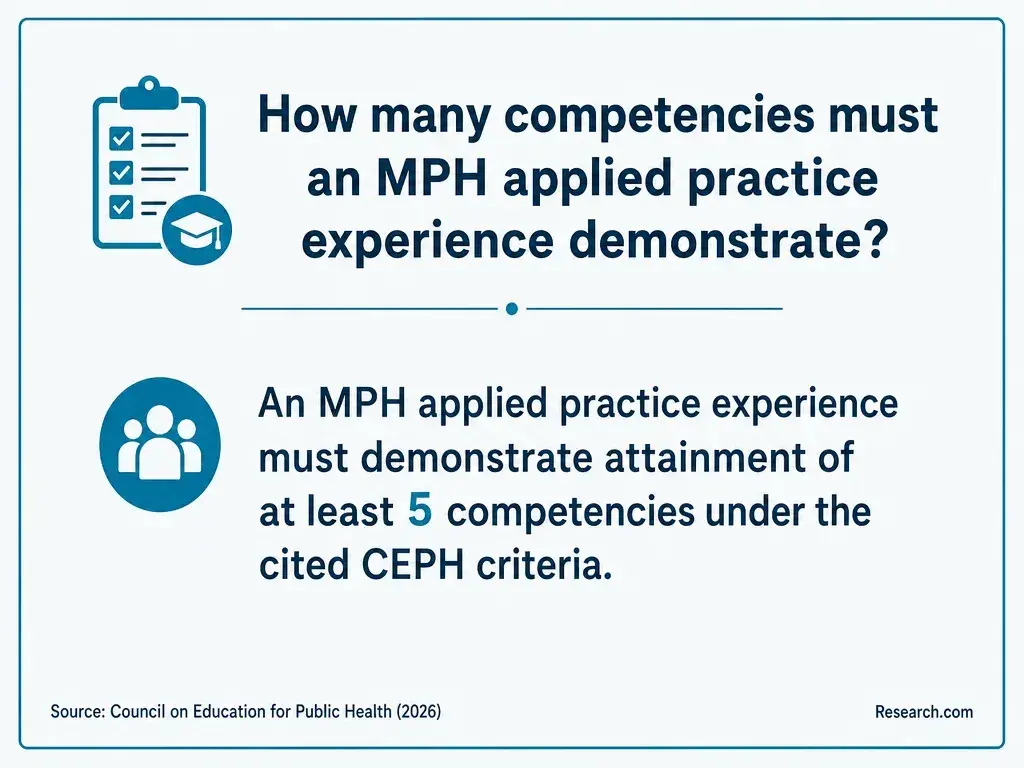
Look for a program that will let you develop and assess the deliverable you actually want. Ask an advisor which course or capstone can host the review, what competencies it must demonstrate, whether a partner is required, and who approves the site and final portfolio use. Request an example of the assessment criteria rather than relying on a catalog mention of "digital health" or "equity."
Then compare access to health communication instruction, relevant technical electives, faculty supervision, and realistic project scheduling. Verify the exact degree's accreditation status and coverage where that matters to your goals; institutional accreditation and public health-specific CEPH accreditation are different questions. If cost is decisive, compare the full cost and time needed to reach the project course, not tuition alone. Affordable distance learning MPH degrees are worth examining only if their curriculum and supervision support the work.
If your main goal is to improve one organization's website, a targeted accessibility course and supervised practice may be more direct than another degree. For a graduate portfolio, the next step is to confirm the assignment rules, secure any needed permissions, and pilot a small user journey before expanding the review.
Other Things You Should Know About Public Health
You can generally observe publicly available pages for coursework, subject to your school's rules. Contact the owner before accessing restricted materials, recruiting users through the organization, or describing the report as an official partnership.
Only if they are part of the defined user journey and your assignment permits it. Record them as a separate content type; a website review alone does not assess every channel an agency uses.
Date each observation and record the page version or relevant details. Retest changed content before submitting a finding, and explain which observations could no longer be confirmed.
No. Generated text may omit or misstate medically important meaning. A knowledgeable person should verify that a description conveys the image's purpose in its specific public health context.
- Understanding WCAG 2.2 - Service Manual | GOV. UK https://www.gov.uk/service-manual/helping-people-to-use-your-service/understanding-wcag
- Conducting User Research with People with Disabilities | Section508.gov https://www.section508.gov/develop/usability-testing-with-people-with-disabilities/
- Disability Barriers to Inclusion | cdc.gov https://www.cdc.gov/disability-inclusion/barriers/index.html
- Accessibility | U.S. Web Design System (USWDS) https://designsystem.digital.gov/documentation/accessibility/
- Accessibility Testing | Usability & Digital Accessibility https://usability.yale.edu/digital-accessibility/know-your-role/accessibility-testing
- Testing for Web Accessibility | uchicago.edu https://digitalaccessibility.uchicago.edu/testing-for-accessibility/
- How to Assess - Digital Accessibility Office https://digitalaccessibility.unc.edu/how-to-assess/
- Manual Testing for Accessibility | Digital Accessibility Services https://accessibility.huit.harvard.edu/manual-testing-accessibility
- Chapter 9: Accessibility Evaluation and Usability Testing | User-Centered Design Workbook https://openbooks.library.northwestern.edu/uxdesign/chapter/464ch9/
- Web Content Accessibility Guidelines (WCAG) 2.2 | w3.org https://www.w3.org/TR/WCAG22/