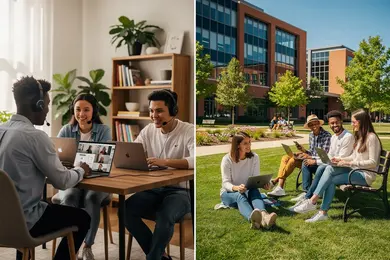
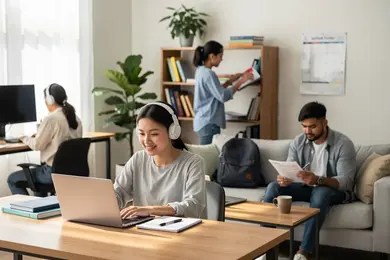
2027 How to Create a Good Home Study Space for Online Learning

Co-Founder and Chief Data Scientist
A good home study space can be the difference between logging in and actually learning. NCES reported in 2024 that 53% of U.S. undergraduates took at least one distance education course in fall 2022, so home learning is no longer a backup plan for many students.
This guide is for online learners, parents, working adults, and anyone studying from home. You will learn how to choose a study spot, set up furniture and technology, reduce distractions, and build a routine that makes online learning easier to sustain.
Key Things You Should Know
- Online learning is now mainstream: NCES reported in 2024 that 53% of U.S. undergraduates took at least one distance education course in fall 2022, making home study conditions a practical academic issue rather than a minor convenience.
- The FCC updated its fixed broadband benchmark in 2024 to 100 Mbps download and 20 Mbps upload, a useful reference point for households supporting video classes, learning platforms, cloud documents, and exams.
- A strong home study setup depends on four controllable factors: a dedicated location, ergonomic seating and screen height, distraction controls, and a repeatable schedule tied to the same study area.
How do you set up a dedicated home study space for online learning?
A dedicated home study space is a consistent place where your brain associates the environment with coursework, reading, video lectures, writing, and exams. It does not have to be a separate room; it can be a desk, a corner of a bedroom, a section of a dining table, or a portable setup that you assemble the same way each time.
The best location is not always the quietest or largest place. It is the place you can use consistently, control enough to focus, and equip with the tools your courses require. If you are comparing online degree programs, also consider whether the format requires live classes, recorded lectures, proctored exams, labs, group projects, or frequent video meetings because each format places different demands on your study space.
Use these steps to choose and define your study area before buying anything:
- Identify your highest-focus tasks, such as live classes, timed exams, reading, writing, coding, design work, or tutoring sessions.
- Pick the spot where you can do those tasks with the fewest interruptions during your most important study hours.
- Separate the study zone visually with a desk, small table, bookshelf, room divider, floor lamp, or even a consistent chair-and-laptop setup.
- Keep only study-related items in reach during class or focus blocks so the space signals work rather than entertainment.
- Test the location for one full week before making major purchases, then adjust based on noise, lighting, internet strength, and comfort.
Common mistakes include choosing a space because it looks good on camera but feels uncomfortable, setting up too close to a bed or television, and assuming a bigger room will automatically improve focus. A smaller area that you can control is usually better than a large area filled with interruptions.
What furniture and ergonomic setup do you need for comfortable online study at home?
Ergonomics means arranging your chair, desk, keyboard, mouse, screen, and lighting so your body can study for longer periods without unnecessary strain. Poor posture may not seem urgent during one class, but online students often spend many hours each week reading, typing, watching lectures, and taking exams.
The table below compares common home study furniture choices. Use it to decide what is worth buying first and what can wait if your budget is limited.
| Setup option | Best fit | Main advantage | Limitation to consider |
| Desk with adjustable chair | Students with frequent online classes or long study sessions | Most stable and ergonomic option for sustained work | Requires space and may cost more upfront |
| Dining table with supportive chair | Students in shared homes or small apartments | Affordable and easy to access | May need daily setup and cleanup |
| Laptop stand with external keyboard and mouse | Laptop users who attend video classes or write often | Improves screen height and reduces neck strain | Needs extra accessories and table space |
| Foldable desk or wall-mounted table | Students with limited space | Creates a repeatable study zone without a full office | May have less surface area for books and notes |
| Lap desk or couch setup | Short review sessions or occasional reading | Flexible and inexpensive | Usually not ideal for long classes, exams, or writing-heavy work |
Your first goal is not to build a perfect office; it is to remove the physical discomfort that makes you quit early. Start with the body positions that matter most:
- Keep both feet supported on the floor, a footrest, or a stable box so your legs are not dangling.
- Set your elbows near a 90-degree angle when typing so your shoulders stay relaxed.
- Raise your screen so the top portion is near eye level, especially if you use a laptop for long sessions.
- Place your keyboard and mouse close enough that you do not have to reach forward for every click or keystroke.
- Use a chair with back support, or add a small cushion or rolled towel behind your lower back if your chair is too flat.
If you can only afford one upgrade, prioritize the item that fixes your biggest barrier. For some learners, that is a supportive chair; for others, it is a laptop stand and external keyboard. Red flags include studying from bed every day, balancing a laptop on your lap for exams, or using a chair that causes pain after less than an hour.

How can you minimize noise and digital distractions in a home study environment?
Noise and digital distractions are two different problems. Noise comes from other people, pets, traffic, appliances, or shared spaces. Digital distractions come from notifications, social media, games, streaming platforms, open browser tabs, and multitasking during lectures.
Begin by identifying whether your main distraction is environmental, social, or screen-based. Then choose controls that match the problem instead of relying only on willpower.
- For household noise, use noise-reducing headphones, a fan, soft background sound, or study times that avoid the loudest parts of the day.
- For interruptions from family or roommates, post a visible class schedule and define what counts as an emergency during exams or live sessions.
- For phone distractions, place the phone out of arm's reach, use focus mode, or keep only school-related alerts active during study blocks.
- For browser distractions, use a separate browser profile for school with only learning platforms, email, research databases, and cloud documents bookmarked.
- For multitasking, take notes by hand or in a single document so you are not switching between chat, video, shopping, and social apps.
A common mistake is trying to make the home completely silent. That is unrealistic for many students. A better goal is predictable distraction control: fewer surprises, fewer open apps, and a clear signal to others that you are unavailable during class or focused work.
What lighting and room conditions help you stay focused during online classes?
Lighting affects alertness, eye comfort, note-taking, and how clearly others see you during video classes. Room conditions also include temperature, air movement, background clutter, and whether the space feels too relaxed or too visually busy.
The table below summarizes key room conditions that influence online study quality. It is useful when you are deciding whether to move your setup, add a lamp, change your background, or adjust your schedule.
| Condition | What to aim for | Why it matters |
| Lighting direction | Light should face you or come from the side, not directly behind you | Backlighting makes video calls harder and can strain your eyes |
| Screen glare | Position the screen away from direct sunlight or bright reflections | Glare can make reading and note-taking more tiring |
| Temperature | Choose a setting that feels comfortable enough for long focus blocks | Rooms that are too warm or too cold can pull attention away from coursework |
| Air quality and movement | Use ventilation, a fan, or brief breaks when the room feels stale | Fresh air can help the space feel more alert and less draining |
| Visual background | Keep the camera view simple and school-appropriate | A clean background reduces stress during live classes and presentations |
For most students, a simple desk lamp or floor lamp is enough. Place it so it lights your face and workspace without shining into your eyes. If you study at night, use consistent lighting rather than switching between a bright screen and a dark room.
Do not over-personalize the space with so many decorations that the room competes with your work. The best study environment feels comfortable, but it should still signal that you are there to learn, not lounge.
How should you organize study materials and technology in a home learning space?
Organization matters because online learning often blends digital files, printed notes, textbooks, passwords, headphones, chargers, browser tabs, and learning management systems. If you lose time finding materials before every class, your study space is working against you.
Use a simple system that separates what you need daily from what you need only occasionally. The goal is fast access without clutter.
- Create one physical home for daily tools, such as your laptop charger, headphones, notebook, pens, calculator, planner, and any course-specific supplies.
- Create one digital home for each course, using clearly named folders for syllabi, readings, assignments, lecture notes, submitted work, and feedback.
- Use a password manager or secure login system so class time is not lost resetting accounts or searching for credentials.
- Back up important files to cloud storage or an external drive before major assignments and exams.
- At the end of each study day, reset the desk by clearing cups, wrappers, unrelated papers, and non-school devices.
The most common organization mistake is treating the learning platform as the only filing system. Course portals change, close after the term, or scatter materials across modules. Keep your own copies of major instructions, drafts, rubrics, and graded feedback so you can review them later.
AI tools have also changed how students organize their work. If your school allows AI-assisted brainstorming, keep drafts, prompts, notes, and original sources separate so you can show your process and avoid academic integrity problems. When in doubt, follow your instructor's policy rather than assuming every tool is permitted.

How can you create a productive routine and schedule around your home study space?
A home study space works best when it is connected to a routine. Without a schedule, the same desk can become a place for class, bills, streaming, texting, and unfinished tasks. A routine tells your brain when to start, what to do first, and when to stop.
Working adults and budget-conscious students often need a schedule that fits employment, caregiving, and financial constraints. If you are still choosing a school, comparing the most affordable online colleges for working adults can help you look beyond tuition and consider flexibility, transfer credit, part-time options, and support services.
Build your routine around the type of learning your course requires. These steps help turn the study space into a repeatable habit:
- Block fixed times first, including live classes, work shifts, caregiving, commuting, meals, and sleep.
- Assign specific study tasks to specific blocks, such as reading before class, discussion posts after lectures, and exam review on weekends.
- Use a short startup ritual, such as filling water, opening the course portal, checking the assignment list, and closing unrelated apps.
- Schedule difficult tasks when your home is most predictable, not when you are already tired or likely to be interrupted.
- End each session with a written next step so you know exactly where to begin the next time you sit down.
One useful decision rule is to match the task to your energy level. Use high-energy periods for writing, problem-solving, studying for exams, and live participation. Use lower-energy periods for organizing notes, watching recorded lectures, formatting citations, or reviewing flashcards.
How do shared living situations and family responsibilities affect your home study setup?
Shared homes require negotiation, not just better equipment. Roommates, children, partners, relatives, and pets can affect privacy, noise, internet use, storage, and your ability to attend live classes. A realistic setup accounts for these conditions instead of pretending they do not exist.
The most effective approach is to create clear agreements around time, space, and responsibilities. These agreements should be specific enough that others know what to do when you are studying.
- Share your class and exam schedule in advance, especially for live lectures, presentations, tutoring, and proctored tests.
- Use visible cues, such as a closed door, headphones, a desk sign, or a calendar marker, to show when you should not be interrupted.
- Prepare a backup study location for high-stakes work, such as a library room, campus facility, coworking space, or quiet relative's home.
- Store course materials in a bin, drawer, backpack, or rolling cart if your study area must be cleared after each session.
- Plan childcare or household coverage before deadlines rather than trying to complete major assignments during unpredictable moments.
For parents and caregivers, the goal is not a flawless routine. It is reducing avoidable conflict. If your household knows when you are unavailable and what you need protected, it becomes easier to defend the time required for online learning.
A common red flag is relying on late-night study as the only plan. It may work occasionally, but if every assignment depends on exhaustion and silence after everyone sleeps, the setup is fragile. Look for at least one daytime or weekend block that can support demanding academic work.
What technology and internet requirements support effective home-based online learning?
Technology should support learning without becoming the main source of stress. At minimum, most online learners need a reliable computer, stable internet, webcam or camera access, microphone, headphones, updated browser, office or document software, and access to the school's learning platform.
The FCC updated its fixed broadband benchmark in 2024 to 100 Mbps download and 20 Mbps upload. That benchmark is not a school requirement, but it is a practical reference for households where multiple people may be streaming, video conferencing, uploading assignments, or taking online exams at the same time.
The table below summarizes the technology categories most students should evaluate before courses begin. Use it to spot weak points before they affect attendance, exams, or assignment submission.
| Technology area | Why it matters | Decision point |
| Internet speed and stability | Supports video classes, uploads, proctored exams, and cloud work | Test the connection where you actually study, not only near the router |
| Computer performance | Affects multitasking, browser-based platforms, video calls, and specialized software | Check program requirements before buying or upgrading |
| Audio quality | Improves participation in discussions, presentations, and tutoring | Headphones with a microphone often outperform built-in laptop audio |
| Backup access | Reduces risk during outages, repairs, or device failure | Identify a library, campus lab, hotspot, or second device before emergencies |
| Security and updates | Protects accounts, coursework, and personal information | Update software and use secure logins before the term starts |
If your long-term goal is a remote-friendly career, your study setup can also help you practice the habits employers value: reliable video communication, file organization, independent work, and digital collaboration. Students exploring degrees for remote work should treat the home learning environment as early training for remote job expectations.
Do not wait until an exam to test your technology. Log in to every platform, open required software, test video and audio, upload a sample file if possible, and confirm that your device works with any proctoring tools your course requires.
How can you adapt a small or multi-use area into an effective study space?
Small spaces can work well when they are consistent and easy to reset. The challenge is not the square footage itself; it is the lack of boundaries between study, sleep, meals, entertainment, and family activity.
Think in terms of a portable study station rather than a permanent office. This is especially helpful for students in apartments, shared bedrooms, dorms, or homes where the kitchen table is the only available surface.
- Use a rolling cart, tote, backpack, or file box to keep all school materials together and movable.
- Choose a foldable desk, wall shelf, or compact table if you need a work surface that disappears after studying.
- Use a lamp, mat, headphones, or specific chair as a repeated cue that the area is now in study mode.
- Store distractions out of sight during focus blocks, even if they return to the same space later.
- Keep a short cleanup checklist so the space can return to household use without losing books, notes, or chargers.
Program length also matters. A learner taking one short certificate course may only need a portable setup, while someone pursuing a multi-year degree may benefit from a more durable desk, chair, and storage system. If you are considering a shorter credential or two-year path, researching easy associate degrees that pay well can help you think about how much time, equipment, and study structure your goal may require.
The biggest mistake in a multi-use area is leaving setup decisions until the moment you need to study. If you must spend 15 minutes finding headphones, clearing dishes, moving laundry, and locating a charger, the space is not ready. A repeatable setup saves attention for the actual coursework.
How do you personalize your home study area to support motivation and mental well-being?
Personalization should make the space more inviting without turning it into a distraction zone. The right details can reduce stress, remind you why you are studying, and make long-term online learning feel more sustainable.
Choose personal items that support your goals, not items that pull you away from them. The best additions are simple, visible, and easy to maintain.
- Add one or two motivating items, such as a goal card, calendar, graduation reminder, family photo, or checklist of completed milestones.
- Use colors, textures, or plants that make the area feel calm without crowding the workspace.
- Keep a visible weekly plan so progress feels concrete instead of hidden inside multiple apps.
- Build in short breaks away from the desk so the study area does not become associated with stress only.
- Review the setup monthly and remove anything that has become clutter, visual noise, or an excuse to procrastinate.
Motivation also depends on whether your academic path fits your goals. If you are still deciding what to study, comparing the best degrees to get can help you connect your study routine to realistic career interests, program requirements, and long-term value.
Be careful with perfectionism. You do not need a social-media-ready desk to be a successful online learner. A good study space is one you can actually use: comfortable enough, organized enough, quiet enough, and connected to a routine you can repeat.
Other Things You Should Know About
The best place is the most consistent spot where you can focus, connect to the internet, sit comfortably, and control interruptions. A small desk in a quiet corner is often better than a larger room that other people frequently use.
No. A separate room helps, but it is not required. A dedicated corner, foldable desk, dining table routine, or portable study cart can work if you set it up the same way and protect it during study time.
Share your class schedule, use visible do-not-interrupt cues, prepare backup study times, and keep materials portable. For exams or major deadlines, arrange household coverage or a backup location before the day arrives.
Buy the item that removes your biggest barrier. For many students, that is reliable headphones, a better chair, a laptop stand with keyboard and mouse, or improved lighting. Test your space first so you do not spend money on upgrades you do not need.
References
- Setting up a study space that really works https://ergohuman.store/en-gb/blogs/news/setting-up-a-study-space-that-really-works
- How to Create an Organized Home Learning Space https://www.breathingroomhome.com/post/how-to-create-an-organized-home-learning-space
- Create a study space that makes you want to study https://blogs.flinders.edu.au/student-health-and-well-being/2026/01/19/create-study-space-makes-want-study/
- How to Stay Focused While Studying for Online Classes | CCU Online https://www.ccu.edu/blogs/cags/2014/02/how-to-stay-focused-while-studying-for-online-classes/
- Stay Focused During Online School: 4 Tips | Prisma https://www.joinprisma.com/blog/how-to-stay-focused-during-online-school
- How To Set Up A Productive Learning Space At Home https://elearningindustry.com/how-to-set-up-a-productive-learning-space-at-home
- Create a Healthier Home Office: The Best Ergonomic Furniture Picks https://navoergonomics.com/blog/create-a-healthier-home-office-the-best-ergonomic-furniture-picks/
- 10 Tips to Establish A Productive Study Routine | Rome Business School https://romebusinessschool.com/blog/10-tips-to-establish-a-productive-study-routine/
- How to Create a Distraction-Free Study Area: A Parent’s Step-by-Step Guide https://www.plusplustutors.com/blog/how-to-create-a-distraction-free-study-area-a-parents-step-by-step-guide
- How to Make a Study Space More Productive: 10 Easy Changes That Make a Big Difference https://thenuggetsacademy.sg/ideal-study-space/