Salesforce Sales Cloud vs Zendesk Sell – 2027 Comparison

Co-Founder and Chief Data Scientist
Salesforce Sales Cloud vs Zendesk Sell Comparison Table of Contents
- What is Salesforce Sales Cloud?
- Who is Salesforce Sales Cloud for?
- Key Benefits of Salesforce Sales Cloud
- What is Zendesk Sell?
- Who is Zendesk Sell for?
- Key Benefits of Zendesk Sell
- Who are Salesforce Sales Cloud and Zendesk Sell best for?
- Salesforce Sales Cloud vs Zendesk Sell Feature Comparison
- What security and compliance features do Salesforce Sales Cloud and Zendesk Sell offer?
- Salesforce Sales Cloud vs Zendesk Sell Pricing
- How to choose the right CRM based on business needs?
- What Are the Common Implementation Challenges and Considerations?
- Salesforce Sales Cloud Pros and Cons
- Zendesk Sell Pros and Cons
- Verdict – Salesforce Sales Cloud vs Zendesk Sell: Which software is better?
What is Salesforce Sales Cloud?
Salesforce Sales Cloud is a powerful and comprehensive sales customer relationship management (CRM) system that gives you more leverage in the competitive world of sales. This platform is designed to boost customer engagement and sales productivity and to integrate a suite of third-party tools for customizable dashboards, lead and opportunity management, and sales forecasting.
Salesforce Sales Cloud caters to businesses of various sizes, encompassing various industries. Designed to be a central hub for all your sales-related activities, Sales Cloud is the business tool you want to have in your arsenal to become a sales powerhouse.
Featured CRM Software Products

$9 to $150/user/month
Yes, up to 2 users
E-signature software, call transcription, conversation routing
Editor's Take
HubSpot CRM is a powerful customer relationship management platform designed to help businesses manage their sales, marketing, and customer service efforts in one centralized place. Its user-friendly interface allows teams to track leads, monitor customer interactions, and automate sales pipelines. With built-in tools for email marketing, contact management, and analytics, HubSpot CRM provides deep insights into customer behavior and sales performance. The platform also supports seamless collaboration between marketing and sales teams through real-time updates and integrations with tools like Gmail, Outlook, and Slack. Additionally, its automation features help reduce manual tasks, enabling teams to focus on building relationships and closing deals. HubSpot CRM is scalable, making it ideal for businesses of all sizes, from startups to large enterprises.
Expert Score
In evaluating SaaS software, a comprehensive and structured methodology ensures a fair and accurate comparison across key metrics. This approach focuses on the most critical aspects that affect user experience, functionality, and business value. The following metrics—general features, cost, customer service, integrations, and mobile support—are evaluated to provide a holistic view of each software solution’s strengths and weaknesses. These metrics are selected based on their direct impact on software usability, scalability, and long-term effectiveness for businesses.
1. General Features - scoring weight 40%
This metric evaluates the core functionalities and tools the software offers. It involves assessing the comprehensiveness of the features, their relevance to the target users, and the ease of use. This is important because robust and well-designed features determine the software's overall utility and efficiency in solving user problems.
2. Cost - scoring weight 15%
Cost analysis focuses on pricing models, value for money, and scalability. It's crucial to evaluate whether the software’s features justify its price, considering different plans for small and large organizations. This is vital for businesses to ensure they invest in cost-effective solutions that fit their budget.
3. Customer Service - scoring weight 15%
This evaluates the responsiveness, quality, and availability of customer support, including channels like chat, email, or phone. Good customer service is essential for troubleshooting and ensuring smooth software usage, which reduces downtime and frustration for users.
4. Integrations - scoring weight 15%
This examines how well the software integrates with third-party tools (e.g., CRM, payment systems, collaboration apps). Seamless integrations are key for creating a unified workflow and enhancing productivity by connecting multiple systems, which is crucial for operational efficiency.
5. Mobile Support - scoring weight 15%
Mobile support assesses the software’s functionality and performance on mobile devices, including apps and mobile web versions. With increasing remote work and on-the-go usage, strong mobile support is critical to ensure users can access and utilize the software effectively, regardless of location.

Custom
No
Sales automation, customer service, marketing
Editor's Take
NetSuite CRM is a comprehensive customer relationship management solution designed to support businesses in managing their entire customer lifecycle. It offers a full suite of tools for sales automation, customer service, marketing, and partner management, helping teams improve efficiency and build stronger customer relationships. With real-time visibility into customer interactions, NetSuite CRM enables businesses to track leads, manage opportunities, and forecast sales accurately. Its built-in analytics and reporting features provide deep insights into sales performance and customer behavior. NetSuite CRM integrates seamlessly with NetSuite’s enterprise resource planning (ERP) system, offering a unified platform for managing business operations. This scalability and flexibility make it ideal for growing businesses and enterprises seeking an all-in-one solution for customer relationship management.
Expert Score
In evaluating SaaS software, a comprehensive and structured methodology ensures a fair and accurate comparison across key metrics. This approach focuses on the most critical aspects that affect user experience, functionality, and business value. The following metrics—general features, cost, customer service, integrations, and mobile support—are evaluated to provide a holistic view of each software solution’s strengths and weaknesses. These metrics are selected based on their direct impact on software usability, scalability, and long-term effectiveness for businesses.
1. General Features - scoring weight 40%
This metric evaluates the core functionalities and tools the software offers. It involves assessing the comprehensiveness of the features, their relevance to the target users, and the ease of use. This is important because robust and well-designed features determine the software's overall utility and efficiency in solving user problems.
2. Cost - scoring weight 15%
Cost analysis focuses on pricing models, value for money, and scalability. It's crucial to evaluate whether the software’s features justify its price, considering different plans for small and large organizations. This is vital for businesses to ensure they invest in cost-effective solutions that fit their budget.
3. Customer Service - scoring weight 15%
This evaluates the responsiveness, quality, and availability of customer support, including channels like chat, email, or phone. Good customer service is essential for troubleshooting and ensuring smooth software usage, which reduces downtime and frustration for users.
4. Integrations - scoring weight 15%
This examines how well the software integrates with third-party tools (e.g., CRM, payment systems, collaboration apps). Seamless integrations are key for creating a unified workflow and enhancing productivity by connecting multiple systems, which is crucial for operational efficiency.
5. Mobile Support - scoring weight 15%
Mobile support assesses the software’s functionality and performance on mobile devices, including apps and mobile web versions. With increasing remote work and on-the-go usage, strong mobile support is critical to ensure users can access and utilize the software effectively, regardless of location.

$25 per user per month
14 days
marketing automation, sales automation, no code customization
Editor's Take
CRM Creatio is a comprehensive customer relationship management (CRM) solution designed to streamline and enhance business processes across sales, marketing, and customer service functions. Known for its low-code platform, Creatio allows businesses to customize and automate workflows without requiring extensive technical expertise. This adaptability makes it particularly appealing to organizations seeking to align the software with their specific needs.
The platform's marketing module provides tools for multi-channel campaign management, lead generation, and personalized customer engagement. Its sales module offers functionality for pipeline management, opportunity tracking, and analytics to help teams close deals more efficiently. Additionally, the customer service module supports case management, service level agreement (SLA) monitoring, and omnichannel communication, enabling businesses to provide exceptional customer support.
Creatio stands out with its intuitive interface, robust analytics, and AI-powered tools that provide actionable insights. The low-code development tools allow non-technical users to create applications and automate processes, reducing the dependency on IT teams. Integration capabilities with other software platforms and APIs enhance its utility, making it a versatile choice for businesses of all sizes.
Overall, CRM Creatio is a powerful solution that combines user-friendly design with advanced customization and automation features. Its adaptability and low-code foundation position it as a strong contender for organizations looking to optimize customer relationship management processes while maintaining flexibility for growth and innovation.
Expert Score
In evaluating SaaS software, a comprehensive and structured methodology ensures a fair and accurate comparison across key metrics. This approach focuses on the most critical aspects that affect user experience, functionality, and business value. The following metrics—general features, cost, customer service, integrations, and mobile support—are evaluated to provide a holistic view of each software solution’s strengths and weaknesses. These metrics are selected based on their direct impact on software usability, scalability, and long-term effectiveness for businesses.
1. General Features - scoring weight 40%
This metric evaluates the core functionalities and tools the software offers. It involves assessing the comprehensiveness of the features, their relevance to the target users, and the ease of use. This is important because robust and well-designed features determine the software's overall utility and efficiency in solving user problems.
2. Cost - scoring weight 15%
Cost analysis focuses on pricing models, value for money, and scalability. It's crucial to evaluate whether the software’s features justify its price, considering different plans for small and large organizations. This is vital for businesses to ensure they invest in cost-effective solutions that fit their budget.
3. Customer Service - scoring weight 15%
This evaluates the responsiveness, quality, and availability of customer support, including channels like chat, email, or phone. Good customer service is essential for troubleshooting and ensuring smooth software usage, which reduces downtime and frustration for users.
4. Integrations - scoring weight 15%
This examines how well the software integrates with third-party tools (e.g., CRM, payment systems, collaboration apps). Seamless integrations are key for creating a unified workflow and enhancing productivity by connecting multiple systems, which is crucial for operational efficiency.
5. Mobile Support - scoring weight 15%
Mobile support assesses the software’s functionality and performance on mobile devices, including apps and mobile web versions. With increasing remote work and on-the-go usage, strong mobile support is critical to ensure users can access and utilize the software effectively, regardless of location.

$8/per user/per month
Yes
customizable dashboards, automated follow-ups, advanced analytics
Editor's Take
monday.com Sales CRM is a customizable platform designed to streamline sales processes, enhance team collaboration, and improve pipeline visibility. Its intuitive interface enables users to manage leads, track deals, and automate repetitive tasks with ease. The CRM integrates seamlessly with popular tools like Gmail, Slack, and HubSpot, ensuring a centralized workflow. Features like customizable dashboards, automated follow-ups, and advanced analytics help sales teams stay organized and focused on closing deals. With scalability in mind, monday.com caters to businesses of all sizes, offering flexible pricing plans and robust customer support. It’s an excellent choice for teams seeking efficiency and adaptability.
Expert Score
In evaluating SaaS software, a comprehensive and structured methodology ensures a fair and accurate comparison across key metrics. This approach focuses on the most critical aspects that affect user experience, functionality, and business value. The following metrics—general features, cost, customer service, integrations, and mobile support—are evaluated to provide a holistic view of each software solution’s strengths and weaknesses. These metrics are selected based on their direct impact on software usability, scalability, and long-term effectiveness for businesses.
1. General Features - scoring weight 40%
This metric evaluates the core functionalities and tools the software offers. It involves assessing the comprehensiveness of the features, their relevance to the target users, and the ease of use. This is important because robust and well-designed features determine the software’s overall utility and efficiency in solving user problems.
2. Cost - scoring weight 15%
Cost analysis focuses on pricing models, value for money, and scalability. It’s crucial to evaluate whether the software’s features justify its price, considering different plans for small and large organizations. This is vital for businesses to ensure they invest in cost-effective solutions that fit their budget.
3. Customer Service - scoring weight 15%
This evaluates the responsiveness, quality, and availability of customer support, including channels like chat, email, or phone. Good customer service is essential for troubleshooting and ensuring smooth software usage, which reduces downtime and frustration for users.
4. Integrations - scoring weight 15%
This examines how well the software integrates with third-party tools (e.g., CRM, payment systems, collaboration apps). Seamless integrations are key for creating a unified workflow and enhancing productivity by connecting multiple systems, which is crucial for operational efficiency.
5. Mobile Support - scoring weight 15%
Mobile support assesses the software’s functionality and performance on mobile devices, including apps and mobile web versions. With increasing remote work and on-the-go usage, strong mobile support is critical to ensure users can access and utilize the software effectively, regardless of location.

$7 per user per month billed annually
15 days
lead generation, sales pipeline management, workflow automation
Editor's Take
Zoho CRM is a flexible and comprehensive customer relationship management platform designed to help businesses manage and grow their customer relationships effectively. With tools for lead generation, sales pipeline management, workflow automation, and analytics, Zoho CRM is suitable for businesses of all sizes across a variety of industries.
Zoho CRM enables teams to streamline sales processes by capturing leads from multiple channels, tracking interactions, and managing every stage of the sales cycle. The platform offers customizable dashboards and reports, providing insights into sales performance and customer behaviors to help make data-driven decisions. With powerful automation features, Zoho CRM allows businesses to set up workflows for routine tasks like follow-ups, lead scoring, and email notifications, reducing manual work and enhancing productivity. The platform integrates with popular tools, including the Zoho suite, Microsoft 365, and G Suite, enabling a seamless connection across teams.
For businesses aiming to improve customer engagement, close deals faster, and enhance team collaboration, Zoho CRM delivers a scalable, user-friendly solution to drive sales and customer satisfaction.
Expert Score
In evaluating SaaS software, a comprehensive and structured methodology ensures a fair and accurate comparison across key metrics. This approach focuses on the most critical aspects that affect user experience, functionality, and business value. The following metrics—general features, cost, customer service, integrations, and mobile support—are evaluated to provide a holistic view of each software solution’s strengths and weaknesses. These metrics are selected based on their direct impact on software usability, scalability, and long-term effectiveness for businesses.
1. General Features - scoring weight 40%
This metric evaluates the core functionalities and tools the software offers. It involves assessing the comprehensiveness of the features, their relevance to the target users, and the ease of use. This is important because robust and well-designed features determine the software's overall utility and efficiency in solving user problems.
2. Cost - scoring weight 15%
Cost analysis focuses on pricing models, value for money, and scalability. It's crucial to evaluate whether the software’s features justify its price, considering different plans for small and large organizations. This is vital for businesses to ensure they invest in cost-effective solutions that fit their budget.
3. Customer Service - scoring weight 15%
This evaluates the responsiveness, quality, and availability of customer support, including channels like chat, email, or phone. Good customer service is essential for troubleshooting and ensuring smooth software usage, which reduces downtime and frustration for users.
4. Integrations - scoring weight 15%
This examines how well the software integrates with third-party tools (e.g., CRM, payment systems, collaboration apps). Seamless integrations are key for creating a unified workflow and enhancing productivity by connecting multiple systems, which is crucial for operational efficiency.
5. Mobile Support - scoring weight 15%
Mobile support assesses the software’s functionality and performance on mobile devices, including apps and mobile web versions. With increasing remote work and on-the-go usage, strong mobile support is critical to ensure users can access and utilize the software effectively, regardless of location.

By quote
Yes
Lead Management, Contact Management, Workflow Automation
Editor's Take
Salesforce CRM is a leading customer relationship management platform known for its robust functionality, scalability, and extensive customization options, making it suitable for businesses of all sizes, from startups to large enterprises. Built to streamline sales, marketing, customer service, and analytics, Salesforce CRM empowers teams to manage customer interactions, optimize workflows, and drive growth from a single, cloud-based platform.
Salesforce CRM provides a complete view of customer data, enabling teams to track interactions, manage leads, and automate tasks throughout the sales pipeline. With powerful tools for reporting and analytics, Salesforce offers insights into sales performance, customer trends, and campaign effectiveness, allowing teams to make data-driven decisions. The platform’s automation capabilities reduce manual workloads with customizable workflows, automated follow-ups, and lead scoring, ensuring a smooth customer journey. Integrations with thousands of third-party applications, along with its own suite of services, make Salesforce a highly adaptable solution for businesses looking to connect their CRM with other tools.
For organizations focused on enhancing customer engagement, improving team efficiency, and scaling their operations, Salesforce CRM delivers a powerful and versatile solution tailored to support long-term business growth.
Expert Score
In evaluating SaaS software, a comprehensive and structured methodology ensures a fair and accurate comparison across key metrics. This approach focuses on the most critical aspects that affect user experience, functionality, and business value. The following metrics—general features, cost, customer service, integrations, and mobile support—are evaluated to provide a holistic view of each software solution’s strengths and weaknesses. These metrics are selected based on their direct impact on software usability, scalability, and long-term effectiveness for businesses.
1. General Features - scoring weight 40%
This metric evaluates the core functionalities and tools the software offers. It involves assessing the comprehensiveness of the features, their relevance to the target users, and the ease of use. This is important because robust and well-designed features determine the software's overall utility and efficiency in solving user problems.
2. Cost - scoring weight 15%
Cost analysis focuses on pricing models, value for money, and scalability. It's crucial to evaluate whether the software’s features justify its price, considering different plans for small and large organizations. This is vital for businesses to ensure they invest in cost-effective solutions that fit their budget.
3. Customer Service - scoring weight 15%
This evaluates the responsiveness, quality, and availability of customer support, including channels like chat, email, or phone. Good customer service is essential for troubleshooting and ensuring smooth software usage, which reduces downtime and frustration for users.
4. Integrations - scoring weight 15%
This examines how well the software integrates with third-party tools (e.g., CRM, payment systems, collaboration apps). Seamless integrations are key for creating a unified workflow and enhancing productivity by connecting multiple systems, which is crucial for operational efficiency.
5. Mobile Support - scoring weight 15%
Mobile support assesses the software’s functionality and performance on mobile devices, including apps and mobile web versions. With increasing remote work and on-the-go usage, strong mobile support is critical to ensure users can access and utilize the software effectively, regardless of location.
Who is Salesforce Sales Cloud for?
Salesforce Sales Cloud is a leading CRM software for businesses and organizations because of its broad user base. It is versatile enough to suit a wide range of industries, from healthcare to finance, retail, and technology. And thanks to its scalability, it can meet the demands of businesses of all sizes, from small startups to large enterprises.
However, Salesforce primarily caters to sales teams and professionals with tools that streamline the sales process, from lead generation to deal closing. Managers and executives who require data-driven insights to plan business strategies will also find Salesforce Sales Cloud’s customizable features and advanced analytics very helpful. The platform is also valuable for those who prioritize productivity and efficiency, like sales representatives and other customer-facing personnel. If this is not the scope you are looking for, Salesforce Sales Cloud alternatives might be worth looking into.
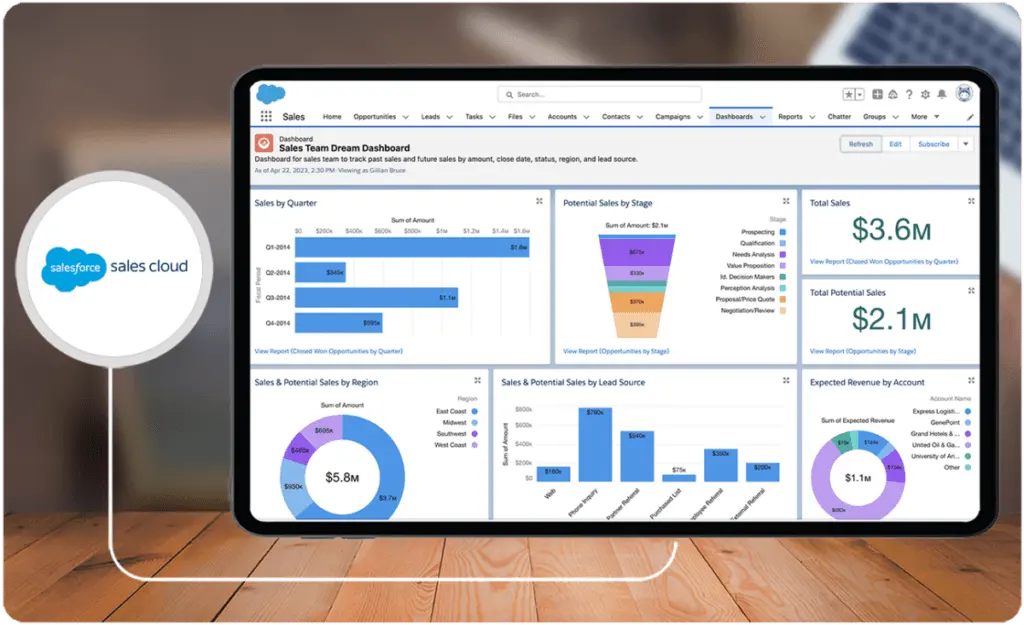
Key Benefits of Salesforce Sales Cloud
Deciding between two CRM platforms - Salesforce Sales Cloud vs Zendesk Sell - can only be made easier by identifying what each product brings to the table. So, our review team at Research.com has first listed the key benefits of Salesforce Sales Cloud. These benefits are:
- Increased Efficiency Due to Workflow Automation. With Salesforce Sales Cloud, you can automate repetitive tasks, such as sending emails, updating records, and assigning leads. Automation increases efficiency, reduces manual effort, and ensures consistency in processes.
- Customization and Flexibility. You can customize the platform to match your specific business processes. Custom fields, layouts, and workflows can be tailored to align with your unique needs and preferences.
- 360-Degree Customer View. Salesforce Sales Cloud gives you a complete view of customer information, history, and interactions. This allows sales teams to better understand customer needs and preferences.
- Better Management Capabilities. Salesforce Sales Cloud offers strong lead and opportunity management features, allowing sales teams to track and manage leads through the entire sales process, including lead scoring, assignment, and opportunity conversion. The platform also helps you manage contacts and accounts efficiently. You can organize and segment contacts, which ensures personalized and targeted communication.
- Ability to Forecast and Predict. Salesforce Sales Cloud includes advanced sales forecasting tools that will help you predict future sales, plan, and better allocate resources. The forecasts are based on historical data and current opportunities. Moreover, the platform incorporates artificial intelligence (AI) capabilities through its Salesforce Einstein. These AI-driven insights help you predict customer behavior, recommend next steps, and identify trends in sales data.
- Integration Capabilities. Salesforce Sales Cloud seamlessly integrates with a vast ecosystem of third-party tools and applications. This includes integrations with marketing automation tools, customer support and customer service software, and finance systems, providing a unified business environment.
- Collaboration and Communication. Salesforce Chatter, a built-in collaboration tool, makes communication and collaboration easy among team members. You can share documents, insights, and updates in real-time.
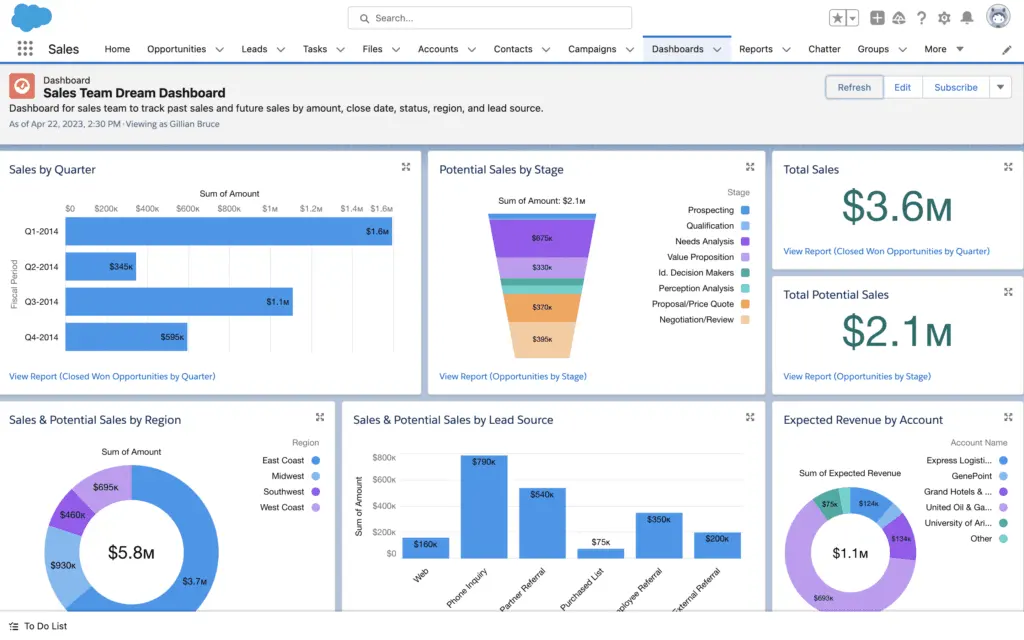
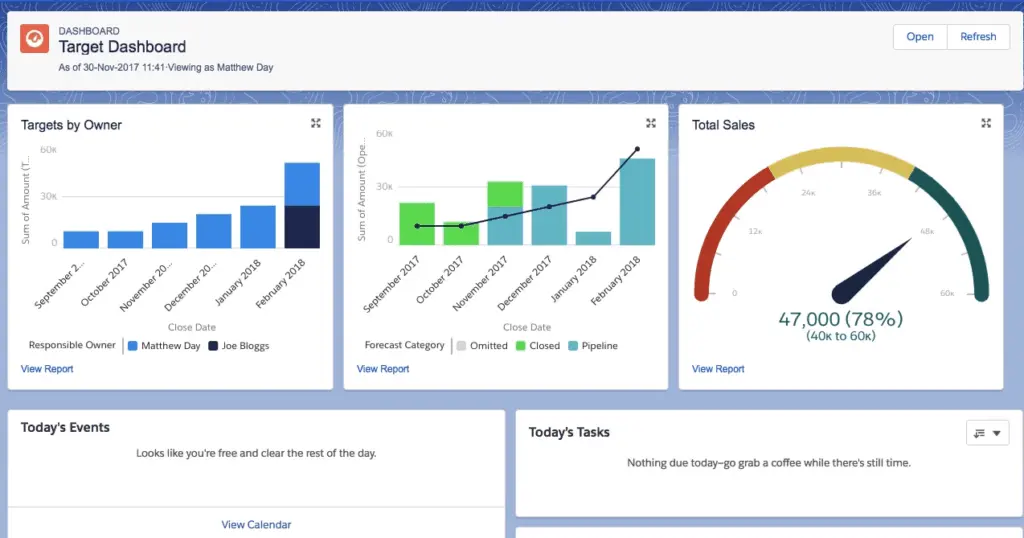
- Better monitoring. Salesforce Sales Cloud offers robust reporting and dashboard features, allowing you to create custom reports and visualizations and, in effect, helping you monitor key performance indicators (KPIs) and gain actionable insights.
- Mobile Accessibility. You can install the platform on mobile apps for iOS and Android devices, which allows you to manage tasks, access customer information, and update records even while on the go. This ability enhances your productivity and responsiveness.
What is Zendesk Sell?
Zendesk Sell is a versatile cloud-based sales CRM platform that enhances customer relationships, improves team productivity, and provides pipeline visibility. It is a user-friendly solution that assists teams in managing and tracking leads, customer interactions, and deals across all communication channels.
The software is part of the Zendesk suite and integrates with other Zendesk products for a powerful and comprehensive business support ecosystem. It boasts scalability, adaptability, strong data capability, ease of use, extensive metrics, and advanced analytics, which are crucial for the ultimate goal of growing your business.
Zendesk is one of the top CRM solutions in the market, so it would be hard to pick between Salesforce Sales Cloud vs Zendesk Sell without knowing more.
Who is Zendesk Sell for?
Zendesk Sell is an excellent CRM platform for small and medium-sized businesses looking for a streamlined way to manage their sales processes, nurture leads, and monitor customer interactions, allowing them to compete with larger companies. With its adaptable functionalities and user-friendly interface, Zendesk Sell accommodates the dynamic requirements of startups, and with its scalability, it expands its functionalities as small businesses grow. At the same time, the platform also has advanced features like reporting and analytics, customized sales objects, and lead scoring for enterprise-level sales teams. Zendesk Sell equips large organizations with the tools and insights to stimulate revenue growth and manage more complex sales processes.
Zendesk Sell is great for companies across various industries. For example, it can help manufacturers manage sales opportunities, order processing, and lead tracking. For retailers, it can assist with customer relationship management, inventory management, and sales performance tracking. It can also help academic institutions with student admissions management and enrollment tracking. If you want something industry-specific, Zendesk Sell alternatives could have options.
Key Benefits of Zendesk Sell
To make this Salesforce Sales Cloud vs Zendesk Sell comparison fair, let’s talk about Zendesk Sell’s key benefits. These are:
- Intuitive Interface and Customization. Zendesk Sell features an intuitive and user-friendly interface that makes it easy for you to navigate the platform. The platform also offers custom fields, workflows, and sales stages to make sure it aligns with your unique sales processes.
- Better Management Capabilities. Zendesk Sell offers robust lead and contact management tools, allowing you to efficiently organize and track leads, contacts, and accounts. And since the platform provides a visual representation of your sales pipeline, you can track deals at different stages. This visual overview helps you effectively prioritize and manage sales opportunities. You can also manage tasks, appointments, and follow-ups to stay organized and ensure that you engage with leads and customers in a timely manner.
- Tracking and Forecasting Capabilities. You can track deals through the entire sales process and leverage forecasting tools to predict future sales based on historical data and current opportunities. The platform also leverages AI to provide insights into your sales performance, customer behavior, and trends to help you prioritize your activities.
- Integration Capabilities. Zendesk Sell integrates with various third-party applications and tools, including email, customer support platforms, and inventory management software. This integration fosters a connected business ecosystem.
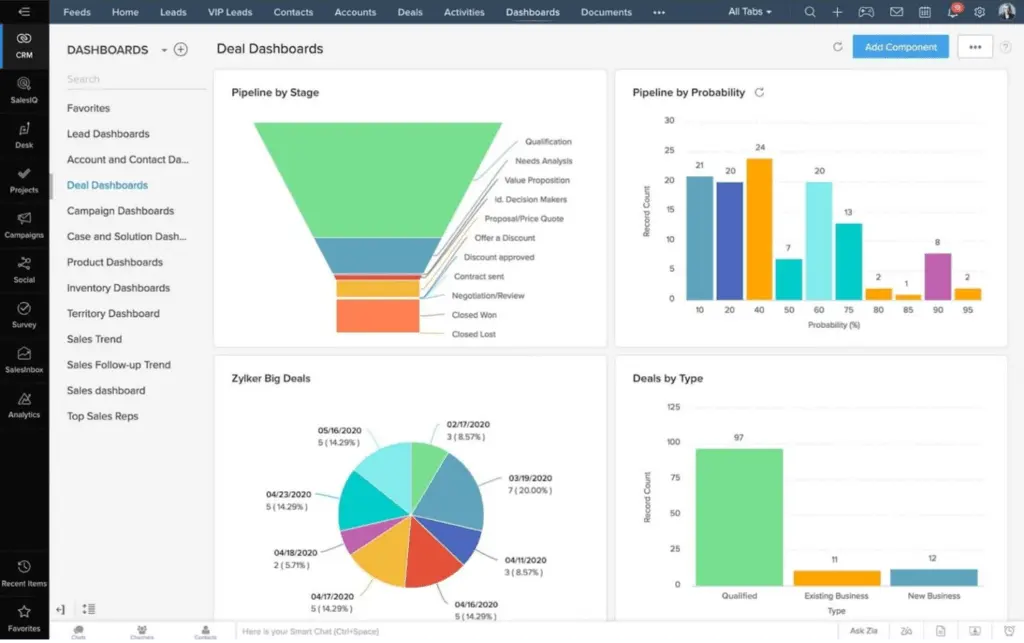
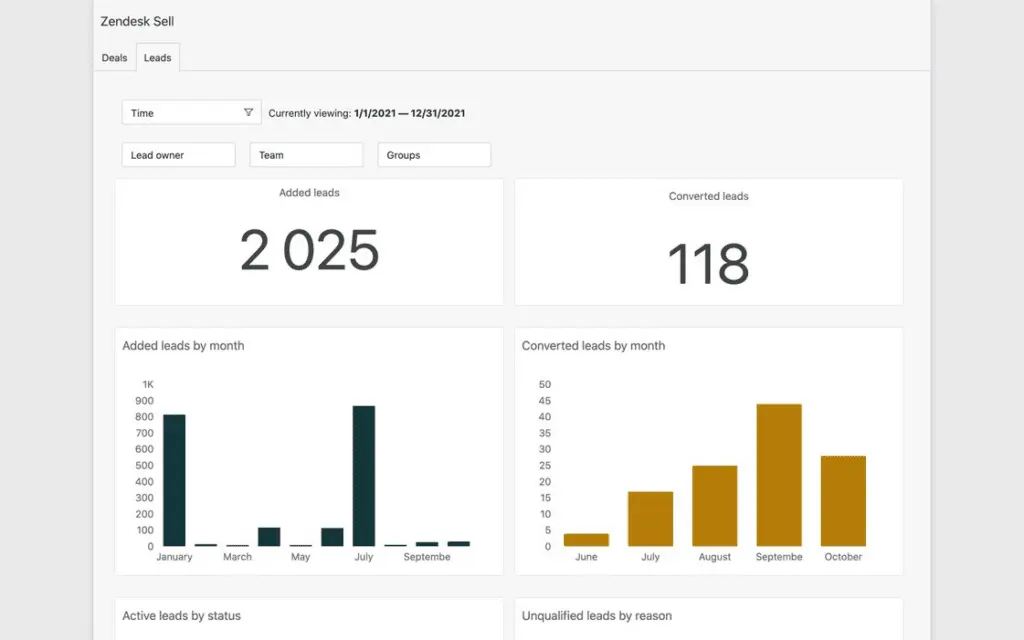
- Better Monitoring via Analytics and Reporting. With Zendesk Sell’s analytics and reporting features, you can generate custom reports and dashboards to help you monitor your team’s performance, identify trends, and make data-driven decisions.
- Sales Collaboration. Zendesk Sell’s collaboration features facilitate communication and teamwork among team members. Sales agents can share notes, insights, and updates to help them work harmoniously together.
- Mobile Accessibility. You can use Zendesk Sell on your mobile devices to manage tasks on the go.
Who are Salesforce Sales Cloud and Zendesk Sell best for?
Comparing Salesforce Sales Cloud vs Zendesk Sell in terms of their key target market helps organizations decide which of the two platforms better meets their needs and expectations.
- Zendesk Sell has a simpler, more intuitive structure and a top-notch user experience that makes it easy to onboard and use. Salesforce Sales Cloud's structure is more complicated and may require more involvement from development teams.
- Zendesk Sell is best for small to medium-sized businesses that need a straightforward CRM solution. Salesforce Sales Cloud features a broader range of business cloud products for scaling enterprises with more complex and comprehensive CRM needs.
- Salesforce Sales Cloud is designed for sales automation, making it an excellent choice for industries that value efficient lead management, sales forecasting, and opportunity tracking. This includes financial services, manufacturing, and real estate companies.
- Salesforce Sales Cloud's robust solutions are tailored to compliance, patient management, and healthcare analytics, so it suits pharmaceutical companies, healthcare providers, and other healthcare and life sciences organizations.
- Salesforce Sales Cloud can be customized to manage projects, client relationships, and sales pipelines, making it suitable for organizations that provide professional services like consulting firms and legal services companies.
- Salesforce Sales Cloud is great for organizations in the manufacturing and distribution business as it can assist in managing complex sales processes, customer interactions, and supply chain relationships. The platform also benefits companies in marketing-intensive industries as it can integrate seamlessly with Salesforce Marketing Cloud.
- Zendesk Sell's strength lies in its customer support and service solution, so it is great for customer support and service-centric industries — such as retail, e-commerce, hospitality, telecommunications, IT, and technology services — where managing tickets, inquiries, and support interactions are important.
- Zendesk Sell's user-friendly and adaptable features can benefit organizations with diverse user bases, including nonprofits and educational institutions.
Salesforce Sales Cloud vs Zendesk Sell Feature Comparison
The core of this Salesforce Sales Cloud vs Zendesk Sell comparison is to differentiate their features and offerings. So, let's compare and contrast their offerings in major CRM areas:
Lead, Contact, and Task Management
Which is more preferable between Salesforce Sales Cloud vs Zendesk Sell, in terms of lead, contact, and task management? It depends on your needs and priorities. While both Salesforce Sales Cloud and Zendesk Sell provide sales features like contact management, lead management, and email tracking, they have different approaches.
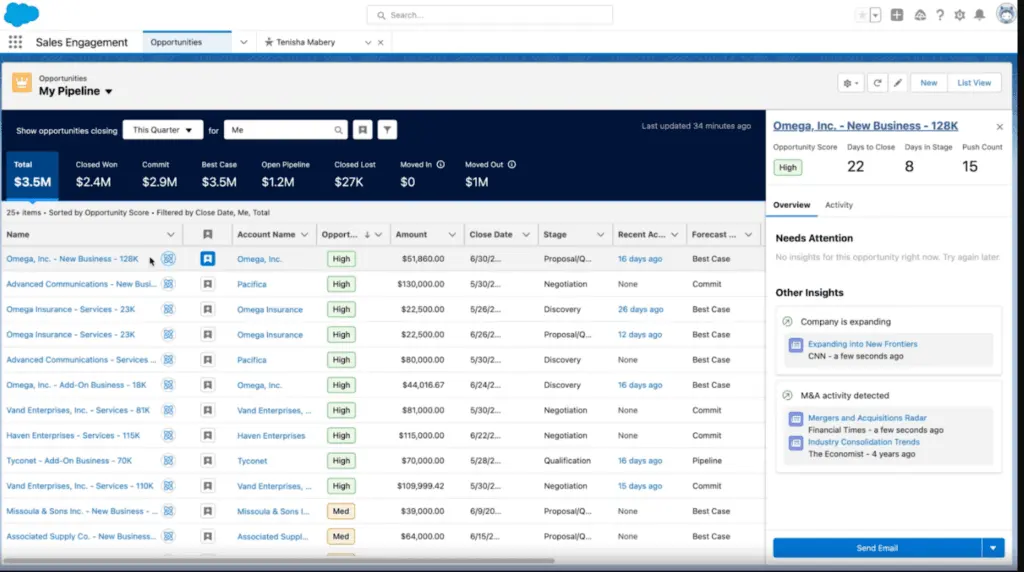
Salesforce Sales Cloud has more advanced features that give a complete overview of customers and leads, including lead capture, lead qualification, lead assignment, account and relationship management, comprehensive contact profiles, and task automation.
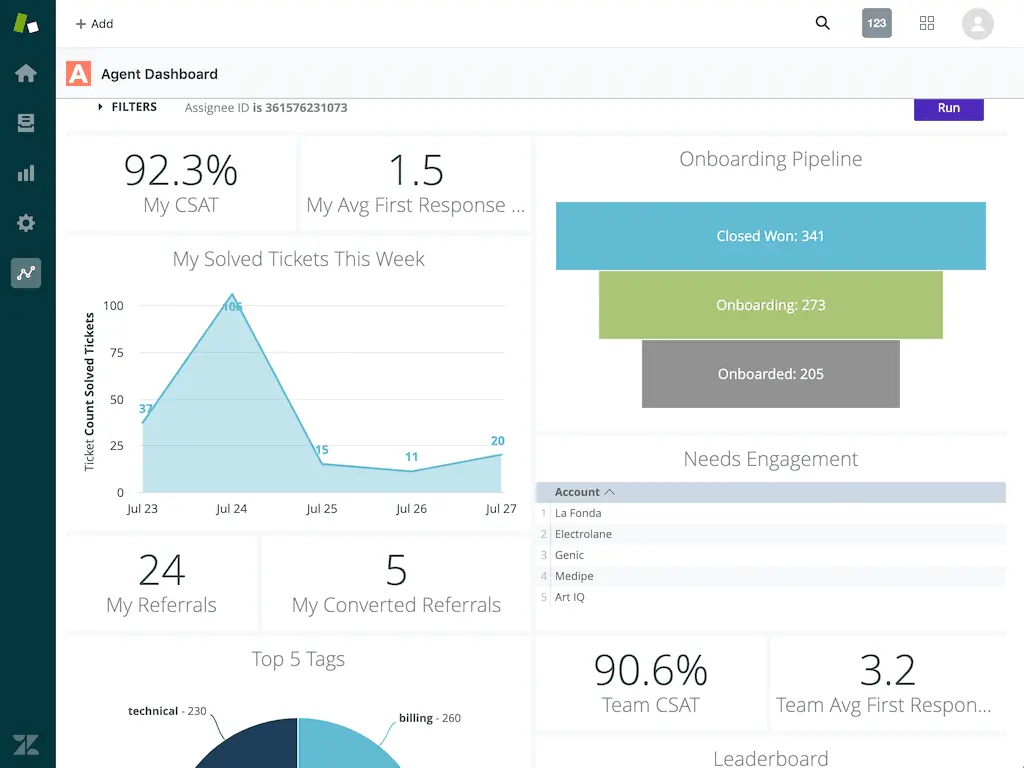
Meanwhile, Zendesk Sell has a more straightforward, more intuitive structure and a top-notch user experience that makes it quick to onboard and easy to use. It has features like lead tracking, lead scoring, unified contact profiles, and task automation.
Analytics and Reporting
Your choice between Salesforce Sales Cloud vs Zendesk Sell in terms of analytics and reporting is also a matter of preference.
Salesforce Sales Cloud is known for its extensive and highly customizable analytics capabilities. It is suitable for enterprises with complex reporting needs, advanced predictive analytics, and integration with AI-powered tools. It also integrates with Salesforce Einstein Analytics, powered by artificial intelligence, and provides predictive analytics and insights to help you identify trends.
Zendesk Sell, on the other hand, provides a user-friendly and accessible approach to analytics, making it suitable for smaller businesses or those prioritizing basic and simple reporting functionality. It offers a range of pre-built reports and users can create custom reports based on their specific reporting needs.
Collaboration and Communication
How do Salesforce Sales Cloud vs Zendesk Sell compare in terms of collaboration and communication features?
Salesforce Sales Cloud and Zendesk Sell both emphasize collaboration and communication features to enhance teamwork within teams.
Salesforce Sales Cloud, with its Chatter platform, provides a comprehensive collaboration space, fostering real-time communication and teamwork. Salesforce may be more suitable for larger enterprises with complex collaboration needs and a desire for an integrated communication platform.
Zendesk Sell, meanwhile, offers a user-friendly collaboration environment. Zendesk Sell may be a more accessible choice for smaller businesses and teams that prefer a simpler approach to communication within the platform and prioritize straightforward collaboration tools without extensive customization.
Integration Capabilities
Which is better between Salesforce Sales Cloud vs Zendesk Sell, when it comes to integration capabilities?
Salesforce Sales Cloud has a vast ecosystem called the Salesforce AppExchange, which offers a wide range of third-party integrations and applications. This includes integrations for marketing, analytics, finance, and other areas. It also seamlessly integrates with other Salesforce products, such as Salesforce Marketing Cloud, Service Cloud, and Commerce Cloud, providing a unified experience across different business functions. It also offers pre-built integrations with popular tools, such as Microsoft Outlook, Gmail, and various marketing automation and workforce management applications. This simplifies the process of connecting Salesforce with commonly used business tools.
Zendesk Sell, meanwhile, is part of the broader Zendesk Suite, which includes other products like Zendesk Support and Zendesk Chat. This integration ensures a unified customer service and sales experience. The platform also offers built-in integrations with various tools and applications commonly used in sales processes, such as Google Workspace, Mailchimp, and Zapier.
Both provide API access and enable businesses to create custom integrations with their preferred apps or connect with their in-house systems.
Automation Features
Let's compare Salesforce Sales Cloud vs Zendesk Sell in terms of automation features.
To streamline sales processes, increase efficiency, and reduce manual work, Salesforce Sales Cloud offers workflow automation capabilities, which allows you to create automated rules and processes for lead assignment, field updates, and task creation. It also has Process Builder, enabling you to create automated workflows using a visual interface and support complex processes with multiple steps and conditions. It incorporates AI through Sales Cloud Einstein, which offers predictive analytics, lead scoring, and automated insights. You can also take advantage of email automation and approval process automation tools.
Zendesk Sell, on the other hand, offers task automation and allows you to automate routine activities like task creation, assignment, and notifications. It also has workflow automation, allowing you to create workflows for lead and deal management and automate actions based on specific conditions and triggers. You can take advantage of sales automation for your sales processes and pipeline automation to automate deal updates and progression based on predefined criteria. And, like Salesforce, it has email automation, too.
What security and compliance features do Salesforce Sales Cloud and Zendesk Sell offer?
Both Salesforce Sales Cloud and Zendesk Sell prioritize data security and compliance, which is essential for organizations handling sensitive customer information. Here are some key security and compliance features:
- Salesforce Sales Cloud:
- Data Encryption: Offers encryption for data at rest and in transit, ensuring data protection across all points of access.
- Role-Based Access Control: Enables administrators to set role-based permissions, limiting data access according to user roles and responsibilities.
- Compliance Certifications: Salesforce meets global compliance standards, including GDPR, HIPAA, SOC 2, and ISO 27001, making it suitable for highly regulated industries.
- Audit Trail: Maintains a comprehensive audit trail, tracking data changes and access history for better accountability.
- Zendesk Sell:
- Data Security Protocols: Provides data encryption and secure access protocols, including multi-factor authentication.
- GDPR Compliance: Zendesk Sell supports GDPR compliance, with features to manage and secure customer data according to regulatory requirements.
- Access Control Options: Allows configurable access controls, helping businesses manage permissions based on user roles.
Salesforce Sales Cloud vs Zendesk Sell Pricing
A Salesforce Sales Cloud vs Zendesk Sell pricing comparison will help you determine which of the two platforms is right for you in terms of budget. Both solutions offer tiered pricing plans, but it's clear which one has more affordable offerings.
Salesforce Sales Cloud Pricing
- Essentials Plan: $25 per user per month, offering basic CRM features for small sales teams
- Professional Plan: $80 per user per month, offering complete CRM features for any size team
- Enterprise Plan: $165 per user per month, offering advanced customization and CRM features, including analytics and API
- Unlimited Plan: $330 per user per month, offering comprehensive CRM features with maximum support, AI, and customization.
- Unlimited Plus Plan: $500, offering the best of Salesforce Sales, with performance management, team collaboration with Slack, connection to external data with Data Cloud, and revenue intelligence
Zendesk Sell Pricing
- Sell Team: Priced at $19 per agent per month, this plan is designed for smaller teams, offering basic CRM functionalities.
- Sell Growth: At $55 per agent per month, this plan targets growing businesses needing more advanced features.
- Sell Professional: For $115 per agent per month, it provides comprehensive tools for larger sales teams.
- Sell Enterprise: Starting at $169 per agent per month, this plan offers extensive customization and unlimited pipelines for large enterprises
How to choose the right CRM based on business needs?
Determining whether Salesforce Sales Cloud or Zendesk Sell is the right fit for your business ultimately depends on aligning their capabilities with your organizational needs and strategic goals. Here are the key factors to consider:
Business Scale and Complexity
Salesforce Sales Cloud offers highly advanced and customizable features, making it more suitable for large enterprises with complex sales processes and demands. These include comprehensive analytics, AI-powered insights, and extensive integration capabilities, catering to industries such as finance, healthcare, and technology. Smaller organizations, on the other hand, may find Zendesk Sell better aligned with their needs due to its simplicity, ease of onboarding, and affordability. Zendesk Sell thrives in scaling small and medium-sized businesses without overburdening them with unnecessary features.
Feature Requirements
The choice of CRM depends on whether your business prioritizes advanced reporting and predictive analytics or straightforward and accessible CRM tools. Salesforce Sales Cloud excels with its sophisticated reporting capabilities and integration with tools like Salesforce Einstein Analytics. If your requirements lean toward simplified sales workflows and core functionalities without extensive customization, Zendesk Sell provides a streamlined option.
Budget Considerations
Affordability is critical for businesses evaluating CRM solutions. Salesforce Sales Cloud's tiered pricing caters to enterprises seeking a comprehensive tool that justifies its higher-level plans with robust functionalities. However, for cost-conscious businesses, Zendesk Sell offers a more economical alternative, providing excellent value with its competitive pricing structure.
Industry-Specific Needs
Some industries require specialized features beyond traditional CRM functionalities. For example, organizations looking to enhance their procurement workflows and vendor relationships might benefit from exploring solutions outside the CRM domain like procurement software, designed to optimize purchasing and supplier management processes.
Scalability and Flexibility
Salesforce’s scalability makes it ideal for businesses with plans for rapid growth, enabling seamless adaptation as operations expand. Zendesk Sell, with its user-friendly design and simplified functionality, is a better match for startups in their formative stages or businesses that focus on straightforward workflows.
By carefully assessing these aspects, you can ensure that the CRM you choose adds measurable value to your organization, driving productivity, improving customer relationships, and enabling long-term growth.
What Are the Common Implementation Challenges and Considerations?
CRM deployment requires keen attention to integration, user adoption, and change management. Organizations often face challenges when aligning the new system with existing processes and legacy software, which can delay implementation and disrupt workflows. Careful planning is essential to address data migration complexities, ensure proper training, and manage resistance to change. Additionally, coordinating cross-departmental efforts and establishing clear communication channels can mitigate risks during the transition phase. In some cases, supplementing the CRM with an employee monitoring tool may provide valuable insights into workflow efficiency and system usage during the critical initial stages.
Salesforce Sales Cloud Pros and Cons
No Salesforce Sales Cloud vs Zendesk Sell comparison is complete without comparing their strengths and limitations. So, here's a brief summary of Salesforce Sales Cloud's pros and cons:
Salesforce Sales Cloud Pros
- Salesforce Sales Cloud offers the ability to integrate with external third-party applications
- A comprehensive set of tools is available for sales and management
- Its extensive customization options are available to fit specific business needs
- Its comprehensive analytics and reporting capabilities help with data-driven decision-making
- Scalable solutions ensure that the platform grows with your business
- A wide range of integration options makes it easy to use the platform with other software and applications
- Advanced features help with sales management and forecasting
Salesforce Sales Cloud Cons
- Salesforce can be complex and overwhelming for users without prior CRM experience and for smaller businesses
- It requires a certain level of training to fully leverage its extensive features
- It has higher pricing than other CRM solutions, and this could be a constraint for small businesses
Zendesk Sell Pros and Cons
To round off this portion of our Salesforce Sales Cloud vs Zendesk Sell comparison, here are the strengths and limitations of Zendesk Sell:
Zendesk Sell Pros
- Zendesk Sell has a user-friendly and intuitive interface, which makes it a great solution even for inexperienced users.
- It assists organizations in storing and managing contact information, tracking customer interactions, and creating focused marketing efforts.
- Its several reports and analytics tools help firms track their sales success and discover areas for improvement.
- It helps with the efficient handling of leads.
- It offers excellent oversight of the sales pipeline.
- It integrates well with other systems, which enhances its utility.
- Although basic, it provides a clean layout and multiple views.
Zendesk Sell Cons
- Some users may initially find a bit of a learning curve.
- Advanced functionalities come at a higher price point and the cost of add-on features can add up quickly.
- Users must rely on external marketing automation tools.
- There have been difficulties in contacting customer support.
- There have been reported issues with account management
- It has limited business intelligence tools for larger businesses.
Verdict – Salesforce Sales Cloud vs Zendesk Sell: Which software is better?
This Salesforce Sales Cloud vs Zendesk Sell comparison shows that both CRM platforms may offer similar general features and functionalities, but these differ in scope and their distinct approaches. Each platform has its own unique strengths and its own limitations, which allow them to cater to different business needs and preferences.
Salesforce Sales Cloud has a more in-depth approach to analytics and reporting, requires more customization and setup time, and is more comprehensive in its offerings. Zendesk Sell is more affordable, has a simpler and more intuitive structure, and is easier to use and quicker to onboard.
Based on user reviews and ratings, Salesforce Sales Cloud has earned an overall rating of 4.3 out of 5. Zendesk Sell, on the other hand, has garnered an overall rating of 4.2.
Key Insights
- Versatile CRM Solutions: Both Salesforce Sales Cloud and Zendesk Sell offer robust CRM capabilities tailored for different business sizes and industries. Salesforce Sales Cloud is designed for large enterprises with complex CRM needs, while Zendesk Sell caters to small and medium-sized businesses seeking straightforward and intuitive CRM solutions.
- Customization and Integration: Salesforce Sales Cloud provides extensive customization and integration options, supporting a wide range of third-party tools and applications through its Salesforce AppExchange. Zendesk Sell also offers integrations, particularly with other Zendesk products, but focuses on simplicity and ease of use.
- Advanced Analytics and AI: Salesforce Sales Cloud excels in advanced analytics and AI-driven insights through Salesforce Einstein, offering predictive analytics and data-driven decision-making tools. Zendesk Sell provides user-friendly reporting and analytics, suitable for businesses with basic reporting needs.
- Automation Features: Both platforms offer robust automation features. Salesforce Sales Cloud includes workflow automation, Process Builder, and AI-driven insights, while Zendesk Sell focuses on task automation and sales process automation to enhance efficiency.
- Mobile Accessibility: Both Salesforce Sales Cloud and Zendesk Sell offer mobile accessibility, allowing users to manage tasks, access customer information, and update records on the go, enhancing productivity and responsiveness.
- Pricing and Scalability: Salesforce Sales Cloud has a higher pricing tier but offers extensive features suitable for large enterprises. Zendesk Sell provides more affordable options, making it accessible for smaller businesses while still offering scalability for growth.
- User Experience: Zendesk Sell is praised for its intuitive and user-friendly interface, making it easy for users to onboard and navigate. Salesforce Sales Cloud, while powerful, may require more training and experience due to its extensive features and complexity.
Other Things You Should Know About Salesforce Sales Cloud – Zendesk Sell Comparison
Zendesk is better for small to medium-sized businesses that prioritize straightforwardness, simplicity, ease of use, and affordability. Salesforce Sales Cloud is better for large enterprises that need advanced and comprehensive CRM features.
Salesforce is a software provider specializing in various customer relationship management (CRM) solutions, customer service, marketing automation, analytics, application development, and e-commerce platforms. Sales Cloud is one of Salesforce's products, specifically a CRM solution designed to enhance sales processes and productivity.
Salesforce Sales Cloud offers numerous benefits, including enhanced sales productivity, customization, scalability, robust lead management capabilities, integration with various third-party applications, mobile accessibility, and comprehensive analytics and reporting.
Zendesk Sell is a user-friendly cloud-based CRM tool that helps sales, marketing, and support teams collaborate on lead and customer management, close deals efficiently, and enhance customer relationships. It provides a streamlined and intuitive interface with essential CRM features tailored for small to medium-sized businesses.
Salesforce Sales Cloud offers advanced lead and contact management features, including lead capture, lead qualification, lead assignment, account and relationship management, comprehensive contact profiles, and task automation. Zendesk Sell provides a more straightforward approach with features like lead tracking, lead scoring, unified contact profiles, and task automation.
Salesforce Sales Cloud includes Chatter, a comprehensive collaboration platform that facilitates real-time communication and teamwork. Zendesk Sell offers a user-friendly collaboration environment, enabling team members to share notes, insights, and updates within the platform.
Salesforce Sales Cloud offers extensive automation features, including workflow automation, Process Builder, AI-driven insights, email automation, and approval process automation. Zendesk Sell focuses on task automation, workflow automation for lead and deal management, sales process automation, and pipeline automation.
Salesforce Sales Cloud integrates with a wide range of third-party applications through Salesforce AppExchange, as well as other Salesforce products like Marketing Cloud, Service Cloud, and Commerce Cloud. Zendesk Sell integrates with other Zendesk products and commonly used sales tools like Google Workspace, Mailchimp, and Zapier.
Salesforce Sales Cloud offers tiered pricing plans starting from $25 per user per month to $500 per user per month, catering to different business needs and budgets. Zendesk Sell provides more affordable options, with pricing plans ranging from $19 per agent per month to $169 per agent per month, suitable for smaller businesses and growing teams.
Salesforce Sales Cloud is ideal for industries with complex sales processes and CRM needs, such as financial services, manufacturing, real estate, healthcare, and professional services. Zendesk Sell is suitable for customer support and service-centric industries like retail, e-commerce, hospitality, telecommunications, IT, and technology services, as well as small to medium-sized businesses across various sectors.