
Dynamics 365 Sales vs SAP Sales Cloud – 2026 Comparison

Co-Founder and Chief Data Scientist
Dynamics 365 Sales vs SAP Sales Cloud Comparison Table of Contents
- What is Dynamics 365 Sales?
- Who is Dynamics 365 Sales For?
- Key Benefits of Dynamics 365 Sales
- What is SAP Sales Cloud?
- Who is SAP Sales Cloud For?
- Key Benefits of SAP Sales Cloud
- Who are Dynamics 365 Sales and SAP Sales Cloud Best For?
- Dynamics 365 Sales vs SAP Sales Cloud Feature Comparison
- Integration Capabilities of Dynamics 365 Sales and SAP Sales Cloud
- How do these platforms ensure data security and compliance?
- SAP Sales Cloud Pros and Cons
- How do Dynamics 365 Sales and SAP Sales Cloud support mobile sales teams?
- Verdict – Dynamics 365 Sales vs SAP Sales Cloud: Which is better?
What is Dynamics 365 Sales?
Dynamics 365 Sales is a CRM platform designed for enterprises looking for a solution to elevate sales performance, build better relationships, and boost representative productivity. It uses built-in intelligence for adaptive guidance, shortens sales cycles, identifies priorities through AI-driven insights, and integrates with various communication channels for effective selling.
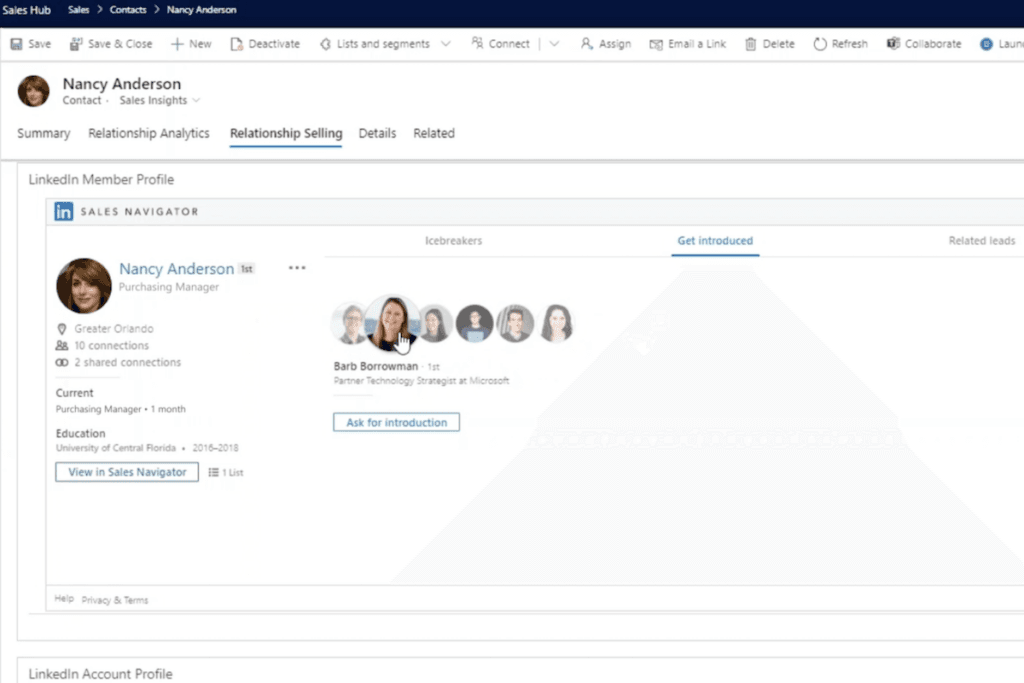
Additionally, Dynamics 365 Sales facilitates relationship-building by harnessing insights from platforms like LinkedIn and identifying new buyers. It also enables representatives to tailor strategies according to customer preferences by sourcing their perspectives through surveys. Collaborative features, both within the platform and through Microsoft Teams integration, enhance teamwork and communication, fostering a productive sales environment.
Featured Sales Software Products

$69 per month
Demo available
Online ordering, delivery management, inventory tracking
Editor's Take
Toast is an all-in-one point of sale (POS) and restaurant management platform designed specifically for the foodservice industry. It offers a comprehensive suite of tools to help restaurants streamline operations, from order taking and payment processing to inventory management, staff scheduling, and customer engagement. Toast’s cloud-based platform supports both front-of-house and back-of-house operations, making it easy for restaurant owners to manage everything from one central system.
Key features include customizable POS hardware, online ordering, delivery management, inventory tracking, and real-time reporting and analytics. Toast also offers tools for loyalty programs, marketing, and customer feedback, helping restaurants build stronger relationships with their customers. The platform integrates seamlessly with third-party delivery services and accounting software, enhancing efficiency and profitability.
For restaurants looking to improve operational efficiency, enhance customer experiences, and grow their business, Toast provides an intuitive, all-in-one solution tailored to the unique needs of the foodservice industry.
Expert Score
In evaluating SaaS software, a comprehensive and structured methodology ensures a fair and accurate comparison across key metrics. This approach focuses on the most critical aspects that affect user experience, functionality, and business value. The following metrics—general features, cost, customer service, integrations, and mobile support—are evaluated to provide a holistic view of each software solution’s strengths and weaknesses. These metrics are selected based on their direct impact on software usability, scalability, and long-term effectiveness for businesses.
1. General Features - scoring weight 40%
This metric evaluates the core functionalities and tools the software offers. It involves assessing the comprehensiveness of the features, their relevance to the target users, and the ease of use. This is important because robust and well-designed features determine the software’s overall utility and efficiency in solving user problems.
2. Cost - scoring weight 15%
Cost analysis focuses on pricing models, value for money, and scalability. It’s crucial to evaluate whether the software’s features justify its price, considering different plans for small and large organizations. This is vital for businesses to ensure they invest in cost-effective solutions that fit their budget.
3. Customer Service - scoring weight 15%
This evaluates the responsiveness, quality, and availability of customer support, including channels like chat, email, or phone. Good customer service is essential for troubleshooting and ensuring smooth software usage, which reduces downtime and frustration for users.
4. Integrations - scoring weight 15%
This examines how well the software integrates with third-party tools (e.g., CRM, payment systems, collaboration apps). Seamless integrations are key for creating a unified workflow and enhancing productivity by connecting multiple systems, which is crucial for operational efficiency.
5. Mobile Support - scoring weight 15%
Mobile support assesses the software’s functionality and performance on mobile devices, including apps and mobile web versions. With increasing remote work and on-the-go usage, strong mobile support is critical to ensure users can access and utilize the software effectively, regardless of location.

$8/per user/per month
Yes
customizable dashboards, automated follow-ups, advanced analytics
Editor's Take
monday.com Sales CRM is a customizable platform designed to streamline sales processes, enhance team collaboration, and improve pipeline visibility. Its intuitive interface enables users to manage leads, track deals, and automate repetitive tasks with ease. The CRM integrates seamlessly with popular tools like Gmail, Slack, and HubSpot, ensuring a centralized workflow. Features like customizable dashboards, automated follow-ups, and advanced analytics help sales teams stay organized and focused on closing deals. With scalability in mind, monday.com caters to businesses of all sizes, offering flexible pricing plans and robust customer support. It’s an excellent choice for teams seeking efficiency and adaptability.
Expert Score
In evaluating SaaS software, a comprehensive and structured methodology ensures a fair and accurate comparison across key metrics. This approach focuses on the most critical aspects that affect user experience, functionality, and business value. The following metrics—general features, cost, customer service, integrations, and mobile support—are evaluated to provide a holistic view of each software solution’s strengths and weaknesses. These metrics are selected based on their direct impact on software usability, scalability, and long-term effectiveness for businesses.
1. General Features - scoring weight 40%
This metric evaluates the core functionalities and tools the software offers. It involves assessing the comprehensiveness of the features, their relevance to the target users, and the ease of use. This is important because robust and well-designed features determine the software’s overall utility and efficiency in solving user problems.
2. Cost - scoring weight 15%
Cost analysis focuses on pricing models, value for money, and scalability. It’s crucial to evaluate whether the software’s features justify its price, considering different plans for small and large organizations. This is vital for businesses to ensure they invest in cost-effective solutions that fit their budget.
3. Customer Service - scoring weight 15%
This evaluates the responsiveness, quality, and availability of customer support, including channels like chat, email, or phone. Good customer service is essential for troubleshooting and ensuring smooth software usage, which reduces downtime and frustration for users.
4. Integrations - scoring weight 15%
This examines how well the software integrates with third-party tools (e.g., CRM, payment systems, collaboration apps). Seamless integrations are key for creating a unified workflow and enhancing productivity by connecting multiple systems, which is crucial for operational efficiency.
5. Mobile Support - scoring weight 15%
Mobile support assesses the software’s functionality and performance on mobile devices, including apps and mobile web versions. With increasing remote work and on-the-go usage, strong mobile support is critical to ensure users can access and utilize the software effectively, regardless of location.

$9 to $150 per user per month
Yes, for up to two users
E-signature software, call transcription, conversation routing
Editor's Take
Expert Score
In evaluating SaaS software, a comprehensive and structured methodology ensures a fair and accurate comparison across key metrics. This approach focuses on the most critical aspects that affect user experience, functionality, and business value. The following metrics—general features, cost, customer service, integrations, and mobile support—are evaluated to provide a holistic view of each software solution’s strengths and weaknesses. These metrics are selected based on their direct impact on software usability, scalability, and long-term effectiveness for businesses.
1. General Features - scoring weight 40%
This metric evaluates the core functionalities and tools the software offers. It involves assessing the comprehensiveness of the features, their relevance to the target users, and the ease of use. This is important because robust and well-designed features determine the software’s overall utility and efficiency in solving user problems.
2. Cost - scoring weight 15%
Cost analysis focuses on pricing models, value for money, and scalability. It’s crucial to evaluate whether the software’s features justify its price, considering different plans for small and large organizations. This is vital for businesses to ensure they invest in cost-effective solutions that fit their budget.
3. Customer Service - scoring weight 15%
This evaluates the responsiveness, quality, and availability of customer support, including channels like chat, email, or phone. Good customer service is essential for troubleshooting and ensuring smooth software usage, which reduces downtime and frustration for users.
4. Integrations - scoring weight 15%
This examines how well the software integrates with third-party tools (e.g., CRM, payment systems, collaboration apps). Seamless integrations are key for creating a unified workflow and enhancing productivity by connecting multiple systems, which is crucial for operational efficiency.
5. Mobile Support - scoring weight 15%
Mobile support assesses the software’s functionality and performance on mobile devices, including apps and mobile web versions. With increasing remote work and on-the-go usage, strong mobile support is critical to ensure users can access and utilize the software effectively, regardless of location.

$7 per user per month billed annually
15 days
lead generation, sales pipeline management, workflow automation
Editor's Take
Zoho CRM is a flexible and comprehensive customer relationship management platform designed to help businesses manage and grow their customer relationships effectively. With tools for lead generation, sales pipeline management, workflow automation, and analytics, Zoho CRM is suitable for businesses of all sizes across a variety of industries.
Zoho CRM enables teams to streamline sales processes by capturing leads from multiple channels, tracking interactions, and managing every stage of the sales cycle. The platform offers customizable dashboards and reports, providing insights into sales performance and customer behaviors to help make data-driven decisions. With powerful automation features, Zoho CRM allows businesses to set up workflows for routine tasks like follow-ups, lead scoring, and email notifications, reducing manual work and enhancing productivity. The platform integrates with popular tools, including the Zoho suite, Microsoft 365, and G Suite, enabling a seamless connection across teams.
For businesses aiming to improve customer engagement, close deals faster, and enhance team collaboration, Zoho CRM delivers a scalable, user-friendly solution to drive sales and customer satisfaction.
Expert Score
In evaluating SaaS software, a comprehensive and structured methodology ensures a fair and accurate comparison across key metrics. This approach focuses on the most critical aspects that affect user experience, functionality, and business value. The following metrics—general features, cost, customer service, integrations, and mobile support—are evaluated to provide a holistic view of each software solution’s strengths and weaknesses. These metrics are selected based on their direct impact on software usability, scalability, and long-term effectiveness for businesses.
1. General Features - scoring weight 40%
This metric evaluates the core functionalities and tools the software offers. It involves assessing the comprehensiveness of the features, their relevance to the target users, and the ease of use. This is important because robust and well-designed features determine the software's overall utility and efficiency in solving user problems.
2. Cost - scoring weight 15%
Cost analysis focuses on pricing models, value for money, and scalability. It's crucial to evaluate whether the software’s features justify its price, considering different plans for small and large organizations. This is vital for businesses to ensure they invest in cost-effective solutions that fit their budget.
3. Customer Service - scoring weight 15%
This evaluates the responsiveness, quality, and availability of customer support, including channels like chat, email, or phone. Good customer service is essential for troubleshooting and ensuring smooth software usage, which reduces downtime and frustration for users.
4. Integrations - scoring weight 15%
This examines how well the software integrates with third-party tools (e.g., CRM, payment systems, collaboration apps). Seamless integrations are key for creating a unified workflow and enhancing productivity by connecting multiple systems, which is crucial for operational efficiency.
5. Mobile Support - scoring weight 15%
Mobile support assesses the software’s functionality and performance on mobile devices, including apps and mobile web versions. With increasing remote work and on-the-go usage, strong mobile support is critical to ensure users can access and utilize the software effectively, regardless of location.

$7/user/month
15 days
Pipeline Management, Email Integration, Task Tracking
Editor's Take
Bigin is a lightweight CRM by Zoho, tailored for small businesses and startups to manage sales pipelines efficiently. It provides tools for deal tracking, email integration, and task management, ensuring a simple yet effective approach to sales. The platform offers customizable pipelines, real-time notifications, and seamless integrations with other Zoho apps. Its user-friendly design makes it accessible for teams with minimal CRM experience, helping them streamline sales processes without complexity.
Expert Score
In evaluating SaaS software, a comprehensive and structured methodology ensures a fair and accurate comparison across key metrics. This approach focuses on the most critical aspects that affect user experience, functionality, and business value. The following metrics—general features, cost, customer service, integrations, and mobile support—are evaluated to provide a holistic view of each software solution’s strengths and weaknesses. These metrics are selected based on their direct impact on software usability, scalability, and long-term effectiveness for businesses.
1. General Features - scoring weight 40%
This metric evaluates the core functionalities and tools the software offers. It involves assessing the comprehensiveness of the features, their relevance to the target users, and the ease of use. This is important because robust and well-designed features determine the software's overall utility and efficiency in solving user problems.
2. Cost - scoring weight 15%
Cost analysis focuses on pricing models, value for money, and scalability. It's crucial to evaluate whether the software’s features justify its price, considering different plans for small and large organizations. This is vital for businesses to ensure they invest in cost-effective solutions that fit their budget.
3. Customer Service - scoring weight 15%
This evaluates the responsiveness, quality, and availability of customer support, including channels like chat, email, or phone. Good customer service is essential for troubleshooting and ensuring smooth software usage, which reduces downtime and frustration for users.
4. Integrations - scoring weight 15%
This examines how well the software integrates with third-party tools (e.g., CRM, payment systems, collaboration apps). Seamless integrations are key for creating a unified workflow and enhancing productivity by connecting multiple systems, which is crucial for operational efficiency.
5. Mobile Support - scoring weight 15%
Mobile support assesses the software’s functionality and performance on mobile devices, including apps and mobile web versions. With increasing remote work and on-the-go usage, strong mobile support is critical to ensure users can access and utilize the software effectively, regardless of location.
Who is Dynamics 365 Sales For?
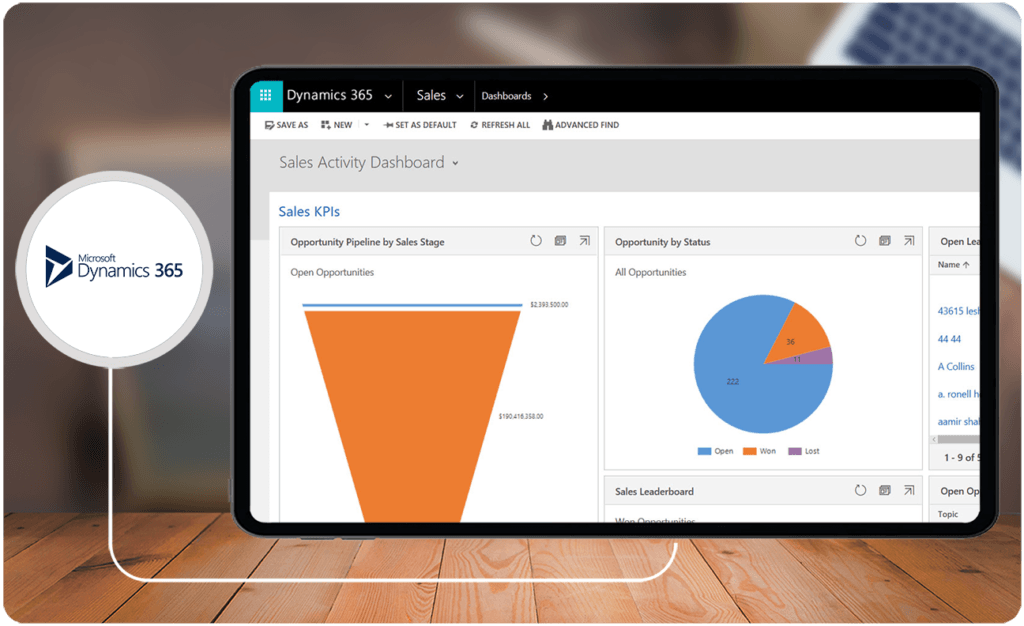
Microsoft's Dynamics 365 Sales is a versatile solution that can cater to different users in various industries. Overall, the platform is well-suited for medium to large enterprises with its advanced sales, CRM, and marketing features. Sales leaders and high-performing teams can leverage Dynamics 365 Sales to prioritize and manage their sales pipelines, engage customers effectively, and collaborate with team members. Small teams and individual sellers may also find this platform beneficial, though keep in mind that its advanced features may present a significantly steep learning curve.
Key Benefits of Dynamics 365 Sales
To further evaluate Dynamics 365 Sales, our review team has identified the key benefits of the platform based on experience, user reviews, and other relevant and credible data to establish further context into the Dynamics 365 vs SAP comparison. Here are the details:
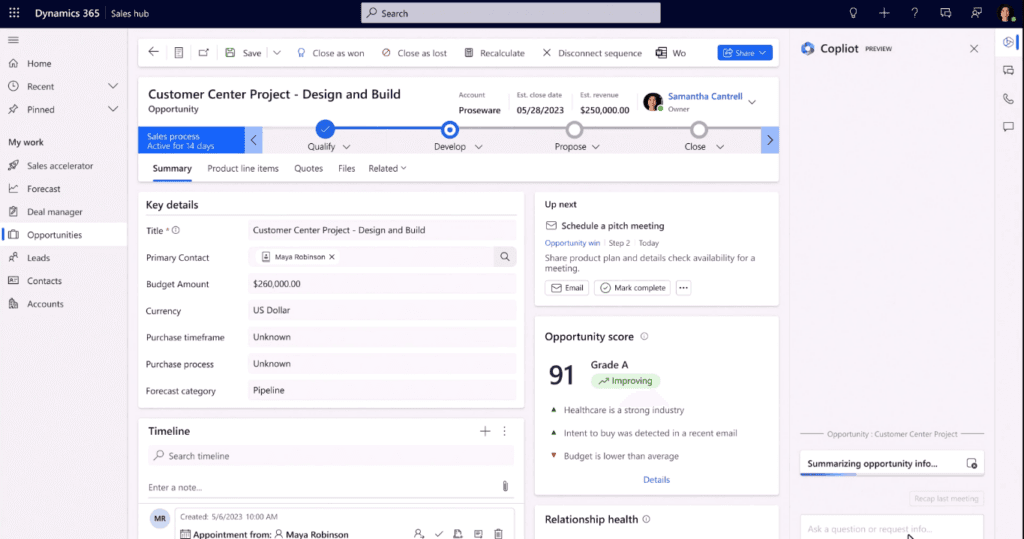
- Sales Process Automation. In line with the best platforms on this CRM list, Dynamics 365 Sales provides sales process automation tools designed to improve efficiency and productivity. It allows users to enforce playbooks that automate repetitive processes and implement an organization's best practices. It also allows users to create workflows from lead generation to deal closure.
- Ease of Use. Dynamics 365 Sales offers an intuitive platform for monitoring, collaborating, and managing pipelines. It simplifies processes like creating meetings, assigning tasks, and taking action, enabling users to leverage the platform's key features. It also provides recommendations for the next best actions to further enhance usability.
- Insights and Analytics. Dynamics 365 Sales generates actionable insights and analytics through AI, offering real-time visibility, forecasts, conversation, and relationship intelligence. It also uses a predictive model to evaluate and score leads and opportunities so that representatives can prioritize them. Additionally, the platform also analyzes relationship health and risks to encourage proactivity.
- Scalability. Dynamics 365 Sales ensures support for businesses of all sizes. It features a scalable platform where users can add features as they need to while still providing the foundational capabilities of a CRM platform. It is also designed for medium to large enterprises, accounting for their growth and performance metrics and adapting to their growth rates.
What is SAP Sales Cloud?
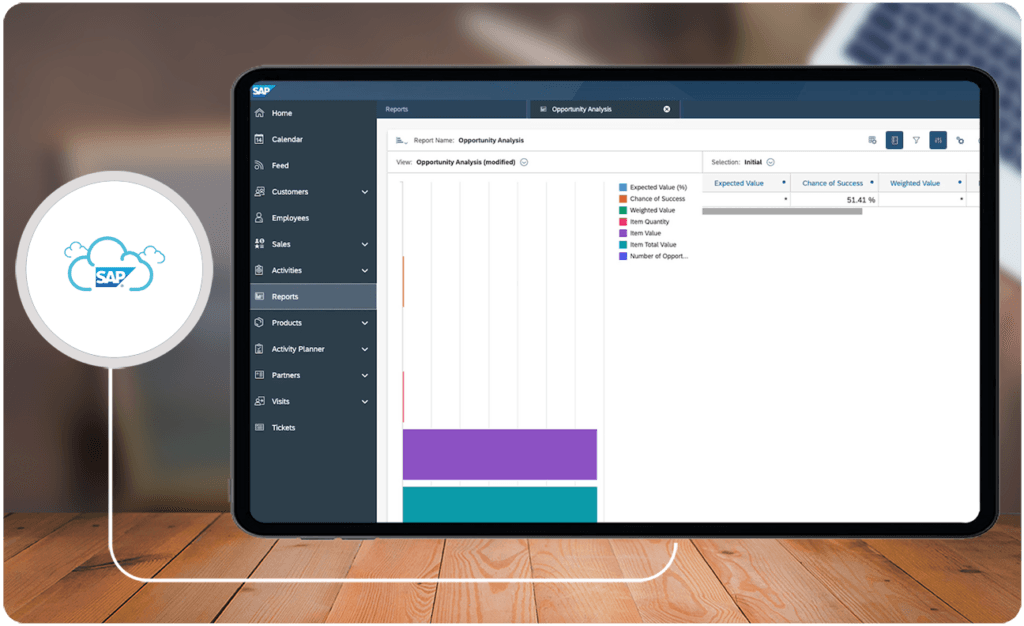
The other half of this Dynamics 365 vs SAP comparison, SAP Sales Cloud, is another CRM solution that enables users to create customer-centric experiences and drive performance. It automates vital sales processes, providing insightful and actionable intelligence to enhance interactions and customer relationships. It also provides a 360-degree view of customers, which allows representatives to understand buyers, build relationships, and engage prospects through collaborative and tailored conversations.
SAP Sales Cloud streamlines selling with advanced functionalities like voice-to-text, leads prioritization, and workflow design. It also offers tools like real-time pricing, inventory, and fulfillment insights. Additionally, SAP Sales Cloud supports omnichannel engagements and communication to help build and maintain customer relationships.
Who is SAP Sales Cloud For?
In comparing Microsoft Dynamics vs SAP, our review team has found that both platforms cater to similar users and industries. SAP Sales Cloud may be more friendly for small and medium businesses. However, it is also fully equipped to support medium to large enterprises courtesy of its insights and analytics, which are on par with some of the best business intelligence software in the market. SAP Sales Cloud can also cater to specific industries with tailored features for retail implementation, field selling, and manufacturing execution.
Key Benefits of SAP Sales Cloud
To get into more comprehensive detail on Dynamics 365 vs SAP, our review team has also identified the benefits of SAP Sales Cloud. Here are the details on each:
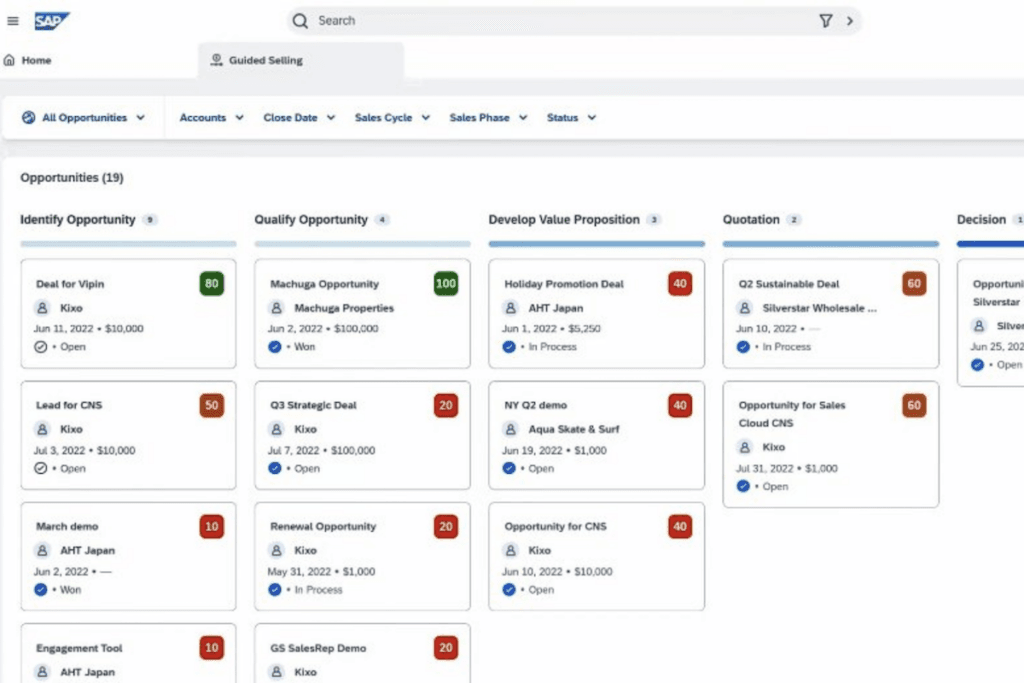
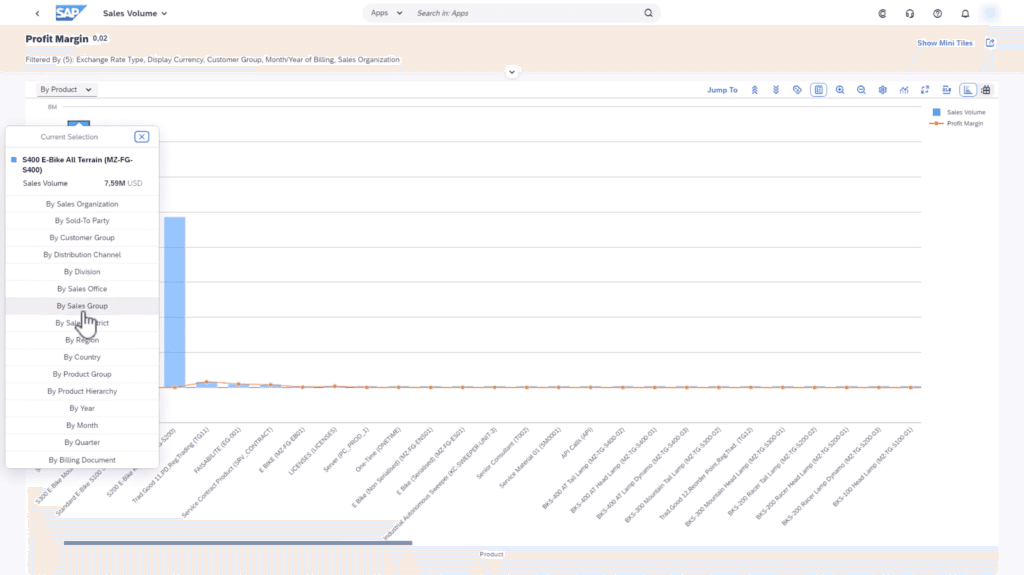
- Analytics. Where SAP Sales Cloud stands above competition is the use of actionable analytics. Insights are integrated into the pipeline manager, and the platform generates step-by-step guidance, sales forecasting, and data visualizations. It also enables users to prioritize leads based on data-driven analytics on performance, accounts, and interactions.
- Sales Automation. SAP Sales Cloud boosts seller efficiency and productivity through automation tools that allow users to connect processes, complete manual tasks, and capture interactions. It also uses automation to get a unified view of sales campaigns, resulting in a comprehensive view of the next seller actions and schedule.
- Customer Management. Aside from process automation, SAP Sales Cloud offers in-depth customer management tools. It enables users to create tailored customer journeys, connect through various channels, and schedule meetings. It also collects interaction data to provide interaction recommendations and lead and opportunity scoring.
- Industry-Specific Use Cases. SAP Sales Cloud's platform can be tailored to specific use cases. Field sellers, for instance, can leverage visit planning tools, route optimization, and task surveys. Retailers may also benefit from store progression analytics that evaluate performance based on predetermined metrics. As a result, SAP Sales Cloud can cater to different users in various industries.
Who are Dynamics 365 Sales and SAP Sales Cloud Best For?
Considering the capabilities and benefits of Dynamics 365 vs SAP, different users may benefit from either platform. As such, our review team has identified the various use cases that potential users may need to consider in deciding which CRM platform to go for. Here are the details.
- Microsoft Users. For those prioritizing a manageable learning curve in adopting a solution, Dynamics 365 Sales may be a better option as it utilizes a familiar interface, especially for current Microsoft users. It also prioritizes ease of use through single-click actions recommended to users based on insights gained from the data analyzed.
- Large Enterprises. Though SAP Sales Cloud is a scalable solution, Dynamics 365 Sales may be more beneficial for large enterprises as it is designed specifically for such users. It excels in managing multiple people and organizations, unifying data for a more centralized view of all processes. Higher-tier plans also offer advanced customization tools, which may be particularly useful for large enterprises.
- Guided Selling. SAP Sales Cloud may provide better actionable analytics implementation than Dynamics 365 Sales. It integrates analytics into the pipeline for guided selling, and the pipeline manager also provides data visualizations for better decision-making. Dynamics 365 Sales also offers analytics, though they may not be as accessible as those from SAP Sales Cloud.
- Use Cases. SAP Sales Cloud is the better option for those looking for a flexible CRM platform. It can be tailored to provide CRM and sales tools for various use cases, including field selling and retail execution similar to best online ecommerce platform solutions. Other companies with off-site tasks can also benefit from the platform.
Dynamics 365 Sales vs SAP Sales Cloud Feature Comparison
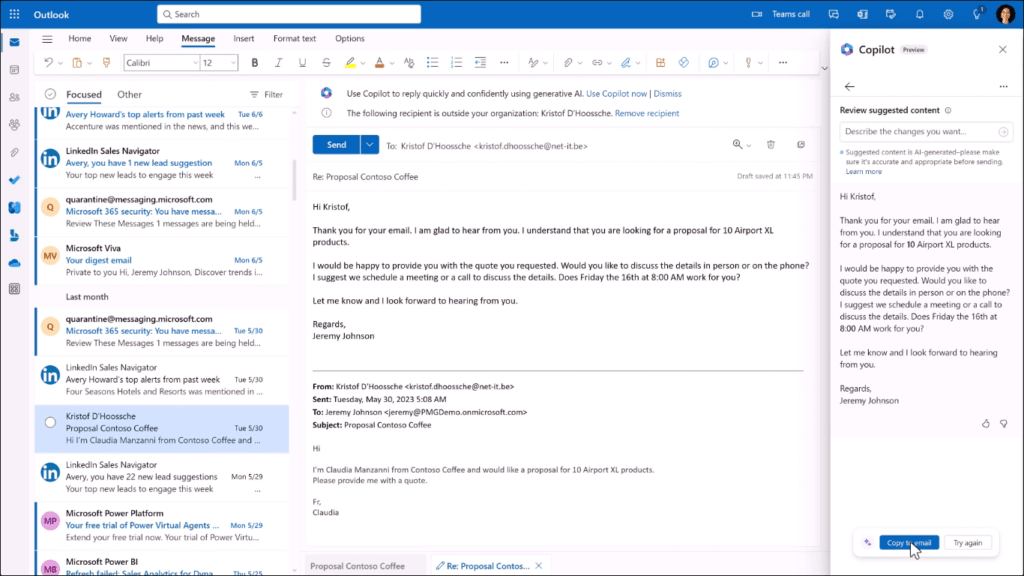
The key features of any CRM system worth its salt include process automation for productivity, pipeline management for visibility, customer management for relationship-building, and actionable analytics for decision-making. Our review team compared Dynamics 365 vs SAP to these key features.
Process Automation
In terms of process automation, Dynamics 365 Sales may edge out the competition with its simple interface and intuitive single-click actions. It minimizes tedious and manual tasks by recommending actions like scheduling meetings and creating tasks. It also supports automation for sales and marketing activities. SAP Sales Cloud also offers automation, though it may focus more on customer engagements, like capturing interactions. This platform also supports integration with existing systems, which may be more than enough for most users from small and medium businesses.
Pipeline Management
In terms of the Dynamics 365 vs SAP comparison for pipeline management, the former platform offers tools that enable representatives to perceive sales cycles, identify risks and opportunities, and prioritize tasks. This organization helps users take advantage of the management tools to improve efficiency and productivity. That said, SAP Sales Cloud's platform may also benefit those who value seeing the flow of tasks as it visualizes changes and leakages, which can help representatives become more proactive in addressing issues. SAP Sales Cloud also offers real-time visualizations.
Customer Management
Users who need comprehensive customer insight may benefit more from SAP Sales Cloud, which provides a 360-degree view of customer accounts. It integrates analytics based on activities and interactions. The dynamic sales journeys capability of the platform also enables tailored experiences, which can further boost engagement and customer retention. Dynamics 365 Sales is a worthy comparison in this key feature with its ability to identify and unify relationships from various channels. However, this platform places more emphasis on interactions and engagements than management.
Actionable Analytics
SAP also excels in actionable analytics for this Dynamics 365 Sales vs SAP Sales Cloud comparison. It provides insight into customer relationships and uses it for guided selling. It also offers prioritization, lead scoring, and opportunity identification on par with the best sales intelligence software in the market. All data are included in the pipeline manager, which makes it easier to access. That said, Dynamics 365 Sales also stands above competition with analytics that forecasts, tailors, and adapts to unique needs and key metrics.

Integration Capabilities of Dynamics 365 Sales and SAP Sales Cloud
Both Dynamics 365 Sales and SAP Sales Cloud offer notable integration capabilities, ensuring seamless operations across various departments and enhancing overall efficiency. For enterprises that rely heavily on Microsoft tools, Dynamics 365 Sales provides inherent integrations with applications like Excel, Outlook, and Power BI. This fosters unparalleled synergy for users already in the Microsoft ecosystem, making data sharing and analysis straightforward.
On the other hand, SAP Sales Cloud adapts well to diverse industries, providing comprehensive support for integrations with ERP systems, third-party applications, and industry-specific tools. Its integration with SAP's broader ecosystem ensures smoother workflows in areas like inventory management and production planning. This makes SAP Sales Cloud a solid choice for businesses looking for deeper, specialized integrations across operational functions.
Moreover, both platforms support integrations with external solutions to augment functionalities like improving customer engagement and appointment management. For example, teams can explore advanced scheduling solutions by utilizing scheduling software. These solutions enhance planning and ensure timely interactions with clients, optimizing time management for sales representatives.
Ultimately, the choice between Dynamics 365 Sales and SAP Sales Cloud depends significantly on an organization’s specific integration needs, whether for maximizing productivity within a familiar software environment or accommodating specialized business workflows through scalable system blends.
Dynamics 365 Sales vs SAP Sales Cloud Pricing
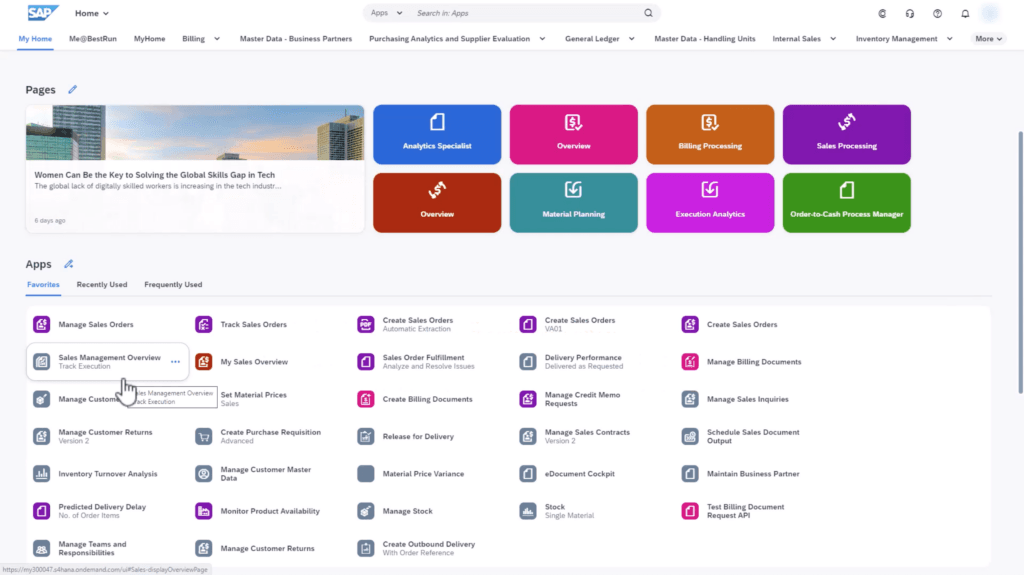
In making this Dynamics 365 vs SAP comparison, our review team has found that SAP Sales Cloud does not offer transparent pricing, which may discourage new users from properly gauging its value.
Dynamics 365 Sales offers five enterprise pricing packages that differ depending on the level of automation and intelligence users need. Plans are paid monthly and are priced per user. Dynamics 365 Sales also offers additional plans like Microsoft Relationship Sales, which bundles the sales platform and the LinkedIn Sales Navigator Enterprise in one, and the Microsoft Sales Copilot. Here are the prices for each plan:
- Dynamics 365 Sales Professional – $65/user/month
- Dynamics 365 Sales Enterprise – $95/user/month
- Dynamics 365 Sales Premium – $135/user/month
- Microsoft Relationship Sales – $162/user/month
- Microsoft Sales Copilot – $40/user/month
SAP Sales Cloud, through a quote-based scheme, maybe a more cost-effective option for some users. Tiers differ depending on the features available, though the core solution will include mobile and digital selling features, customer, account, interaction tools, and insights and analytics. With these in mind, you can assess various SAP Sales Cloud alternatives to pinpoint the optimal software platform for your educational or research facility. Here are the available packages:
- SAP Sales Cloud
- SAP Sales Cloud, Intelligent Sales Add-On
- SAP Sales Cloud, Dynamic Visit Planning Add-On
Dynamics 365 Sales Pros and Cons
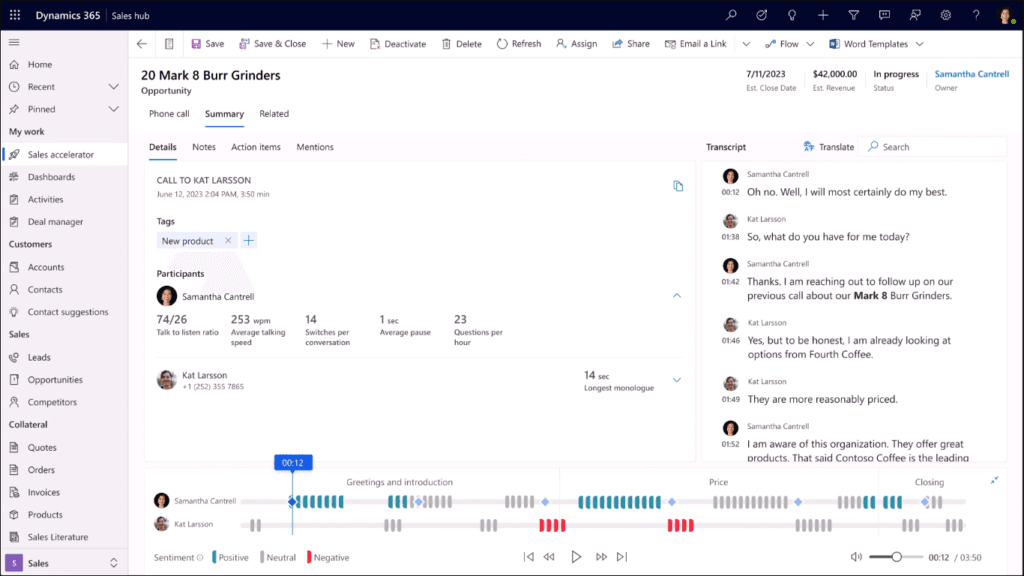
Considering the capabilities, benefits, and use cases of Dynamics 365 vs SAP, our review team summarized the highlights from each section into a pros and cons list designed to help you decide which platform to get. Here are the pros and cons of Dynamics 365 Sales:
Pros
- CRM Features. Dynamics 365 Sales features CRM tools that provide security, effective lead management, and opportunity tracking. The system also excels in reporting, sales funnel management, and timely follow-ups, enhancing overall sales processes.
- Microsoft Integration. Dynamics 365 Sales connects well with other Microsoft products, including Excel and Outlook. It also features a built-in Microsoft Teams chat that helps users collaborate and communicate effectively with tasks, leads, and sales cycles.
- User Interface. The intuitive user interface is accessible to new and experienced users, requiring minimal training. It is also familiar to Microsoft users. Additionally, the platform simplifies implementing analytics-driven recommendations for representatives.
Cons
- Performance. The system can lag or suspend operations depending on the user's internet connection, though Microsoft releases regular performance improvements to address such issues.
- Gaps in Automation. Certain tasks, such as entering details for a new lead or managing user permissions, can be time-consuming and may benefit from simplification. Additionally, extensive customization for such tasks can get overwhelming for some users.
- Navigation. Finding some features and pages necessary for effective CRM strategies can be challenging. Onboarding and transitioning to Dynamics 365 Sales can thus be relatively challenging for new users.
How do these platforms ensure data security and compliance?
Both Dynamics 365 Sales and SAP Sales Cloud implement robust security protocols designed to protect sensitive data and ensure regulatory compliance. Dynamics 365 Sales leverages Microsoft’s enterprise-grade infrastructure, which includes advanced encryption, regular security updates, and adherence to international standards. SAP Sales Cloud, in turn, employs layered security measures and complies with global regulatory frameworks to mitigate risks and safeguard customer interactions. Organizations can further reinforce their digital security by integrating with procurement systems, which streamline secure vendor and sourcing processes.
SAP Sales Cloud Pros and Cons
In addition to the pros and cons of Microsoft's CRM platform, our review team has also evaluated SAP Sales in the same vein to complete this Dynamics 365 vs SAP comparison. Here are the details:
Pros
- Management Tools. SAP Sales Cloud supports the automation of lead assignments, follow-up reminders, and approval processes. It also efficiently manages opportunity influencers, including promoters and detractors.
- Guided Selling. SAP Sales Cloud provides a framework to guide sales teams based on relevant data and reduces manual work through predictive analysis. As a result, representatives are more likely to convert leads and opportunities.
- Centralization. Users can centralize all types of data relevant to sales and CRM platforms. Aside from contacts, leads, and influencers, users can also keep track of service contracts and commitments.
Cons
- Customization. Beyond customization in reports, SAP Sales Cloud still needs improvement in terms of user interface, data customizations, and filters. Some users may also struggle with generating lead reports.
- Mobile App. SAP Sales Cloud's mobile app is a common problem for the platform. Improvements are needed in the mobile app's speed, user interface, web execution, and user-friendly surveys.
- User-Friendliness. The vastness of SAP Sales Cloud requires more learning materials and knowledge base documents. The platform's overwhelming interface can discourage new and beginner users.
How do Dynamics 365 Sales and SAP Sales Cloud support mobile sales teams?
With the rise of remote and on-the-go work, mobile capabilities in CRM platforms are essential for sales teams who need access to client data, real-time updates, and seamless communication tools. Both Dynamics 365 Sales and SAP Sales Cloud offer mobile features, but they cater to different needs and preferences:
- Mobile App Performance and Interface
- Dynamics 365 Sales: Known for its clean, user-friendly interface, the Dynamics 365 mobile app integrates well with the Microsoft ecosystem, providing a familiar experience for users. It allows access to contacts, tasks, and client information, keeping data synchronized across mobile and desktop.
- SAP Sales Cloud: SAP Sales Cloud’s mobile app focuses on comprehensive access to customer data, pipelines, and analytics, although users may experience occasional performance issues. The app is powerful for users needing deeper insights while mobile, though it may require a steeper learning curve.
- Real-Time Updates and Offline Mode
- Dynamics 365 Sales: Provides reliable access to data and supports offline capabilities, allowing users to update client details and view sales information without an internet connection. Once reconnected, updates sync automatically, making it ideal for field sales reps with intermittent connectivity.
- SAP Sales Cloud: While SAP’s app includes offline capabilities, it requires careful setup to ensure data sync upon reconnection. This feature can be beneficial for field-based teams that need immediate access to data regardless of connectivity, but users may experience a delay in syncing when switching between offline and online modes.
- Mobile-Optimized Analytics
- Dynamics 365 Sales: The mobile app integrates AI-driven insights, real-time analytics, and pipeline views, helping users make informed decisions quickly. Insights are customizable, providing sales reps with easy access to relevant data while on the move.
- SAP Sales Cloud: SAP’s mobile app offers detailed analytics with interactive dashboards that provide a 360-degree view of clients, opportunities, and trends. The app includes visualization tools that are ideal for mobile users needing to access complex data for decision-making in real-time.
- Collaboration and Communication
- Dynamics 365 Sales: The app includes Microsoft Teams integration, enabling easy collaboration and communication among team members. Users can share documents, track conversations, and keep team members updated on the status of deals directly within the app.
- SAP Sales Cloud: Offers in-app messaging, notifications, and email integrations, helping sales reps communicate quickly and directly with clients and colleagues. SAP Sales Cloud also enables voice-to-text functionalities, allowing for more efficient note-taking during meetings or client calls.
Verdict - Dynamics 365 Sales vs SAP Sales Cloud: Which is better?
This Dynamics 365 vs SAP comparison discussed both platforms' features, pricing, and benefits. So, there is only one question left to answer. Is Microsoft Dynamics better than SAP? Our answer is no. In fact, we think that if the choice is between Dynamics 365 vs SAP, we would recommend SAP Sales Cloud.
While Dynamics 365 Sales has all the basic features of CRM software, its issues in performance and gaps in automation can significantly impact representative productivity and efficiency, which can defeat the purpose of the platform. That said, its user-friendliness makes it a great starting point for Microsoft users.
On the other hand, SAP Sales Cloud tips the scales in its favor through its comprehensiveness and customization. The platform can be used by users in different industries. Its centralization is also top-notch, with the added bonus of integrating with major systems such as bookkeeping software. Though it is not without its disadvantages, SAP Sales Cloud is an excellent option for beginners as well as small and medium businesses.
Key Insights
- Sales Process Automation: Dynamics 365 Sales excels in automating sales processes, reducing manual tasks, and improving productivity through playbooks that enforce best practices and workflows from lead generation to deal closure.
- Ease of Use: The platform offers an intuitive interface for monitoring, collaborating, and managing sales pipelines. It simplifies actions like scheduling meetings, assigning tasks, and provides AI-driven recommendations for the next best steps.
- Actionable Insights: Dynamics 365 Sales leverages AI to provide real-time insights, forecasts, and relationship intelligence. It uses predictive models to evaluate and prioritize leads, offering comprehensive analytics for informed decision-making.
- Scalability: Suitable for businesses of all sizes, Dynamics 365 Sales is designed to scale with a company's growth, providing foundational CRM capabilities with options to add advanced features as needed.
- Integration and Collaboration: The platform integrates seamlessly with other Microsoft products, including LinkedIn and Teams, facilitating better collaboration and comprehensive customer relationship management.
Other Things You Should Know About Dynamics 365 Sales vs SAP Sales Cloud
In some cases, yes. Medium to large enterprises can benefit from Dynamics 365 Sales' features, particularly if they are already using other Microsoft products. However, SAP Sales Cloud may offer more comprehensive management and analytics tools, making it a strong competitor.
Yes, SAP Sales Cloud is a CRM that uses automation, analytics, and management tools to help representatives build and maintain customer relationships, providing a 360-degree view of customer interactions and insights.
Dynamics 365 Sales is an excellent choice for current Microsoft users due to its seamless integration with other Microsoft products like Excel and Power BI. It also excels in process automation and pipeline management, making it suitable for medium to large enterprises.
Yes, Dynamics 365 Sales is a CRM platform equipped with features that help representatives build customer relationships, identify new leads, and take advantage of opportunities to enhance performance and profitability.
Medium to large enterprises, sales leaders, and high-performing sales teams benefit most from Dynamics 365 Sales. It provides advanced sales, CRM, and marketing features designed to prioritize and manage sales pipelines effectively.
SAP Sales Cloud is versatile and used across various industries, including retail, field selling, and manufacturing. Its industry-specific use cases, like visit planning tools and store progression analytics, make it suitable for a wide range of businesses.
Dynamics 365 Sales provides real-time insights and analytics through AI, evaluating and scoring leads and opportunities, analyzing relationship health, and offering predictive models to help representatives prioritize tasks.
SAP Sales Cloud offers comprehensive analytics, sales automation, in-depth customer management, and industry-specific tools. It integrates actionable analytics into the pipeline manager, supports omnichannel engagements, and provides tailored customer journeys.
Dynamics 365 Sales focuses on process automation, ease of use, and integration with Microsoft products. SAP Sales Cloud excels in comprehensive analytics, customer management, and industry-specific use cases, offering more tailored solutions for different business needs.
Dynamics 365 Sales is highly scalable, designed to support businesses of all sizes. It allows users to add advanced features as needed while providing robust foundational CRM capabilities.


