Salesforce Sales Cloud vs Zoho CRM – 2027 Comparison

Co-Founder and Chief Data Scientist
Salesforce Sales Cloud vs Zoho CRM Comparison Table of Contents
- What is Salesforce Sales Cloud?
- Whom is Salesforce Sales Cloud for?
- Key benefits of Salesforce Sales Cloud
- What is Zoho CRM?
- Whom is Zoho CRM for?
- Key Benefits of Zoho CRM
- Whom are Salesforce Sales Cloud and Zoho CRM best for?
- Salesforce Sales Cloud vs Zoho CRM Feature Comparison
- Salesforce Sales Cloud vs Zoho CRM Pricing
- Integration with Appointment Scheduling Tools
- Salesforce Sales Cloud Pros and Cons
- How do Salesforce Sales Cloud and Zoho CRM ensure data security and compliance?
- Zoho CRM Pros and Cons
- How does customer support differ between Salesforce Sales Cloud and Zoho CRM?
What is Salesforce Sales Cloud?
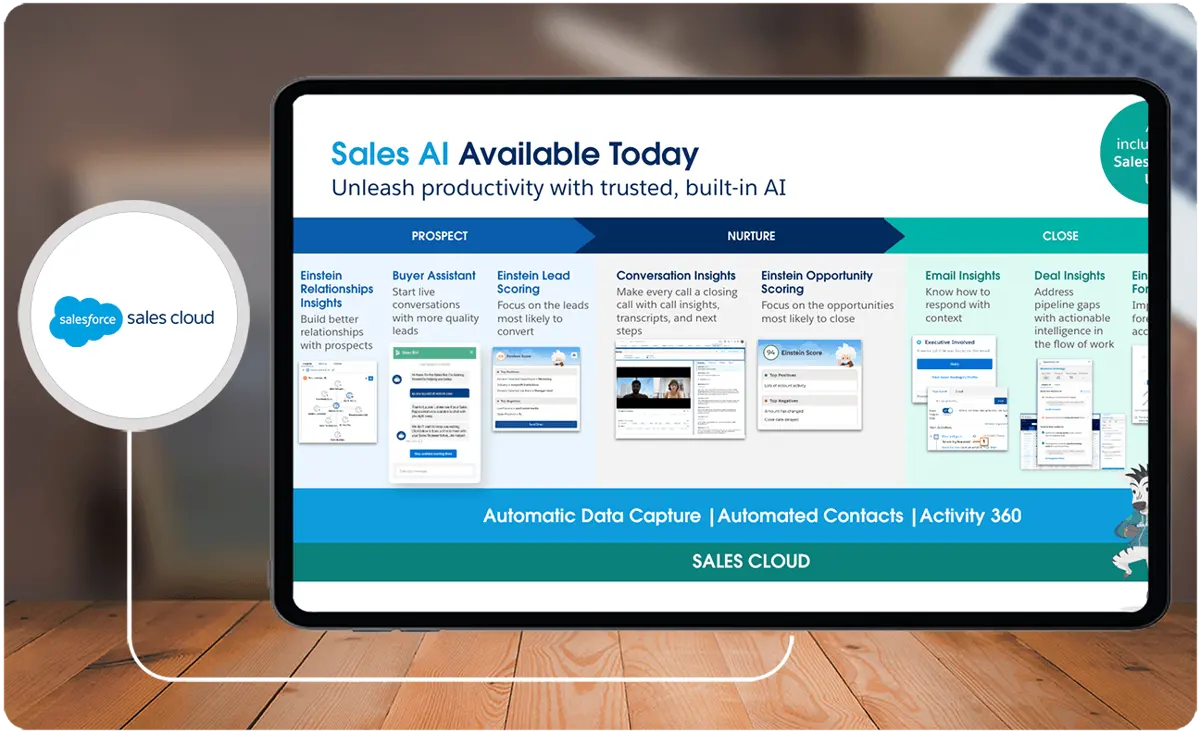
To begin this Salesforce vs Zoho comparison, we first look at each CRM. Salesforce Sales Cloud is a customer relationship management (CRM) platform that integrates customer information, marketing, lead generation, sales, customer service, and business analytics. Sales Cloud helps companies sell smarter, faster, and more efficiently by providing everything sales teams need on one integrated platform.
A look at the Salesforce Sales Cloud comparison chart reveals various features such as lead and pipeline management, AI insights, coaching tools, connectivity with other channels, and visual sales cadences. Additionally, it allows for collaboration through a real-time social feed and provides access to thousands of applications through the AppExchange.
Featured CRM Software Products

$9 to $150/user/month
Yes, up to 2 users
E-signature software, call transcription, conversation routing
Editor's Take
HubSpot CRM is a powerful customer relationship management platform designed to help businesses manage their sales, marketing, and customer service efforts in one centralized place. Its user-friendly interface allows teams to track leads, monitor customer interactions, and automate sales pipelines. With built-in tools for email marketing, contact management, and analytics, HubSpot CRM provides deep insights into customer behavior and sales performance. The platform also supports seamless collaboration between marketing and sales teams through real-time updates and integrations with tools like Gmail, Outlook, and Slack. Additionally, its automation features help reduce manual tasks, enabling teams to focus on building relationships and closing deals. HubSpot CRM is scalable, making it ideal for businesses of all sizes, from startups to large enterprises.
Expert Score
In evaluating SaaS software, a comprehensive and structured methodology ensures a fair and accurate comparison across key metrics. This approach focuses on the most critical aspects that affect user experience, functionality, and business value. The following metrics—general features, cost, customer service, integrations, and mobile support—are evaluated to provide a holistic view of each software solution’s strengths and weaknesses. These metrics are selected based on their direct impact on software usability, scalability, and long-term effectiveness for businesses.
1. General Features - scoring weight 40%
This metric evaluates the core functionalities and tools the software offers. It involves assessing the comprehensiveness of the features, their relevance to the target users, and the ease of use. This is important because robust and well-designed features determine the software's overall utility and efficiency in solving user problems.
2. Cost - scoring weight 15%
Cost analysis focuses on pricing models, value for money, and scalability. It's crucial to evaluate whether the software’s features justify its price, considering different plans for small and large organizations. This is vital for businesses to ensure they invest in cost-effective solutions that fit their budget.
3. Customer Service - scoring weight 15%
This evaluates the responsiveness, quality, and availability of customer support, including channels like chat, email, or phone. Good customer service is essential for troubleshooting and ensuring smooth software usage, which reduces downtime and frustration for users.
4. Integrations - scoring weight 15%
This examines how well the software integrates with third-party tools (e.g., CRM, payment systems, collaboration apps). Seamless integrations are key for creating a unified workflow and enhancing productivity by connecting multiple systems, which is crucial for operational efficiency.
5. Mobile Support - scoring weight 15%
Mobile support assesses the software’s functionality and performance on mobile devices, including apps and mobile web versions. With increasing remote work and on-the-go usage, strong mobile support is critical to ensure users can access and utilize the software effectively, regardless of location.

Custom
No
Sales automation, customer service, marketing
Editor's Take
NetSuite CRM is a comprehensive customer relationship management solution designed to support businesses in managing their entire customer lifecycle. It offers a full suite of tools for sales automation, customer service, marketing, and partner management, helping teams improve efficiency and build stronger customer relationships. With real-time visibility into customer interactions, NetSuite CRM enables businesses to track leads, manage opportunities, and forecast sales accurately. Its built-in analytics and reporting features provide deep insights into sales performance and customer behavior. NetSuite CRM integrates seamlessly with NetSuite’s enterprise resource planning (ERP) system, offering a unified platform for managing business operations. This scalability and flexibility make it ideal for growing businesses and enterprises seeking an all-in-one solution for customer relationship management.
Expert Score
In evaluating SaaS software, a comprehensive and structured methodology ensures a fair and accurate comparison across key metrics. This approach focuses on the most critical aspects that affect user experience, functionality, and business value. The following metrics—general features, cost, customer service, integrations, and mobile support—are evaluated to provide a holistic view of each software solution’s strengths and weaknesses. These metrics are selected based on their direct impact on software usability, scalability, and long-term effectiveness for businesses.
1. General Features - scoring weight 40%
This metric evaluates the core functionalities and tools the software offers. It involves assessing the comprehensiveness of the features, their relevance to the target users, and the ease of use. This is important because robust and well-designed features determine the software's overall utility and efficiency in solving user problems.
2. Cost - scoring weight 15%
Cost analysis focuses on pricing models, value for money, and scalability. It's crucial to evaluate whether the software’s features justify its price, considering different plans for small and large organizations. This is vital for businesses to ensure they invest in cost-effective solutions that fit their budget.
3. Customer Service - scoring weight 15%
This evaluates the responsiveness, quality, and availability of customer support, including channels like chat, email, or phone. Good customer service is essential for troubleshooting and ensuring smooth software usage, which reduces downtime and frustration for users.
4. Integrations - scoring weight 15%
This examines how well the software integrates with third-party tools (e.g., CRM, payment systems, collaboration apps). Seamless integrations are key for creating a unified workflow and enhancing productivity by connecting multiple systems, which is crucial for operational efficiency.
5. Mobile Support - scoring weight 15%
Mobile support assesses the software’s functionality and performance on mobile devices, including apps and mobile web versions. With increasing remote work and on-the-go usage, strong mobile support is critical to ensure users can access and utilize the software effectively, regardless of location.

$25 per user per month
14 days
marketing automation, sales automation, no code customization
Editor's Take
CRM Creatio is a comprehensive customer relationship management (CRM) solution designed to streamline and enhance business processes across sales, marketing, and customer service functions. Known for its low-code platform, Creatio allows businesses to customize and automate workflows without requiring extensive technical expertise. This adaptability makes it particularly appealing to organizations seeking to align the software with their specific needs.
The platform's marketing module provides tools for multi-channel campaign management, lead generation, and personalized customer engagement. Its sales module offers functionality for pipeline management, opportunity tracking, and analytics to help teams close deals more efficiently. Additionally, the customer service module supports case management, service level agreement (SLA) monitoring, and omnichannel communication, enabling businesses to provide exceptional customer support.
Creatio stands out with its intuitive interface, robust analytics, and AI-powered tools that provide actionable insights. The low-code development tools allow non-technical users to create applications and automate processes, reducing the dependency on IT teams. Integration capabilities with other software platforms and APIs enhance its utility, making it a versatile choice for businesses of all sizes.
Overall, CRM Creatio is a powerful solution that combines user-friendly design with advanced customization and automation features. Its adaptability and low-code foundation position it as a strong contender for organizations looking to optimize customer relationship management processes while maintaining flexibility for growth and innovation.
Expert Score
In evaluating SaaS software, a comprehensive and structured methodology ensures a fair and accurate comparison across key metrics. This approach focuses on the most critical aspects that affect user experience, functionality, and business value. The following metrics—general features, cost, customer service, integrations, and mobile support—are evaluated to provide a holistic view of each software solution’s strengths and weaknesses. These metrics are selected based on their direct impact on software usability, scalability, and long-term effectiveness for businesses.
1. General Features - scoring weight 40%
This metric evaluates the core functionalities and tools the software offers. It involves assessing the comprehensiveness of the features, their relevance to the target users, and the ease of use. This is important because robust and well-designed features determine the software's overall utility and efficiency in solving user problems.
2. Cost - scoring weight 15%
Cost analysis focuses on pricing models, value for money, and scalability. It's crucial to evaluate whether the software’s features justify its price, considering different plans for small and large organizations. This is vital for businesses to ensure they invest in cost-effective solutions that fit their budget.
3. Customer Service - scoring weight 15%
This evaluates the responsiveness, quality, and availability of customer support, including channels like chat, email, or phone. Good customer service is essential for troubleshooting and ensuring smooth software usage, which reduces downtime and frustration for users.
4. Integrations - scoring weight 15%
This examines how well the software integrates with third-party tools (e.g., CRM, payment systems, collaboration apps). Seamless integrations are key for creating a unified workflow and enhancing productivity by connecting multiple systems, which is crucial for operational efficiency.
5. Mobile Support - scoring weight 15%
Mobile support assesses the software’s functionality and performance on mobile devices, including apps and mobile web versions. With increasing remote work and on-the-go usage, strong mobile support is critical to ensure users can access and utilize the software effectively, regardless of location.

$8/per user/per month
Yes
customizable dashboards, automated follow-ups, advanced analytics
Editor's Take
monday.com Sales CRM is a customizable platform designed to streamline sales processes, enhance team collaboration, and improve pipeline visibility. Its intuitive interface enables users to manage leads, track deals, and automate repetitive tasks with ease. The CRM integrates seamlessly with popular tools like Gmail, Slack, and HubSpot, ensuring a centralized workflow. Features like customizable dashboards, automated follow-ups, and advanced analytics help sales teams stay organized and focused on closing deals. With scalability in mind, monday.com caters to businesses of all sizes, offering flexible pricing plans and robust customer support. It’s an excellent choice for teams seeking efficiency and adaptability.
Expert Score
In evaluating SaaS software, a comprehensive and structured methodology ensures a fair and accurate comparison across key metrics. This approach focuses on the most critical aspects that affect user experience, functionality, and business value. The following metrics—general features, cost, customer service, integrations, and mobile support—are evaluated to provide a holistic view of each software solution’s strengths and weaknesses. These metrics are selected based on their direct impact on software usability, scalability, and long-term effectiveness for businesses.
1. General Features - scoring weight 40%
This metric evaluates the core functionalities and tools the software offers. It involves assessing the comprehensiveness of the features, their relevance to the target users, and the ease of use. This is important because robust and well-designed features determine the software’s overall utility and efficiency in solving user problems.
2. Cost - scoring weight 15%
Cost analysis focuses on pricing models, value for money, and scalability. It’s crucial to evaluate whether the software’s features justify its price, considering different plans for small and large organizations. This is vital for businesses to ensure they invest in cost-effective solutions that fit their budget.
3. Customer Service - scoring weight 15%
This evaluates the responsiveness, quality, and availability of customer support, including channels like chat, email, or phone. Good customer service is essential for troubleshooting and ensuring smooth software usage, which reduces downtime and frustration for users.
4. Integrations - scoring weight 15%
This examines how well the software integrates with third-party tools (e.g., CRM, payment systems, collaboration apps). Seamless integrations are key for creating a unified workflow and enhancing productivity by connecting multiple systems, which is crucial for operational efficiency.
5. Mobile Support - scoring weight 15%
Mobile support assesses the software’s functionality and performance on mobile devices, including apps and mobile web versions. With increasing remote work and on-the-go usage, strong mobile support is critical to ensure users can access and utilize the software effectively, regardless of location.

$7 per user per month billed annually
15 days
lead generation, sales pipeline management, workflow automation
Editor's Take
Zoho CRM is a flexible and comprehensive customer relationship management platform designed to help businesses manage and grow their customer relationships effectively. With tools for lead generation, sales pipeline management, workflow automation, and analytics, Zoho CRM is suitable for businesses of all sizes across a variety of industries.
Zoho CRM enables teams to streamline sales processes by capturing leads from multiple channels, tracking interactions, and managing every stage of the sales cycle. The platform offers customizable dashboards and reports, providing insights into sales performance and customer behaviors to help make data-driven decisions. With powerful automation features, Zoho CRM allows businesses to set up workflows for routine tasks like follow-ups, lead scoring, and email notifications, reducing manual work and enhancing productivity. The platform integrates with popular tools, including the Zoho suite, Microsoft 365, and G Suite, enabling a seamless connection across teams.
For businesses aiming to improve customer engagement, close deals faster, and enhance team collaboration, Zoho CRM delivers a scalable, user-friendly solution to drive sales and customer satisfaction.
Expert Score
In evaluating SaaS software, a comprehensive and structured methodology ensures a fair and accurate comparison across key metrics. This approach focuses on the most critical aspects that affect user experience, functionality, and business value. The following metrics—general features, cost, customer service, integrations, and mobile support—are evaluated to provide a holistic view of each software solution’s strengths and weaknesses. These metrics are selected based on their direct impact on software usability, scalability, and long-term effectiveness for businesses.
1. General Features - scoring weight 40%
This metric evaluates the core functionalities and tools the software offers. It involves assessing the comprehensiveness of the features, their relevance to the target users, and the ease of use. This is important because robust and well-designed features determine the software's overall utility and efficiency in solving user problems.
2. Cost - scoring weight 15%
Cost analysis focuses on pricing models, value for money, and scalability. It's crucial to evaluate whether the software’s features justify its price, considering different plans for small and large organizations. This is vital for businesses to ensure they invest in cost-effective solutions that fit their budget.
3. Customer Service - scoring weight 15%
This evaluates the responsiveness, quality, and availability of customer support, including channels like chat, email, or phone. Good customer service is essential for troubleshooting and ensuring smooth software usage, which reduces downtime and frustration for users.
4. Integrations - scoring weight 15%
This examines how well the software integrates with third-party tools (e.g., CRM, payment systems, collaboration apps). Seamless integrations are key for creating a unified workflow and enhancing productivity by connecting multiple systems, which is crucial for operational efficiency.
5. Mobile Support - scoring weight 15%
Mobile support assesses the software’s functionality and performance on mobile devices, including apps and mobile web versions. With increasing remote work and on-the-go usage, strong mobile support is critical to ensure users can access and utilize the software effectively, regardless of location.

By quote
Yes
Lead Management, Contact Management, Workflow Automation
Editor's Take
Salesforce CRM is a leading customer relationship management platform known for its robust functionality, scalability, and extensive customization options, making it suitable for businesses of all sizes, from startups to large enterprises. Built to streamline sales, marketing, customer service, and analytics, Salesforce CRM empowers teams to manage customer interactions, optimize workflows, and drive growth from a single, cloud-based platform.
Salesforce CRM provides a complete view of customer data, enabling teams to track interactions, manage leads, and automate tasks throughout the sales pipeline. With powerful tools for reporting and analytics, Salesforce offers insights into sales performance, customer trends, and campaign effectiveness, allowing teams to make data-driven decisions. The platform’s automation capabilities reduce manual workloads with customizable workflows, automated follow-ups, and lead scoring, ensuring a smooth customer journey. Integrations with thousands of third-party applications, along with its own suite of services, make Salesforce a highly adaptable solution for businesses looking to connect their CRM with other tools.
For organizations focused on enhancing customer engagement, improving team efficiency, and scaling their operations, Salesforce CRM delivers a powerful and versatile solution tailored to support long-term business growth.
Expert Score
In evaluating SaaS software, a comprehensive and structured methodology ensures a fair and accurate comparison across key metrics. This approach focuses on the most critical aspects that affect user experience, functionality, and business value. The following metrics—general features, cost, customer service, integrations, and mobile support—are evaluated to provide a holistic view of each software solution’s strengths and weaknesses. These metrics are selected based on their direct impact on software usability, scalability, and long-term effectiveness for businesses.
1. General Features - scoring weight 40%
This metric evaluates the core functionalities and tools the software offers. It involves assessing the comprehensiveness of the features, their relevance to the target users, and the ease of use. This is important because robust and well-designed features determine the software's overall utility and efficiency in solving user problems.
2. Cost - scoring weight 15%
Cost analysis focuses on pricing models, value for money, and scalability. It's crucial to evaluate whether the software’s features justify its price, considering different plans for small and large organizations. This is vital for businesses to ensure they invest in cost-effective solutions that fit their budget.
3. Customer Service - scoring weight 15%
This evaluates the responsiveness, quality, and availability of customer support, including channels like chat, email, or phone. Good customer service is essential for troubleshooting and ensuring smooth software usage, which reduces downtime and frustration for users.
4. Integrations - scoring weight 15%
This examines how well the software integrates with third-party tools (e.g., CRM, payment systems, collaboration apps). Seamless integrations are key for creating a unified workflow and enhancing productivity by connecting multiple systems, which is crucial for operational efficiency.
5. Mobile Support - scoring weight 15%
Mobile support assesses the software’s functionality and performance on mobile devices, including apps and mobile web versions. With increasing remote work and on-the-go usage, strong mobile support is critical to ensure users can access and utilize the software effectively, regardless of location.
Whom is Salesforce Sales Cloud for?
Salesforce Sales Cloud is suitable for businesses of all sizes and industries. It is one of the best business software trusted by big names such as IBM, Spotify, and GrubHub. Sales Cloud is specifically designed for sales teams to reach the right customers and hone their relationships with them. Tools such as Data Cloud give visibility in customer data while Revenue Cloud keeps everyone up-to-date with the status of existing and potential revenue streams. If you decide on this software, it is still prudent to explore a variety of Salesforce Sales Cloud alternatives before committing to a specific platform.
Key benefits of Salesforce Sales Cloud
- Built-in collaboration solutions: Sales Cloud makes it easy for teams to collaborate within the platform, enabling them to act more quickly, find information easily, and connect on projects.
- Empowerment of sales teams: Salesforce Sales Cloud has several resources that educate sales teams and offer industry expertise, enabling them to become more effective sales professionals.
- Sales automation and lead nurturing: Teams can use the platform to track relevant information about prospects and to come up with better ways to nurture relationships with them.
- Sales performance management: This CRM helps in driving forecast accuracy, growing the pipeline, and optimizing revenue, ultimately leading to peak sales performance.
- Real-time updates: Customizable reports and dashboards in Sales Cloud provide constant updates. This visibility enables better decision-making and empowers teams to prioritize deals.
- Improved efficiency: Salesforce Sales Cloud allows sales teams to do more in less time, making processes and teams more productive.
What is Zoho CRM?
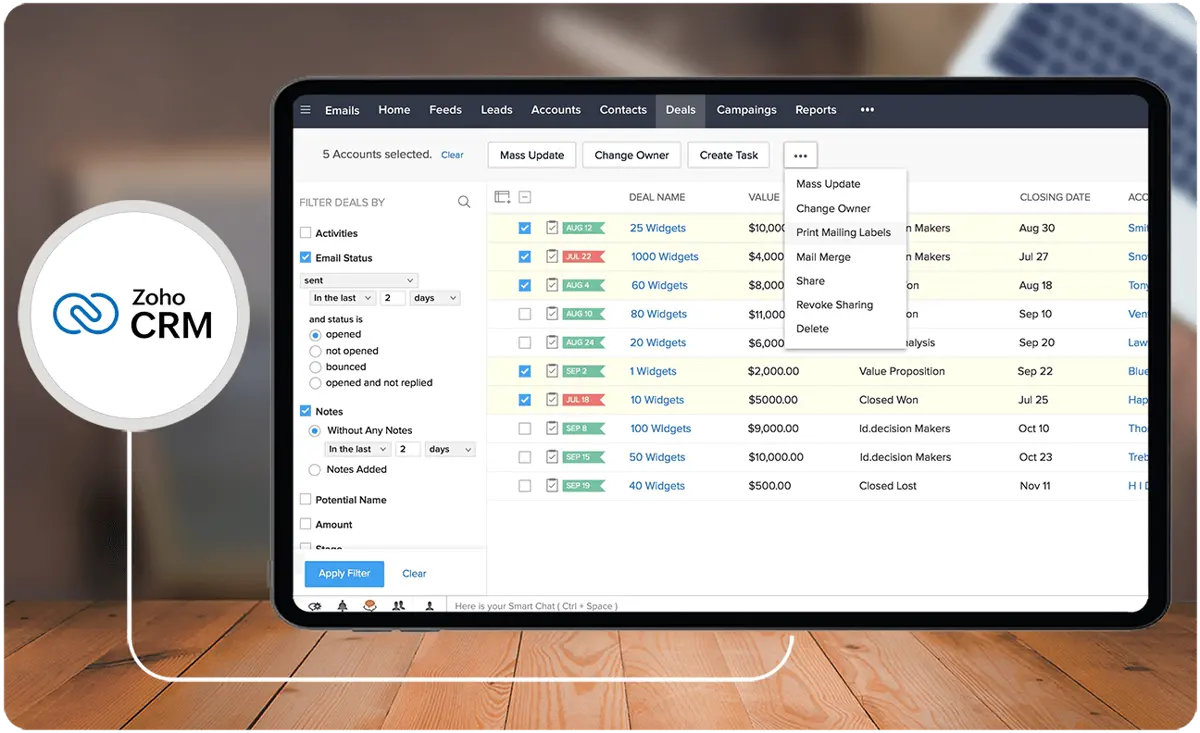
Zoho CRM is a cloud-based CRM that helps businesses manage their sales, marketing, and customer support activities in one platform. It acts as a single repository to bring sales, marketing, and customer support activities together, streamlining processes, policies, and people. Zoho CRM offers features such as automation, multichannel communication, conversational AI, and more. It can help reduce the time salespeople spend on mundane tasks, have more time to concentrate on their customers, and unify their operations across multiple geographic locations.
Whom is Zoho CRM for?
Zoho CRM can be easily customized to meet the specific needs of any business type and size. From start-ups to large enterprises, this CRM system software is best for verticals such as real estate, healthcare, insurance, and nonprofits. It is designed to store customer data while keeping track of interactions, creating meaningful conversations with prospects, and making data accessible throughout the organization. Delve into Zoho CRM alternatives to ensure your organization finds the most suitable software for its unique needs.
Key Benefits of Zoho CRM
- Streamlined and automated processes: Zoho CRM can automate various tasks, such as sending out emails, text messages, and quotes. This helps reduce the time spent on mundane tasks and improve overall efficiency.
- Improved sales forecasting: When integrated with AI, Zoho CRM can help businesses accurately predict and forecast sales figures, providing real-time information on the go.
- Customizable and integrative: The CRM can be customized to match the specific needs of any business and can easily integrate with other third-party applications.
- Mobile accessibility: Zoho CRM has a mobile app so that salespeople can access customer data while on the move, close deals more effectively, and keep everyone in the loop.
- Improved customer service: Zoho CRM helps businesses provide better customer service by providing accurate historical data and information on similar issues faced by others, allowing teams to resolve customer inquiries quickly and ensure their satisfaction.
- Ease of use: Zoho CRM is designed to be simple and easy to use, ensuring that businesses can quickly adapt to the software and maximize its benefits.
Whom are Salesforce Sales Cloud and Zoho CRM best for?
- Sales and marketing: In this Salesforce vs Zoho comparison, you can see that both offer features to help businesses manage their sales and marketing processes. They provide tools for tracking leads, managing deals, and generating reports to help sales and marketing teams optimize their strategies and drive revenue growth. These CRM platforms are also compatible with popular marketing software.
- Customer service: Both CRM systems offer solutions for customer service management, allowing businesses to provide better support to their customers. Agents can access customer information, track interactions, and resolve issues more efficiently, leading to improved customer satisfaction.
- E-commerce: These CRM platforms can be integrated with popular e-commerce platforms, making it easier for businesses to manage their online stores and provide a seamless shopping experience for their customers.
- Nonprofit organizations: Nonprofit organizations can use Zoho CRM and Salesforce Sales Cloud to manage their donor data, track fundraising campaigns, and monitor their impact on the community.
Salesforce Sales Cloud vs Zoho CRM Feature Comparison
When it comes to a Salesforce vs Zoho comparison, we need to examine its common features. Our team looked into these features to see the commonalities and differences from each other.
Lead Management
Zoho CRM offers lead management and nurturing tools at the base level. It lets sales teams create lead generation forms, scan business cards, and find potential customers on social media. Zoho CRM also has omnichannel communication so you are not limited to just email or calls.
On the other hand, Salesforce Sales Cloud puts more emphasis on handling client communications by generating emails, call transcripts, and follow-up items. Team members can keep track of existing communication and automate to-do lists. In this Salesforce vs Zoho comparison, Zoho CRM’s lead management features are a little bit better if you want more control over managing and growing your leads.
Sales Performance
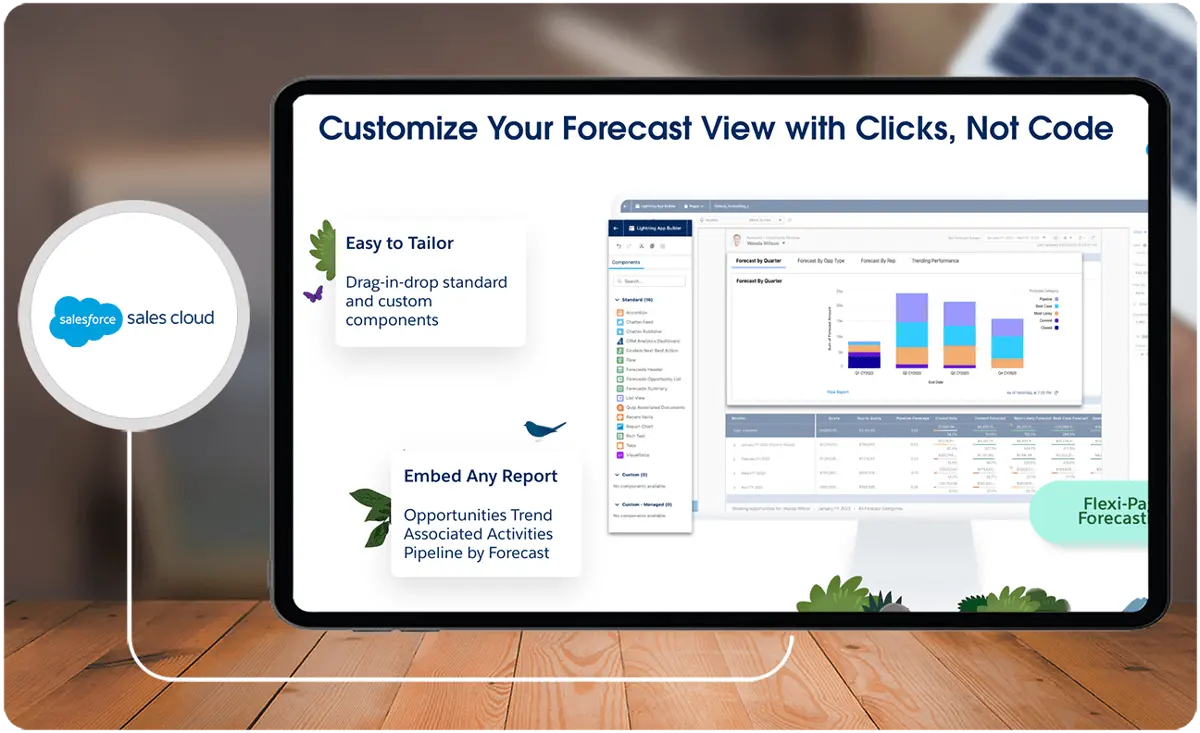
Salesforce Sales Cloud and Zoho CRM track sales performance through tools that allow businesses to measure, analyze, and improve the performance of their sales teams. Zoho CRM, in particular, offers sales performance measurement capabilities built into its CRM, allowing sales reps and managers to access all the necessary information in one location.
Salesforce Sales Cloud has more comprehensive features dedicated to monitoring sales. It has planning tools such as territory visualization to easily distinguish customers and effectively assign reps to the field. You can also gather data to set feasible targets and segment accounts.
Automation
The automation used in Salesforce Sales Cloud and Zoho CRM differs in several aspects. Zoho CRM offers workflow automation, which can be customized in many ways. Procedures such as sending emails and follow-ups to potential leads can be standardized by setting up one rule with multiple conditions. The platform’s AI, Zia, can also suggest workflows based on observed patterns, which can be edited or deployed instantly.
But in this Salesforce vs Zoho comparison, we see that Sales Cloud utilizes automation in almost every step of the sales process. Its Einstein GPT pulls relevant customer data and insights so that sales reps are always ready for every client meeting. Customer signals are also provided to easily identify opportunities and next steps. In this Salesforce vs Zoho comparison, we can say that Sales Cloud has better usage of automation in the platform.
Reporting and Analytics
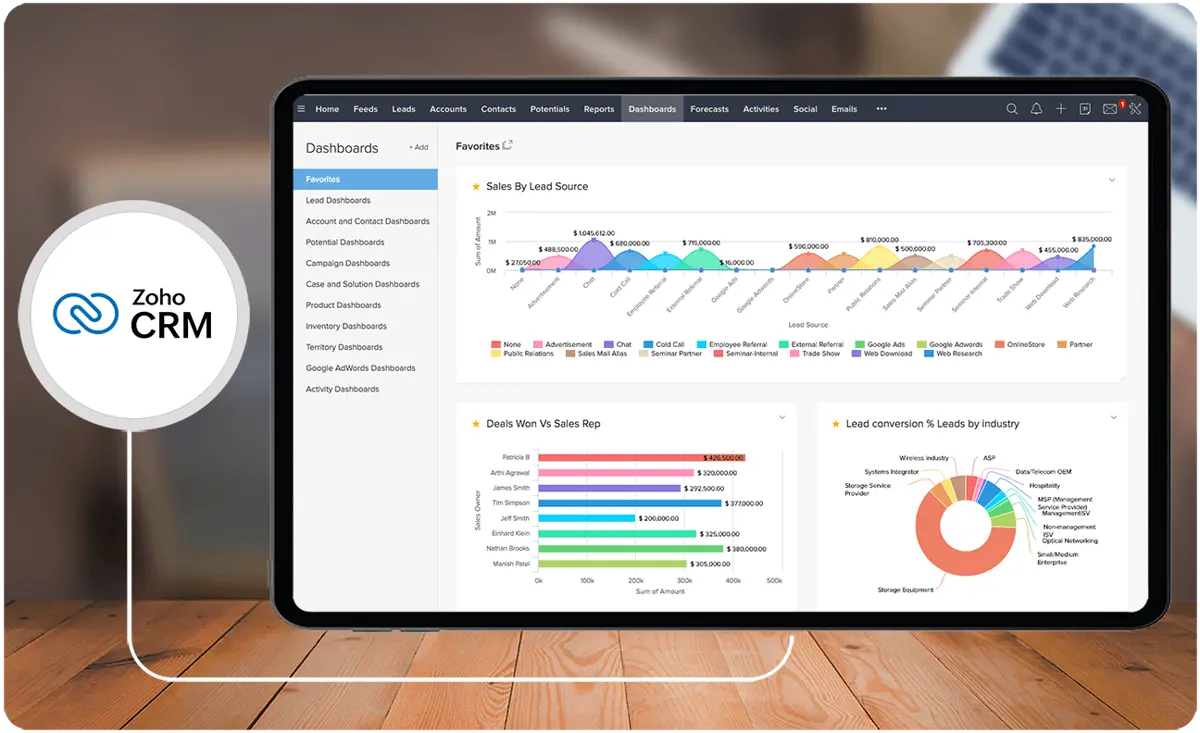
Zoho CRM offers an in-depth analysis of lead data and sales reps' performance through various analytics options, including KPIs, funnels, target meters, and cohorts. It provides pre-built dashboards and reports, as well as the ability to schedule reports.
On the other hand, Salesforce Sales Cloud insights are found in the platform’s reporting and analytics features. Advanced features are also available in higher tiers and as add-ons. Both CRMs, provide comprehensive insights into customer data and performance that are useful for revenue forecasting and sales planning.
Mobile Application
Both Salesforce Sales Cloud and Zoho CRM have exceptional mobile applications to help sales teams have access to important data anywhere they are. Zoho CRM’s mobile app is available on both Android and iOS, and there is also offline access to customer information. Their Card Scanner is also included, so sales reps can easily transfer contact information from business cards to the platform.
The functionalities of Salesforce Sales Cloud can be accessed in the mobile version, along with Smart Search to be able to find data quickly. Collaboration within teams is also easy using the app. In looking into the Salesforce vs Zoho comparison of their mobile apps, we can see that they equally perform well. The choice between the two depends on your specific business needs and preferences.
Salesforce Sales Cloud vs Zoho CRM Pricing
Using CRM software can be a significant investment. While doing a Salesforce vs Zoho comparison, we can see that Zoho CRM has more options, but it is also important to consider the inclusions that come with each plan.
Zoho CRM starts at $14 per user per month (billed annually) for their Starter plan. They also have a Professional plan at $23 per user per month, and the Enterprise plan which costs $40 per user per month. Companies looking to scale their business can choose the Ultimate plan, which costs $52 per user per month. Zoho CRM also has a fully free version with a limit of three users. All plans have basic CRM features, but only the Enterprise and Ultimate plans have AI capabilities and other advanced features.
On the other hand, there are five Salesforce Sales Cloud pricing plans that companies can choose from. The Starter plan costs $25 per user per month and is billed annually. The Professional plan is also billed annually at $80 per user per month while the Enterprise plan is $165 per user per month. For businesses that have complex needs, they can choose from the Ultimate plan at $330 per user per month and the Ultimate+ at $500 per user per month.
While there is a huge difference in pricing for both CRMs, we still recommend that businesses think about their use case for a CRM system and their specific needs. Zoho CRM can be more cost-effective for most companies, while Salesforce Sales Cloud is suitable for those that handle thousands of clients. You can also look into Salesforce Sales Cloud Professional vs Enterprise comparisons to see which plan has the most value for money. Both CRMs have free trials as well, so you can explore each platform before making your decision.
Integration with Appointment Scheduling Tools
Zoho CRM integrates effectively with a variety of scheduling platforms, allowing sales and customer service teams to book meetings directly within the CRM interface, thereby reducing redundancy and improving efficiency. Salesforce Sales Cloud, on the other hand, offers robust calendar and scheduling integrations that synchronize appointments across platforms, making it highly convenient for enterprise-level organizations managing complex schedules.
For businesses evaluating which CRM aligns better with their operational needs, exploring high-performing solutions on the market is key. To discover the best platforms that enhance appointment management workflows, explore appointment scheduling software.
Adding an advanced appointment scheduling solution to your CRM workflow can significantly improve coordination, reduce no-shows, and foster better communication with prospects and clients. Both Salesforce Sales Cloud and Zoho CRM support such enhancements, making them versatile choices for small to large enterprises.
Salesforce Sales Cloud Pros and Cons
When making a Salesforce vs Zoho comparison, it is best to look into the pros and cons. Here are some advantages and disadvantages of using Sales Cloud:
Pros
- Comprehensive platform: You can do a lot with Sales Cloud such as sales enablement, partner relationship management, and sales analytics and forecasting.
- Widespread adoption: Salesforce has a broad user base, and it is compatible with many third-party apps and software.
Cons
- Expensive: The platform is relatively more costly than other CRMs in the market. For instance, the Salesforce Sales Cloud Enterprise pricing is over $100 per user, which can be a deal breaker for some businesses.
- Limited functionalities: Not all plans come with advanced features. You need to choose higher tiers to be able to take advantage of Salesforce Sales Cloud Professional features.
Both Salesforce Sales Cloud and Zoho CRM excel in providing integrations with a broad range of tools to extend their CRM functionality. Among these, integration with appointment scheduling tools is particularly crucial for teams seeking to streamline client interactions and resource management.
How do Salesforce Sales Cloud and Zoho CRM ensure data security and compliance?
Both platforms implement multi-layered security protocols to protect customer data and meet industry-specific compliance standards. Salesforce Sales Cloud offers customizable security settings, regular audits, and enterprise-grade certifications such as GDPR and HIPAA compliance to accommodate complex regulatory requirements. Zoho CRM emphasizes end-to-end encryption, routine security assessments, and granular user access controls to safeguard sensitive information. Integrating secure solutions like DAM software can further enhance data governance and streamline digital asset management.
Zoho CRM Pros and Cons
Zoho CRM is great for businesses looking for a cost-effective option and wanting to try using a CRM system. Just like doing an applicant tracking systems comparison, it is important to look into the pros and cons of this CRM software to ensure that it is the suitable choice for your business. Here are some of them:
Pros
- Multichannel communication: Zoho CRM makes it easy for sales reps to contact new leads and follow through conversations within the platform, whether via email, social media, or call.
- Advanced security: Companies can protect sensitive data and control access even within their organization through encryption, audit logs, and two-factor authentication.
Cons
- Steep learning curve: With its rich functionality, becoming proficient in using the platform may take some time for most users.
- Limited automation: If you are after automation features of a CRM, you will only find it in higher pricing tiers in Zoho CRM. Basic plans only have limited automation features such as workflow rules and emails.
How does customer support differ between Salesforce Sales Cloud and Zoho CRM?
When choosing a CRM platform, understanding the support services provided can be crucial, as these impact both onboarding and ongoing use. Here’s a breakdown of how customer support varies between Salesforce Sales Cloud and Zoho CRM:
- Availability of Support Tiers: Salesforce Sales Cloud offers multiple support tiers, including basic, developer, and premier support options, allowing users to select a plan that best suits their needs. Zoho CRM also provides a range of support plans, but its higher-tier support options, like enterprise-level help, are typically offered at additional costs.
- Dedicated Account Managers: For businesses requiring in-depth assistance, Salesforce Sales Cloud’s higher support plans often include dedicated account managers and 24/7 technical support. In comparison, Zoho CRM offers this option primarily in its enterprise packages, with standard support available during business hours.
- Knowledge Resources and Training: Salesforce provides extensive learning resources via its Trailhead platform, helping users master the CRM. Zoho CRM also has a library of tutorials and webinars, but Salesforce’s training resources tend to be more comprehensive.
By understanding these distinctions, businesses can select a CRM that matches their support and training needs, ensuring smoother integration and user adoption.
Verdict – Salesforce Sales Cloud vs Zoho CRM: Which software is better?
As we went through this Salesforce vs Zoho comparison, we saw that both CRM systems are highly rated and have great features that can help any business. However, we acknowledge that Salesforce Sales Cloud is a better option than Zoho CRM as you can do a lot more with Sales Cloud.
Salesforce Sales Cloud has premium features that help companies improve their sales processes. Sales planning and forecasting capabilities prevent costly mistakes and guide managers to set realistic goals. This CRM is designed for businesses planning to grow their clientele while enhancing relationships with existing customers.
Zoho CRM is still a great choice as it focuses on task and project management, with options to customize workflows and streamline processes. Businesses that put importance on operations can benefit most from this CRM. They can also use it alongside most HRIS tools.
Key Insights
- Comprehensive Feature Sets: Both Salesforce Sales Cloud and Zoho CRM offer extensive features, including lead and pipeline management, automation, reporting, and mobile access, making them suitable for various business needs.
- Target Audience: Salesforce Sales Cloud is ideal for large enterprises and businesses looking for robust customization and integration capabilities. Zoho CRM, on the other hand, is more cost-effective and suitable for small to medium-sized businesses looking for an affordable, scalable solution.
- Customization and Integration: Salesforce Sales Cloud offers deeper customization and integration options, making it a better fit for businesses with complex needs. Zoho CRM also provides customization but is more streamlined for ease of use.
- Automation and AI: Salesforce Sales Cloud leverages AI through Einstein GPT for advanced automation and predictive analytics, while Zoho CRM uses its AI, Zia, to enhance workflow automation and data insights.
- Pricing: Zoho CRM is more affordable, with plans starting at $14 per user per month, while Salesforce Sales Cloud is more expensive, with the Enterprise plan costing $165 per user per month.
- User Experience: Zoho CRM is praised for its ease of use and quick implementation, whereas Salesforce Sales Cloud offers a comprehensive platform that may have a steeper learning curve but provides extensive functionalities.
- Mobile Accessibility: Both platforms have strong mobile applications that allow sales teams to access data and perform tasks on the go, enhancing flexibility and productivity.
Other Things You Should Know About Salesforce Sales Cloud - Zoho CRM Comparison
Salesforce Sales Cloud is a CRM software designed to assist companies in building lasting relationships with their clients. It is a fully customizable product that brings all customer information together in an integrated platform that incorporates marketing, lead generation, sales, customer service, and business analytics.
Zoho CRM acts as a repository to bring together sales, marketing, and customer support activities, streamlining processes, policies, and people. Businesses can store their customer data while keeping up with every interaction, ensuring a unified approach to managing customer relationships.
Salesforce Sales Cloud is designed for business development and sales processes and is suitable for sales teams and marketing. Service Cloud focuses on customer management and support, making it best for teams that handle all aspects of customer service, such as case management, knowledge base, and customer communication.
Yes, Zoho CRM offers a fully-featured free edition suitable for small businesses. The free edition has a limit of 3 users and includes features such as leads, deals, contact management, tasks and events, multichannel marketing, and integrations to other Zoho apps.
Zoho CRM is generally better for small businesses due to its affordability and ease of use. It provides essential CRM features and scalability options at a lower cost, making it accessible for businesses with limited budgets.
Yes, Salesforce Sales Cloud offers extensive customization options. Businesses can tailor the platform to their specific needs through custom objects, fields, workflows, and integrations with other software tools, making it suitable for complex and unique business requirements.
Zoho CRM offers multichannel communication, advanced security features, ease of use, affordability, and scalability. Its customizable workflows and integrations with over 800 third-party applications make it a versatile solution for various business needs.
Industries such as technology, healthcare, financial services, manufacturing, and retail benefit greatly from using Salesforce Sales Cloud due to its robust feature set, customization options, and integration capabilities, which support complex business processes and large sales teams.
Salesforce Sales Cloud utilizes automation extensively in every step of the sales process with features like Einstein GPT for predictive insights and customer signals. Zoho CRM also offers automation, particularly in workflows and follow-up tasks, but its advanced automation capabilities are available in higher pricing tiers.
Both Salesforce Sales Cloud and Zoho CRM have mobile applications that allow sales teams to access customer data, manage leads and deals, and perform tasks on the go. Salesforce's mobile app includes features like Smart Search and team collaboration, while Zoho CRM's app offers offline access and a business card scanner for easy contact management.