Pipedrive vs Zoho CRM – 2027 Comparison

Co-Founder and Chief Data Scientist
Pipedrive vs Zoho CRM Comparison Table of Contents
- What is Pipedrive?
- Who is Pipedrive for?
- Key Benefits of Pipedrive
- Who is Zoho CRM for?
- Key Benefits of Zoho CRM
- Who are Pipedrive and Zoho CRM best for?
- How do Pipedrive and Zoho CRM support mobile sales teams?
- Pipedrive vs Zoho CRM Feature Comparison
- Pipedrive vs Zoho CRM Pricing
- Pipedrive Pros and Cons
- How can you ensure successful CRM implementation?
- Zoho CRM Pros and Cons
- Complementary Tools to Enhance Your CRM Strategy
What is Pipedrive?
Released in 2010, Pipedrive is an easy-to-use customer relationship management (CRM) platform that was developed by a group of salespeople from Estonia. In 2022, the digital business solution announced its commitment to help small businesses scale through the several business tools that it offers, with the tagline “The one platform to grow your business.”
Pipedrive supports different industries and optimizes company sales processes in key sales areas, including CRM, email marketing, lead generation, project management, and reporting and analytics. Moreover, the digital platform offers more than 350 integrations with third-party software applications, such as QuickBooks, Zapier, Zoom, Asana, and FunnelFLARE. Today, Pipedrive is used by more than 100,000 companies across 179 countries.
Featured CRM Software Products

$9 to $150/user/month
Yes, up to 2 users
E-signature software, call transcription, conversation routing
Editor's Take
HubSpot CRM is a powerful customer relationship management platform designed to help businesses manage their sales, marketing, and customer service efforts in one centralized place. Its user-friendly interface allows teams to track leads, monitor customer interactions, and automate sales pipelines. With built-in tools for email marketing, contact management, and analytics, HubSpot CRM provides deep insights into customer behavior and sales performance. The platform also supports seamless collaboration between marketing and sales teams through real-time updates and integrations with tools like Gmail, Outlook, and Slack. Additionally, its automation features help reduce manual tasks, enabling teams to focus on building relationships and closing deals. HubSpot CRM is scalable, making it ideal for businesses of all sizes, from startups to large enterprises.
Expert Score
In evaluating SaaS software, a comprehensive and structured methodology ensures a fair and accurate comparison across key metrics. This approach focuses on the most critical aspects that affect user experience, functionality, and business value. The following metrics—general features, cost, customer service, integrations, and mobile support—are evaluated to provide a holistic view of each software solution’s strengths and weaknesses. These metrics are selected based on their direct impact on software usability, scalability, and long-term effectiveness for businesses.
1. General Features - scoring weight 40%
This metric evaluates the core functionalities and tools the software offers. It involves assessing the comprehensiveness of the features, their relevance to the target users, and the ease of use. This is important because robust and well-designed features determine the software's overall utility and efficiency in solving user problems.
2. Cost - scoring weight 15%
Cost analysis focuses on pricing models, value for money, and scalability. It's crucial to evaluate whether the software’s features justify its price, considering different plans for small and large organizations. This is vital for businesses to ensure they invest in cost-effective solutions that fit their budget.
3. Customer Service - scoring weight 15%
This evaluates the responsiveness, quality, and availability of customer support, including channels like chat, email, or phone. Good customer service is essential for troubleshooting and ensuring smooth software usage, which reduces downtime and frustration for users.
4. Integrations - scoring weight 15%
This examines how well the software integrates with third-party tools (e.g., CRM, payment systems, collaboration apps). Seamless integrations are key for creating a unified workflow and enhancing productivity by connecting multiple systems, which is crucial for operational efficiency.
5. Mobile Support - scoring weight 15%
Mobile support assesses the software’s functionality and performance on mobile devices, including apps and mobile web versions. With increasing remote work and on-the-go usage, strong mobile support is critical to ensure users can access and utilize the software effectively, regardless of location.

$25 per user per month
14 days
marketing automation, sales automation, no code customization
Editor's Take
CRM Creatio is a comprehensive customer relationship management (CRM) solution designed to streamline and enhance business processes across sales, marketing, and customer service functions. Known for its low-code platform, Creatio allows businesses to customize and automate workflows without requiring extensive technical expertise. This adaptability makes it particularly appealing to organizations seeking to align the software with their specific needs.
The platform's marketing module provides tools for multi-channel campaign management, lead generation, and personalized customer engagement. Its sales module offers functionality for pipeline management, opportunity tracking, and analytics to help teams close deals more efficiently. Additionally, the customer service module supports case management, service level agreement (SLA) monitoring, and omnichannel communication, enabling businesses to provide exceptional customer support.
Creatio stands out with its intuitive interface, robust analytics, and AI-powered tools that provide actionable insights. The low-code development tools allow non-technical users to create applications and automate processes, reducing the dependency on IT teams. Integration capabilities with other software platforms and APIs enhance its utility, making it a versatile choice for businesses of all sizes.
Overall, CRM Creatio is a powerful solution that combines user-friendly design with advanced customization and automation features. Its adaptability and low-code foundation position it as a strong contender for organizations looking to optimize customer relationship management processes while maintaining flexibility for growth and innovation.
Expert Score
In evaluating SaaS software, a comprehensive and structured methodology ensures a fair and accurate comparison across key metrics. This approach focuses on the most critical aspects that affect user experience, functionality, and business value. The following metrics—general features, cost, customer service, integrations, and mobile support—are evaluated to provide a holistic view of each software solution’s strengths and weaknesses. These metrics are selected based on their direct impact on software usability, scalability, and long-term effectiveness for businesses.
1. General Features - scoring weight 40%
This metric evaluates the core functionalities and tools the software offers. It involves assessing the comprehensiveness of the features, their relevance to the target users, and the ease of use. This is important because robust and well-designed features determine the software's overall utility and efficiency in solving user problems.
2. Cost - scoring weight 15%
Cost analysis focuses on pricing models, value for money, and scalability. It's crucial to evaluate whether the software’s features justify its price, considering different plans for small and large organizations. This is vital for businesses to ensure they invest in cost-effective solutions that fit their budget.
3. Customer Service - scoring weight 15%
This evaluates the responsiveness, quality, and availability of customer support, including channels like chat, email, or phone. Good customer service is essential for troubleshooting and ensuring smooth software usage, which reduces downtime and frustration for users.
4. Integrations - scoring weight 15%
This examines how well the software integrates with third-party tools (e.g., CRM, payment systems, collaboration apps). Seamless integrations are key for creating a unified workflow and enhancing productivity by connecting multiple systems, which is crucial for operational efficiency.
5. Mobile Support - scoring weight 15%
Mobile support assesses the software’s functionality and performance on mobile devices, including apps and mobile web versions. With increasing remote work and on-the-go usage, strong mobile support is critical to ensure users can access and utilize the software effectively, regardless of location.

$8/per user/per month
Yes
customizable dashboards, automated follow-ups, advanced analytics
Editor's Take
monday.com Sales CRM is a customizable platform designed to streamline sales processes, enhance team collaboration, and improve pipeline visibility. Its intuitive interface enables users to manage leads, track deals, and automate repetitive tasks with ease. The CRM integrates seamlessly with popular tools like Gmail, Slack, and HubSpot, ensuring a centralized workflow. Features like customizable dashboards, automated follow-ups, and advanced analytics help sales teams stay organized and focused on closing deals. With scalability in mind, monday.com caters to businesses of all sizes, offering flexible pricing plans and robust customer support. It’s an excellent choice for teams seeking efficiency and adaptability.
Expert Score
In evaluating SaaS software, a comprehensive and structured methodology ensures a fair and accurate comparison across key metrics. This approach focuses on the most critical aspects that affect user experience, functionality, and business value. The following metrics—general features, cost, customer service, integrations, and mobile support—are evaluated to provide a holistic view of each software solution’s strengths and weaknesses. These metrics are selected based on their direct impact on software usability, scalability, and long-term effectiveness for businesses.
1. General Features - scoring weight 40%
This metric evaluates the core functionalities and tools the software offers. It involves assessing the comprehensiveness of the features, their relevance to the target users, and the ease of use. This is important because robust and well-designed features determine the software’s overall utility and efficiency in solving user problems.
2. Cost - scoring weight 15%
Cost analysis focuses on pricing models, value for money, and scalability. It’s crucial to evaluate whether the software’s features justify its price, considering different plans for small and large organizations. This is vital for businesses to ensure they invest in cost-effective solutions that fit their budget.
3. Customer Service - scoring weight 15%
This evaluates the responsiveness, quality, and availability of customer support, including channels like chat, email, or phone. Good customer service is essential for troubleshooting and ensuring smooth software usage, which reduces downtime and frustration for users.
4. Integrations - scoring weight 15%
This examines how well the software integrates with third-party tools (e.g., CRM, payment systems, collaboration apps). Seamless integrations are key for creating a unified workflow and enhancing productivity by connecting multiple systems, which is crucial for operational efficiency.
5. Mobile Support - scoring weight 15%
Mobile support assesses the software’s functionality and performance on mobile devices, including apps and mobile web versions. With increasing remote work and on-the-go usage, strong mobile support is critical to ensure users can access and utilize the software effectively, regardless of location.

$7 per user per month billed annually
15 days
lead generation, sales pipeline management, workflow automation
Editor's Take
Zoho CRM is a flexible and comprehensive customer relationship management platform designed to help businesses manage and grow their customer relationships effectively. With tools for lead generation, sales pipeline management, workflow automation, and analytics, Zoho CRM is suitable for businesses of all sizes across a variety of industries.
Zoho CRM enables teams to streamline sales processes by capturing leads from multiple channels, tracking interactions, and managing every stage of the sales cycle. The platform offers customizable dashboards and reports, providing insights into sales performance and customer behaviors to help make data-driven decisions. With powerful automation features, Zoho CRM allows businesses to set up workflows for routine tasks like follow-ups, lead scoring, and email notifications, reducing manual work and enhancing productivity. The platform integrates with popular tools, including the Zoho suite, Microsoft 365, and G Suite, enabling a seamless connection across teams.
For businesses aiming to improve customer engagement, close deals faster, and enhance team collaboration, Zoho CRM delivers a scalable, user-friendly solution to drive sales and customer satisfaction.
Expert Score
In evaluating SaaS software, a comprehensive and structured methodology ensures a fair and accurate comparison across key metrics. This approach focuses on the most critical aspects that affect user experience, functionality, and business value. The following metrics—general features, cost, customer service, integrations, and mobile support—are evaluated to provide a holistic view of each software solution’s strengths and weaknesses. These metrics are selected based on their direct impact on software usability, scalability, and long-term effectiveness for businesses.
1. General Features - scoring weight 40%
This metric evaluates the core functionalities and tools the software offers. It involves assessing the comprehensiveness of the features, their relevance to the target users, and the ease of use. This is important because robust and well-designed features determine the software's overall utility and efficiency in solving user problems.
2. Cost - scoring weight 15%
Cost analysis focuses on pricing models, value for money, and scalability. It's crucial to evaluate whether the software’s features justify its price, considering different plans for small and large organizations. This is vital for businesses to ensure they invest in cost-effective solutions that fit their budget.
3. Customer Service - scoring weight 15%
This evaluates the responsiveness, quality, and availability of customer support, including channels like chat, email, or phone. Good customer service is essential for troubleshooting and ensuring smooth software usage, which reduces downtime and frustration for users.
4. Integrations - scoring weight 15%
This examines how well the software integrates with third-party tools (e.g., CRM, payment systems, collaboration apps). Seamless integrations are key for creating a unified workflow and enhancing productivity by connecting multiple systems, which is crucial for operational efficiency.
5. Mobile Support - scoring weight 15%
Mobile support assesses the software’s functionality and performance on mobile devices, including apps and mobile web versions. With increasing remote work and on-the-go usage, strong mobile support is critical to ensure users can access and utilize the software effectively, regardless of location.

By quote
Yes
Lead Management, Contact Management, Workflow Automation
Editor's Take
Salesforce CRM is a leading customer relationship management platform known for its robust functionality, scalability, and extensive customization options, making it suitable for businesses of all sizes, from startups to large enterprises. Built to streamline sales, marketing, customer service, and analytics, Salesforce CRM empowers teams to manage customer interactions, optimize workflows, and drive growth from a single, cloud-based platform.
Salesforce CRM provides a complete view of customer data, enabling teams to track interactions, manage leads, and automate tasks throughout the sales pipeline. With powerful tools for reporting and analytics, Salesforce offers insights into sales performance, customer trends, and campaign effectiveness, allowing teams to make data-driven decisions. The platform’s automation capabilities reduce manual workloads with customizable workflows, automated follow-ups, and lead scoring, ensuring a smooth customer journey. Integrations with thousands of third-party applications, along with its own suite of services, make Salesforce a highly adaptable solution for businesses looking to connect their CRM with other tools.
For organizations focused on enhancing customer engagement, improving team efficiency, and scaling their operations, Salesforce CRM delivers a powerful and versatile solution tailored to support long-term business growth.
Expert Score
In evaluating SaaS software, a comprehensive and structured methodology ensures a fair and accurate comparison across key metrics. This approach focuses on the most critical aspects that affect user experience, functionality, and business value. The following metrics—general features, cost, customer service, integrations, and mobile support—are evaluated to provide a holistic view of each software solution’s strengths and weaknesses. These metrics are selected based on their direct impact on software usability, scalability, and long-term effectiveness for businesses.
1. General Features - scoring weight 40%
This metric evaluates the core functionalities and tools the software offers. It involves assessing the comprehensiveness of the features, their relevance to the target users, and the ease of use. This is important because robust and well-designed features determine the software's overall utility and efficiency in solving user problems.
2. Cost - scoring weight 15%
Cost analysis focuses on pricing models, value for money, and scalability. It's crucial to evaluate whether the software’s features justify its price, considering different plans for small and large organizations. This is vital for businesses to ensure they invest in cost-effective solutions that fit their budget.
3. Customer Service - scoring weight 15%
This evaluates the responsiveness, quality, and availability of customer support, including channels like chat, email, or phone. Good customer service is essential for troubleshooting and ensuring smooth software usage, which reduces downtime and frustration for users.
4. Integrations - scoring weight 15%
This examines how well the software integrates with third-party tools (e.g., CRM, payment systems, collaboration apps). Seamless integrations are key for creating a unified workflow and enhancing productivity by connecting multiple systems, which is crucial for operational efficiency.
5. Mobile Support - scoring weight 15%
Mobile support assesses the software’s functionality and performance on mobile devices, including apps and mobile web versions. With increasing remote work and on-the-go usage, strong mobile support is critical to ensure users can access and utilize the software effectively, regardless of location.

$7/user/month
15 days
Pipeline Management, Email Integration, Task Tracking
Editor's Take
Bigin is a lightweight CRM by Zoho, tailored for small businesses and startups to manage sales pipelines efficiently. It provides tools for deal tracking, email integration, and task management, ensuring a simple yet effective approach to sales. The platform offers customizable pipelines, real-time notifications, and seamless integrations with other Zoho apps. Its user-friendly design makes it accessible for teams with minimal CRM experience, helping them streamline sales processes without complexity.
Expert Score
In evaluating SaaS software, a comprehensive and structured methodology ensures a fair and accurate comparison across key metrics. This approach focuses on the most critical aspects that affect user experience, functionality, and business value. The following metrics—general features, cost, customer service, integrations, and mobile support—are evaluated to provide a holistic view of each software solution’s strengths and weaknesses. These metrics are selected based on their direct impact on software usability, scalability, and long-term effectiveness for businesses.
1. General Features - scoring weight 40%
This metric evaluates the core functionalities and tools the software offers. It involves assessing the comprehensiveness of the features, their relevance to the target users, and the ease of use. This is important because robust and well-designed features determine the software's overall utility and efficiency in solving user problems.
2. Cost - scoring weight 15%
Cost analysis focuses on pricing models, value for money, and scalability. It's crucial to evaluate whether the software’s features justify its price, considering different plans for small and large organizations. This is vital for businesses to ensure they invest in cost-effective solutions that fit their budget.
3. Customer Service - scoring weight 15%
This evaluates the responsiveness, quality, and availability of customer support, including channels like chat, email, or phone. Good customer service is essential for troubleshooting and ensuring smooth software usage, which reduces downtime and frustration for users.
4. Integrations - scoring weight 15%
This examines how well the software integrates with third-party tools (e.g., CRM, payment systems, collaboration apps). Seamless integrations are key for creating a unified workflow and enhancing productivity by connecting multiple systems, which is crucial for operational efficiency.
5. Mobile Support - scoring weight 15%
Mobile support assesses the software’s functionality and performance on mobile devices, including apps and mobile web versions. With increasing remote work and on-the-go usage, strong mobile support is critical to ensure users can access and utilize the software effectively, regardless of location.
Who is Pipedrive for?
Pipedrive has been adopted by companies in diverse global industries. These include marketing, advertising, automotive, construction, education, engineering, entertainment, financial services, health, manufacturing, real estate, nonprofit, technology, security, and travel.
McKeon Group, an Ireland-based construction and building services contractor, demonstrates the benefits of Pipedrive implementation. The company has used Pipedrive solutions in data-driven, collaborative sales activities. The company's team members use the popular CRM software for relationship, process, and data management. The digital solution has enabled McKeon Group to differentiate between high-value and low-value projects based on the reports and insights that Pipedrive has generated. As a result, the McKeon Group decided to build a new team to work on high-volume, low-value projects, taking advantage of these opportunities, its employees' strengths, and the benefits of Pipedrive.
Key Benefits of Pipedrive
- Flexible Implementation for Company Alignment. Pipedrive enables customization to ensure that its digital tools may align with your business preferences and goals. It also requires a simple setup process and dons an intuitive and visually driven user interface (UI) so that you and your team are always easily on the same page.
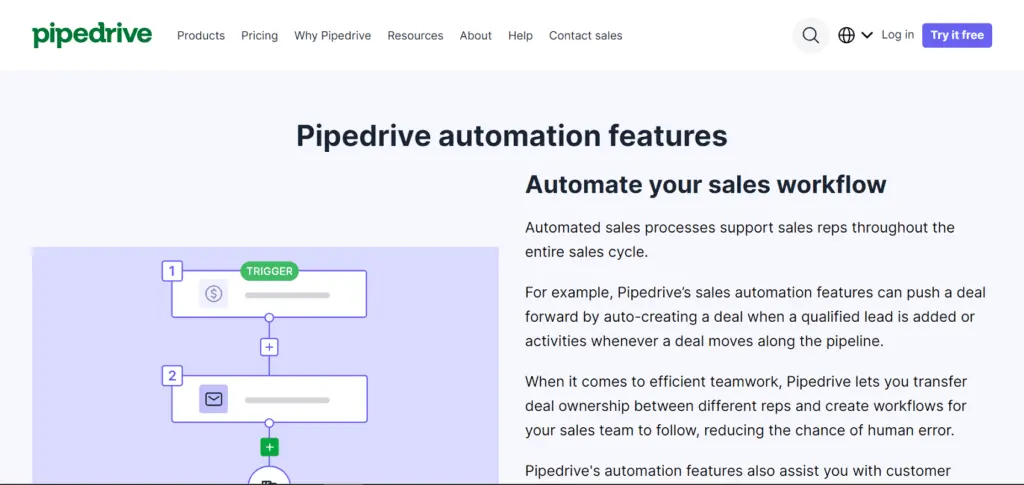
- Reduced Routine Administrative Tasks. Pipedrive automates repetitive sales and marketing tasks. The platform automatically performs functions at different stages of business processes, including deal creation, deal ownership changes, campaign scheduling, and email sequences.
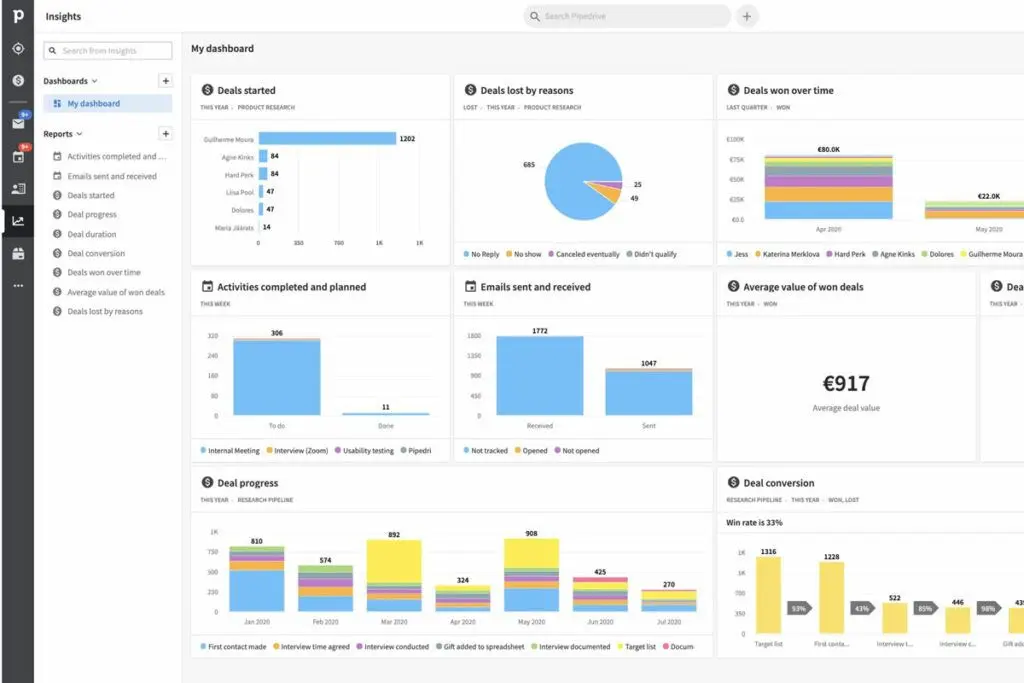
- Data-based Decision-making. Pipedrive is equipped to generate essential reports and insights on leads, deals, and sales forecasts, which are then displayed on customizable dashboards. This feature informs you and your team about your strengths, areas for improvement, opportunities, and threats against business growth. With these vital pieces of information about the status of your customer relationships and sales, you can be well-prepared to make important decisions for your next business move.
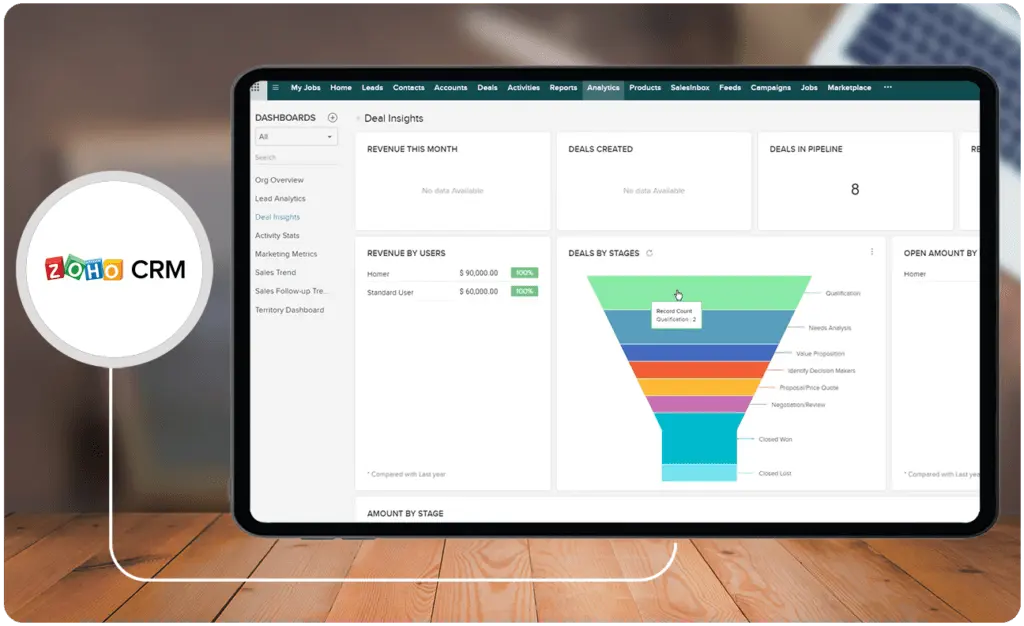
First launched in 2005, Zoho CRM is among the over 55 business products developed and offered by Zoho, an Indian multinational company that has been in the technology industry for more than 25 years now. The business platform offers essential fundamental CRM capabilities that highlight simplicity, flexibility, and productivity. Popular features include sales force automation, Zoho’s artificial intelligence (AI) assistant Zia, process and performance management, unified communications, as well as detailed analytics.
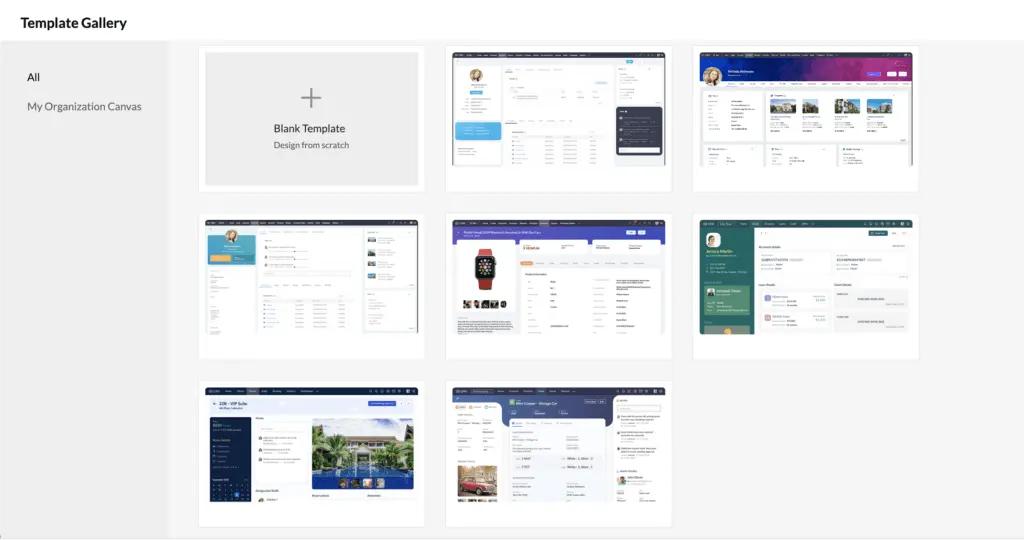
Zoho CRM also enables organizations to create personalized CRM applications easily through Zoho’s Canvas, the first CRM design studio in the industry. Moreover, the digital platform integrates with other Zoho solutions, including its online invoicing software, as well as more than 800 external applications, such as Google Workspace, PayPal, and Shopify. Over 250,000 businesses globally from different industries, including automotive, financial services, and retail, have been benefiting from Zoho CRM features, utilizing the digital platform in their daily operations and communications.
Who is Zoho CRM for?
Zoho CRM is used by self-employed individuals, small businesses, and enterprises. With clients including Bose, Agoda, and Suzuki, the digital business platform serves different industries, such as automotive, life sciences, financial services, real estate, retail, insurance, services, startups, and nonprofit organizations. To show Zoho CRM’s versatility, Thailand-based global hotel owner, manager, and operator Minor Hotels has been utilizing the CRM platform’s data management, process management, and reporting capabilities to support its teams in sales, marketing, finance, and management. Minor Hotels employees also enjoy Zoho’s privacy and security features.
Key Benefits of Zoho CRM
- All-around CRM Support. Globally, Zoho CRM provides organizations with key CRM features that are necessary for efficient daily operations. These capabilities include workflow automation, lead management, deal management, contact management, and omnichannel.
- Highly Customizable Solutions. The digital business solution offers Canvas Design Studio, a simple drag-and-drop design space that allows businesses to create their own CRM platforms. Zoho CRM users get to align the format and content of their customized platforms with company preferences, needs, and goals.
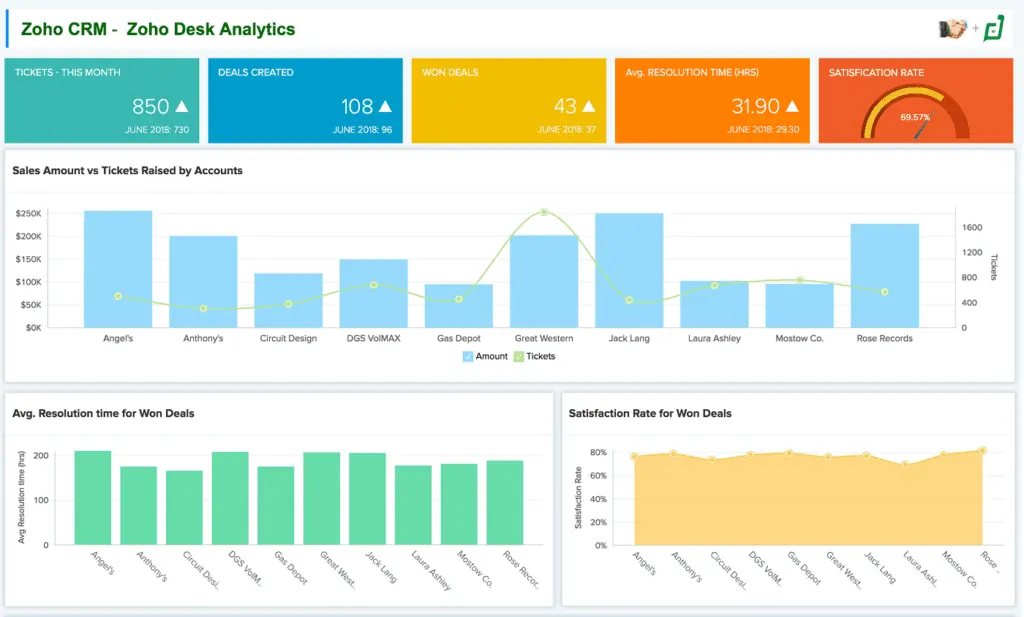
- Knowledgeable Teams. Zoho CRM also generates in-depth analytics and insights that teams may find useful for identifying strengths, addressing pain points, and forecasting sales. Dashboards and reports may either be in standard or custom formats.
Who are Pipedrive and Zoho CRM best for?
- Small Businesses. When comparing Pipedrive vs Zoho CRM, it is evident that both can be adopted by sales teams of any size. Freelancers may also find use in these full-cycle digital business platforms. Notably, in 2022, Pipedrive transitioned to focusing on helping small businesses streamline their processes and eventually scale. However, organizations must note that the prices of CRM subscription plans increase as they add more users. Therefore, independent workers and small businesses may take advantage and get the most out of Pipedrive and Zoho CRM’s pricing models. Nevertheless, if these do not quite fit the bill, there are still Zoho CRM alternatives to consider.
- Technology-centered Industries. Both Pipedrive and Zoho CRM are used in technology-heavy industries, including software development, automotive, and manufacturing. These industries may benefit from various management tools and workflow automation features offered by CRM applications.
- Service, Marketing, and Advertising Industries. In our Pipedrive vs Zoho CRM comparison, we have concluded that both platforms are a great fit for the service, marketing, and advertising industries. These industries are known for performing necessary client-facing activities through in-person and virtual means, especially during the COVID-19 pandemic. Thus, digital CRM tools, such as an inventory management solution and a unified communications platform, are essential to the efficiency of their business processes.
How do Pipedrive and Zoho CRM support mobile sales teams?
Both Pipedrive and Zoho CRM offer mobile app functionality that allows sales teams to manage client interactions, deals, and tasks while on the go. Here’s how each platform empowers remote and mobile teams:
- Mobile Accessibility: Both Pipedrive and Zoho CRM provide dedicated mobile applications, making it easy for sales representatives to update deals, track communications, and access customer information in real-time from any location.
- Offline Access: Pipedrive’s mobile app allows limited offline access, enabling team members to work without an internet connection, with updates syncing when connectivity resumes. Zoho CRM’s mobile app also supports offline mode for essential data access.
- Push Notifications: Both CRMs send mobile push notifications to keep users informed about new deals, upcoming tasks, and follow-up reminders, ensuring timely actions and enhanced productivity.
- Mobile Customization: Zoho CRM’s mobile app offers customizable dashboards and fields, allowing users to tailor the app experience to their specific needs. Pipedrive’s mobile app also offers a streamlined interface designed to simplify deal management.
- Integration with Mobile Communication Tools: Pipedrive and Zoho CRM integrate with mobile communication tools, allowing sales teams to make calls, send messages, and email directly through the CRM app, keeping all client interactions centralized.
Pipedrive vs Zoho CRM Feature Comparison
In this part of our Pipedrive vs Zoho CRM comparison, we aim to give you a more concrete understanding of their key functionalities by outlining their similarities and differences.
Customization
When comparing Pipedrive vs Zoho CRM in terms of customization capabilities, Zoho CRM may be in the lead. Some customers have commented that Pipedrive may lack CRM functionalities and may need to innovate its UI design. Zoho CRM may provide a more highly personalized experience for users with the Canvas design studio and other customizable features, such as dashboards and reports.
Automation and AI
Pipedrive offers sales and marketing automation to allow teams to maintain their focus on interpersonal, creative, and strategic activities—which set the foundation of quality service and products. In contrast, Zoho CRM provides its users with sales and marketing automation. Notably, while both products can be treated as business intelligence platforms because of their AI-generated reports and insights, Zoho CRM may be doing a better job at delineating the uses of its AI assistant.
Zoho’s Zia performs predictions, detects sales anomalies, collects contact data, makes data-based sales recommendations, and provides task-assignment suggestions, among other uses. Meanwhile, Pipedrive’s AI Sales Assistant provides users with timely progress updates, performance-based recommendations, and immediate insights.
Centralization of Communications
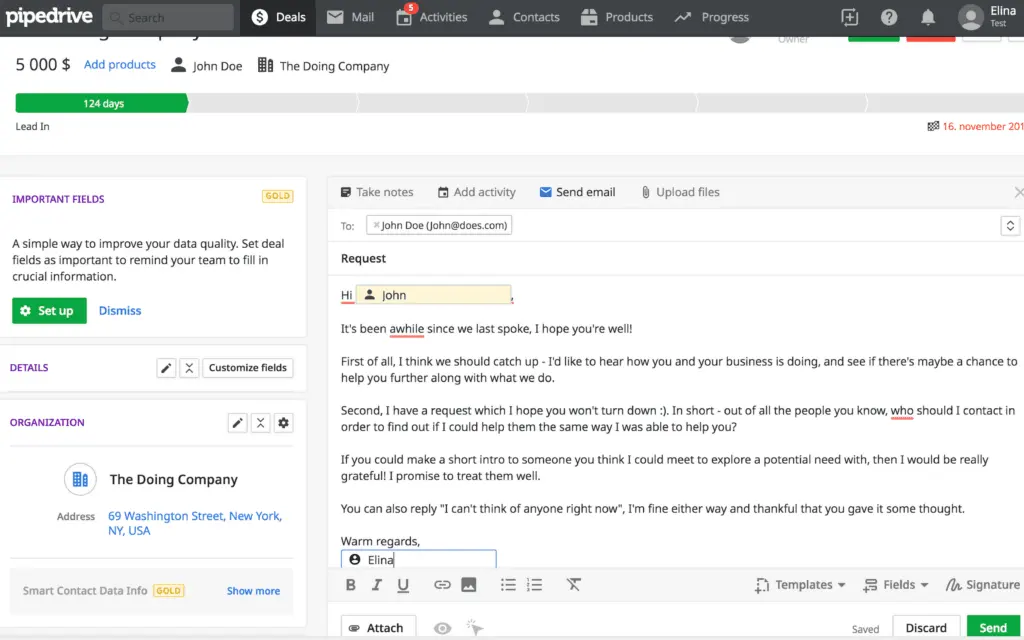
Pipedrive and Zoho CRM unify the communication channels of organizations, letting users access contacts and engage in conversations with employees, leads, and customers from a single platform. These social channels may include email, social media, and SMS. Both CRM platforms also streamline email activities with email templates, email tracking, and automation.
Integrations
When comparing the integration capabilities of Pipedrive vs Zoho CRM, we can see that both products can connect with third-party software applications. However, Zoho CRM connects with more external platforms than Pipedrive. Zoho CRM links with over 800 technology partners, including Google Workspace, Slack, Shopify, QuickBooks, and Proposify, while Pipedrive links with only over 350, including Mailchimp, QuickBooks, Asana, PandaDoc, and Outfunnel. If a wide range of integrations is crucial for your business, exploring Pipedrive alternatives might be worth considering.
Pipedrive vs Zoho CRM Pricing
In terms of pricing between Pipedrive vs Zoho CRM, Pipedrive may be the more affordable CRM option. Pipedrive currently has five pricing tiers, with its most basic plan (Essential) costing $12.50 per user per month if billed annually. The Essential plan costs $15 per user per month if billed monthly. Pipedrive also offers a free 14-day trial with no credit card requirement. Meanwhile, Zoho CRM offers four main plans that the software company charges per user per month: Standard ($14), Professional ($23), Enterprise ($40), and Ultimate ($52). Zoho also has bundled plans such as CRM Plus, which costs $57 per user per month if billed annually, and CRM Flex, which starts at $14 per month if billed annually and increases when the number of users grows as well. Moreover, new Zoho CRM users are provided with free 15-day trials.
Pipedrive Pros and Cons
Pros of Using Pipedrive
- Automates repetitive sales and marketing activities
- Offers visually driven UI features
- Generates useful reports and insights
- Integrates with over 350 third-party applications
- Enables users to undergo a free 14-day trial
Cons of Using Pipedrive
- May lack customization features necessary for large organizations
- May look aesthetically outdated
- May become expensive with more users
How can you ensure successful CRM implementation?
A smooth CRM implementation depends on well-defined onboarding strategies, robust data migration planning, and clear training resources. Evaluate each platform’s support infrastructure—such as dedicated account managers, step-by-step guides, and interactive tutorials—to tailor the system to your organization’s unique processes. Prioritize establishing measurable milestones to monitor progress and encourage team adoption. Additionally, integrating complementary tools like sales software can enhance workflow efficiency and boost overall productivity without compromising data integrity.
Zoho CRM Pros and Cons
Pros of Using Zoho CRM
- Enables organizations to easily create CRM platforms with Canvas
- Leverages automation and AI to support users
- Produces in-depth reports and insights
- Integrates with over 800 external applications
- Offers new users free 15-day trials
Cons of Using Zoho CRM
- May load or respond sluggishly
- May not integrate with some external applications seamlessly
- May provide inconsistent customer support
- May have a steep learning curve for fast-paced businesses
- May become expensive with more users
Complementary Tools to Enhance Your CRM Strategy
While selecting the best CRM software like Pipedrive or Zoho CRM is crucial for managing customer relationships effectively, integrating complementary tools can significantly expand your capabilities. For instance, digital signature software can streamline contract signing processes and accelerate deal closures, ensuring a more efficient sales cycle. This integration can provide a seamless experience for clients and teams by reducing delays caused by manual paperwork. Moreover, pairing your CRM with electronic signature solutions enhances data security and compliance, which is essential for industries handling sensitive customer information.
By incorporating tools that align with your business needs, such as digital signature platforms, analytics software, or workflow automation tools, you can further optimize your CRM strategy and empower your teams to achieve higher productivity and customer satisfaction. When planning your CRM implementation, consider a tech stack that complements your chosen platform and aligns with your long-term organizational goals.
Verdict – Pipedrive vs Zoho CRM: Which software is better?
This Pipedrive vs Zoho CRM comparison has shown that both products are strong contenders in the realm of digital CRM platforms. They offer essential sales, marketing, and data analytics features. Notably, Pipedrive is consistently in the lead in terms of customer ratings only by a slight margin, but Zoho CRM has significantly more customers (over 250,000 organizations) and, understandably, more customer reviews than Pipedrive (over 100,000 organizations).
Zoho CRM gets ahead of Pipedrive in convenient customization features with the drag-and-drop Canvas design studio. Many customers have raised concerns about the lack of personalization capabilities provided by Pipedrive, deeming the CRM platform as not ideal for larger companies with specific needs and preferences.
In terms of AI and automation functionalities, both Pipedrive vs Zoho CRM seem to be delivering as promised. However, Zoho CRM takes the lead again with the number of available integrations with external applications that the solution offers. It connects with more than 800 third-party platforms, while Pipedrive connects with only over 350. To determine which CRM software is better for your business, you must understand your needs and goals. This way, you will have a basis for your budget and the CRM features necessary for you and your team. Fortunately, both Pipedrive and Zoho CRM offer free trials before you get locked in on a longer subscription period.
Key Insights
- User-Friendly Interface: Pipedrive is known for its intuitive and visually driven user interface, making it easy for sales teams to adopt and navigate without extensive training.
- Automation Features: Pipedrive automates routine sales and marketing tasks, helping businesses reduce administrative workload and focus on more strategic activities.
- Integration Capabilities: Pipedrive supports over 350 integrations with third-party applications, enabling seamless connectivity with tools like QuickBooks, Zoom, and Asana.
- Customization and Flexibility: Zoho CRM excels in customization with its Canvas Design Studio, allowing businesses to create personalized CRM platforms that align with their specific needs and goals.
- Advanced AI and Analytics: Zoho CRM leverages AI with its assistant Zia, providing advanced features like sales predictions, anomaly detection, and task assignment suggestions to enhance business intelligence.
- Wide Range of Integrations: Zoho CRM integrates with over 800 external applications, offering extensive connectivity options for businesses using various software tools.
- Scalability for Diverse Industries: Both Pipedrive and Zoho CRM cater to a wide range of industries, including marketing, real estate, technology, and financial services, making them versatile solutions for different business needs.
Other Things You Should Know About Pipedrive – Zoho CRM Comparison
Both Pipedrive and Zoho CRM are digital CRM platforms designed to help businesses manage their customer relationships and sales processes. Pipedrive is known for its user-friendly interface and affordability, making it ideal for small businesses. Zoho CRM, on the other hand, offers extensive customization options with its Canvas Design Studio and integrates with a larger number of third-party applications, making it suitable for larger organizations with more complex needs.
Some disadvantages of Zoho CRM include slow load or response times, difficulties in integrating with certain external applications, inconsistent customer support, and relatively high pricing plans. Additionally, Zoho CRM has a steeper learning curve, which may pose challenges for first-time users and fast-paced businesses.
Yes, Pipedrive is a CRM platform designed to help small businesses grow. It offers a variety of digital business tools, including email marketing, lead management, project management, sales automation, and analytics, making it a comprehensive solution for managing customer relationships.
Pipedrive is best suited for small businesses across diverse industries, such as marketing, advertising, automotive, entertainment, and manufacturing. Its user-friendly interface and automation features make it ideal for companies looking to streamline their sales processes and focus on growth.
Key benefits of using Pipedrive include its visually driven user interface, automation of repetitive sales and marketing tasks, generation of useful reports and insights, and integration with over 350 third-party applications. Pipedrive also offers a flexible implementation process that aligns with business preferences and goals.
Zoho CRM supports extensive customization through its Canvas Design Studio, a drag-and-drop design space that allows businesses to create their own personalized CRM platforms. Users can customize dashboards, reports, and other CRM elements to align with their specific business needs and goals.
Zoho CRM is used by a wide range of industries, including automotive, life sciences, financial services, real estate, retail, insurance, services, startups, and nonprofit organizations. Its versatile features and extensive integrations make it suitable for businesses of all sizes and sectors.
Pipedrive integrates with over 350 third-party applications, including QuickBooks, Zoom, Asana, and Mailchimp. Zoho CRM, on the other hand, integrates with over 800 external applications, such as Google Workspace, Slack, Shopify, and QuickBooks, offering a broader range of connectivity options for businesses using various software tools.
Pipedrive has five pricing tiers, with its most basic plan (Essential) costing $12.50 per user per month if billed annually. Zoho CRM offers four main plans, starting at $14 per user per month for the Standard plan. Zoho CRM also has bundled plans like CRM Plus, which costs $57 per user per month if billed annually. Both platforms offer free trials, with Pipedrive providing a 14-day trial and Zoho CRM offering a 15-day trial.
Both Pipedrive and Zoho CRM are suitable for small businesses. Pipedrive's affordability, ease of use, and automation features make it a strong choice for small teams. Zoho CRM offers more customization and integration options, which can be beneficial for small businesses with specific needs and more complex workflows. The best choice depends on the specific requirements and budget of the small business.