What is eSignature software? Comprehensive Guide 2027

Co-Founder and Chief Data Scientist
Electronic signatures, or e-signatures, have become increasingly prevalent in the digital age, revolutionizing the way documents are signed and exchanged. The market for e-signature software is experiencing rapid growth, with the global market size projected to grow to USD 154.52 billion by 2034. This growth is driven by factors such as the growing adoption of digital signature software for signing documents, increasing awareness of legal acceptance of e-signatures, and the desire of businesses to remain competitive in the market.
In this guide, we will explore the current trends and market size of e-signature software, as well as provide an overview of the key players in the industry. We will also discuss the benefits of e-signature software and what to consider when choosing an online document management solution for your business. Whether you are new to e-signatures or looking to upgrade your current system, this guide will provide valuable insights into the world of e-signature software.
Featured eSignature Software Products

$19 per seat per month billed annually
14 days
collaboration, e-signature, automated workflows
Editor's Take
PandaDoc is a powerful, all-in-one document management and e-signature solution designed to simplify the creation, approval, and management of business documents. Ideal for sales, HR, and operations teams, PandaDoc provides an intuitive platform for creating proposals, contracts, quotes, and more, all with a user-friendly drag-and-drop editor that speeds up document creation and enhances brand consistency.
PandaDoc’s real-time collaboration features allow teams and clients to review, comment, and negotiate terms directly within the document, eliminating the need for back-and-forth emails. Built-in e-signature capabilities make it easy to obtain legally binding signatures, while automated workflows and analytics offer visibility into document status and engagement, empowering teams to track progress and optimize sales cycles. PandaDoc integrates seamlessly with CRMs, payment processors, and project management tools like Salesforce, HubSpot, and Stripe, streamlining operations and enhancing productivity across departments. For businesses looking to improve efficiency and control over document workflows, PandaDoc provides a comprehensive, scalable solution.
Expert Score
In evaluating SaaS software, a comprehensive and structured methodology ensures a fair and accurate comparison across key metrics. This approach focuses on the most critical aspects that affect user experience, functionality, and business value. The following metrics—general features, cost, customer service, integrations, and mobile support—are evaluated to provide a holistic view of each software solution’s strengths and weaknesses. These metrics are selected based on their direct impact on software usability, scalability, and long-term effectiveness for businesses.
1. General Features - scoring weight 40%
This metric evaluates the core functionalities and tools the software offers. It involves assessing the comprehensiveness of the features, their relevance to the target users, and the ease of use. This is important because robust and well-designed features determine the software's overall utility and efficiency in solving user problems.
2. Cost - scoring weight 15%
Cost analysis focuses on pricing models, value for money, and scalability. It's crucial to evaluate whether the software’s features justify its price, considering different plans for small and large organizations. This is vital for businesses to ensure they invest in cost-effective solutions that fit their budget.
3. Customer Service - scoring weight 15%
This evaluates the responsiveness, quality, and availability of customer support, including channels like chat, email, or phone. Good customer service is essential for troubleshooting and ensuring smooth software usage, which reduces downtime and frustration for users.
4. Integrations - scoring weight 15%
This examines how well the software integrates with third-party tools (e.g., CRM, payment systems, collaboration apps). Seamless integrations are key for creating a unified workflow and enhancing productivity by connecting multiple systems, which is crucial for operational efficiency.
5. Mobile Support - scoring weight 15%
Mobile support assesses the software’s functionality and performance on mobile devices, including apps and mobile web versions. With increasing remote work and on-the-go usage, strong mobile support is critical to ensure users can access and utilize the software effectively, regardless of location.

$10/user/month
14 days
E-Signatures, Document Storage, File Editing
Editor's Take
Xodo Sign is a digital signature and document management platform designed for fast and secure e-signatures. It simplifies contract management by enabling users to send, sign, and store documents electronically. The platform supports multiple file formats, offering a user-friendly interface for editing and collaboration. With advanced security measures and compliance with legal standards, Xodo Sign is ideal for businesses looking to streamline their document workflows. Its integration capabilities with other tools enhance productivity and ensure a seamless user experience.
Expert Score
In evaluating SaaS software, a comprehensive and structured methodology ensures a fair and accurate comparison across key metrics. This approach focuses on the most critical aspects that affect user experience, functionality, and business value. The following metrics—general features, cost, customer service, integrations, and mobile support—are evaluated to provide a holistic view of each software solution’s strengths and weaknesses. These metrics are selected based on their direct impact on software usability, scalability, and long-term effectiveness for businesses.
1. General Features - scoring weight 40%
This metric evaluates the core functionalities and tools the software offers. It involves assessing the comprehensiveness of the features, their relevance to the target users, and the ease of use. This is important because robust and well-designed features determine the software's overall utility and efficiency in solving user problems.
2. Cost - scoring weight 15%
Cost analysis focuses on pricing models, value for money, and scalability. It's crucial to evaluate whether the software’s features justify its price, considering different plans for small and large organizations. This is vital for businesses to ensure they invest in cost-effective solutions that fit their budget.
3. Customer Service - scoring weight 15%
This evaluates the responsiveness, quality, and availability of customer support, including channels like chat, email, or phone. Good customer service is essential for troubleshooting and ensuring smooth software usage, which reduces downtime and frustration for users.
4. Integrations - scoring weight 15%
This examines how well the software integrates with third-party tools (e.g., CRM, payment systems, collaboration apps). Seamless integrations are key for creating a unified workflow and enhancing productivity by connecting multiple systems, which is crucial for operational efficiency.
5. Mobile Support - scoring weight 15%
Mobile support assesses the software’s functionality and performance on mobile devices, including apps and mobile web versions. With increasing remote work and on-the-go usage, strong mobile support is critical to ensure users can access and utilize the software effectively, regardless of location.
eSignature Software Guide Table of Contents
- What are the common integration capabilities of eSignature software with other business tools?
- What is the ROI of adopting eSignature software?
- How to Choose the Best eSignature Software for Your Business
What is eSignature software
Electronic signature software is a digital tool that allows individuals and organizations to authenticate documents electronically, thereby eliminating the need for physical signatures. This innovative solution ensures the integrity and authenticity of electronic documents in a secure and legally binding manner.
The software offers various methods for users to sign documents digitally. They can either type their name, draw their signature using a mouse or touchscreen, or even use a pre-designed signature template. Once completed, these digital signatures are embedded into the document, clearly indicating the signer’s intent.
One of the primary benefits of electronic signature software is its convenience and efficiency. It enables users to sign documents from any location, at any time, and on any device with an internet connection. This eradicates the need for traditional methods such as printing, scanning, and mailing physical documents, thereby saving valuable time and resources.
In addition to convenience, electronic signature software also offers enhanced security features. It employs encryption technology to protect the integrity of the signed documents, ensuring they cannot be tampered with or altered post-signature. Some software even offers advanced authentication methods, like multi-factor authentication, to verify the signer’s identity, further bolstering the security of the signed documents.
Compliance is a crucial aspect of electronic signature software. It adheres to various legal regulations, including the ESIGN Act in the United States and eIDAS in the European Union. These regulations validate that electronic signatures are legally binding and enforceable in court, providing organizations with the assurance that their signed documents comply with these legal requirements.
Electronic signature software is widely adopted across various industries and departments. It is frequently used for sales contracts, purchase orders, HR processes, legal agreements, and financial services. By eliminating the need for manual handling of documents, the software can streamline workflows, improve efficiency, and reduce costs.
There are numerous electronic signature software tools available in the market, each with its unique features and functionalities. Some of the popular options include DocuSign, Adobe Acrobat Sign, and signNow. These tools offer intuitive signing experiences, seamless integration with other applications such as inventory management software, and robust security measures, making them a valuable asset for businesses in the digital age.
What are examples of eSignature software
DocuSign: A Trusted Choice for Enterprises
DocuSign is a renowned name in the electronic signature industry, boasting a large customer base and a reputation for being a preferred choice among large-scale businesses. It provides a user-friendly interface and robust functionality, making it a trusted solution for many Fortune 500 companies. However, it’s worth noting that DocuSign’s pricing is often higher than some of its competitors, and it charges additional fees for certain premium features.
Xink: Speed and Efficiency in Digital Signatures
Xink, while having a smaller market share, offers a cloud-based platform that allows users to sign and fill documents electronically from various devices, including smartphones and tablets. Known for its speed and efficiency, Xink enables users to sign, send, and manage documents swiftly, and also provides real-time tracking of document status.
Adobe Sign: A Preferred eSignature Solution
Formerly known as EchoSign, Adobe Sign is a prominent player in the electronic signature market. It is a preferred solution for Microsoft and is trusted by numerous Fortune 500 companies. Adobe Sign offers a wide array of features and integrations, with over 100 integrations available. However, similar to DocuSign, Adobe Sign’s pricing is often higher than some of its competitors, and it charges extra for certain premium features.
Nitro: A Popular Alternative for eSignature and Document Intelligence
Nitro is a popular alternative to Adobe Acrobat, offering electronic signature and document intelligence solutions. It provides a variety of pricing plans, catering to both individual users and large enterprises. Nitro Sign supports common integrations and continues to expand in this area, with current integrations including leading cloud storage providers and automation services.
SignNow: Simplifying Daily Office Operations
SignNow is positioned as a strong alternative to both Adobe Sign and DocuSign. It offers advanced features for electronic signing and client data collection, aiming to simplify daily office operations. SignNow provides a range of features, making it a versatile choice for businesses looking to streamline their document signing process.
What are the benefits of eSignature software
In this section, we will delve into the numerous advantages of electronic signature software that make it a valuable investment for businesses. We will explore how it enhances security, promotes environmental sustainability, streamlines business transactions, reduces costs, and improves document organization and reliability.
Enhanced Security with Electronic Signatures
Electronic signature software provides an extra layer of security through sophisticated encryption and decryption methods. This makes it nearly impossible to forge or illicitly modify signed documents. Furthermore, electronic signatures generate a unique audit trail that records all changes made to the document, making tampering virtually impossible. The security level can differ based on the electronic signature type and encryption method used.
Promoting Environmental Sustainability
By reducing dependence on paper-based processes, electronic signature software contributes to environmental sustainability. It eliminates the need for printing, scanning, and mailing paper documents, significantly reducing a business’s carbon footprint. This shift towards a paperless, cloud-based solution not only conserves trees but also reduces the use of harmful chemicals found in ink and devices.
Streamlining Business Transactions
Electronic signature software expedites the signing process, leading to quicker business transactions. It eliminates the need for physical access to documents, allowing parties to review and sign documents from anywhere, at any time. This convenience and flexibility enhance customer satisfaction, a crucial factor in today’s fast-paced business environment. For instance, finance and accounting departments using eSignature workflows have experienced a 75% reduction in payment processing times.
Cost Reduction through Electronic Signatures
Implementing electronic signature software can result in substantial cost savings. It eliminates expenses related to printing, stationery, and printing equipment. Moreover, it promotes the conservation of water and trees by reducing paper reliance. For instance, not using a standard pack of copy paper can save 130 liters of water and 7 kilograms of wood. On average, eSignature saves $36 per agreement by reducing hard costs and improving employee productivity.
Reliability and Organization of Documents
Electronic signature software ensures the reliability of signed documents. Unlike traditional handwritten signatures that may fade or distort over time, electronic signatures remain legible and unchanged, ensuring the integrity of the signature. This is particularly important when documents need to be referenced or verified after a long period.
What are the types of eSignature software
In this section, we will delve into the various types of electronic signature software available in the market today, highlighting their unique features and advantages. This information will be instrumental in helping you choose the right software solution that aligns with your specific needs and workflows.
Standalone Electronic Signature Software
Standalone electronic signature software is a type of software that is specifically engineered for electronic signature functionality. It allows users to append legally binding signatures to documents using various devices such as computers, smartphones, or tablets. This software is a favorite among individuals and small businesses that primarily need basic electronic signature capabilities.
Integrated Electronic Signature Software
Integrated electronic signature software is another type that is part of a broader content management system or business software suite. This software not only offers electronic signature functionality but also comes with additional features such as document management, workflow automation, and collaboration tools. It is an ideal choice for larger organizations that need a comprehensive solution for managing their documents and workflows.
Cloud-Based Electronic Signature Software
Cloud-based electronic signature software is hosted on remote servers and can be accessed through a web browser or mobile app. This type of software offers the advantage of easy accessibility from any location with an internet connection. It also provides automatic updates and data backup, thus eliminating the need for manual software installations and maintenance.
On-Premises Electronic Signature Software
On-premises electronic signature software is installed and operated on the organization’s own servers or infrastructure. This software offers enhanced control and security over sensitive documents and data. It is often the preferred choice for organizations with stringent data privacy and compliance requirements.
Open-Source Electronic Signature Software
Open-source electronic signature software is developed and distributed under a license that allows users to view, modify, and distribute the source code. This software offers flexibility and customization options for organizations with specific requirements or those that want to tailor the software to their needs. It is commonly used by developers and tech-savvy users who have the expertise to modify and maintain the software.
Mobile Electronic Signature Apps
Lastly, there are mobile electronic signature apps designed specifically for smartphones and tablets. These apps allow users to sign documents on the go, using touchscreens or stylus pens.
What are the features of eSignature software
In this section, we will delve into the various features that electronic signature software typically offers. These features are designed to enhance the efficiency, security, and convenience of the document signing process, making it an invaluable tool for businesses and individuals alike.
Smooth Signing Experience
A key feature of electronic signature software is its ability to provide a seamless signing experience. This includes the capacity to capture documents using an in-built scanner and instantly attach a signature from any device. The software is designed with a user-friendly interface, specifically tailored for smartphones and tablets. This allows users to easily navigate through documents, add necessary fields such as name and title, and sign using a finger or stylus. The final step is designed to be simple, allowing users to download or print the signed documents with ease.
Easy Sending and Tracking
Another significant feature is the ability to send and track signed documents with minimal effort. The software enables users to dispatch signed documents swiftly and with few steps. It also provides real-time notifications about who has signed the document, aiding users in tracking the progress of the signing process. Furthermore, the software supports multiple recipients for document signing, allowing several individuals to sign the document simultaneously.
Secure Storage
Secure storage is a critical feature of electronic signature software. This feature ensures that signed documents are stored securely and can be retrieved whenever necessary. The software employs encryption and other security measures to safeguard sensitive information and prevent unauthorized access, providing users with the assurance that their signed documents are safe.
Legally Binding Functionality
Electronic signature software also offers legally binding functionality. The software adheres to relevant laws and regulations, such as the ESIGN Act, to ensure that electronic signatures are legally valid and enforceable. This feature is crucial for businesses and individuals who need legally binding signatures for their documents.
Affordable Pricing Plans
Lastly, electronic signature software providers often offer affordable pricing plans. This feature allows users to select a pricing plan that aligns with their needs and budget. Different plans may provide varying levels of features and support, enabling users to choose the option that best meets their requirements.
What are the factors to consider when getting an eSignature software
In this section, we will delve into the key factors that should be taken into account when purchasing electronic signature software. These considerations will guide you in making an informed decision that aligns with your specific needs and requirements.
Software Flexibility and Adaptability
One of the primary considerations when choosing e-signature solutions is its flexibility and adaptability. The software should be able to evolve with your business needs. As you begin to implement the technology, you may initially use it in one department, but eventually, you might want to expand its use across the entire organization. Therefore, it’s crucial to select software that is compatible with various devices such as laptops, desktops, tablets, and smartphones.
Security Features
Security is a critical aspect when purchasing electronic signature software. You need to ensure that the software provides a secure and compliant method for signing documents. Look for features like encryption and authentication that safeguard the integrity of your documents. Additionally, it’s important to consider if the software adheres to industry standards and regulations, such as HIPAA for the healthcare industry.
Ease of Use
The user-friendliness of the software is another important consideration. The software should have an intuitive interface that allows both signers and administrators to navigate and complete the signing process with ease. Features like drag-and-drop functionality, customizable templates, and intuitive workflows can simplify the signing experience and boost efficiency.
Integration Capabilities
When purchasing electronic signature software, consider its integration capabilities. The software should offer integration options with other software and systems that you use. Integration with tools like CRM systems or document management platforms can streamline workflows and improve efficiency. Look for software that provides APIs and pre-built integrations with popular platforms like Salesforce, Hubspot, or Zoho.
Scalability
Scalability is another factor to consider. As your business grows, you may need to expand the use of electronic signatures across different departments or even internationally. Therefore, it’s crucial to ensure that the software can handle increased usage and accommodate a growing number of users and documents without compromising performance.
Customer Support
Consider the level of customer support provided by the software vendor. A vendor that offers responsive and knowledgeable customer support can assist with any technical issues or questions that may arise during the implementation and use of the software.
Cost
Finally, cost is an important factor to consider. Compare pricing plans and features offered by different vendors to find the best value for your organization. However, remember that while cost is important, it should not be the sole determining factor. Consider the overall value and benefits that the software provides.
By taking these factors into account when buying electronic signature software, you can make an informed decision and choose the best software that meets your organization’s current and future needs.
How much does eSignature software cost
Electronic signature software pricing is diverse, catering to various budgets and requirements. The cost is influenced by several factors, including the software’s features, the number of users, and the security level it offers.
Typically, these software solutions are available through a subscription-based pricing model. Users pay a recurring fee, either monthly or annually, to access the software and its features. The pricing structure is often tiered, offering different levels of functionality at varying price points.
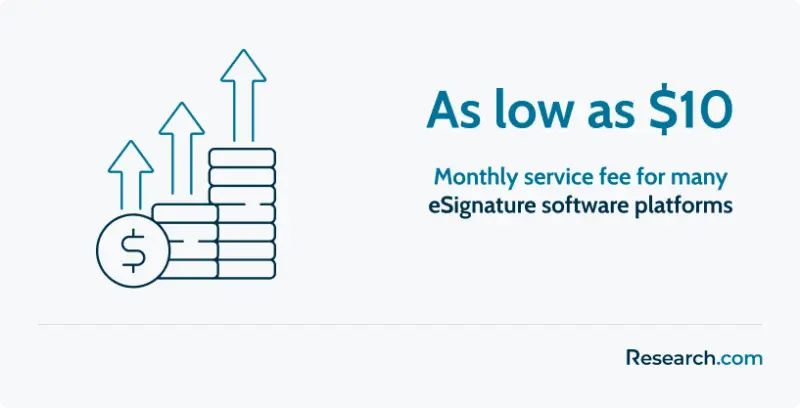
For basic plans, the cost of electronic signature software can start as low as $10 per month. However, more advanced plans with additional features and support can cost several hundred dollars per month. Larger organizations may opt for enterprise-level plans, which may come with custom pricing based on their specific needs.
Take note: some providers offer free trials. This allows potential users to test the software’s features and usability before making a financial commitment. This can be a valuable opportunity to assess whether the software meets your needs.
When budgeting for electronic signature software, it’s crucial to consider not just the upfront cost, but also any potential additional expenses. Some providers may charge extra for additional users or certain advanced features. Also, consider any training or support costs that may be necessary for a smooth implementation and ongoing use of the software.
In summary, the cost of electronic signature software can fluctuate based on features, the number of users, and security level.
What are the common integration capabilities of eSignature software with other business tools?
Integrating eSignature software with other applications can significantly streamline business processes and enhance productivity. Here are key integration capabilities that many businesses seek in eSignature tools:
- CRM Integration: Connecting eSignature software with Customer Relationship Management (CRM) tools, such as Salesforce, HubSpot, or Zoho, enables sales teams to send documents for signature directly from the CRM, track status, and view signed agreements within the same platform.
- Document Management Systems: Many eSignature solutions integrate with document management systems like Google Drive, Dropbox, and SharePoint, allowing users to securely store signed documents and access them across platforms without manual uploading or downloading.
- HR Platforms: Integrations with HR systems, such as BambooHR and Workday, enable seamless handling of employee documents, from onboarding paperwork to performance reviews, reducing manual tasks and improving compliance.
- Accounting and ERP Software: For industries that require frequent contract and invoice sign-offs, integration with accounting and ERP platforms, like QuickBooks and SAP, can accelerate the approval process, ensure data accuracy, and improve financial workflow efficiency.
These integrations allow businesses to centralize operations, reduce redundancy, and enhance the efficiency of document-related workflows across departments.
What is the ROI of adopting eSignature software?
Adopting eSignature software can yield significant cost savings and efficiency gains, making it crucial to assess its return on investment. By reducing processing times, eliminating printing and storage expenses, and minimizing manual intervention, businesses can observe quantifiable improvements in operational expenses. Decision-makers are encouraged to calculate the overall impact by comparing ongoing subscription and implementation costs against measurable benefits such as faster turnaround times, enhanced compliance, and reduced administrative overhead. Integration with existing systems—for instance, seamless linking with bookkeeping software—can further optimize financial workflows and improve data accuracy, reinforcing the business case for a digital signature solution.
What are the potential issues with eSignature software
In this section, we delve into the potential challenges that users and companies may face when using electronic signature software. We will discuss issues such as disappearing signatures, fraud and reliability risks, unauthorized signing, authentication disputes, and compliance concerns. By understanding these issues and implementing appropriate solutions, organizations can effectively navigate the landscape of electronic signature software and fully leverage its benefits.
Disappearing Signatures
A common issue that users may encounter is the disappearance of their eSignature when saving a document. This problem often arises when different applications are used to view and save PDF files. For example, if an eSignature is affixed using one application and the document is later viewed using another, the eSignature may not appear. To solve this problem, it is recommended to consistently use the same application for viewing and saving PDF files.
Fraud and Reliability Risks
Another challenge is the risk of fraud and reliability associated with electronic signatures. While electronic signatures are generally more secure than traditional paper-based signatures, there is still a possibility of signatory forging and fraud. To mitigate this risk, additional anti-fraud measures can be implemented, such as authentication confirmation via a phone call. Despite the increased security, market data shows that 36% of those who have not adopted e-signatures have security or compliance concerns.
Unauthorized Signing
Unauthorized signing is another issue that both wet ink and electronic signatures face. It is crucial for organizations looking for invoicing software to ensure that all their signatories are authorized to sign documents. Implementing a comprehensive internal process, accompanied by sophisticated signatory authorization technology, can significantly reduce the risk of unauthorized signing and increase the enforceability of signed records.
Authentication Disputes
Authentication is a common cause of disputes in electronic signature transactions. One party may claim that they did not sign a document, putting the burden of proof on the other party. To address this issue, reliable authentication systems are essential. A well-designed electronic signature system should have legal ways to prove intent to sign, such as following a series of steps before making the final approval or implementing two or three-step authentication processes.
What are the latest eSignature software trends
In this section, we delve into the latest trends shaping the electronic signature software industry. These trends are driven by the evolving needs of businesses and organizations who need contract management solutions for secure, efficient, and flexible solutions that enhance their operations. We will explore the rise of remote work and digital processes, the shift towards cloud-based platforms, industry-specific compliance requirements, the development of mobile electronic signature capabilities, and the projected growth of the contract management software market.
Adoption of Remote Work and Digital Processes
The surge in remote work and digital business processes is a significant trend in the electronic signature software industry. The COVID-19 pandemic has accelerated this trend, forcing many businesses to adapt to remote work environments. As a result, there is a growing demand for electronic signature solutions that facilitate remote document signing and collaboration. According to the latest research, most adopters of digital signature solutions do it simply because their clients expect it; 56% of respondents reported that they adopted e-signature software due to client expectations, while 46% said they did so because they were made aware of e-signatures having been made legally binding and enforceable.
Shift Towards Cloud-Based Platforms
Cloud-based electronic signature solutions are gaining popularity due to their scalability, accessibility, and integration capabilities. These solutions allow businesses to seamlessly incorporate electronic signature functionality into their existing workflows and systems. With cloud-based platforms, businesses can access and sign documents from anywhere, at any time, using any device with an internet connection.
Focus on Industry-Specific Compliance Requirements
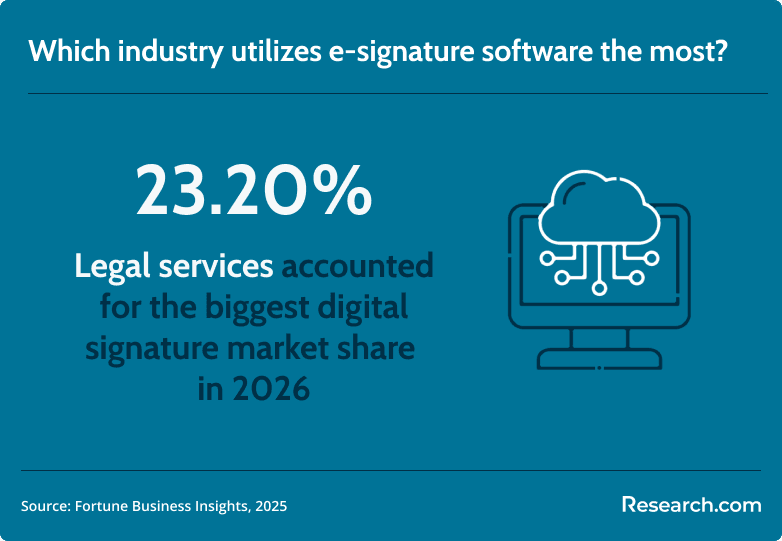
Certain industries, such as finance, legal, and healthcare, have specific regulatory compliance requirements. These industries are increasingly adopting electronic signature solutions to meet these requirements while improving operational efficiency. Electronic signature software offers the ability to securely sign and store documents, maintain audit trails, and ensure compliance with e-signature regulations. For instance, market data shows that the legal services comprised of the largest end user share, with 23.20% in 2026.
Development of Mobile Electronic Signature Capabilities
With the growing use of smartphones and tablets for business transactions, electronic signature software providers are developing mobile-friendly solutions. These solutions allow users to sign documents on the go, providing convenience and flexibility. Users can sign documents anytime, anywhere, using their mobile devices.
How to Choose the Best eSignature Software for Your Business
Selecting the right electronic signature software can significantly impact your organization's efficiency and security. It's essential to evaluate your business needs and compare different providers to find the best solution.
First, assess the volume and complexity of documents your organization processes. Businesses handling high volumes or requiring additional workflow automation should prioritize advanced software capabilities over basic features. Tools with features such as API access, document templates, and advanced security protocols often prove invaluable in such cases.
Second, take into account the kind of integrations necessary for seamless operations. Most companies benefit from electronic signature tools that sync smoothly with CRMs, ERPs, or document management platforms. If you're seeking a clear overview of leading software, this guide on digital signature software compares some of the best tools in the market.
Lastly, don’t overlook user experience and support. A user-friendly interface ensures adoption across your team, while accessible support channels enable efficient issue resolution. Many vendors offer free trials to help you test usability and features, so take advantage of this option before committing.
By evaluating these factors carefully, you'll be well-equipped to choose an eSignature solution that aligns with your operational goals and maximizes your return on investment.
Key Insights
- Market Growth: The global market for e-signature software is rapidly expanding, with projections indicating it will reach over USD 14 billion by 2026. This growth is driven by the increasing adoption of digital signatures, growing awareness of their legal acceptance, and the need for businesses to remain competitive.
- Convenience and Efficiency: E-signature software enables users to sign documents from any location, at any time, using any device with an internet connection. This eliminates the need for physical signatures, saving time and resources.
- Enhanced Security: These tools employ encryption technology to ensure the integrity and authenticity of signed documents. Some also offer advanced authentication methods, like multi-factor authentication, to verify the signer’s identity.
- Legal Compliance: E-signature software complies with various legal regulations, such as the ESIGN Act in the United States and eIDAS in the European Union, ensuring that electronic signatures are legally binding and enforceable.
- Environmental Sustainability: By reducing the need for paper, printing, and mailing, e-signature software contributes to environmental sustainability and helps businesses reduce their carbon footprint.
- Diverse Applications: E-signature software is widely used across industries for sales contracts, purchase orders, HR processes, legal agreements, and financial services, among others.
- Integration Capabilities: Many e-signature tools integrate seamlessly with other business applications, enhancing productivity and streamlining workflows.
- Recent Trends: The rise of remote work, increased demand for cloud-based solutions, industry-specific compliance needs, and the development of mobile-friendly e-signature capabilities are key trends driving the market.
References:
- Fortune Business Insights. (2025). Digital Signature Market Size, Share & Industry Analysis. https://www.fortunebusinessinsights.com/industry-reports/digital-signature-market-100356
- Statista. (2026). Global electronic signature market share by company 2026. https://www.statista.com/statistics/1338004/electronic-signature-market-share-by-company
Other Things You Should Know About eSignature Software
E-signature software is a digital tool that allows individuals and organizations to authenticate documents electronically, eliminating the need for physical signatures. It ensures the integrity and authenticity of documents in a secure and legally binding manner.
Some popular examples of e-signature software include DocuSign, Adobe Sign, Nitro, Xink, and SignNow. These tools offer various features for digital signing, document management, and integration with other business applications.
The benefits include enhanced security through encryption, promoting environmental sustainability by reducing paper use, streamlining business transactions, reducing costs associated with physical documents, and improving document organization and reliability.
Types include standalone e-signature software, integrated solutions within broader business software suites, cloud-based e-signature tools, on-premises solutions, open-source options, and mobile e-signature apps.
Key features to consider are a smooth signing experience, easy sending and tracking of documents, secure storage, legally binding functionality, and affordable pricing plans.
Consider the software’s flexibility and adaptability, security features, ease of use, integration capabilities, scalability, customer support, and cost.
Costs vary widely depending on the features and number of users. Basic plans can start as low as $10 per month, while more advanced plans for larger organizations can cost several hundred dollars per month. Some providers offer free trials.
Potential issues include disappearing signatures due to software compatibility, risks of fraud and reliability, unauthorized signing, authentication disputes, and compliance concerns. Proper measures and reliable software can mitigate these risks.
Current trends include the adoption of remote work and digital processes, a shift towards cloud-based platforms, a focus on industry-specific compliance requirements, and the development of mobile electronic signature capabilities.