
TalentLMS vs iSpring LMS – 2027 Comparison

Co-Founder and Chief Data Scientist
TalentLMS vs iSpring LMS Table of Contents
- What is TalentLMS?
- Who is TalentLMS for?
- Key benefits of TalentLMS?
- What is iSpring LMS?
- Who is iSpring LMS for?
- Key Benefits of iSpring LMS?
- Who are TalentLMS and iSpring LMS best for?
- TalentLMS vs iSpring LMS Feature Comparison
- TalentLMS vs iSpring LMS Pricing
- TalentLMS Pros and Cons
- iSpring LMS Pros and Cons
- How do these platforms integrate with industry-specific tools?
- Comparing Scalability and Long-Term Investment
- How do TalentLMS and iSpring LMS support compliance training needs for regulated industries?
- Verdict – TalentLMS vs iSpring LMS: Which software is better?
What is TalentLMS?
TalentLMS is a versatile cloud-based learning management system (LMS) designed to cater to businesses of all sizes, effectively delivering training to their employees. The platform's core features encompass course creation and management, content authoring, learning tracking, reporting, and gamification, all supplemented with mobile learning capabilities. Talent LMS also offers extensive benefits, including increased employee engagement, improved knowledge retention, reduced training costs, and enhanced compliance.
In this comparison article, our research team tested out both TalentLMS and iSpring LMS and found that one of the standout qualities of Talent LMS is it is a free learning management system. It is also known for its scalability. And despite its powerful capabilities, the platform remains user-friendly and manageable, even for nontechnical users. This ease of use is complemented by a wide range of features and customization options, enabling businesses to tailor the LMS to their specific requirements effectively. Furthermore, organizations can rest assured about data security and compliance, as Talent LMS adheres to industry standards, ensuring the safety of valuable information.
Featured LMS Software Providers

$4.08 per user per month
(billed annually)
30 days
Yes
Editor's Take
iSpring LMS is a user-friendly learning management system (LMS) tailored for businesses and educators to deliver eLearning content efficiently. It offers features like course creation, quizzes, learning paths, and progress tracking. iSpring LMS supports various content types, including video lectures and interactive modules, and integrates with the iSpring Suite authoring tool for seamless content development. Pros include a straightforward interface, mobile-friendly access, and powerful reporting tools. However, customization options can be limited, and pricing may be high for smaller organizations. It is ideal for corporate training, employee development, and onboarding, providing a reliable platform for scalable eLearning.
Expert Score
In evaluating SaaS software, a comprehensive and structured methodology ensures a fair and accurate comparison across key metrics. This approach focuses on the most critical aspects that affect user experience, functionality, and business value. The following metrics—general features, cost, customer service, integrations, and mobile support—are evaluated to provide a holistic view of each software solution’s strengths and weaknesses. These metrics are selected based on their direct impact on software usability, scalability, and long-term effectiveness for businesses.
1. General Features - scoring weight 40%
This metric evaluates the core functionalities and tools the software offers. It involves assessing the comprehensiveness of the features, their relevance to the target users, and the ease of use. This is important because robust and well-designed features determine the software's overall utility and efficiency in solving user problems.
2. Cost - scoring weight 15%
Cost analysis focuses on pricing models, value for money, and scalability. It's crucial to evaluate whether the software’s features justify its price, considering different plans for small and large organizations. This is vital for businesses to ensure they invest in cost-effective solutions that fit their budget.
3. Customer Service - scoring weight 15%
This evaluates the responsiveness, quality, and availability of customer support, including channels like chat, email, or phone. Good customer service is essential for troubleshooting and ensuring smooth software usage, which reduces downtime and frustration for users.
4. Integrations - scoring weight 15%
This examines how well the software integrates with third-party tools (e.g., CRM, payment systems, collaboration apps). Seamless integrations are key for creating a unified workflow and enhancing productivity by connecting multiple systems, which is crucial for operational efficiency.
5. Mobile Support - scoring weight 15%
Mobile support assesses the software’s functionality and performance on mobile devices, including apps and mobile web versions. With increasing remote work and on-the-go usage, strong mobile support is critical to ensure users can access and utilize the software effectively, regardless of location.

Free; $89 per month
(billed annually)
Demo available
Yes
Editor's Take
TalentLMS is a cloud-based learning management system designed for businesses of all sizes to deliver effective training programs. Key features include course management, quizzes, gamification, and reporting tools. The platform supports a variety of content types, including video and presentations, and integrates with popular tools like Zoom and Salesforce. Pros include an intuitive interface, customizable branding, and a free tier for small teams. However, advanced reporting and customization options are limited in lower-tier plans. TalentLMS is ideal for corporate training, employee onboarding, and compliance programs, offering scalability and flexibility to suit different learning needs.
Expert Score
In evaluating SaaS software, a comprehensive and structured methodology ensures a fair and accurate comparison across key metrics. This approach focuses on the most critical aspects that affect user experience, functionality, and business value. The following metrics—general features, cost, customer service, integrations, and mobile support—are evaluated to provide a holistic view of each software solution’s strengths and weaknesses. These metrics are selected based on their direct impact on software usability, scalability, and long-term effectiveness for businesses.
1. General Features - scoring weight 40%
This metric evaluates the core functionalities and tools the software offers. It involves assessing the comprehensiveness of the features, their relevance to the target users, and the ease of use. This is important because robust and well-designed features determine the software’s overall utility and efficiency in solving user problems.
2. Cost - scoring weight 15%
Cost analysis focuses on pricing models, value for money, and scalability. It’s crucial to evaluate whether the software’s features justify its price, considering different plans for small and large organizations. This is vital for businesses to ensure they invest in cost-effective solutions that fit their budget.
3. Customer Service - scoring weight 15%
This evaluates the responsiveness, quality, and availability of customer support, including channels like chat, email, or phone. Good customer service is essential for troubleshooting and ensuring smooth software usage, which reduces downtime and frustration for users.
4. Integrations - scoring weight 15%
This examines how well the software integrates with third-party tools (e.g., CRM, payment systems, collaboration apps). Seamless integrations are key for creating a unified workflow and enhancing productivity by connecting multiple systems, which is crucial for operational efficiency.
5. Mobile Support - scoring weight 15%
Mobile support assesses the software’s functionality and performance on mobile devices, including apps and mobile web versions. With increasing remote work and on-the-go usage, strong mobile support is critical to ensure users can access and utilize the software effectively, regardless of location.

Custom
14 days
Course creation, customizable learning paths, automated assessments
Editor's Take
SkyPrep is an intuitive Learning Management System (LMS) designed to streamline online training and onboarding for businesses, educational institutions, and non-profits. Known for its user-friendly interface, SkyPrep makes it easy for administrators to create, manage, and deliver training content while providing learners with a seamless, engaging experience. Key features include course creation tools, customizable learning paths, automated assessments, and reporting capabilities, enabling organizations to tailor training programs to individual or group needs.
One of SkyPrep’s strengths is its ability to support a range of media, including videos, presentations, and quizzes, making it versatile for various training formats. Its analytics and reporting tools offer valuable insights into learner progress, course completion rates, and knowledge gaps, empowering administrators to refine training content and improve learning outcomes.
The platform also integrates with popular software like Google Workspace, Salesforce, and Zoom, enhancing collaboration and accessibility for remote teams. With features like automated notifications, compliance tracking, and gamification, SkyPrep helps organizations keep learners engaged while ensuring that critical training requirements are met.
SkyPrep offers scalable pricing plans to fit small teams, growing businesses, and large enterprises, making it a cost-effective solution for organizations looking to simplify training and boost team performance. Overall, SkyPrep is an effective LMS choice for organizations that prioritize ease of use, customizability, and a comprehensive suite of learning management tools.
Expert Score
In evaluating SaaS software, a comprehensive and structured methodology ensures a fair and accurate comparison across key metrics. This approach focuses on the most critical aspects that affect user experience, functionality, and business value. The following metrics—general features, cost, customer service, integrations, and mobile support—are evaluated to provide a holistic view of each software solution’s strengths and weaknesses. These metrics are selected based on their direct impact on software usability, scalability, and long-term effectiveness for businesses.
1. General Features - scoring weight 40%
This metric evaluates the core functionalities and tools the software offers. It involves assessing the comprehensiveness of the features, their relevance to the target users, and the ease of use. This is important because robust and well-designed features determine the software’s overall utility and efficiency in solving user problems.
2. Cost - scoring weight 15%
Cost analysis focuses on pricing models, value for money, and scalability. It’s crucial to evaluate whether the software’s features justify its price, considering different plans for small and large organizations. This is vital for businesses to ensure they invest in cost-effective solutions that fit their budget.
3. Customer Service - scoring weight 15%
This evaluates the responsiveness, quality, and availability of customer support, including channels like chat, email, or phone. Good customer service is essential for troubleshooting and ensuring smooth software usage, which reduces downtime and frustration for users.
4. Integrations - scoring weight 15%
This examines how well the software integrates with third-party tools (e.g., CRM, payment systems, collaboration apps). Seamless integrations are key for creating a unified workflow and enhancing productivity by connecting multiple systems, which is crucial for operational efficiency.
5. Mobile Support - scoring weight 15%
Mobile support assesses the software’s functionality and performance on mobile devices, including apps and mobile web versions. With increasing remote work and on-the-go usage, strong mobile support is critical to ensure users can access and utilize the software effectively, regardless of location.

Editor's Take
Absorb is a comprehensive learning management system designed to deliver, track, and manage online training for businesses of all sizes. Known for its modern, user-friendly interface, Absorb offers a flexible solution for employee training, compliance, and certification programs. The platform supports a wide range of learning formats, including eLearning, instructor-led training, and blended learning, making it adaptable to different training needs.
Key features include a robust course builder, automated reporting and analytics, mobile accessibility, and advanced integrations with third-party systems like HR and CRM software. Absorb also offers a highly customizable interface, allowing businesses to tailor the platform to reflect their branding and specific workflows.
With its scalability, ease of use, and strong focus on learner engagement and tracking, Absorb is an ideal solution for organizations looking to enhance their learning and development initiatives while maintaining control and flexibility over their training programs.
Expert Score
In evaluating SaaS software, a comprehensive and structured methodology ensures a fair and accurate comparison across key metrics. This approach focuses on the most critical aspects that affect user experience, functionality, and business value. The following metrics—general features, cost, customer service, integrations, and mobile support—are evaluated to provide a holistic view of each software solution’s strengths and weaknesses. These metrics are selected based on their direct impact on software usability, scalability, and long-term effectiveness for businesses.
1. General Features - scoring weight 40%
This metric evaluates the core functionalities and tools the software offers. It involves assessing the comprehensiveness of the features, their relevance to the target users, and the ease of use. This is important because robust and well-designed features determine the software’s overall utility and efficiency in solving user problems.
2. Cost - scoring weight 15%
Cost analysis focuses on pricing models, value for money, and scalability. It’s crucial to evaluate whether the software’s features justify its price, considering different plans for small and large organizations. This is vital for businesses to ensure they invest in cost-effective solutions that fit their budget.
3. Customer Service - scoring weight 15%
This evaluates the responsiveness, quality, and availability of customer support, including channels like chat, email, or phone. Good customer service is essential for troubleshooting and ensuring smooth software usage, which reduces downtime and frustration for users.
4. Integrations - scoring weight 15%
This examines how well the software integrates with third-party tools (e.g., CRM, payment systems, collaboration apps). Seamless integrations are key for creating a unified workflow and enhancing productivity by connecting multiple systems, which is crucial for operational efficiency.
5. Mobile Support - scoring weight 15%
Mobile support assesses the software’s functionality and performance on mobile devices, including apps and mobile web versions. With increasing remote work and on-the-go usage, strong mobile support is critical to ensure users can access and utilize the software effectively, regardless of location.

$8 per user per month
30 days
Yes
Editor's Take
360Learning is an AI-driven enterprise LMS that closes skills gaps by capturing internal expertise with collaborative learning Academies. Legacy systems force L&D teams to choose between scale and relevance. 360Learning eliminates this trade-off. Using agentic AI, it transforms the expertise that runs your business into scalable learning for your entire organization—upskilling employees, customers, and partners from one platform.
The platform merges enterprise LMS and LXP capabilities, including agentic automation, adaptive coaching, a multimodal AI content builder, and the market’s #1 rated mobile app. Its ecosystem of 50+ partners includes an SAP Silver Partnership and Workday Design Partnership, ensuring learning connects to your broader business strategy.
Over 2,500 companies, including Heineken, Equinox, Michelin, Merlin, and Cisco, trust 360Learning as their enterprise LMS. Rated #1 AI LMS by eLearning Industry and backed by dedicated implementation, support, and services teams, 360Learning helps L&D become a growth lever, not a cost center.
360Learning, founded in 2013, has raised $240 million and operates teams across North America and Europe.
Expert Score
In evaluating SaaS software, a comprehensive and structured methodology ensures a fair and accurate comparison across key metrics. This approach focuses on the most critical aspects that affect user experience, functionality, and business value. The following metrics—general features, cost, customer service, integrations, and mobile support—are evaluated to provide a holistic view of each software solution’s strengths and weaknesses. These metrics are selected based on their direct impact on software usability, scalability, and long-term effectiveness for businesses.
1. General Features - scoring weight 40%
This metric evaluates the core functionalities and tools the software offers. It involves assessing the comprehensiveness of the features, their relevance to the target users, and the ease of use. This is important because robust and well-designed features determine the software's overall utility and efficiency in solving user problems.
2. Cost - scoring weight 15%
Cost analysis focuses on pricing models, value for money, and scalability. It's crucial to evaluate whether the software’s features justify its price, considering different plans for small and large organizations. This is vital for businesses to ensure they invest in cost-effective solutions that fit their budget.
3. Customer Service - scoring weight 15%
This evaluates the responsiveness, quality, and availability of customer support, including channels like chat, email, or phone. Good customer service is essential for troubleshooting and ensuring smooth software usage, which reduces downtime and frustration for users.
4. Integrations - scoring weight 15%
This examines how well the software integrates with third-party tools (e.g., CRM, payment systems, collaboration apps). Seamless integrations are key for creating a unified workflow and enhancing productivity by connecting multiple systems, which is crucial for operational efficiency.
5. Mobile Support - scoring weight 15%
Mobile support assesses the software’s functionality and performance on mobile devices, including apps and mobile web versions. With increasing remote work and on-the-go usage, strong mobile support is critical to ensure users can access and utilize the software effectively, regardless of location.
Who is TalentLMS for?
TalentLMS is a flexible learning management system catering to many users, including Fortune 500 companies and other businesses, healthcare, nonprofit organizations, training providers, franchises, and professional associations. It efficiently delivers engaging learning experiences to meet the training needs of diverse industries, making it stand out from other TalentLMS alternatives.
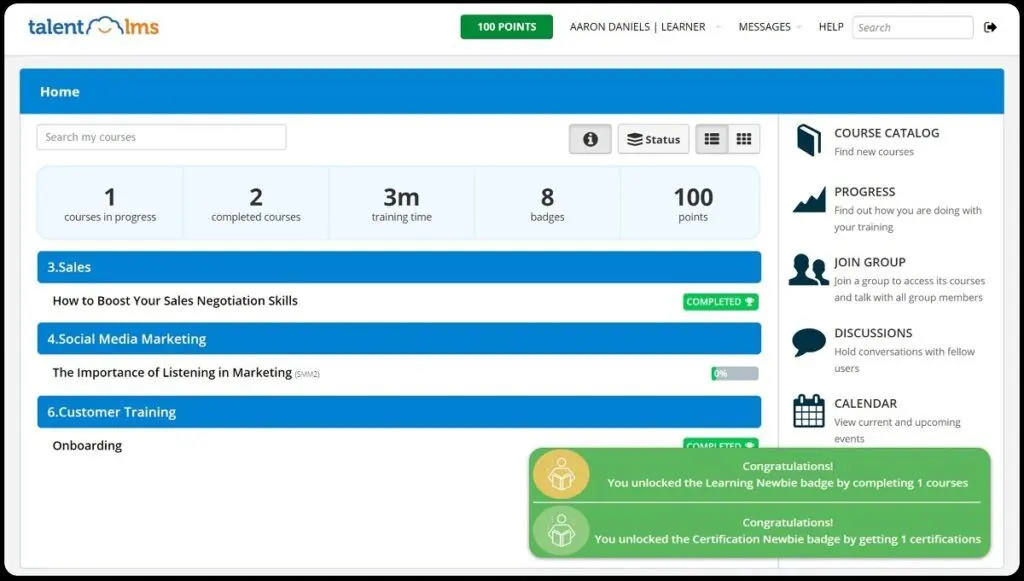
Key Benefits of TalentLMS
The key benefits of TalentLMS in our TalentLMS vs iSpring LMS comparison include:
- Versatility. TalentLMS is a highly adaptable learning management system suitable for businesses of all sizes and industries, providing a wide range of features to cater to different training needs.
- User-friendly interface. The platform's intuitive and user-friendly interface ensures that both administrators and learners can navigate and utilize the system with ease, minimizing the learning curve.
- Scalability. TalentLMS is designed to grow with your organization, making it suitable for small businesses as well as large enterprises, ensuring seamless training management regardless of your company's size.
- Cost-effective. As an online LMS, TalentLMS eliminates the need for extensive hardware and software investments, reducing the overall costs associated with implementing and maintaining a robust training program.
- Customization. The platform offers a high degree of customization, allowing organizations to tailor the learning environment, courses, and branding to align with their specific requirements and corporate identity.
- Mobile accessibility. With support for mobile devices, learners can access training materials anytime, anywhere, facilitating flexible and convenient learning experiences.
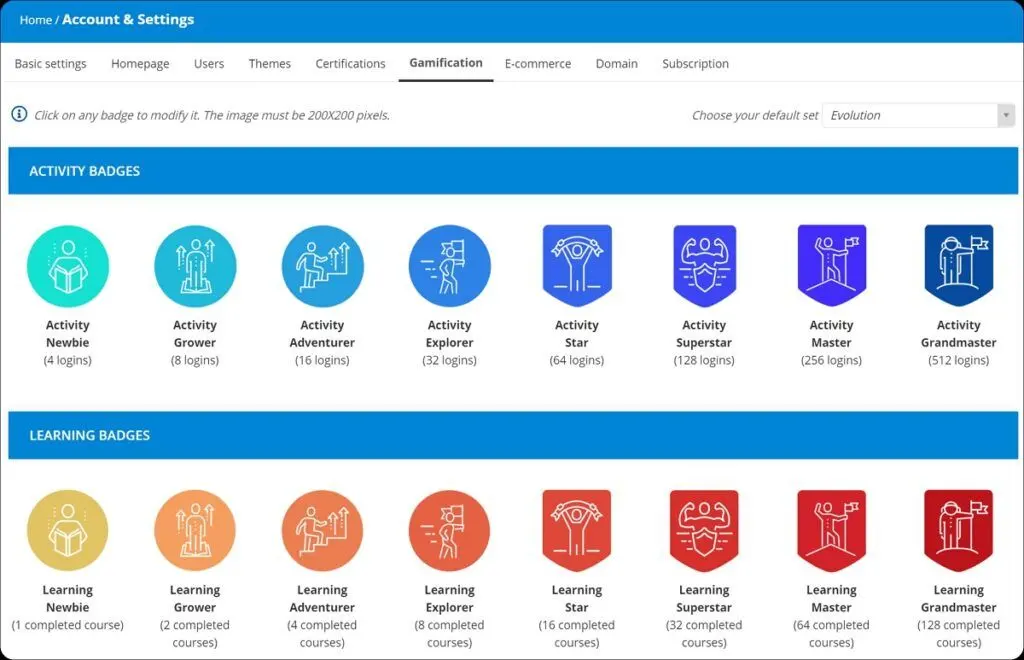
- Gamification. TalentLMS incorporates gamification elements such as badges, points, and leaderboards to enhance learner engagement, motivation, and participation in training activities.
- Analytics and reporting. The robust reporting and analytics tools provide valuable insights into learner progress, course effectiveness, and overall training performance, enabling data-driven decision-making for continuous improvement.
- Compliance and certifications. TalentLMS assists organizations in managing compliance training and certifications, ensuring that employees meet regulatory requirements and industry standards.
- Security. The platform prioritizes data security and adheres to industry standards, safeguarding sensitive training information and ensuring the confidentiality of user data.
What is iSpring LMS?
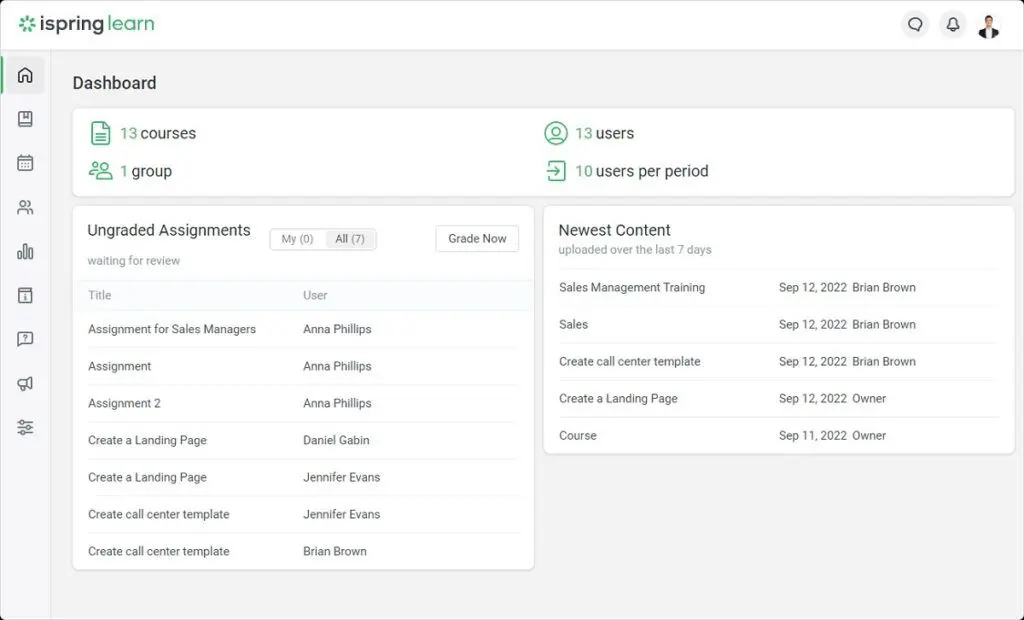
iSpring LMS is a powerful cloud-based LMS suitable for organizations of all sizes, including educational institutions and businesses. It offers a wide range of features, including course creation, content authoring, learning tracking, reporting, gamification, and mobile learning. The platform is known for its user-friendliness and extensive customization options, allowing organizations to tailor it to their specific needs and maintain brand consistency. iSpring LMS ensures a seamless learning experience with accessibility from anywhere, robust security, and compliance with industry standards. Its flexible pricing plans make it a viable option for organizations looking to improve their training initiatives and boost employee engagement and knowledge retention.
Who is iSpring LMS for?
iSpring LMS is an ideal learning management system for students. It caters to academic organizations by offering easy course creation and management, facilitating the delivery of online courses to students with support for multimedia elements. For businesses, it ensures content protection and customization options to align with brand identity, while the corporate portal fosters effective communication within the organization.
Key Benefits of iSpring LMS
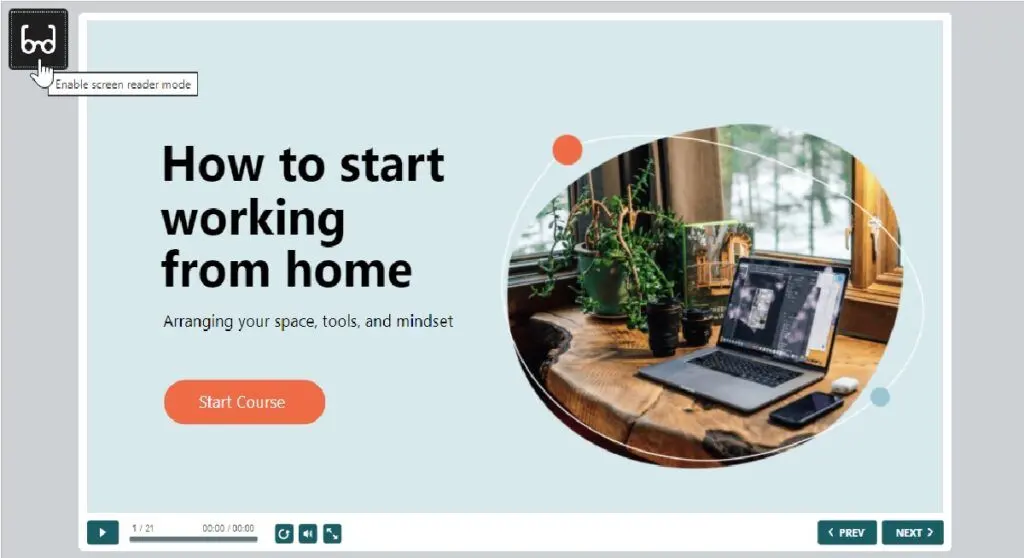
Below are the key benefits of using iSpring LMS:
- PowerPoint integration. One of the standout features is its seamless integration with PowerPoint, allowing users to convert PowerPoint presentations into interactive eLearning courses effortlessly. Easy content conversions include PPT-to-SCORM and PPT-to-HTML5.
- Automated birthday greetings. This is one of the platform’s latest features, which automatically sends birthday greetings to learners, fostering a positive and engaging learning environment.
- Custom training notifications. Users can create personalized notifications for learners, such as reminders to complete a course or take a quiz, enhancing learner engagement and progress tracking.
- Enhanced 360-degree appraisal module. iSpring LMS provides an improved 360-degree appraisal module to collect feedback from learners, managers, and peers, facilitating comprehensive performance evaluation that sets it apart from iSpring LMS alternatives.
- Standalone online quizzes. The platform allows users to create standalone online quizzes that learners can access without logging into the LMS, facilitating assessment and self-paced learning.
- Course Portfolio. iSpring LMS introduces Course Portfolio, enabling users to create shareable digital portfolios to showcase professional skills and instructional design projects.
- Content library. The platform offers a content library to efficiently access and manage courses, quizzes, and other learning materials.
- Corporate Portal. With a corporate newsfeed, event announcements, and interactive organizational charts, the corporate portal promotes effective communication and engagement within the organization.
- API integration. iSpring LMS supports API integration for custom integrations, enhancing flexibility and compatibility with other systems.
Who are TalentLMS and iSpring LMS best for?
Our TalentLMS vs iSpring LMS comparison determines that these platforms target similar clients, such as businesses and training providers, offering user-friendly interfaces, comprehensive features, and flexible pricing to suit various industries' training needs. However, iSpring LMS expands its reach by also accommodating academic institutions and freelance educators, making it well-suited as an education LMS for organizations and freelancers. In contrast, TalentLMS is specialized for corporate environments, making it an excellent option for small to medium businesses seeking a corporate-focused learning management system.
TalentLMS vs iSpring LMS Feature Comparison
Content Authoring
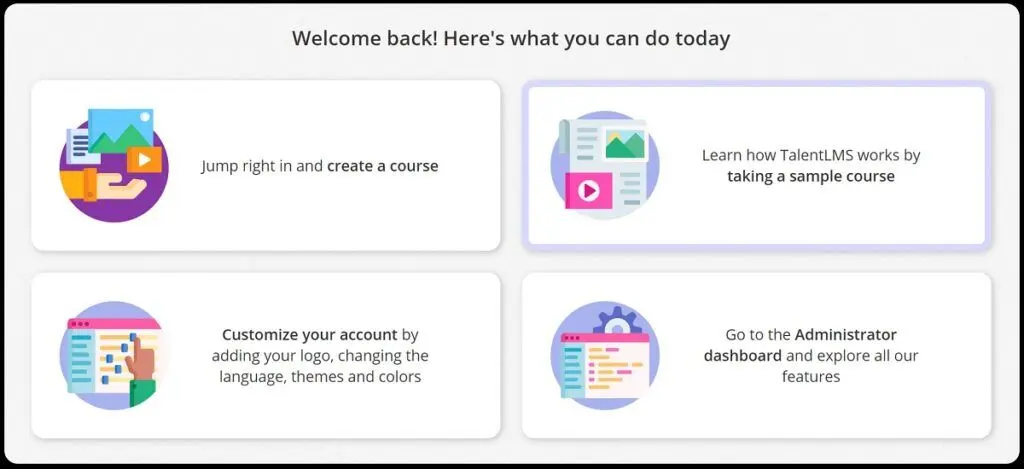
TalentLMS provides users with a user-friendly drag-and-drop content authoring tool, enabling the creation of courses with various content types like text, images, videos, and quizzes. The platform also offers a library of premade templates and assets to expedite course development.
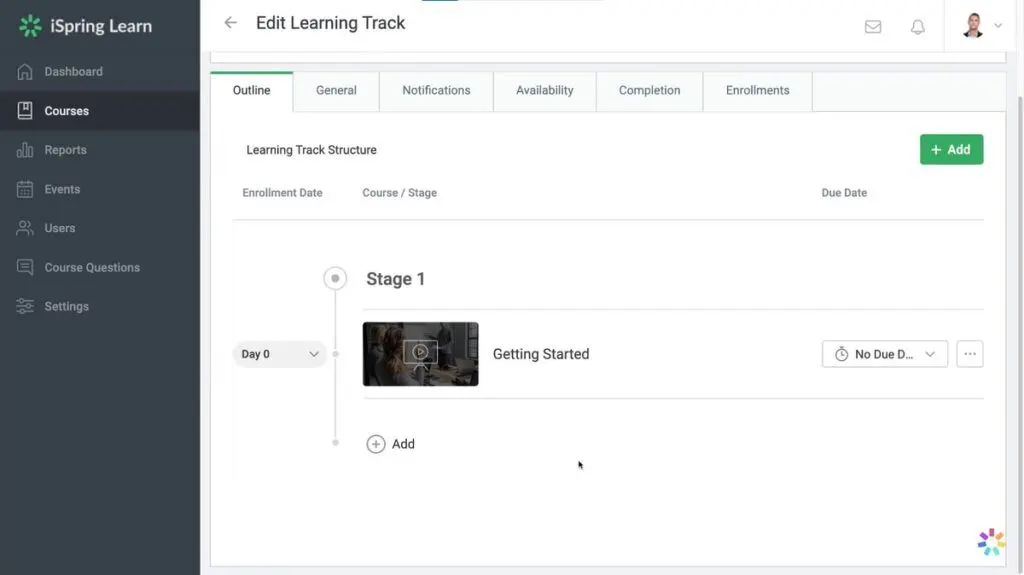
On the other hand, iSpring LMS features a built-in course authoring tool that seamlessly integrates with PowerPoint. This tool equips users with the capability to add interactive elements like quizzes, branching scenarios, and simulations to their courses, enhancing learner engagement.
Course and User Management
In our TalentLMS vs iSpring LMS comparison, we found that both offer versatile course creation options, supporting interactive courses with the latest eLearning content standards. TalentLMS allows building courses from scratch or reusing content, while iSpring LMS enables easy uploading of presentations, videos, and documents. Both platforms provide assessment capabilities with tests and surveys and offer control over learner growth. TalentLMS allows file management and sharing, while iSpring LMS facilitates customization and enhanced long reads with self-test questions and detailed viewing statistics.
Learner Tracking
When it comes to tracking learners’ progress in our TalentLMS vs iSpring LMS article, both offer rich communication tools to boost learner engagement and organization. TalentLMS provides private messages, a calendar, and discussion forums, while iSpring LMS includes an Events Calendar and integrates with Zoom for web meetings. These features create a well-structured and interactive learning experience for learners.
Reporting and Analytics
Our TalentLMS vs iSpring LMS comparison also delves into the reports and analytics function. Both platforms provide a range of reports, such as content, people, quizzes, and simulation reports, along with email notifications. These reports offer valuable insights into course completion, learner engagement, performance, and progress.
Integration
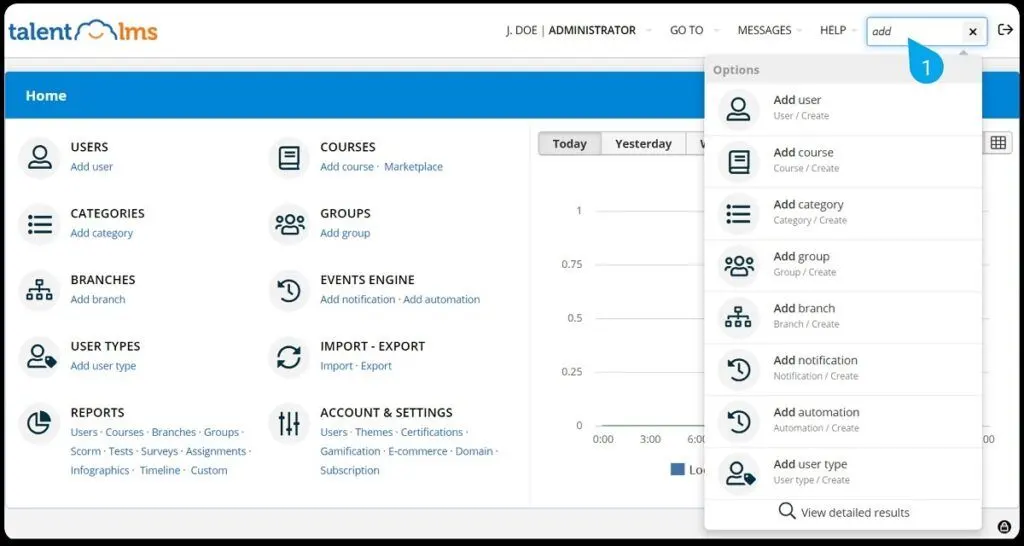
In terms of integration capabilities in our TalentLMS vs iSpring LMS article, we discovered that TalentLMS integrates with Zapier, LTI, and an API, allowing automation with various applications like Salesforce and Slack, content sharing between learning systems, and custom notifications for learners. iSpring LMS provides REST / SOAP API for seamless training data integration with other systems, supports single sign-on with JWT technology, and allows domain aliasing for personalized branding. Both platforms offer powerful and flexible integration options to suit specific organizational needs.
Mobile Apps
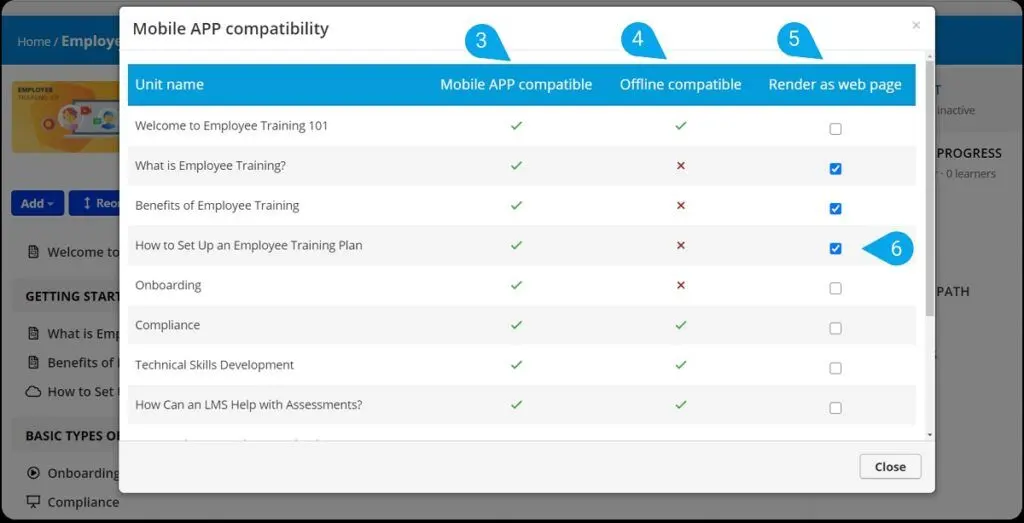
TalentLMS vs iSpring LMS wins in this feature comparison as both offer mobile apps for iOS and Android devices, providing convenient and seamless learning experiences on the go. Learners can access training materials and switch between the app and web platform using the same login information. TalentLMS' app includes gamification elements and supports offline training. iSpring LMS's app offers white labeling, real-time progress tracking, and push notifications. iSpring Suite enhances the learning experience with advanced content support.
TalentLMS vs iSpring LMS Pricing
Now it’s time for the TalentLMS vs iSpring LMS price comparison. Both have transparent pricing plans, but their main difference lies in the pricing structures. TalentLMS offers a free plan and four-tiered subscription options with fixed rates, each offering different features and user limits. The starting price for TalentLMS is $69 per month billed annually, which accommodates up to 40 users.
On the other hand, iSpring LMS’s pricing options are tailored for 50 to 1000+ active users, and users are billed only for learners who log in during a given month. Custom plans are also available for a more tailored solution.
TalentLMS Pros and Cons
Pros
- User-friendly. TalentLMS is highly user-friendly, making it accessible even for users new to learning management systems.
- Affordable. The platform offers competitive pricing, making it a cost-effective option, particularly for small businesses and organizations.
- Feature-rich. TalentLMS provides an extensive range of features, including course and user management, learner tracking, reporting, and integrations.
- Scalable. As your organization grows, TalentLMS can easily accommodate the addition of more users and functions.
Cons
- Feature limitations. Certain features, such as custom reports, are only available in higher pricing tiers. Limited mobile app features. The mobile app for TalentLMS lacks certain functionalities present in the desktop version, such as course creation.
iSpring LMS Pros and Cons
Pros
- Pay-per-active-users pricing. iSpring LMS enables you to add an unlimited number of users to the LMS, and you will only be charged for those who actually logged into the system during the specified pay period.
- On-premise option. Although iSpring LMS is known as a cloud-based LMS, it also offers organizations the option to install the software on their own servers, meeting specific security or compliance requirements.
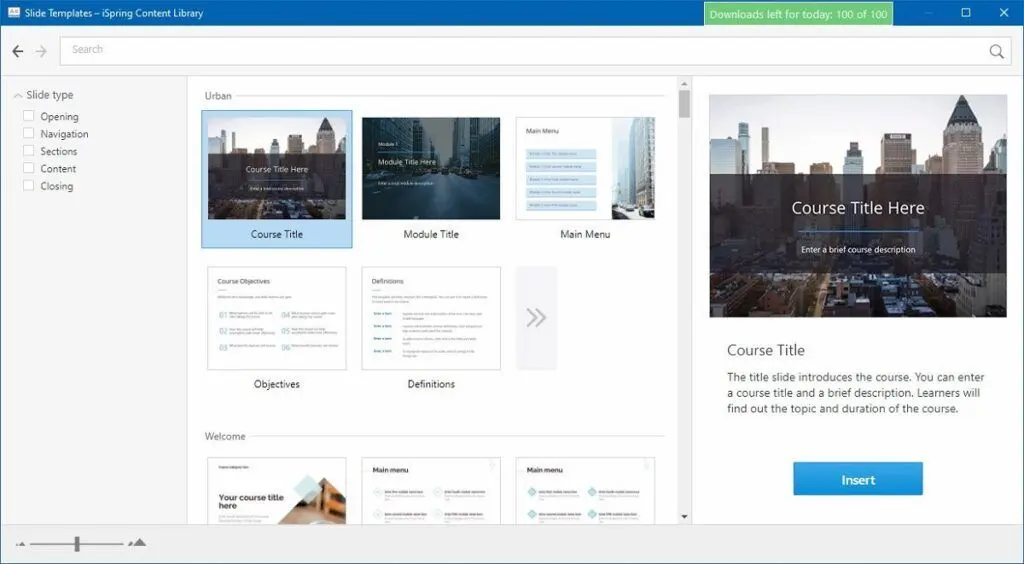
- Built-in PowerPoint integration. The platform's built-in course authoring tool allows easy course creation using PowerPoint, making it convenient for organizations already familiar with PowerPoint.
- SCORM and xAPI support. iSpring LMS's compatibility with SCORM and xAPI allows seamless integration with a wide range of eLearning content.
Cons
- No free plan. iSpring LMS takes a step back in our TalentLMS vs iSpring LMS comparison in terms of having a free version as it only offers a free trial which allows users to try out the features for a limited time period.
- Learning curve. iSpring LMS's interface may pose a challenge, especially for users who are unfamiliar with elearning platforms.
How do these platforms integrate with industry-specific tools?
Both TalentLMS and iSpring LMS offer robust API capabilities and third-party integrations designed to connect with specialized industry solutions. For instance, integration with construction software can streamline project-specific training modules and sync critical operational data, ensuring that training content remains relevant and effective. These integration features support seamless data exchange with enterprise systems, reduce deployment time through customizable connectors, and help align learning outcomes with industry-specific regulatory and performance requirements.
Comparing Scalability and Long-Term Investment
When selecting a cloud based learning management system, scalability and long-term investment potential are critical factors in ensuring a solution aligns with both current and future organizational needs. TalentLMS and iSpring LMS approach scalability differently, making it essential for potential users to evaluate their growth predictions and budget considerations before committing.
TalentLMS offers an edge with its flexible pricing tiers and a free plan, catering to small and medium-sized enterprises or those just starting with limited users but looking to expand. This pay-as-you-grow model allows organizations to incrementally increase their usage and features without a significant upfront investment. Its lightweight framework is especially beneficial for businesses that prioritize straightforward implementation and manageable scalability.
On the other hand, iSpring LMS provides more tailored options that excel in supporting organizations with unpredictable or fluctuating user bases. By only charging for active learners each month, businesses avoid paying for unused licenses, making it a cost-efficient choice for enterprises that deal with seasonal training needs or project-specific demands. Moreover, iSpring LMS's seamless integration with existing systems through REST/SOAP APIs ensures scalability without disruption to current operations.
Ultimately, TalentLMS is best suited for organizations with predictable growth and modest technological requirements, while iSpring LMS is ideal for those needing extensive customization, quick adaptability to changing demands, and scalability across various industries. Businesses are encouraged to explore broader cloud-based LMS options to fully assess their operational requirements by reading detailed analyses such as this cloud based learning management system guide.
How do TalentLMS and iSpring LMS support compliance training needs for regulated industries?
When choosing an LMS, compliance training is essential for regulated industries such as healthcare, finance, and manufacturing. Both TalentLMS and iSpring LMS offer features that cater to these needs, ensuring organizations meet regulatory standards and maintain a compliant workforce. Here’s how each platform supports compliance training:
- Automated Certificate Issuance: Both TalentLMS and iSpring LMS allow for automatic certification upon course completion. This ensures learners receive immediate proof of compliance training, which is vital for organizations needing to demonstrate certification status to regulators.
- Built-In Compliance Course Templates: TalentLMS provides pre-built templates and tools to create compliance courses, while iSpring LMS offers content authoring tools that integrate with PowerPoint. Both platforms support the creation of SCORM and xAPI-compliant courses, ensuring compatibility with industry-standard content for consistent and accurate compliance training.
- Progress Tracking and Reporting: Robust reporting features in both LMS platforms allow administrators to monitor learner progress and course completion. TalentLMS provides customizable reports, and iSpring LMS enables administrators to set due dates for compliance courses and track completion status, helping organizations stay proactive with compliance requirements.
- Reminder and Recertification Notifications: To ensure employees remain up-to-date on required certifications, both platforms offer customizable reminders and notifications. This feature is particularly useful for compliance courses that need annual renewal or periodic updates.
- Data Security and Confidentiality: Given that compliance often involves handling sensitive information, both TalentLMS and iSpring LMS prioritize data security. They adhere to industry standards, such as GDPR, ensuring that learner data is protected and maintained securely.
- Access Control and User Roles: For regulated industries, controlling access to sensitive compliance materials is crucial. Both LMS platforms allow administrators to assign roles and permissions, ensuring only authorized users can access certain content or reports.
Verdict – TalentLMS vs iSpring LMS: Which software is better?
In the TalentLMS vs iSpring LMS comparison, both platforms have their strengths. TalentLMS excels in ease of use, affordability, gamification, and flexibility with various integrations. On the other hand, iSpring LMS stands out in content authoring, mobile learning, versatility for different types of users, and integration options through REST/SOAP API. And while the choice between the two will depend on the specific needs and preferences of the organization, it is highly recommended to check reviews from actual users.
Key Insights
- Versatility and Scalability: TalentLMS and iSpring LMS are versatile cloud-based learning management systems (LMS) designed for businesses of all sizes. They support course creation, content authoring, learner tracking, reporting, and mobile learning, making them suitable for various training needs.
- User-Friendly Interfaces: Both platforms are known for their intuitive and user-friendly interfaces. TalentLMS is particularly noted for its ease of use, while iSpring LMS integrates seamlessly with PowerPoint for course creation.
- Mobile Learning Capabilities: Both LMS platforms offer mobile apps for iOS and Android devices, facilitating learning on the go. This feature is particularly valuable for employees who need flexible access to training materials.
- Gamification: TalentLMS incorporates gamification elements such as badges, points, and leaderboards to enhance learner engagement and motivation. This is a significant feature that differentiates it from many other LMS platforms.
- Integration Capabilities: TalentLMS integrates with Zapier, LTI, and an API, allowing automation with various applications like Salesforce and Slack. iSpring LMS supports REST/SOAP API for seamless integration and single sign-on with JWT technology.
- Compliance and Security: Both platforms prioritize data security and compliance, adhering to industry standards to ensure the safety of training information.
- Pricing Structures: TalentLMS offers a free plan and tiered subscription options, while iSpring LMS uses a pay-per-active-user pricing model. TalentLMS's starting price is $69 per month, and iSpring LMS offers custom pricing plans.
- Recent Updates: TalentLMS recently introduced Power AI integration for timeline summarization and Zoom transcription summarization, along with a new Scheduler feature for integrated calendar management. iSpring LMS added features like automated birthday greetings, custom training notifications, and an enhanced 360-degree appraisal module.
Other Things You Should Know About TalentLMS vs iSpring LMS
Yes, iSpring LMS is a cloud-based LMS designed to help organizations deliver and manage online training. It offers features like course creation, learner tracking, reporting, and integrations, making it a comprehensive solution for training and educational needs.
iSpring LMS offers a range of benefits, including a user-friendly interface, versatile course creation, mobile learning capabilities, support for SCORM and xAPI, customizable branding, flexible pricing plans, robust reporting and analytics, integration capabilities, and excellent support and resources. These advantages empower organizations to deliver effective and engaging training and educational experiences.
TalentLMS is a versatile learning management system that assists organizations in delivering and managing online training and learning experiences. It offers various features, including course creation, learner tracking, reporting, gamification, and integration options, catering to different industries and training needs. The platform is user-friendly and offers flexible pricing plans to accommodate various organizations' requirements.
The top five LMSs for schools are Google Classroom, Canvas LMS, Moodle, Blackboard Learn, and iSpring LMS. Google Classroom is free and integrated with Google products, while Canvas is widely used and cloud-based. Moodle is open-source with customization options, and Blackboard Learn is popular and cloud-based. iSpring LMS offers various features, including a built-in course authoring tool for interactive PowerPoint courses.
Key benefits of TalentLMS include its versatility, user-friendly interface, scalability, cost-effectiveness, customization options, mobile accessibility, gamification elements, robust analytics and reporting, compliance and certification management, and strong data security. These features make it an effective tool for delivering and managing training programs across various industries.
TalentLMS is ideal for businesses of all sizes, healthcare organizations, nonprofits, training providers, franchises, and professional associations. Its adaptability and wide range of features make it suitable for diverse training needs across various industries.
iSpring LMS is suitable for both educational institutions and businesses. It offers easy course creation and management for academic organizations and provides robust content protection and customization for businesses. The platform also supports effective communication within organizations through its corporate portal.


