Freshsales vs Zoho CRM – 2027 Comparison

Co-Founder and Chief Data Scientist
Freshsales vs Zoho CRM Comparison Table of Contents
- What is Freshsales?
- Whom is Freshsales for?
- Key benefits of Freshsales
- What is Zoho CRM?
- Whom is Zoho CRM for?
- Key Benefits of Zoho CRM
- Whom are Freshsales and Zoho CRM best for?
- Freshsales vs Zoho CRM Feature Comparison
- How to Choose the Right CRM for Your Business Needs
- Freshsales vs Zoho CRM Pricing
- Integration with Payroll and Financial Software
- How effectively do these CRM solutions integrate with essential business systems?
- Freshsales Pros and Cons
- Zoho CRM Pros and Cons
- Verdict – Freshsales Zoho Comparison: Which software is better?
What is Freshsales?
Freshsales is tailored for sales teams and businesses of all sizes, focusing on delivering unique, quantified benefits. Its key features include contact management, email tracking, a visual sales pipeline, and AI-driven insights.
This customer relationship management (CRM) software enhances sales processes and customer relationships by offering personalized solutions. Freshsales aims to provide a comprehensive, customized CRM solution, empowering users to boost sales performance and customer satisfaction.
Featured CRM Software Products

$9 to $150/user/month
Yes, up to 2 users
E-signature software, call transcription, conversation routing
Editor's Take
HubSpot CRM is a powerful customer relationship management platform designed to help businesses manage their sales, marketing, and customer service efforts in one centralized place. Its user-friendly interface allows teams to track leads, monitor customer interactions, and automate sales pipelines. With built-in tools for email marketing, contact management, and analytics, HubSpot CRM provides deep insights into customer behavior and sales performance. The platform also supports seamless collaboration between marketing and sales teams through real-time updates and integrations with tools like Gmail, Outlook, and Slack. Additionally, its automation features help reduce manual tasks, enabling teams to focus on building relationships and closing deals. HubSpot CRM is scalable, making it ideal for businesses of all sizes, from startups to large enterprises.
Expert Score
In evaluating SaaS software, a comprehensive and structured methodology ensures a fair and accurate comparison across key metrics. This approach focuses on the most critical aspects that affect user experience, functionality, and business value. The following metrics—general features, cost, customer service, integrations, and mobile support—are evaluated to provide a holistic view of each software solution’s strengths and weaknesses. These metrics are selected based on their direct impact on software usability, scalability, and long-term effectiveness for businesses.
1. General Features - scoring weight 40%
This metric evaluates the core functionalities and tools the software offers. It involves assessing the comprehensiveness of the features, their relevance to the target users, and the ease of use. This is important because robust and well-designed features determine the software's overall utility and efficiency in solving user problems.
2. Cost - scoring weight 15%
Cost analysis focuses on pricing models, value for money, and scalability. It's crucial to evaluate whether the software’s features justify its price, considering different plans for small and large organizations. This is vital for businesses to ensure they invest in cost-effective solutions that fit their budget.
3. Customer Service - scoring weight 15%
This evaluates the responsiveness, quality, and availability of customer support, including channels like chat, email, or phone. Good customer service is essential for troubleshooting and ensuring smooth software usage, which reduces downtime and frustration for users.
4. Integrations - scoring weight 15%
This examines how well the software integrates with third-party tools (e.g., CRM, payment systems, collaboration apps). Seamless integrations are key for creating a unified workflow and enhancing productivity by connecting multiple systems, which is crucial for operational efficiency.
5. Mobile Support - scoring weight 15%
Mobile support assesses the software’s functionality and performance on mobile devices, including apps and mobile web versions. With increasing remote work and on-the-go usage, strong mobile support is critical to ensure users can access and utilize the software effectively, regardless of location.

$25 per user per month
14 days
marketing automation, sales automation, no code customization
Editor's Take
CRM Creatio is a comprehensive customer relationship management (CRM) solution designed to streamline and enhance business processes across sales, marketing, and customer service functions. Known for its low-code platform, Creatio allows businesses to customize and automate workflows without requiring extensive technical expertise. This adaptability makes it particularly appealing to organizations seeking to align the software with their specific needs.
The platform's marketing module provides tools for multi-channel campaign management, lead generation, and personalized customer engagement. Its sales module offers functionality for pipeline management, opportunity tracking, and analytics to help teams close deals more efficiently. Additionally, the customer service module supports case management, service level agreement (SLA) monitoring, and omnichannel communication, enabling businesses to provide exceptional customer support.
Creatio stands out with its intuitive interface, robust analytics, and AI-powered tools that provide actionable insights. The low-code development tools allow non-technical users to create applications and automate processes, reducing the dependency on IT teams. Integration capabilities with other software platforms and APIs enhance its utility, making it a versatile choice for businesses of all sizes.
Overall, CRM Creatio is a powerful solution that combines user-friendly design with advanced customization and automation features. Its adaptability and low-code foundation position it as a strong contender for organizations looking to optimize customer relationship management processes while maintaining flexibility for growth and innovation.
Expert Score
In evaluating SaaS software, a comprehensive and structured methodology ensures a fair and accurate comparison across key metrics. This approach focuses on the most critical aspects that affect user experience, functionality, and business value. The following metrics—general features, cost, customer service, integrations, and mobile support—are evaluated to provide a holistic view of each software solution’s strengths and weaknesses. These metrics are selected based on their direct impact on software usability, scalability, and long-term effectiveness for businesses.
1. General Features - scoring weight 40%
This metric evaluates the core functionalities and tools the software offers. It involves assessing the comprehensiveness of the features, their relevance to the target users, and the ease of use. This is important because robust and well-designed features determine the software's overall utility and efficiency in solving user problems.
2. Cost - scoring weight 15%
Cost analysis focuses on pricing models, value for money, and scalability. It's crucial to evaluate whether the software’s features justify its price, considering different plans for small and large organizations. This is vital for businesses to ensure they invest in cost-effective solutions that fit their budget.
3. Customer Service - scoring weight 15%
This evaluates the responsiveness, quality, and availability of customer support, including channels like chat, email, or phone. Good customer service is essential for troubleshooting and ensuring smooth software usage, which reduces downtime and frustration for users.
4. Integrations - scoring weight 15%
This examines how well the software integrates with third-party tools (e.g., CRM, payment systems, collaboration apps). Seamless integrations are key for creating a unified workflow and enhancing productivity by connecting multiple systems, which is crucial for operational efficiency.
5. Mobile Support - scoring weight 15%
Mobile support assesses the software’s functionality and performance on mobile devices, including apps and mobile web versions. With increasing remote work and on-the-go usage, strong mobile support is critical to ensure users can access and utilize the software effectively, regardless of location.

$8/per user/per month
Yes
customizable dashboards, automated follow-ups, advanced analytics
Editor's Take
monday.com Sales CRM is a customizable platform designed to streamline sales processes, enhance team collaboration, and improve pipeline visibility. Its intuitive interface enables users to manage leads, track deals, and automate repetitive tasks with ease. The CRM integrates seamlessly with popular tools like Gmail, Slack, and HubSpot, ensuring a centralized workflow. Features like customizable dashboards, automated follow-ups, and advanced analytics help sales teams stay organized and focused on closing deals. With scalability in mind, monday.com caters to businesses of all sizes, offering flexible pricing plans and robust customer support. It’s an excellent choice for teams seeking efficiency and adaptability.
Expert Score
In evaluating SaaS software, a comprehensive and structured methodology ensures a fair and accurate comparison across key metrics. This approach focuses on the most critical aspects that affect user experience, functionality, and business value. The following metrics—general features, cost, customer service, integrations, and mobile support—are evaluated to provide a holistic view of each software solution’s strengths and weaknesses. These metrics are selected based on their direct impact on software usability, scalability, and long-term effectiveness for businesses.
1. General Features - scoring weight 40%
This metric evaluates the core functionalities and tools the software offers. It involves assessing the comprehensiveness of the features, their relevance to the target users, and the ease of use. This is important because robust and well-designed features determine the software’s overall utility and efficiency in solving user problems.
2. Cost - scoring weight 15%
Cost analysis focuses on pricing models, value for money, and scalability. It’s crucial to evaluate whether the software’s features justify its price, considering different plans for small and large organizations. This is vital for businesses to ensure they invest in cost-effective solutions that fit their budget.
3. Customer Service - scoring weight 15%
This evaluates the responsiveness, quality, and availability of customer support, including channels like chat, email, or phone. Good customer service is essential for troubleshooting and ensuring smooth software usage, which reduces downtime and frustration for users.
4. Integrations - scoring weight 15%
This examines how well the software integrates with third-party tools (e.g., CRM, payment systems, collaboration apps). Seamless integrations are key for creating a unified workflow and enhancing productivity by connecting multiple systems, which is crucial for operational efficiency.
5. Mobile Support - scoring weight 15%
Mobile support assesses the software’s functionality and performance on mobile devices, including apps and mobile web versions. With increasing remote work and on-the-go usage, strong mobile support is critical to ensure users can access and utilize the software effectively, regardless of location.

$7 per user per month billed annually
15 days
lead generation, sales pipeline management, workflow automation
Editor's Take
Zoho CRM is a flexible and comprehensive customer relationship management platform designed to help businesses manage and grow their customer relationships effectively. With tools for lead generation, sales pipeline management, workflow automation, and analytics, Zoho CRM is suitable for businesses of all sizes across a variety of industries.
Zoho CRM enables teams to streamline sales processes by capturing leads from multiple channels, tracking interactions, and managing every stage of the sales cycle. The platform offers customizable dashboards and reports, providing insights into sales performance and customer behaviors to help make data-driven decisions. With powerful automation features, Zoho CRM allows businesses to set up workflows for routine tasks like follow-ups, lead scoring, and email notifications, reducing manual work and enhancing productivity. The platform integrates with popular tools, including the Zoho suite, Microsoft 365, and G Suite, enabling a seamless connection across teams.
For businesses aiming to improve customer engagement, close deals faster, and enhance team collaboration, Zoho CRM delivers a scalable, user-friendly solution to drive sales and customer satisfaction.
Expert Score
In evaluating SaaS software, a comprehensive and structured methodology ensures a fair and accurate comparison across key metrics. This approach focuses on the most critical aspects that affect user experience, functionality, and business value. The following metrics—general features, cost, customer service, integrations, and mobile support—are evaluated to provide a holistic view of each software solution’s strengths and weaknesses. These metrics are selected based on their direct impact on software usability, scalability, and long-term effectiveness for businesses.
1. General Features - scoring weight 40%
This metric evaluates the core functionalities and tools the software offers. It involves assessing the comprehensiveness of the features, their relevance to the target users, and the ease of use. This is important because robust and well-designed features determine the software's overall utility and efficiency in solving user problems.
2. Cost - scoring weight 15%
Cost analysis focuses on pricing models, value for money, and scalability. It's crucial to evaluate whether the software’s features justify its price, considering different plans for small and large organizations. This is vital for businesses to ensure they invest in cost-effective solutions that fit their budget.
3. Customer Service - scoring weight 15%
This evaluates the responsiveness, quality, and availability of customer support, including channels like chat, email, or phone. Good customer service is essential for troubleshooting and ensuring smooth software usage, which reduces downtime and frustration for users.
4. Integrations - scoring weight 15%
This examines how well the software integrates with third-party tools (e.g., CRM, payment systems, collaboration apps). Seamless integrations are key for creating a unified workflow and enhancing productivity by connecting multiple systems, which is crucial for operational efficiency.
5. Mobile Support - scoring weight 15%
Mobile support assesses the software’s functionality and performance on mobile devices, including apps and mobile web versions. With increasing remote work and on-the-go usage, strong mobile support is critical to ensure users can access and utilize the software effectively, regardless of location.

By quote
Yes
Lead Management, Contact Management, Workflow Automation
Editor's Take
Salesforce CRM is a leading customer relationship management platform known for its robust functionality, scalability, and extensive customization options, making it suitable for businesses of all sizes, from startups to large enterprises. Built to streamline sales, marketing, customer service, and analytics, Salesforce CRM empowers teams to manage customer interactions, optimize workflows, and drive growth from a single, cloud-based platform.
Salesforce CRM provides a complete view of customer data, enabling teams to track interactions, manage leads, and automate tasks throughout the sales pipeline. With powerful tools for reporting and analytics, Salesforce offers insights into sales performance, customer trends, and campaign effectiveness, allowing teams to make data-driven decisions. The platform’s automation capabilities reduce manual workloads with customizable workflows, automated follow-ups, and lead scoring, ensuring a smooth customer journey. Integrations with thousands of third-party applications, along with its own suite of services, make Salesforce a highly adaptable solution for businesses looking to connect their CRM with other tools.
For organizations focused on enhancing customer engagement, improving team efficiency, and scaling their operations, Salesforce CRM delivers a powerful and versatile solution tailored to support long-term business growth.
Expert Score
In evaluating SaaS software, a comprehensive and structured methodology ensures a fair and accurate comparison across key metrics. This approach focuses on the most critical aspects that affect user experience, functionality, and business value. The following metrics—general features, cost, customer service, integrations, and mobile support—are evaluated to provide a holistic view of each software solution’s strengths and weaknesses. These metrics are selected based on their direct impact on software usability, scalability, and long-term effectiveness for businesses.
1. General Features - scoring weight 40%
This metric evaluates the core functionalities and tools the software offers. It involves assessing the comprehensiveness of the features, their relevance to the target users, and the ease of use. This is important because robust and well-designed features determine the software's overall utility and efficiency in solving user problems.
2. Cost - scoring weight 15%
Cost analysis focuses on pricing models, value for money, and scalability. It's crucial to evaluate whether the software’s features justify its price, considering different plans for small and large organizations. This is vital for businesses to ensure they invest in cost-effective solutions that fit their budget.
3. Customer Service - scoring weight 15%
This evaluates the responsiveness, quality, and availability of customer support, including channels like chat, email, or phone. Good customer service is essential for troubleshooting and ensuring smooth software usage, which reduces downtime and frustration for users.
4. Integrations - scoring weight 15%
This examines how well the software integrates with third-party tools (e.g., CRM, payment systems, collaboration apps). Seamless integrations are key for creating a unified workflow and enhancing productivity by connecting multiple systems, which is crucial for operational efficiency.
5. Mobile Support - scoring weight 15%
Mobile support assesses the software’s functionality and performance on mobile devices, including apps and mobile web versions. With increasing remote work and on-the-go usage, strong mobile support is critical to ensure users can access and utilize the software effectively, regardless of location.

$7/user/month
15 days
Pipeline Management, Email Integration, Task Tracking
Editor's Take
Bigin is a lightweight CRM by Zoho, tailored for small businesses and startups to manage sales pipelines efficiently. It provides tools for deal tracking, email integration, and task management, ensuring a simple yet effective approach to sales. The platform offers customizable pipelines, real-time notifications, and seamless integrations with other Zoho apps. Its user-friendly design makes it accessible for teams with minimal CRM experience, helping them streamline sales processes without complexity.
Expert Score
In evaluating SaaS software, a comprehensive and structured methodology ensures a fair and accurate comparison across key metrics. This approach focuses on the most critical aspects that affect user experience, functionality, and business value. The following metrics—general features, cost, customer service, integrations, and mobile support—are evaluated to provide a holistic view of each software solution’s strengths and weaknesses. These metrics are selected based on their direct impact on software usability, scalability, and long-term effectiveness for businesses.
1. General Features - scoring weight 40%
This metric evaluates the core functionalities and tools the software offers. It involves assessing the comprehensiveness of the features, their relevance to the target users, and the ease of use. This is important because robust and well-designed features determine the software's overall utility and efficiency in solving user problems.
2. Cost - scoring weight 15%
Cost analysis focuses on pricing models, value for money, and scalability. It's crucial to evaluate whether the software’s features justify its price, considering different plans for small and large organizations. This is vital for businesses to ensure they invest in cost-effective solutions that fit their budget.
3. Customer Service - scoring weight 15%
This evaluates the responsiveness, quality, and availability of customer support, including channels like chat, email, or phone. Good customer service is essential for troubleshooting and ensuring smooth software usage, which reduces downtime and frustration for users.
4. Integrations - scoring weight 15%
This examines how well the software integrates with third-party tools (e.g., CRM, payment systems, collaboration apps). Seamless integrations are key for creating a unified workflow and enhancing productivity by connecting multiple systems, which is crucial for operational efficiency.
5. Mobile Support - scoring weight 15%
Mobile support assesses the software’s functionality and performance on mobile devices, including apps and mobile web versions. With increasing remote work and on-the-go usage, strong mobile support is critical to ensure users can access and utilize the software effectively, regardless of location.
Whom is Freshsales for?
Freshsales boosts sales and customer relations for diverse industries like technology, e-commerce, and business services. Ideal for sales teams and businesses, it aids pipeline management, lead prioritization, and customer interaction tracking. This Freshsales-Zoho comparison illustrates Freshsales’ effectiveness in improving sales processes across various industries.
Key benefits of Freshsales
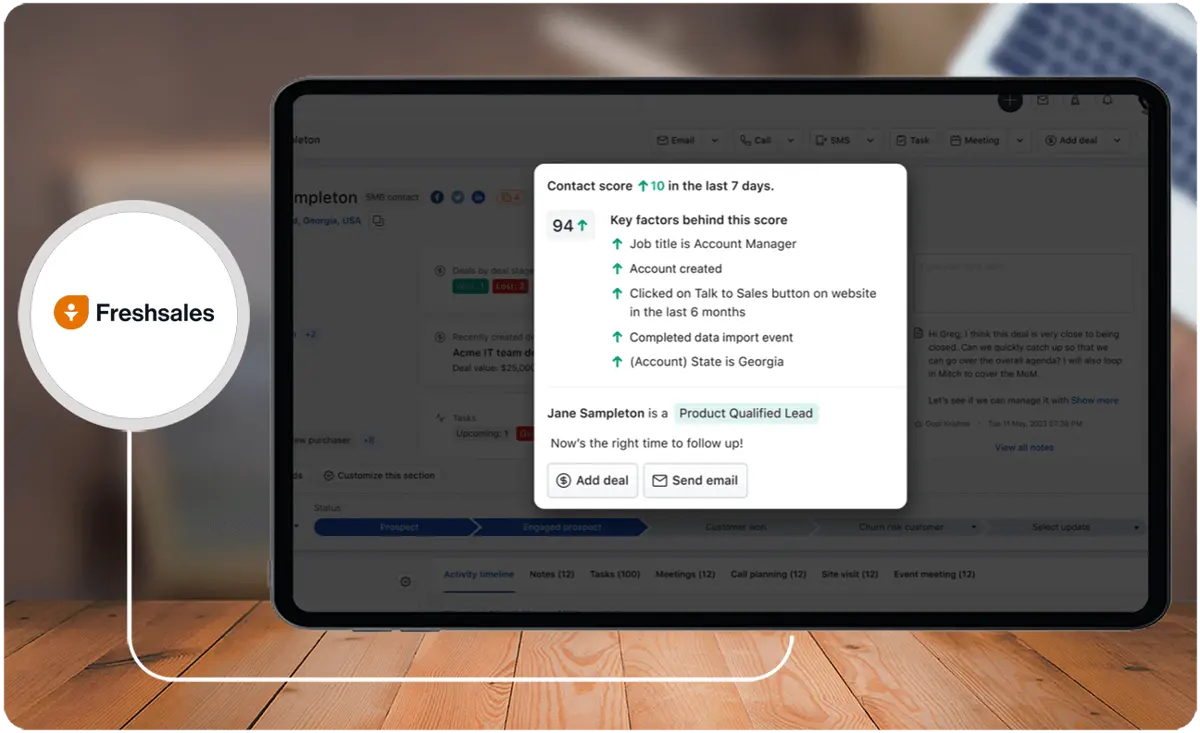
- Ease of Use. The Freshsales suite is designed to be user-friendly and intuitive, making it suitable for users new to CRM systems.
- Customization. Freshsales offers robust customization options, allowing users to modify the CRM to meet their business needs. This includes adding and tracking custom fields, defining workflows, and setting up specific data entry and management rules.
- Robust Features. The software provides a range of functionalities, including contact management, built-in phone, and AI-based lead scoring and email insights.
- Cloud-Based Setup. Freshsales is a cloud-based CRM system, providing real-time updates, reliability in terms of up-time, and ease of access from multiple device interfaces.
- Enhanced Prospecting and Sales Management. Freshsales helps enhance prospecting with high-quality leads, focus on the right deals, and stay on top of sales activities, leading to improved sales management.
What is Zoho CRM?
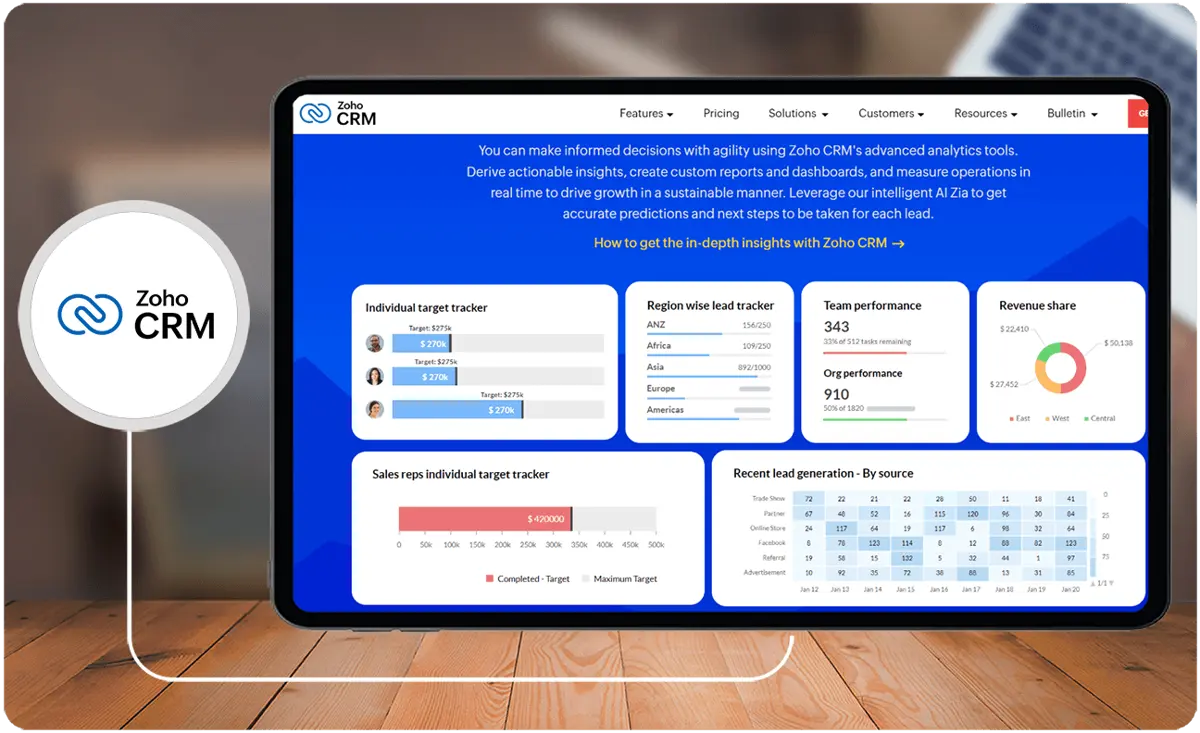
Zoho CRM offers a user-friendly and affordable solution, focusing on lead, deal, and contact management. Its customizable features and integration across Zoho platforms suit small businesses well. The platform stands out for its ease of use, particularly for beginners, and is preferred by businesses seeking tailored CRM solutions.
Whom is Zoho CRM for?
This Freshsales-Zoho comparison shows that Zoho CRM serves various businesses, from startups to large enterprises, spanning industries like real estate, healthcare, freelancers, and non-profits.
It caters to both business-to-business (B2B) and business-to-consumer (B2C) companies, offering tailored features like account management, deal handling, payments, and reports for B2B. It also includes lead management, instant surveys, marketing automation features for B2C. Before finalizing your choice, foster informed decision-making by considering a variety of Zoho CRM alternatives to find the most suitable platform.
Key benefits of Zoho CRM
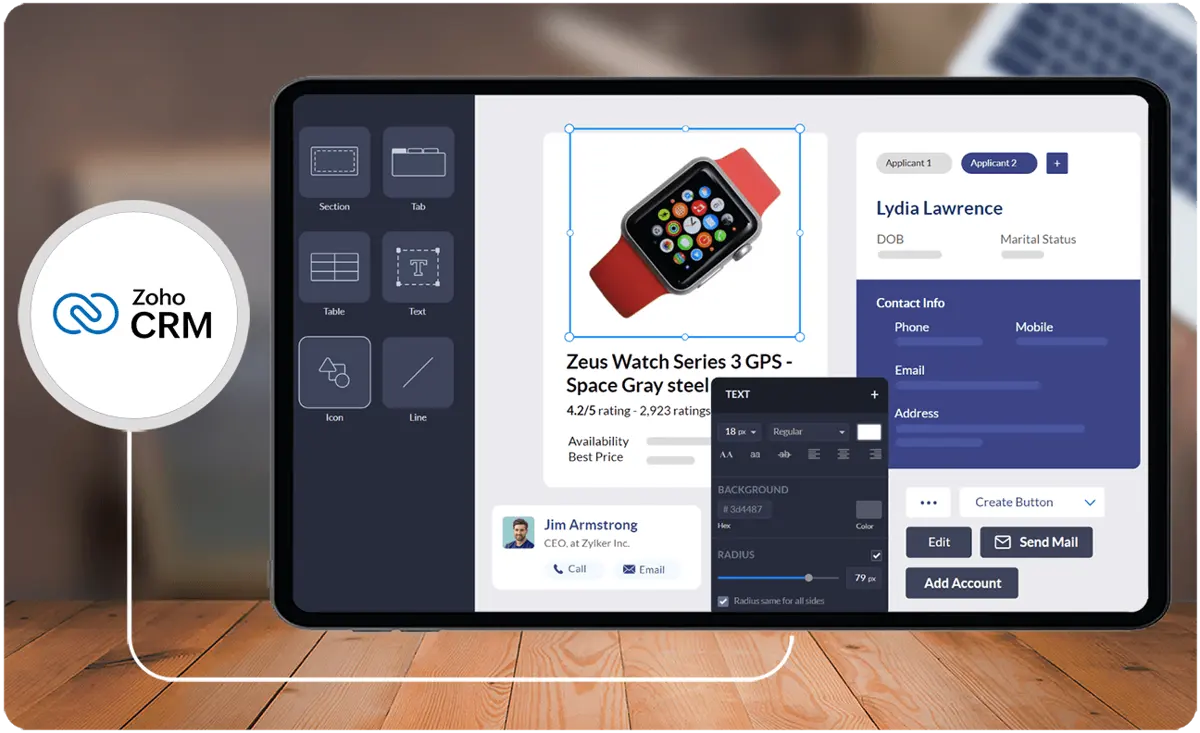
- Sales Automation. Zoho CRM enables sales automation, which can help reduce costs and increase sales by automating the sales report and providing better customer segmentation.
- Telephony and Social Media Integration. The platform offers telephony features for call scheduling, reminders, and automatic call logging. It also allows for social media management and integration to manage various social media profiles simultaneously.
- Customer Portals and Event Management. Zoho CRM provides customer portals for sharing data and creating a digital catalog. It also allows for event management, including sending invitations, building new contacts, and following up with attendees.
- AI-Powered Tools. The platform includes AI-powered tools such as Zia, an AI assistant that can help manage CRM data, predict lead and deal success, and provide voice assistance.
- Mobile Accessibility and Quick Onboarding. Zoho CRM offers mobile accessibility for sales teams in the field and provides a quick onboarding process, including a migration system to bring existing sales data into the platform.
- Customization and Developer Tools. The platform allows for extensive customization, including building custom CRM modules, buttons, workflows, and more using developer tools.
- Affordability and User-Friendly Interface. Zoho CRM is known for its affordability, user-friendly interface, and ability to consolidate business tools with other Zoho platforms.
Whom are Freshsales and Zoho CRM best for?
In this Freshsales-Zoho comparison, we see that Freshsales and Zoho CRM are powerful CRM systems, each with strengths and use cases. Here are some cases where one or the other product is better suited:
Freshsales
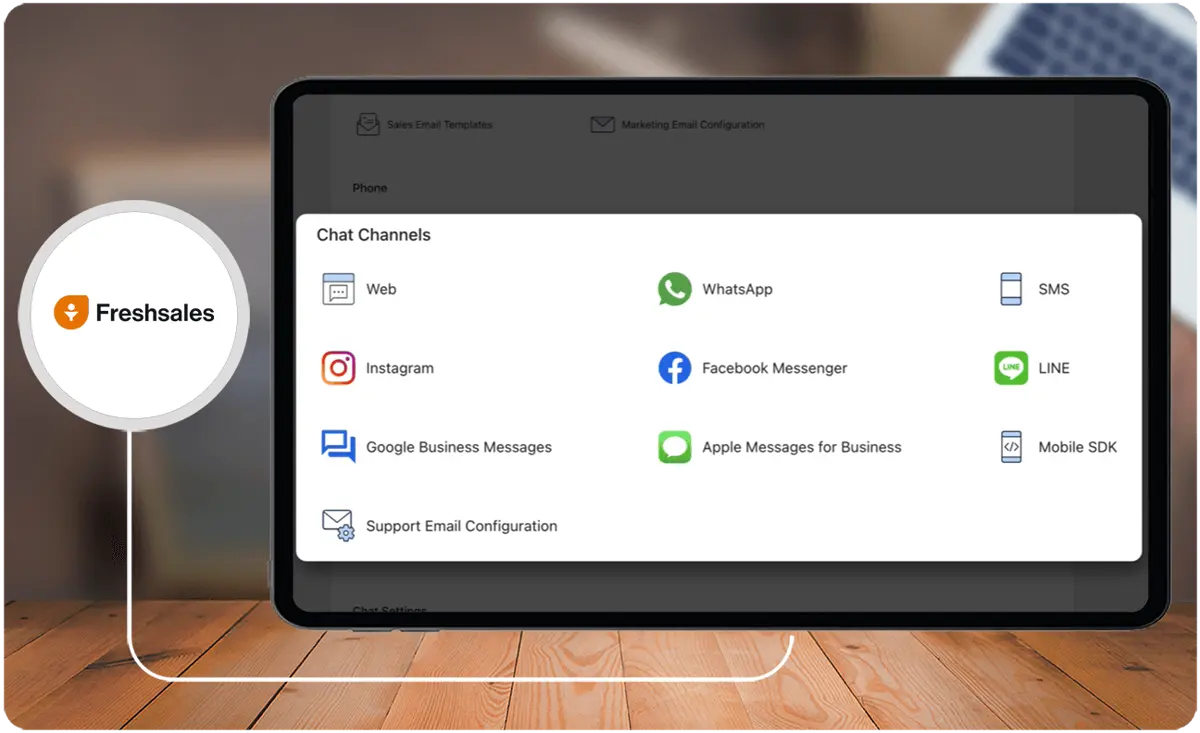
- Small Businesses and Startups. Freshsales is tailored to small businesses and startups, with a minimal UI and features like built-in email, phone, chat, and telephony, providing a streamlined experience.
- Sales Force Automation. Freshsales is a sales force automation solution for sales teams, providing features to attract quality leads, engage in contextual conversations, drive deals with AI-powered insights, and nurture customer relationships.
Zoho CRM
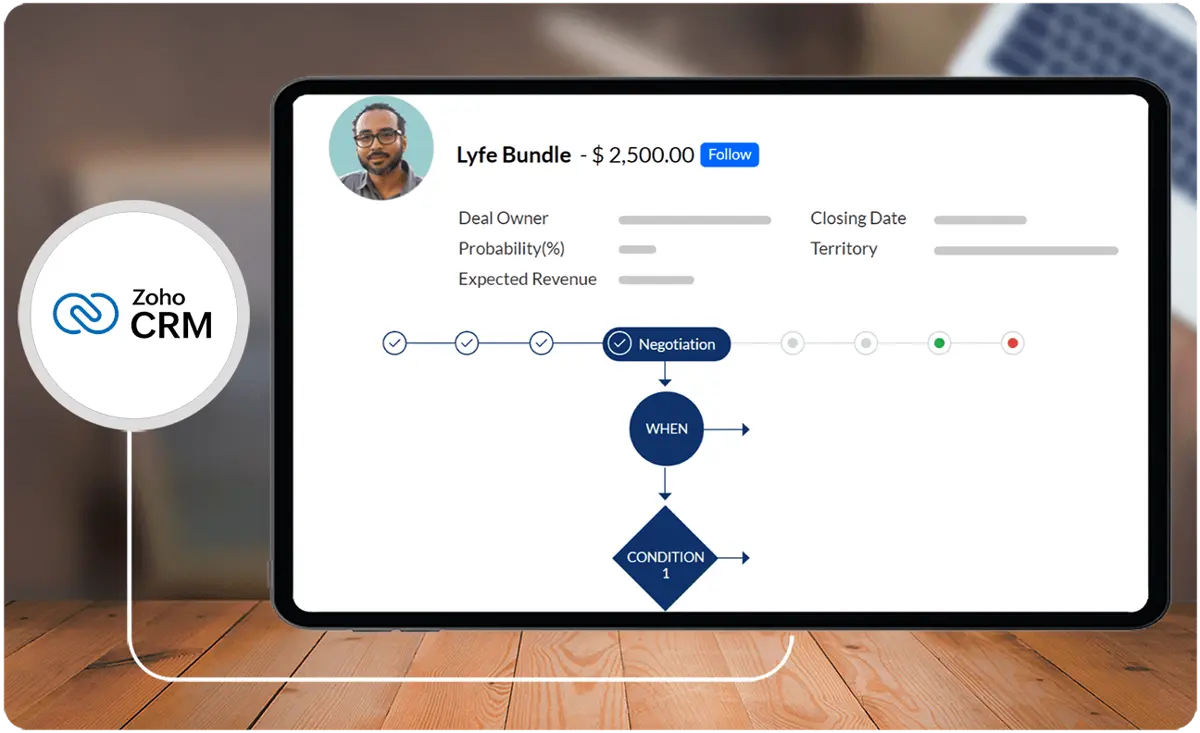
- Enterprise Grade Functionality. Zoho CRM offers enterprise-grade functionality, including journey orchestration, advanced analytics, and process automation capabilities, making it suitable for businesses that require advanced CRM capabilities.
- Customization and Analytics. Zoho CRM provides extensive customization options, in-depth analytics, and features like target meters, quadrants, cohort analysis, and anomaly detectors. It is suitable for businesses that require advanced customization and analytics.
- Specific Industries. Zoho CRM has been used effectively in various industries such as insurance, legal, and hospitality, indicating its versatility across different sectors.
Freshsales vs Zoho CRM Feature Comparison
Below is a detailed Freshsales-Zoho comparison chart of each software’s key features:
User Interface and Ease of Use
Freshsales is known for its minimal UI, making it easy to navigate and use, which is particularly beneficial for small businesses and startups who may need to read more applicant tracking system reviews to find the platform for them.
On the other hand, Zoho CRM offers a more comprehensive interface with extensive customization options, making it suitable for businesses that require advanced customization and analytics.
Sales Force Automation
This Freshsales-Zoho comparison highlights their distinct strengths in sales force automation tailored for different business needs.
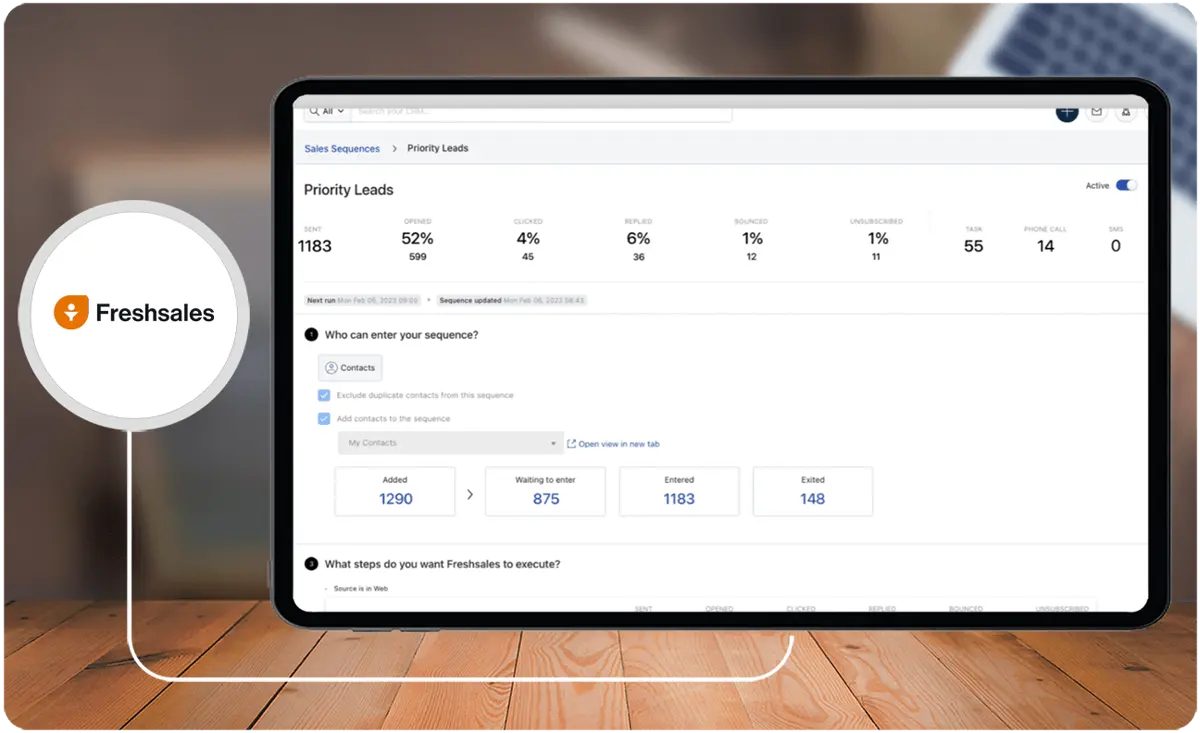
Freshsales is a sales force automation solution that provides features to attract quality leads, engage in contextual conversations, drive deals with AI-powered insights, and nurture customer relationships.
Zoho CRM also offers sales force automation features, but it is more suitable for businesses that require enterprise-grade functionality and advanced analytics.
Team Collaboration
This Freshsales-Zoho comparison delineates their respective strengths in team collaboration features within CRM systems.
Zoho CRM provides more robust team collaboration features, including instant messaging and group chats, making it a better choice for businesses that might need to do an HRIS comparison.
Freshsales, on the other hand, has a limited feature set for team collaboration, making it more suitable for businesses that prioritize other CRM functionalities.
Customization and Analytics
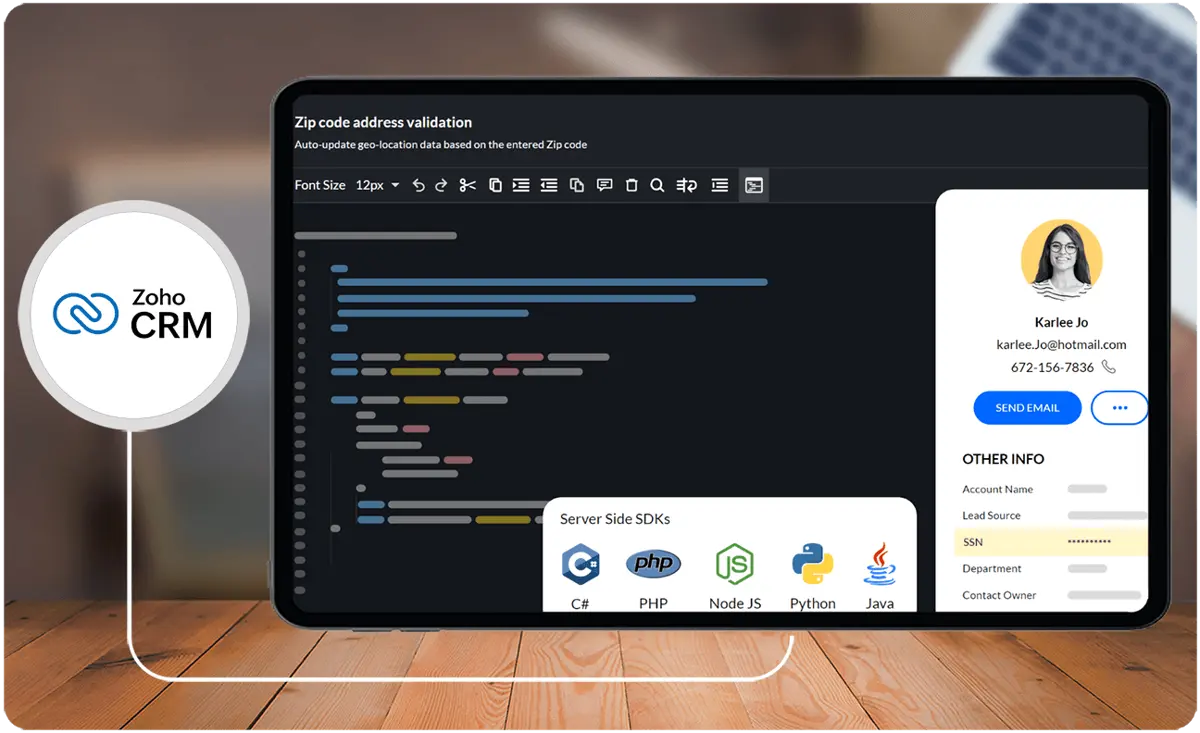
Zoho CRM offers extensive customization options, in-depth analytics, and features like target meters, quadrants, cohort analysis, and anomaly detectors, making it suitable for businesses that require advanced customization and analytics.
Freshsales, on the other hand, lacks many analytical components that Zoho CRM offers, making it more suitable for businesses that prioritize other CRM functionalities over advanced marketing software analytics.
Customer Support
This Freshsales-Zoho comparison highlights the difference in support accessibility and quality across their subscription models.
Freshsales provides 24/5 free support over the phone, chat, or email from in-house product experts, regardless of the subscription plan, which can benefit businesses that require reliable support.
Zoho CRM also offers customer support, but the quality and availability may vary based on the subscription plan.
How to Choose the Right CRM for Your Business Needs
Choosing the right CRM is critical for optimizing sales, customer relationships, and team collaboration. With so many options, it's essential to assess CRM solutions based on specific needs, such as scalability, customization, and integrations. Here are key factors to help you make an informed decision and find the best fit for your organization.
- Understand Your Business Goals: Determine whether your primary need is managing leads, automating sales tasks, or building stronger customer relationships. Each CRM offers unique features suited to specific goals.
- Evaluate Ease of Use and Learning Curve: Consider how quickly your team can adapt to the CRM, especially if you’re a small business or have team members who are new to CRM software.
- Prioritize Customization Options: If your processes require unique workflows, choose a CRM that allows custom fields, workflows, and modules to align with your business operations.
- Check for Integration Capabilities: Ensure the CRM can integrate with your existing tools, such as marketing platforms, email services, or customer support systems, for a seamless experience.
- Assess Reporting and Analytics Features: Depending on your reporting needs, look for CRM options that provide in-depth analytics to monitor sales performance and customer interactions.
- Compare Pricing and Plans: Evaluate the cost based on the number of users, included features, and available support levels. Consider both short-term and long-term investment needs.
- Review Customer Support Availability: For teams that need ongoing support, look for CRMs that offer accessible customer support options to help troubleshoot any issues.
Freshsales vs Zoho CRM Pricing
Freshsales offers four pricing plans: Sprout, Blossom, Garden, and Estate. The Sprout plan is free, while the other plans range from $12 to $79 per user per month, billed annually.
Zoho CRM offers four pricing plans: Standard, Professional, Enterprise, and Ultimate. The Standard plan is free for up to three users, while the other plans range from $12 to $45 per user per month, billed annually.
Freshsales and Zoho CRM offer a free plan and have similar pricing structures for their paid plans. However, Zoho CRM's plans are slightly cheaper than Freshsales' plans.
In this Freshsales-Zoho comparison, we look at some additional details about each product's pricing plans:
Freshsales Pricing
- Sprout Plan. This free plan includes basic CRM features such as contact management, email integration, and basic reporting.
- Blossom Plan. This plan costs $12 per user per month, billed annually, and includes additional features such as advanced lead scoring, multiple sales pipelines, and custom roles.
- Garden Plan. This plan costs $25 per user per month, billed annually, and includes features such as advanced reporting, territory management, and custom modules.
- Estate Plan. This plan costs $79 per user per month, billed annually, and includes features such as advanced CRM customization, IP whitelisting, and 24/7 phone support.
Zoho CRM Pricing
- Standard Plan. This plan is free for up to three users and includes basic CRM features such as lead, contact, and deal management. It also has email integration and basic reporting.
- Professional Plan. This plan costs $20 per user per month, billed annually, and includes additional features such as sales forecasting, social CRM, and inventory management.
- Enterprise Plan. This plan costs $35 per user per month, billed annually, and includes features such as advanced analytics, custom modules, and web-to-case forms.
- Ultimate Plan. This plan costs $45 per user per month, billed annually, and includes features such as advanced customization, role-based security, and dedicated database clusters.
Integration with Payroll and Financial Software
When comparing CRM options, evaluating how well each software integrates with critical systems like payroll and financial management tools can be pivotal for businesses, particularly for those looking to streamline operations across departments. Freshsales and Zoho CRM both provide integration capabilities, but they differ significantly in terms of flexibility and applicability to payroll software.
Freshsales stands out for its seamless API-based integrations, enabling businesses to connect their CRM system with a variety of third-party financial tools. This allows small to medium enterprises to bridge the gap between sales and financial processes effortlessly. For example, syncing payroll data with customer accounts or automating salary-based commission tracking can contribute to efficient operations.
On the other hand, Zoho CRM benefits from its robust ecosystem, especially when paired with other Zoho tools like Zoho Books and Zoho Payroll. This native integration reduces the need for third-party plugins, providing a unified financial management system. However, businesses using external payroll tools may need additional configuration to achieve a similar level of integration.
For organizations seeking advanced payroll integration along with their CRM, exploring specialized tools could further enhance operational efficiency. Take a look at some of the best options in the market by visiting this resource on payroll software. By aligning your CRM strategy with tailored financial tools, businesses are better positioned to achieve synchronized workflows and accurate financial insights.
How effectively do these CRM solutions integrate with essential business systems?
Both Freshsales and Zoho CRM offer differing integration capabilities that enhance workflow efficiency across diverse business functions. Freshsales leverages a robust API framework to connect with various third-party applications, ensuring seamless data flow between sales, marketing, and operational tools. Zoho CRM, benefiting from a native ecosystem, enables smooth connectivity with multiple business applications and simplifies the integration process. For organizations aiming to centralize learning and development within their broader software suite, integration with platforms such as LMS for businesses demonstrates how these CRM solutions can support cohesive, scalable technology ecosystems.
Freshsales Pros and Cons
Here are the pros and cons of Freshsales:
Pros
- User-friendly interface
- Various pricing plans
- Sales tools
- Customization
- Mobile access
Cons
- Limited features in free version
- Quality and usability
- Customer support
- Feature restrictions
- Lead management
Zoho CRM Pros and Cons
Here are the pros and cons of Zoho CRM:
Pros
- AI-driven contact and lead management
- Easy to use
- Integration and customization
- Free plan
- Customer support
Cons
- Bugs and technical issues
- Limited support
- Not suitable for all businesses
- Cost and value
- Training and implementation
Verdict - Freshsales Zoho Comparison: Which software is better?
Both Freshsales and Zoho CRM have their strengths. Freshsales is praised for its user satisfaction, comprehensive solution, and lead management functionality. On the other hand, Zoho CRM excels in AI-driven management, customization, and integration capabilities. The choice between the two would depend on the specific needs and priorities of the business. Ensure a well-informed choice by thoroughly exploring Freshsales alternatives and selecting the platform that best fits your institution.
Based on user reviews, here is a summary of the areas in which each business software application excels:
Freshsales
- User Reviews. Freshsales has a higher user rating of 4.5/5 stars based on 1,110 reviews, indicating high satisfaction among users.
- Comprehensive Solution. Freshsales is a comprehensive all-in-one solution for sales and marketing teams, offering reliable support and scalability.
- Lead Management. Freshsales is praised for its lead management functionality, providing basic tools to capture, qualify, and nurture leads.
Zoho CRM
- User Reviews. Zoho CRM has a slightly lower user rating of 4.0/5 stars based on 2,502 reviews, still indicating good user satisfaction.
- AI-Driven Management. Zoho CRM offers AI-driven contact and lead management, allowing users to focus on prospects based on their stage in the sales cycle.
- Customization and Integration. It provides extensive customization and useful integrations with other products, catering to various business needs.
Key Insights
- Freshsales focuses on sales teams and businesses of all sizes, offering features like contact management, email tracking, a visual sales pipeline, and AI-driven insights.
- Zoho CRM provides a user-friendly and affordable solution with lead, deal, and contact management, suitable for businesses ranging from startups to large enterprises.
- Freshsales stands out with its Freddy AI, providing advanced contact scoring to identify high-potential leads and robust customization options.
- Zoho CRM offers extensive customization, sales automation, telephony and social media integration, and AI-powered tools like Zia.
- Both Freshsales and Zoho CRM offer free plans, with Freshsales emphasizing a user-friendly interface and Zoho CRM focusing on affordability and advanced analytics.
Other Things You Should Know About Freshsales vs Zoho CRM
Yes, Freshsales is a CRM solution designed to help businesses across various industries manage interactions with current and potential customers. Its features include one-click phone functionality, tracking sales leads, sales management, and more.
Zoho CRM's entry-level users face constraints regarding user limits and available features. For instance, the free plan restricts users to a maximum of three and reserves AI tools solely for higher-priced plans. Additionally, integration options for desired apps may be limited on lower-tier plans.
Businesses opt for Freshsales to expedite and optimize their sales process through sophisticated sales automation tools. They utilize its capabilities to generate customized reports and dashboards, tailoring insights to their unique business requirements, thus making informed, data-driven decisions about sales performance.
Top competitors and comprehensive alternatives to Zoho CRM include HubSpot Sales Hub, Salesforce Sales Cloud, Freshsales, and Nutshell. Key factors to consider when exploring alternatives involve the user interface and alignment with specific business requirements.
Freshsales offers four pricing plans: Sprout (free), Blossom ($12 per user/month), Garden ($25 per user/month), and Estate ($79 per user/month), all billed annually. Each plan includes different features catering to various business needs.
Zoho CRM provides robust team collaboration features, including instant messaging and group chats. It also offers customization options, in-depth analytics, and advanced features like target meters, cohort analysis, and anomaly detectors, making it suitable for businesses that require extensive collaboration and advanced analytics.
Freshsales is beneficial for various industries such as technology, e-commerce, and business services. It aids in pipeline management, lead prioritization, and customer interaction tracking, enhancing sales processes and customer relationships.
Zoho CRM's main strengths include extensive customization, AI-driven contact and lead management, telephony and social media integration, customer portals, event management, and robust analytics. It also provides a user-friendly interface and affordability, making it suitable for a wide range of businesses.