
Freshsales vs Salesforce Sales Cloud – 2027 Comparison

Co-Founder and Chief Data Scientist
Freshsales vs Salesforce Sales Cloud Table of Contents
- What is Freshsales?
- Who is Freshsales for?
- Key benefits of Freshsales
- What is Salesforce Sales Cloud?
- Who is Salesforce Sales Cloud for?
- Key Benefits of Salesforce Sales Cloud
- Who are Freshsales and Salesforce Sales Cloud best for?
- Freshsales vs Salesforce Sales Cloud Feature Comparison
- Freshsales vs Salesforce Sales Cloud Pricing
- How does data security compare between Freshsales and Salesforce Sales Cloud?
- Freshsales vs. Salesforce Sales Cloud: Scalability and Suitability for Different Business Sizes
- How Do These Platforms Address Customer Complaints?
- Freshsales Pros and Cons
- Salesforce Sales Cloud Pros and Cons
- Verdict – Freshsales vs Salesforce Sales Cloud: Which software is better?
What is Freshsales?
Freshsales is a cloud-hosted customer relationship management (CRM) platform designed to help businesses effectively oversee their engagements with current and prospective customers. Its functionalities include the following:
- One-click phone call
- Sales lead tracking
- Sales management
- Event tracking
- Personalized bulk emails
Furthermore, Freshsales incorporates cutting-edge artificial intelligence (AI) technology to gauge contact scoring, create sales sequences based on user behavior, and furnish valuable insights into deals for optimizing sales strategies. Notably, this business software offers free access for a maximum of three users and presents a unified CRM solution tailored for sales, marketing, and support teams.
Freshsales is an all-in-one solution, offering unified chat, telephone, sales, and marketing capabilities. It is fully customizable to meet individual business needs.
Featured CRM Software Products

$9 to $150/user/month
Yes, up to 2 users
E-signature software, call transcription, conversation routing
Editor's Take
HubSpot CRM is a powerful customer relationship management platform designed to help businesses manage their sales, marketing, and customer service efforts in one centralized place. Its user-friendly interface allows teams to track leads, monitor customer interactions, and automate sales pipelines. With built-in tools for email marketing, contact management, and analytics, HubSpot CRM provides deep insights into customer behavior and sales performance. The platform also supports seamless collaboration between marketing and sales teams through real-time updates and integrations with tools like Gmail, Outlook, and Slack. Additionally, its automation features help reduce manual tasks, enabling teams to focus on building relationships and closing deals. HubSpot CRM is scalable, making it ideal for businesses of all sizes, from startups to large enterprises.
Expert Score
In evaluating SaaS software, a comprehensive and structured methodology ensures a fair and accurate comparison across key metrics. This approach focuses on the most critical aspects that affect user experience, functionality, and business value. The following metrics—general features, cost, customer service, integrations, and mobile support—are evaluated to provide a holistic view of each software solution’s strengths and weaknesses. These metrics are selected based on their direct impact on software usability, scalability, and long-term effectiveness for businesses.
1. General Features - scoring weight 40%
This metric evaluates the core functionalities and tools the software offers. It involves assessing the comprehensiveness of the features, their relevance to the target users, and the ease of use. This is important because robust and well-designed features determine the software's overall utility and efficiency in solving user problems.
2. Cost - scoring weight 15%
Cost analysis focuses on pricing models, value for money, and scalability. It's crucial to evaluate whether the software’s features justify its price, considering different plans for small and large organizations. This is vital for businesses to ensure they invest in cost-effective solutions that fit their budget.
3. Customer Service - scoring weight 15%
This evaluates the responsiveness, quality, and availability of customer support, including channels like chat, email, or phone. Good customer service is essential for troubleshooting and ensuring smooth software usage, which reduces downtime and frustration for users.
4. Integrations - scoring weight 15%
This examines how well the software integrates with third-party tools (e.g., CRM, payment systems, collaboration apps). Seamless integrations are key for creating a unified workflow and enhancing productivity by connecting multiple systems, which is crucial for operational efficiency.
5. Mobile Support - scoring weight 15%
Mobile support assesses the software’s functionality and performance on mobile devices, including apps and mobile web versions. With increasing remote work and on-the-go usage, strong mobile support is critical to ensure users can access and utilize the software effectively, regardless of location.

Custom
No
Sales automation, customer service, marketing
Editor's Take
NetSuite CRM is a comprehensive customer relationship management solution designed to support businesses in managing their entire customer lifecycle. It offers a full suite of tools for sales automation, customer service, marketing, and partner management, helping teams improve efficiency and build stronger customer relationships. With real-time visibility into customer interactions, NetSuite CRM enables businesses to track leads, manage opportunities, and forecast sales accurately. Its built-in analytics and reporting features provide deep insights into sales performance and customer behavior. NetSuite CRM integrates seamlessly with NetSuite’s enterprise resource planning (ERP) system, offering a unified platform for managing business operations. This scalability and flexibility make it ideal for growing businesses and enterprises seeking an all-in-one solution for customer relationship management.
Expert Score
In evaluating SaaS software, a comprehensive and structured methodology ensures a fair and accurate comparison across key metrics. This approach focuses on the most critical aspects that affect user experience, functionality, and business value. The following metrics—general features, cost, customer service, integrations, and mobile support—are evaluated to provide a holistic view of each software solution’s strengths and weaknesses. These metrics are selected based on their direct impact on software usability, scalability, and long-term effectiveness for businesses.
1. General Features - scoring weight 40%
This metric evaluates the core functionalities and tools the software offers. It involves assessing the comprehensiveness of the features, their relevance to the target users, and the ease of use. This is important because robust and well-designed features determine the software's overall utility and efficiency in solving user problems.
2. Cost - scoring weight 15%
Cost analysis focuses on pricing models, value for money, and scalability. It's crucial to evaluate whether the software’s features justify its price, considering different plans for small and large organizations. This is vital for businesses to ensure they invest in cost-effective solutions that fit their budget.
3. Customer Service - scoring weight 15%
This evaluates the responsiveness, quality, and availability of customer support, including channels like chat, email, or phone. Good customer service is essential for troubleshooting and ensuring smooth software usage, which reduces downtime and frustration for users.
4. Integrations - scoring weight 15%
This examines how well the software integrates with third-party tools (e.g., CRM, payment systems, collaboration apps). Seamless integrations are key for creating a unified workflow and enhancing productivity by connecting multiple systems, which is crucial for operational efficiency.
5. Mobile Support - scoring weight 15%
Mobile support assesses the software’s functionality and performance on mobile devices, including apps and mobile web versions. With increasing remote work and on-the-go usage, strong mobile support is critical to ensure users can access and utilize the software effectively, regardless of location.

$25 per user per month
14 days
marketing automation, sales automation, no code customization
Editor's Take
CRM Creatio is a comprehensive customer relationship management (CRM) solution designed to streamline and enhance business processes across sales, marketing, and customer service functions. Known for its low-code platform, Creatio allows businesses to customize and automate workflows without requiring extensive technical expertise. This adaptability makes it particularly appealing to organizations seeking to align the software with their specific needs.
The platform's marketing module provides tools for multi-channel campaign management, lead generation, and personalized customer engagement. Its sales module offers functionality for pipeline management, opportunity tracking, and analytics to help teams close deals more efficiently. Additionally, the customer service module supports case management, service level agreement (SLA) monitoring, and omnichannel communication, enabling businesses to provide exceptional customer support.
Creatio stands out with its intuitive interface, robust analytics, and AI-powered tools that provide actionable insights. The low-code development tools allow non-technical users to create applications and automate processes, reducing the dependency on IT teams. Integration capabilities with other software platforms and APIs enhance its utility, making it a versatile choice for businesses of all sizes.
Overall, CRM Creatio is a powerful solution that combines user-friendly design with advanced customization and automation features. Its adaptability and low-code foundation position it as a strong contender for organizations looking to optimize customer relationship management processes while maintaining flexibility for growth and innovation.
Expert Score
In evaluating SaaS software, a comprehensive and structured methodology ensures a fair and accurate comparison across key metrics. This approach focuses on the most critical aspects that affect user experience, functionality, and business value. The following metrics—general features, cost, customer service, integrations, and mobile support—are evaluated to provide a holistic view of each software solution’s strengths and weaknesses. These metrics are selected based on their direct impact on software usability, scalability, and long-term effectiveness for businesses.
1. General Features - scoring weight 40%
This metric evaluates the core functionalities and tools the software offers. It involves assessing the comprehensiveness of the features, their relevance to the target users, and the ease of use. This is important because robust and well-designed features determine the software's overall utility and efficiency in solving user problems.
2. Cost - scoring weight 15%
Cost analysis focuses on pricing models, value for money, and scalability. It's crucial to evaluate whether the software’s features justify its price, considering different plans for small and large organizations. This is vital for businesses to ensure they invest in cost-effective solutions that fit their budget.
3. Customer Service - scoring weight 15%
This evaluates the responsiveness, quality, and availability of customer support, including channels like chat, email, or phone. Good customer service is essential for troubleshooting and ensuring smooth software usage, which reduces downtime and frustration for users.
4. Integrations - scoring weight 15%
This examines how well the software integrates with third-party tools (e.g., CRM, payment systems, collaboration apps). Seamless integrations are key for creating a unified workflow and enhancing productivity by connecting multiple systems, which is crucial for operational efficiency.
5. Mobile Support - scoring weight 15%
Mobile support assesses the software’s functionality and performance on mobile devices, including apps and mobile web versions. With increasing remote work and on-the-go usage, strong mobile support is critical to ensure users can access and utilize the software effectively, regardless of location.

$8/per user/per month
Yes
customizable dashboards, automated follow-ups, advanced analytics
Editor's Take
monday.com Sales CRM is a customizable platform designed to streamline sales processes, enhance team collaboration, and improve pipeline visibility. Its intuitive interface enables users to manage leads, track deals, and automate repetitive tasks with ease. The CRM integrates seamlessly with popular tools like Gmail, Slack, and HubSpot, ensuring a centralized workflow. Features like customizable dashboards, automated follow-ups, and advanced analytics help sales teams stay organized and focused on closing deals. With scalability in mind, monday.com caters to businesses of all sizes, offering flexible pricing plans and robust customer support. It’s an excellent choice for teams seeking efficiency and adaptability.
Expert Score
In evaluating SaaS software, a comprehensive and structured methodology ensures a fair and accurate comparison across key metrics. This approach focuses on the most critical aspects that affect user experience, functionality, and business value. The following metrics—general features, cost, customer service, integrations, and mobile support—are evaluated to provide a holistic view of each software solution’s strengths and weaknesses. These metrics are selected based on their direct impact on software usability, scalability, and long-term effectiveness for businesses.
1. General Features - scoring weight 40%
This metric evaluates the core functionalities and tools the software offers. It involves assessing the comprehensiveness of the features, their relevance to the target users, and the ease of use. This is important because robust and well-designed features determine the software’s overall utility and efficiency in solving user problems.
2. Cost - scoring weight 15%
Cost analysis focuses on pricing models, value for money, and scalability. It’s crucial to evaluate whether the software’s features justify its price, considering different plans for small and large organizations. This is vital for businesses to ensure they invest in cost-effective solutions that fit their budget.
3. Customer Service - scoring weight 15%
This evaluates the responsiveness, quality, and availability of customer support, including channels like chat, email, or phone. Good customer service is essential for troubleshooting and ensuring smooth software usage, which reduces downtime and frustration for users.
4. Integrations - scoring weight 15%
This examines how well the software integrates with third-party tools (e.g., CRM, payment systems, collaboration apps). Seamless integrations are key for creating a unified workflow and enhancing productivity by connecting multiple systems, which is crucial for operational efficiency.
5. Mobile Support - scoring weight 15%
Mobile support assesses the software’s functionality and performance on mobile devices, including apps and mobile web versions. With increasing remote work and on-the-go usage, strong mobile support is critical to ensure users can access and utilize the software effectively, regardless of location.

$7 per user per month billed annually
15 days
lead generation, sales pipeline management, workflow automation
Editor's Take
Zoho CRM is a flexible and comprehensive customer relationship management platform designed to help businesses manage and grow their customer relationships effectively. With tools for lead generation, sales pipeline management, workflow automation, and analytics, Zoho CRM is suitable for businesses of all sizes across a variety of industries.
Zoho CRM enables teams to streamline sales processes by capturing leads from multiple channels, tracking interactions, and managing every stage of the sales cycle. The platform offers customizable dashboards and reports, providing insights into sales performance and customer behaviors to help make data-driven decisions. With powerful automation features, Zoho CRM allows businesses to set up workflows for routine tasks like follow-ups, lead scoring, and email notifications, reducing manual work and enhancing productivity. The platform integrates with popular tools, including the Zoho suite, Microsoft 365, and G Suite, enabling a seamless connection across teams.
For businesses aiming to improve customer engagement, close deals faster, and enhance team collaboration, Zoho CRM delivers a scalable, user-friendly solution to drive sales and customer satisfaction.
Expert Score
In evaluating SaaS software, a comprehensive and structured methodology ensures a fair and accurate comparison across key metrics. This approach focuses on the most critical aspects that affect user experience, functionality, and business value. The following metrics—general features, cost, customer service, integrations, and mobile support—are evaluated to provide a holistic view of each software solution’s strengths and weaknesses. These metrics are selected based on their direct impact on software usability, scalability, and long-term effectiveness for businesses.
1. General Features - scoring weight 40%
This metric evaluates the core functionalities and tools the software offers. It involves assessing the comprehensiveness of the features, their relevance to the target users, and the ease of use. This is important because robust and well-designed features determine the software's overall utility and efficiency in solving user problems.
2. Cost - scoring weight 15%
Cost analysis focuses on pricing models, value for money, and scalability. It's crucial to evaluate whether the software’s features justify its price, considering different plans for small and large organizations. This is vital for businesses to ensure they invest in cost-effective solutions that fit their budget.
3. Customer Service - scoring weight 15%
This evaluates the responsiveness, quality, and availability of customer support, including channels like chat, email, or phone. Good customer service is essential for troubleshooting and ensuring smooth software usage, which reduces downtime and frustration for users.
4. Integrations - scoring weight 15%
This examines how well the software integrates with third-party tools (e.g., CRM, payment systems, collaboration apps). Seamless integrations are key for creating a unified workflow and enhancing productivity by connecting multiple systems, which is crucial for operational efficiency.
5. Mobile Support - scoring weight 15%
Mobile support assesses the software’s functionality and performance on mobile devices, including apps and mobile web versions. With increasing remote work and on-the-go usage, strong mobile support is critical to ensure users can access and utilize the software effectively, regardless of location.

By quote
Yes
Lead Management, Contact Management, Workflow Automation
Editor's Take
Salesforce CRM is a leading customer relationship management platform known for its robust functionality, scalability, and extensive customization options, making it suitable for businesses of all sizes, from startups to large enterprises. Built to streamline sales, marketing, customer service, and analytics, Salesforce CRM empowers teams to manage customer interactions, optimize workflows, and drive growth from a single, cloud-based platform.
Salesforce CRM provides a complete view of customer data, enabling teams to track interactions, manage leads, and automate tasks throughout the sales pipeline. With powerful tools for reporting and analytics, Salesforce offers insights into sales performance, customer trends, and campaign effectiveness, allowing teams to make data-driven decisions. The platform’s automation capabilities reduce manual workloads with customizable workflows, automated follow-ups, and lead scoring, ensuring a smooth customer journey. Integrations with thousands of third-party applications, along with its own suite of services, make Salesforce a highly adaptable solution for businesses looking to connect their CRM with other tools.
For organizations focused on enhancing customer engagement, improving team efficiency, and scaling their operations, Salesforce CRM delivers a powerful and versatile solution tailored to support long-term business growth.
Expert Score
In evaluating SaaS software, a comprehensive and structured methodology ensures a fair and accurate comparison across key metrics. This approach focuses on the most critical aspects that affect user experience, functionality, and business value. The following metrics—general features, cost, customer service, integrations, and mobile support—are evaluated to provide a holistic view of each software solution’s strengths and weaknesses. These metrics are selected based on their direct impact on software usability, scalability, and long-term effectiveness for businesses.
1. General Features - scoring weight 40%
This metric evaluates the core functionalities and tools the software offers. It involves assessing the comprehensiveness of the features, their relevance to the target users, and the ease of use. This is important because robust and well-designed features determine the software's overall utility and efficiency in solving user problems.
2. Cost - scoring weight 15%
Cost analysis focuses on pricing models, value for money, and scalability. It's crucial to evaluate whether the software’s features justify its price, considering different plans for small and large organizations. This is vital for businesses to ensure they invest in cost-effective solutions that fit their budget.
3. Customer Service - scoring weight 15%
This evaluates the responsiveness, quality, and availability of customer support, including channels like chat, email, or phone. Good customer service is essential for troubleshooting and ensuring smooth software usage, which reduces downtime and frustration for users.
4. Integrations - scoring weight 15%
This examines how well the software integrates with third-party tools (e.g., CRM, payment systems, collaboration apps). Seamless integrations are key for creating a unified workflow and enhancing productivity by connecting multiple systems, which is crucial for operational efficiency.
5. Mobile Support - scoring weight 15%
Mobile support assesses the software’s functionality and performance on mobile devices, including apps and mobile web versions. With increasing remote work and on-the-go usage, strong mobile support is critical to ensure users can access and utilize the software effectively, regardless of location.
Who is Freshsales for?
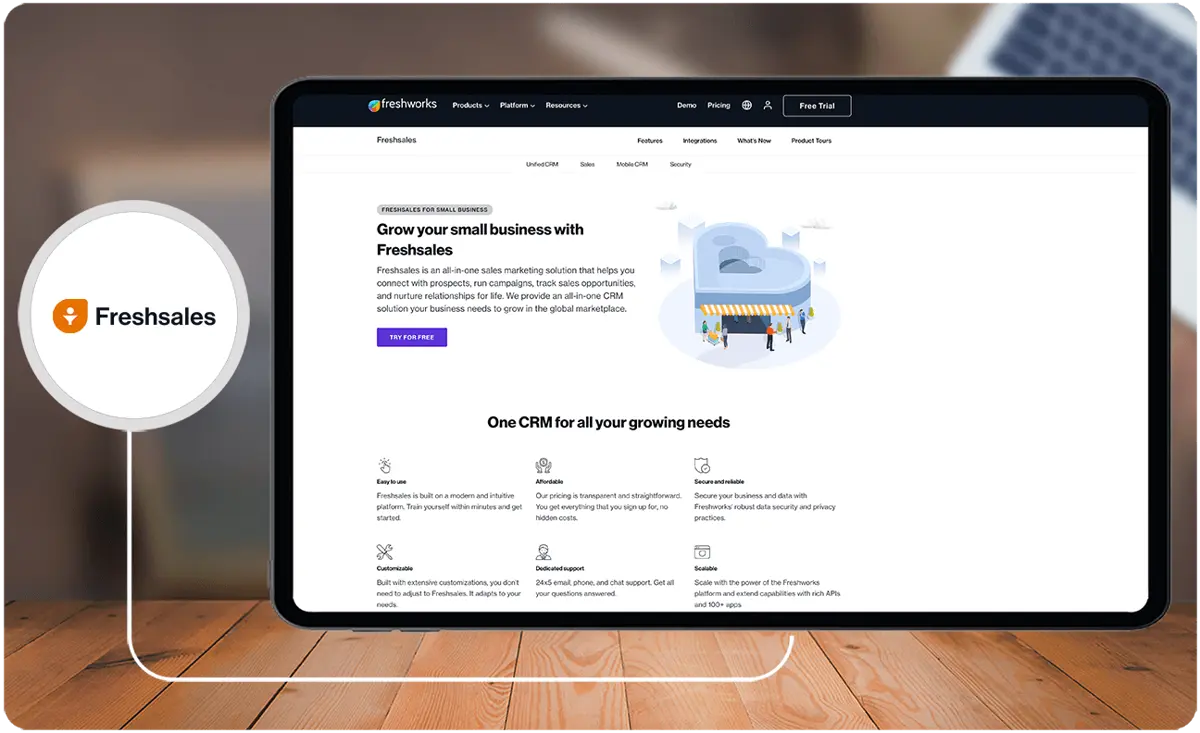
Freshsales caters to a wide range of industries. It is an ideal choice for small businesses seeking to establish connections with potential clients, execute marketing campaigns, monitor sales prospects, and foster long-lasting relationships. If you want more breadth of choice, you can look at Freshsales alternatives, too.
Key benefits of Freshsales
- User-Friendly Interface. Freshsales is an intuitive and easy-to-navigate platform. It features a clean interface for a seamless user experience.
- Enhanced Buyer Engagement. Freshsales helps businesses in capturing high-quality leads. It also provides valuable insights to effectively engage with potential customers.
- Deal Prioritization. Users can prioritize and focus on their most critical deals, ensuring their attention is directed where it matters most.
- Sales Process Management. Freshsales offers an array of tools, including one-click phone functionality, sales lead tracking, and sales management. These tools allow users to stay on top of their sales processes.
- Personalized Email Campaigns. Users can send personalized bulk emails and monitor recipient activities.
- AI-Powered Lead Scoring. Freshsales leverages intelligent workflows and advanced lead scoring to assist users in prioritizing their leads.
- Efficient Pipeline Management. The platform provides tools like affiliate management, call routing, call recording, and auto-dialers to streamline the management of sales pipelines.
- Comprehensive Reporting. Freshsales generates precise reports and compiles pertinent sources and representative metrics into attractive dashboards.
- Tailored CRM Customization. Users can customize Freshsales to align with their specific business needs.
- Seamless Integrations. Freshsales offers integration options with a wide range of tools and applications. It facilitates smooth data exchange and collaborative efforts.
What is Salesforce Sales Cloud?
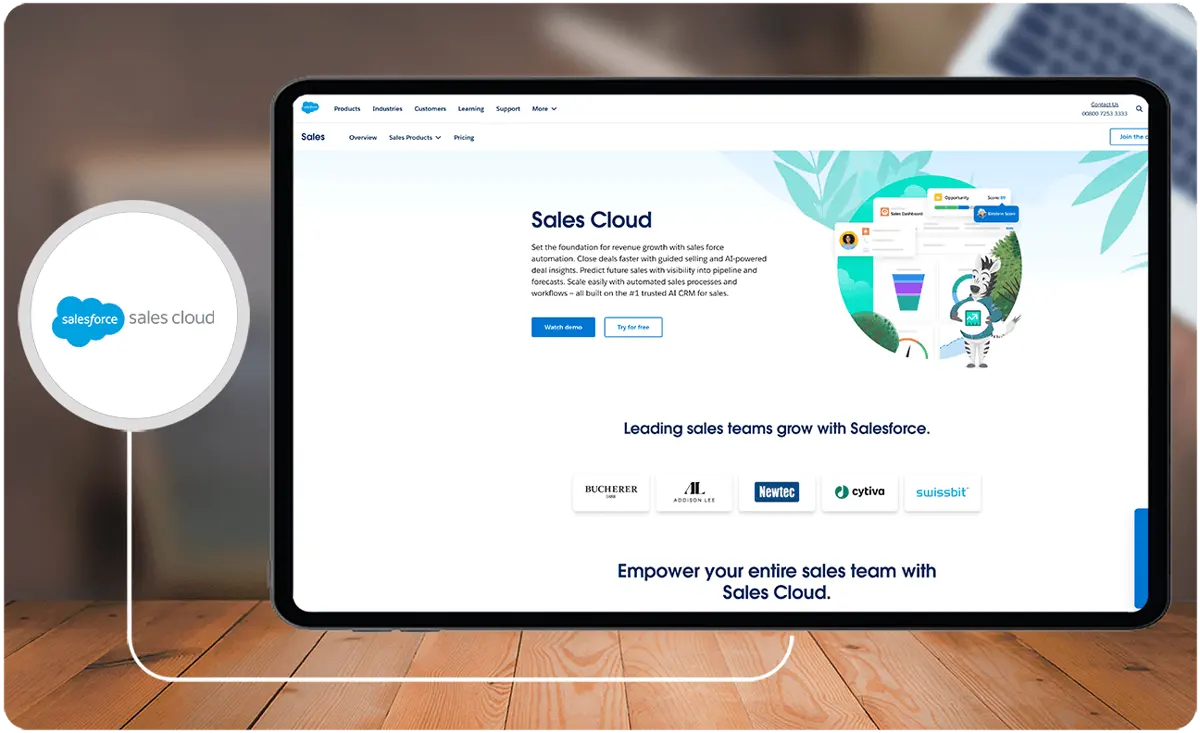
Salesforce Sales Cloud serves as a Customer Relationship Management (CRM) tool tailored to help companies effectively handle their interactions with clients. It is provided as a Software as a Service (SaaS) solution accessible via web browsers and includes a mobile app for added convenience. But if these are not enough to meet your requirements,
Who is Salesforce Sales Cloud for?
Salesforce Sales Cloud is crafted to bolster sales, marketing, and customer support functions in both business-to-customer (B2C) and business-to-business (B2B) settings. This CRM software caters to a diverse range of users, including:
- Sales managers
- Sales representatives
- Customer support teams
- Business executives
- Marketing professionals
But the software offers a wide range of solutions, so it can cater to more teams. Nevertheless, it may still be prudent to check Salesforce Sales Cloud alternatives.
Key benefits of Salesforce Sales Cloud
- Customization Flexibility. Salesforce Sales Cloud offers extensive customization and configuration options. These features allow users to tailor the platform to their specific needs.
- Client-Centric Adaptability. Users can adapt their sales strategies to cater to a wide range of clients, serving both small businesses and large enterprises effectively.
- Advanced Analytics and Reporting. Salesforce Sales Cloud provides real-time analytics and comprehensive reporting tools. These tools enable businesses to make immediate revisions to their strategies instead of waiting for end-of-quarter reports to pinpoint areas in need of improvement.
- Global Accessibility. Sales Cloud is easily accessible from anywhere in the world and on any internet-enabled device. It has a ‘mobile-first' design approach that ensures a seamless user experience without compromising mobile usability.
- Unified Data Management. Users can gain a comprehensive overview of all their data in one centralized location. They can efficiently plan their day using scheduling and productivity tools. They can manage tasks through a centralized hub that allows for real-time updates to their to-do lists as they progress.
Who are Freshsales and Salesforce Sales Cloud best for?
In this Freshsales Salesforce comparison, our review experts suggest who benefits the most from each platform.
Freshsales is best for:
- Small teams seeking fundamental communication and lead management tools
- Businesses looking for a CRM solution with essential features like unlimited user access, sales process management, and integrated phone and chat functionality
- Businesses looking for straightforward workflow automation capabilities for nurturing leads and establishing sales sequences
Salesforce Sales Cloud is best for:
- Larger enterprises that demand extensive system customization and advanced analytics and automation functionalities
- Businesses looking for precise data capture and transfer; those that seek dependable business decision-making
- Businesses looking for a comprehensive analysis of the sales pipeline and its various stages
Freshsales vs Salesforce Sales Cloud Feature Comparison
Take a look at this Freshsales Salesforce comparison based on user reviews and their preferences.
User-Friendly
Freshsales is known for its user-friendly interface. It has also received positive feedback from users for its ease of use and intuitive design. Freshsales provides a centralized platform for businesses to organize and manage their contacts and deals. Additionally, it has strong customer support, providing quick and free 24/5 support over the phone, email, and chat.
Meanwhile, while Salesforce is not inherently challenging to use, its extensive array of capabilities and advanced features can pose a challenge when it comes to navigating the platform.
In this Freshsales Salesforce comparison, our review experts agree that Freshsales surpasses Salesforce in terms of usability. While it is a close call, Freshsales offers an intuitive user experience across all aspects, including setup, operation, and navigation.
Lead and Deal Predictions
Salesforce offers several powerful leads and deals analytics solutions, including Einstein forecasting. This feature uses predictive AI to forecast the number of wins from existing and new deals, allowing sales teams to set realistic targets.
In this Freshsales Salesforce comparison, our review experts think that Salesforce has a more comprehensive lead and deal prediction features set when compared to Freshsales.
While Freshsales’ lead and deal prediction features are simpler, small teams and businesses can benefit from it due to its user-friendly interface. Meanwhile, Salesforce is particularly advantageous for users looking to score, forecast, or evaluate deals effectively.
Integration
Freshsales offers various integration options, which include Freshdesk, Google Apps, Microsoft apps, and Third-party apps. Its marketplace also offers accounting integrations, featuring software for accountants.
On the other hand, Salesforce has MuleSoft, an integration and automation technology that provides several ways to integrate Salesforce with other systems.
In this Freshsales Salesforce comparison, our reviewers think that both platforms offer robust integration features. However, given that Salesforce integrates with thousands of third-party options, it has a wider range of use-case scenarios.
As an example, Salesforce offers seamless integration with Acumatica. It is a widely used enterprise resource planning (ERP) software that is popular among manufacturing and wholesale businesses.
Additionally, Salesforce also has an AppExchange marketplace. This feature offers various property management apps designed to help users with tenant relations and inventory management.
Mobile App
Freshsales and Salesforce both offer mobile applications, but they vary in terms of their capabilities. For instance, Freshsales allows users to manage and monitor lead, contact, and account records, access tasks, initiate calls, and send emails. In contrast, Salesforce provides a more comprehensive mobile app experience. It allows users to perform nearly all the functions available on the web application.
In this Freshsales Salesforce comparison, our reviewers think that while Freshsales is a solid mobile CRM product, its features are limited, unlike Salesforce’s mobile app.
Workflow Automation
In this Freshsales Salesforce comparison, our reviewers agree that both platforms offer excellent workflow automation. However, they have different emphases.
Salesforce is primarily geared toward data gathering and processing. On the other hand, Freshsales places a strong emphasis on lead attraction and management. While Salesforce is the more popular choice, Freshsales stands out for its user-friendliness, making it particularly well-suited for small teams.
Salesforce, on the other hand, excels in customization, analytics, and workflow automation. It provides the necessary tools to tailor CRM solutions to an organization's specific needs.
Freshsales vs Salesforce Sales Cloud Pricing
In this Freshsales Salesforce comparison, our team of review experts highlights their unique pricing structure.
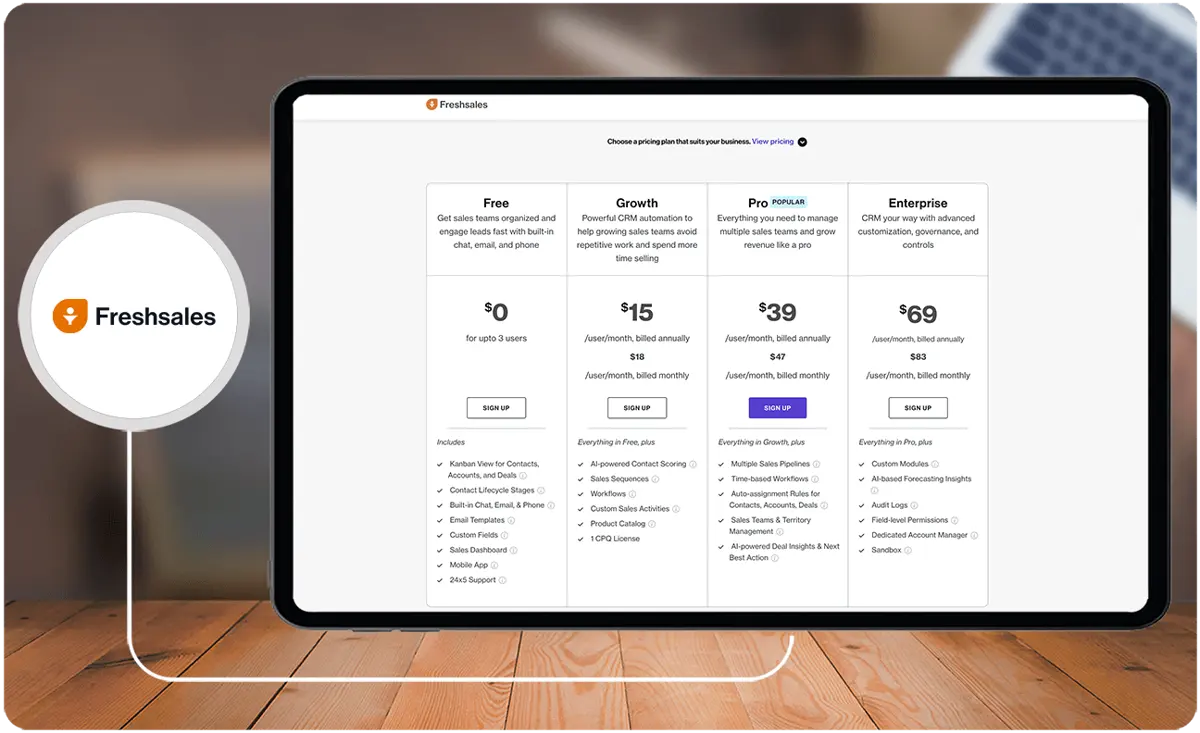
Freshsales pricing plans are as follows:
- Free Plan. Ideal for small teams, this plan is available at no cost and supports up to three users.
- Growth Plan. Designed for expanding teams, it is priced at $15 per user per month when billed annually or $18 per user per month when billed monthly.
- Pro Plan. Geared towards larger teams, it costs $39 per user per month when billed annually or $47 per user per month when billed monthly.
- Enterprise Plan. Tailored for enterprises, this plan is priced at $69 per user per month when billed annually or $83 per user per month when billed monthly.
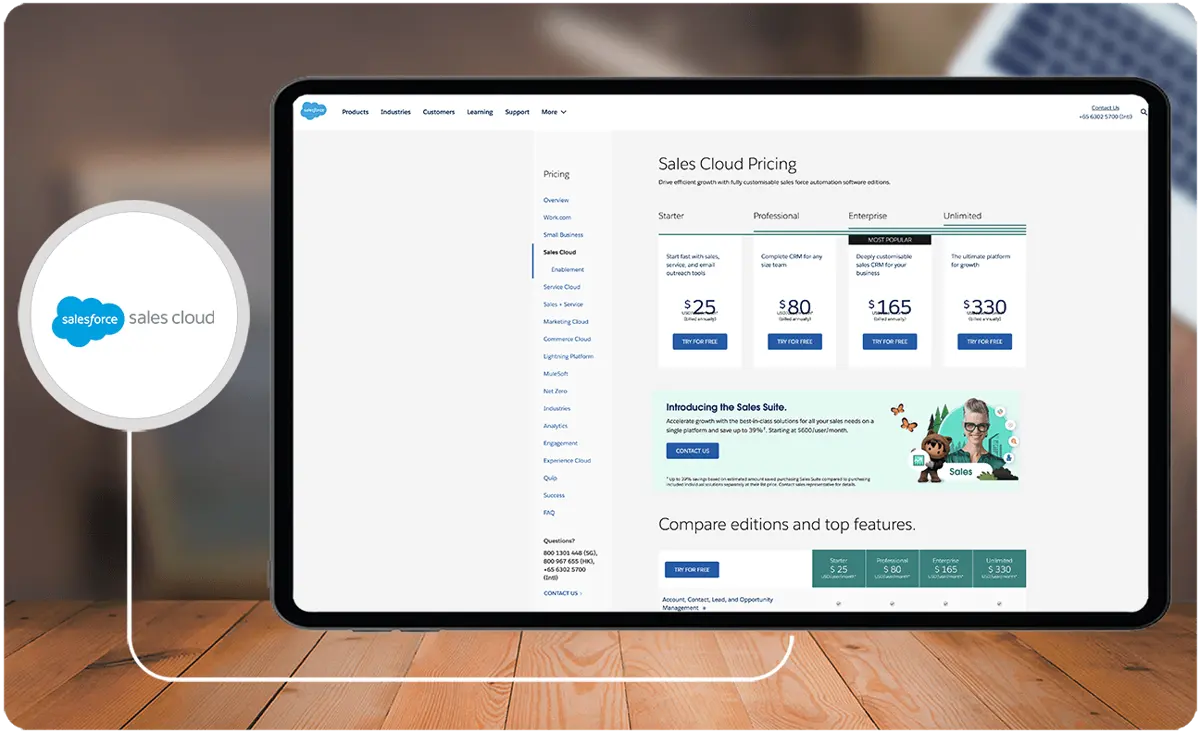
Salesforce Sales Cloud offers various pricing options depending on the billing frequency and the edition chosen:
– Starter: $25 per user per month
– Professional: $80 per user per month
– Enterprise: $165 per user per month
– Unlimited: $330 per user per month
When evaluating Salesforce Sales Cloud pricing, the Salesforce Sales Cloud comparison chart is a valuable resource. It helps you differentiate between the professional and enterprise editions, making it easier to choose the right fit for your needs.
The professional edition of Salesforce Sales Cloud provides a robust set of tools as a foundation. However, if you require more advanced features and in-depth insights, you might find the premium enterprise edition of Salesforce Sales Cloud more suitable.
Salesforce Sales Cloud's enterprise pricing begins at $165 per user per month. For a more tailored quote and a comprehensive understanding of the advanced capabilities and insights offered, it is recommended to get in touch with Salesforce's sales team. They can provide you with a personalized quote and detailed information about Salesforce Sales Cloud's capabilities.
How does data security compare between Freshsales and Salesforce Sales Cloud?
When choosing a CRM, data security is paramount, especially for organizations managing sensitive client information or adhering to strict compliance requirements. Both Freshsales and Salesforce Sales Cloud offer robust security features, but they cater to different levels of security needs.
- Data Encryption: Both Freshsales and Salesforce encrypt data in transit and at rest, protecting information during transfer and storage. Salesforce provides more extensive encryption options, including advanced encryption for highly regulated industries.
- User Access Controls: Salesforce Sales Cloud offers granular access controls, allowing administrators to set specific permissions based on roles or teams. Freshsales also includes user access controls but may not offer the same depth of customization, making it easier for smaller teams but possibly limited for large enterprises.
- Compliance and Certifications: Salesforce Sales Cloud is widely recognized for its compliance with various international security standards, such as GDPR, HIPAA, and SOC 2 Type II. Freshsales, while also compliant with GDPR, may not cover as many certifications, which could be a factor for organizations in highly regulated industries.
- Audit Logs and Monitoring: Salesforce provides robust monitoring features, including detailed audit logs for tracking user activity, data changes, and security events. Freshsales includes basic audit trails and monitoring but may not provide the same level of detail.
- Threat Detection and Response: Salesforce incorporates advanced threat detection and response protocols to help identify and mitigate risks quickly. Freshsales offers essential threat detection but may lack the advanced capabilities Salesforce provides.
Freshsales vs Salesforce Sales Cloud: Scalability and Suitability for Different Business Sizes
When selecting a CRM platform, understanding its scalability and suitability for businesses of various sizes is essential. Freshsales and Salesforce Sales Cloud are designed to cater to distinct user groups, and these differences can influence their long-term value.
Freshsales is often preferred for small to mid-sized businesses due to its straightforward setup, intuitive interface, and affordability. This platform’s user-friendly design ensures that startups and growing teams can quickly adopt the CRM without requiring extensive training or additional IT resources. Moreover, its features like unified communication tools and basic workflow automation are tailored to meet the demands of smaller teams efficiently. Businesses looking for an all-in-one platform offering essential sales and marketing functionalities will find Freshsales an appealing choice.
Conversely, Salesforce Sales Cloud excels in scalability and is particularly advantageous for larger organizations or enterprises with diverse, complex needs. Its extensive customization options, robust analytics, and advanced automation capabilities make it an ideal platform for handling large volumes of data and intricate workflows. Salesforce’s capacity to integrate with thousands of third-party applications and its ability to adapt to various industry requirements allow businesses to expand their CRM system as they scale. For organizations needing a flexible and high-powered CRM to align with rapid growth, Salesforce Sales Cloud is a more suitable option.
To explore a broader range of tools tailored to your specific business needs, consider reviewing some of today's best CRM software for businesses.
How Do These Platforms Address Customer Complaints?
Both Freshsales and Salesforce Sales Cloud enable efficient tracking and resolution of customer issues through integrated feedback channels. Freshsales streamlines the process by offering an accessible interface for logging customer concerns and facilitating prompt responses, while Salesforce Sales Cloud leverages advanced workflow automation to assign, escalate, and monitor complaint resolution tasks. For businesses seeking to further refine their customer grievance workflows, integrating a dedicated complaint management system can offer enhanced oversight and actionable insights.
Freshsales Pros and Cons
Pros
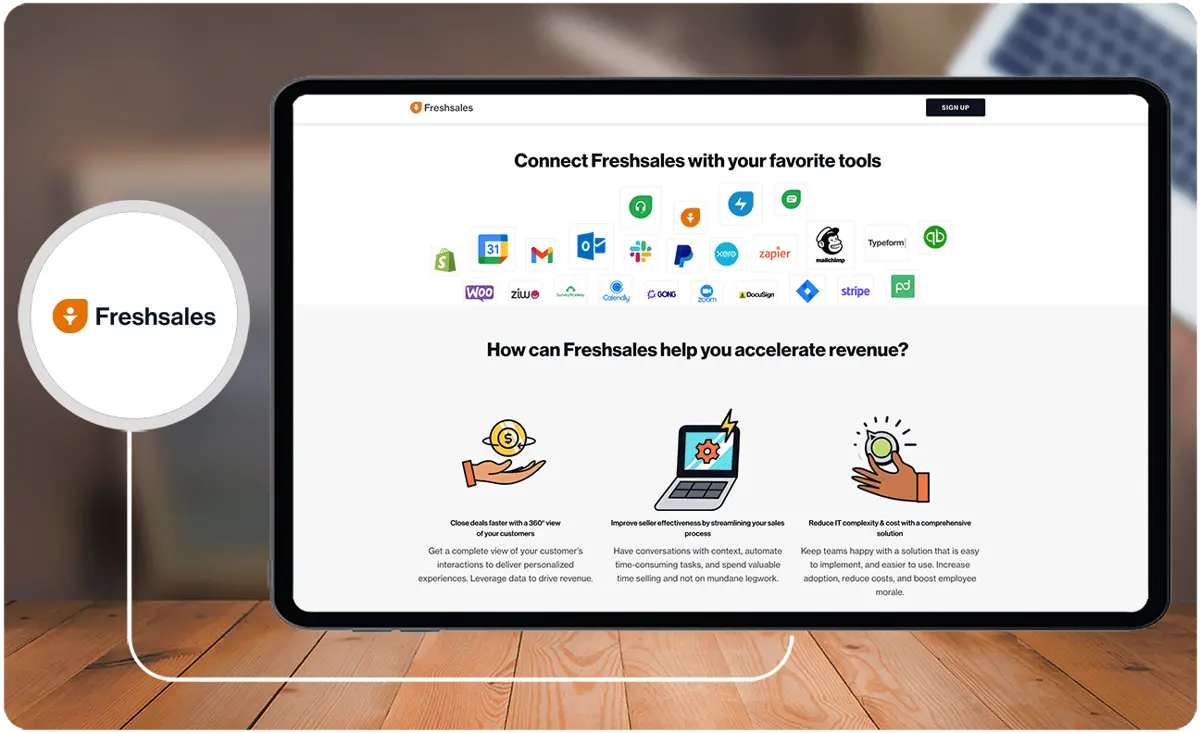
- User-friendly interface
- Offers a 21-day free trial
- Strong integration features
Cons
- Onboarding and customization can be time-consuming
- Mobile app functionality and user experience may be limited
Salesforce Sales Cloud Pros and Cons
Pros
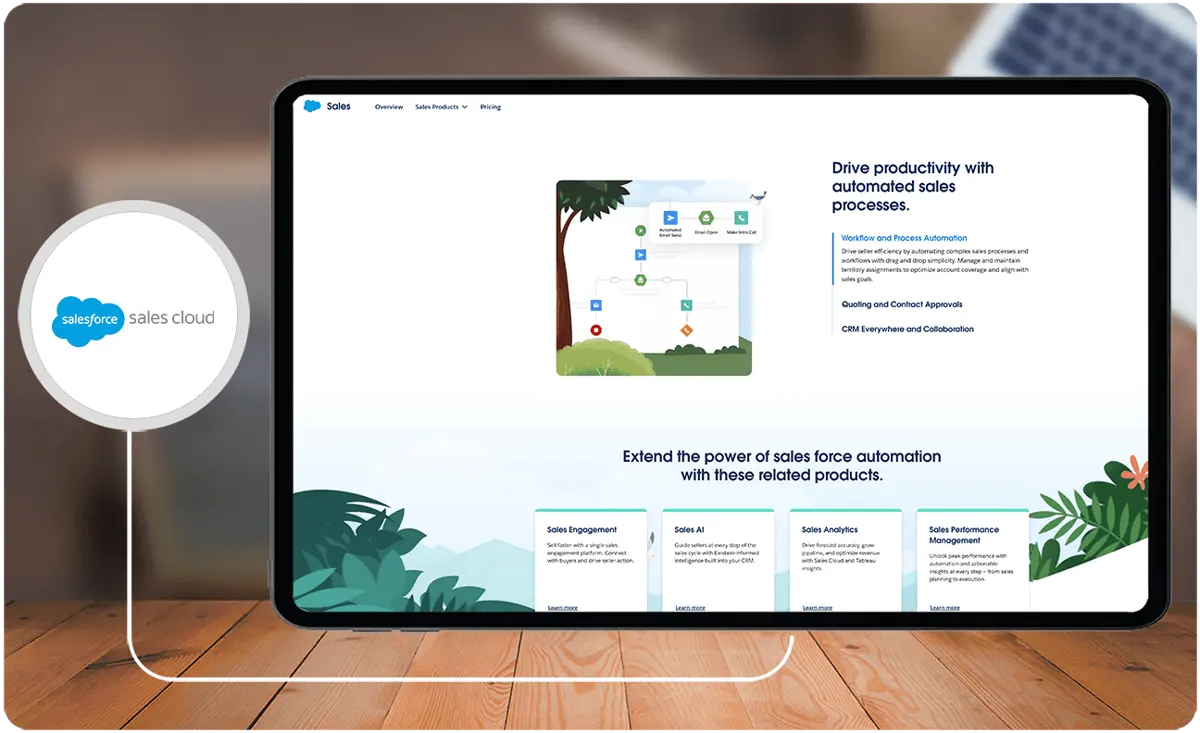
- Utilizes cloud technology
- Enables customization of the sales process
- Offers integrated collaboration tools
- Provides precise sales forecasting
Cons
- Requires an investment of time and effort to become proficient with the platform
- Heavily relies on a stable internet connection
Verdict – Freshsales vs Salesforce Sales Cloud: Which software is better?
In this Freshsales Salesforce comparison, research.com’s review experts think that both platforms are excellent examples of CRMs that truly deliver. Still, each platform has its strengths, with one being stronger in certain features than the other.
When considering a Freshsales Salesforce comparison, you must evaluate various aspects. In terms of ease of use, Freshsales is the preferred choice with 9.0 ratings, while Salesforce got 8.0. Meanwhile, for lead qualification, Salesforce got 9.1 ratings, as compared to Freshsales with 8.5.
Ultimately, the choice of which software is superior depends on the unique requirements of each user.
Key Insights
- User-Friendly Interface:
- Freshsales: Known for its intuitive and easy-to-navigate platform, Freshsales offers a clean interface, enhancing user experience and making it easier for teams to manage their sales processes.
- Salesforce Sales Cloud: While feature-rich, Salesforce Sales Cloud can be more challenging to navigate due to its extensive capabilities. It requires more time and training to fully utilize its potential.
- Advanced Analytics and Reporting:
- Freshsales: Provides comprehensive reporting with attractive dashboards, allowing users to gain insights into sales performance and customer interactions.
- Salesforce Sales Cloud: Offers real-time analytics and comprehensive reporting tools, enabling businesses to make immediate revisions to strategies based on up-to-date data.
- Customization and Integration:
- Freshsales: Fully customizable to meet individual business needs, Freshsales integrates seamlessly with a variety of tools and applications, facilitating smooth data exchange and collaborative efforts.
- Salesforce Sales Cloud: Offers extensive customization and configuration options, integrating well with thousands of third-party applications through tools like MuleSoft and AppExchange marketplace.
- Mobile Accessibility:
- Freshsales: Allows users to manage and monitor lead, contact, and account records, access tasks, initiate calls, and send emails via its mobile app.
- Salesforce Sales Cloud: Provides a more comprehensive mobile app experience, allowing users to perform nearly all the functions available on the web application, ensuring global accessibility.
- Workflow Automation:
- Freshsales: Focuses on lead attraction and management with user-friendly workflow automation, suitable for small teams.
- Salesforce Sales Cloud: Excels in data gathering, processing, and customization, offering advanced workflow automation tools tailored for larger enterprises.
- Pricing and Plans:
- Freshsales: Offers a range of pricing plans, starting with a free plan for up to three users, making it accessible for small businesses.
- Salesforce Sales Cloud: Provides various pricing options, with plans starting from $25 per user per month, scaling up to $330 per user per month for more advanced features.
Other Things You Should Know About Freshsales – Salesforce Sales Cloud Comparison
The top key features of the Freshsales suite include chat campaigns, contact management, conversion rate optimization, customer journey tracking, customer segmentation, deal management, email campaigns, and event tracking.
Yes, Freshsales integrates with Gmail. This integration allows users to read, send, delete, and manage emails, track opens and clicks, link emails with leads or contacts, and automatically generate leads or contacts from emails.
Salesforce Sales Cloud includes features such as lead and pipeline management, AI insights, coaching tools, connectivity with other channels, and visual sales cadences.
Salesforce Sales Cloud streamlines decision-making processes by providing access to real-time performance and forecast data. This enables users to identify top performers, allocate resources more effectively, and make informed decisions to enhance sales process efficiency.
Freshsales is generally considered more user-friendly due to its intuitive design and ease of use. Salesforce Sales Cloud, while powerful and feature-rich, can be more challenging to navigate due to its extensive capabilities.
Freshsales offers several pricing plans:
- Free Plan: For up to three users.
- Growth Plan: $15 per user per month (billed annually) or $18 per user per month (billed monthly).
- Pro Plan: $39 per user per month (billed annually) or $47 per user per month (billed monthly).
Enterprise Plan: $69 per user per month (billed annually) or $83 per user per month (billed monthly).
Salesforce Sales Cloud offers various pricing options:
- Starter: $25 per user per month.
- Professional: $80 per user per month.
- Enterprise: $165 per user per month.
Unlimited: $330 per user per month.
Freshsales is best suited for small teams seeking fundamental communication and lead management tools, businesses looking for an all-in-one CRM solution with essential features, and those who prefer straightforward workflow automation capabilities.
Salesforce Sales Cloud is ideal for larger enterprises that require extensive system customization, advanced analytics, and automation functionalities. It benefits businesses that need precise data capture and transfer and comprehensive analysis of the sales pipeline.


