
Freshsales vs Pipedrive – 2027 Comparison

Co-Founder and Chief Data Scientist
Freshsales vs Pipedrive Comparison Table of Contents
- What is Freshsales?
- Whom is Freshsales for?
- Key Benefits of Freshsales
- What is Pipedrive?
- Whom is Pipedrive for?
- Key Benefits of Pipedrive
- Whom are Freshsales and Pipedrive best for?
- Freshsales vs Pipedrive Feature Comparison
- Freshsales vs Pipedrive Pricing
- Scalability Considerations for Growing Businesses
- Freshsales Pros and Cons
- How do these CRM solutions integrate with HR management software?
- Pipedrive Pros and Cons
- How do Freshsales and Pipedrive support data security and compliance?
- Verdict – Freshsales vs Pipedrive: Which software is better?
What is Freshsales?
Freshsales caters to sales teams and enterprises of various scales, prioritizing the delivery of distinct and measurable advantages. Its primary functionalities encompass contact administration, email monitoring, a graphical sales pipeline, and AI-generated analytics.
This customer relationship management (CRM) platform enriches sales procedures and client connections by furnishing tailored resolutions. Freshsales is one of the top CRM solutions that strive to furnish an exhaustive, personalized CRM resolution, empowering individuals to enhance sales efficacy and customer contentment.
Featured CRM Software Products

$9 to $150/user/month
Yes, up to 2 users
E-signature software, call transcription, conversation routing
Editor's Take
HubSpot CRM is a powerful customer relationship management platform designed to help businesses manage their sales, marketing, and customer service efforts in one centralized place. Its user-friendly interface allows teams to track leads, monitor customer interactions, and automate sales pipelines. With built-in tools for email marketing, contact management, and analytics, HubSpot CRM provides deep insights into customer behavior and sales performance. The platform also supports seamless collaboration between marketing and sales teams through real-time updates and integrations with tools like Gmail, Outlook, and Slack. Additionally, its automation features help reduce manual tasks, enabling teams to focus on building relationships and closing deals. HubSpot CRM is scalable, making it ideal for businesses of all sizes, from startups to large enterprises.
Expert Score
In evaluating SaaS software, a comprehensive and structured methodology ensures a fair and accurate comparison across key metrics. This approach focuses on the most critical aspects that affect user experience, functionality, and business value. The following metrics—general features, cost, customer service, integrations, and mobile support—are evaluated to provide a holistic view of each software solution’s strengths and weaknesses. These metrics are selected based on their direct impact on software usability, scalability, and long-term effectiveness for businesses.
1. General Features - scoring weight 40%
This metric evaluates the core functionalities and tools the software offers. It involves assessing the comprehensiveness of the features, their relevance to the target users, and the ease of use. This is important because robust and well-designed features determine the software's overall utility and efficiency in solving user problems.
2. Cost - scoring weight 15%
Cost analysis focuses on pricing models, value for money, and scalability. It's crucial to evaluate whether the software’s features justify its price, considering different plans for small and large organizations. This is vital for businesses to ensure they invest in cost-effective solutions that fit their budget.
3. Customer Service - scoring weight 15%
This evaluates the responsiveness, quality, and availability of customer support, including channels like chat, email, or phone. Good customer service is essential for troubleshooting and ensuring smooth software usage, which reduces downtime and frustration for users.
4. Integrations - scoring weight 15%
This examines how well the software integrates with third-party tools (e.g., CRM, payment systems, collaboration apps). Seamless integrations are key for creating a unified workflow and enhancing productivity by connecting multiple systems, which is crucial for operational efficiency.
5. Mobile Support - scoring weight 15%
Mobile support assesses the software’s functionality and performance on mobile devices, including apps and mobile web versions. With increasing remote work and on-the-go usage, strong mobile support is critical to ensure users can access and utilize the software effectively, regardless of location.

$25 per user per month
14 days
marketing automation, sales automation, no code customization
Editor's Take
CRM Creatio is a comprehensive customer relationship management (CRM) solution designed to streamline and enhance business processes across sales, marketing, and customer service functions. Known for its low-code platform, Creatio allows businesses to customize and automate workflows without requiring extensive technical expertise. This adaptability makes it particularly appealing to organizations seeking to align the software with their specific needs.
The platform's marketing module provides tools for multi-channel campaign management, lead generation, and personalized customer engagement. Its sales module offers functionality for pipeline management, opportunity tracking, and analytics to help teams close deals more efficiently. Additionally, the customer service module supports case management, service level agreement (SLA) monitoring, and omnichannel communication, enabling businesses to provide exceptional customer support.
Creatio stands out with its intuitive interface, robust analytics, and AI-powered tools that provide actionable insights. The low-code development tools allow non-technical users to create applications and automate processes, reducing the dependency on IT teams. Integration capabilities with other software platforms and APIs enhance its utility, making it a versatile choice for businesses of all sizes.
Overall, CRM Creatio is a powerful solution that combines user-friendly design with advanced customization and automation features. Its adaptability and low-code foundation position it as a strong contender for organizations looking to optimize customer relationship management processes while maintaining flexibility for growth and innovation.
Expert Score
In evaluating SaaS software, a comprehensive and structured methodology ensures a fair and accurate comparison across key metrics. This approach focuses on the most critical aspects that affect user experience, functionality, and business value. The following metrics—general features, cost, customer service, integrations, and mobile support—are evaluated to provide a holistic view of each software solution’s strengths and weaknesses. These metrics are selected based on their direct impact on software usability, scalability, and long-term effectiveness for businesses.
1. General Features - scoring weight 40%
This metric evaluates the core functionalities and tools the software offers. It involves assessing the comprehensiveness of the features, their relevance to the target users, and the ease of use. This is important because robust and well-designed features determine the software's overall utility and efficiency in solving user problems.
2. Cost - scoring weight 15%
Cost analysis focuses on pricing models, value for money, and scalability. It's crucial to evaluate whether the software’s features justify its price, considering different plans for small and large organizations. This is vital for businesses to ensure they invest in cost-effective solutions that fit their budget.
3. Customer Service - scoring weight 15%
This evaluates the responsiveness, quality, and availability of customer support, including channels like chat, email, or phone. Good customer service is essential for troubleshooting and ensuring smooth software usage, which reduces downtime and frustration for users.
4. Integrations - scoring weight 15%
This examines how well the software integrates with third-party tools (e.g., CRM, payment systems, collaboration apps). Seamless integrations are key for creating a unified workflow and enhancing productivity by connecting multiple systems, which is crucial for operational efficiency.
5. Mobile Support - scoring weight 15%
Mobile support assesses the software’s functionality and performance on mobile devices, including apps and mobile web versions. With increasing remote work and on-the-go usage, strong mobile support is critical to ensure users can access and utilize the software effectively, regardless of location.

$8/per user/per month
Yes
customizable dashboards, automated follow-ups, advanced analytics
Editor's Take
monday.com Sales CRM is a customizable platform designed to streamline sales processes, enhance team collaboration, and improve pipeline visibility. Its intuitive interface enables users to manage leads, track deals, and automate repetitive tasks with ease. The CRM integrates seamlessly with popular tools like Gmail, Slack, and HubSpot, ensuring a centralized workflow. Features like customizable dashboards, automated follow-ups, and advanced analytics help sales teams stay organized and focused on closing deals. With scalability in mind, monday.com caters to businesses of all sizes, offering flexible pricing plans and robust customer support. It’s an excellent choice for teams seeking efficiency and adaptability.
Expert Score
In evaluating SaaS software, a comprehensive and structured methodology ensures a fair and accurate comparison across key metrics. This approach focuses on the most critical aspects that affect user experience, functionality, and business value. The following metrics—general features, cost, customer service, integrations, and mobile support—are evaluated to provide a holistic view of each software solution’s strengths and weaknesses. These metrics are selected based on their direct impact on software usability, scalability, and long-term effectiveness for businesses.
1. General Features - scoring weight 40%
This metric evaluates the core functionalities and tools the software offers. It involves assessing the comprehensiveness of the features, their relevance to the target users, and the ease of use. This is important because robust and well-designed features determine the software’s overall utility and efficiency in solving user problems.
2. Cost - scoring weight 15%
Cost analysis focuses on pricing models, value for money, and scalability. It’s crucial to evaluate whether the software’s features justify its price, considering different plans for small and large organizations. This is vital for businesses to ensure they invest in cost-effective solutions that fit their budget.
3. Customer Service - scoring weight 15%
This evaluates the responsiveness, quality, and availability of customer support, including channels like chat, email, or phone. Good customer service is essential for troubleshooting and ensuring smooth software usage, which reduces downtime and frustration for users.
4. Integrations - scoring weight 15%
This examines how well the software integrates with third-party tools (e.g., CRM, payment systems, collaboration apps). Seamless integrations are key for creating a unified workflow and enhancing productivity by connecting multiple systems, which is crucial for operational efficiency.
5. Mobile Support - scoring weight 15%
Mobile support assesses the software’s functionality and performance on mobile devices, including apps and mobile web versions. With increasing remote work and on-the-go usage, strong mobile support is critical to ensure users can access and utilize the software effectively, regardless of location.

$7 per user per month billed annually
15 days
lead generation, sales pipeline management, workflow automation
Editor's Take
Zoho CRM is a flexible and comprehensive customer relationship management platform designed to help businesses manage and grow their customer relationships effectively. With tools for lead generation, sales pipeline management, workflow automation, and analytics, Zoho CRM is suitable for businesses of all sizes across a variety of industries.
Zoho CRM enables teams to streamline sales processes by capturing leads from multiple channels, tracking interactions, and managing every stage of the sales cycle. The platform offers customizable dashboards and reports, providing insights into sales performance and customer behaviors to help make data-driven decisions. With powerful automation features, Zoho CRM allows businesses to set up workflows for routine tasks like follow-ups, lead scoring, and email notifications, reducing manual work and enhancing productivity. The platform integrates with popular tools, including the Zoho suite, Microsoft 365, and G Suite, enabling a seamless connection across teams.
For businesses aiming to improve customer engagement, close deals faster, and enhance team collaboration, Zoho CRM delivers a scalable, user-friendly solution to drive sales and customer satisfaction.
Expert Score
In evaluating SaaS software, a comprehensive and structured methodology ensures a fair and accurate comparison across key metrics. This approach focuses on the most critical aspects that affect user experience, functionality, and business value. The following metrics—general features, cost, customer service, integrations, and mobile support—are evaluated to provide a holistic view of each software solution’s strengths and weaknesses. These metrics are selected based on their direct impact on software usability, scalability, and long-term effectiveness for businesses.
1. General Features - scoring weight 40%
This metric evaluates the core functionalities and tools the software offers. It involves assessing the comprehensiveness of the features, their relevance to the target users, and the ease of use. This is important because robust and well-designed features determine the software's overall utility and efficiency in solving user problems.
2. Cost - scoring weight 15%
Cost analysis focuses on pricing models, value for money, and scalability. It's crucial to evaluate whether the software’s features justify its price, considering different plans for small and large organizations. This is vital for businesses to ensure they invest in cost-effective solutions that fit their budget.
3. Customer Service - scoring weight 15%
This evaluates the responsiveness, quality, and availability of customer support, including channels like chat, email, or phone. Good customer service is essential for troubleshooting and ensuring smooth software usage, which reduces downtime and frustration for users.
4. Integrations - scoring weight 15%
This examines how well the software integrates with third-party tools (e.g., CRM, payment systems, collaboration apps). Seamless integrations are key for creating a unified workflow and enhancing productivity by connecting multiple systems, which is crucial for operational efficiency.
5. Mobile Support - scoring weight 15%
Mobile support assesses the software’s functionality and performance on mobile devices, including apps and mobile web versions. With increasing remote work and on-the-go usage, strong mobile support is critical to ensure users can access and utilize the software effectively, regardless of location.

By quote
Yes
Lead Management, Contact Management, Workflow Automation
Editor's Take
Salesforce CRM is a leading customer relationship management platform known for its robust functionality, scalability, and extensive customization options, making it suitable for businesses of all sizes, from startups to large enterprises. Built to streamline sales, marketing, customer service, and analytics, Salesforce CRM empowers teams to manage customer interactions, optimize workflows, and drive growth from a single, cloud-based platform.
Salesforce CRM provides a complete view of customer data, enabling teams to track interactions, manage leads, and automate tasks throughout the sales pipeline. With powerful tools for reporting and analytics, Salesforce offers insights into sales performance, customer trends, and campaign effectiveness, allowing teams to make data-driven decisions. The platform’s automation capabilities reduce manual workloads with customizable workflows, automated follow-ups, and lead scoring, ensuring a smooth customer journey. Integrations with thousands of third-party applications, along with its own suite of services, make Salesforce a highly adaptable solution for businesses looking to connect their CRM with other tools.
For organizations focused on enhancing customer engagement, improving team efficiency, and scaling their operations, Salesforce CRM delivers a powerful and versatile solution tailored to support long-term business growth.
Expert Score
In evaluating SaaS software, a comprehensive and structured methodology ensures a fair and accurate comparison across key metrics. This approach focuses on the most critical aspects that affect user experience, functionality, and business value. The following metrics—general features, cost, customer service, integrations, and mobile support—are evaluated to provide a holistic view of each software solution’s strengths and weaknesses. These metrics are selected based on their direct impact on software usability, scalability, and long-term effectiveness for businesses.
1. General Features - scoring weight 40%
This metric evaluates the core functionalities and tools the software offers. It involves assessing the comprehensiveness of the features, their relevance to the target users, and the ease of use. This is important because robust and well-designed features determine the software's overall utility and efficiency in solving user problems.
2. Cost - scoring weight 15%
Cost analysis focuses on pricing models, value for money, and scalability. It's crucial to evaluate whether the software’s features justify its price, considering different plans for small and large organizations. This is vital for businesses to ensure they invest in cost-effective solutions that fit their budget.
3. Customer Service - scoring weight 15%
This evaluates the responsiveness, quality, and availability of customer support, including channels like chat, email, or phone. Good customer service is essential for troubleshooting and ensuring smooth software usage, which reduces downtime and frustration for users.
4. Integrations - scoring weight 15%
This examines how well the software integrates with third-party tools (e.g., CRM, payment systems, collaboration apps). Seamless integrations are key for creating a unified workflow and enhancing productivity by connecting multiple systems, which is crucial for operational efficiency.
5. Mobile Support - scoring weight 15%
Mobile support assesses the software’s functionality and performance on mobile devices, including apps and mobile web versions. With increasing remote work and on-the-go usage, strong mobile support is critical to ensure users can access and utilize the software effectively, regardless of location.

$7/user/month
15 days
Pipeline Management, Email Integration, Task Tracking
Editor's Take
Bigin is a lightweight CRM by Zoho, tailored for small businesses and startups to manage sales pipelines efficiently. It provides tools for deal tracking, email integration, and task management, ensuring a simple yet effective approach to sales. The platform offers customizable pipelines, real-time notifications, and seamless integrations with other Zoho apps. Its user-friendly design makes it accessible for teams with minimal CRM experience, helping them streamline sales processes without complexity.
Expert Score
In evaluating SaaS software, a comprehensive and structured methodology ensures a fair and accurate comparison across key metrics. This approach focuses on the most critical aspects that affect user experience, functionality, and business value. The following metrics—general features, cost, customer service, integrations, and mobile support—are evaluated to provide a holistic view of each software solution’s strengths and weaknesses. These metrics are selected based on their direct impact on software usability, scalability, and long-term effectiveness for businesses.
1. General Features - scoring weight 40%
This metric evaluates the core functionalities and tools the software offers. It involves assessing the comprehensiveness of the features, their relevance to the target users, and the ease of use. This is important because robust and well-designed features determine the software's overall utility and efficiency in solving user problems.
2. Cost - scoring weight 15%
Cost analysis focuses on pricing models, value for money, and scalability. It's crucial to evaluate whether the software’s features justify its price, considering different plans for small and large organizations. This is vital for businesses to ensure they invest in cost-effective solutions that fit their budget.
3. Customer Service - scoring weight 15%
This evaluates the responsiveness, quality, and availability of customer support, including channels like chat, email, or phone. Good customer service is essential for troubleshooting and ensuring smooth software usage, which reduces downtime and frustration for users.
4. Integrations - scoring weight 15%
This examines how well the software integrates with third-party tools (e.g., CRM, payment systems, collaboration apps). Seamless integrations are key for creating a unified workflow and enhancing productivity by connecting multiple systems, which is crucial for operational efficiency.
5. Mobile Support - scoring weight 15%
Mobile support assesses the software’s functionality and performance on mobile devices, including apps and mobile web versions. With increasing remote work and on-the-go usage, strong mobile support is critical to ensure users can access and utilize the software effectively, regardless of location.
Whom is Freshsales for?
Freshsales enhances sales performance and customer relationships across various sectors such as technology, e-commerce, and business services. It assists in managing pipelines, prioritizing leads, and tracking customer interactions. This Freshsales-Pipedrive comparison highlights how Freshsales effectively enhances sales procedures in different industries.
Key Benefits of Freshsales
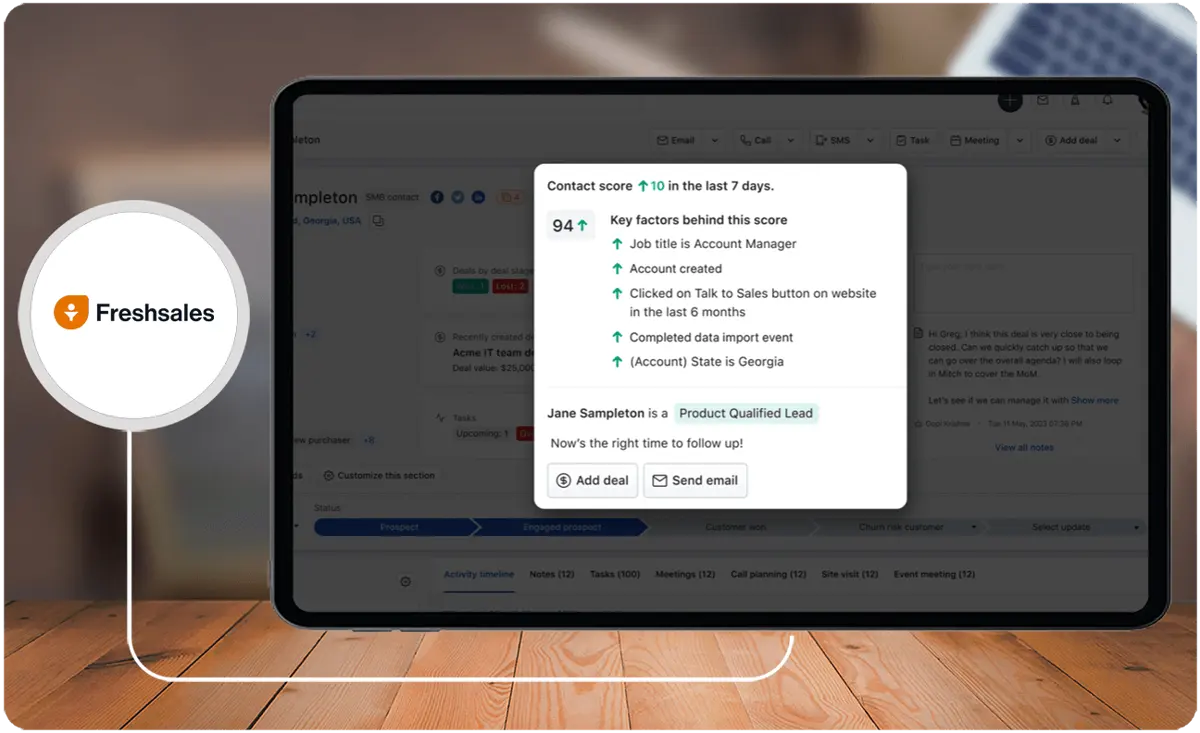
- Intuitive User Interface. The intuitive design streamlines tasks, making the CRM more accessible and efficient for users.
- Efficient Lead Management. Freshsales provides robust lead management capabilities, enabling users to capture, organize, and manage leads throughout the sales pipeline.
- Real-Time Email Tracking. This feature helps sales representatives gauge customer engagement, enabling timely follow-ups and informed communication.
- Automation of Key Tasks and Business Processes. Freshsales offers automation features that streamline repetitive tasks and business processes.
- Customization for Team Adaptation. The CRM allows customization to align with different teams or organizations' specific needs and workflows.
- Cloud-Based Setup With Real-Time Updates. Being cloud-based, Freshsales provides the advantage of accessibility from anywhere with an internet connection.
- User-Friendly System. Freshsales prioritizes user experience by providing a system that is intuitive and easy to use.
- Free CRM With Premium Features at Zero Cost. Freshsales offers a free version of its CRM with premium features at no cost.
What is Pipedrive?
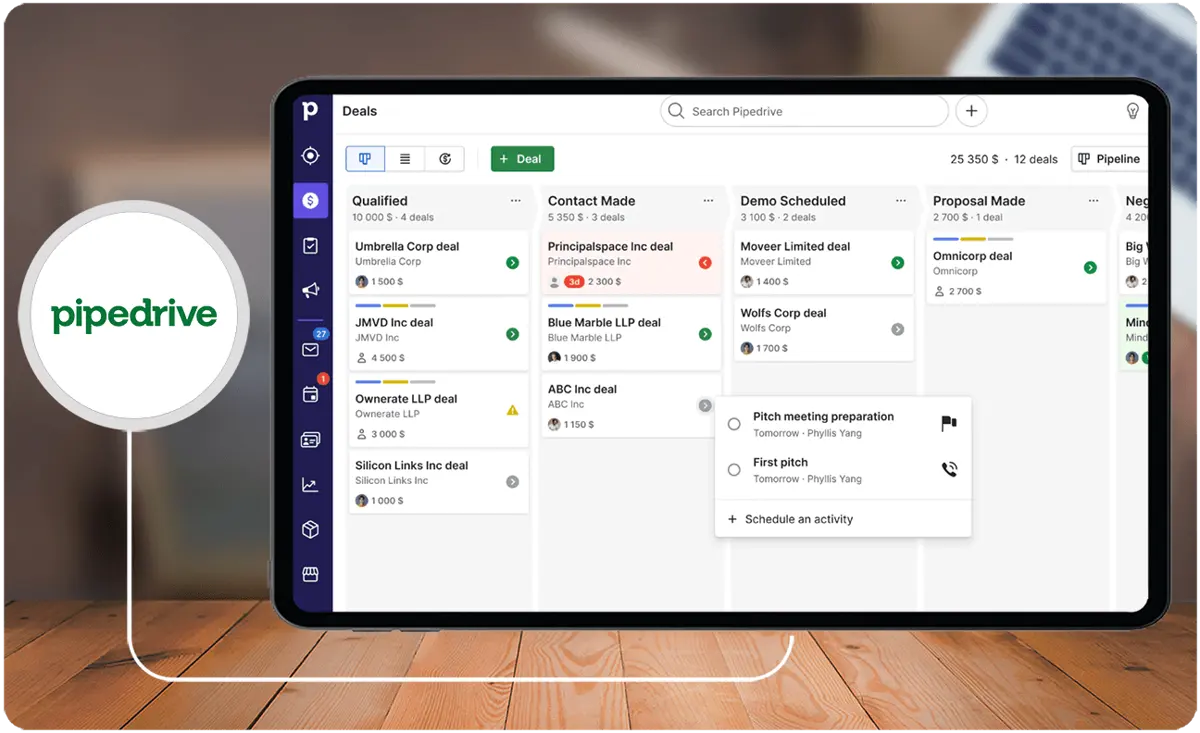
Pipedrive is a cloud-based CRM empowering sales teams with activity-based selling. Its visual sales pipeline, used by over 100,000 companies, offers diverse features and integrations for smaller firms.
Alongside core functionalities, advanced tools like AI and detailed analytics optimize sales. Emphasizing the importance of a Unique Selling Proposition, Pipedrive enables market differentiation and competitive advantage.
Whom is Pipedrive for?
Pipedrive serves small businesses and enterprises with software solutions for marketers. It offers tools for productivity, sales tracking, pipeline management, and outcome measurement. It supports sales improvement, lead tracking, deal closure, and workflow optimization across industries. Pipedrive enables customizable reports, lead generation, and product or service management with seamless tool integration.
This Freshsales-Pipedrive comparison highlights how each CRM addresses marketers' needs, offering distinct features and functionalities tailored to enhance productivity, sales tracking, and pipeline management for businesses of varying sizes and industries.
Key Benefits of Pipedrive
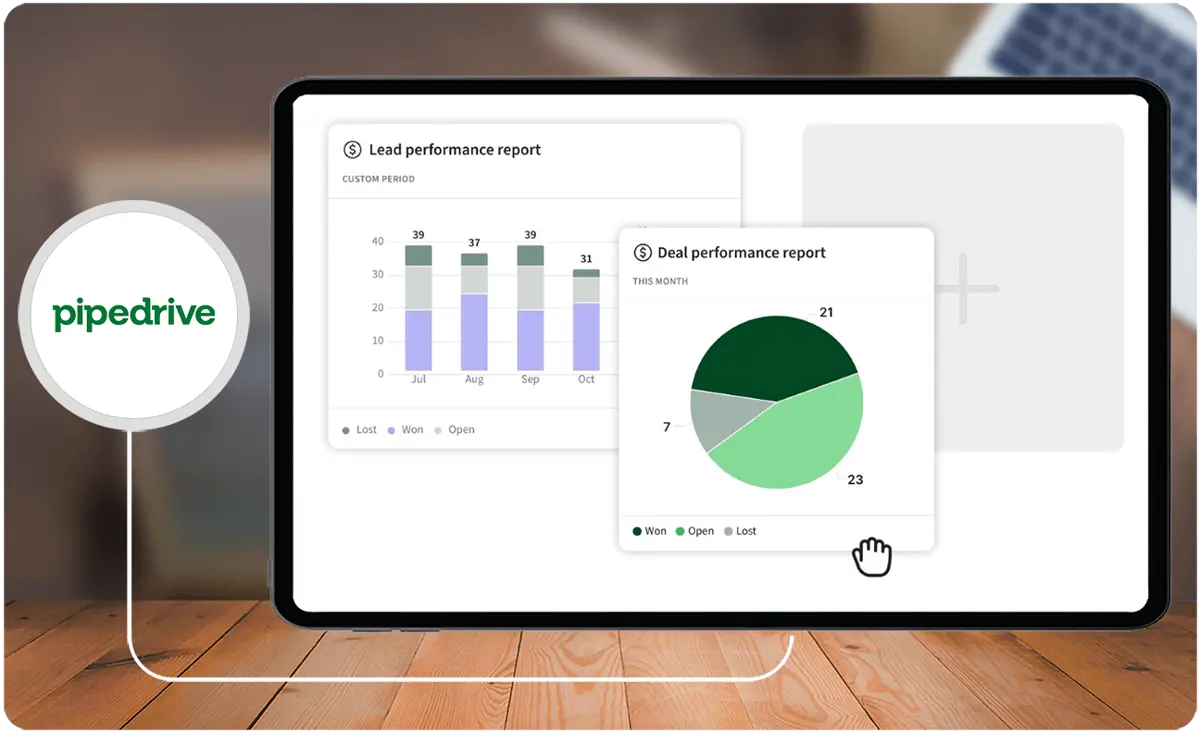
- Customization. Pipedrive makes it easy to customize filters and search criteria for important information about your sales, existing customers, and leads.
- Integration. Pipedrive allows you to integrate and assimilate all your tools in one place, including over 400 tools such as Google, Quickbooks, Asana, and more.
- Activity-Based Selling. Pipedrive's CRM features are built around activity-based selling, so you can control the actions that drive deals toward completion.
- Mobile App. Pipedrive's Android and iOS apps turn your sales hub into a mobile CRM that keeps your leads, contacts, and deals at your fingertips.
- Automation. Pipedrive's in-built workflow automation module is versatile and extremely powerful for streamlining productivity in your sales process.
- Reporting. Pipedrive offers customizable reports that provide valuable data inputs to analyze and understand your customers and prospects.
Who are Freshsales and Pipedrive best for?
Freshsales and Pipedrive are popular CRM software choices, each boasting the unique strengths and practical applications users look for in a project management app.
This Freshsales-Pipedrive comparison outlines scenarios where either product excels for specific uses, groups, or industries, highlighting their tailored features and functionalities catering to diverse business needs and preferences. Consider examining Freshsales alternatives to pinpoint the platform that aligns perfectly with your institution's goals.
Freshsales
- Businesses looking for an easy-to-use CRM focusing on a breadth of features and integrations.
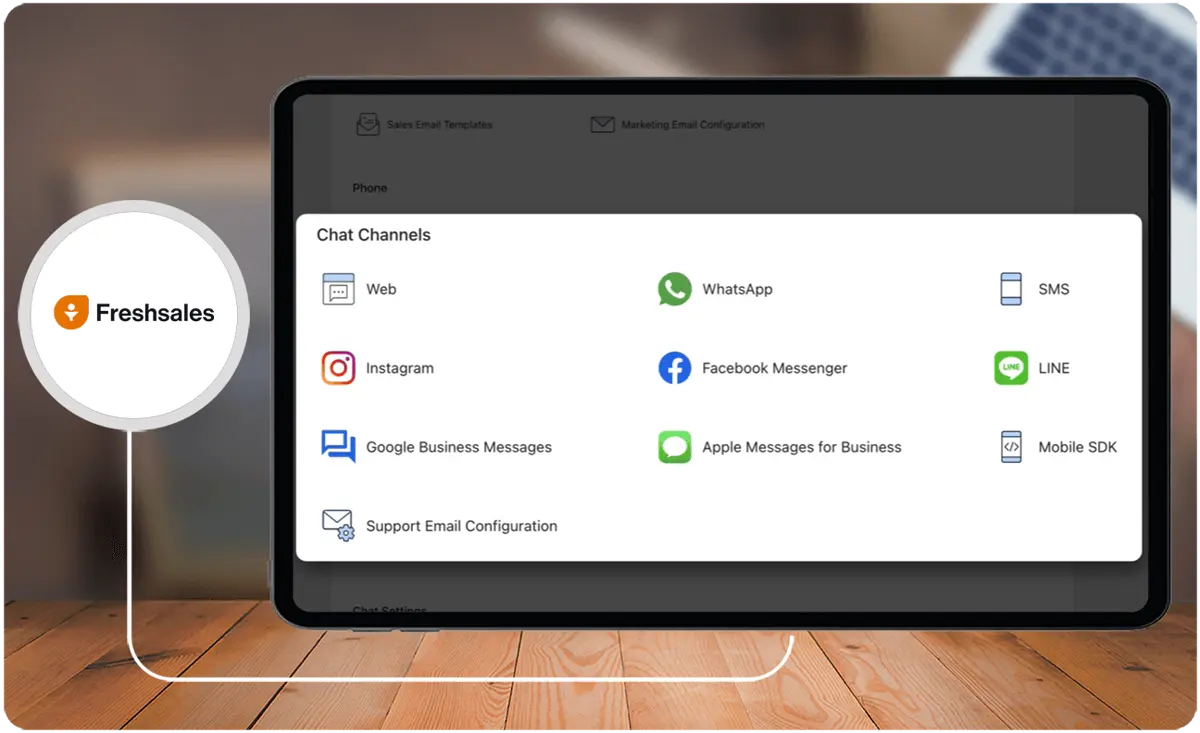
- Companies that prioritize phone support, as Freshsales provides 24/5 chat, email, and phone assistance in all its plans, including the free version
- Organizations that require essential lead management and sales performance tools, a robust in-app phone, and tools like sales forecasting and auto-profile enrichment
Pipedrive
- Businesses that need a visual sales pipeline feature to help users move their deals easily, as well as robust reporting and extensive integrations
- Companies that prioritize customization, as Pipedrive offers capabilities for customizing leads with new fields, even at the lowest price point, and provides plenty of document management for deal tracking
- Organizations that require features such as purchase of local and toll-free numbers, SIP connections, and trackable smart document sending
Freshsales vs Pipedrive Feature Comparison
For this Freshsales-Pipedrive comparison, we will examine their key features based on the available information.
Contact and Lead Management
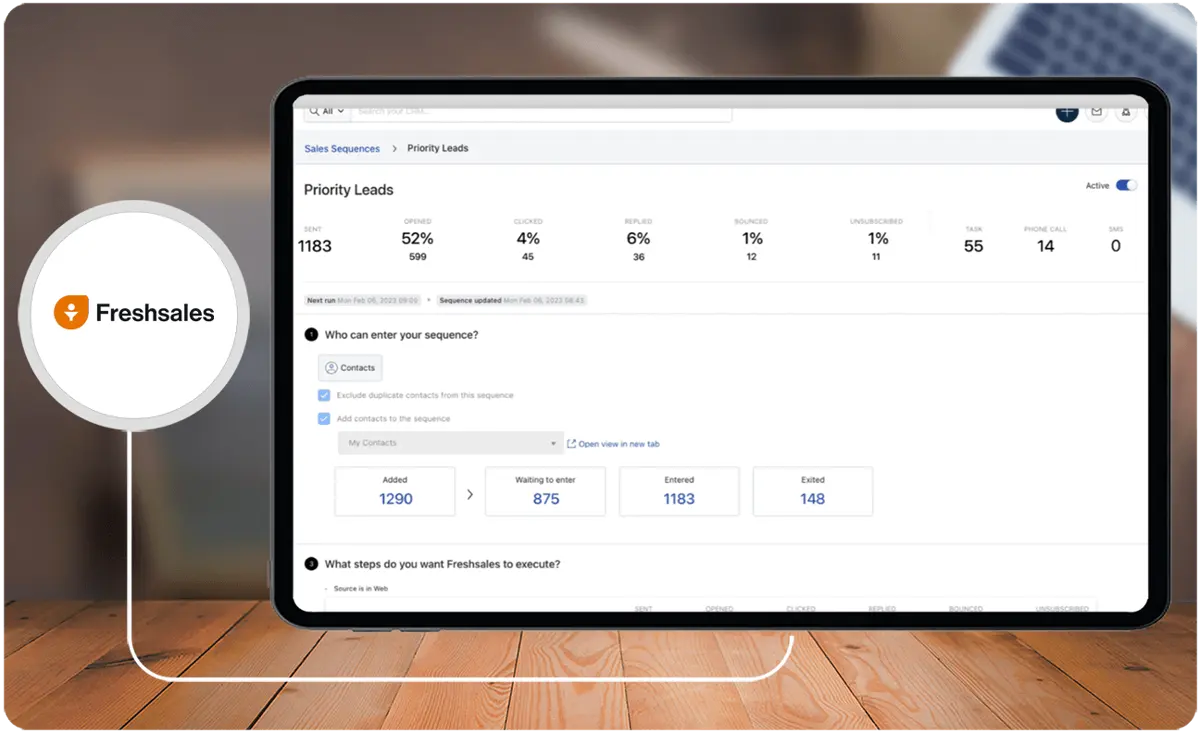
Both Freshsales and Pipedrive offer robust contact and lead management capabilities. This Freshsales-Pipedrive comparison highlights distinct strengths: Freshsales provides in-app phone and lead generation bots, ideal for aggressive lead generation activities.
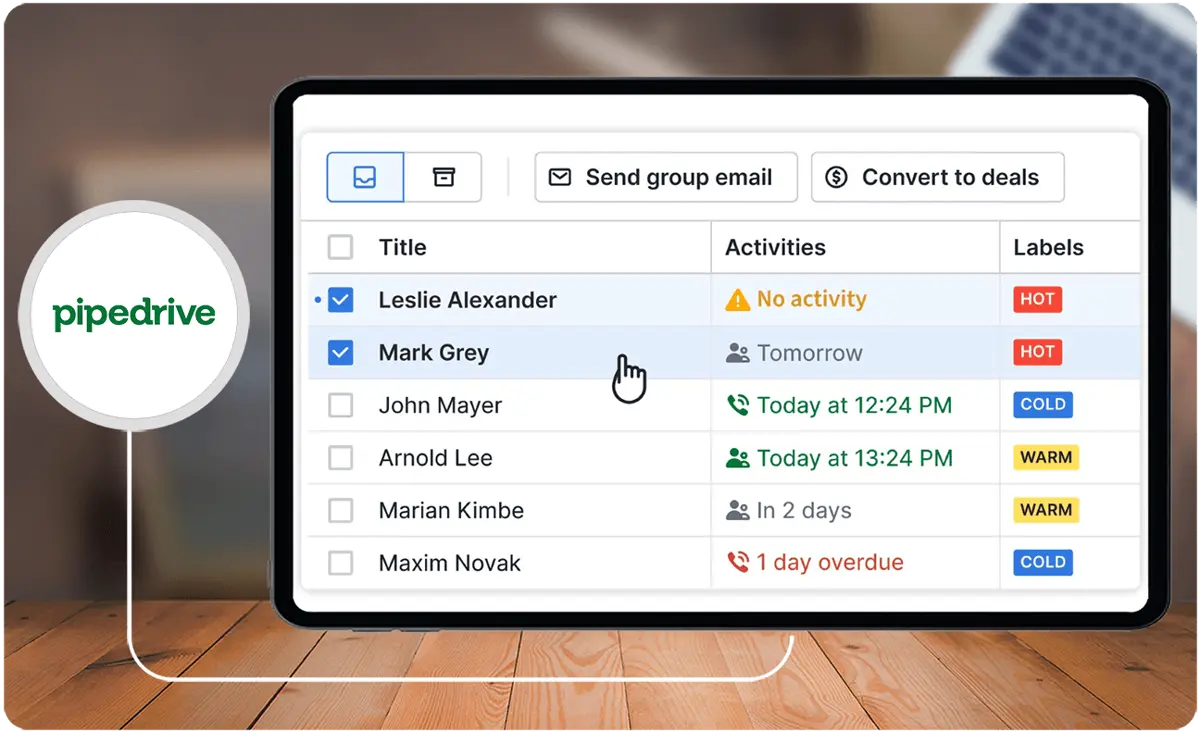
Conversely, Pipedrive's strength lies in its visual pipelines, catering to users who prefer monitoring lead progress through visual representations.
Customization and Integration
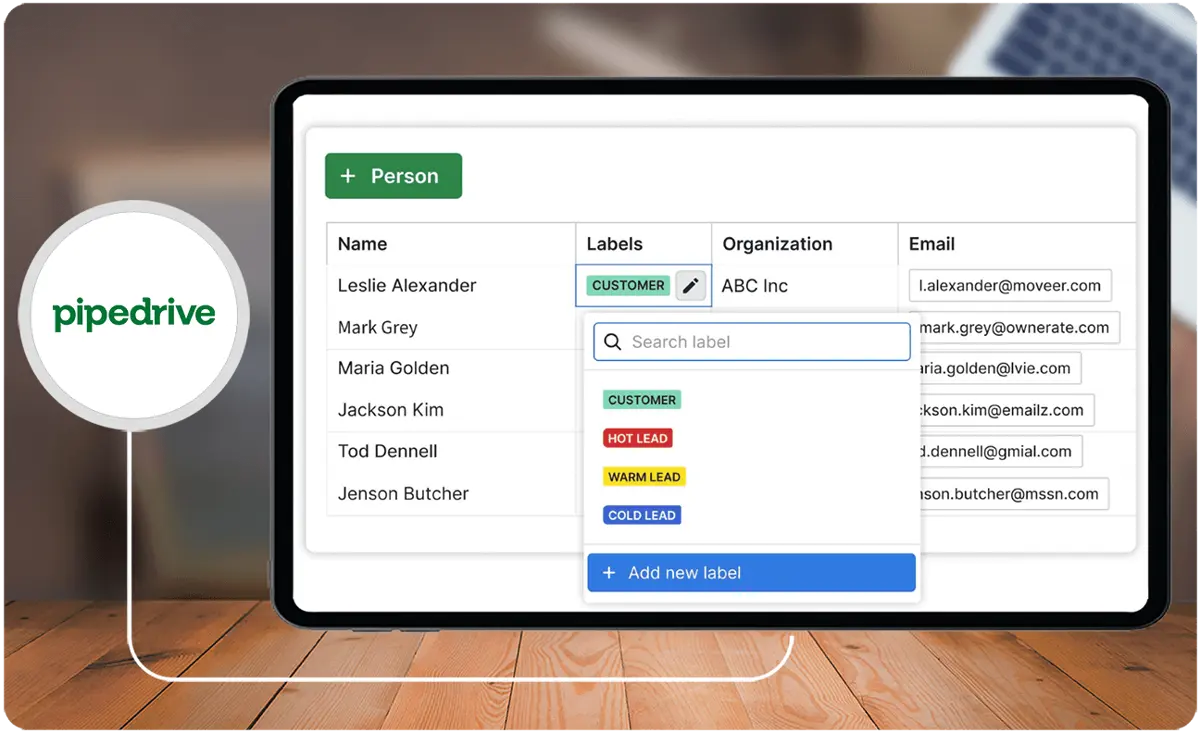
Pipedrive offers unlimited customization, third-party integrations, and agile visuals for goal, pipeline, and history tracking on all its plans. It also provides over 400 app integrations and an open API, allowing for extensive customization and integration possibilities, including an invoice system.
Freshsales, on the other hand, is praised for being easy to use, affordable, and scalable, focusing on out-of-the-box usage and flexibility.
User Interface and Ease of Use
This Freshsales-Pipedrive comparison shows that both are known for their user-friendly interfaces, simple navigation, and a low learning curve for new users. Pipedrive's streamlined view of the sales process provides clarity and ensures that the team is on the same page, while Freshsales emphasizes ease of use and out-of-the-box functionality.
Pricing and Reviews
Freshsales and Pipedrive have almost similar user ratings, with Freshsales rated 4.5/5 stars and Pipedrive rated 4.2/5 stars.
This Freshsales-Pipedrive comparison underscores distinct attributes: Pipedrive stands out for its customizable features, extensive integrations, and visual sales pipeline. Meanwhile, Freshsales earns praise for its in-app phone, lead generation bots, and scalability.
Freshsales vs Pipedrive Pricing
Freshsales offers a free plan with a user-friendly interface, while Pipedrive's entry-level plan is cheaper than Freshsales' free plan. Based on this Freshsales-Pipedrive comparison, both products offer customizable features, but Pipedrive provides more advanced automation options. Choosing between the two depends on your business's specific needs and budget.
Here is a comparison of their pricing plans:
Freshsales Pricing Plans
- Freshsales offers a free plan with basic features.
- Paid plans start at $15 per user per month.
Pipedrive Pricing Plans
- Pipedrive's entry-level plan is cheaper than Freshsales' free plan.
- Paid plans start at $14.90 per user per month.
Similarities between the two products include:
- Both are CRM software solutions designed to help businesses manage their sales processes.
- Both offer customizable features to fit the way businesses sell.
However, there are major differences between the two products:
Freshsales
- Offers a feature-packed free plan with crucial features like custom fields, activities, and products
- The free plan includes unlimited users, records, and custom fields
- Known for its user-friendly interface and streamlined sales process
Pipedrive
- Does not offer a free plan
- The entry-level plan is cheaper than Freshsales' free plan
- Offers unlimited users, records, and custom fields on all plans
- Known for its customizable features, such as unlimited custom fields, activities, and products
- Provides powerful call and email automation options
Scalability Considerations for Growing Businesses
Selecting the right CRM is not just about current needs but also about future scalability. Businesses with growth ambitions need software that can seamlessly adapt as their operations expand.
Freshsales accommodates scalability with its flexible pricing tiers, offering advanced features like AI-driven insights and automation tools as businesses grow. Its out-of-the-box simplicity ensures that teams can readily adopt new functionalities without a steep learning curve. These qualities make Freshsales a scalable choice for businesses projected to require enhanced capabilities in the near future.
On the other hand, Pipedrive thrives in providing a highly customizable environment that supports advanced integrations and workflow automation. This adaptability ensures growing organizations can comply with increasing complexity in their sales processes, fine-tuning their pipeline for optimal results. One of its standout traits is the ability to integrate with ERP systems, bridging CRM functionalities with broader enterprise operations smoothly.
For companies prioritizing long-term growth, evaluating scalability aspects in tools like Freshsales and Pipedrive can prevent the challenges of outgrowing a system. Scalability is vital for ensuring uninterrupted functionality, cost efficiency, and consistent user satisfaction as the business environment evolves.
Freshsales Pros and Cons
Here are the pros and cons of Freshsales:
Pros
- Intuitive user interface
- Customizable pipelines
- AI-powered Sales Assistant for productivity improvement
- Visual sales pipeline for easy lead and deal management
Cons
- Limited availability of multiple sales pipelines in expensive tiers
- Some areas need improvement, such as the availability of certain features across all plans
How do these CRM solutions integrate with HR management software?
Although Freshsales and Pipedrive are primarily designed for sales and customer relationship management, both platforms support integrations that extend their functionality to include human resource processes. Organizations can leverage their open APIs to connect with specialized hr management software, enabling seamless synchronization of employee data, recruitment workflows, and performance metrics. This integration helps bridge the gap between sales and HR departments, ensuring that relevant personnel data informs strategic decision-making without disrupting the core CRM operations.
Pipedrive Pros and Cons
Here are the pros and cons of Pipedrive:
Pros
- Sales-focused CRM with features reflecting this intention
- Customizable sales pipeline with drag-and-drop Kanban board
- Affordable and easy to customize
- Intuitive interface with a lower learning curve
Cons
- Limited and triggers do not always work in some integrations
- Limited availability of multiple sales pipelines in expensive tiers
How do Freshsales and Pipedrive support data security and compliance?
In today’s data-driven world, CRM platforms must prioritize data security and compliance to protect sensitive customer information and adhere to industry regulations. Here’s a comparison of how Freshsales and Pipedrive address these critical concerns:
Freshsales Data Security and Compliance
- Data Encryption: Freshsales uses advanced encryption protocols to protect data both at rest and in transit, including AES-256 encryption, ensuring that customer information is securely stored and transmitted.
- Role-Based Access Controls (RBAC): Freshsales provides role-based permissions, allowing administrators to control user access to specific data and functionalities, which helps prevent unauthorized access.
- GDPR Compliance: Freshsales complies with GDPR regulations, including features for data processing agreements, data access requests, and options for data deletion, making it suitable for businesses handling data from the European Union.
- ISO 27001 and SOC 2 Compliance: Freshsales is certified for ISO 27001 and SOC 2, which assures customers that their data management processes meet international standards for information security and privacy.
- Audit Logs: For transparency and accountability, Freshsales provides audit logs, which track user actions within the CRM and help detect any suspicious or unauthorized activity.
Pipedrive Data Security and Compliance
- Data Encryption: Pipedrive uses industry-standard encryption, including HTTPS and TLS, to secure data both at rest and in transit, safeguarding information from interception.
- User Permissions and Access Control: Pipedrive offers customizable permissions to control user access to data, which helps administrators ensure that only authorized users can view or edit sensitive information.
- GDPR Compliance: Pipedrive is fully GDPR-compliant and offers tools to manage data privacy requests, including options for data export, data deletion, and consent tracking.
- SOC 2 Type II Certification: Pipedrive holds SOC 2 Type II certification, which demonstrates its commitment to stringent security practices for data management and protection.
- Data Backup and Recovery: Pipedrive performs regular data backups and provides options for data recovery, helping ensure business continuity in the event of system failures or data loss.
Verdict - Freshsales vs Pipedrive: Which software is better?
Freshsales and Pipedrive are highly-rated CRM software options as mentioned in this Freshsales-Pipedrive comparison. They cater to the realm of digital technology for business.
The Freshsales suite is described as easy to use and affordable, featuring in-app phone and lead generation bots. Conversely, Pipedrive offers unlimited customization and powerful call and email automation options.
Freshsales boasts a slightly higher rating of 4.5/5 stars, while Pipedrive maintains a rating of 4.2/5 stars. Ultimately, the choice between the two will depend on the specific needs and preferences of the user within the realm of digital technology for business. Thus, it is worthwhile to survey Pipedrive alternatives to guarantee the optimal choice for your educational or research facility.
Key Insights
- Comprehensive CRM Solutions: Both Freshsales and Pipedrive offer robust CRM capabilities that cater to different business needs, from small startups to large enterprises.
- Key Features of Freshsales:
- AI-Powered Sales Assistant: Enhances productivity with AI-driven insights and recommendations.
- In-App Phone and Lead Generation Bots: Facilitates aggressive lead generation and customer engagement.
- Real-Time Email Tracking: Enables timely follow-ups and better communication with clients.
- Cloud-Based Accessibility: Provides real-time updates and accessibility from anywhere with an internet connection.
- Customization and Scalability: Allows customization to align with specific business needs and scalability as businesses grow.
- Key Features of Pipedrive:
- Activity-Based Selling: Focuses on controlling actions that drive deals toward completion.
- Visual Sales Pipeline: Offers a drag-and-drop Kanban board for easy lead and deal management.
- Integration and Customization: Supports over 400 integrations and extensive customization options.
- Mobile App: Transforms the sales hub into a mobile CRM for on-the-go management.
- Powerful Automation: Streamlines productivity with versatile workflow automation.
- Pricing and User Ratings: Freshsales offers a free plan with premium features, while Pipedrive’s entry-level plan is cheaper but lacks a free version. Freshsales has a slightly higher user rating (4.5/5) compared to Pipedrive (4.2/5).
Other Things You Should Know About Freshsales & Pipedrive
Freshsales is a cloud-based CRM solution designed for sales teams. It is part of the broader Freshworks suite, offering seamless integration with other tools in the suite.
Yes, Freshsales is known for its excellent interface and remarkable user-friendliness. It also supports running campaigns and sequences on contacts, offers impressive deals and pipeline management features, and allows creating diverse reports for effective monitoring.
Pipedrive is intuitive and user-friendly, requiring minimal training. It stands out for its extensive customization options, chatbots, workflows, automation, and seamless integration with third-party tools.
Yes, Pipedrive’s comprehensive software merges a robust CRM system with account management features, facilitating appropriate account management and sales actions at optimal timings.
Freshsales provides in-app phone and lead generation bots for aggressive lead generation, while Pipedrive offers a visual pipeline for monitoring lead progress through visual representations.
Freshsales offers automation for key tasks and business processes, while Pipedrive provides versatile workflow automation specifically for streamlining productivity in the sales process.
Pipedrive offers unlimited customization and over 400 third-party integrations, making it highly adaptable. Freshsales is also customizable but focuses on ease of use and scalability.
Freshsales offers a free plan with basic features, while its paid plans start at $15 per user per month. Pipedrive’s entry-level plan is cheaper at $14.90 per user per month, but it does not offer a free version.
Both Freshsales and Pipedrive offer mobile apps for iOS and Android devices, allowing users to manage tasks and access customer information on the go.
Freshsales is ideal for businesses looking for an easy-to-use CRM with extensive features and integrations, especially those prioritizing phone support. Pipedrive is best for businesses that need a visual sales pipeline, robust reporting, and extensive integrations, particularly those that prioritize customization.


