10 Best Geographic Information Systems (GIS) in 2027

Co-Founder and Chief Data Scientist
Geographic Information Systems (GIS) have long been vital tools for understanding and analyzing spatial data, but their importance has grown exponentially in recent years. According to Grand View Research, the global GIS market is projected to grow by 8.7% in 2030, underscoring its growing importance across various fields. With industries relying more heavily on location-based insights for decision-making, GIS has become indispensable in fields such as urban planning, disaster management, and natural resource monitoring. Despite these advancements, selecting the right GIS platform remains a challenge due to the diverse features and functionalities offered by different systems.
This is where a well-curated list of the best Geographic Information Systems (GIS) software can make a difference, providing clarity in an otherwise overwhelming market. Whether you’re a researcher, a geospatial professional, or part of an organization looking to leverage spatial data, the tools in this guide are designed to streamline workflows, enhance data visualization, and improve decision-making processes. Below, we’ve compiled ten of the best Geographic Information Systems (GIS) software available today, each offering unique strengths to meet a variety of needs and applications.
Featured GIS Systems

$420
30 days
Map creation, geospatial analysis, routing
Editor's Take
Maptitude is a powerful and versatile geographic information system (GIS) software designed to help users visualize, analyze, and interpret spatial data. It enables businesses and organizations to map out key locations, analyze patterns, and gain valuable insights into geographic trends. With an easy-to-use interface, Maptitude is suitable for both GIS professionals and beginners, offering a wide range of tools for map creation, data visualization, and geospatial analysis. The software supports a variety of data formats, including spreadsheets, database files, and geographic data layers, allowing users to import and work with diverse datasets. Maptitude's features include route optimization, territory mapping, demographic analysis, and custom mapping tools, which are particularly useful for industries like logistics, marketing, and urban planning. The software is highly customizable, offering users the ability to tailor maps and analyses to their specific needs, making it a powerful tool for decision-making and strategic planning.
Expert Score
In evaluating SaaS software, a comprehensive and structured methodology ensures a fair and accurate comparison across key metrics. This approach focuses on the most critical aspects that affect user experience, functionality, and business value. The following metrics—general features, cost, customer service, integrations, and mobile support—are evaluated to provide a holistic view of each software solution’s strengths and weaknesses. These metrics are selected based on their direct impact on software usability, scalability, and long-term effectiveness for businesses.
1. General Features - scoring weight 40%
This metric evaluates the core functionalities and tools the software offers. It involves assessing the comprehensiveness of the features, their relevance to the target users, and the ease of use. This is important because robust and well-designed features determine the software’s overall utility and efficiency in solving user problems.
2. Cost - scoring weight 15%
Cost analysis focuses on pricing models, value for money, and scalability. It’s crucial to evaluate whether the software’s features justify its price, considering different plans for small and large organizations. This is vital for businesses to ensure they invest in cost-effective solutions that fit their budget.
3. Customer Service - scoring weight 15%
This evaluates the responsiveness, quality, and availability of customer support, including channels like chat, email, or phone. Good customer service is essential for troubleshooting and ensuring smooth software usage, which reduces downtime and frustration for users.
4. Integrations - scoring weight 15%
This examines how well the software integrates with third-party tools (e.g., CRM, payment systems, collaboration apps). Seamless integrations are key for creating a unified workflow and enhancing productivity by connecting multiple systems, which is crucial for operational efficiency.
5. Mobile Support - scoring weight 15%
Mobile support assesses the software’s functionality and performance on mobile devices, including apps and mobile web versions. With increasing remote work and on-the-go usage, strong mobile support is critical to ensure users can access and utilize the software effectively, regardless of location.
Best GIS Software Table of Contents
- Geographic Information Systems (GIS) Software Statistics
- Why is geographic information systems (GIS) software important?
- Criteria for Choosing the Top Geographic Information Systems (GIS) Software
- List of Geographic Information Systems (GIS) Software
Geographic Information Systems (GIS) Software Statistics
Geographic Information Systems (GIS) software has played a crucial role in enabling organizations to analyze spatial data, make informed decisions, and solve real-world challenges. In recent years, the increasing demand for nature-based solutions and advancements in technology have driven rapid growth in the GIS market. This expansion has significantly impacted industries like urban planning, agriculture, disaster management, and logistics, where geospatial data is essential for effective operations.
The following statistics illustrate the transformative impact of GIS software on various sectors and highlight its growing adoption:
- The global GIS software market was valued at $9.8 billion in 2023 and is projected to grow at a CAGR of 8.7% between 2024 and 2030 (Grand View Research, n.d.).
- GIS software is most commonly used in the education sector, where it is used by 2,547 companies, followed by the research sector where it is used by 2,356 companies (6sense, n.d.).
- Software as a Service (SaaS) accounted for 72% of the cloud GIS market in 2023 (Market.us, 2024).
- Disaster risk management accounts for $3.15 billion of the global GIS software market share, making it a key driver in the software's growth (Sharma, 2025).
These numbers underscore the growing reliance on GIS software to address complex spatial challenges. With this data, professionals can better understand how GIS tools are shaping industries and driving innovation. The chart below shows illustrate the demand for GIS Software according to industry.
Why is geographic information systems (GIS) software important?
Geographic Information Systems (GIS) software is crucial for modern scientific and practical applications because it provides a robust foundation for managing and analyzing spatial data. For instance, it is used as public works software, since it helps people to visualize any impacts on their environment or considerations that have to be made during the project. Acting as a specialized tool for geographic and spatial projects, GIS software offers the following key benefits:
- Accessible and Accurate Spatial Data: GIS ensures users have access to accurate, up-to-date geographical information, which is vital for planning, decision-making, and analysis in various fields like urban planning, environmental conservation, and disaster management.
- Enhanced Collaboration: It facilitates seamless teamwork, allowing geographically dispersed teams to share, update, and work on spatial data in real time, improving coordination and outcomes.
- Automation for Efficiency: GIS tools automate complex processes like mapping, data analysis, and report generation, saving time and enhancing productivity.
- Data Integrity and Compliance: GIS maintains the reliability of spatial analyses by adhering to data standards and promoting transparency in methodologies, ensuring ethical and effective implementation of projects.

Criteria for Choosing the Top Geographic Information Systems (GIS) Software
GIS software plays a pivotal role in managing, analyzing, and visualizing spatial data, making it indispensable for a wide range of industries. From being used as smart cities solutions to disaster response platforms, GIS software supports decision-making processes that depend on accurate and efficient spatial data handling. As GIS applications grow in complexity and scope, selecting the right GIS platform requires careful consideration of several key factors.
Modern GIS software may share similar features and capabilities, but the following criteria are essential when choosing a system that can adapt to the dynamic needs of spatial data management:
- Flexibility in Customization: A GIS platform should enable users to modify tools, workflows, and outputs to meet specific project needs. Customizable elements, such as spatial analysis models or map visualizations, ensure the software aligns with organizational goals.
- Ease of Use: Despite their technical nature, GIS tools should prioritize user-friendly designs. Intuitive interfaces and clear workflows make it easier for new users or diverse teams to adopt and utilize the system effectively.
- Remote Access Capabilities: The ability to use GIS software from any location is critical, especially for field operations. Cloud-based GIS platforms offer remote access, enabling real-time data sharing and collaboration among dispersed team members.
- System Integration: A high-performing GIS should integrate smoothly with other software, such as IoT systems, CAD tools, or enterprise resource planning platforms. This ensures streamlined workflows and reduces the risk of data silos.
- Cost-Effectiveness: GIS software is available in a variety of price ranges, from open-source options to premium enterprise solutions. It's essential to weigh a platform's features against its cost to ensure that it meets both your project and budgetary requirements. For those looking for more basic GIS functionalities and intend to use the platform for studies, you can also consider taking a look at free software for students.
In the chart below, I have illustrated the projected demand for Cloud GIS platforms between 2023 and 2033.
List of Best Geographic Information Systems (GIS) Software in 2024
1. QGIS: Free and Open-Source Geographic Information System (GIS)
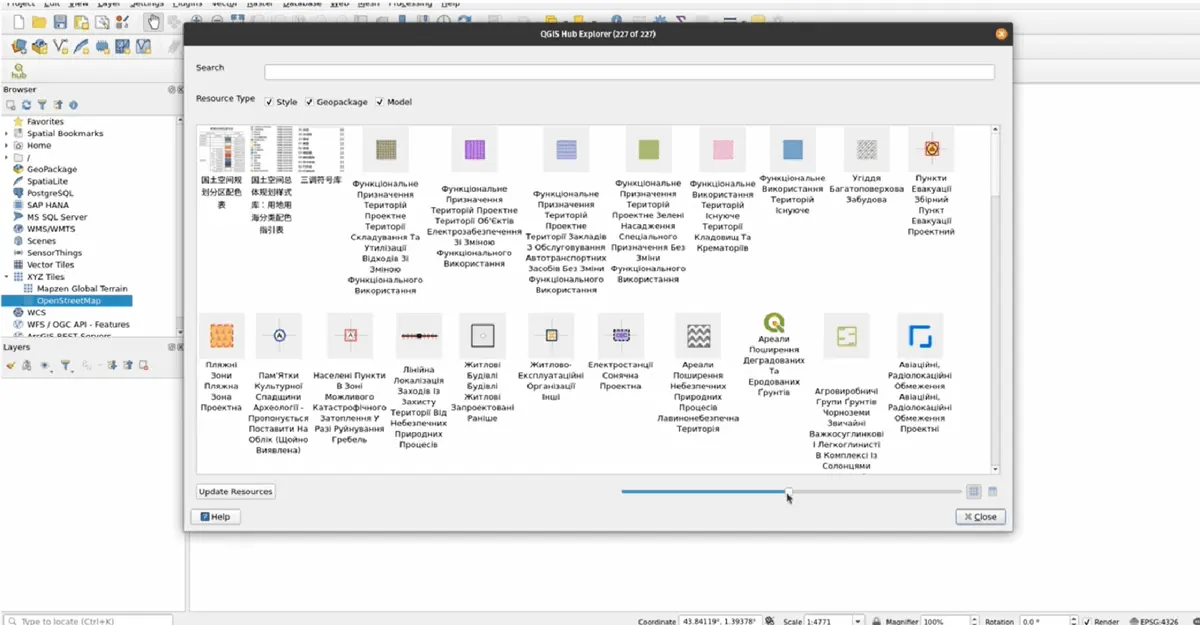
QGIS is a free and open-source GIS software that empowers users with advanced spatial visualization and decision-making tools. Available on Windows, Mac, and Linux, QGIS supports geospatial professionals, enthusiasts, and researchers worldwide. With robust community-driven development, it offers unmatched cartographic options, plugins, and cross-platform capabilities.
QGIS Key Features
- Extensive design options in cartography
- Professional map production
- Create atlases and reports with maps, multimedia, and tabular content
- Over 2000 plug-ins from the QGIS community
- Publish publishing geospatial data on Windows, Mac, Linux, BSD, and Android
- OGC-compliant WMS, WMTS, WFS, and WCS services for your project
- QGIS Web Client
- QField and Mergin Maps
QGIS Pricing
QGIS is entirely free to download and use, supported by donations and funding from the global community. Users can contribute to the QGIS project through donations, participation in community activities, or developing plugins.
2. ArcGIS Pro: The World's Leading Desktop GIS Software
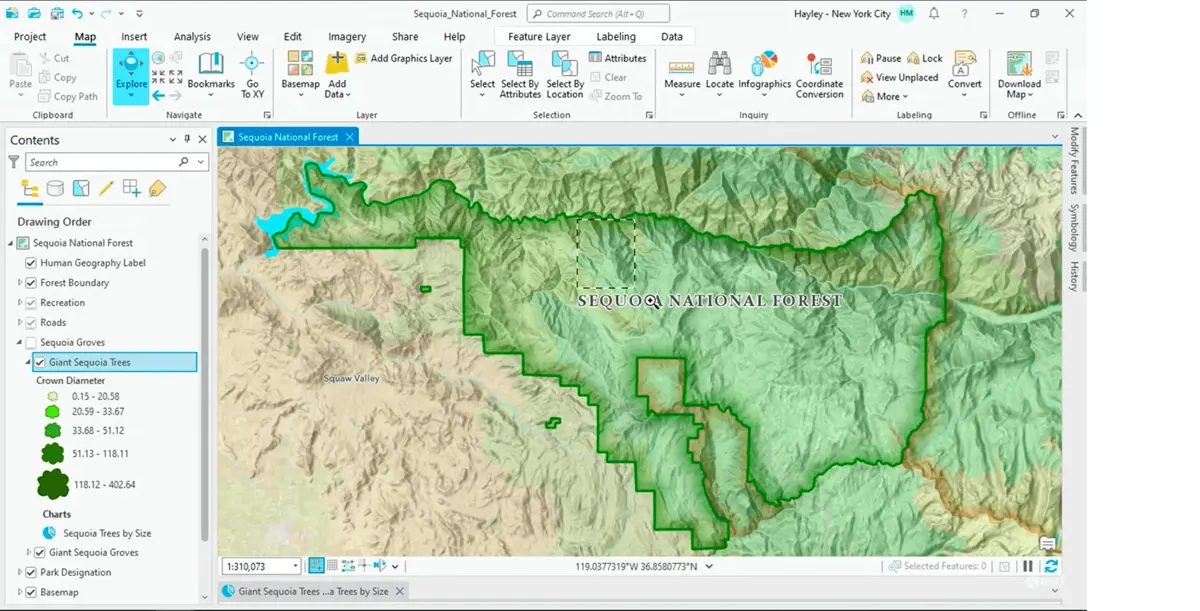
ArcGIS Pro is a premier desktop Geographic Information System (GIS) application designed to unlock the value of spatial data. Built with user-driven innovations, it allows users to efficiently manage spatial data, create stunning 2D, 3D, and even 4D visualizations, and perform advanced analytics. Its seamless data-sharing capabilities integrate with the ArcGIS system, fostering powerful GIS solutions and insights.
ArcGIS Pro Key Features
- Interactive 2D, 3D, and 4D visualization tools
- Create aesthetically pleasing and informative maps.
- Imagery and remote sensing
- Use ModelBuilder and Python for automation and advanced analytics
- ArcGIS Online, ArcGIS Enterprise, and other geospatial infrastructure integration
ArcGIS Pro Pricing
Pricing for ArcGIS Pro varies based on user needs, including hosted and self-hosted options. Contact Esri for detailed pricing and purchase options tailored to your organization's requirements.
3. Global Mapper®: The All-in-One GIS Software Solution
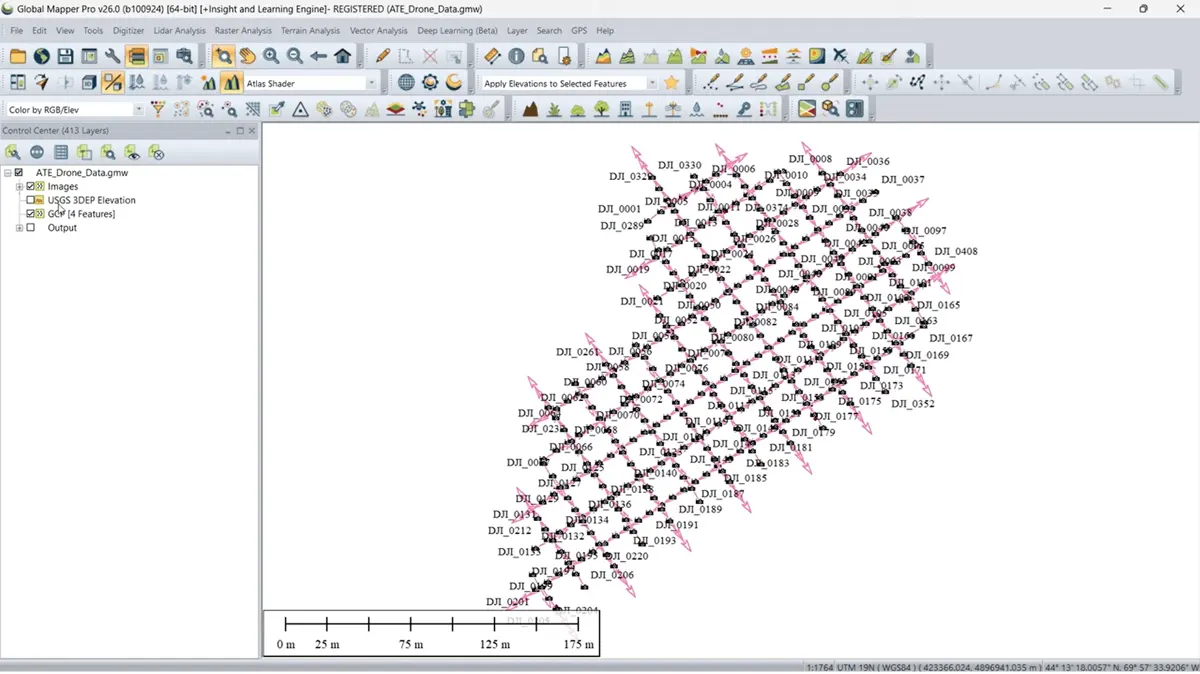
Global Mapper®, developed by Blue Marble Geographics, is a versatile GIS software designed for professionals and enthusiasts alike. Offering powerful spatial data processing tools and support for over 300 file formats, it enables users to handle complex geospatial workflows with ease. Whether you're a novice or an experienced GIS specialist, Global Mapper's intuitive interface ensures efficient data processing, accurate map creation, and streamlined spatial data management.
Global Mapper® Key Features
- Import and export over 300 data formats
- Vector editing, attribute management, and thematic mapping
- Terrain and 3D visualization
- Lidar integration
- Advanced raster operations
- Batch processing
- Global Mapper Mobile®
Global Mapper® Pricing
- Global Mapper offers Standard and Pro versions, with pricing starting at $700.
- A free trial is available to explore its capabilities.
4. GRASS GIS: Advanced Open-Source Geospatial Analysis Software
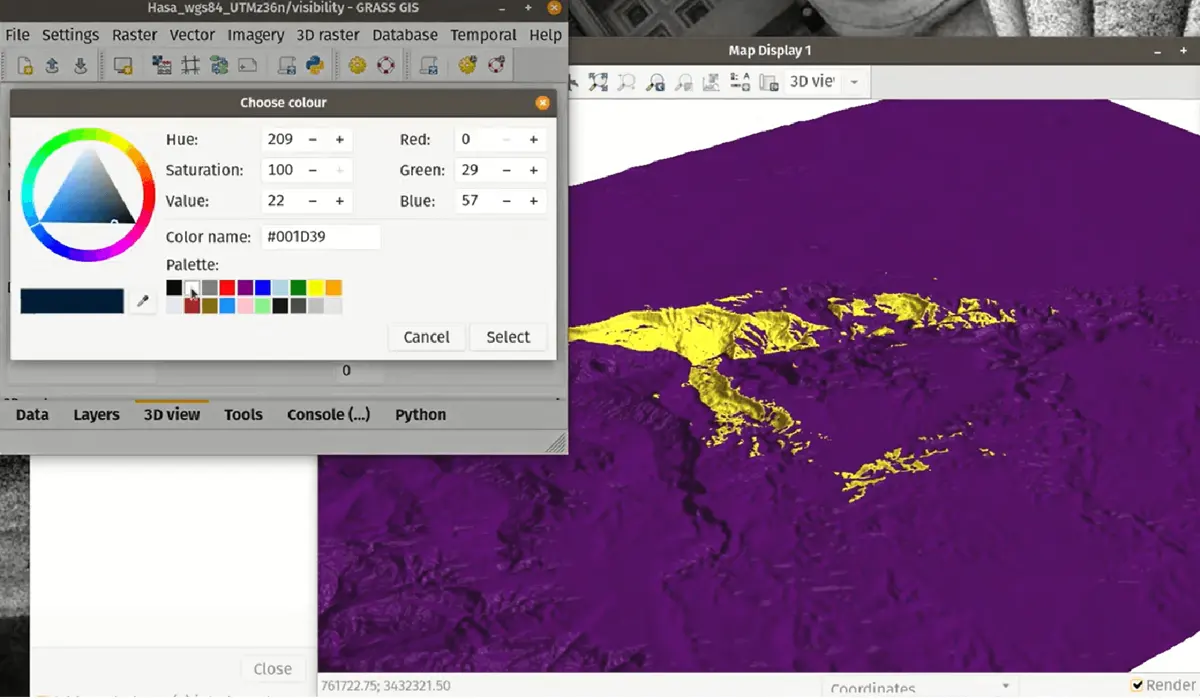
GRASS GIS (Geographic Resources Analysis Support System) is a robust, open-source software platform designed for advanced geospatial data analysis. Widely recognized for its capabilities in raster, vector, and geospatial processing, GRASS GIS supports a range of applications, including hydrology, ecosystem modeling, and terrain analysis. With its temporal framework and Python API, it is optimized for large-scale geospatial workflows and time-series analysis, making it a valuable tool for researchers, professionals, and students.
GRASS GIS Key Features
- Raster and vector analysis
- Imagery processing
- Temporal framework
- Python API
- Open source accessibility
- Large-scale analysis
- Cross-platform availability
GRASS GIS Pricing
As an open-source platform, GRASS GIS is completely free to download and use. It is supported by the Open Source Geospatial Foundation (OSGeo).
5. Whitebox GAT: Extending Geospatial Analysis with Open-Source Precision
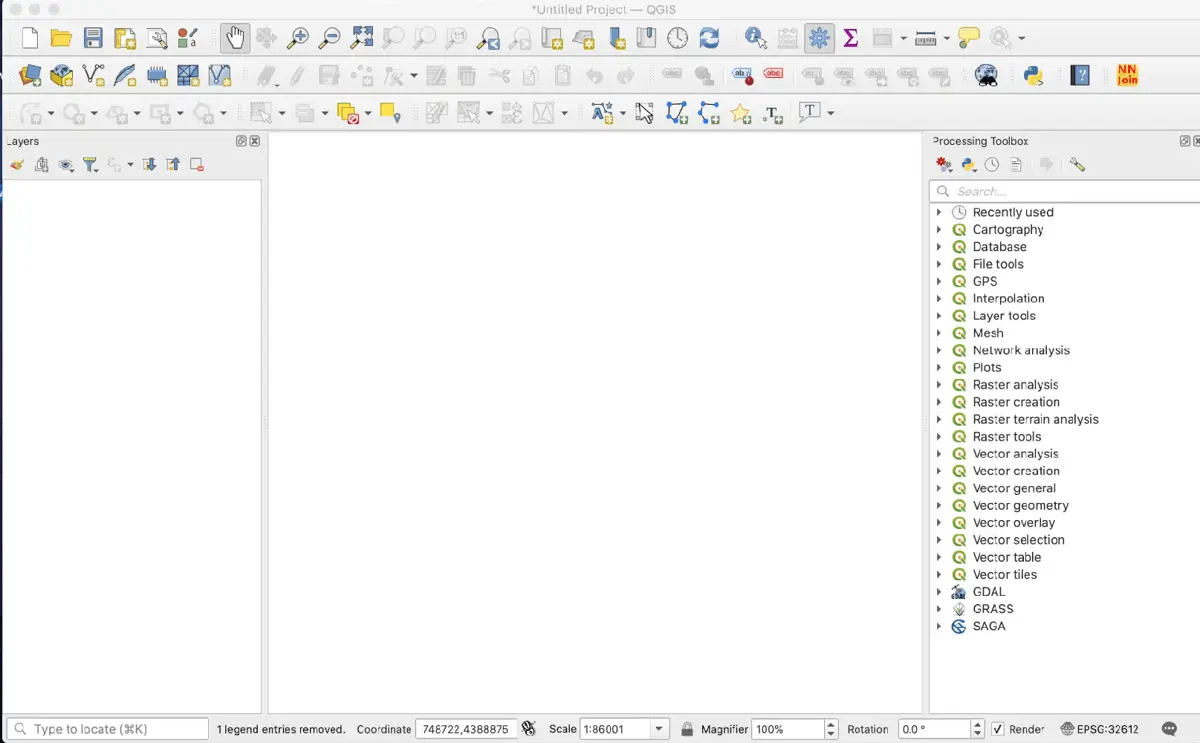
Whitebox Geospatial Analysis Tools (GAT) is a comprehensive geospatial software suite designed to deliver advanced analytical capabilities. Originally developed at the University of Guelph’s Geomorphometry and Hydrogeomatics Research Group, Whitebox is an open-source platform. Whitebox GAT extends, rather than competes with, existing GIS platforms. By integrating its advanced toolset with QGIS and ArcGIS, users gain access to unique capabilities that streamline workflows and enhance analysis. Its open-source nature and high-speed performance make it an essential addition to the geospatial toolkit of researchers, analysts, and professionals.
Whitebox GAT Key Features
- Extensive Geospatial toolset
- Specialized LiDAR support
- QGIS and ArcGIS integration
- Whitebox Workflows (WbW)
- Python scripting
- ArcPy compatibility
- Whitebox Toolset Extension (WTE)
Whitebox GAT Pricing
- WhiteboxTools Open Core (WbT) is available for free, offering over 475 geospatial tools.
- Whitebox Toolset Extension (WTE) starts at $500, with discounts for academic and multi-user licenses.
- Whitebox Workflows Professional (WbW-Pro) offers single-user license for $500, with additional users at $100 each.
6. Maptitude: Comprehensive GIS and Mapping Software for Business and Analysis
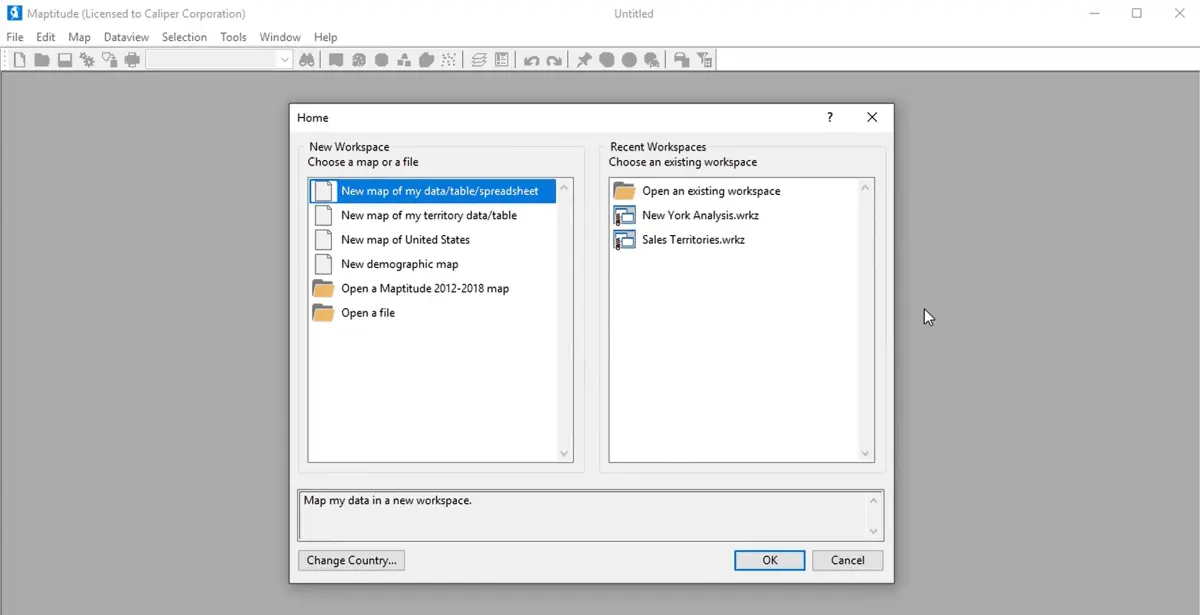
Maptitude is a versatile GIS and mapping software designed for businesses and organizations seeking to visualize, analyze, and optimize their geographic data. It offers a comprehensive suite of tools for sales territory management, route optimization, market analysis, and demographic insights. Available as desktop software or an online platform, Maptitude combines user-friendly features with powerful geospatial analysis capabilities.
Maptitude Key Features
- Territory management
- Route optimization
- Heat maps and visualizations
- Geocoding and address matching
- Excel, SQL, Oracle, and over 70 geospatial formats
- Drive-time analysis
- Statistical tools
- Flexible Deployment
Maptitude Pricing
Maptitude starts at $695 for desktop software, which includes a free country data package valued at $595.
7. Manifold GIS: High-Performance Spatial Analysis and Data Science Platform
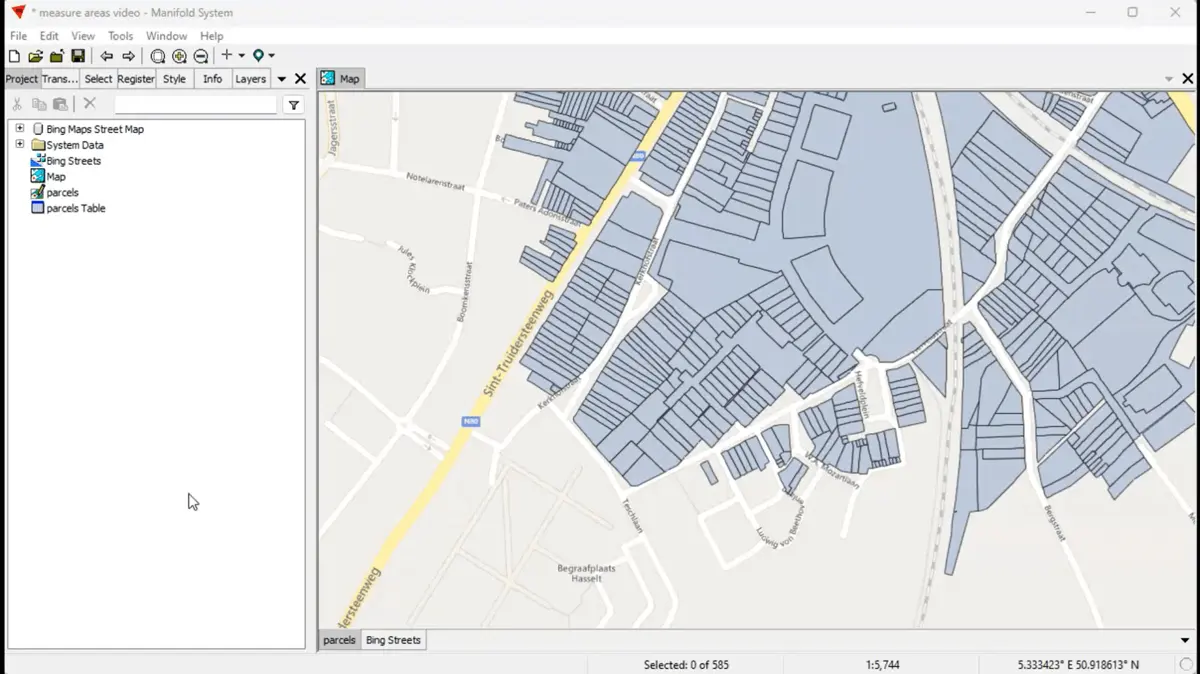
Manifold GIS is a cutting-edge GIS platform designed for unparalleled speed, reliability, and advanced data science capabilities. It outperforms traditional GIS software like Esri, providing superior performance even with large datasets. Manifold combines GIS and DBMS functionality in a single, integrated tool, making it a versatile and powerful solution for spatial data analysis.
Manifold GIS Key Features
- Advanced spatial and data science tools
- High-speed data processing
- Enterprise DBMS systems support (SQL Server, Oracle, MySQL, PostgreSQL)
- Extract, Transform, and Load (ETL) processes
- Handles terabyte-scale datasets
- Supports 11 programming languages
Manifold GIS Pricing
Manifold GIS is available for a one-time cost of $145, which includes free updates and access to all features.
8. Cadcorp®: Delivering Spatial Insight Through Advanced GIS Solutions
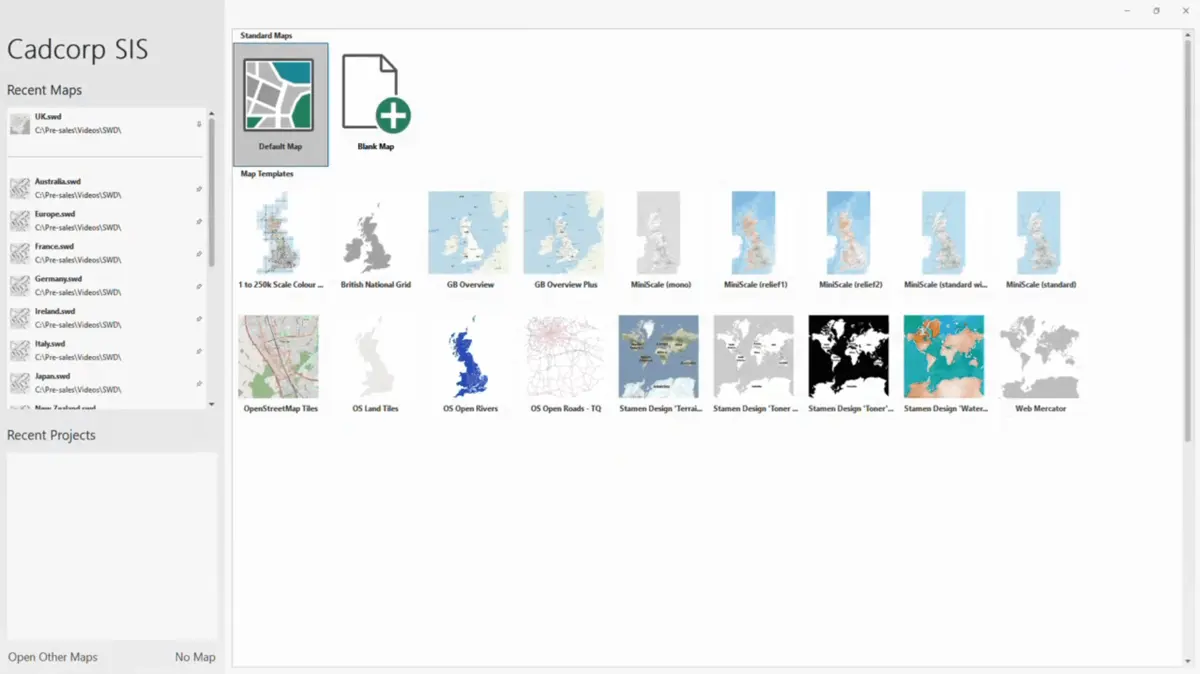
Cadcorp® provides cutting-edge GIS software, spatial data, and consultancy services designed to help organizations derive actionable intelligence from location-based data. With expertise across various industries, Cadcorp supports organizations in realizing the full potential of geospatial information for informed decision-making and operational efficiency.
Cadcorp® Key Features
- Spatial Information System® (SIS)
- Ordnance Survey® products
- Cloud hosting
- Third-party integration
- Interactive, real-time instructor-led courses
- Independent analysis and modeling
Cadcorp® Pricing
Cadcorp offers tailored pricing based on organizational needs, with options for desktop, cloud, and managed solutions. To explore the product range and pricing, book a consultation or request a demo through the Cadcorp website.
9. FME® Feature Manipulation Engine: The All-Data, No-Code Integration Platform
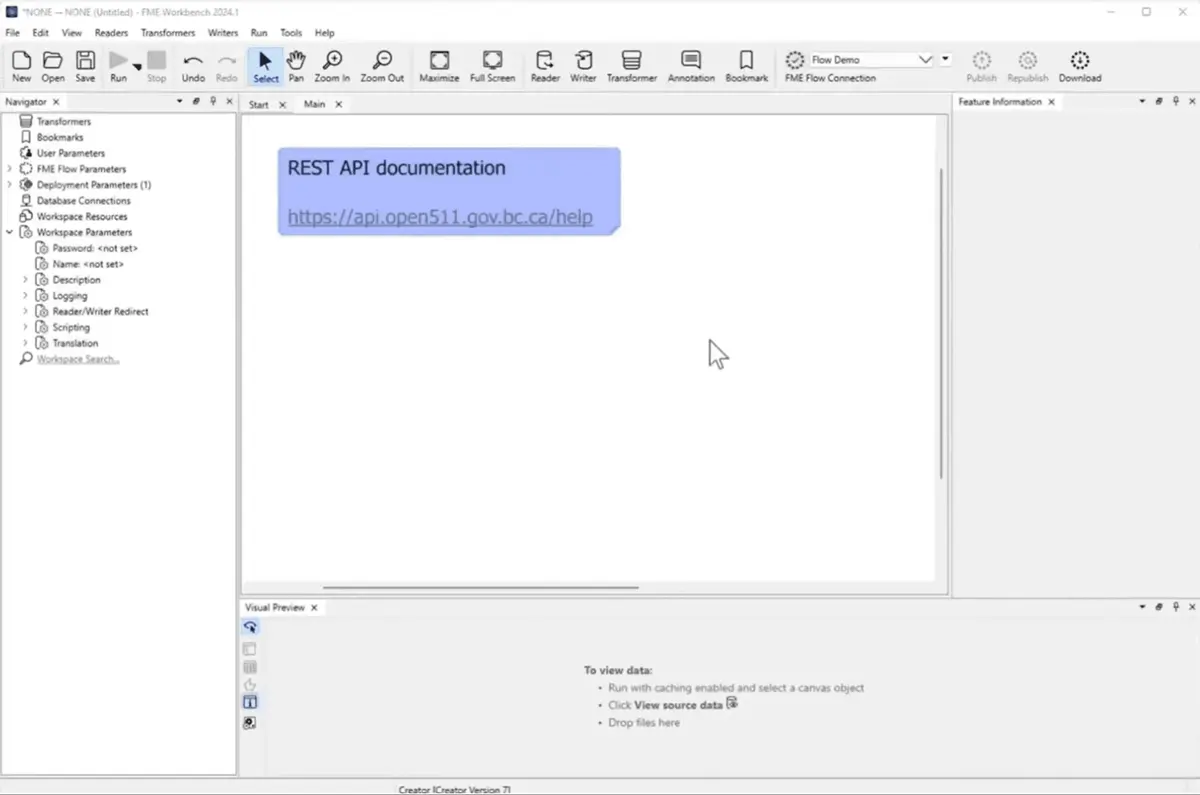
FME® (Feature Manipulation Engine) by Safe Software is a powerful, no-code platform designed to integrate, transform, and automate data workflows. Trusted by organizations across industries, FME simplifies data management, enabling smarter decisions by connecting, cleansing, and enriching data from diverse sources.
FME® Feature Manipulation Engine Key Features
- No-code data Integration
- Data transformation and cleansing
- Enterprise automation
- Spatial data expertise
- EDC
- Automated participant payments
- Dedicated platform for sponsors, sites, and participants
- Document sharing
FME® Feature Manipulation Engine Pricing
FME offers flexible pricing tailored to your organization’s needs. To explore pricing details or request a customized quote, contact their sales team.
10. Hexagon GeoMedia: A Flexible GIS Management Solution
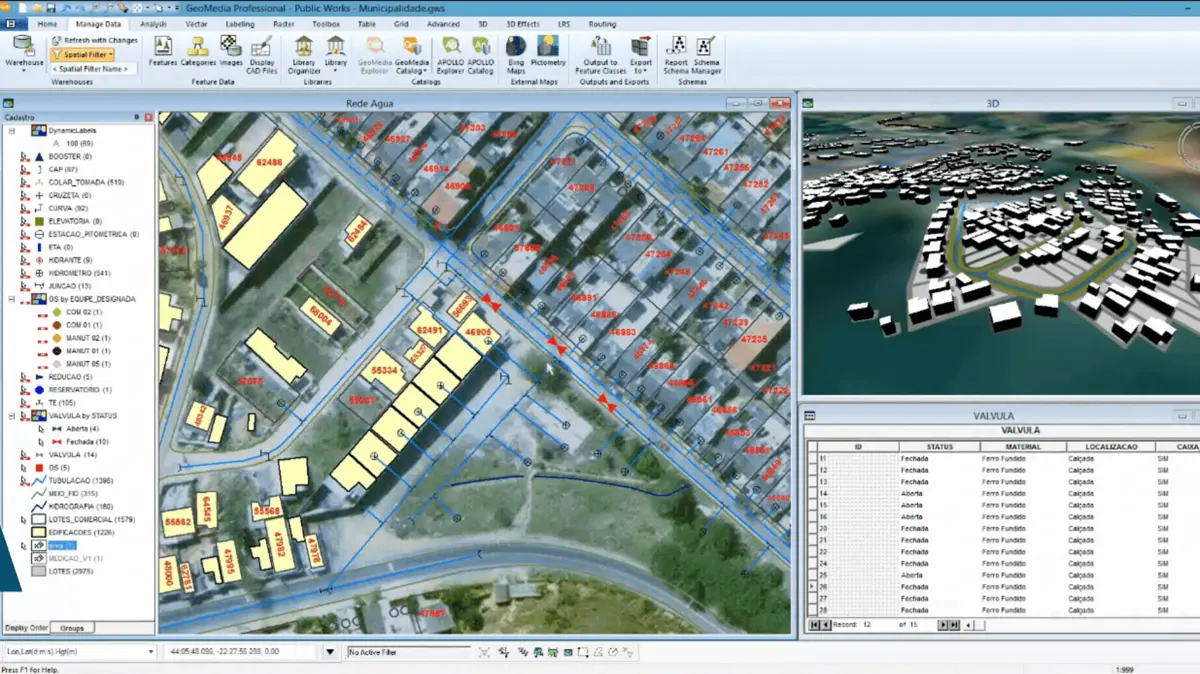
Hexagon GeoMedia is a powerful GIS management platform that integrates geospatial data from diverse sources into a unified view for analysis, visualization, and decision-making. Designed for industries ranging from urban planning to defense, GeoMedia provides advanced tools for generating actionable insights from dynamically changing data.
Hexagon GeoMedia Key Features
- Unified data integration
- Advanced GIS analysis
- 3D GIS capabilities
- Smart workflows and automation
- Online support portal
Hexagon GeoMedia Pricing
Pricing for GeoMedia is available upon request. Hexagon provides tailored solutions based on your organization's needs. For more information or to request pricing, visit the Hexagon GeoMedia website or contact the sales team directly.
Key Findings
- The global GIS software market was valued at $9.8 billion in 2023 and is expected to grow at a CAGR of 8.7% from 2024 to 2030 (Grand View Research).
- Top Users by Sector:
- Education: 2,547 companies use GIS software.
- Research: 2,356 companies use GIS software (6sense).
- Software as a Service (SaaS) made up 72% of the cloud GIS market in 2023 (Market.us).
- Disaster risk management contributed $3.15 billion to the global GIS software market, solidifying its role as a major growth driver (Sharma, 2025).
References
- 6sense. (n.d.). Best Mapping and GIS software in 2025 | 6Sense. https://6sense.com/tech/mapping-and-gis
- Grand View Research. (n.d.). Geographic Information System Market Size, Share & Trends Analysis Report by components, by usage (Surveying, Mapping, Navigation), by vertical, by devices, by end-use, by region, and segment Forecasts, 2024 - 2030. https://www.grandviewresearch.com/industry-analysis/geographic-information-systems-market
- Market.us. (2024). Cloud GIS Market Size, Share, Trends | CAGR of 14%. https://market.us/report/cloud-gis-market
- Sharma, R. (2025). GIS in Disaster Management Market Research Report 2032. Dataintelo. https://dataintelo.com/report/global-gis-in-disaster-management-market
- Song, J., Yamauchi, H., Oguchi, T., Ogura, T., Nakamura, Y., & Wang, J. (2023). Effects of web geographic information system (GIS) technology and curriculum approaches on education for disaster risk reduction. Natural Hazards and Earth System Sciences, 23(11), 3617–3634. https://doi.org/10.5194/nhess-23-3617-2023
- Technavio. (n.d.). GIS Market Analysis North America, Europe, APAC, South America, Middle East and Africa - US, China, Canada, Germany, UK - size and forecast 2024-2028. Technavio, https://www.technavio.com/, All Right Reserved 2025. https://www.technavio.com/report/gis-market-industry-analysis
Other Things You Should Know About Geographic Information Systems
GIS (Geographic Information Systems) software is a tool that enables the collection, storage, analysis, and visualization of spatial and geographic data. It works by integrating various types of data, such as maps, satellite imagery, and real-time data, to create layered visualizations that help users understand spatial relationships, patterns, and trends.
GIS software is widely used across industries such as urban planning, agriculture, disaster management, logistics, natural resource management, and public health. For example, urban planners use GIS for zoning and infrastructure projects, while logistics companies optimize routes and supply chains using geospatial data.
- Advanced mapping and visualization tools
- Real-time data integration and analysis
- Cloud-based access and scalability
- Compatibility with various data formats
- Support for spatial modeling and predictive analysis
GIS helps disaster risk management by enabling organizations to map hazard-prone areas, monitor real-time risks, and plan evacuation routes. It is instrumental in analyzing data related to natural disasters, such as floods or earthquakes, and aids in resource allocation and damage assessment during emergency responses.