10 Best Computational Modeling and Simulation Software

Co-Founder and Chief Data Scientist
Computational modeling and simulation software has transformed the way industries approach problem-solving, offering valuable tools for designing, testing, and optimizing systems. This solution helps simulate real-world phenomena, predict outcomes, and optimize designs. Doing so provides professionals with the insights they need to innovate and improve performance, reduce risks, and save costs.
Understanding the various software options is key to finding the right fit for your company’s needs. While some programs cater to general-purpose modeling, others are highly specialized and designed for specific industries or types of simulations. With the right tools, you will be equipped to take on more challenging projects and contribute to cutting-edge advancements.
This guide will outline some of the best computational modeling and simulation software in the market. We will highlight their unique features, the industries they serve, and the benefits they offer to help businesses make more data-driven decisions that enhance their products and services.
- Key Computational Modeling and Simulation Software Statistics
- Why is computational modeling and simulation software important?
- Criteria for Choosing the Top Computational Modeling and Simulation Software
- List of the 10 Best Computational Modeling and Simulation Software
Key Computational Modeling and Simulation Software Statistics
Computational modeling and simulation software has become an indispensable tool. It helps businesses and researchers solve complex problems, optimize processes, and drive innovation. To further help professionals understand its impact, here are key statistics that underscore the significance of simulations and how they shape the future of various industries and careers.
- In 2023, the global simulation software market was valued at $12.13 billion. This value is projected to reach $34.14 billion by 2032, with a compound annual growth rate of 12.4% from 2024 to 2032, with the automotive and manufacturing sectors as the top drivers (Fortune Business Insights, 2024). This upward trend highlights the increasing reliance on simulation tools to enhance product development and optimize operations.
- Only 23% of manufacturing companies use AI in product development, while 20% utilize it in maintenance and logistics (El-Jawhari et al., 2020). Despite this, AI is transforming manufacturing by enhancing efficiency in different functions. In simulations, AI offers predictive capabilities, automated decisions, and real-time system optimization to boost productivity.
- Generative AI is projected to increase product research and design revenue by $328 billion (Chui et al., 2023), with simulation software playing a key role in this growth. By combining generative AI with simulation tools, industries like manufacturing and architecture can automate design processes, predict outcomes, and reduce costs. Professionals seeking the best architecture software can benefit from these advancements to streamline workflows and enhance project precision.
- Transportation and warehousing had the highest first-year business failure rate at 24.8%, followed by mining, quarrying, and oil and gas extraction at 24.4% (Delfino, 2024). Although these statistics primarily reflect the challenges faced by workers, they underscore the critical reliance on simulation software to address operational inefficiencies and mitigate risks.
These statistics highlight the growing significance of computational modeling and simulation software across industries. As industries continue to evolve, leveraging these technologies will remain essential for staying competitive in different markets.
In the chart below, I've prepared the latest information on the aspects of manufacturing wherein artificial intelligence solutions are typically implemented.
Why is computational modeling and simulation software important?
The best computational modeling and simulation software is a critical tool for addressing complex challenges across industries. It allows organizations to create virtual representations of real-world systems, enabling them to analyze, predict, and improve performance without the need for costly physical prototypes or experiments.
Here are a few examples of its importance in three sectors to help put this in perspective:
- Manufacturing: Manufacturing industries leverage simulation tools to design and test production processes, improve supply chain efficiency, and reduce downtime. They help manufacturers predict machine failures, optimize energy consumption, and streamline operations. By integrating computational modeling with asset tracking software, businesses can achieve real-time monitoring of equipment and inventory, enhancing productivity and minimizing losses.
- Automotive: In the automotive industry, computational modeling and simulation are essential for designing safer, more efficient vehicles. These tools help engineers simulate crash tests, optimize aerodynamics, and evaluate fuel efficiency, leading to advancements in vehicle performance and safety. The ability to test and refine vehicle designs virtually reduces development costs and time, allowing manufacturers to bring products to market faster.
- Healthcare: In the medical field, computational modeling in healthcare is revolutionizing patient care and research. It enables the simulation of drug interactions, treatment outcomes, and the spread of diseases, reducing the need for costly clinical trials. Hospitals also use simulation software to optimize patient flow, improve surgical planning, and enhance emergency preparedness, leading to better health outcomes and resource allocation.
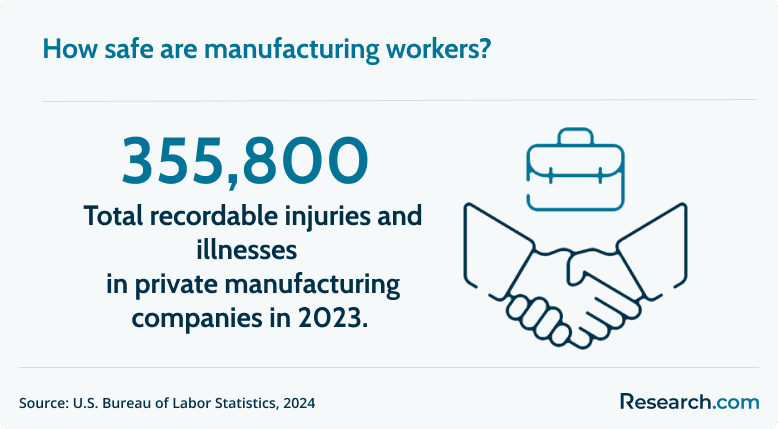
- Safety and Risk Mitigation: In 2023, private manufacturing firms reported 355,800 total recordable injuries and illnesses, down from 396,800 cases in 2022 (U.S. Bureau of Labor Statistics, 2024). Despite this decrease, it highlights the need for proactive safety strategies. Simulation software can help reduce this even further by helping companies test safety protocols or assess emergency responses. This solution not only improves workplace safety but also protects workers and assets.
In addition to its direct applications in these fields and other sectors, it is important to note the role of AI in computational modeling and simulation. Simulations can be used to train AI models, providing a controlled environment where AI algorithms can learn from vast amounts of data (Sukel, 2021). This training helps AI systems predict more accurate real-world scenarios. By integrating AI with computational modeling and simulation software, professionals across industries can complete tasks more quickly and test data-driven models more efficiently.
Criteria for Choosing the Top Computational Modeling and Simulation Software
When selecting the best computational modeling and simulation software, several key factors should be considered to ensure the tool meets your needs. Below are some essential criteria to help guide your decision:
- Usability and User Interface: The software should have an intuitive, easy-to-navigate interface, making it accessible to both beginners and advanced users.
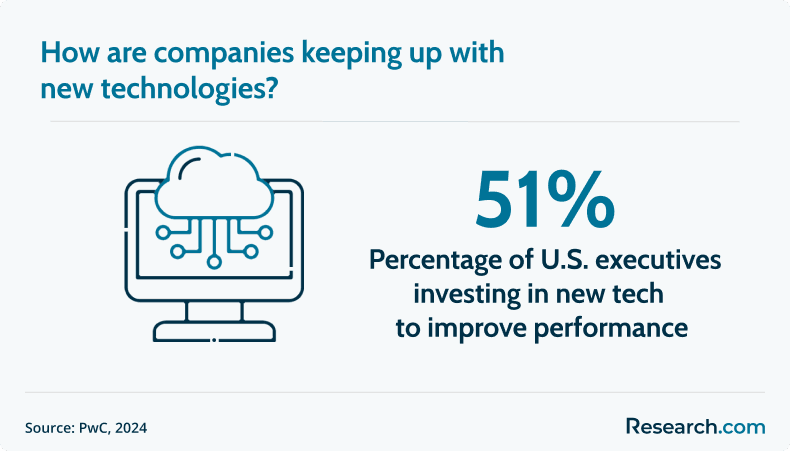
- Advanced Features and Functionality: Look for software that offers a comprehensive range of features. With 51% of executives in the U.S. investing in new technologies to improve performance (PwC, 2024), the top software should meet relevant algorithms and provide customizable options for different scenarios.
- Scalability and Performance: Ensure the software can handle the growing complexity of your models and simulations over time. For example, the software should be able to run on multiple processors or support high-performance computing to handle larger models efficiently.
- Integration with Other Tools: The solution must work well with other software or tools in your workflow. For example, integration with top fleet management tools can optimize asset tracking and predictive maintenance. This can help in creating more comprehensive models that reflect real-world scenarios more accurately.
- Customer Support and Training: Quality customer support, along with extensive training materials such as tutorials, documentation, and forums, is essential. Having access to a supportive community and resources ensures that users can maximize the software's potential.
- Cost and Licensing Options: Consider your budget and the software's pricing structure. Many computational modeling tools offer flexible licensing models, including subscription-based options or one-time purchases. Choose a model that aligns with your needs and long-term goals.
By evaluating these factors, you can select the software that best meets your modeling and simulation requirements, helping to streamline processes and improve decision-making in your industry.
List of the 10 Best Computational Modeling and Simulation Software
Choosing the right solution is crucial for professionals across industries. To help you make an informed decision, the team of experts at Research.com compiled a ranking of the top computational modeling and simulation software to ensure you have access to reliable, versatile, and industry-specific tools that cater to a wide range of professional needs.
1. Ansys Fluent: Best CFD Tool
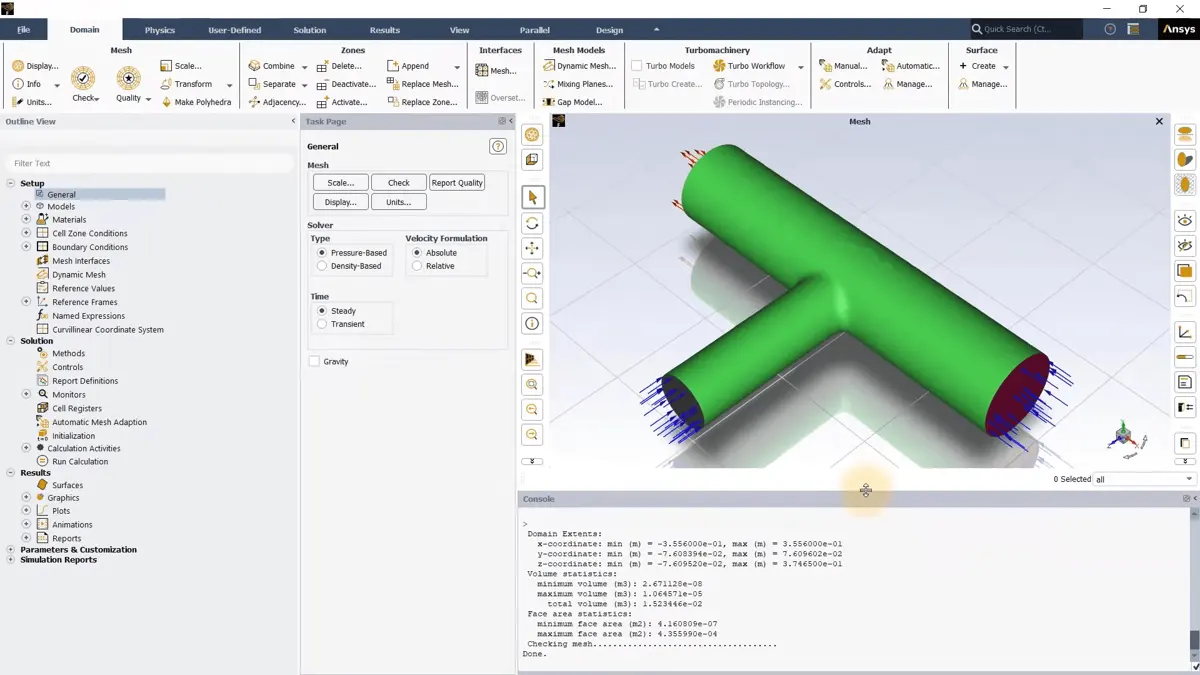
Ansys Fluent is a leading computational fluid dynamics (CFD) software, ideal for automotive, aerospace, and gas turbine simulations. It stands out for its robust physics modeling, covering fluid flow, heat transfer, and chemical processes, among other applications. Designed with a user-friendly interface, it combines pre-processing, simulation, and post-processing into a seamless workflow. Fluent also supports high-performance computing (HPC), enabling efficient handling of large-scale models on multiple processors. Along with its extensive features, it supports users at all skill levels with free courses, tutorials, tips, tricks, and self-paced video resources, making it accessible and easy to learn for beginners and professionals alike.
Key Features of Ansys Fluent
- Task-based workflows
- Single and multiphase flows
- Shape optimization
- Fluid-structure interaction
- Overset mesh calibration
- Enhanced battery modeling
Ansys Fluent Pricing
Ansys offers flexible licensing options, including annual, perpetual, and pay-per-use plans, along with a free 30-day trial.
2. AnyLogic: A Versatile Simulation Solution
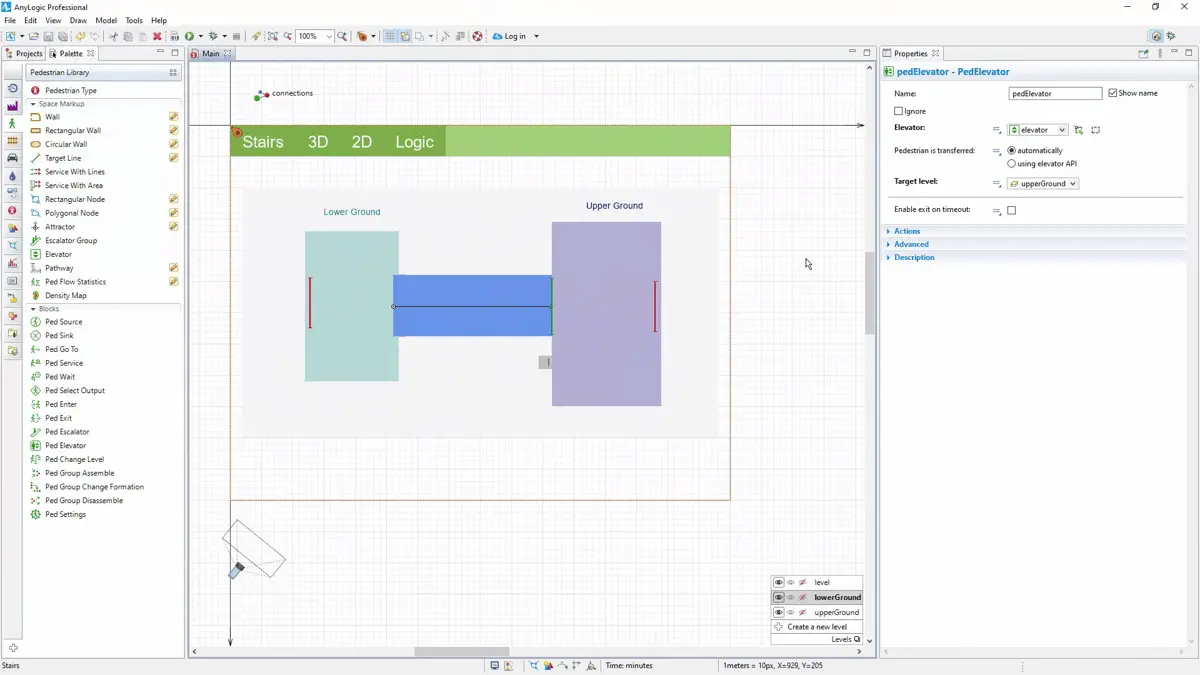
One of the best computational modeling and simulation software in the market, AnyLogic is a general-purpose solution for various industries, including logistics, manufacturing, mining, oil and gas, and rail logistics. It supports discrete event, agent-based, and system dynamics methods to simulate both simple and complex systems. With dynamic animation tools, you can visualize processes in real time, making it easier to analyze system behavior and communicate insights effectively. Additionally, you can conduct complex experiments to train and test AI models. This fosters deeper insights and facilitates data-driven decision-making for a wide range of applications.
Key Features of AnyLogic
- Simulation-to-dashboard conversion
- Pre-designed experiments
- Expansive industry-specific libraries
- GIS map integration
- Cloud-based simulation
AnyLogic Pricing
By quote
3. GROMACS: A Free Molecular Dynamics Simulator
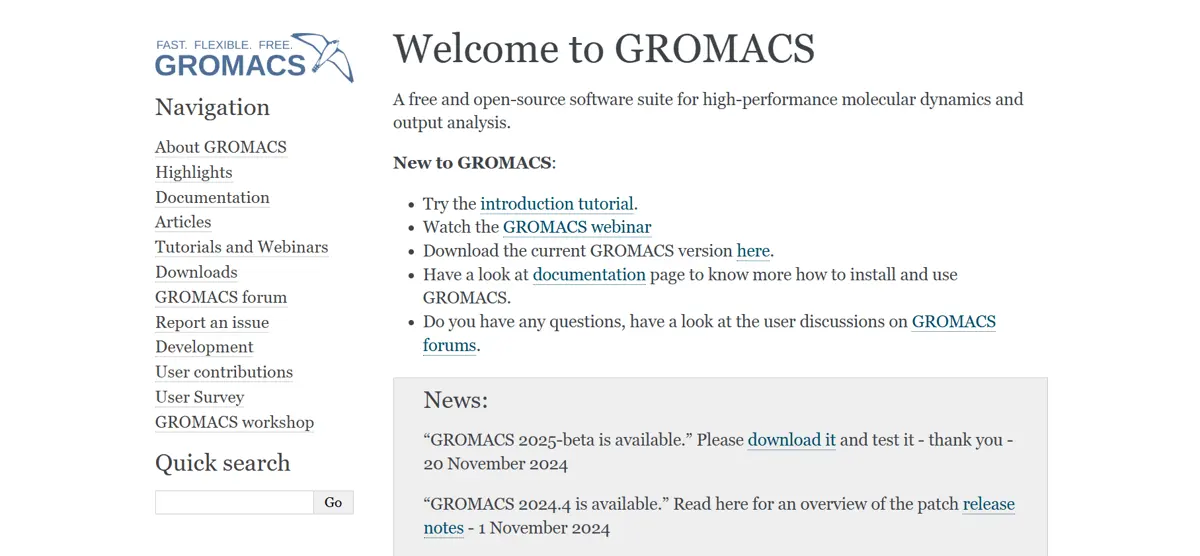
GROMACS is an open-source molecular dynamics simulator tailored for biochemical interactions but also supports non-biological simulations like polymers and fluid dynamics. It incorporates advanced algorithms that improve performance and accuracy by enabling longer simulation time steps. The software includes an automated topology builder for proteins, accommodating multimeric structures and a range of biomolecules. As a collaborative, community-driven project, it provides extensive resources, including guides, tutorials, and detailed manuals. The GROMACS community also provides a list of visualization software and other external tools to complement the simulator’s capabilities.
Key Features of GROMACS
- Heterogeneous parallelization
- Supports modern CPUs and GPUs
- Hybrid Quantum-Classical simulations (QM/MM) with CP2K interface
- Accelerating sampling with the AWH method
- Consistent topologies and parameter filters
- Simple interface with no scripting required
GROMACS Pricing
Free
4. Aspen HYSYS: Top Performance Engineering Simulator
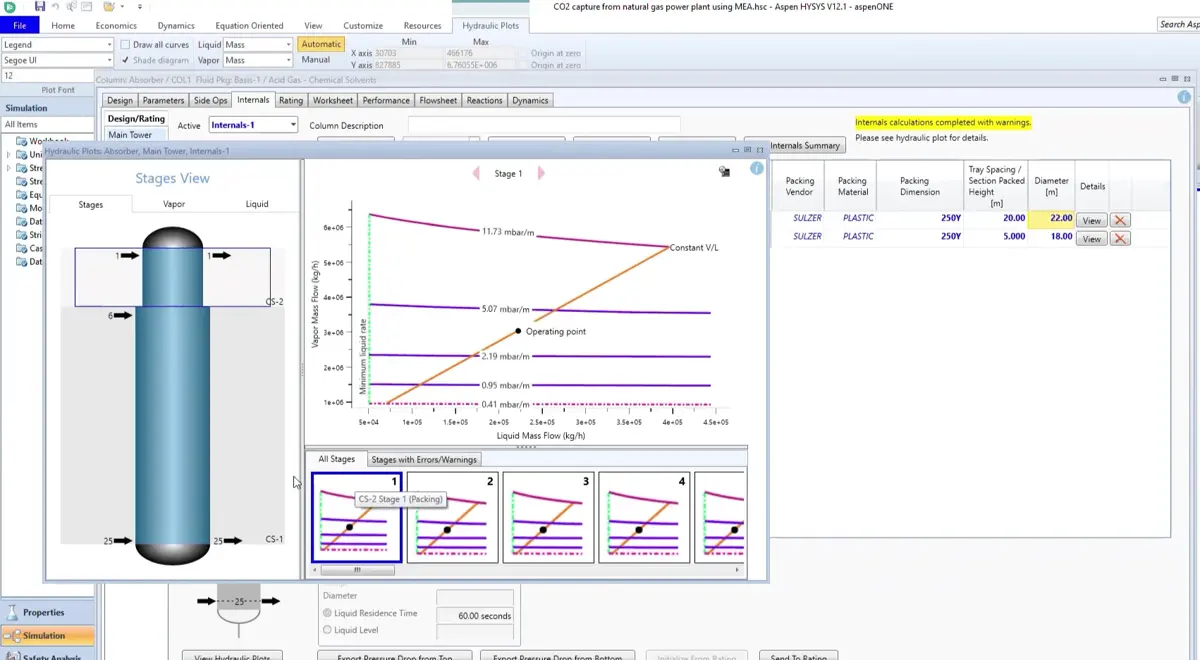
Aspen HYSYS is a process simulation software widely used in bulk chemicals industries, water, power generation, metals and mining, consumer goods, and construction. It offers time-saving workflows and integrated tools for equipment design, costing, energy management, and safety analysis, helping companies streamline operations. The software also features centralized performance monitoring systems to track and optimize process performance. With AI-driven models, it fosters improved collaboration among teams to enhance decision-making. These capabilities make Aspen HYSYS an essential tool for boosting efficiency and productivity across various sectors.
Key Features of Aspen HYSYS
- Process safety analysis workflows
- Operator training simulator deployment
- Bidding and project cost estimation
- Refinery scheduling
- Batch performance management
Aspen HYSYS Pricing
By quote
5. Honeywell UniSim Design Suite: Best for Plant Sustainability
Honeywell UniSim Design Suite is a computational modeling and simulation software tailored for plant design and management. It supports digital twin (offline and online) applications to refine plant performance. This flexible simulator also assists with process optimization, asset monitoring, and equipment troubleshooting, eliminating bottlenecks for enhanced operations. Furthermore, it enables companies to conduct control and safety system check-outs for seamless operations. With a strong emphasis on sustainability, UniSim also offers faster, more precise modeling of CO2 capture and transportation processes.
Key Features of Honeywell UniSim Design Suite
- Parallel multiple-case runs
- Extensive spreadsheet functionality
- Front-end engineering designing
- GUI refresh and new controls
- Built-in LP Vector generation
- Reactor models with UOP expertise
Honeywell UniSim Design Suite Pricing
By quote
6. Simio: A Digital Twins Simulator
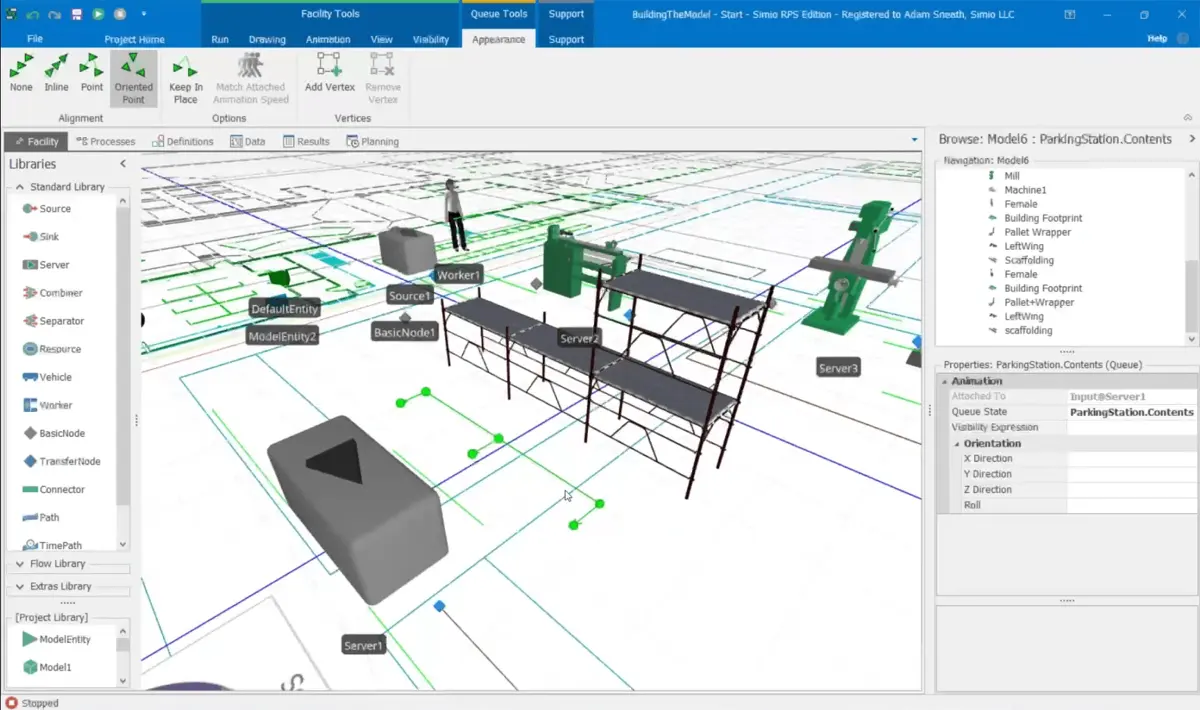
Simio is a discrete event simulator that serves a diverse range of industries, including pharmaceuticals, chemical plants, mining, retail, consumer goods, and defense. It supports key workstreams like simulation and analysis, process design and optimization, and advanced planning and scheduling (APS). With Simio, users can create efficient new processes or assess and enhance the performance of existing ones. This no-code software features a user-friendly point-and-click interface and a data-driven approach for developing and executing Process Digital Twin models. Lastly, it is flexible, allowing deployment both on the cloud and on-premise.
Key Features of Simio
- 3D, GIS, and VR capabilities
- Hierarchical modeling
- Application-specific template libraries
- Workflow automation
- Fully AI/DNN/ML Enabled
Simio Pricing
By quote
7. FlexSim: Top 3D Simulator
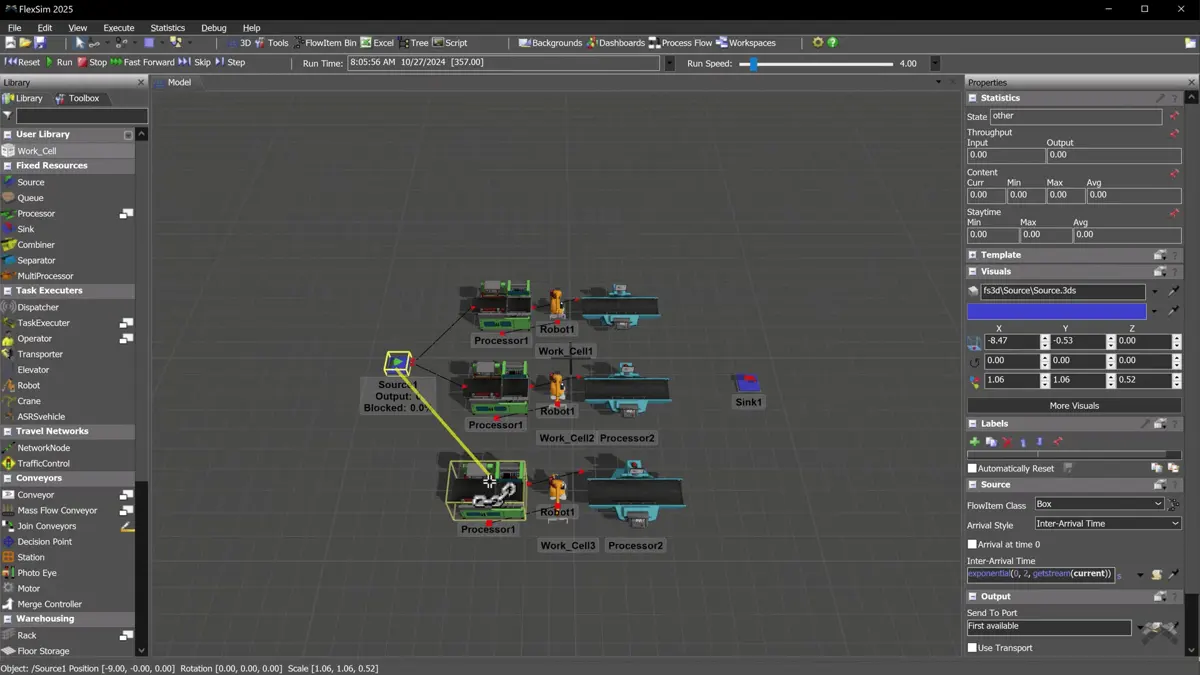
FlexSim leverages a native 3D environment to simulate and test “what if” scenarios in various industries, including manufacturing, warehousing, healthcare, and supply chain operations. Its drag-and-drop and dropdown controls make building simulations easy and efficient. The software includes an object library, allowing users to quickly apply preconfigured behaviors, mix and match options, or create custom behaviors. The advanced Experimenter tool allows users to run and compare multiple scenarios. Replications are distributed across CPU cores, enabling the simulation of hundreds of replications across various scenarios simultaneously.
Key Features of FlexSim
- 3-axis layouting
- CAD drawing imports
- Pre-built activity workflow blocks
- C++ integration
- Comprehensive data and statistical analysis
FlexSim Pricing
By quote
8. Simcenter 3D: A Robust Multiphysics CAE Simulator
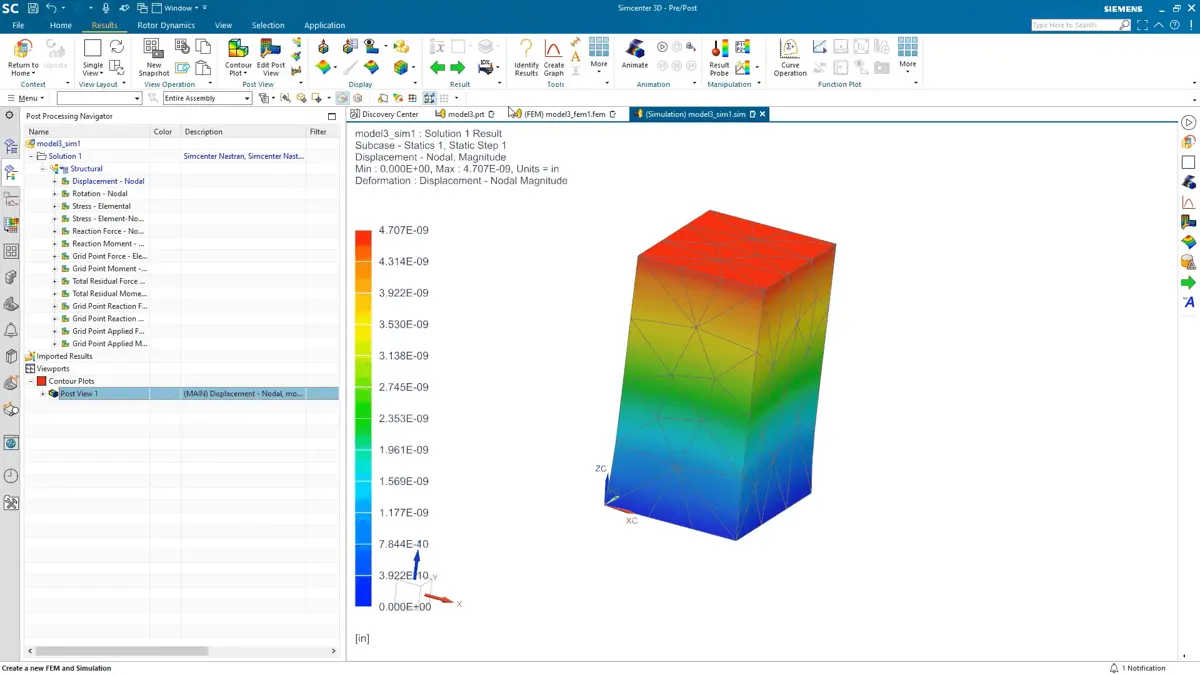
Simcenter 3D is a computational modeling and simulation software that offers fully-integrated computer-aided engineering (CAE) solutions to tackle complex engineering problems. It helps users model and evaluate product performance with significant improvements in simulation efficiency. The software covers all pre- and post-processing needs, simplifying the simulation process. Simcenter 3D also automates modifications to geometry, simulation models, and solution parameters, enabling users to explore design options with integrated design space exploration tools. These features work together to optimize product design and performance analysis.
Key Features of Simcenter 3D
- Acoustic modeling capabilities
- Fatigue and lifting analysis tools
- Dynamic, static, and kinematics motion simulation tools
- Low-frequency electromagnetic solutions
Simcenter 3D Pricing
By quote
9. COMSOL Multiphysics: Flexible Engineering Simulator
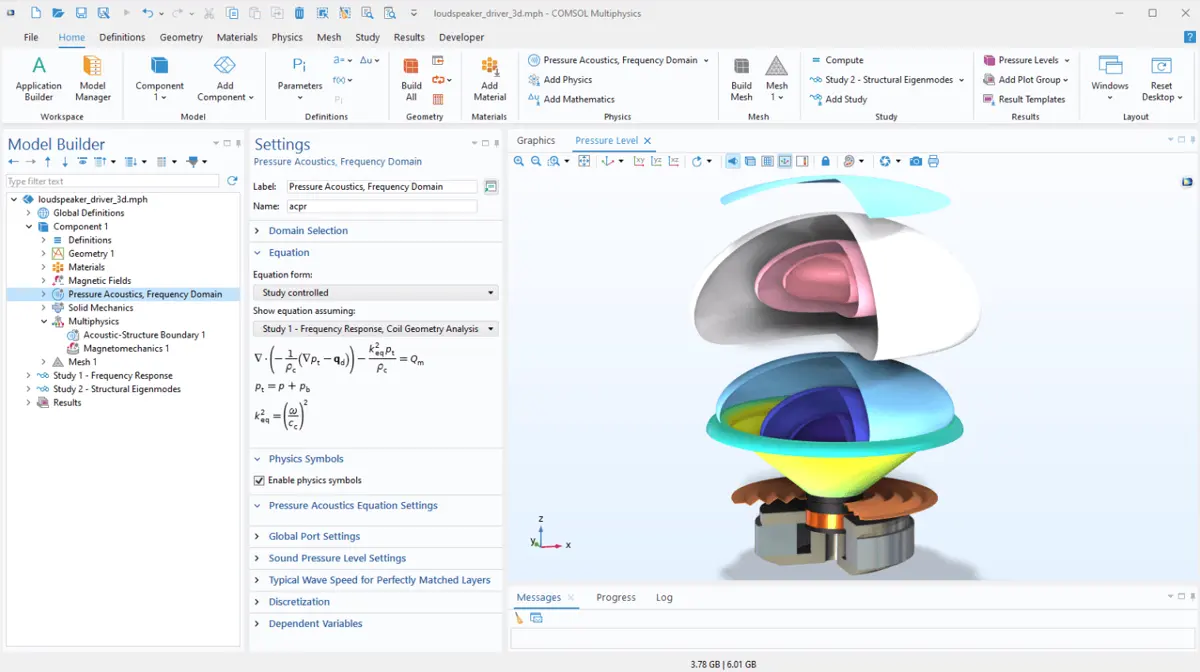
COMSOL Multiphysics is a general-purpose simulation software that supports both multi-physics and single-physics modeling. It offers key tools such as the Model Builder, Application Builder, and Model Manager to streamline the entire modeling process. The Model Builder walks users through defining geometries, material properties, and physics, as well as performing simulations and analyzing results. With the Application Builder, users can transform models into simulation applications with easy-to-use interfaces for non-expert users. Lastly, the Model Manager helps keep models organized with version control and efficient management.
Key Features of COMSOL Multiphysics
- Predefined physics interfaces
- Equation-based modeling interpreter
- Collaborative modeling and simulation management tools
- Version control tools
- Extensive user libraries
COMSOL Multiphysics Pricing
By quote
10. Arena Simulation Software: Best Simulator for Scalability
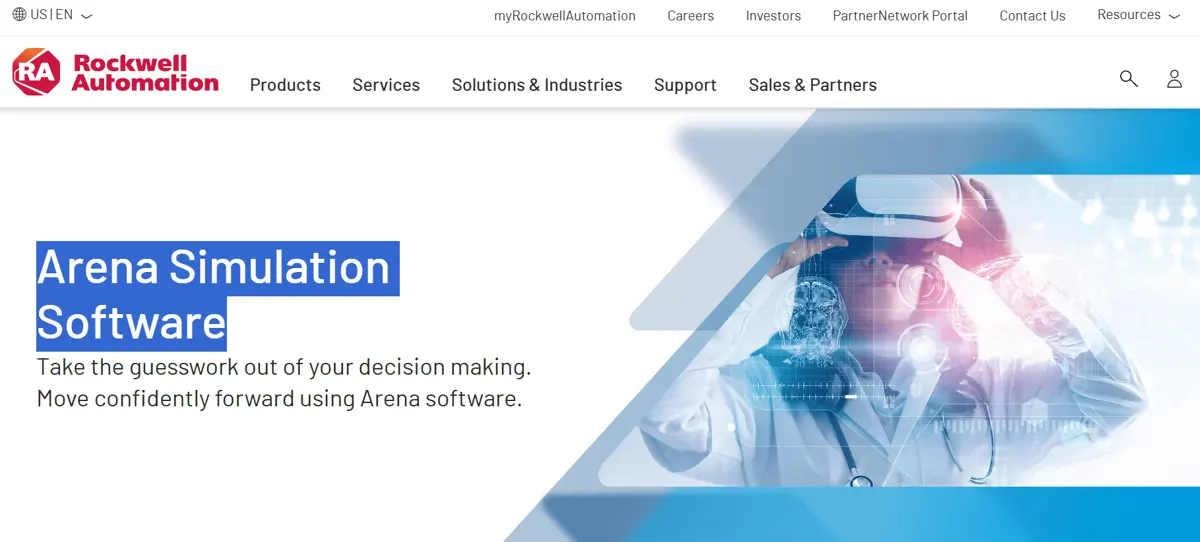
Arena Simulation Software is an intuitive discrete event simulator that lets users create and test experiments on system models. It reduces risks and uncertainties by simulating scenarios across various industries, including call centers, hospitals, logistics, and retail. Using flowchart modeling methodology, it helps identify and resolve bottlenecks efficiently. Its predictive analysis tools support better decision-making and process improvements. Arena Simulation Software provides beginner, standard, and professional editions to accommodate users at different experience levels, ensuring everyone can benefit from its features.
Key Features of Arena Simulation Software
- Insightful metric dashboards
- 2D and 3D visualizations
- Statistical analysis and report generation
- Pre-defined building models and templates
- Student-friendly tools
Arena Simulation Software Pricing
By quote
Synergize Simulation Tools with AI
Selecting the best computational modeling and simulation software is a crucial step for organizations aiming to utilize their operations at full capacity. Moreover, it minimizes risks and helps engineers, scientists, and other professionals boost their productivity. Whichever industry, the right software can provide invaluable insights, improve decision-making, and accelerate innovation. As industries increasingly adopt advanced technologies, having a robust simulation tool can elevate operations and products, minimize costly physical testing expenses, and address challenges before they arise. Lastly, by leveraging AI-driven simulations, businesses can fine-tune their operations and train AI models in realistic environments, creating a powerful synergy between technology and practical applications.
Key Findings
- In 2023, the global simulation software market was valued at $12.13 billion. This value is projected to reach $34.14 billion by 2032.
- Only 23% of manufacturing companies use AI in product development, while 20% utilize it in maintenance and logistics.
- Generative AI is projected to boost product research and design revenue by $328 billion.
- In 2023, private manufacturing firms reported 355,800 total recordable injuries and illnesses, down from 396,800 cases in 2022.
- 51% of executives in the U.S. are investing in new technologies to improve performance.
References:
- Chui, M., Hazan, E., Roberts, R., Singla, A., Smaje, K., Sukharevsky, A., Yee, L., & Zemmel, R. (2023, June 14). The economic potential of generative AI: The next productivity frontier. https://www.mckinsey.com/capabilities/mckinsey-digital/our-insights/the-economic-potential-of-generative-ai-the-next-productivity-frontier
- Delfino, D. (2024, April 8). Percentage of Businesses That Fail — and How to Boost Chances of Success. LendingTree. https://www.lendingtree.com/business/small/failure-rate
- El-Jawhari, B., Halbe, S., & Whyte, M. (2020). An introduction to implementing AI in manufacturing. PwC. https://www.pwc.com/gx/en/industries/industrial-manufacturing/publications/introduction-implementing-ai-manufacturing.html
- Fortune Business Insights. (2024, December 30). Simulation Software Market Size, Share & Industry Analysis, By Deployment. https://www.fortunebusinessinsights.com/simulation-software-market-102435
- PwC. (2024). PwC Pulse Survey: Finding opportunity in reinvention. https://www.pwc.com/us/en/library/pulse-survey/finding-opportunity-in-business-reinvention.html
- U.S. Bureau of Labor Statistics. (2024, November 8). Employer-Reported Workplace Injuries and Illnesses - 2023. https://www.bls.gov/news.release/pdf/osh.pdf
Other Things You Should Know About Computational Modeling and Simulation Software
Computational modeling and simulation involve creating mathematical models to replicate real-world systems and using computer algorithms to simulate their behavior. This process helps analyze complex phenomena that are difficult or impossible to observe directly. It is widely used in various industries, including healthcare, engineering, and manufacturing, to predict outcomes, optimize designs, and test scenarios.
Simulation modeling is used to simulate real-world systems, processes, or phenomena to predict their behavior under various conditions. Some examples of simulation modeling include traffic flow analysis, customer service processes, dam operations, manufacturing production lines, supply chain logistics, hospital patient care processes, and energy grid management. By modeling different scenarios, organizations can improve decision-making, minimize costs, and identify potential problems before they occur.
The best use of simulation software is in optimizing complex systems and processes by providing a risk-free environment to test various situations. Simulation software is especially valuable for design testing and scenario planning in automotive, aerospace, manufacturing, and logistics industries, enabling organizations to craft reliable or durable products and anticipate bottlenecks or risks.
Advantages of computational modeling and simulation include the ability to predict outcomes, optimize designs, and reduce risks without the need for physical testing. It helps improve decision-making and saves time and costs. However, disadvantages include the reliance on accurate data and assumptions, which can lead to errors if incorrect. Additionally, simulations can be resource-intensive and may not always fully capture real-world complexity, potentially limiting their effectiveness.