2027 How Proctored Online Exams Work

Co-Founder and Chief Data Scientist
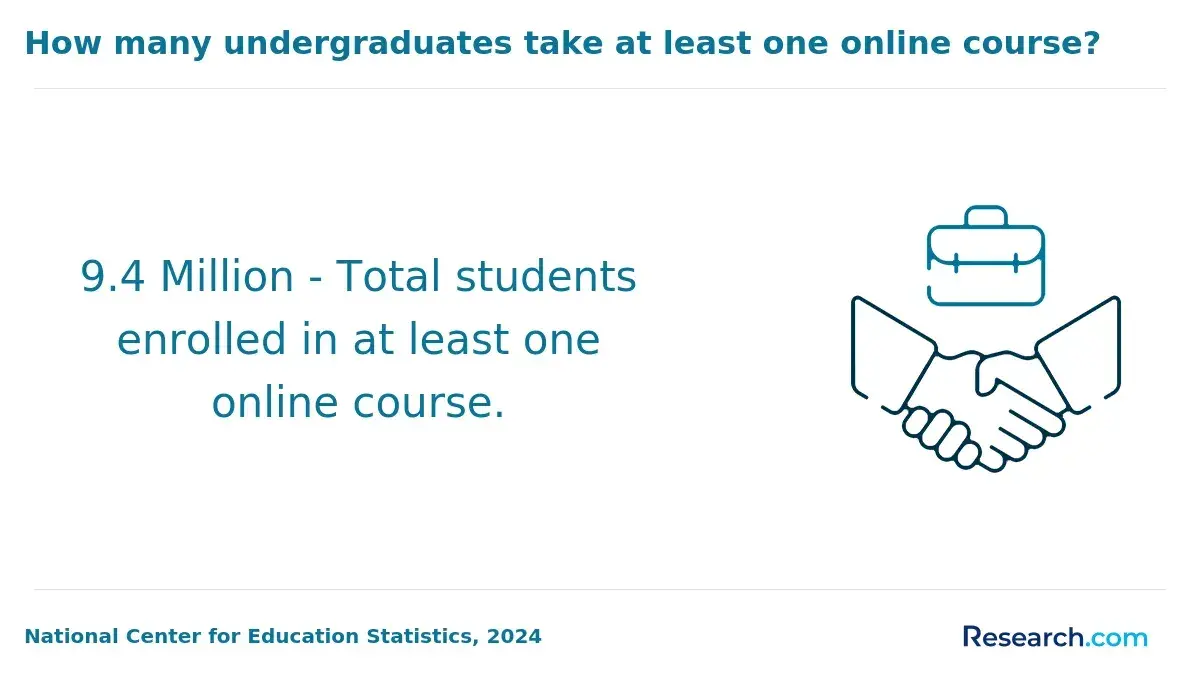
Taking an exam from home can feel convenient until you realize a webcam, ID check, room scan, browser lockdown, and AI or live monitoring may all be involved. NCES reported in 2024 that about 53% of U.S. postsecondary students took at least one distance education course in fall 2022, making remote test security a mainstream issue.
This guide explains how online proctored exams work, who uses them, what students must prepare, and how to avoid mistakes that can affect scores, credentials, or licensing eligibility.
Key Things You Should Know
- Online proctored exams verify identity, control the testing environment, monitor behavior during the exam, and send flagged events for review rather than automatically assuming misconduct.
- NCES data published in 2024 shows distance education is now common in U.S. higher education, so students in online degrees, certificates, licensing programs, and workforce training are increasingly likely to encounter remote proctoring.
- Costs vary by exam and institution: some schools include proctoring in tuition or technology fees, while some exams charge separate remote proctoring fees such as the CLEP at-home testing proctoring fee of $30.
How do proctored online exams work from registration to post-exam review?
A proctored online exam is a remotely administered test that uses people, software, or both to confirm that the registered test taker is the person completing the exam and that testing rules are followed. The exact workflow varies by school, vendor, and exam sponsor, but most systems follow a similar sequence from registration through review.
Students usually experience the process as a series of checkpoints. Understanding these checkpoints helps you avoid last-minute technical failures, identity mismatches, and conduct flags that can delay score release.
- Register for the exam through your school, certification body, testing platform, or learning management system.
- Review the exam rules, including allowed materials, calculator policy, scratch paper rules, restroom rules, and whether breaks are permitted.
- Schedule a testing window if the exam uses live proctoring or a fixed appointment model.
- Complete a system check for your webcam, microphone, internet speed, browser, operating system, and any required lockdown software.
- Log in before the exam start time and verify your identity using an approved government ID, school ID, facial comparison, login credentials, or multifactor authentication.
- Scan the room if required, showing your desk, monitor area, walls, floor, notes, phone location, and sometimes what's under the desk.
- Take the exam while the system monitors video, audio, screen activity, browser behavior, and rule compliance.
- Submit the exam and wait for automated scoring, instructor grading, proctor review, or exam sponsor review depending on the test type.
- Respond to any follow-up if the institution needs clarification about a flagged event before releasing or confirming results.
The table below summarizes the typical exam lifecycle and why each step matters. Use it to identify where problems most often occur before your test day:
| Stage | What Usually Happens | Why It Matters |
| Registration | The student enrolls in the exam and accepts testing rules. | Rules become part of the testing agreement, so not reading them can create avoidable violations. |
| System check | The platform tests the device, camera, microphone, browser, and connection. | Technical problems are easier to fix before the exam clock starts. |
| Identity verification | The student confirms identity through ID review, login, facial comparison, or proctor approval. | This protects credential integrity and prevents impersonation. |
| Exam monitoring | The system records or observes the testing session. | Monitoring creates evidence for later review if unusual behavior occurs. |
| Post-exam review | Flags may be reviewed by a proctor, instructor, testing office, or exam sponsor. | A flag is usually a review signal, not automatically a finding of cheating. |
For students comparing flexible learning options, it is worth checking whether online courses use proctored finals, portfolio assessment, open-book testing, or project-based evaluation, because the assessment format can affect scheduling, stress, and technology needs.
What technologies and monitoring methods are used in online proctored exams?
Online proctoring systems combine test-delivery software with monitoring tools. The goal is not only to watch the student but also to preserve a reliable record of the exam session if the result is challenged or if an instructor needs to review a suspected rules issue.
Most platforms use several monitoring layers at once. The combination matters because one technology alone rarely proves misconduct; instead, systems look for patterns that may require human review. Below are several key insights:
- Webcam monitoring records the student's face, eye direction, and visible surroundings during the exam.
- Microphone monitoring captures background audio, talking, keyboard noise, or other sounds that may violate exam rules.
- Screen recording tracks the test window, open applications, browser activity, and attempts to leave the secure exam area.
- Lockdown browsers restrict copying, printing, opening new tabs, using unauthorized websites, taking screenshots, or switching applications.
- AI behavior analysis may flag repeated face absence, multiple faces, unusual gaze patterns, excessive movement, or object detection.
- Live chat or video support lets a human proctor intervene if the student loses connection, has an ID issue, or appears to violate a rule.
- Keystroke, device, or network signals may be used in some higher-security exams to detect unusual access patterns, remote-control software, or unauthorized devices.
The table below compares common technologies by what they monitor and what students should understand about their limits. This is important because a flag is not the same as proof, and many institutions still rely on human judgment.
| Technology | Primary Purpose | Student Consideration |
| Live video proctoring | Allows a human proctor to observe and intervene in real time. | Best for high-stakes exams but may require scheduling and a quiet testing window. |
| Recorded proctoring | Captures the session for later review. | More flexible, but score release may depend on review timelines. |
| AI flagging | Identifies behaviors or technical events that may need attention. | Can reduce review workload but may flag innocent behavior such as looking away to think. |
| Lockdown browser | Limits access to unauthorized digital resources. | Requires installation permissions and can conflict with some security software. |
| Secure exam platform | Delivers the test, records answers, and enforces timing rules. | Students should confirm save, submit, and reconnection policies before the exam. |
AI is a major current trend in remote testing, but its role is best understood as risk detection rather than final judgment. Strong programs explain how flags are reviewed, how students can appeal decisions, and how privacy protections apply to recordings and identity data.
What equipment, software, and environment setup do students need for online proctoring?
Students typically need a reliable computer, a working camera, a microphone, stable internet, and a private testing space. Requirements are exam-specific, so the safest approach is to check the official rules for your course, school, certification exam, or licensing board rather than relying on general advice.
Before test day, confirm the items below. These steps reduce the risk of being locked out, disconnected, or flagged for preventable environmental issues:
- Use a laptop or desktop that meets the platform's operating system, memory, browser, and security requirements.
- Test the webcam and microphone in the same room and lighting conditions you will use during the exam.
- Use a stable internet connection and avoid shared bandwidth activities such as streaming, gaming, or large downloads during the exam.
- Install required software early, including lockdown browsers, proctoring extensions, or secure testing apps.
- Disable pop-ups, notifications, messaging apps, cloud sync alerts, screen-sharing tools, and remote-access software.
- Clear the desk of phones, notes, books, headphones, smartwatches, second monitors, and personal items unless explicitly allowed.
- Keep an approved photo ID nearby and make sure the name matches the registration record as closely as the exam sponsor requires.
- Tell roommates, family members, or coworkers not to enter the room, speak to you, or create background noise during the testing window.
The table below shows common setup requirements and why they exist. It can help students distinguish true exam-security rules from preferences that vary by instructor or vendor.
| Requirement | Common Standard | Reason |
| Device | Personal laptop or desktop, often not a tablet or phone | Testing software may need browser control, screen recording, or secure installation permissions. |
| Camera | Built-in or external webcam | Used for identity checks, face visibility, and room scans. |
| Microphone | Internal or external microphone | Records speech, background voices, or unauthorized assistance. |
| Internet | Stable broadband connection | Supports video upload, screen monitoring, and exam saving. |
| Room | Private, quiet, well-lit space | Reduces interruptions and helps reviewers see that no unauthorized materials are present. |
| Browser controls | Lockdown browser or secure extension | Limits access to outside websites, files, applications, or communication tools. |
If you are choosing an online degree partly for flexibility, also compare technology requirements and exam policies along with tuition. A low-cost program can still feel inconvenient if every major assessment requires strict scheduling; students comparing affordability may want to review options for the cheapest online bachelor's degree while checking proctoring policies before enrolling.
How do identity verification and room scans prevent cheating in remote exams?
Identity verification and room scans are designed to answer two questions: is the right person taking the exam, and is the testing environment controlled? These steps are especially important for online degrees, industry certifications, entrance tests, placement exams, and licensing-related assessments where scores may affect academic progress or professional eligibility.
Identity verification usually combines multiple signals rather than depending on one method. A student may be asked to complete several of the following checks before the exam launches:
- Show a government-issued ID, school ID, or exam-approved identification document to the camera.
- Take a live photo or facial image that is compared with the ID photo or the student profile.
- Log in through a school, testing vendor, or single sign-on account using a password or multifactor authentication.
- Confirm personal details such as name, appointment number, date of birth, or student ID when allowed by the exam sponsor.
- Wait for a live proctor to approve the identity check before the exam timer begins.
Room scans are intended to reduce access to unauthorized help, but they also raise privacy concerns. A well-run testing program should state what must be shown, what is recorded, how long recordings are retained, who can review them, and what alternatives exist for students who lack a private room.
Common room-scan issues include reflective surfaces, extra monitors, notes on walls, visible phones, people entering the room, and desks with too many materials. If you are uncomfortable showing your home, ask in advance whether you may test in a library study room, campus testing center, employer training room, or other approved private location.
What are the main types of online proctoring (live, AI, recorded, blended)?
The main types of online proctoring are live, AI automated, recorded, and blended. The best option depends on the stakes of the exam, the need for scheduling flexibility, cost, accessibility, and how quickly results must be confirmed.
The table below compares the major proctoring models. It is useful for students, instructors, and program managers who need to understand the trade-offs behind different remote testing formats.
| Proctoring Type | How It Works | Best Fit | Main Trade-Off |
| Live online proctoring | A human proctor observes the exam in real time and may intervene. | High-stakes tests, certification exams, and exams requiring immediate intervention. | Less flexible because students often need scheduled appointments. |
| AI automated proctoring | Software monitors behavior and flags unusual events for possible review. | Large online courses and lower-to-moderate-stakes assessments. | May flag innocent behavior if rules and review procedures are not clear. |
| Recorded proctoring | The session is recorded and reviewed later if required. | Courses that need flexibility but still require an exam record. | Results may be delayed if manual review is needed. |
| Blended proctoring | AI flagging, recording, lockdown tools, and human review are combined. | Programs that need both scale and defensible review. | Can be more complex for students to understand and prepare for. |
Short workforce credentials may use any of these models, depending on the provider and employer expectations. If speed and convenience are priorities, compare assessment requirements when reviewing short term certificate programs, because a program with frequent proctored exams may require more planning than a project-based certificate.
For students, live proctoring usually offers the clearest real-time support if something goes wrong, while recorded or AI-assisted proctoring offers more scheduling flexibility. For institutions, blended models can be attractive because they scale to large enrollments while preserving human review for serious or ambiguous flags.
How do online proctored exams integrate with learning management systems and testing platforms?
Online proctored exams usually connect to a learning management system, a testing platform, or both. In higher education, the student may start in a course site, click an exam link, pass through a proctoring tool, and then enter the quiz or testing environment.
Integration matters because it affects login, exam timing, grade transfer, accommodations, and support. A smooth integration reduces confusion; a weak one can leave students unsure whether a problem belongs to the instructor, school help desk, proctoring vendor, or testing sponsor.
Here are some key points to note:
- Single sign-on can authenticate students through the school account before the proctoring session begins.
- Learning management system links can pass the student from the course page into the proctoring workflow.
- Lockdown browser integration can restrict navigation while the student completes the exam inside the course platform.
- Gradebook integration can send scores back to the course after submission or instructor review.
- Accommodation settings can adjust time limits, breaks, assistive technology permissions, or allowed materials when properly configured.
- Audit logs can record login time, exam start time, submission time, disconnections, and proctor notes.
The table below shows where integration problems commonly appear. Understanding these areas helps students know what to test before exam day and helps schools design better support.
| Integration Area | Common Problem | Who Usually Helps |
| Login | Password, multifactor authentication, or account mismatch blocks access. | School IT help desk or exam sponsor support |
| Exam launch | The proctoring tool opens, but the exam does not unlock. | Instructor, testing office, or proctoring vendor |
| Lockdown browser | Installation fails or conflicts with device permissions. | Vendor support or school technology support |
| Accommodations | Extra time or assistive technology is not applied. | Disability services, instructor, or testing office |
| Grade transfer | The exam is submitted, but the score does not appear in the course. | Instructor or learning management system administrator |
Students should save confirmation emails, appointment numbers, support chat transcripts, and screenshots of error messages when allowed. These records can help resolve access problems or deadline disputes without relying on memory.
What rules, behaviors, and violations do online proctoring systems monitor and flag?
Online proctoring systems monitor behaviors that may suggest unauthorized assistance, identity problems, use of outside resources, or disruption of the testing environment. The rules vary widely, so a behavior that is allowed in one exam can be a violation in another.
Most flagged behaviors fall into a few categories. Review these before the exam so you can change your environment or habits before they become a problem:
- Looking away from the screen repeatedly or for long periods when notes, phones, or other people may be nearby.
- Leaving the camera frame, covering the face, blocking the camera, or moving out of view.
- Speaking aloud, whispering, reading questions out loud, or responding to someone in the room.
- Using a phone, smartwatch, tablet, second monitor, calculator, notes, textbook, or website that is not allowed.
- Opening other applications, switching browser tabs, copying text, taking screenshots, or using screen-sharing tools.
- Having another person enter the room, appear on camera, or communicate during the test.
- Disconnecting from the internet, closing the browser, disabling monitoring software, or attempting to bypass the secure environment.
- Failing to complete the required room scan or refusing a proctor instruction that is part of the published exam policy.
False flags can happen because normal behavior sometimes looks suspicious in a recorded environment. For example, a student may look up while thinking, read silently with visible lip movement, or shift frequently because of discomfort. The best systems treat these events as review prompts and consider context before taking action.
The biggest mistake students make is assuming all online exams share the same rules. Some allow blank scratch paper after a camera check; others ban all paper. Some permit bathroom breaks; others end the exam if you leave the room. Always follow the rules for that specific exam, not the rules from a previous class.
How much do remotely proctored exams cost, and who typically pays the fees?
Remote proctoring costs depend on who administers the exam, what proctoring model is used, and whether the institution absorbs the cost. Students may see no separate charge, a course technology fee, a testing-center fee, or a direct proctoring fee at checkout.
Publicly posted prices are often exam-specific rather than vendor-wide. The examples below show how fees may appear to students, but they should not be treated as universal pricing.
- CLEP at-home remote proctoring fee: $30 in addition to the CLEP exam fee.
- Institution-included proctoring: $0 separate checkout charge when the school pays through a course, program, or technology contract.
- Course or technology fee model: the proctoring cost may be bundled into mandatory fees rather than listed as a separate proctoring line item.
- Certification or licensing exam model: the remote proctoring cost may be included in the exam registration price or charged separately depending on the sponsor.
College Board's 2024 Trends in College Pricing reported average 2024-25 tuition and fees of $11,610 for in-state students at public four-year institutions. That context matters because a single proctoring fee may be small compared with annual tuition, but repeated course-level fees can still affect a student's budget, especially in programs with many required exams.
Students comparing online programs should ask how many proctored exams are required, whether retakes carry extra charges, whether proctoring is included in tuition, and whether approved alternatives exist. If total cost is a major factor, compare tuition, fees, books, software, and testing charges when reviewing the cheapest online university in USA options.
How do online proctored exams impact accreditation, licensing, and exam credibility?
Online proctored exams can support accreditation, licensing, and exam credibility when they are implemented with clear rules, secure identity checks, consistent administration, and fair review procedures. They help institutions show that online students are assessed under controlled conditions comparable to in-person testing when a controlled exam is required.
For high-stakes programs, credibility is not only about catching cheating. It is also about protecting students whose legitimate scores need to be trusted by instructors, transfer institutions, employers, certification bodies, and licensing boards.
- Accredited programs may use proctoring to document assessment integrity in online and hybrid courses.
- Licensing-related exams may require stricter identity verification, environmental controls, and exam sponsor rules.
- Professional certifications may rely on remote proctoring to expand access while preserving score validity.
- Transfer-credit and placement exams may use proctoring to make results more defensible across departments or institutions.
- Programs with external reporting obligations may keep proctoring records to support audits, appeals, or academic integrity investigations.
There are limits. Proctoring does not automatically make an exam well-designed, bias-free, accessible, or valid for every learning outcome. A poorly written test remains a poor measure even if it is securely monitored, and programs still need fair accommodations, privacy safeguards, and transparent appeal processes.
Exam credibility matters most when a field leads to licensure, regulated practice, or competitive professional pathways. Students who are still choosing an academic direction can compare the best majors while also checking whether their target programs use proctored exams, clinical assessments, portfolios, capstones, or certification tests.
How can students prepare effectively and avoid being falsely flagged during proctored exams?
The best preparation strategy is to treat an online proctored exam like a formal testing appointment, not a casual at-home quiz. Most serious problems come from preventable issues: untested software, unclear rules, cluttered rooms, ID mismatches, late logins, or misunderstood break policies.
Use the following steps in the week before the exam and again on test day. They are designed to reduce both technical failures and innocent behavior that can trigger review.
- Read the official exam rules carefully and make a short checklist of what is allowed, banned, and required.
- Run the system check on the same device, browser, internet connection, and room you plan to use for the real exam.
- Update your computer only if required, and avoid major operating system changes immediately before the exam.
- Remove unauthorized materials from the desk, walls, floor, and reachable areas before starting the room scan.
- Place your phone outside the room unless the proctoring rules require it for login or emergency support.
- Use strong lighting in front of you rather than behind you so your face is visible throughout the exam.
- Close messaging apps, email, cloud sync tools, virtual machines, screen-sharing apps, and remote-control software.
- Keep your eyes on the screen as much as practical, and avoid reading questions aloud unless the exam specifically permits it.
- If something goes wrong, contact proctor support immediately and document the issue with ticket numbers or approved screenshots.
- After submitting, wait for confirmation before closing the browser or ending the proctoring session.
Common red flags are often avoidable with planning. Do not assume a quiet home will stay quiet, do not wait until the last hour to install software, and do not rely on a work or school computer unless you know you have permission to install the required tools.
If proctoring anxiety is affecting your program choice, ask admissions or student support how exams are administered before enrolling. The right fit may depend on your work schedule, privacy needs, technology access, disability accommodations, and comfort with monitored testing.
Other Things You Should Know About
They can usually see the exam screen and may record screen activity while the proctoring session is active. They should not have unrestricted access to personal files unless you grant permissions required by the software, so review the platform's permissions before installing it.
No. A flag usually means the system or proctor noticed something that may need review. Institutions typically look at context, recordings, logs, and exam rules before making an academic integrity decision.
Only if the exam rules allow it. Some exams allow blank scratch paper after a camera check, some provide a digital whiteboard, and some ban all notes and paper.
Reconnect immediately if possible and contact proctor or exam support through the approved channel. Save ticket numbers, timestamps, and any confirmation messages so your instructor or testing office can review what happened.
References
- Online Proctoring and LMS Integration | Quick Guide & Tips https://honorlock.com/blog/lms-integration-with-online-proctoring-software/
- What is a Proctored Exam in Online Learning? https://www.taotesting.com/blog/what-is-proctored-exam-in-online-learning/
- Equipment Requirements – ProctorU https://support.proctoru.com/hc/en-us/articles/24692181239309-Equipment-Requirements
- Proctoring Rules: Non-Permitted Behaviour and System Flags https://support.trinitycollege.com/support/solutions/articles/202000104262-proctoring-rules-non-permitted-behaviour-and-system-flags
- What is Online Proctored Exam? How Does It Work? https://www.iitms.co.in/blog/online-proctored-exam.html
- Proctoring Evolution: Assessing Online Proctoring in Blended Learning | Proctortrack https://proctortrack.com/proctoring-evolution-assessing-online-proctoring-in-blended-learning/
- 6 online exam cheating tactics every assessment provider should know | Janison Solutions Pty Ltd https://www.janison.com/resources/post/6-common-ways-students-cheat-at-online-assessments/
- Top 6 Cheating Tactics in Online Proctored Exams and How to Stop Them https://www.talview.com/blog/6-ways-students-cheat-in-online-proctored-exams
- Online Proctored Exams: Exploring its Mechanism in 2025 https://thinkexam.com/blog/exploring-the-mechanics-of-online-proctored-exams-in-2025/
- Proctored Exams: Future, Types, Pros and Cons https://www.speedexam.net/blog/future-of-online-proctored-exams/