2027 IT Majors: Complete Student Guide

Co-Founder and Chief Data Scientist
Choosing an IT major is really a career decision: the concentration you pick can shape your first job, salary range, and graduate school options. The latest BLS projections estimate about 317,700 annual openings in computer and IT occupations, driven by cloud computing, cybersecurity, data, and AI adoption. This guide is for students comparing information technology degrees, online programs, costs, admissions, and career outcomes. You will learn how IT majors differ, what employers look for, and how to choose a program that fits your budget, schedule, and goals.
Key Things You Should Know
- Information technology is broader than coding: common IT majors prepare students for systems administration, cybersecurity, cloud infrastructure, data management, networking, IT support, and technical project roles.
- According to BLS May 2024 wage data, the median annual wage for computer and IT occupations was $105,990, but entry-level support roles and advanced security, software, and architecture roles can differ widely.
- Program fit matters more than the label: students should compare accreditation, hands-on labs, internship access, transfer credit, certification alignment, total cost, and job placement evidence before enrolling.
What are the main types of IT majors and which is right for you?
An IT major is an undergraduate or graduate field of study focused on using computing systems to solve organizational problems. Unlike computer science, which often emphasizes algorithms, theory, and software design, information technology usually focuses on implementing, securing, supporting, and managing technology in real workplaces.
The right IT major depends on whether you prefer building systems, protecting them, analyzing data, supporting users, or managing technology projects. The table below compares common IT-related majors by focus area and best-fit student profile.
| Major or concentration | Main focus | Best fit for students who want to | Common early career paths |
| Information Technology | Networks, systems, databases, support, cloud, and IT operations | Work across business and technical teams | IT support specialist, systems administrator, network technician |
| Cybersecurity | Threat detection, risk management, secure systems, incident response | Protect organizations from attacks and data loss | Security analyst, SOC analyst, security compliance associate |
| Computer Information Systems | Business processes, enterprise systems, analytics, and technology management | Combine business knowledge with technical problem-solving | Business systems analyst, ERP analyst, IT project coordinator |
| Cloud Computing | Cloud platforms, virtualization, DevOps basics, infrastructure automation | Build and maintain scalable technology environments | Cloud support associate, DevOps technician, infrastructure analyst |
| Data Analytics or Data Management | Databases, reporting, business intelligence, data quality, visualization | Turn organizational data into decisions | Data analyst, BI analyst, database support specialist |
| Software Development or Applied Computing | Programming, application development, testing, and systems design | Create software but prefer an applied, career-focused curriculum | Junior developer, QA analyst, application support analyst |
If you are unsure, choose a broad IT or computer information systems major with electives in cybersecurity, cloud, or analytics. That gives you room to specialize after taking introductory courses and completing your first internship or project.
What degrees and prerequisites do you need to start an IT major?
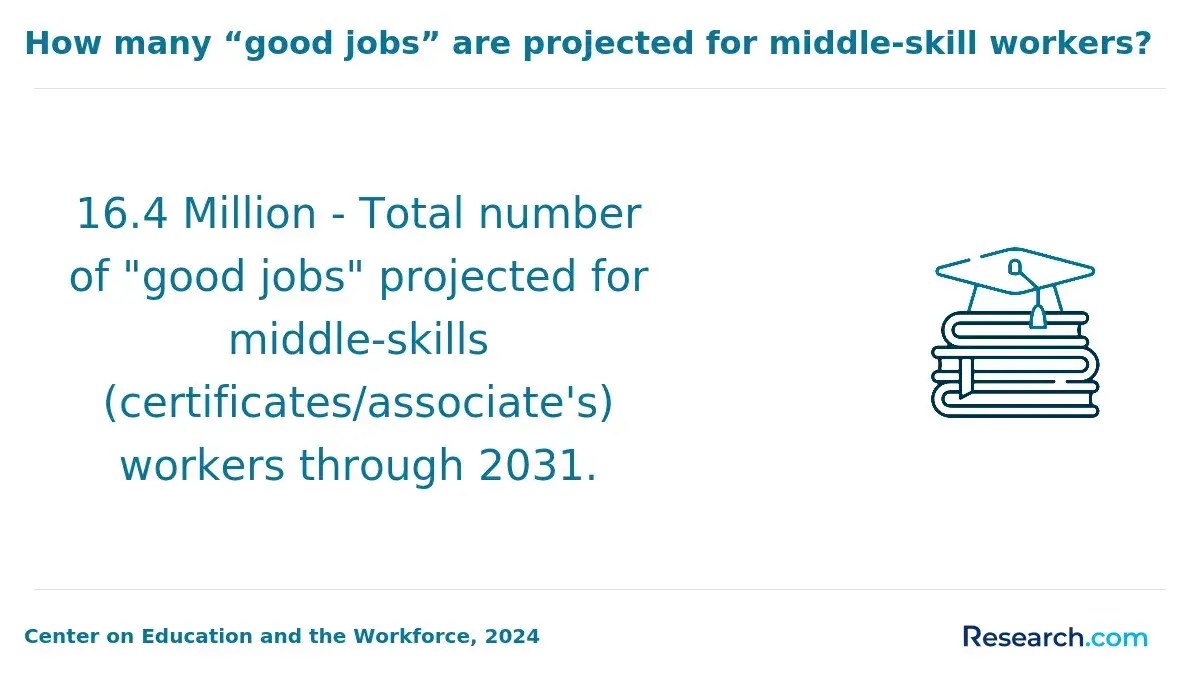
Most IT students start with an associate degree, bachelor's degree, graduate certificate, or master's degree. A bachelor's degree is the most common baseline for professional IT roles, while associate programs can be a lower-cost entry point for support, help desk, and technician positions.
The degree level you choose should match your current education, timeline, and career target. The comparison below summarizes the typical role of each credential in an IT pathway.
| Credential | Typical length | Who it fits | Common prerequisite |
| Certificate or bootcamp-style program | A few months to one year | Career changers or students adding a narrow skill such as cloud, networking, or cybersecurity | Varies; some require basic computer literacy only |
| Associate degree in IT | About two years full time | Students seeking a lower-cost start or transfer pathway | High school diploma or equivalent |
| Bachelor's degree in IT | About four years full time | Students targeting professional IT, security, systems, analytics, or management-track roles | High school diploma or transfer credits |
| Graduate certificate | Usually less than one year | Working professionals who need a specialization without a full master's program | Bachelor's degree, often in IT or a related field |
| Master's degree in IT or information systems | One to three years depending on format | Professionals seeking leadership, architecture, analytics, security, or consulting roles | Bachelor's degree; bridge courses may be required for nontechnical majors |
Prerequisites vary by school, but students benefit from basic algebra, writing, problem-solving, and comfort with computers before starting. For bachelor's programs, calculus is less common than in computer science, but discrete math, statistics, and programming logic may still be required. For master's programs, students without prior coursework in programming, databases, or networking may need foundation courses before advanced classes.
A degree is not the only possible starting point. Students who already have a degree in another field may be able to use certificates, employer training, or vendor credentials to move into IT support, cloud, or security operations. However, a degree can be more useful when employers require a bachelor's credential for analyst, administrator, management, or federal contractor roles.
How do online IT programs compare to campus-based degrees for quality and outcomes?
Online and campus-based IT programs can lead to similar academic outcomes when they are properly accredited, use the same faculty standards, and include real lab work. The real difference is not whether the program is online; it is whether the format gives you enough structure, support, hands-on practice, and employer exposure.
Online learning is now mainstream in U.S. higher education. Recent NCES distance education reporting shows that millions of U.S. college students take at least one online course, which means employers are generally more familiar with online credentials than they were a decade ago. Still, students should judge each program individually rather than assuming all online degrees are equal.
The table below compares the practical trade-offs that usually matter most when choosing between an online and campus-based IT degree.
| Factor | Online IT program | Campus-based IT program | How to decide |
| Schedule flexibility | Often better for working adults and caregivers | More fixed meeting times | Choose online if you need to study around work; choose campus if structure keeps you accountable |
| Hands-on labs | Can be strong if the school uses virtual labs, cloud sandboxes, and proctored assessments | May offer physical networking, hardware, and security labs | Ask whether labs are simulated, cloud-based, or equipment-based |
| Networking and internships | Depends heavily on career services and local employer connections | May provide easier access to campus recruiting and clubs | Compare internship placement support, not just course delivery |
| Cost | May reduce commuting and housing costs | May offer stronger local scholarships or in-state campus rates | Compare total cost of attendance, not tuition alone |
| Student support | Best when advising, tutoring, tech support, and career coaching are available remotely | Best when students use in-person advising, labs, and faculty hours | Ask how quickly online students receive help when labs break or assignments are unclear |
Online programs make sense if you are self-directed, need flexibility, or want to keep working while studying. Campus programs may be better if you want in-person labs, student organizations, local internships, or a more structured weekly routine. If you are comparing schools, lists of the most reputable online universities can be a useful starting point, but you should still verify the specific IT department's accreditation, curriculum, and outcomes.
What core courses and specializations are typically offered in IT majors?
IT majors usually combine computing fundamentals, business context, security awareness, and applied projects. The best programs do not just teach tools; they help students understand how systems, users, data, risk, and organizations interact.
Most bachelor's-level IT curricula include a core sequence before students specialize. These courses matter because they build the foundation for internships, certifications, and advanced electives.
- Programming fundamentals, often using Python, Java, JavaScript, or scripting languages used in automation.
- Networking concepts, including TCP/IP, routing, switching, wireless networks, and network troubleshooting.
- Database management, including SQL, data modeling, normalization, and basic database administration.
- Systems administration, including operating systems, servers, virtualization, identity management, and endpoint support.
- Cybersecurity foundations, including access control, risk management, secure configuration, and incident response basics.
- Cloud and infrastructure concepts, including common platform services, storage, compute, monitoring, and cost control.
- Project management and communication, including documentation, stakeholder analysis, agile methods, and team delivery.
- Capstone or practicum projects, where students solve a realistic IT problem and produce evidence for a portfolio.
Specializations help you turn a broad IT degree into a clearer career signal. Before choosing one, compare the courses against job postings in your target region and look for projects that produce portfolio evidence.
| Specialization | Skills emphasized | Good choice if you want roles in |
| Cybersecurity | Security monitoring, vulnerability management, governance, incident response | Security operations, compliance, risk, defense contracting |
| Cloud computing | Cloud architecture basics, automation, containers, infrastructure services | Cloud support, DevOps support, platform operations |
| Data analytics | SQL, visualization, statistics, data cleaning, business reporting | Analytics, business intelligence, operations analysis |
| Network administration | Routing, switching, wireless, troubleshooting, network security | Network support, systems administration, infrastructure operations |
| IT management | Project planning, budgeting, vendor management, service delivery | IT coordination, technical project management, business systems analysis |
| Software and web applications | Application development, APIs, testing, user experience, deployment | Application support, junior development, QA, web operations |
AI is changing IT coursework, but it is not replacing fundamentals. Students should expect more emphasis on automation, AI-assisted troubleshooting, data governance, cybersecurity risks from generative AI, and ethical technology use. A strong program teaches students how to validate AI outputs, document decisions, and maintain secure systems rather than simply use tools without understanding them.
How long do IT degrees take, and what do they cost at U.S. colleges?
IT degree timelines depend on credential level, transfer credits, course load, and whether the program is semester-based, accelerated, or competency-based. A traditional bachelor's degree takes about four years of full-time study, but transfer students and working adults may finish faster or slower depending on credit acceptance and course availability.
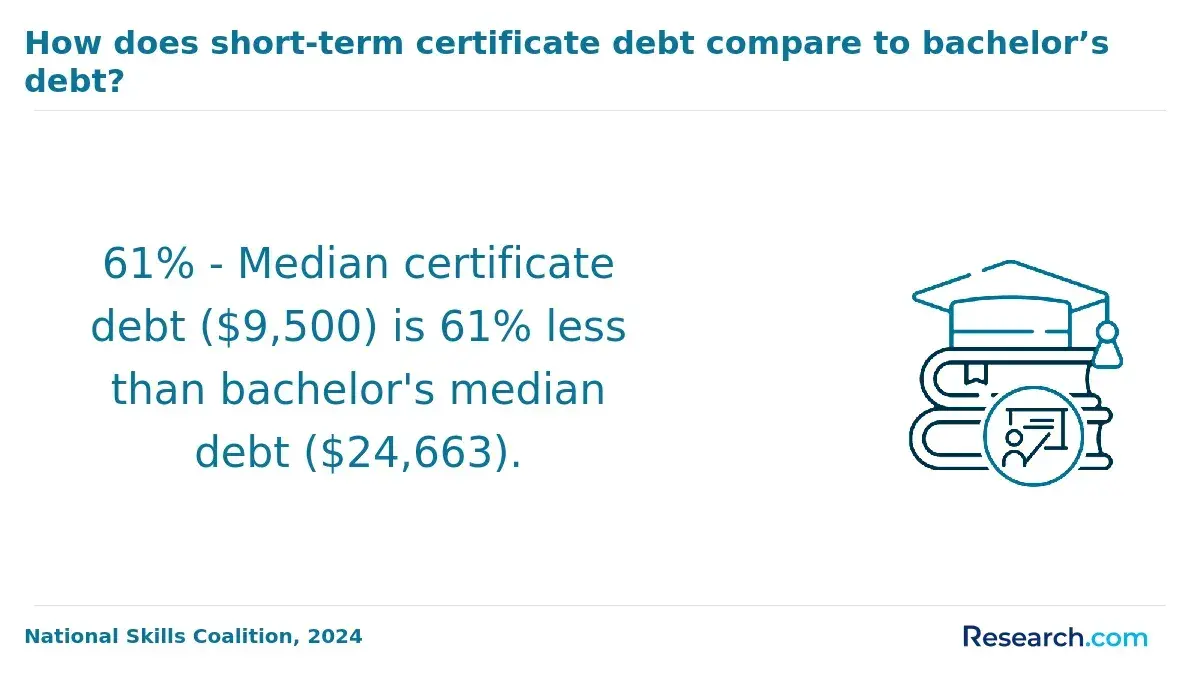
Cost varies widely across U.S. colleges. College Board's 2024 Trends in College Pricing reported the following average published tuition and fees for full-time undergraduates in 2024-25; these figures do not include housing, books, transportation, or personal expenses, so use them as starting estimates rather than final bills.
- Public four-year in-state: $11,610 per year
- Public four-year out-of-state: $30,780 per year
- Private nonprofit four-year: $43,350 per year
For IT students, the cheapest option is not always the best value. A slightly more expensive program may be worthwhile if it offers stronger transfer policies, employer-recognized certifications, paid internships, current cloud labs, and career placement support. On the other hand, a low-cost community college transfer pathway can be smart if credits are guaranteed to apply toward a bachelor's degree.
Use these practical steps to estimate your real cost before enrolling.
- Ask for a full program cost estimate that includes tuition, fees, technology fees, books, certification exam costs, lab fees, and graduation fees.
- Confirm how many transfer credits the school will accept and whether they apply to major requirements or only electives.
- Compare net price after grants and scholarships, not just the advertised tuition rate.
- Check whether the program includes certification vouchers or requires you to pay for exams separately.
- Ask how often required IT courses are offered, because delayed courses can increase housing, transportation, or opportunity costs.
Students considering graduate study should also compare master's programs by outcomes and career alignment, not just prestige. Some technology, analytics, and information systems programs appear on lists of the most valuable masters degrees, but value depends on your target role, employer support, and whether the curriculum fills a real skills gap.
What admission requirements do U.S. colleges have for IT bachelor's and master's programs?
Admission requirements for IT programs are usually more accessible than highly selective engineering or computer science programs, but requirements still vary by school. Public universities, private nonprofit institutions, and online colleges may all have different GPA standards, placement tests, transfer rules, and prerequisite expectations.
The table below summarizes common requirements for U.S. IT bachelor's and master's programs. Always confirm details with the institution because admissions policies can change by campus, modality, and applicant type.
| Requirement area | Bachelor's in IT | Master's in IT or information systems |
| Prior education | High school diploma, GED, or transfer credits | Bachelor's degree from an accredited institution |
| GPA | Commonly reviewed, with some schools using minimums or holistic review | Often around a 3.0 expectation, though conditional admission may be possible |
| Math readiness | College algebra, precalculus, statistics, or placement-based math | May require statistics, discrete math, or quantitative readiness depending on the program |
| Technical background | Usually not required for first-year admission | Programming, databases, networking, or bridge courses may be required |
| Tests | SAT or ACT may be optional at many schools | GRE is often optional or waived, especially for professional programs |
| Application materials | Transcripts, application form, possible essay, and financial aid documents | Transcripts, resume, statement of purpose, recommendations, and sometimes interview |
Transfer students should pay special attention to articulation agreements. A course may transfer to the university but not count toward the IT major, which can add time and cost. Ask the program to provide a written degree audit before you commit.
If you are not academically ready, do not assume you have to abandon IT. Many students start with community college, bridge courses, tutoring, or a less math-heavy applied IT program. If your priority is completion speed and flexibility, guides to the easiest degree to get online can help you compare workload expectations, but you should still choose a major that supports your career goal.
What entry-level and advanced careers can you pursue with an IT degree?
An IT degree can lead to support, infrastructure, security, analytics, cloud, and management roles. The best first job is often not the highest-paying title; it is the job that gives you hands-on responsibility, mentorship, and a path toward specialization.
Entry-level IT roles usually focus on troubleshooting, documentation, monitoring, user support, and system maintenance. Advanced roles require deeper technical judgment, business understanding, leadership, or specialization.
| Career stage | Typical roles | What the work usually involves | Useful preparation |
| Entry level | Help desk technician, IT support specialist, desktop support analyst | Resolving user issues, configuring devices, documenting tickets, escalating incidents | Internship, CompTIA A+ style knowledge, customer service, troubleshooting portfolio |
| Early career specialization | Network technician, junior systems administrator, SOC analyst, database support associate | Monitoring systems, supporting infrastructure, handling alerts, maintaining access and backups | Networking labs, security labs, Linux or Windows administration, basic scripting |
| Mid-career | Systems administrator, cybersecurity analyst, cloud administrator, data analyst, business systems analyst | Managing platforms, improving reliability, analyzing risk or data, coordinating with business units | Certifications, project evidence, stronger documentation, stakeholder communication |
| Advanced | Cloud architect, security engineer, IT manager, solutions architect, information systems manager | Designing systems, leading teams, setting standards, managing vendors, aligning IT with strategy | Leadership experience, advanced certifications, graduate study or specialized training |
Students who want remote-friendly careers should think carefully about specialization. Support roles may require hybrid or onsite work when hardware is involved, while cloud, cybersecurity monitoring, data analytics, software support, and systems analysis may offer more remote options depending on employer policy. If flexibility is a top priority, researching the best degree for remote work can help you compare IT with adjacent fields such as data analytics, software development, and digital business.
To improve your chances of landing a first IT role, build evidence while you study. Employers often respond better to proof of skills than to course titles alone.
- Create a small portfolio with screenshots, architecture diagrams, scripts, dashboards, security lab write-ups, or database projects.
- Complete at least one internship, co-op, campus IT job, or volunteer technology project before graduation.
- Practice explaining technical problems in plain language because support and analyst roles require communication with nontechnical users.
- Use certifications strategically; choose credentials that match your target role instead of collecting unrelated exams.
- Track job postings in your region and adjust electives toward tools employers actually request.
What are typical IT salaries and how do they vary by role and location?
IT salaries vary by role, experience, industry, location, security clearance, certifications, and the complexity of the systems you support. BLS May 2024 data reported a median annual wage of $105,990 for computer and IT occupations overall, but that broad category includes both entry-level support jobs and advanced architecture, software, security, and management roles.
The table below shows selected U.S. median annual wages from BLS May 2024 occupational data. Use these figures as labor-market benchmarks, not guaranteed outcomes for any specific graduate.
| Role category | Median annual wage | How to interpret it |
| Computer support specialists | $61,550 | Often a starting point for students building experience in troubleshooting and user support |
| Network and computer systems administrators | $96,800 | Reflects roles that maintain servers, networks, accounts, and enterprise systems |
| Computer systems analysts | $103,790 | Fits students who combine technical analysis with business process improvement |
| Information security analysts | $124,910 | Usually requires security skills, risk awareness, and often prior IT experience |
| Software developers, QA analysts, and testers | $133,080 | More coding-focused than many IT roles, but accessible through applied software concentrations |
| Computer and information systems managers | $171,200 | Typically reflects leadership roles requiring experience beyond an entry-level degree |
Location can change salary expectations substantially. Large metro areas with finance, technology, defense, healthcare, and cloud infrastructure employers often pay more, but housing and commuting costs can absorb some of that premium. Rural and smaller-market roles may offer lower pay but faster responsibility growth or lower living costs.
When evaluating return on investment, compare expected debt with realistic starting roles rather than advanced-role medians. Students considering advanced study should also remember that doctorates are rarely required for mainstream IT roles; if research, teaching, or executive-level specialization is your goal, compare total cost carefully and look for options similar to the cheapest doctorate degree pathways before committing.
What is the job outlook for IT professionals and which fields are in highest demand?
The job outlook for IT professionals is strong overall, but demand is not evenly distributed across every role. Employers are investing in cybersecurity, cloud migration, data platforms, automation, AI governance, and digital operations, while some routine support tasks are being streamlined through self-service tools and automation.
Recent BLS projections show especially strong demand for information security analysts, with projected growth far above the average for all occupations. For students, this means cybersecurity can be a strong specialization, but it is not usually an instant entry-level shortcut; many security roles still expect networking, systems, scripting, or operations experience.
The highest-demand IT fields tend to share one feature: they reduce business risk or improve scalability. These areas are especially worth watching when selecting electives, internships, and certifications.
- Cybersecurity, including security operations, incident response, identity management, governance, risk, and compliance.
- Cloud infrastructure, including platform administration, cloud security, cost management, and automation.
- Data analytics and business intelligence, especially roles that connect data quality with business decisions.
- AI operations and governance support, including model monitoring, data privacy, secure tool adoption, and workflow automation.
- Healthcare, finance, education, government, and logistics IT, where legacy systems and compliance needs create ongoing demand.
AI will change tasks more than it will eliminate the need for skilled IT workers. Entry-level professionals may use AI tools for documentation, scripting suggestions, ticket triage, and knowledge-base search. However, employers still need people who can verify outputs, secure systems, protect data, communicate with users, and take responsibility when technology fails.
Students should avoid choosing a specialization only because it is trendy. A better strategy is to build a durable foundation in networking, systems, security, databases, scripting, and communication, then add a specialization that matches the type of problems you enjoy solving.
How can you choose an accredited, reputable IT program that fits your goals?
Choosing an IT program should be a structured evaluation, not a quick decision based on advertising, rankings, or tuition alone. A reputable program should be transparent about accreditation, curriculum, faculty qualifications, student support, credit transfer, career services, and outcomes.
Start with accreditation. At minimum, the institution should hold recognized institutional accreditation from an accreditor accepted by the U.S. Department of Education or CHEA. Programmatic accreditation, such as ABET accreditation for some computing programs, is not required for every IT job, but it can signal that the curriculum has been reviewed against computing education standards.
Use the following checklist when comparing IT programs. It is designed to help you find red flags before you spend money or transfer credits.
- Verify institutional accreditation directly through official accreditation databases, not only on the school's marketing pages.
- Ask whether the IT program has programmatic accreditation or external curriculum review, especially if you want a highly structured computing degree.
- Request a sample degree plan showing when each required course is offered and whether prerequisites could delay graduation.
- Review the lab environment and ask whether students use current cloud platforms, virtual networks, cybersecurity ranges, databases, and collaboration tools.
- Check whether the program maps to certifications such as CompTIA, Cisco, AWS, Microsoft, Google Cloud, or security credentials that match your target role.
- Ask for internship support, employer partnerships, career coaching, portfolio guidance, and job placement information specific to IT students.
- Confirm transfer credit policies in writing before enrolling, especially for technical courses that may expire or transfer only as electives.
- Compare net price, graduation requirements, student support, and outcomes together rather than choosing the lowest tuition automatically.
Common mistakes include choosing a school without checking accreditation, assuming an online program is easier, picking cybersecurity without learning networking fundamentals, ignoring total cost, and relying on rankings without verifying the actual curriculum. If you want an online pathway, review reputable-school resources carefully, but remember that the best choice is the program that fits your target role, learning style, schedule, and budget.
Other Things You Should Know About
Information technology can be a good major for students who want applied computing skills, broad career options, and pathways into support, systems, cloud, cybersecurity, analytics, or IT management. It is best for students who like solving practical problems and working with both technology and people.
IT is often more applied and may involve less advanced math and theory than computer science, but it is not automatically easy. Strong IT programs still require networking, databases, security, scripting, troubleshooting, documentation, and hands-on labs.
Yes, some people enter IT through certifications, military experience, apprenticeships, bootcamps, or help desk roles. However, a degree can help with advancement, analyst roles, management tracks, and employers that require a bachelor's credential.
Choose cybersecurity if you like risk and defense, cloud if you like infrastructure and automation, data analytics if you like reporting and decisions, networking if you like connectivity and troubleshooting, and IT management if you want to coordinate people, systems, and business needs.
References
- Entry-Level IT Career Paths That Don’t Require a Computer Science Degree https://ccitraining.edu/blog/entry-level-it-jobs-no-degree/
- What are the different careers in IT? - SEEK New Zealand https://nz.seek.com/career-advice/article/what-are-the-different-careers-in-it
- Average Cost of College [2025]: Yearly Tuition + Expenses https://educationdata.org/average-cost-of-college
- 5 Steps to Choose the Right Online Course for Your Goals https://www.upskillist.com/blog/5-steps-to-choose-the-right-online-course-for-your-goals/
- The US universities accepting a 3-year bachelor’s degree: A brief guide https://www.avanse.com/blog/the-us-universities-accepting-a-3-year-bachelors-degree-a-brief-guide
- Online Degree vs. Traditional: Choosing the Right Path https://beal.edu/online-degree-vs-traditional/
- How to Choose the Right Degree for Your Career Goals https://www.odljain.com/blog/how-to-choose-the-right-degree-program-for-your-career-goals.html
- Computer Science Programs: Cost, Types, What to Expect https://www.computerscience.org/degrees/
- Choosing the Right Degree: How to Find the Path That Fits Your Goals - CIS University https://www.cis-spain.com/en/blog/choosing-the-right-degree-how-to-find-the-path-that-fits-your-goals/
- Jobs you can get with an IT degree | Monroe University https://www.monroeu.edu/academics/undergraduate-programs/school-information-technology/jobs-with-degree-in-it