
Nimble vs Zendesk Sell – 2027 Comparison

Co-Founder and Chief Data Scientist
Nimble vs Zendesk Sell Table of Contents
- What is Nimble?
- Who is Nimble for?
- Key benefits of Nimble?
- What is Zendesk Sell?
- Who is Zendesk Sell for?
- Key Benefits of Zendesk Sell
- Who are Nimble and Zendesk Sell best for?
- Nimble vs Zendesk Sell Feature Comparison
- Nimble vs Zendesk Sell Pricing
- Exploring Advanced Features: Integration Between CRM and Billing Solutions
- Nimble Pros and Cons
- How do appointment scheduling integrations impact CRM performance?
- Zendesk Sell Pros and Cons
- How can Nimble and Zendesk Sell improve CRM beyond sales?
- Verdict – Nimble vs Zendesk Sell: Which software is better?
What is Nimble?
Nimble is a social sales and marketing companies can track sales, manage contacts, create tasks for follow-up reminders, and view communication logs from any location. It is intended for business teams, solopreneurs, and relationship-driven salespeople who value building relationships over just tracking revenue and deals.
Nimble works across all channels, including Gmail, Outlook, LinkedIn, and social media, and enhances contacts with social and business data. Moreover, Workflows from Nimble handle people-related tasks, and its Prospector browser addon helps users get important information about leads and prospects before agents reach out to them. Nimble has been assisting business teams and solopreneurs for more than a decade.
Featured CRM Software Products

$9 to $150/user/month
Yes, up to 2 users
E-signature software, call transcription, conversation routing
Editor's Take
HubSpot CRM is a powerful customer relationship management platform designed to help businesses manage their sales, marketing, and customer service efforts in one centralized place. Its user-friendly interface allows teams to track leads, monitor customer interactions, and automate sales pipelines. With built-in tools for email marketing, contact management, and analytics, HubSpot CRM provides deep insights into customer behavior and sales performance. The platform also supports seamless collaboration between marketing and sales teams through real-time updates and integrations with tools like Gmail, Outlook, and Slack. Additionally, its automation features help reduce manual tasks, enabling teams to focus on building relationships and closing deals. HubSpot CRM is scalable, making it ideal for businesses of all sizes, from startups to large enterprises.
Expert Score
In evaluating SaaS software, a comprehensive and structured methodology ensures a fair and accurate comparison across key metrics. This approach focuses on the most critical aspects that affect user experience, functionality, and business value. The following metrics—general features, cost, customer service, integrations, and mobile support—are evaluated to provide a holistic view of each software solution’s strengths and weaknesses. These metrics are selected based on their direct impact on software usability, scalability, and long-term effectiveness for businesses.
1. General Features - scoring weight 40%
This metric evaluates the core functionalities and tools the software offers. It involves assessing the comprehensiveness of the features, their relevance to the target users, and the ease of use. This is important because robust and well-designed features determine the software's overall utility and efficiency in solving user problems.
2. Cost - scoring weight 15%
Cost analysis focuses on pricing models, value for money, and scalability. It's crucial to evaluate whether the software’s features justify its price, considering different plans for small and large organizations. This is vital for businesses to ensure they invest in cost-effective solutions that fit their budget.
3. Customer Service - scoring weight 15%
This evaluates the responsiveness, quality, and availability of customer support, including channels like chat, email, or phone. Good customer service is essential for troubleshooting and ensuring smooth software usage, which reduces downtime and frustration for users.
4. Integrations - scoring weight 15%
This examines how well the software integrates with third-party tools (e.g., CRM, payment systems, collaboration apps). Seamless integrations are key for creating a unified workflow and enhancing productivity by connecting multiple systems, which is crucial for operational efficiency.
5. Mobile Support - scoring weight 15%
Mobile support assesses the software’s functionality and performance on mobile devices, including apps and mobile web versions. With increasing remote work and on-the-go usage, strong mobile support is critical to ensure users can access and utilize the software effectively, regardless of location.

Custom
No
Sales automation, customer service, marketing
Editor's Take
NetSuite CRM is a comprehensive customer relationship management solution designed to support businesses in managing their entire customer lifecycle. It offers a full suite of tools for sales automation, customer service, marketing, and partner management, helping teams improve efficiency and build stronger customer relationships. With real-time visibility into customer interactions, NetSuite CRM enables businesses to track leads, manage opportunities, and forecast sales accurately. Its built-in analytics and reporting features provide deep insights into sales performance and customer behavior. NetSuite CRM integrates seamlessly with NetSuite’s enterprise resource planning (ERP) system, offering a unified platform for managing business operations. This scalability and flexibility make it ideal for growing businesses and enterprises seeking an all-in-one solution for customer relationship management.
Expert Score
In evaluating SaaS software, a comprehensive and structured methodology ensures a fair and accurate comparison across key metrics. This approach focuses on the most critical aspects that affect user experience, functionality, and business value. The following metrics—general features, cost, customer service, integrations, and mobile support—are evaluated to provide a holistic view of each software solution’s strengths and weaknesses. These metrics are selected based on their direct impact on software usability, scalability, and long-term effectiveness for businesses.
1. General Features - scoring weight 40%
This metric evaluates the core functionalities and tools the software offers. It involves assessing the comprehensiveness of the features, their relevance to the target users, and the ease of use. This is important because robust and well-designed features determine the software's overall utility and efficiency in solving user problems.
2. Cost - scoring weight 15%
Cost analysis focuses on pricing models, value for money, and scalability. It's crucial to evaluate whether the software’s features justify its price, considering different plans for small and large organizations. This is vital for businesses to ensure they invest in cost-effective solutions that fit their budget.
3. Customer Service - scoring weight 15%
This evaluates the responsiveness, quality, and availability of customer support, including channels like chat, email, or phone. Good customer service is essential for troubleshooting and ensuring smooth software usage, which reduces downtime and frustration for users.
4. Integrations - scoring weight 15%
This examines how well the software integrates with third-party tools (e.g., CRM, payment systems, collaboration apps). Seamless integrations are key for creating a unified workflow and enhancing productivity by connecting multiple systems, which is crucial for operational efficiency.
5. Mobile Support - scoring weight 15%
Mobile support assesses the software’s functionality and performance on mobile devices, including apps and mobile web versions. With increasing remote work and on-the-go usage, strong mobile support is critical to ensure users can access and utilize the software effectively, regardless of location.

$25 per user per month
14 days
marketing automation, sales automation, no code customization
Editor's Take
CRM Creatio is a comprehensive customer relationship management (CRM) solution designed to streamline and enhance business processes across sales, marketing, and customer service functions. Known for its low-code platform, Creatio allows businesses to customize and automate workflows without requiring extensive technical expertise. This adaptability makes it particularly appealing to organizations seeking to align the software with their specific needs.
The platform's marketing module provides tools for multi-channel campaign management, lead generation, and personalized customer engagement. Its sales module offers functionality for pipeline management, opportunity tracking, and analytics to help teams close deals more efficiently. Additionally, the customer service module supports case management, service level agreement (SLA) monitoring, and omnichannel communication, enabling businesses to provide exceptional customer support.
Creatio stands out with its intuitive interface, robust analytics, and AI-powered tools that provide actionable insights. The low-code development tools allow non-technical users to create applications and automate processes, reducing the dependency on IT teams. Integration capabilities with other software platforms and APIs enhance its utility, making it a versatile choice for businesses of all sizes.
Overall, CRM Creatio is a powerful solution that combines user-friendly design with advanced customization and automation features. Its adaptability and low-code foundation position it as a strong contender for organizations looking to optimize customer relationship management processes while maintaining flexibility for growth and innovation.
Expert Score
In evaluating SaaS software, a comprehensive and structured methodology ensures a fair and accurate comparison across key metrics. This approach focuses on the most critical aspects that affect user experience, functionality, and business value. The following metrics—general features, cost, customer service, integrations, and mobile support—are evaluated to provide a holistic view of each software solution’s strengths and weaknesses. These metrics are selected based on their direct impact on software usability, scalability, and long-term effectiveness for businesses.
1. General Features - scoring weight 40%
This metric evaluates the core functionalities and tools the software offers. It involves assessing the comprehensiveness of the features, their relevance to the target users, and the ease of use. This is important because robust and well-designed features determine the software's overall utility and efficiency in solving user problems.
2. Cost - scoring weight 15%
Cost analysis focuses on pricing models, value for money, and scalability. It's crucial to evaluate whether the software’s features justify its price, considering different plans for small and large organizations. This is vital for businesses to ensure they invest in cost-effective solutions that fit their budget.
3. Customer Service - scoring weight 15%
This evaluates the responsiveness, quality, and availability of customer support, including channels like chat, email, or phone. Good customer service is essential for troubleshooting and ensuring smooth software usage, which reduces downtime and frustration for users.
4. Integrations - scoring weight 15%
This examines how well the software integrates with third-party tools (e.g., CRM, payment systems, collaboration apps). Seamless integrations are key for creating a unified workflow and enhancing productivity by connecting multiple systems, which is crucial for operational efficiency.
5. Mobile Support - scoring weight 15%
Mobile support assesses the software’s functionality and performance on mobile devices, including apps and mobile web versions. With increasing remote work and on-the-go usage, strong mobile support is critical to ensure users can access and utilize the software effectively, regardless of location.

$8/per user/per month
Yes
customizable dashboards, automated follow-ups, advanced analytics
Editor's Take
monday.com Sales CRM is a customizable platform designed to streamline sales processes, enhance team collaboration, and improve pipeline visibility. Its intuitive interface enables users to manage leads, track deals, and automate repetitive tasks with ease. The CRM integrates seamlessly with popular tools like Gmail, Slack, and HubSpot, ensuring a centralized workflow. Features like customizable dashboards, automated follow-ups, and advanced analytics help sales teams stay organized and focused on closing deals. With scalability in mind, monday.com caters to businesses of all sizes, offering flexible pricing plans and robust customer support. It’s an excellent choice for teams seeking efficiency and adaptability.
Expert Score
In evaluating SaaS software, a comprehensive and structured methodology ensures a fair and accurate comparison across key metrics. This approach focuses on the most critical aspects that affect user experience, functionality, and business value. The following metrics—general features, cost, customer service, integrations, and mobile support—are evaluated to provide a holistic view of each software solution’s strengths and weaknesses. These metrics are selected based on their direct impact on software usability, scalability, and long-term effectiveness for businesses.
1. General Features - scoring weight 40%
This metric evaluates the core functionalities and tools the software offers. It involves assessing the comprehensiveness of the features, their relevance to the target users, and the ease of use. This is important because robust and well-designed features determine the software’s overall utility and efficiency in solving user problems.
2. Cost - scoring weight 15%
Cost analysis focuses on pricing models, value for money, and scalability. It’s crucial to evaluate whether the software’s features justify its price, considering different plans for small and large organizations. This is vital for businesses to ensure they invest in cost-effective solutions that fit their budget.
3. Customer Service - scoring weight 15%
This evaluates the responsiveness, quality, and availability of customer support, including channels like chat, email, or phone. Good customer service is essential for troubleshooting and ensuring smooth software usage, which reduces downtime and frustration for users.
4. Integrations - scoring weight 15%
This examines how well the software integrates with third-party tools (e.g., CRM, payment systems, collaboration apps). Seamless integrations are key for creating a unified workflow and enhancing productivity by connecting multiple systems, which is crucial for operational efficiency.
5. Mobile Support - scoring weight 15%
Mobile support assesses the software’s functionality and performance on mobile devices, including apps and mobile web versions. With increasing remote work and on-the-go usage, strong mobile support is critical to ensure users can access and utilize the software effectively, regardless of location.

$7 per user per month billed annually
15 days
lead generation, sales pipeline management, workflow automation
Editor's Take
Zoho CRM is a flexible and comprehensive customer relationship management platform designed to help businesses manage and grow their customer relationships effectively. With tools for lead generation, sales pipeline management, workflow automation, and analytics, Zoho CRM is suitable for businesses of all sizes across a variety of industries.
Zoho CRM enables teams to streamline sales processes by capturing leads from multiple channels, tracking interactions, and managing every stage of the sales cycle. The platform offers customizable dashboards and reports, providing insights into sales performance and customer behaviors to help make data-driven decisions. With powerful automation features, Zoho CRM allows businesses to set up workflows for routine tasks like follow-ups, lead scoring, and email notifications, reducing manual work and enhancing productivity. The platform integrates with popular tools, including the Zoho suite, Microsoft 365, and G Suite, enabling a seamless connection across teams.
For businesses aiming to improve customer engagement, close deals faster, and enhance team collaboration, Zoho CRM delivers a scalable, user-friendly solution to drive sales and customer satisfaction.
Expert Score
In evaluating SaaS software, a comprehensive and structured methodology ensures a fair and accurate comparison across key metrics. This approach focuses on the most critical aspects that affect user experience, functionality, and business value. The following metrics—general features, cost, customer service, integrations, and mobile support—are evaluated to provide a holistic view of each software solution’s strengths and weaknesses. These metrics are selected based on their direct impact on software usability, scalability, and long-term effectiveness for businesses.
1. General Features - scoring weight 40%
This metric evaluates the core functionalities and tools the software offers. It involves assessing the comprehensiveness of the features, their relevance to the target users, and the ease of use. This is important because robust and well-designed features determine the software's overall utility and efficiency in solving user problems.
2. Cost - scoring weight 15%
Cost analysis focuses on pricing models, value for money, and scalability. It's crucial to evaluate whether the software’s features justify its price, considering different plans for small and large organizations. This is vital for businesses to ensure they invest in cost-effective solutions that fit their budget.
3. Customer Service - scoring weight 15%
This evaluates the responsiveness, quality, and availability of customer support, including channels like chat, email, or phone. Good customer service is essential for troubleshooting and ensuring smooth software usage, which reduces downtime and frustration for users.
4. Integrations - scoring weight 15%
This examines how well the software integrates with third-party tools (e.g., CRM, payment systems, collaboration apps). Seamless integrations are key for creating a unified workflow and enhancing productivity by connecting multiple systems, which is crucial for operational efficiency.
5. Mobile Support - scoring weight 15%
Mobile support assesses the software’s functionality and performance on mobile devices, including apps and mobile web versions. With increasing remote work and on-the-go usage, strong mobile support is critical to ensure users can access and utilize the software effectively, regardless of location.

By quote
Yes
Lead Management, Contact Management, Workflow Automation
Editor's Take
Salesforce CRM is a leading customer relationship management platform known for its robust functionality, scalability, and extensive customization options, making it suitable for businesses of all sizes, from startups to large enterprises. Built to streamline sales, marketing, customer service, and analytics, Salesforce CRM empowers teams to manage customer interactions, optimize workflows, and drive growth from a single, cloud-based platform.
Salesforce CRM provides a complete view of customer data, enabling teams to track interactions, manage leads, and automate tasks throughout the sales pipeline. With powerful tools for reporting and analytics, Salesforce offers insights into sales performance, customer trends, and campaign effectiveness, allowing teams to make data-driven decisions. The platform’s automation capabilities reduce manual workloads with customizable workflows, automated follow-ups, and lead scoring, ensuring a smooth customer journey. Integrations with thousands of third-party applications, along with its own suite of services, make Salesforce a highly adaptable solution for businesses looking to connect their CRM with other tools.
For organizations focused on enhancing customer engagement, improving team efficiency, and scaling their operations, Salesforce CRM delivers a powerful and versatile solution tailored to support long-term business growth.
Expert Score
In evaluating SaaS software, a comprehensive and structured methodology ensures a fair and accurate comparison across key metrics. This approach focuses on the most critical aspects that affect user experience, functionality, and business value. The following metrics—general features, cost, customer service, integrations, and mobile support—are evaluated to provide a holistic view of each software solution’s strengths and weaknesses. These metrics are selected based on their direct impact on software usability, scalability, and long-term effectiveness for businesses.
1. General Features - scoring weight 40%
This metric evaluates the core functionalities and tools the software offers. It involves assessing the comprehensiveness of the features, their relevance to the target users, and the ease of use. This is important because robust and well-designed features determine the software's overall utility and efficiency in solving user problems.
2. Cost - scoring weight 15%
Cost analysis focuses on pricing models, value for money, and scalability. It's crucial to evaluate whether the software’s features justify its price, considering different plans for small and large organizations. This is vital for businesses to ensure they invest in cost-effective solutions that fit their budget.
3. Customer Service - scoring weight 15%
This evaluates the responsiveness, quality, and availability of customer support, including channels like chat, email, or phone. Good customer service is essential for troubleshooting and ensuring smooth software usage, which reduces downtime and frustration for users.
4. Integrations - scoring weight 15%
This examines how well the software integrates with third-party tools (e.g., CRM, payment systems, collaboration apps). Seamless integrations are key for creating a unified workflow and enhancing productivity by connecting multiple systems, which is crucial for operational efficiency.
5. Mobile Support - scoring weight 15%
Mobile support assesses the software’s functionality and performance on mobile devices, including apps and mobile web versions. With increasing remote work and on-the-go usage, strong mobile support is critical to ensure users can access and utilize the software effectively, regardless of location.
Who is Nimble for?
In this section, our researchers include data on the user profile of Nimble vs Zendesk Sell so you have a better picture of the types of professionals, businesses, and industries that rely on these sales software products.
Nimble is a user-friendly, cost-effective solution that is favored by thousands of businesses globally. It is designed for a diverse range of users, needs, and industries and is particularly suitable for solopreneurs, sales professionals, and business teams. Many companies in various industries consider Nimble to be one of the best CRM solutions. The Nimble client list includes mostly organizations that have a maximum of 50 employees and belong to the sectors of technology, social media, marketing, consulting, and recruitment.
Key benefits of Nimble?
- Streamlines sales processes through database management, allowing sales professionals to save time and focus on engaging with prospects.
- Offers customizable deal pipelines and visual workflows so you can easily manage opportunities.
- Gathers data on the preferences, interests, and purchase history of customers so you can tailor your pitches better using this information.
- Provides analytics and lead capture with the help of custom web forms, allowing you to capitalize on new business opportunities.
- Integrates seamlessly with Microsoft 365 and Google Workspace, further improving the collaboration and productivity among sales teams and other departments.
What is Zendesk Sell?
Zendesk Sell, formerly Base CRM, is a sales CRM software for small, mid-market, and corporate firms looking to manage sales processes on a single platform. It is an all-inclusive software solution built to raise productivity and visibility. Zendesk Sell provides a service that expands to produce more leads, accelerates lead response times, and raises yearly revenue. It also provides real-time data reports so sales teams gain better insight into how they can streamline internal procedures and increase output and income.
The software also offers sales engagement tools and productivity solutions to help sales teams with their daily tasks, including email integration, bulk outreach, and automated sales triggers. Agents can also automatically interact with leads and prospects using text and phone features, templates and smart lists, power dialers, and customized email sequences. Zendesk also has top customer service software that is tailored to work perfectly with Sell so that salespeople and customer service representatives (CSRs) can work in tandem to provide a more personalized and quality experience to clients.
Who is Zendesk Sell for?
Zendesk Sell is ideal for sales teams that need to be savvier than ever. It helps build data-driven teams to unlock team productivity, keep up with customer expectations, and get full pipeline visibility. It is suitable for growing sales teams, scaling sales teams, multi-department sales teams, or teams with advanced needs. When comparing the industries of Nimble vs Zendesk Sell clients, both software services have customers from a few similar sectors such as technology and media. Zendesk also has clients from government, healthcare, manufacturing, non-profits, and travel and hospitality, among other industries. If you like what Zendesk has to offer so far but still feel this is not the right fit for you, you might find what you are looking for among Zendesk Sell alternatives.
Key benefits of Zendesk Sell?
- Increases productivity through tools for sales engagement, email integration, power dialer, task player, automatic call logs, templates, smart lists, and automated task sequences.
- Provides a full view of customer data and makes it easier for sales teams to manage account information, contacts, and leads in one place.
- Enables users to increase sales opportunities and success rates with features that improve lead management, such as the native automatic dialer that integrates with CRM systems.
- Allows customizations and access to large amounts of customer data so organizations can have a more flexible and tailor-made sales platform.
- Delivers real-time data and tracking of user and customer activity so teams can assess and accelerate internal processes.
Who are Nimble and Zendesk Sell best for?
In this section, we focus on use cases and examples of when you should choose Nimble vs Zendesk Sell and vice versa. This way, you can better assess which software for sales reps is better for you, your team, and your business.
Nimble is better for:
- Sales professionals, solopreneurs, and business teams who want to capture and analyze leads effectively.
- Companies that want to maximize productivity, streamline operations, and perform research and analytics.
- Small to medium-sized businesses (SMBs) that want to prioritize and nurture relationship-focused sales.
Zendesk Sell is better for:
- Sales teams that want to gain full pipeline visibility, keep up with customer expectations, unlock productivity, and make data-driven decisions.
- Sales professionals who want to have full context on customer data before calls or meetings as well as manage client information, contacts, and leads in one place.
- SMBs and enterprises that want an all-in-one platform for increasing visibility and productivity to grow sales and maximize resources.
Nimble vs Zendesk Sell Feature Comparison
Whatever business tool you are looking for, whether it is the best marketing automation solutions, accounting software, or sales CRM platforms, you want to ensure you get a product with features that will address your organizational needs. Our team did the research to provide a comparison and contrast of Nimble vs Zendesk Sell features so you have a better idea of what each one offers and if the former or latter performs better in a certain department. You can also go beyond by comparing Nimble alternatives.
Sales Management and Productivity
Nimble has a Prospector browser extension that helps in discovering and connecting with more leads in less time. It also lets you manage your contacts from any website, social site, or cloud application so you can quickly update contact information. You can also add tasks, attach files, log notes, tag contacts, set reminders, and send trackable email templates so you can quickly take action and follow up with your prospects and clients, thus, closing deals faster.
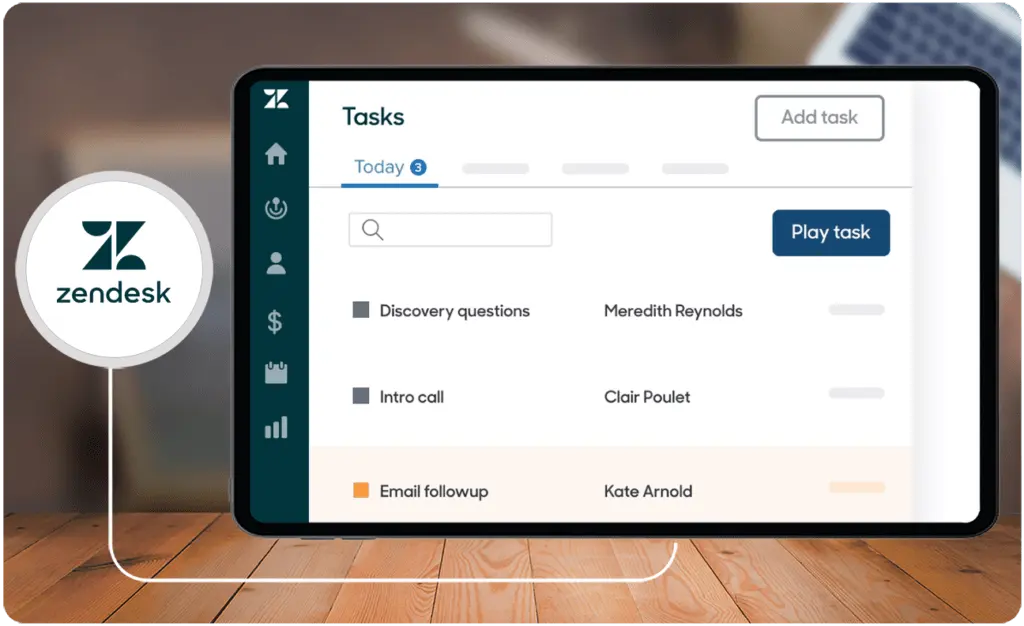
Zendesk Sell has a task player feature that is designed to make task completion easier and faster. It shows the context of a task at the top of the screen and details related to the task, such as contacts, leads, or deals, all on one page. The software also comes with several call and text features that can boost team productivity. For example, the power dialer is an automated system for dialing numbers that allows agents to increase their talk time minus the cumbersome task of having to punch in phone numbers for every single call.
Analysis and Reports
When comparing Nimble vs Zendesk Sell reporting and integrations, you want to check how well the software performs in providing data on pipeline analysis, campaign performance, leads acquired, deals closed, sales cycle length, customer satisfaction and loyalty, customer retention, as well as trends and patterns in customer behavior.
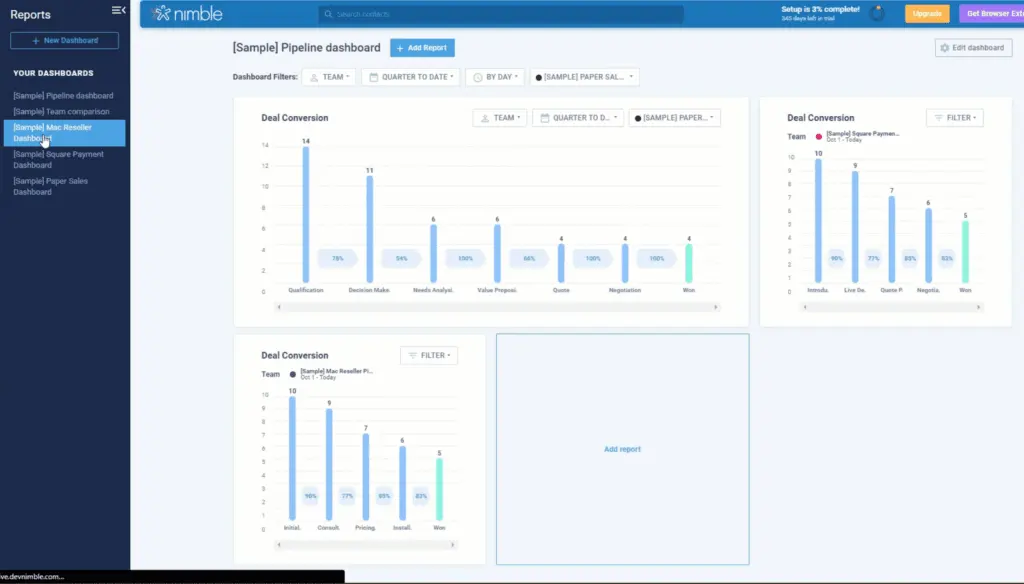
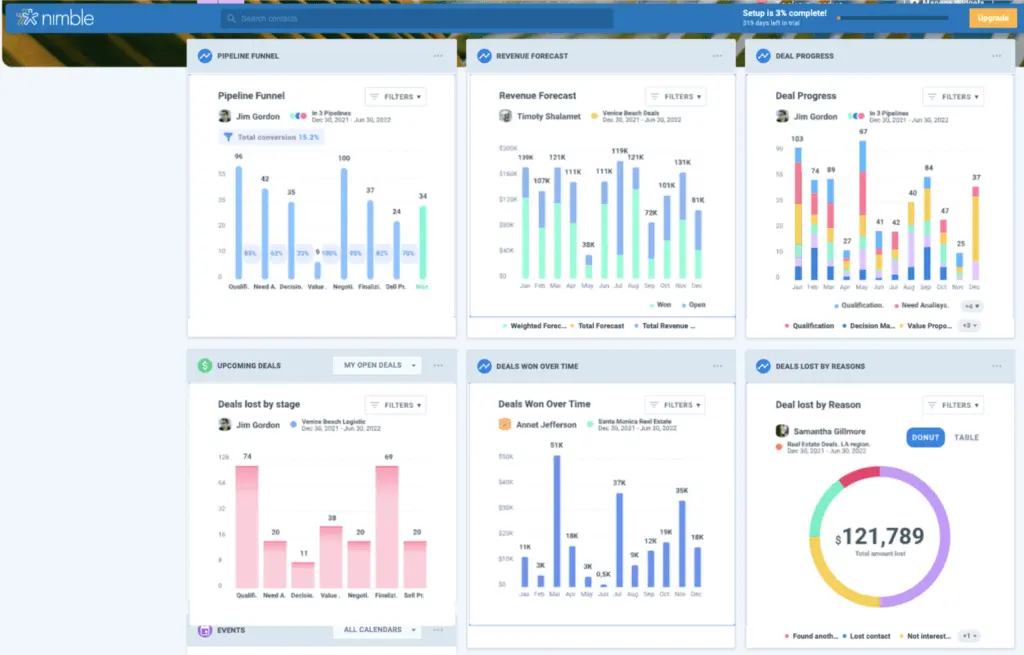
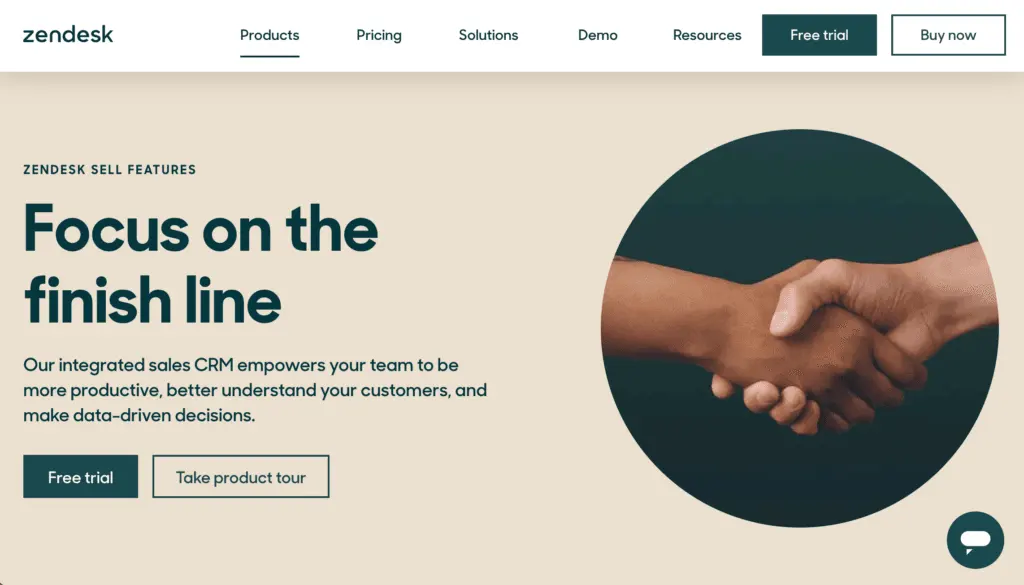
Nimble has multiple dashboards for reports. Users can build custom dashboards, manage comprehensive team reports, and view a variety of in-depth reports. Solo users can even access individual reports. With a new user interface introduced in January 2023, Nimble’s Reports UI was reimagined to be more user-friendly. Teams can also turn on privacy settings to limit who can view and edit report dashboards. Through customizations of multiple dashboards, organizations can efficiently gather data on their most profitable products or services, revenue forecast, the productivity of their sales team, create multiple variations of sales cycles per product or service, and more.
Meanwhile, Zendesk Sell has a Reports page on the Performance Dashboard. The types of reports you have access to will depend on the features you have enabled and the product subscription you choose. Reports on marketing effectiveness, performance dashboards, pipeline analysis, and sales performance are available with all types of plans. Higher-tiered plans include success insights, goals, activity reports, and advanced sales insights. The Zendesk Sell Performance Dashboard contains widgets that you can add, remove, and reorganize. By clicking on a widget, you can view and modify the settings for a certain dataset. Depending on your plan, you can access widgets for active deals, appointments, forecasts, new deals, pipeline coverage, revenue, revenue goal attainment, smart lists, tasks, and top deals.
Automation and AI
Through our research on Nimble vs Zendesk Sell features, we found out that Nimble’s automation capabilities tend to focus more on contact management and relationship nurturing. On the other hand, Zendesk Sell has automation features that improve sales efficiency.
One of Nimble’s AI-powered capabilities is Enrichment Credits which lets you update and complete your contacts with their latest phone number, email, location, company, and title. It also has Workflow Automations that enables program triggers and responses for adding tags, sending templated emails, creating notes, sending mobile or browser notifications, and more.
Similarly, Zendesk Sell also lets users create automated task actions to streamline workflows. However, you will need admin rights to use this capability. You can also automatically engage and follow up with leads, dial the next number on your call list, pull up client information, and send bulk emails to prospects and customers so you can streamline your outreach.
Nimble vs Zendesk Sell Pricing
As for the Nimble vs Zendesk Sell pricing, Nimble has a more straightforward pricing structure since it only has one plan available. As of this writing, each user is charged $29.90 per month with monthly payments or $24.90 per month with annual payments. The plan includes 2GB storage per user, 25,000 contact records, the Nimble Prospector browser extension, and integrations with Microsoft 365 and Google Workspace. You can add more contacts and storage, an online form builder, group messaging, and data enrichment capabilities for an additional fee per month.
Zendesk, on the other hand, offers three pricing plans. For an annual subscription for five agents, you can choose from either the Sell Team plan for $19 per agent per month, the Sell Growth plan for $55 per agent per month, or the Sell Professional plan for $115 per agent per month. You can also get a monthly subscription for all three types of plans but you can save more with the annual subscription in the long run. The most basic plan includes two customizable sales pipelines, email and calendar integrations, call tracking and recording, core APIs, text messaging, and pre-built sales dashboards.
Exploring Advanced Features: Integration Between CRM and Billing Solutions
For businesses striving to bridge the gap between customer relationship management (CRM) and financial operations, integrating CRM tools like Nimble and Zendesk Sell with billing solutions can offer significant advantages. This kind of integration ensures seamless data flow between sales and accounting, improving efficiency and reducing manual entry errors.
For example, when you synchronize CRM platforms with payroll billing software, you gain the ability to track customer interactions and automatically generate invoices based on closed deals. This streamlines financial processes, enables accurate forecasting, and reduces the risk of fragmented operations. CRM-billing integrations also help teams maintain a single source of truth for both customer data and payment records, fostering transparency across departments.
When evaluating integration capabilities, Zendesk Sell offers more extensive options (with over 1,600 available integrations), which can include billing tools, making it a potential choice for organizations prioritizing connectivity. However, Nimble’s direct compatibility with Google Workspace and Microsoft 365 may appeal to businesses already relying on these platforms for simplified integration setups.
By leveraging such combined capabilities, businesses can provide a more cohesive customer experience while efficiently managing their financial workflows. Whether you aim to automate invoicing, track payments, or monitor customer lifetime value, ensuring your CRM integrates with robust billing software is a strategic move toward operational excellence.
Nimble Pros and Cons
Nimble Pros
- Has seamless integrations with Google Workspace, Microsoft 365, and other social and web-based apps so you can easily unify and update your contacts and calendar.
- Its clean interface makes it easier even for first-time users to use and navigate the platform.
- Consolidates contact information from various sources and enriches customer and prospect data so agents can develop a more personalized relationship with clients.
Nimble Cons
- Offers only one plan with a price that some smaller sales teams or businesses with smaller budgets or ROI may find too expensive.
- You are limited to 25,000 contacts and 2GB storage per user and have to spend more if you require more than that.
- Nimble can do better with improved integrations and automation, such as being able to access or move email folders when using email within the platform.
How do appointment scheduling integrations impact CRM performance?
Integrating appointment scheduling tools with Nimble and Zendesk Sell can streamline meeting management and elevate CRM efficiency. By connecting with the best scheduling software, organizations can automate calendar synchronization, set up timely reminders, and reduce administrative overhead. This integration facilitates smoother lead follow-ups and enhances customer engagement by ensuring that appointments are efficiently managed and tracked in real time. The added layer of automation helps optimize resource allocation and delivers actionable insights on meeting patterns, ultimately driving higher conversion rates without altering the core CRM functionalities.
Zendesk Sell Pros and Cons
Zendesk Sell Pros
- All levels of plans include support in multiple languages, onboarding and adoption resources, on-demand training, guided learning paths, and access to the Zendesk help center and community.
- Sell’s native integration with Zendesk Support allows salespeople to access valuable context with customer issues and enhance the overall client experience.
- Sales teams can effectively prioritize and manage leads with the help of lead scoring, pipeline management and visibility, and activity tracking.
Zendesk Sell Cons
- Many of the advanced features are included only in higher-priced plans making it costly for those who need advanced tools and functionalities but are on a more limited budget.
- Does not come with built-in marketing features and it can be challenging to get a hold of customer support sometimes.
- Some users may find there is a bit of a learning curve and you may have to do a bit more exploring to locate certain tools and figure out how to effectively use them.
How can Nimble and Zendesk Sell improve CRM beyond sales?
Verdict – Nimble vs Zendesk Sell: Which software is better?
Through our research for this Nimble vs Zendesk Sell guide, we found out that both score pretty well in meeting requirements and ease of use, admin, and setup. However, when it comes to pricing and scalability, Zendesk Sell offers a more affordable starting price and offers more flexibility and scalability for the types of paid plan subscriptions. It should be noted that Nimble and Zendesk offer a 14-day free trial that lets you test all the features.
As for integrations, Nimble offers over 100 third-party apps while Zendesk has more than 1,600. Yet, Nimble is pre-built for integrations with Google Workspace and Microsoft 365, readily expanding its capabilities even just with the offerings of these tech stacks. Both also provide Application Programming Interface (API) for developers and organizations that want custom-built apps to use with the sales CRM platforms.
When it comes to meeting the overall business needs of sales teams, there is no clear-cut winner when choosing between Nimble vs Zendesk Sell because each software was built for a different purpose. As previously discussed, Nimble was designed more for organizations that want to improve social media integration, contact management, and relationship nurturing. In comparison, Zendesk Sell is focused more on being an all-in-one platform for sales teams that want to be more efficient in managing their sales processes, increasing productivity, and improving visibility. As such, the features of each software tend to be geared toward those goals and target audiences and may be more limited when it comes to tasks or functions other than those that we pointed out earlier.
Key Insights
- Target Audience: Nimble is ideal for solopreneurs, sales professionals, and small to medium-sized businesses focusing on relationship-driven sales. Zendesk Sell, on the other hand, caters to sales teams from small to large enterprises, particularly those needing full pipeline visibility and data-driven decision-making.
- Integration Capabilities: Nimble integrates seamlessly with Google Workspace and Microsoft 365, while Zendesk Sell offers over 1,600 integrations, providing broader connectivity options.
- Pricing Structure: Nimble has a straightforward pricing model with a single plan, whereas Zendesk Sell offers three flexible pricing plans, making it more scalable for various business sizes and needs.
- Automation and AI: Both platforms provide automation features, but Nimble focuses on contact management and relationship nurturing, while Zendesk Sell emphasizes sales efficiency with advanced automation tools.
- Feature Comparison: Nimble excels in social media integration and contact enrichment, while Zendesk Sell offers robust sales engagement tools, call tracking, and advanced sales insights.
- User Experience: Nimble is praised for its user-friendly interface and ease of use, whereas Zendesk Sell may have a steeper learning curve but provides extensive support and training resources.
Other Things You Should Know About Nimble – Zendesk Sell Comparison
Nimble is best known for its social media integration, contact management, and relationship nurturing capabilities. It consolidates contact information from various sources and enriches customer and prospect data, making it ideal for solopreneurs and small to medium-sized businesses.
Zendesk Sell offers features like sales engagement tools, email integration, power dialer, task player, automated sales triggers, and real-time data reports. It is designed to increase productivity and visibility for sales teams.
Nimble integrates seamlessly with Google Workspace, Microsoft 365, and other social and web-based apps, allowing users to unify and update their contacts and calendar across these platforms.
Yes, both Nimble and Zendesk Sell offer a 14-day free trial that allows users to test all the features of the sales software.
Nimble is commonly used by companies in technology, social media, marketing, consulting, and recruitment sectors. It is particularly favored by businesses with a maximum of 50 employees.
Yes, Zendesk Sell is suitable for multi-department sales teams as well as growing and scaling sales teams. It helps unlock productivity, keep up with customer expectations, and provide full pipeline visibility.
Zendesk Sell offers three pricing plans: the Sell Team plan at $19 per agent per month, the Sell Growth plan at $55 per agent per month, and the Sell Professional plan at $115 per agent per month, with annual subscription options available for cost savings.
Yes, Nimble offers customizable deal pipelines and visual workflows, allowing users to manage opportunities and streamline sales processes effectively.
Zendesk Sell provides support in multiple languages, onboarding and adoption resources, on-demand training, guided learning paths, and access to the Zendesk help center and community.
Zendesk Sell offers over 1,600 integrations, providing extensive connectivity options. Nimble offers over 100 third-party apps and is pre-built for integrations with Google Workspace and Microsoft 365.


