
HubSpot Sales Hub vs Salesforce Sales Cloud – 2027 Comparison

Co-Founder and Chief Data Scientist
HubSpot Sales Hub vs Salesforce Sales Cloud Comparison Table of Contents
- What is HubSpot Sales Hub?
- Who is HubSpot Sales Hub for?
- Key benefits of HubSpot Sales Hub
- What is Salesforce Sales Cloud?
- Who is Salesforce Sales Cloud for?
- Key Benefits of Salesforce Sales Cloud
- Who are HubSpot Sales Hub and Salesforce Sales Cloud best for?
- HubSpot Sales Hub vs Salesforce Sales Cloud Feature Comparison
- HubSpot Sales Hub vs Salesforce Sales Cloud Pricing
- How does customer support availability impact HubSpot Sales Hub and Salesforce Sales Cloud users?
- HubSpot Sales Hub Pros and Cons
- How do HubSpot Sales Hub and Salesforce Sales Cloud support employee training and development?
- How to Choose the Right Sales Software for Your Business
What is HubSpot Sales Hub?
HubSpot Sales Hub is a suite of features and tools designed to streamline workflows, empower data-driven decisions, enhance customer relationships, and drive sales success. Users can create and manage sales pipelines, track deals through different stages, and get insights into the performance of their sales teams. The platform is among the top business software and is designed to grow with your business, with premium editions for larger teams and more advanced features.
Featured CRM Software Products

$9 to $150/user/month
Yes, up to 2 users
E-signature software, call transcription, conversation routing
Editor's Take
HubSpot CRM is a powerful customer relationship management platform designed to help businesses manage their sales, marketing, and customer service efforts in one centralized place. Its user-friendly interface allows teams to track leads, monitor customer interactions, and automate sales pipelines. With built-in tools for email marketing, contact management, and analytics, HubSpot CRM provides deep insights into customer behavior and sales performance. The platform also supports seamless collaboration between marketing and sales teams through real-time updates and integrations with tools like Gmail, Outlook, and Slack. Additionally, its automation features help reduce manual tasks, enabling teams to focus on building relationships and closing deals. HubSpot CRM is scalable, making it ideal for businesses of all sizes, from startups to large enterprises.
Expert Score
In evaluating SaaS software, a comprehensive and structured methodology ensures a fair and accurate comparison across key metrics. This approach focuses on the most critical aspects that affect user experience, functionality, and business value. The following metrics—general features, cost, customer service, integrations, and mobile support—are evaluated to provide a holistic view of each software solution’s strengths and weaknesses. These metrics are selected based on their direct impact on software usability, scalability, and long-term effectiveness for businesses.
1. General Features - scoring weight 40%
This metric evaluates the core functionalities and tools the software offers. It involves assessing the comprehensiveness of the features, their relevance to the target users, and the ease of use. This is important because robust and well-designed features determine the software's overall utility and efficiency in solving user problems.
2. Cost - scoring weight 15%
Cost analysis focuses on pricing models, value for money, and scalability. It's crucial to evaluate whether the software’s features justify its price, considering different plans for small and large organizations. This is vital for businesses to ensure they invest in cost-effective solutions that fit their budget.
3. Customer Service - scoring weight 15%
This evaluates the responsiveness, quality, and availability of customer support, including channels like chat, email, or phone. Good customer service is essential for troubleshooting and ensuring smooth software usage, which reduces downtime and frustration for users.
4. Integrations - scoring weight 15%
This examines how well the software integrates with third-party tools (e.g., CRM, payment systems, collaboration apps). Seamless integrations are key for creating a unified workflow and enhancing productivity by connecting multiple systems, which is crucial for operational efficiency.
5. Mobile Support - scoring weight 15%
Mobile support assesses the software’s functionality and performance on mobile devices, including apps and mobile web versions. With increasing remote work and on-the-go usage, strong mobile support is critical to ensure users can access and utilize the software effectively, regardless of location.

$25 per user per month
14 days
marketing automation, sales automation, no code customization
Editor's Take
CRM Creatio is a comprehensive customer relationship management (CRM) solution designed to streamline and enhance business processes across sales, marketing, and customer service functions. Known for its low-code platform, Creatio allows businesses to customize and automate workflows without requiring extensive technical expertise. This adaptability makes it particularly appealing to organizations seeking to align the software with their specific needs.
The platform's marketing module provides tools for multi-channel campaign management, lead generation, and personalized customer engagement. Its sales module offers functionality for pipeline management, opportunity tracking, and analytics to help teams close deals more efficiently. Additionally, the customer service module supports case management, service level agreement (SLA) monitoring, and omnichannel communication, enabling businesses to provide exceptional customer support.
Creatio stands out with its intuitive interface, robust analytics, and AI-powered tools that provide actionable insights. The low-code development tools allow non-technical users to create applications and automate processes, reducing the dependency on IT teams. Integration capabilities with other software platforms and APIs enhance its utility, making it a versatile choice for businesses of all sizes.
Overall, CRM Creatio is a powerful solution that combines user-friendly design with advanced customization and automation features. Its adaptability and low-code foundation position it as a strong contender for organizations looking to optimize customer relationship management processes while maintaining flexibility for growth and innovation.
Expert Score
In evaluating SaaS software, a comprehensive and structured methodology ensures a fair and accurate comparison across key metrics. This approach focuses on the most critical aspects that affect user experience, functionality, and business value. The following metrics—general features, cost, customer service, integrations, and mobile support—are evaluated to provide a holistic view of each software solution’s strengths and weaknesses. These metrics are selected based on their direct impact on software usability, scalability, and long-term effectiveness for businesses.
1. General Features - scoring weight 40%
This metric evaluates the core functionalities and tools the software offers. It involves assessing the comprehensiveness of the features, their relevance to the target users, and the ease of use. This is important because robust and well-designed features determine the software's overall utility and efficiency in solving user problems.
2. Cost - scoring weight 15%
Cost analysis focuses on pricing models, value for money, and scalability. It's crucial to evaluate whether the software’s features justify its price, considering different plans for small and large organizations. This is vital for businesses to ensure they invest in cost-effective solutions that fit their budget.
3. Customer Service - scoring weight 15%
This evaluates the responsiveness, quality, and availability of customer support, including channels like chat, email, or phone. Good customer service is essential for troubleshooting and ensuring smooth software usage, which reduces downtime and frustration for users.
4. Integrations - scoring weight 15%
This examines how well the software integrates with third-party tools (e.g., CRM, payment systems, collaboration apps). Seamless integrations are key for creating a unified workflow and enhancing productivity by connecting multiple systems, which is crucial for operational efficiency.
5. Mobile Support - scoring weight 15%
Mobile support assesses the software’s functionality and performance on mobile devices, including apps and mobile web versions. With increasing remote work and on-the-go usage, strong mobile support is critical to ensure users can access and utilize the software effectively, regardless of location.

$8/per user/per month
Yes
customizable dashboards, automated follow-ups, advanced analytics
Editor's Take
monday.com Sales CRM is a customizable platform designed to streamline sales processes, enhance team collaboration, and improve pipeline visibility. Its intuitive interface enables users to manage leads, track deals, and automate repetitive tasks with ease. The CRM integrates seamlessly with popular tools like Gmail, Slack, and HubSpot, ensuring a centralized workflow. Features like customizable dashboards, automated follow-ups, and advanced analytics help sales teams stay organized and focused on closing deals. With scalability in mind, monday.com caters to businesses of all sizes, offering flexible pricing plans and robust customer support. It’s an excellent choice for teams seeking efficiency and adaptability.
Expert Score
In evaluating SaaS software, a comprehensive and structured methodology ensures a fair and accurate comparison across key metrics. This approach focuses on the most critical aspects that affect user experience, functionality, and business value. The following metrics—general features, cost, customer service, integrations, and mobile support—are evaluated to provide a holistic view of each software solution’s strengths and weaknesses. These metrics are selected based on their direct impact on software usability, scalability, and long-term effectiveness for businesses.
1. General Features - scoring weight 40%
This metric evaluates the core functionalities and tools the software offers. It involves assessing the comprehensiveness of the features, their relevance to the target users, and the ease of use. This is important because robust and well-designed features determine the software’s overall utility and efficiency in solving user problems.
2. Cost - scoring weight 15%
Cost analysis focuses on pricing models, value for money, and scalability. It’s crucial to evaluate whether the software’s features justify its price, considering different plans for small and large organizations. This is vital for businesses to ensure they invest in cost-effective solutions that fit their budget.
3. Customer Service - scoring weight 15%
This evaluates the responsiveness, quality, and availability of customer support, including channels like chat, email, or phone. Good customer service is essential for troubleshooting and ensuring smooth software usage, which reduces downtime and frustration for users.
4. Integrations - scoring weight 15%
This examines how well the software integrates with third-party tools (e.g., CRM, payment systems, collaboration apps). Seamless integrations are key for creating a unified workflow and enhancing productivity by connecting multiple systems, which is crucial for operational efficiency.
5. Mobile Support - scoring weight 15%
Mobile support assesses the software’s functionality and performance on mobile devices, including apps and mobile web versions. With increasing remote work and on-the-go usage, strong mobile support is critical to ensure users can access and utilize the software effectively, regardless of location.

$7 per user per month billed annually
15 days
lead generation, sales pipeline management, workflow automation
Editor's Take
Zoho CRM is a flexible and comprehensive customer relationship management platform designed to help businesses manage and grow their customer relationships effectively. With tools for lead generation, sales pipeline management, workflow automation, and analytics, Zoho CRM is suitable for businesses of all sizes across a variety of industries.
Zoho CRM enables teams to streamline sales processes by capturing leads from multiple channels, tracking interactions, and managing every stage of the sales cycle. The platform offers customizable dashboards and reports, providing insights into sales performance and customer behaviors to help make data-driven decisions. With powerful automation features, Zoho CRM allows businesses to set up workflows for routine tasks like follow-ups, lead scoring, and email notifications, reducing manual work and enhancing productivity. The platform integrates with popular tools, including the Zoho suite, Microsoft 365, and G Suite, enabling a seamless connection across teams.
For businesses aiming to improve customer engagement, close deals faster, and enhance team collaboration, Zoho CRM delivers a scalable, user-friendly solution to drive sales and customer satisfaction.
Expert Score
In evaluating SaaS software, a comprehensive and structured methodology ensures a fair and accurate comparison across key metrics. This approach focuses on the most critical aspects that affect user experience, functionality, and business value. The following metrics—general features, cost, customer service, integrations, and mobile support—are evaluated to provide a holistic view of each software solution’s strengths and weaknesses. These metrics are selected based on their direct impact on software usability, scalability, and long-term effectiveness for businesses.
1. General Features - scoring weight 40%
This metric evaluates the core functionalities and tools the software offers. It involves assessing the comprehensiveness of the features, their relevance to the target users, and the ease of use. This is important because robust and well-designed features determine the software's overall utility and efficiency in solving user problems.
2. Cost - scoring weight 15%
Cost analysis focuses on pricing models, value for money, and scalability. It's crucial to evaluate whether the software’s features justify its price, considering different plans for small and large organizations. This is vital for businesses to ensure they invest in cost-effective solutions that fit their budget.
3. Customer Service - scoring weight 15%
This evaluates the responsiveness, quality, and availability of customer support, including channels like chat, email, or phone. Good customer service is essential for troubleshooting and ensuring smooth software usage, which reduces downtime and frustration for users.
4. Integrations - scoring weight 15%
This examines how well the software integrates with third-party tools (e.g., CRM, payment systems, collaboration apps). Seamless integrations are key for creating a unified workflow and enhancing productivity by connecting multiple systems, which is crucial for operational efficiency.
5. Mobile Support - scoring weight 15%
Mobile support assesses the software’s functionality and performance on mobile devices, including apps and mobile web versions. With increasing remote work and on-the-go usage, strong mobile support is critical to ensure users can access and utilize the software effectively, regardless of location.

By quote
Yes
Lead Management, Contact Management, Workflow Automation
Editor's Take
Salesforce CRM is a leading customer relationship management platform known for its robust functionality, scalability, and extensive customization options, making it suitable for businesses of all sizes, from startups to large enterprises. Built to streamline sales, marketing, customer service, and analytics, Salesforce CRM empowers teams to manage customer interactions, optimize workflows, and drive growth from a single, cloud-based platform.
Salesforce CRM provides a complete view of customer data, enabling teams to track interactions, manage leads, and automate tasks throughout the sales pipeline. With powerful tools for reporting and analytics, Salesforce offers insights into sales performance, customer trends, and campaign effectiveness, allowing teams to make data-driven decisions. The platform’s automation capabilities reduce manual workloads with customizable workflows, automated follow-ups, and lead scoring, ensuring a smooth customer journey. Integrations with thousands of third-party applications, along with its own suite of services, make Salesforce a highly adaptable solution for businesses looking to connect their CRM with other tools.
For organizations focused on enhancing customer engagement, improving team efficiency, and scaling their operations, Salesforce CRM delivers a powerful and versatile solution tailored to support long-term business growth.
Expert Score
In evaluating SaaS software, a comprehensive and structured methodology ensures a fair and accurate comparison across key metrics. This approach focuses on the most critical aspects that affect user experience, functionality, and business value. The following metrics—general features, cost, customer service, integrations, and mobile support—are evaluated to provide a holistic view of each software solution’s strengths and weaknesses. These metrics are selected based on their direct impact on software usability, scalability, and long-term effectiveness for businesses.
1. General Features - scoring weight 40%
This metric evaluates the core functionalities and tools the software offers. It involves assessing the comprehensiveness of the features, their relevance to the target users, and the ease of use. This is important because robust and well-designed features determine the software's overall utility and efficiency in solving user problems.
2. Cost - scoring weight 15%
Cost analysis focuses on pricing models, value for money, and scalability. It's crucial to evaluate whether the software’s features justify its price, considering different plans for small and large organizations. This is vital for businesses to ensure they invest in cost-effective solutions that fit their budget.
3. Customer Service - scoring weight 15%
This evaluates the responsiveness, quality, and availability of customer support, including channels like chat, email, or phone. Good customer service is essential for troubleshooting and ensuring smooth software usage, which reduces downtime and frustration for users.
4. Integrations - scoring weight 15%
This examines how well the software integrates with third-party tools (e.g., CRM, payment systems, collaboration apps). Seamless integrations are key for creating a unified workflow and enhancing productivity by connecting multiple systems, which is crucial for operational efficiency.
5. Mobile Support - scoring weight 15%
Mobile support assesses the software’s functionality and performance on mobile devices, including apps and mobile web versions. With increasing remote work and on-the-go usage, strong mobile support is critical to ensure users can access and utilize the software effectively, regardless of location.

$7/user/month
15 days
Pipeline Management, Email Integration, Task Tracking
Editor's Take
Bigin is a lightweight CRM by Zoho, tailored for small businesses and startups to manage sales pipelines efficiently. It provides tools for deal tracking, email integration, and task management, ensuring a simple yet effective approach to sales. The platform offers customizable pipelines, real-time notifications, and seamless integrations with other Zoho apps. Its user-friendly design makes it accessible for teams with minimal CRM experience, helping them streamline sales processes without complexity.
Expert Score
In evaluating SaaS software, a comprehensive and structured methodology ensures a fair and accurate comparison across key metrics. This approach focuses on the most critical aspects that affect user experience, functionality, and business value. The following metrics—general features, cost, customer service, integrations, and mobile support—are evaluated to provide a holistic view of each software solution’s strengths and weaknesses. These metrics are selected based on their direct impact on software usability, scalability, and long-term effectiveness for businesses.
1. General Features - scoring weight 40%
This metric evaluates the core functionalities and tools the software offers. It involves assessing the comprehensiveness of the features, their relevance to the target users, and the ease of use. This is important because robust and well-designed features determine the software's overall utility and efficiency in solving user problems.
2. Cost - scoring weight 15%
Cost analysis focuses on pricing models, value for money, and scalability. It's crucial to evaluate whether the software’s features justify its price, considering different plans for small and large organizations. This is vital for businesses to ensure they invest in cost-effective solutions that fit their budget.
3. Customer Service - scoring weight 15%
This evaluates the responsiveness, quality, and availability of customer support, including channels like chat, email, or phone. Good customer service is essential for troubleshooting and ensuring smooth software usage, which reduces downtime and frustration for users.
4. Integrations - scoring weight 15%
This examines how well the software integrates with third-party tools (e.g., CRM, payment systems, collaboration apps). Seamless integrations are key for creating a unified workflow and enhancing productivity by connecting multiple systems, which is crucial for operational efficiency.
5. Mobile Support - scoring weight 15%
Mobile support assesses the software’s functionality and performance on mobile devices, including apps and mobile web versions. With increasing remote work and on-the-go usage, strong mobile support is critical to ensure users can access and utilize the software effectively, regardless of location.
Who is HubSpot Sales Hub for?
The HubSpot Sales Hub features are designed for sales professionals and teams looking to streamline and optimize their sales processes. It suits various businesses, from small and medium-sized enterprises (SMEs) to larger enterprises. HubSpot Sales Hub is also designed for sales professionals and teams looking to streamline and optimize their sales processes. In a HubSpot Sales Hub comparison with other software, HubSpot suits various businesses, from small and medium-sized enterprises (SMEs) to larger enterprises.
Key Benefits of HubSpot Sales Hub
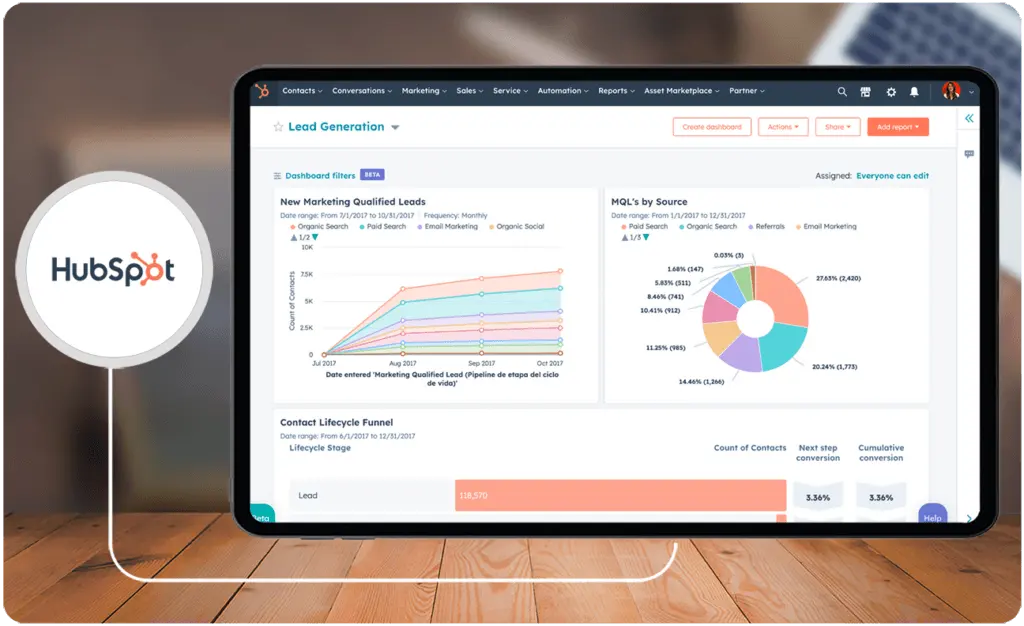
- Unified View of the Customer: HubSpot's contact record provides a unified view of the customer across teams.
- Streamlined Workflows: HubSpot Sales Hub eliminates friction by bringing tools and data together on one platform.
- Customizable Dashboards: HubSpot Sales Hub provides extensive analytics and reporting to help sales teams monitor trends.
- Powerful Features: HubSpot Sales Hub Enterprise offers a range of powerful features, including custom objects, extensive analytics, and reporting.
What is Salesforce Sales Cloud?
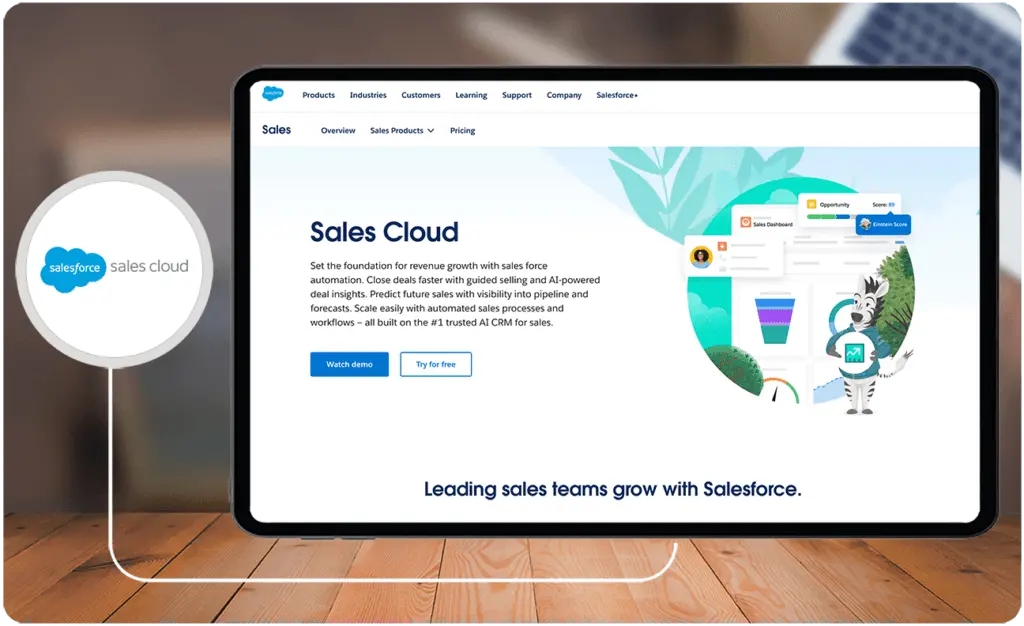
Salesforce Sales Cloud is a customer relationship management (CRM) platform that focuses on enhancing the sales and customer engagement processes within an organization. Sales teams can use Sales Cloud to track and manage sales opportunities through various stages of the sales cycle. This includes features such as deal tracking, forecasting, and pipeline management. These are the same features that you can find in Salesforce Sales Cloud alternatives.
Who is Salesforce Sales Cloud for?
Salesforce Sales Cloud is designed to help organizations build and manage customer relationships, streamline sales processes, and drive revenue growth. It is particularly suitable for companies in various industries, including B2B and B2C contexts.
Key Benefits of Salesforce Sales Cloud
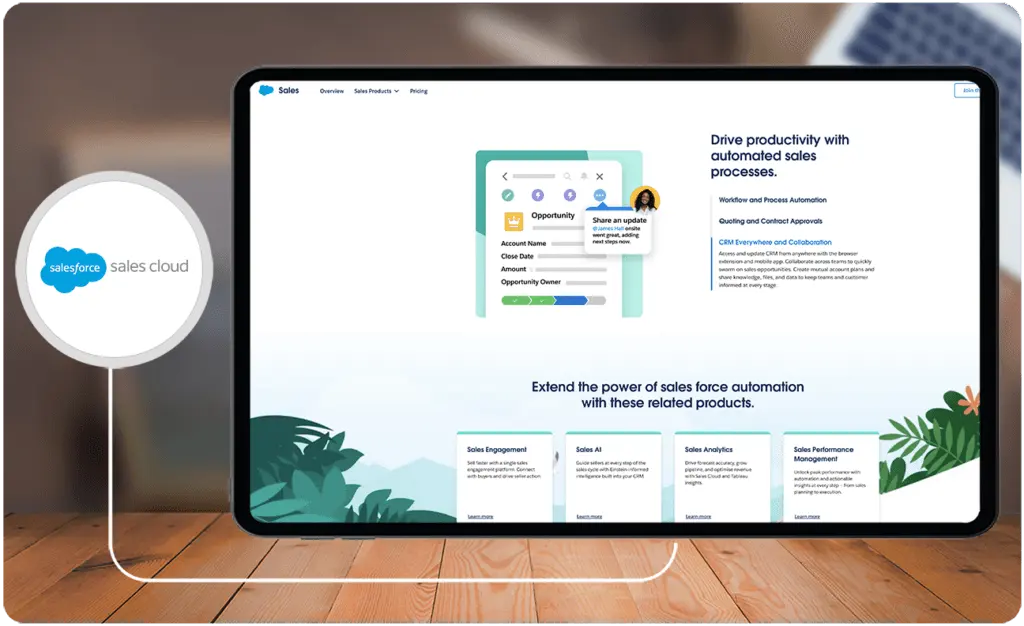
- Shortened Sales Cycle: The platform helps sales teams close deals faster by providing tools and features that streamline the sales process.
- Real-time Reporting: The platform offers real-time reporting and analytics, allowing sales teams to make smarter decisions and track their performance.
- Personalized Customer Experiences: Salesforce Sales Cloud empowers businesses to deliver personalized experiences to customers.
- Customizable and Scalable: The platform is flexible and can adapt to changing requirements, supporting long-term growth and evolution.
Who are HubSpot Sales Hub and Salesforce Sales Cloud best for?
HubSpot Sales Hub is best for:
- Small to medium-sized businesses looking for an easy-to-use, all-in-one sales automation solution.
- Sales teams looking for a platform that can help them streamline workflows, manage leads, automate tasks, and improve customer relationships.
- Companies that want a flexible pricing structure, including a free version for individual salespeople and premium editions for larger teams and more advanced features.
- Businesses that want to use AI-powered tools to draft engaging prospecting emails or create compelling CTAs.
Salesforce Sales Cloud is best for:
- Large enterprises looking for comprehensive sales force automation software that can be easily scaled.
- Companies that want a unified view of prospects, customers, contacts, leads, opportunities, and purchase history.
- Sales teams that need robust lead and pipeline management capabilities AI insights, coaching tools, and sales forecasting.
- Companies that need a highly customizable and scalable solution that can adapt to changing requirements and support long-term growth and evolution.
HubSpot Sales Hub vs Salesforce Sales Cloud Feature Comparison
User Interface and Ease of Use
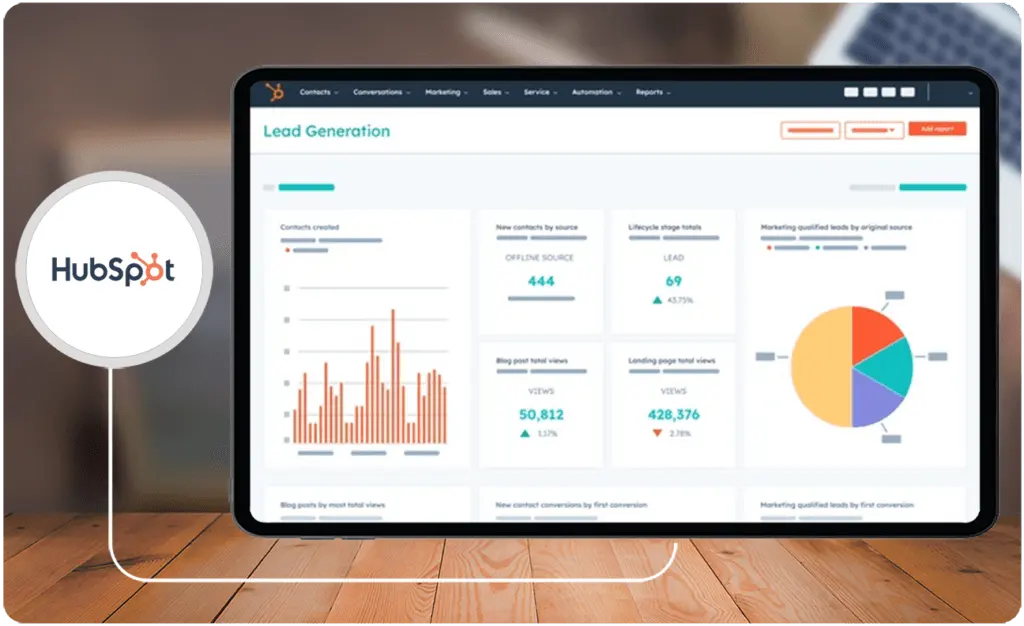
In our experience during our HubSpot Sales Hub comparison, HubSpot has an intuitive and user-friendly interface, making it accessible for users of all technical backgrounds. The platform's design prioritizes simplicity and ease of navigation, allowing sales teams to quickly adapt and utilize its features efficiently. Salesforce, while powerful, is often considered more complex, especially for new users. Its highly customizable interface caters to enterprises with specific needs but might require a steeper learning curve. Salesforce provides a robust platform that can be tailored extensively to match unique business processes. You can use this as a benchmark when looking at HubSpot Sales Hub alternatives.
Contact and Lead Management
For the HubSpot Sales Hub comparison with Salesforce Sales Cloud in terms of contact and lead management, HubSpot offers a centralized database for managing contacts and leads. It emphasizes a straightforward approach, enabling users to easily track and organize their interactions with leads and contacts. The contact management system is designed to be user-friendly and accessible. Meanwhile, Salesforce allows for extensive customization, making it suitable for businesses with complex relationship structures. Salesforce's approach is more granular, providing detailed fields and relationships for comprehensive data management.
Opportunity and Pipeline Management
In this HubSpot Sales Hub comparison, we learned that HubSpot's pipeline management is clear enough to use that users can easily visualize and manage their sales pipelines, tracking deals through various stages. The platform's strength lies in its straightforward approach to deal tracking. Salesforce, based on our experience, offers highly customizable opportunity and pipeline management. It allows users to define sales processes, create multiple pipelines, and implement complex workflows. This flexibility is advantageous for enterprises with intricate sales cycles.
Automation and Workflow
Another good HubSpot Sales Hub comparison with Salesforce Sales Cloud is automation and workflow. HubSpot emphasizes automation to streamline sales processes. It offers features like email sequences, task automation, and workflow automation. The focus is on providing automation tools in a user-friendly manner. As part of this HubSpot Sales Hub comparison, we looked into Salesforce's automation capabilities. The Process Builder and Workflow Rules allow users to automate complex business processes. With this depth of automation, Salesforce is well-suited for businesses with intricate workflows and automation needs.
HubSpot Sales Hub vs Salesforce Sales Cloud Pricing
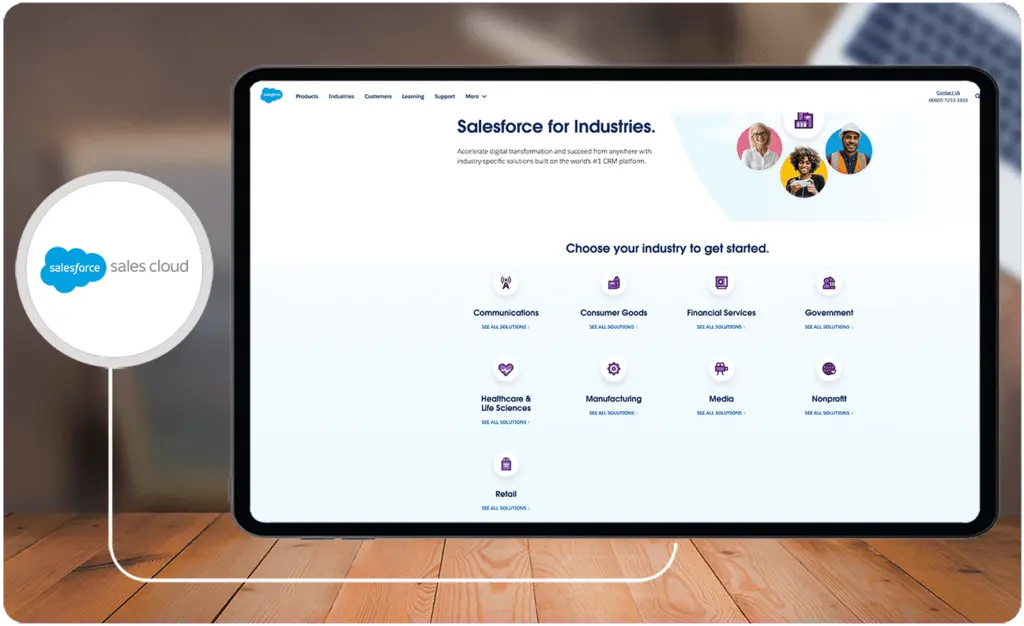
In this HubSpot Sales Hub comparison, both HubSpot Sales Hub and Salesforce Sales Cloud stand out as two leading sales automation solutions in the market. Although they share many features, their pricing structures exhibit notable distinctions. The HubSpot Sales Hub free plan encompasses fundamental sales automation elements like lead management, email integrations, workflow and approval automation, and pipeline management. HubSpot Sales Hub pricing starts at $45 per month, its paid plans introduce advanced features such as calling, meetings, and custom reporting. The scalability of HubSpot's pricing, based on the number of users and required features, positions it as an accessible and cost-effective solution particularly well-suited for small to medium-sized businesses.
In contrast, Salesforce Sales Cloud lacks a free plan but compensates with a 30-day free trial. Its paid plans commence at $25 per user per month and encompass features like lead and pipeline management, AI insights, coaching tools, visual sales cadences, sales forecasting, and sales analytics. Salesforce's pricing structure, for this HubSpot Sales Hub comparison, is more intricate compared to HubSpot's, involving add-ons and supplementary costs that can contribute to the overall expense of the platform.
How does customer support availability impact HubSpot Sales Hub and Salesforce Sales Cloud users?
Customer support is a vital consideration when choosing a CRM platform, as it directly impacts user adoption, issue resolution, and platform optimization. HubSpot and Salesforce approach support availability differently, catering to varying user needs.
Consider these support-related aspects when selecting a platform:
- Response Times: Quick response times help users address technical or operational issues swiftly, minimizing downtime and frustration.
- Support Channels: Assess if the platform offers support via chat, email, phone, or dedicated account managers for tailored assistance.
- Learning Resources: Check for online documentation, forums, or knowledge bases that empower users to find answers independently.
HubSpot Sales Hub Pros and Cons
Pros of HubSpot Sales Hub
- HubSpot Sales Hub is known for its easy-to-use and simple CRM.
- Highly customizable, allowing for easy import and export of data and a wide range of customization options.
- It facilitates the organization, communication, and tracking of leads for sales reps.
Cons of HubSpot Sales Hub
- The platform has limited reporting capabilities.
- Complexity for Larger Organizations.
How do HubSpot Sales Hub and Salesforce Sales Cloud support employee training and development?
Both platforms offer internal resources such as knowledge bases, tutorials, and community forums that facilitate user adoption. However, integrating them with structured external training solutions can substantially elevate user proficiency. Aligning with a dedicated enterprise learning platform provides targeted training modules, certification programs, and continuous skill development that complement the platforms’ native resources. Leveraging these integrated learning tools helps address evolving user needs, implements best practices efficiently, and maximizes overall ROI.
Salesforce Sales Cloud Pros and Cons
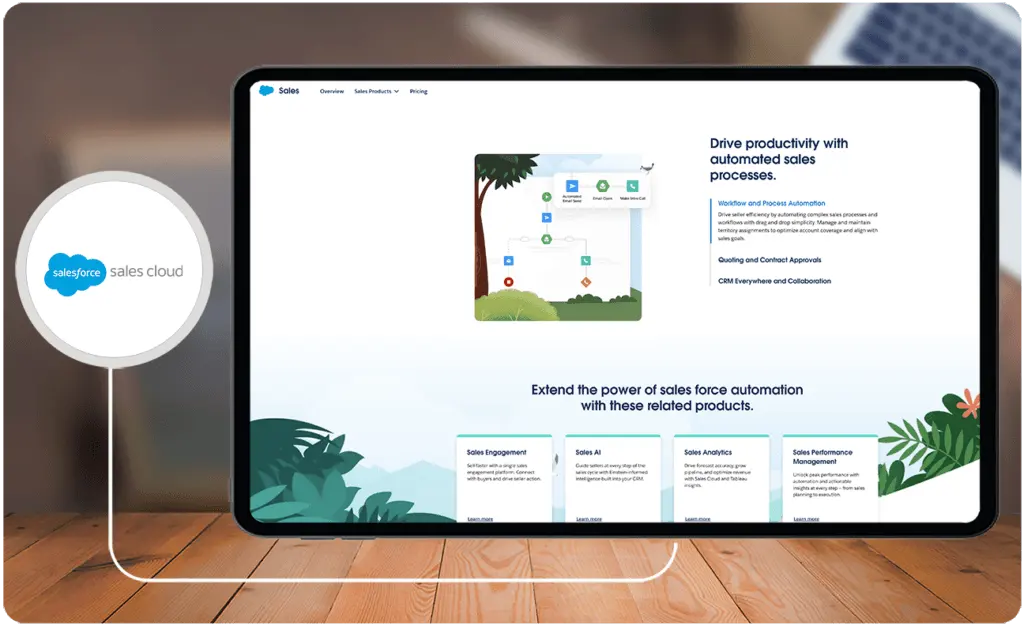
Pros of Salesforce Sales Cloud:
- The software has a clean and intuitive interface that makes it easy for users to navigate and find the information they need.
- Salesforce Sales Cloud integrates seamlessly with many other business tools.
- Offers excellent customer support and provides extensive documentation to help users get the most out of the software.
Cons of Salesforce Sales Cloud:
- Salesforce's pricing structure can be complex and expensive.
- Salesforce provides data storage with a limit of 10 GB per organization, which may not be sufficient for larger or growing companies.
- Salesforce has a steeper learning curve compared to the other best CRM platforms.
How to Choose the Right Sales Software for Your Business
Selecting the appropriate sales software hinges on understanding your business's unique objectives, size, and technical requirements. HubSpot Sales Hub and Salesforce Sales Cloud both deliver robust solutions, but the right choice depends on your specific needs. HubSpot is tailored for SMEs seeking a user-friendly interface and cost-effective scalability, while Salesforce excels in addressing complex workflows with high customization for enterprises.
For businesses in the evaluation phase, it's advisable to expand your research to include other competitive solutions in the market. Tools that integrate seamlessly with your existing processes and offer flexible functionalities can deliver maximum ROI. Our curated list of the best sales software provides a comprehensive overview of platforms that can cater to diverse business goals. This resource can help streamline your decision-making process by highlighting key features, pricing, user reviews, and more.
Ultimately, selecting the right software involves aligning your choice with your organization's immediate needs and anticipating future growth and scalability requirements. Leverage free trials, customer support services, and user communities to gain firsthand insights before committing to a solution.
Verdict – HubSpot Sales Hub vs Salesforce Sales Cloud: Which software is better?
In this HubSpot Sales Hub comparison with Salesforce Sales Cloud, the choice ultimately hinges on the user's or business's unique needs and priorities. Both software are among the top 10 HRIS systems due to their versatile capabilities. HubSpot Sales Hub stands out for its user-friendly interface and transparent pricing model, making it particularly suitable for small to medium-sized businesses seeking simplicity and cost-effectiveness. Its integrated marketing hub fosters collaboration between sales and marketing, and user reviews suggest that it excels in providing accessible automation tools.
On the other hand, Salesforce Sales Cloud emerges as the go-to solution for enterprises requiring scalability, extensive customization, and advanced analytics. With a robust AppExchange ecosystem and powerful AI capabilities through Salesforce Einstein, it caters to businesses with intricate sales processes and a focus on data-driven decision-making. In our HubSpot Sales Hub comparison experience, we can emphasize Salesforce's strength in catering to larger organizations and its ability to seamlessly integrate with a wide array of third-party applications. The “better" software depends on whether a user prioritizes simplicity, cost-effectiveness, and an integrated approach.
Key Insights
- HubSpot Sales Hub Overview:
- HubSpot Sales Hub is designed to streamline workflows, enhance customer relationships, and drive sales success.
- Key features include sales pipeline management, deal tracking, and performance insights.
- Suitable for businesses of various sizes, from SMEs to large enterprises, it offers scalability with premium editions for advanced features.
- Salesforce Sales Cloud Overview:
- Salesforce Sales Cloud is a robust CRM platform that enhances sales and customer engagement processes.
- Features include deal tracking, forecasting, pipeline management, and comprehensive sales automation tools.
- Designed for a wide range of industries and businesses, it is particularly beneficial for those with complex sales cycles.
- Comparison Highlights:
- User Interface and Ease of Use: HubSpot is known for its intuitive and user-friendly interface, while Salesforce offers a highly customizable but more complex interface.
- Contact and Lead Management: HubSpot provides a straightforward approach, whereas Salesforce allows for extensive customization and detailed data management.
- Opportunity and Pipeline Management: HubSpot offers clear and easy-to-use pipeline management, while Salesforce provides highly customizable options for complex sales cycles.
- Automation and Workflow: HubSpot emphasizes user-friendly automation tools; Salesforce offers deeper automation capabilities through Process Builder and Workflow Rules.
- Pricing: HubSpot offers a free plan and scalable pricing starting at $45/month, while Salesforce starts at $25/user/month but can be more complex and costly with add-ons.
Other Things You Should Know About HubSpot Sales Hub – Salesforce Sales Cloud Comparison
HubSpot is known for its excellent customer support, offering a comprehensive range of tools to help businesses manage customer relationships. It provides features like ticket response, knowledge base, and service ticket management, ensuring efficient support.
Whether HubSpot is worth paying for depends on the specific needs of the business. HubSpot offers a range of pricing tiers and a comprehensive set of free tools, making it accessible for businesses of various sizes. The professional plan is reasonably priced for the features it offers.
Yes, Salesforce can be used as a CRM. It offers a comprehensive range of tools for managing customer and prospect relationships and can integrate with many existing apps or build custom apps to meet specific business needs.
Salesforce CRM has a relatively steep learning curve due to its numerous features and functionalities. However, with extensive documentation and support, users can learn to navigate and utilize the platform effectively.
HubSpot Sales Hub is best for small to medium-sized businesses looking for an easy-to-use, all-in-one sales automation solution. It is ideal for sales teams seeking to streamline workflows, manage leads, automate tasks, and improve customer relationships.
Salesforce Sales Cloud is best for large enterprises needing comprehensive sales force automation software. It is suited for companies requiring robust lead and pipeline management capabilities, AI insights, and extensive customization to support long-term growth and complex sales processes.
Key benefits include a unified view of the customer, streamlined workflows, customizable dashboards, and powerful features like custom objects and extensive analytics.
Key benefits include shortened sales cycles, real-time reporting, personalized customer experiences, and customizable and scalable solutions to support long-term growth.
HubSpot emphasizes user-friendly automation tools for email sequences and task automation. Salesforce provides deeper automation capabilities with Process Builder and Workflow Rules, suitable for businesses with intricate workflows.
HubSpot Sales Hub offers a free plan and scalable pricing, making it more cost-effective for small to medium-sized businesses. Salesforce Sales Cloud starts at $25/user/month but can become more expensive with add-ons and supplementary costs, making it more suitable for larger enterprises.


